Which access method does classic Ethernet use?
Local Area Networks: Ethernet
Ethernet from top to bottom: IEEE 802 and its LLC/MAC split, every field of the frame and its size, the 48-bit MAC address and how to tell unicast, multicast and broadcast apart, the four generations from 10 Mbps to 10 Gbps, and why full-duplex switched Ethernet no longer needs CSMA/CD. (On the Slides page this deck is listed as Data Link Layer Part 3.)
How to read this page
Every original slide is shown unchanged. Yellow marks on a slide point to a numbered note: hover or tap a mark to jump to its note, and hover a note to see its marks. Questions tagged Past exam appeared on a real paper; Prediction questions are likely angles, not confirmed. Pick an answer to each question: a wrong pick tells you why it is wrong, so you can try again.
All 25 slides
- 1 Local Area Network: LANs
- 2 Chapter 4: Outline
- 3 IEEE standards
- 4 Ethernet
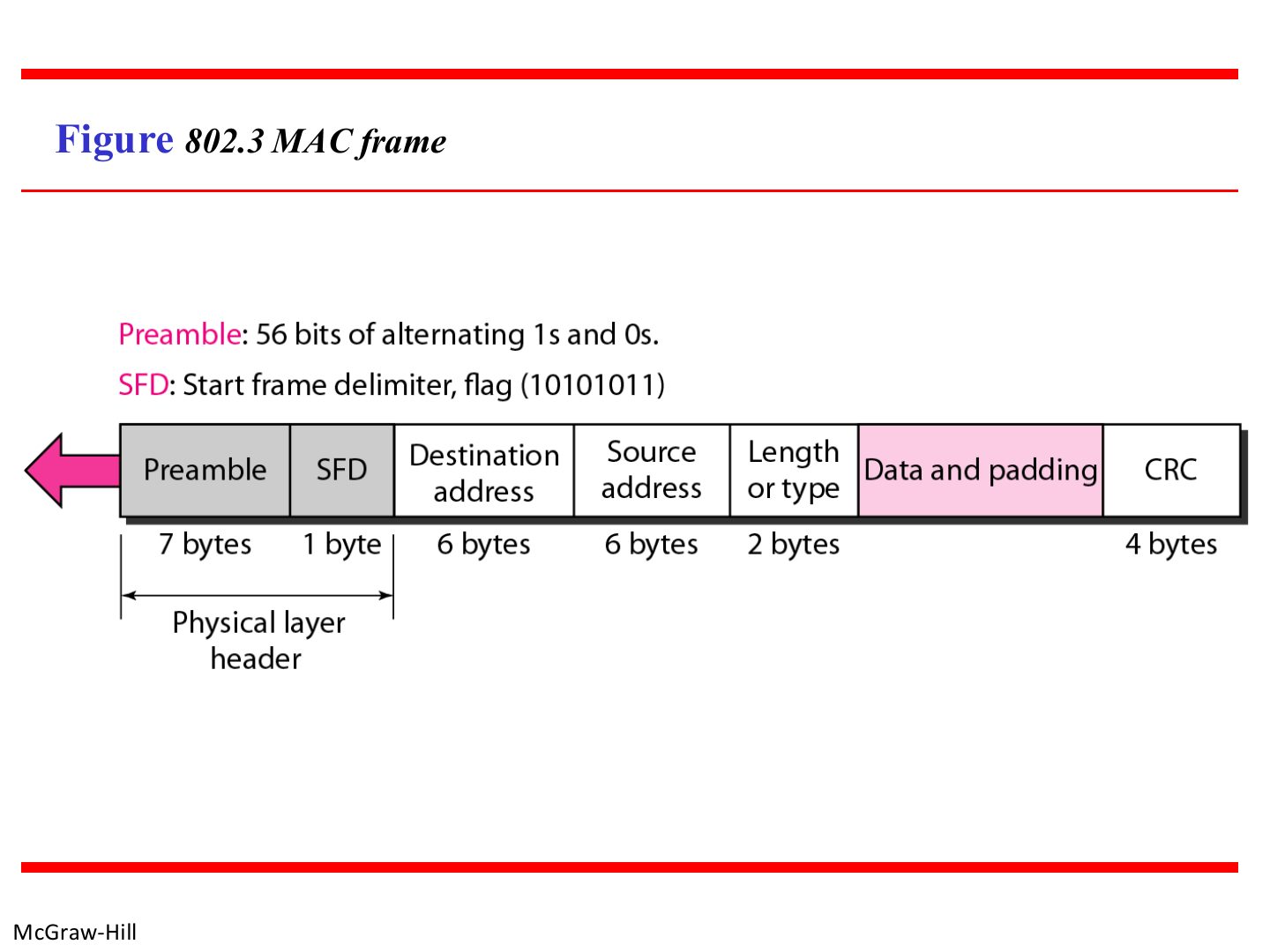
- 5 802.3 MAC frame
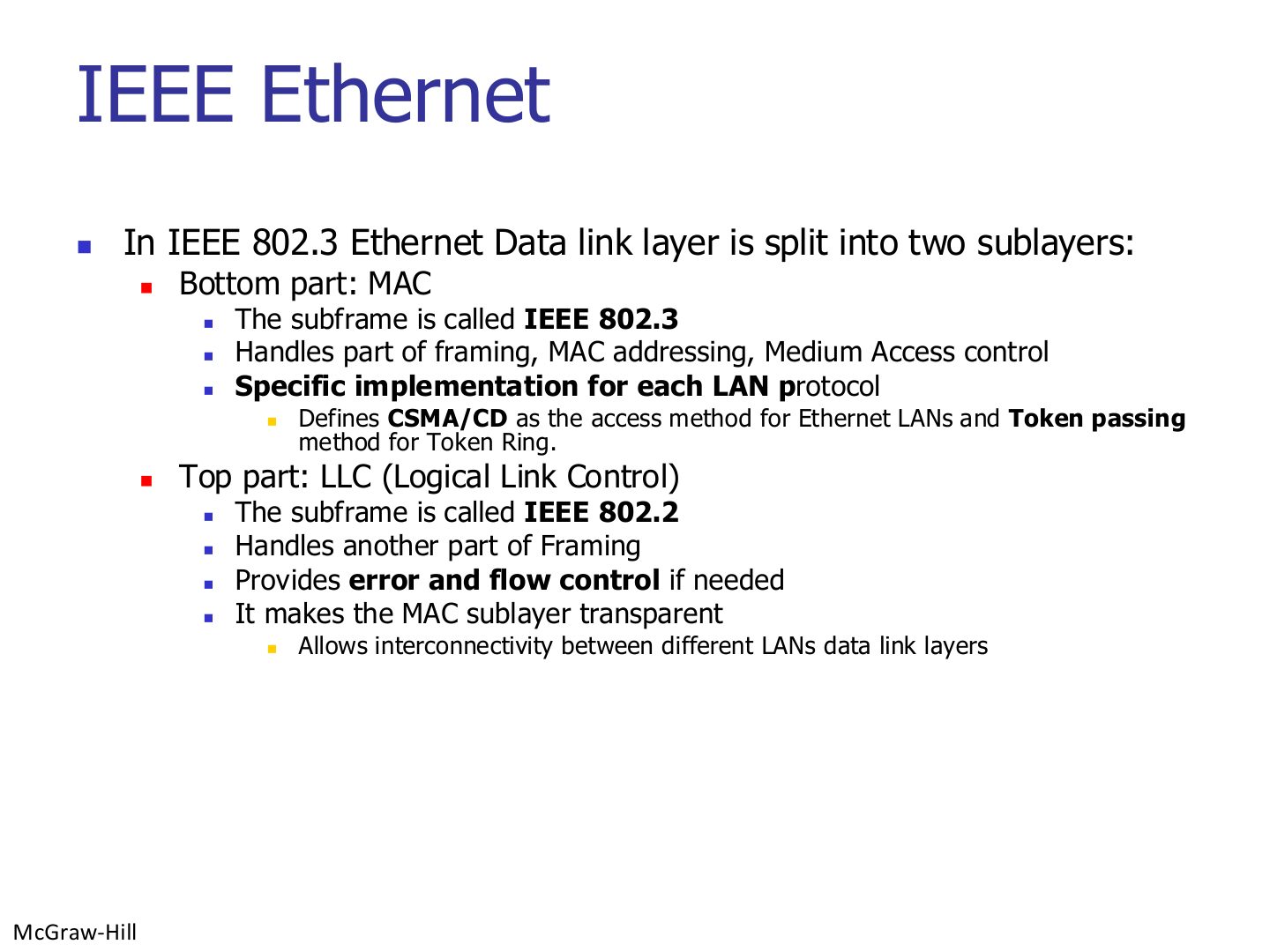
- 6 IEEE Ethernet
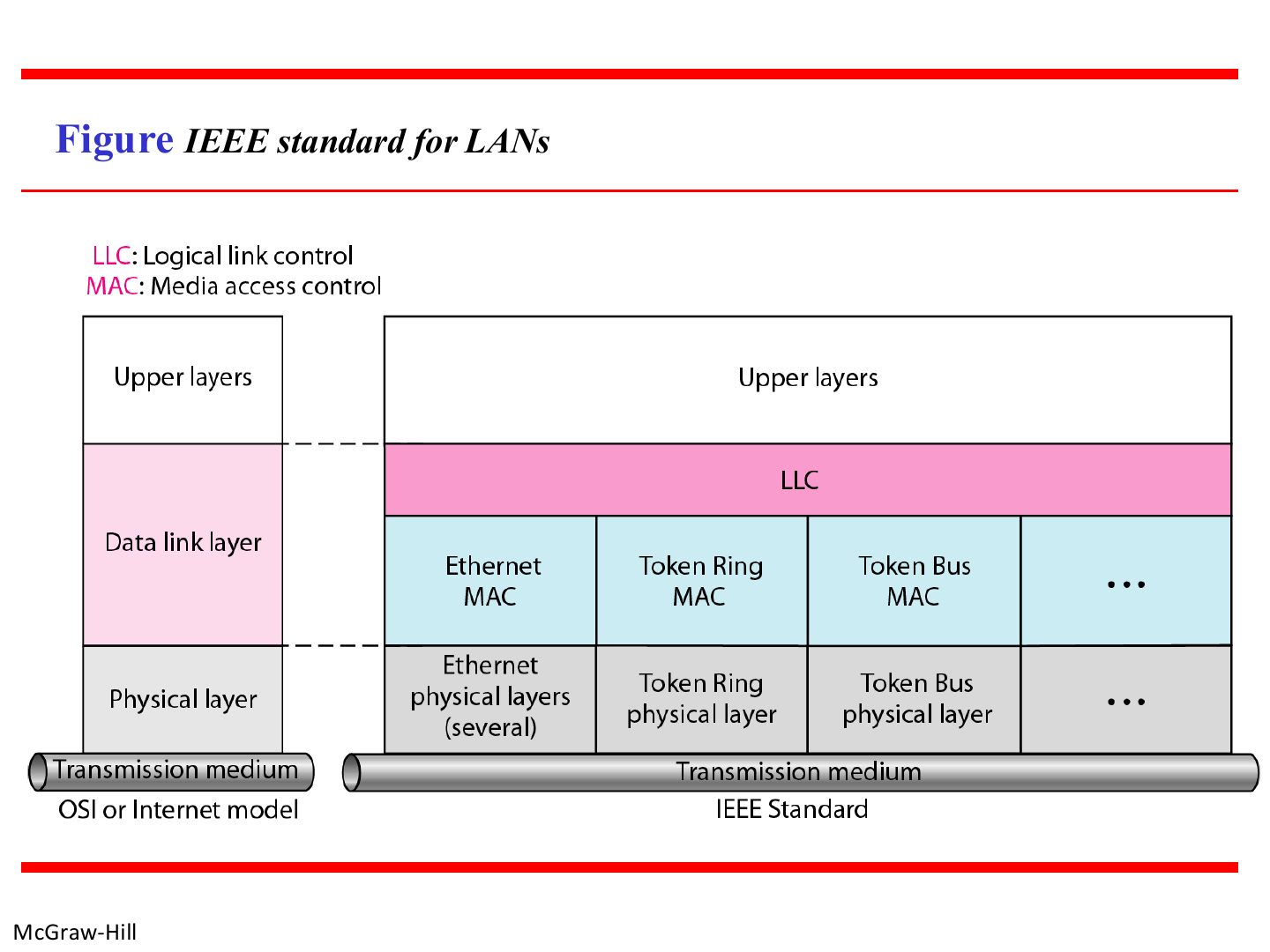
- 7 IEEE standard for LANs
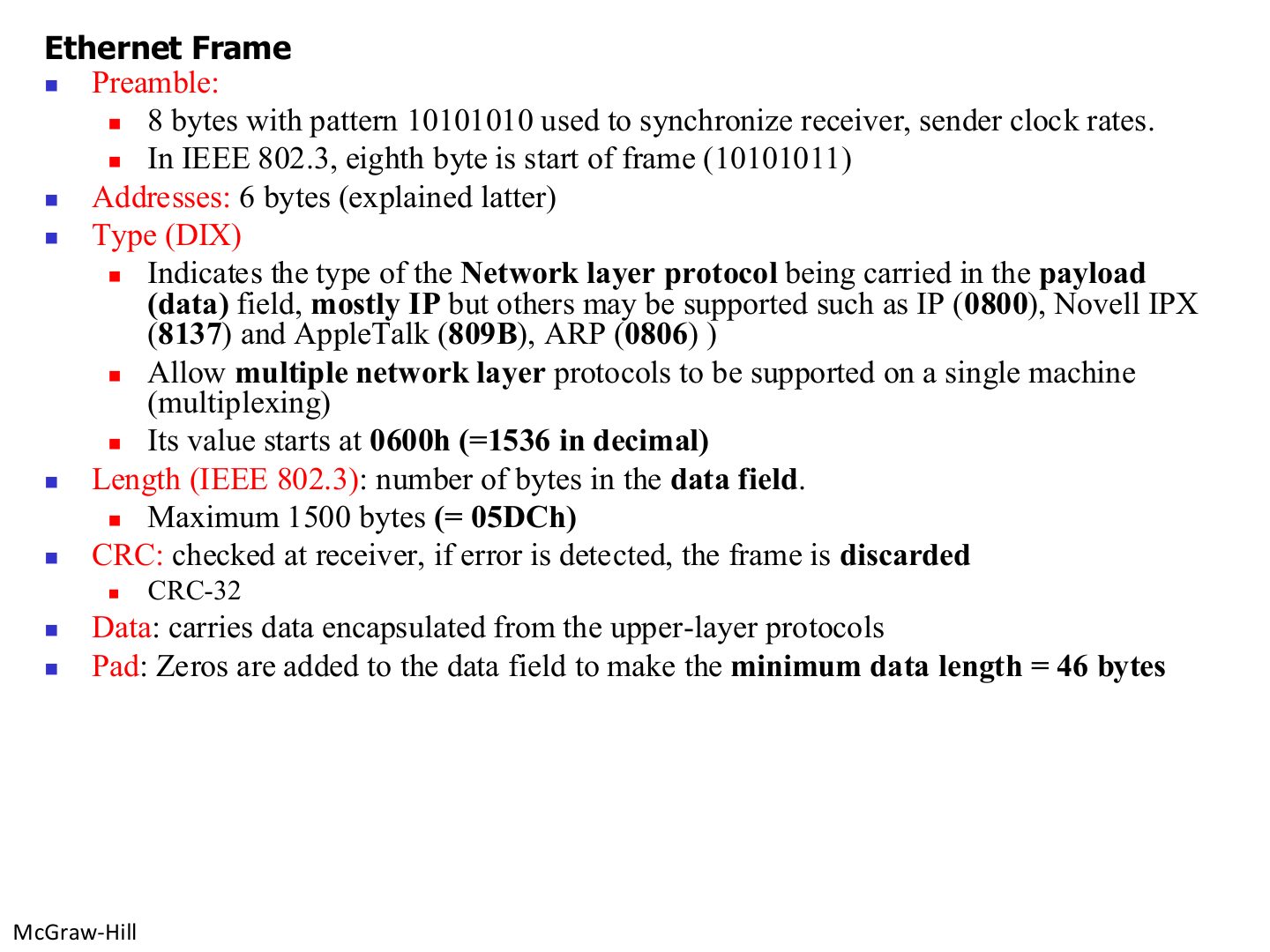
- 8 Ethernet Frame
- 9 Ethernet address
- 10 Ethernet address of a desktop PC Ethernet card
- 11 Note: unicast or multicast?
- 12 Note: broadcast
- 13 Unicast and multicast addresses
- 14 Example
- 15 Ethernet frame
- 16 Note: frame length
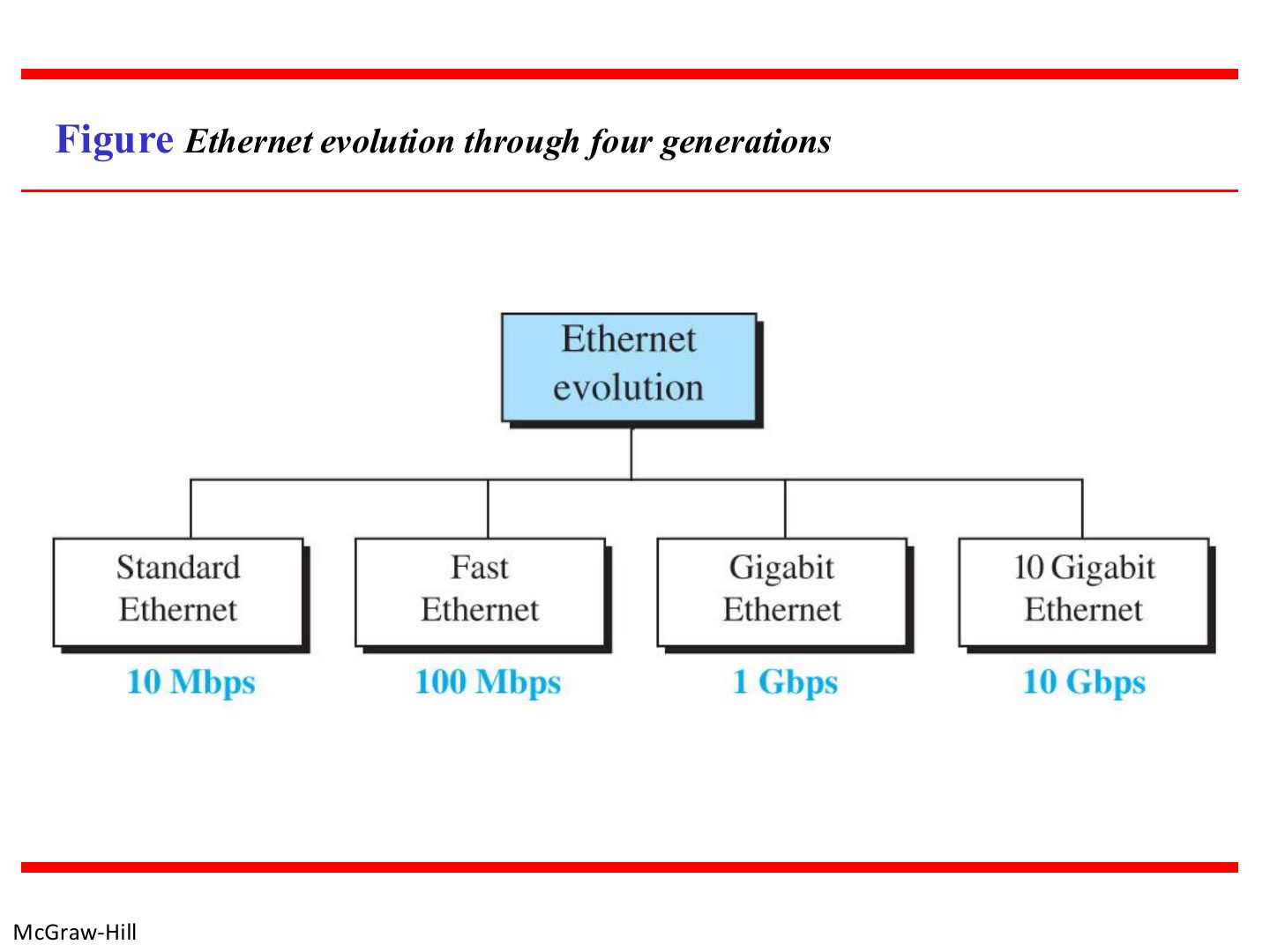
- 17 Ethernet evolution through four generations
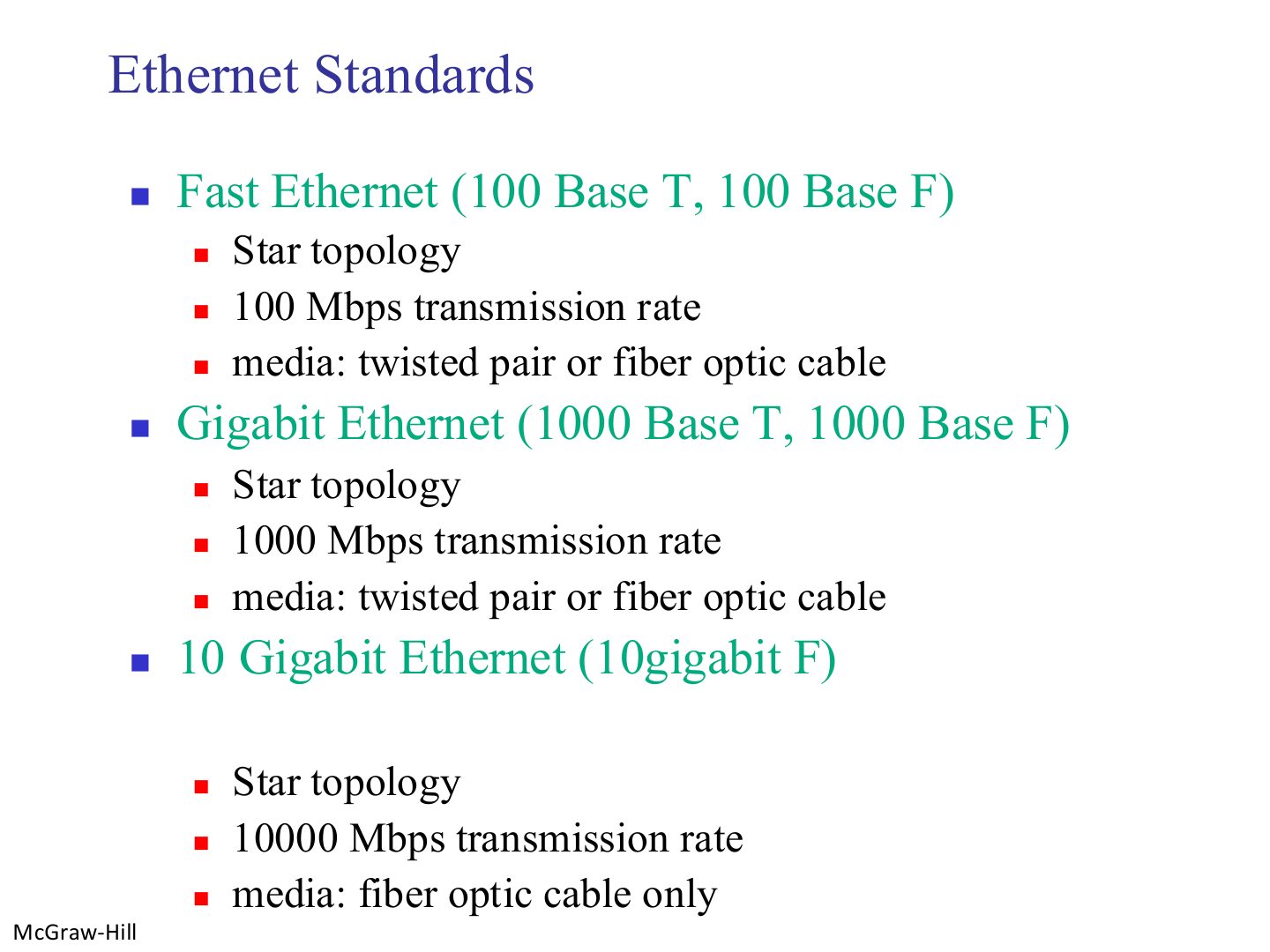
- 18 Ethernet Standards
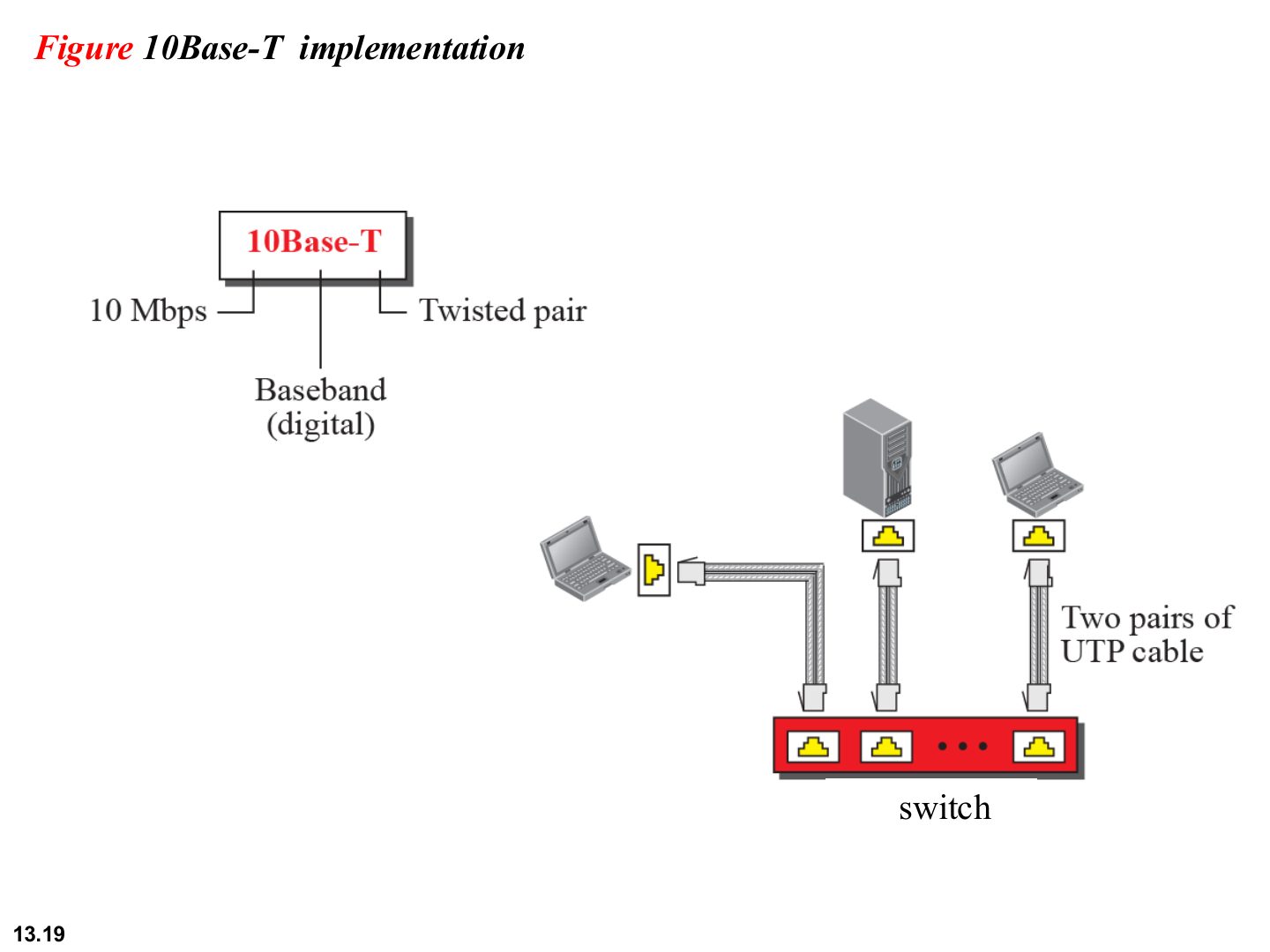
- 19 10Base-T implementation
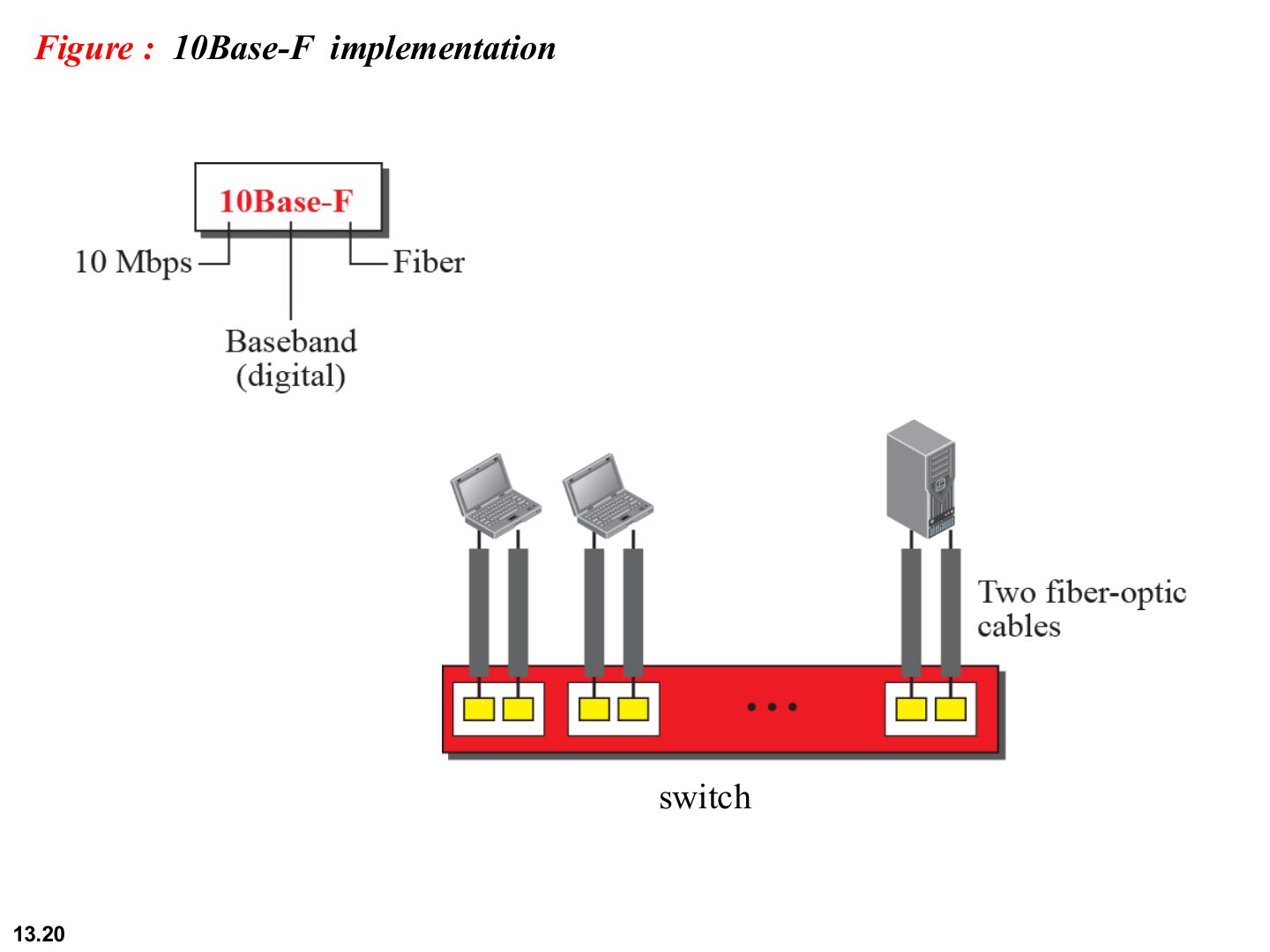
- 20 10Base-F implementation
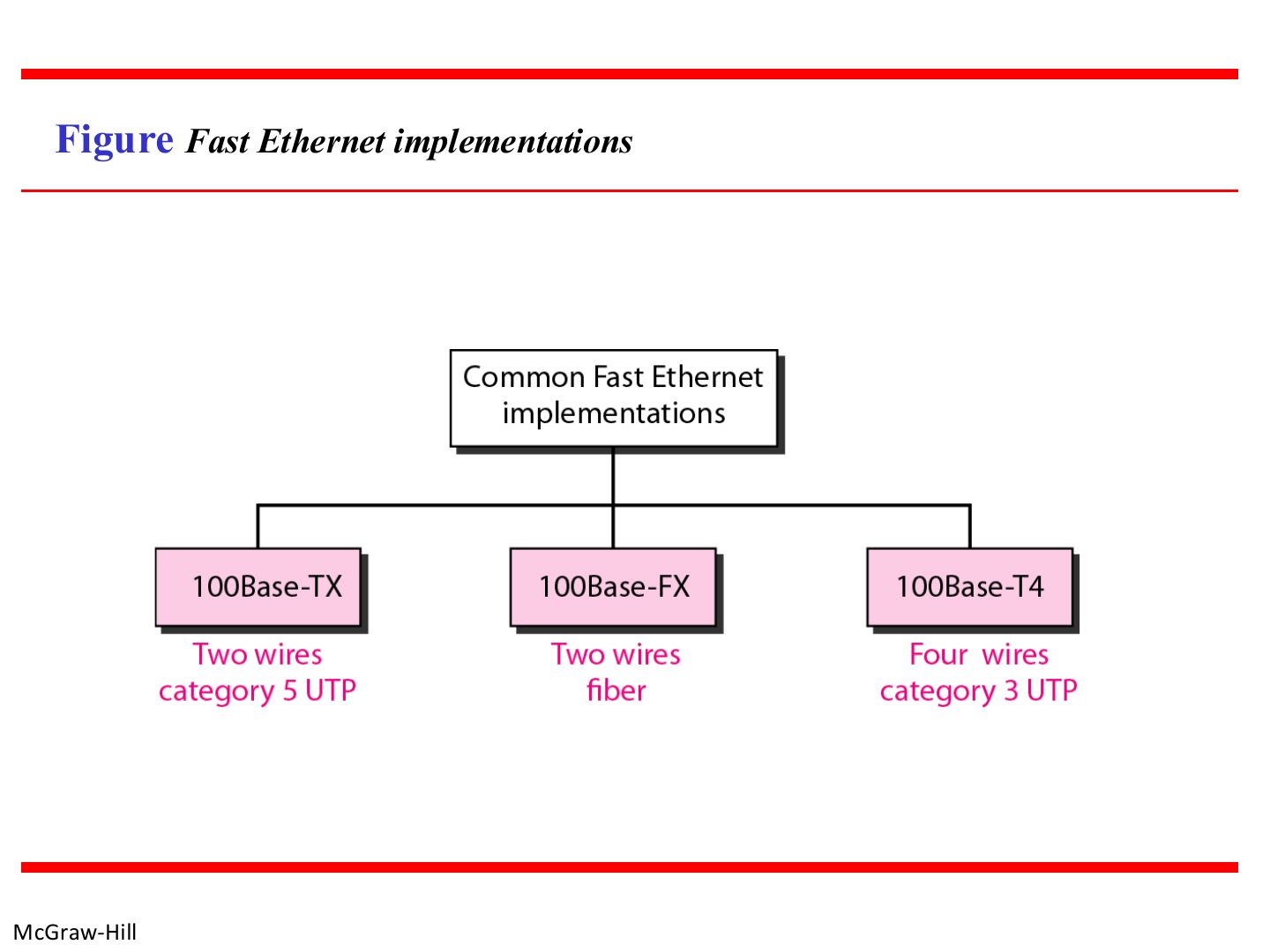
- 21 Fast Ethernet implementations
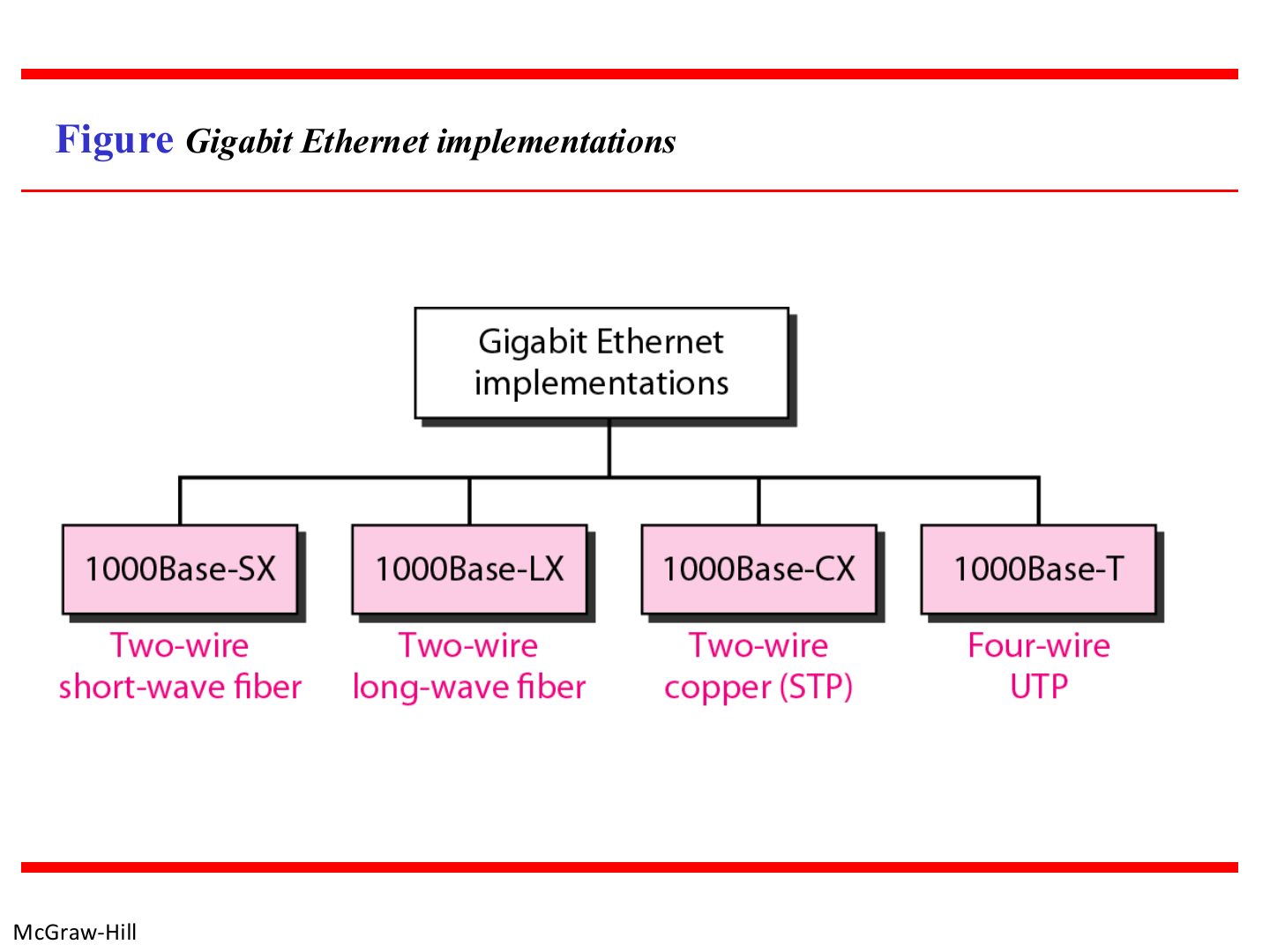
- 22 Gigabit Ethernet implementations
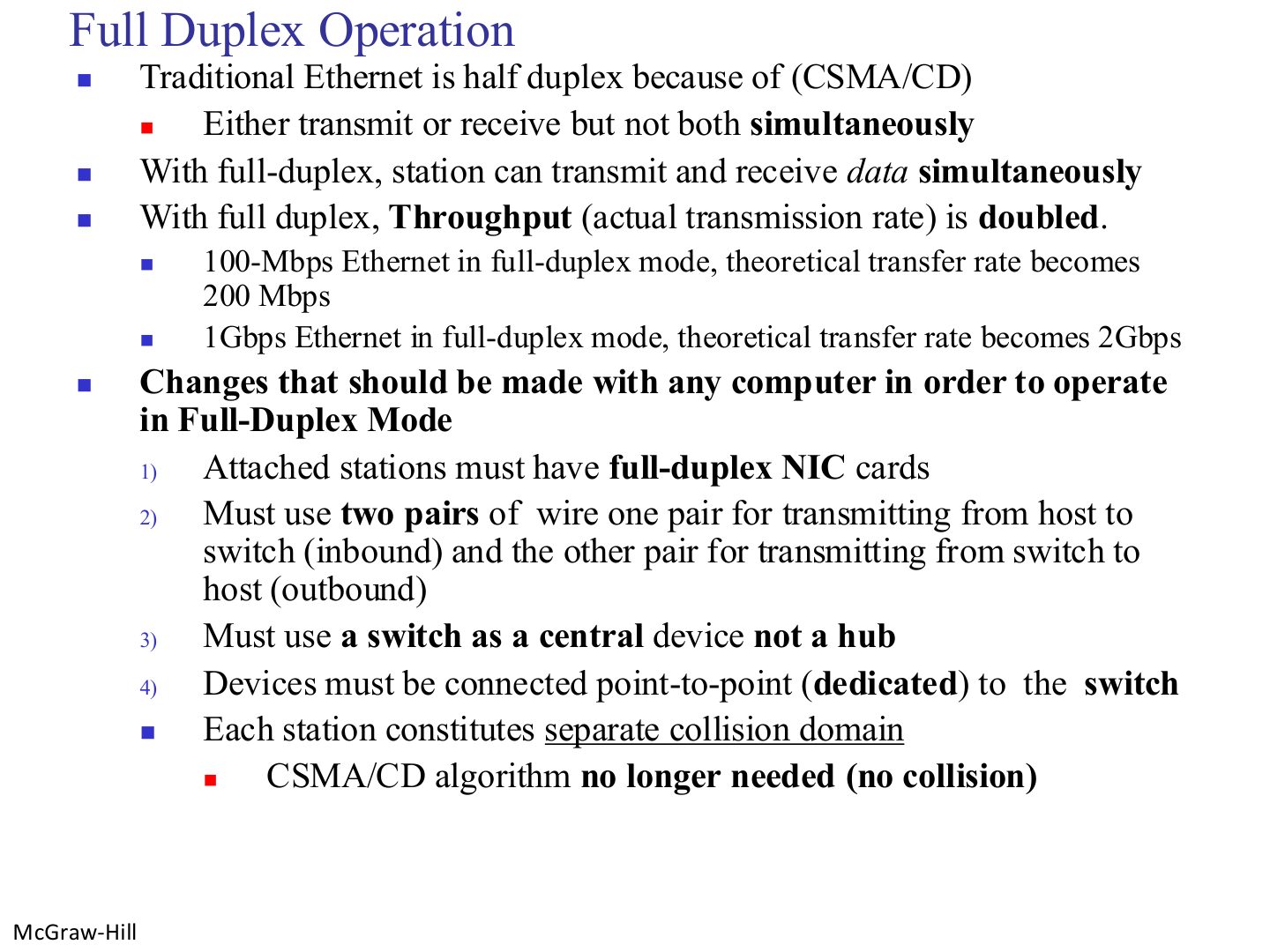
- 23 Full Duplex Operation
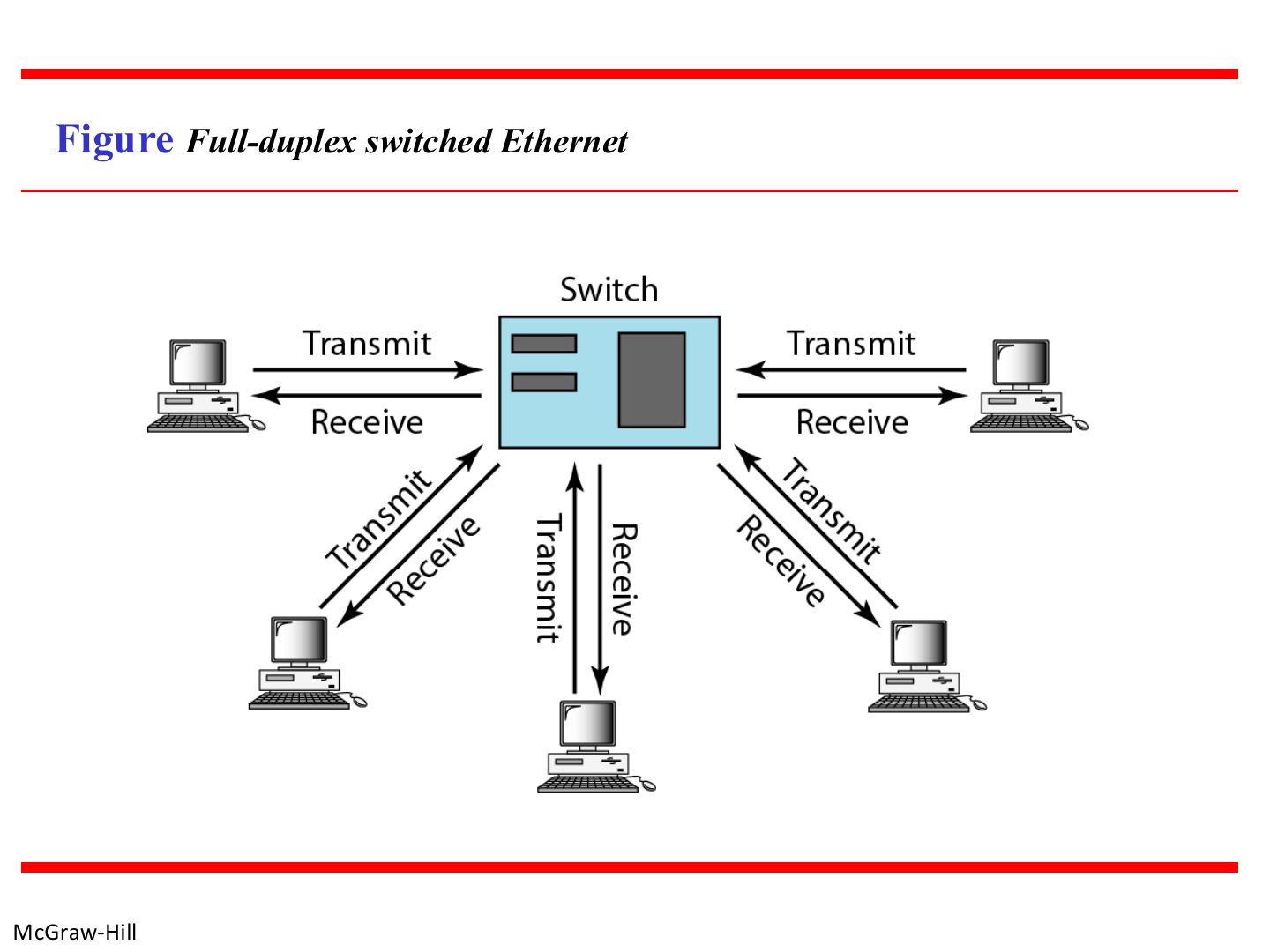
- 24 Full-duplex switched Ethernet
- 25 Switched Ethernet
Local Area Network: LANs
Notes
IEEE 802 → frame format → MAC addresses → Ethernet generations → full duplex and switching.
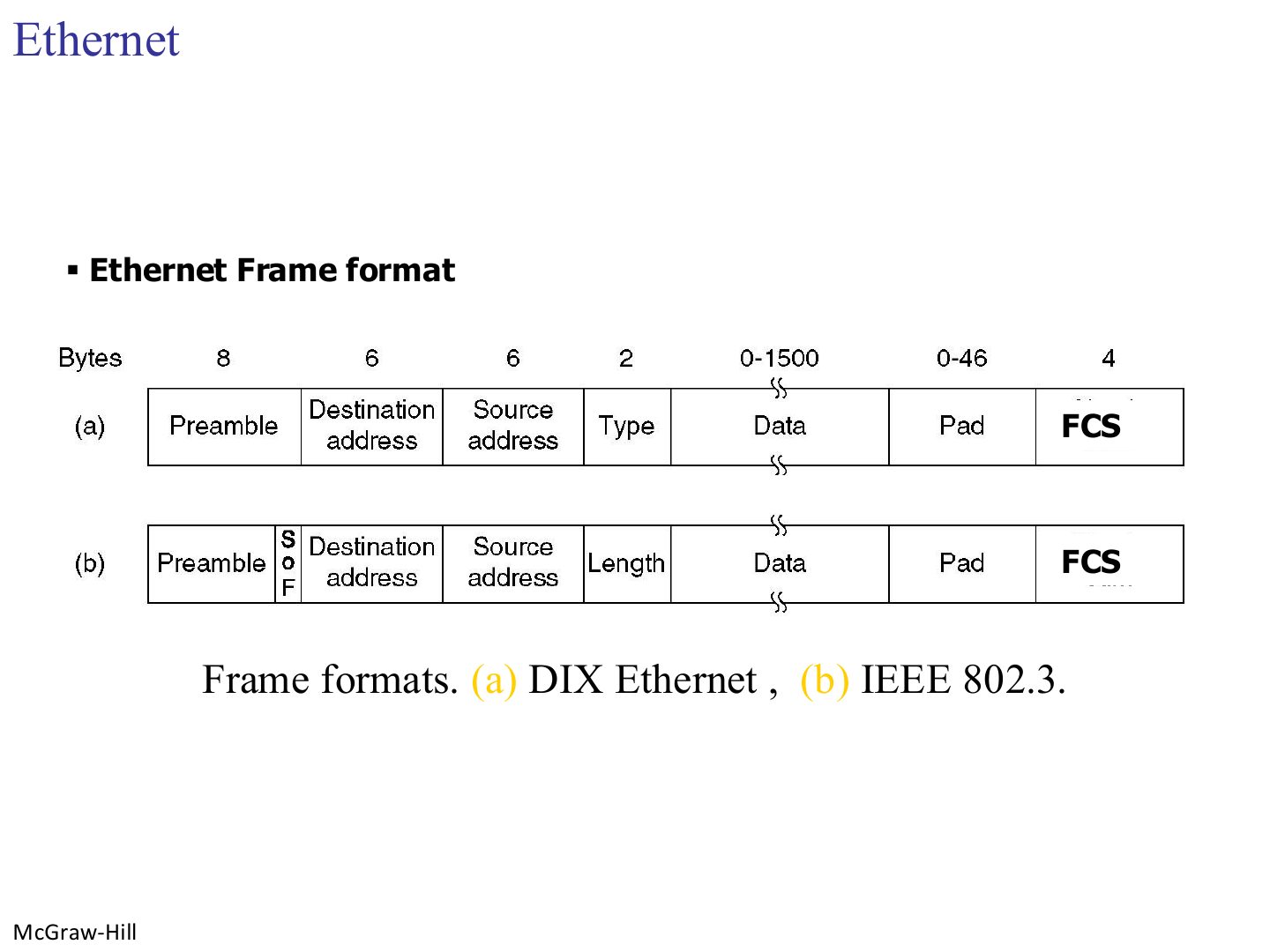
Tip Frame fields and sizes: preamble 7 + SFD 1 (physical-layer header) · destination 6 · source 6 · type/length 2 · data 46–1500 · CRC 4.
Chapter 4: Outline
Notes
One section: 4.1 Ethernet.
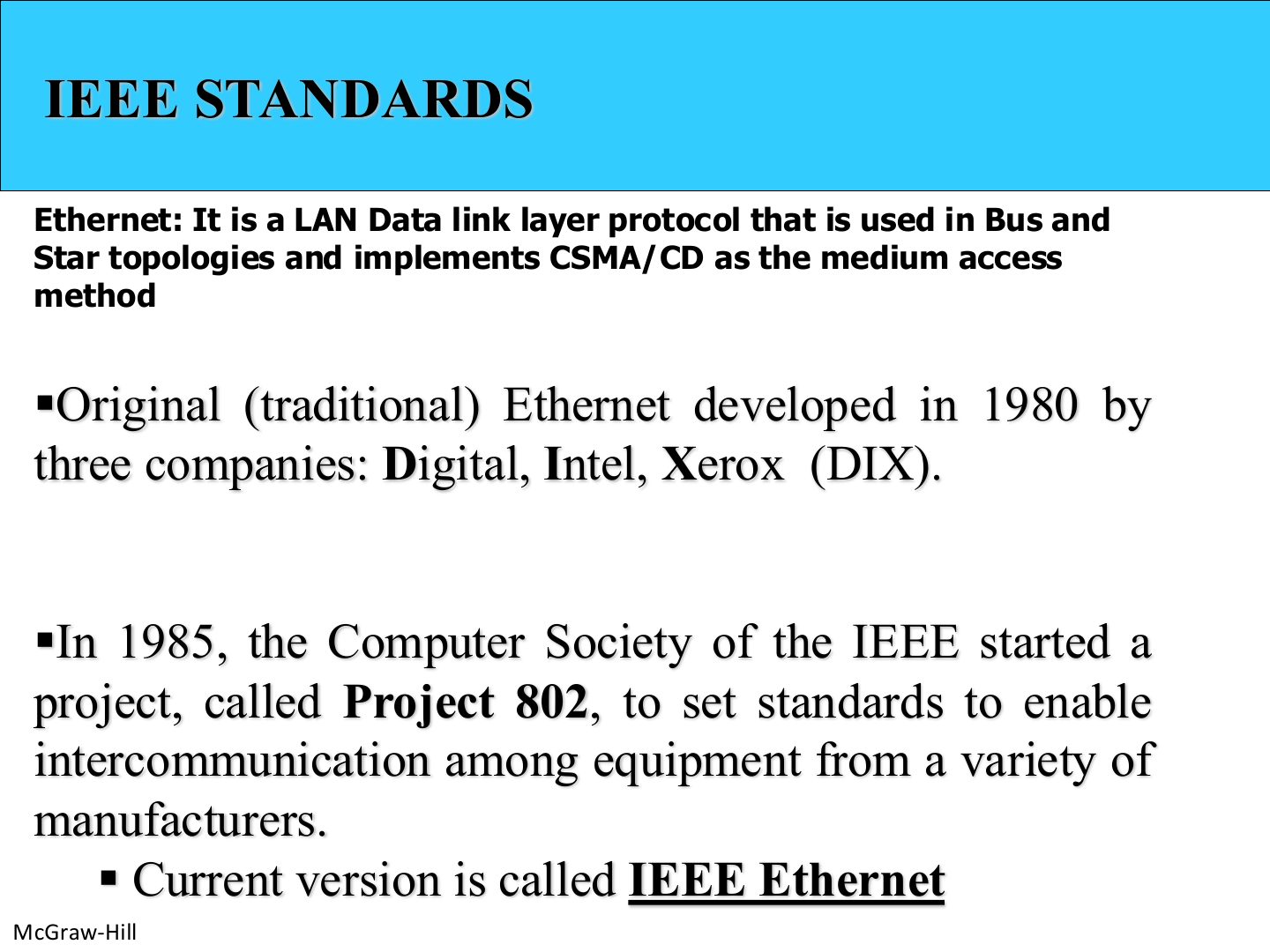
IEEE standards
Notes
Seen again Ch 3 Part 2, slide 17: How CSMA/CD works
Seen again Ch 1 Part 1, slide 32: IEEE as a standards body
Exam angle
DIX Ethernet was developed by:
Ethernet
Notes
The only difference: DIX has a TYPE field, IEEE 802.3 has a LENGTH field (and the 8th preamble byte becomes the SFD).
Trap DIX → Type. 802.3 → Length. Same 2-byte position.
Exam angle
The 2-byte field after the source address in an IEEE 802.3 frame is:
802.3 MAC frame
Notes
Tip Frame fields and sizes: preamble 7 + SFD 1 (physical-layer header) · destination 6 · source 6 · type/length 2 · data 46–1500 · CRC 4.
Exam angle
How long is the CRC field of an Ethernet frame?
How long is each Ethernet address field?
IEEE Ethernet
Notes
Memory trick 802.3 = MAC for Ethernet. 802.2 = LLC on top, the same for every LAN.
Seen again Ch 3 Part 2, slide 5: The two data link sublayers
Exam angle
Which IEEE standard is the LLC sublayer?
Which sublayer is specific to each LAN technology?
IEEE standard for LANs
Notes
One LLC, many MACs, each MAC with its own physical layers.
Ethernet Frame
Notes
Preamble: 10101010 to sync clocks; in 802.3 the 8th byte is the SFD 10101011.
Type (DIX) says which network-layer protocol is inside (0800 = IP, 0806 = ARP). Values start at 0x0600 = 1536.
Memory trick The two-byte field: ≤ 1500 → length (802.3); ≥ 1536 → type (DIX).
Exam angle
The type value 0x0800 in an Ethernet frame means the payload is:
If the data is only 20 bytes, how many pad bytes are added?
- Minimum data is 46 bytes: 46 - 20 = 26.
An Ethernet receiver corrects a frame whose CRC check fails.
- It discards it.
Ethernet address
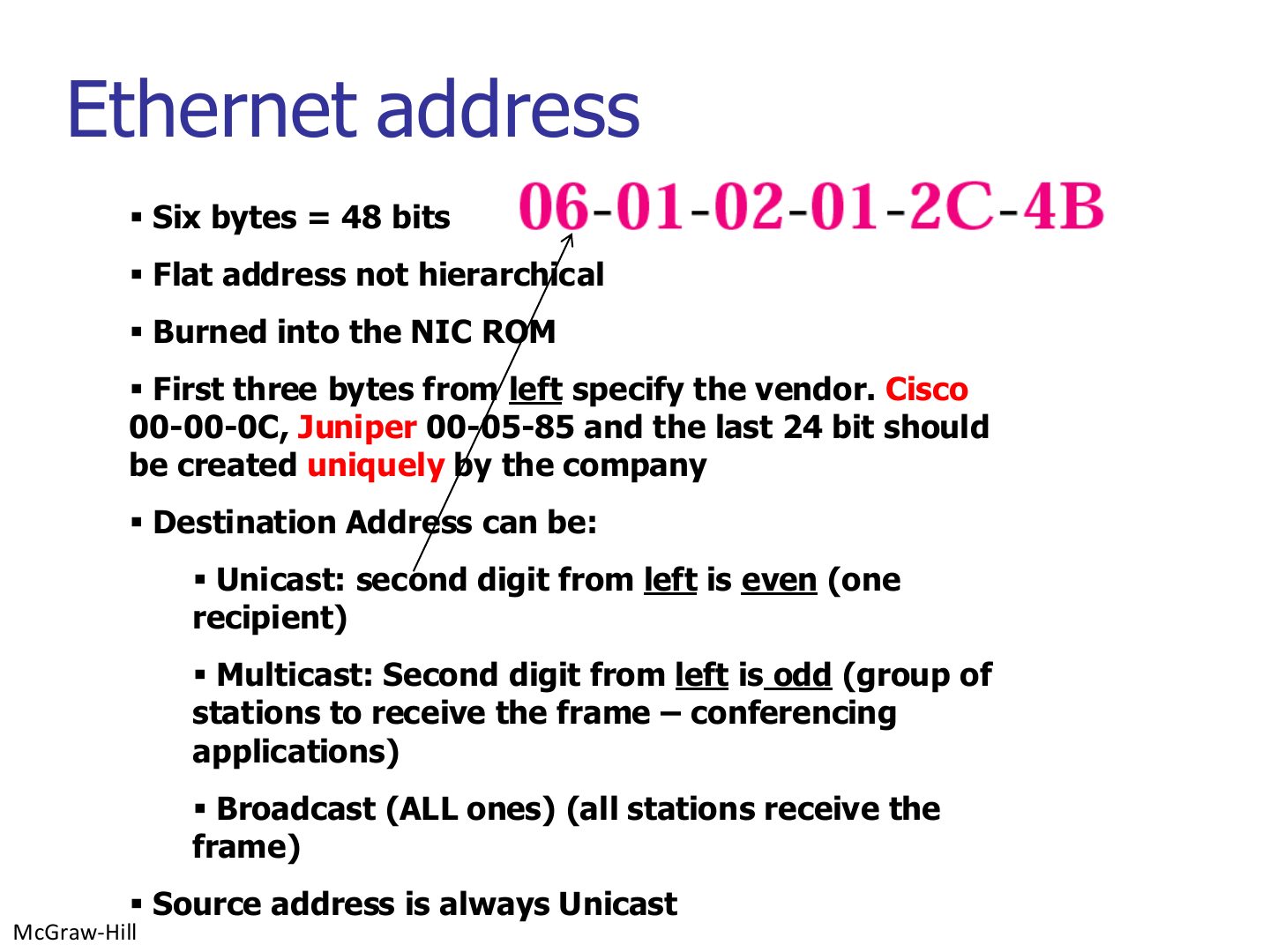
Notes
Seen again Ch 1 Part 2, slide 28: MAC = physical = NIC address
Exam angle
An Ethernet MAC address is:
A source MAC address can be a multicast address.
- The source is always unicast.
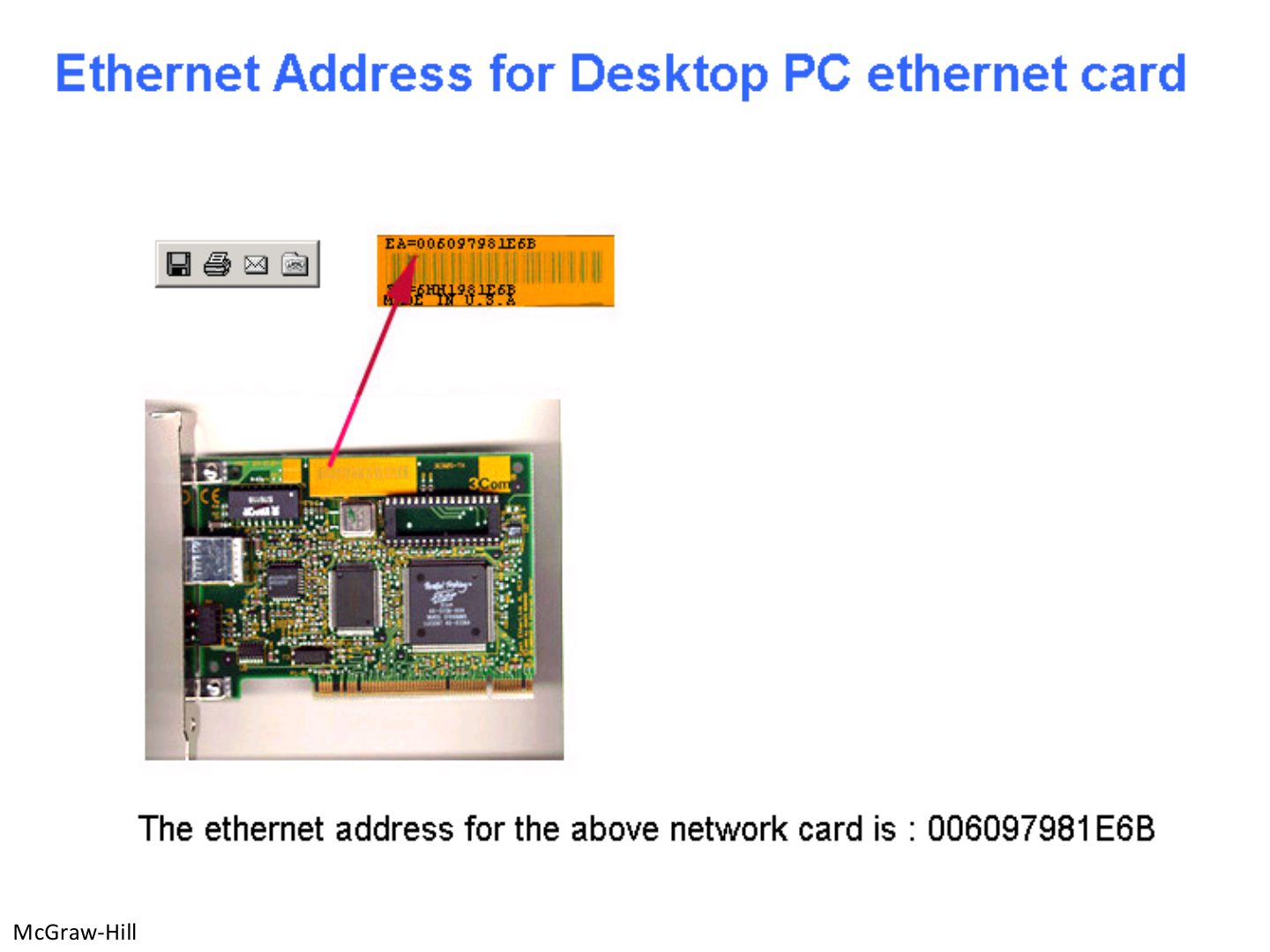
Ethernet address of a desktop PC Ethernet card
Notes
The MAC is printed on the card and stored in its ROM. 00-60-97 is the vendor part.
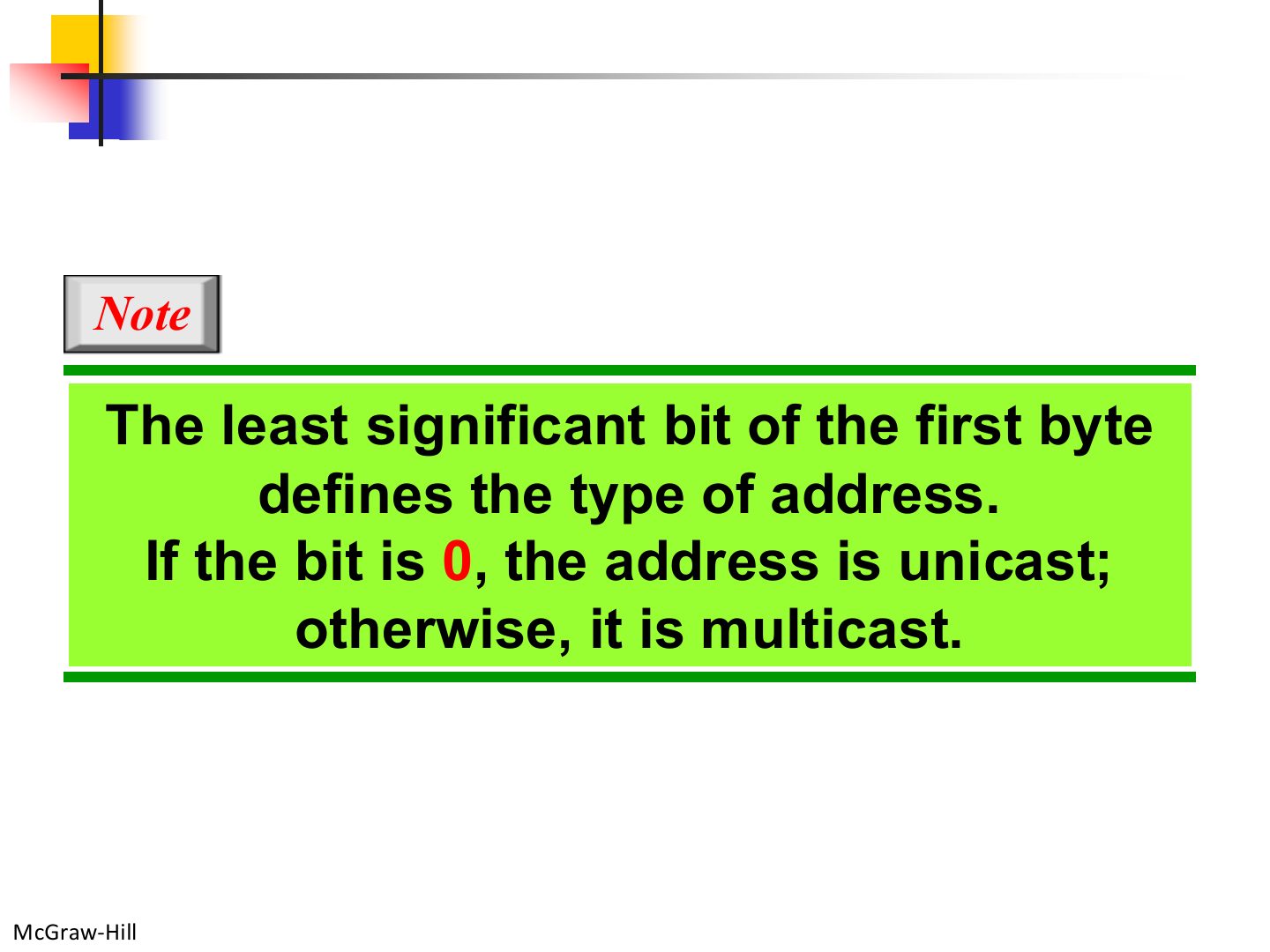
Note: unicast or multicast?
Notes
It is the least significant bit of the FIRST byte: 0 → unicast, 1 → multicast. That bit lives in the second hex digit, which is why “even/odd” works.
Trap “Second digit” means the second HEX digit (part of byte 1), not the second byte.
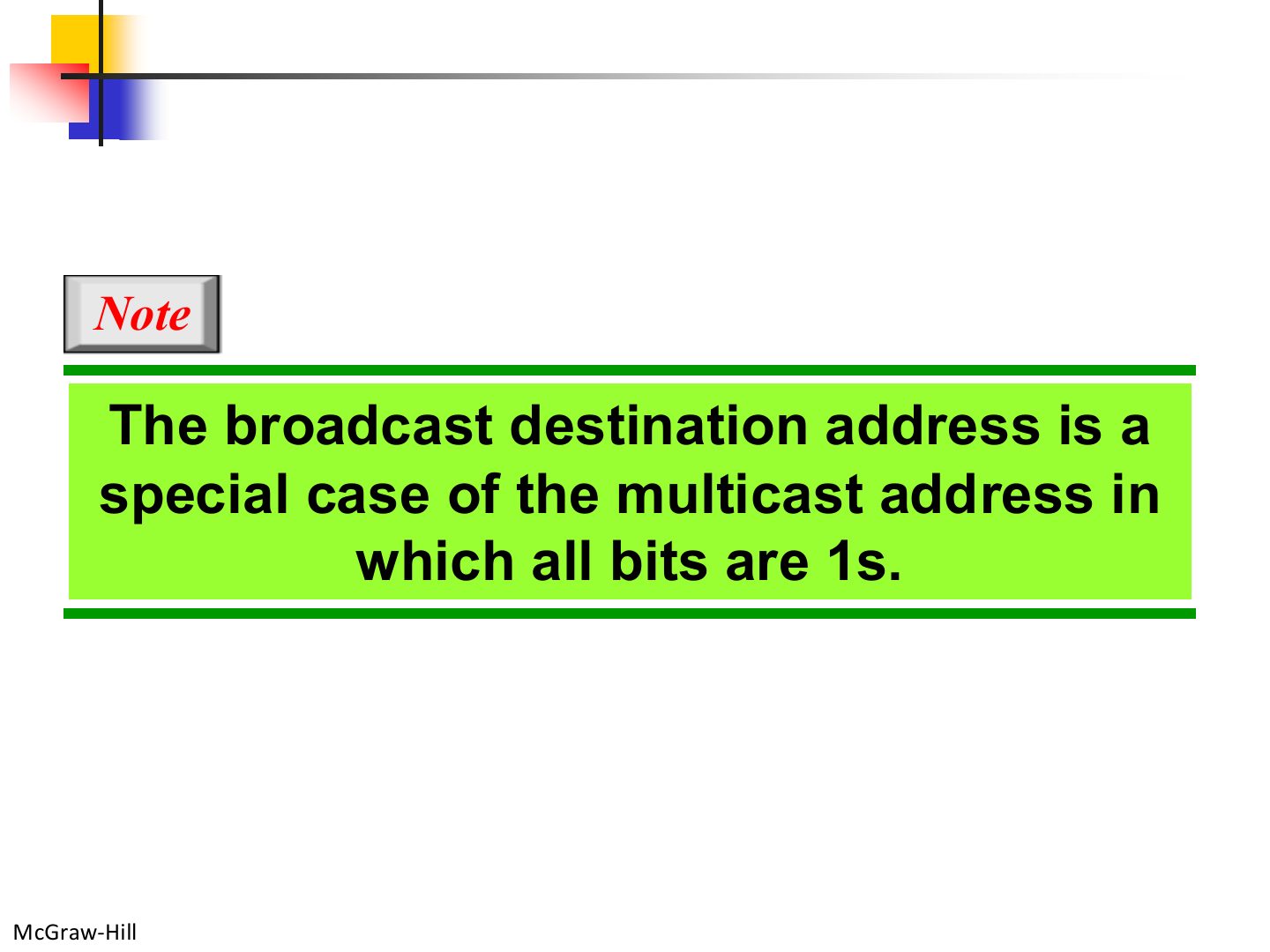
Note: broadcast
Exam angle
The broadcast address is a special case of a multicast address.
Unicast and multicast addresses
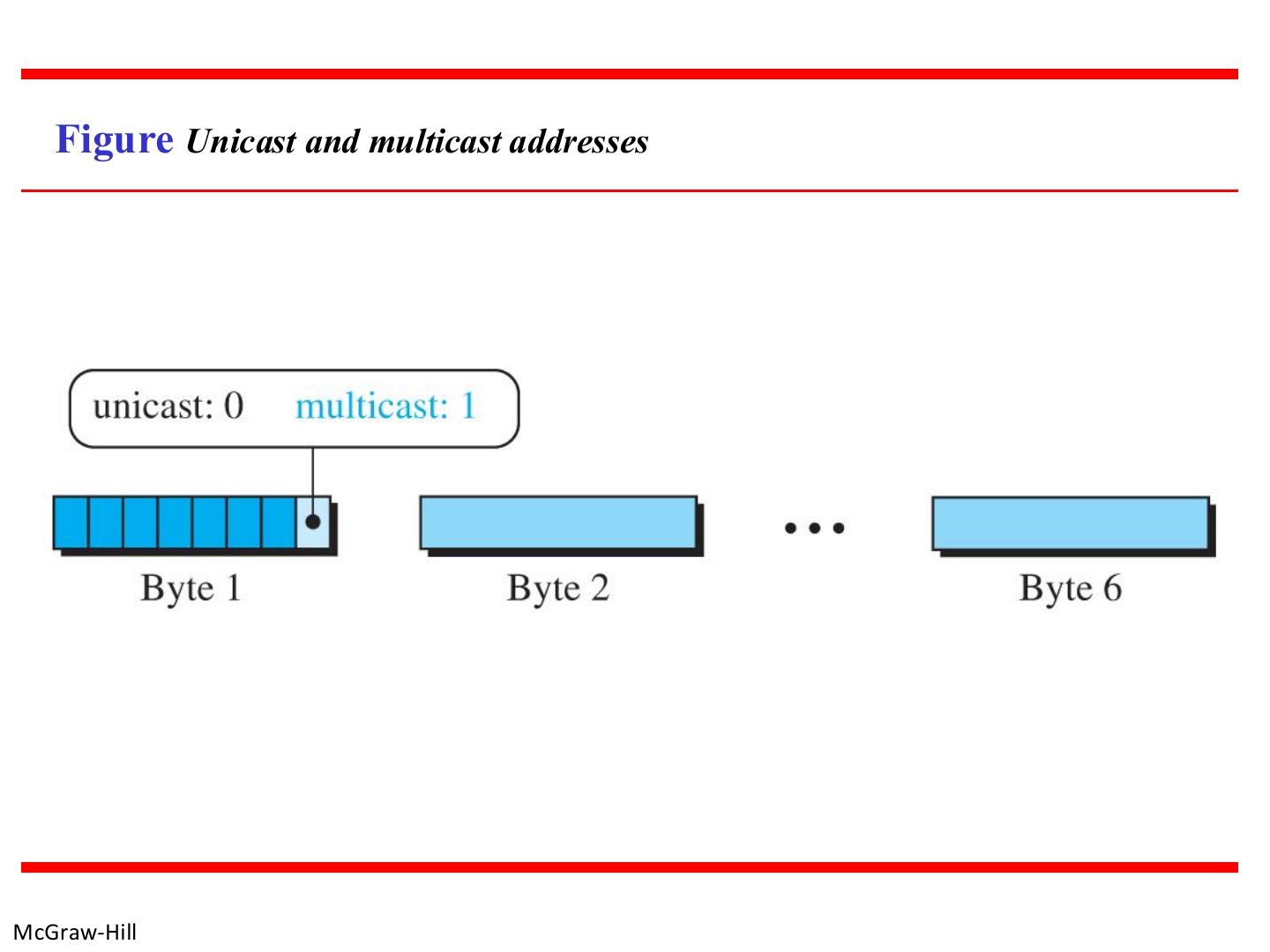
Notes
The marked bit is the last bit of byte 1.
Example
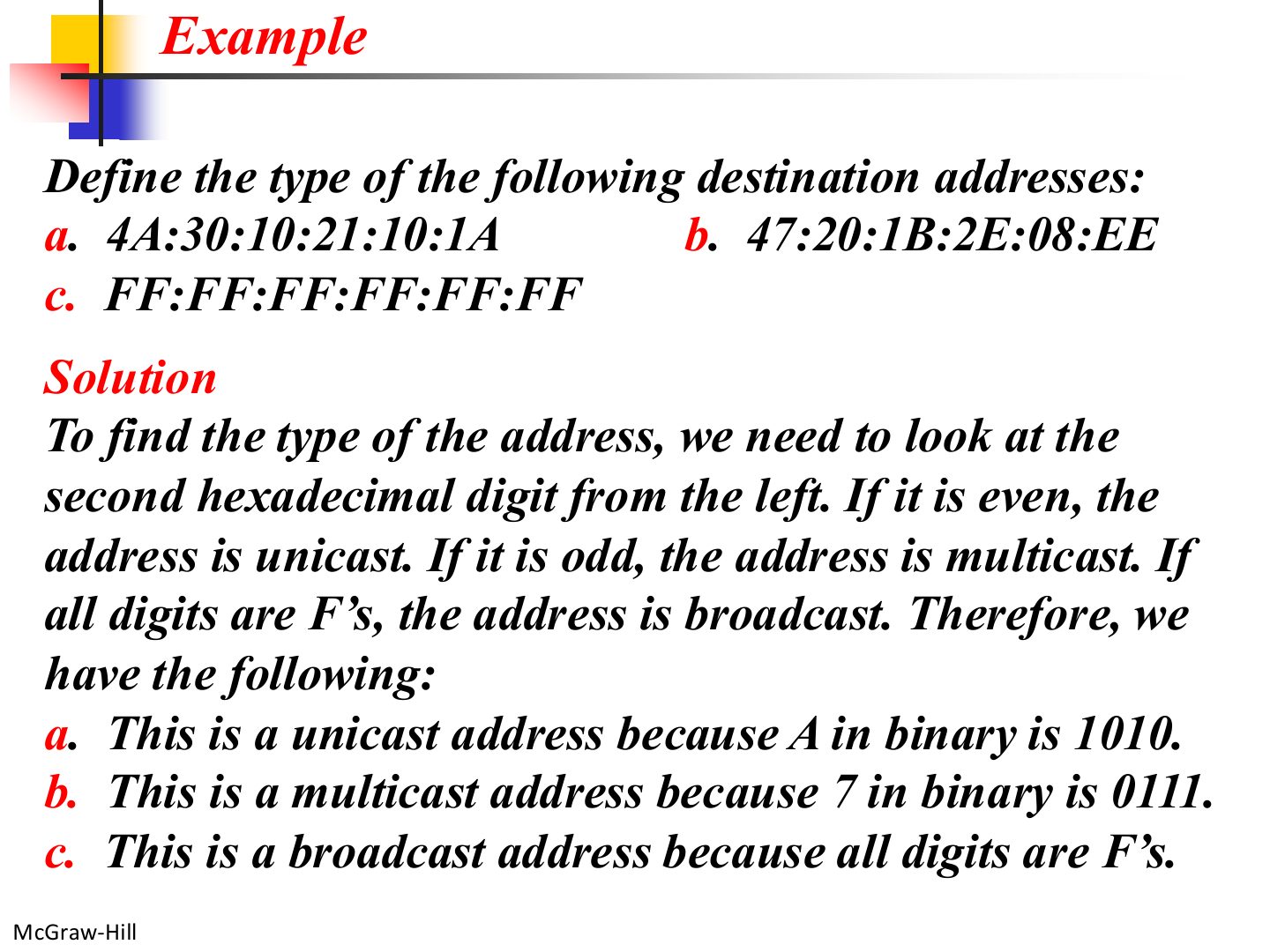
Notes
Only the second hex digit matters.
Exam angle
The destination address 01:00:5E:00:00:01 is:
- Second digit 1 is odd.
The destination address 3C:52:82:11:AA:07 is:
- Second digit C = 1100 is even.
The destination address 4B:12:00:9A:10:F0 is:
- Second digit B = 1011 is odd.
Ethernet frame
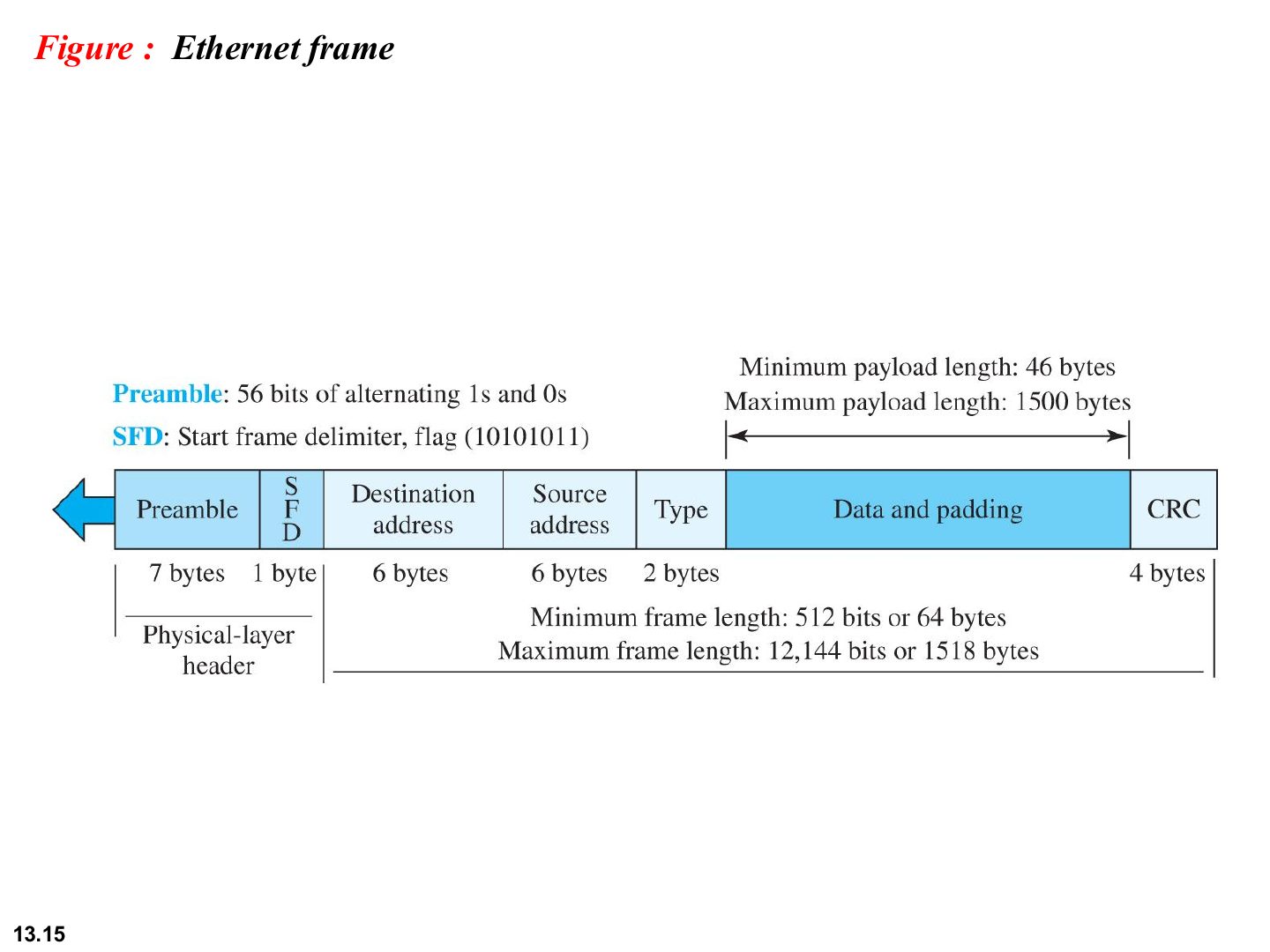
Notes
Frame length counts destination → CRC (not the preamble/SFD): 6 + 6 + 2 + data + 4.
Note: frame length
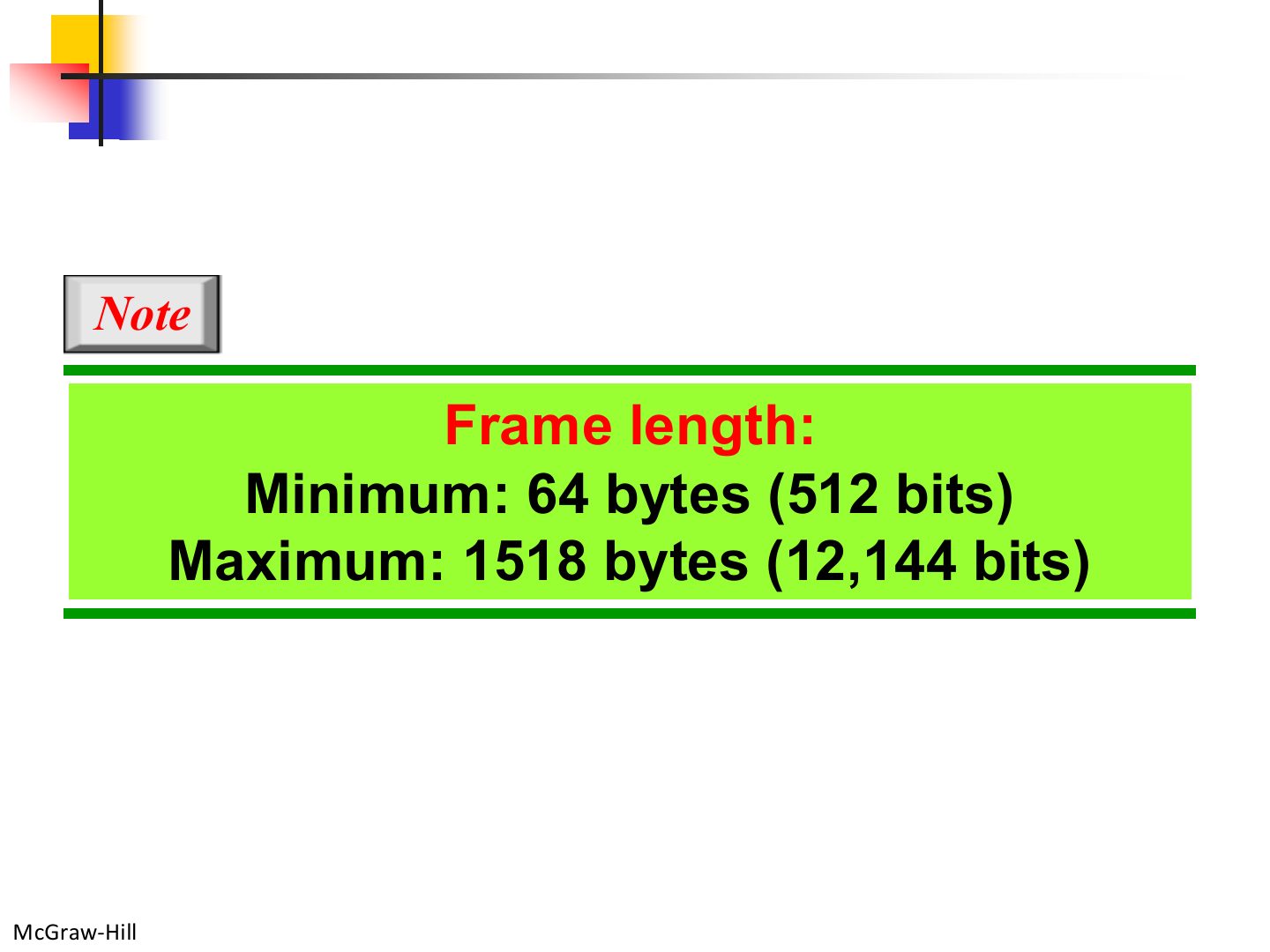
Notes
64 = 18 header/trailer bytes + 46 minimum data. 1518 = 18 + 1500 maximum data.
Memory trick 18 bytes of overhead: 6 + 6 + 2 + 4. Add 46 → 64. Add 1500 → 1518.
Exam angle
The minimum Ethernet frame length is:
The maximum Ethernet frame length (without preamble) is:
Ethernet evolution through four generations
Exam angle
Fast Ethernet runs at:
Ethernet Standards
Exam angle
In the slides, 10 Gigabit Ethernet uses only fiber-optic cable.
10Base-T implementation
Notes
10Base-T: 10 = 10 Mbps, Base = baseband (digital), T = twisted pair. Two pairs: one to send, one to receive.
Memory trick Name = speed + Base(band) + medium: T = twisted pair, F = fiber, X/LX/SX = fiber kinds, CX = copper.
Exam angle
In “10Base-T”, the T stands for:
10Base-F implementation
Fast Ethernet implementations
Notes
100Base-TX (2 pairs Cat 5), 100Base-FX (fiber), 100Base-T4 (4 pairs Cat 3).
Gigabit Ethernet implementations
Exam angle
Which Gigabit Ethernet standard uses long-wave fiber?
Full Duplex Operation
Notes
Four requirements: full-duplex NIC, two wire pairs, a SWITCH (not a hub), dedicated point-to-point links.
Trap A hub can’t do full duplex: it repeats to everyone, so collisions are still possible.
Exam angle
100 Mbps Ethernet in full-duplex mode has a theoretical rate of:
Full-duplex Ethernet can use a hub as the central device.
- It needs a switch.
List the requirements for Ethernet to run in full-duplex mode, and say what happens to CSMA/CD.
Compare with the model answer
Full-duplex NICs; two wire pairs (one each direction); a switch, not a hub, as the central device; and a dedicated point-to-point link from each station to the switch. Each station becomes its own collision domain, so there are no collisions and CSMA/CD is no longer needed.
Full-duplex switched Ethernet
Notes
Separate transmit and receive paths per station.
Seen again Ch 6, slide 9: How a link-layer switch filters frames
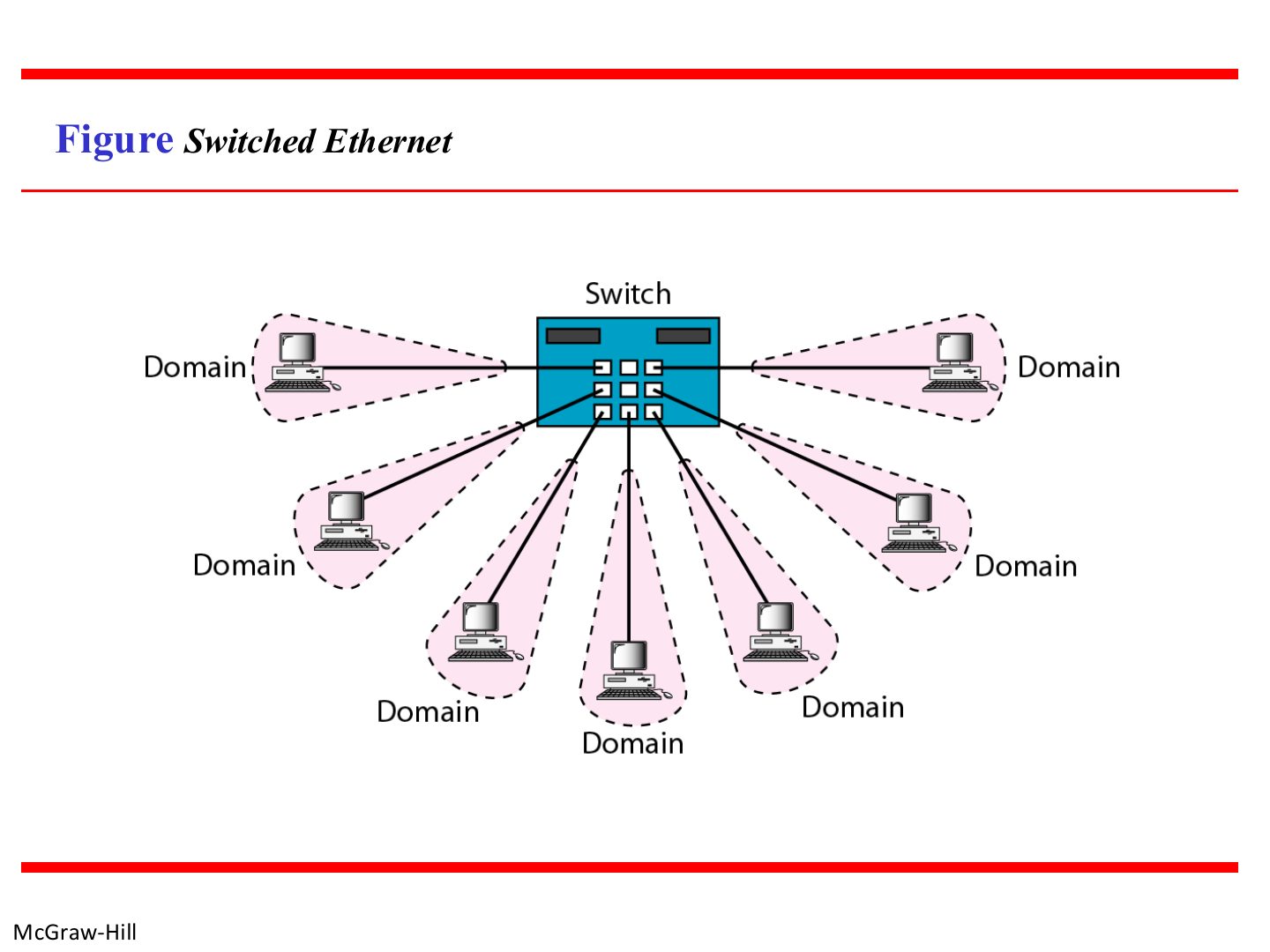
Switched Ethernet
Notes
Switch = one collision domain per port. (A hub = one big shared collision domain.)
Exam angle
An office replaces its 24-port hub with a 24-port switch. How many collision domains are there before and after?
Compare with the model answer
Before: 1, since a hub repeats every frame to all ports so all 24 stations share one collision domain. After: 24, one per switch port.