MongoDB stores data as:
Working with Databases
MVC for server applications, the role of databases in web development, SQL vs. NoSQL (key–value and document stores, MongoDB), how websites use databases, ORMs, and building a CRUD API with Sequelize: connection, models, routes, queries with WHERE operators, associations and validators.
How to read this page
Every original slide is shown unchanged. Yellow marks on a slide point to a numbered note: hover or tap a mark to jump to its note, and hover a note to see its marks. Questions tagged Past exam appeared on a real paper; Prediction questions are likely angles, not confirmed. Pick an answer to each question: a wrong pick tells you why it is wrong, so you can try again.
All 47 slides
- 1 Fundamentals of Web Development
- 2 Technical notes
- 3 Complex server application
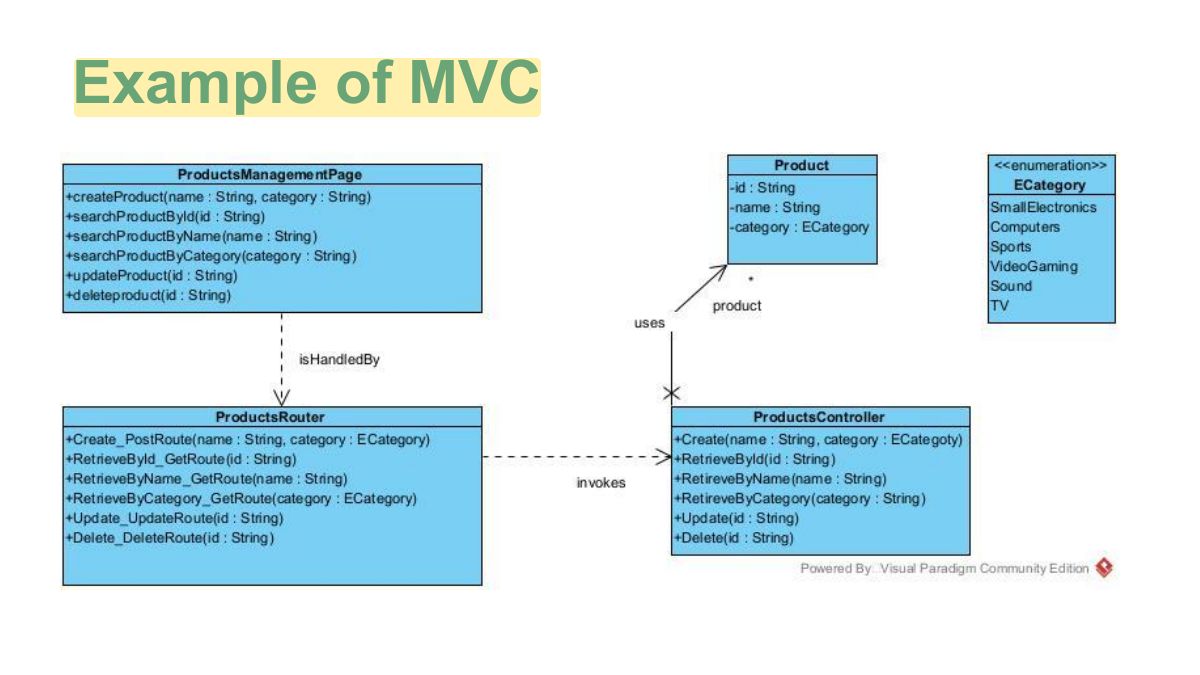
- 4 MVC architectural pattern
- 5 Example of MVC
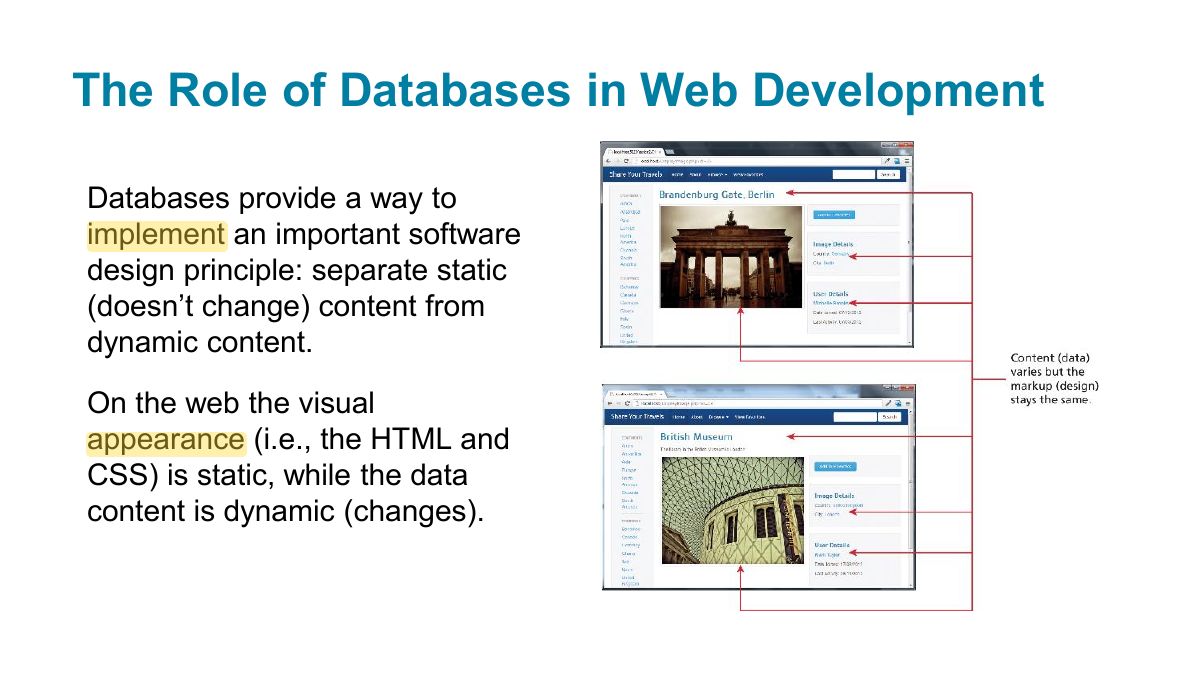
- 6 The Role of Databases in Web Development
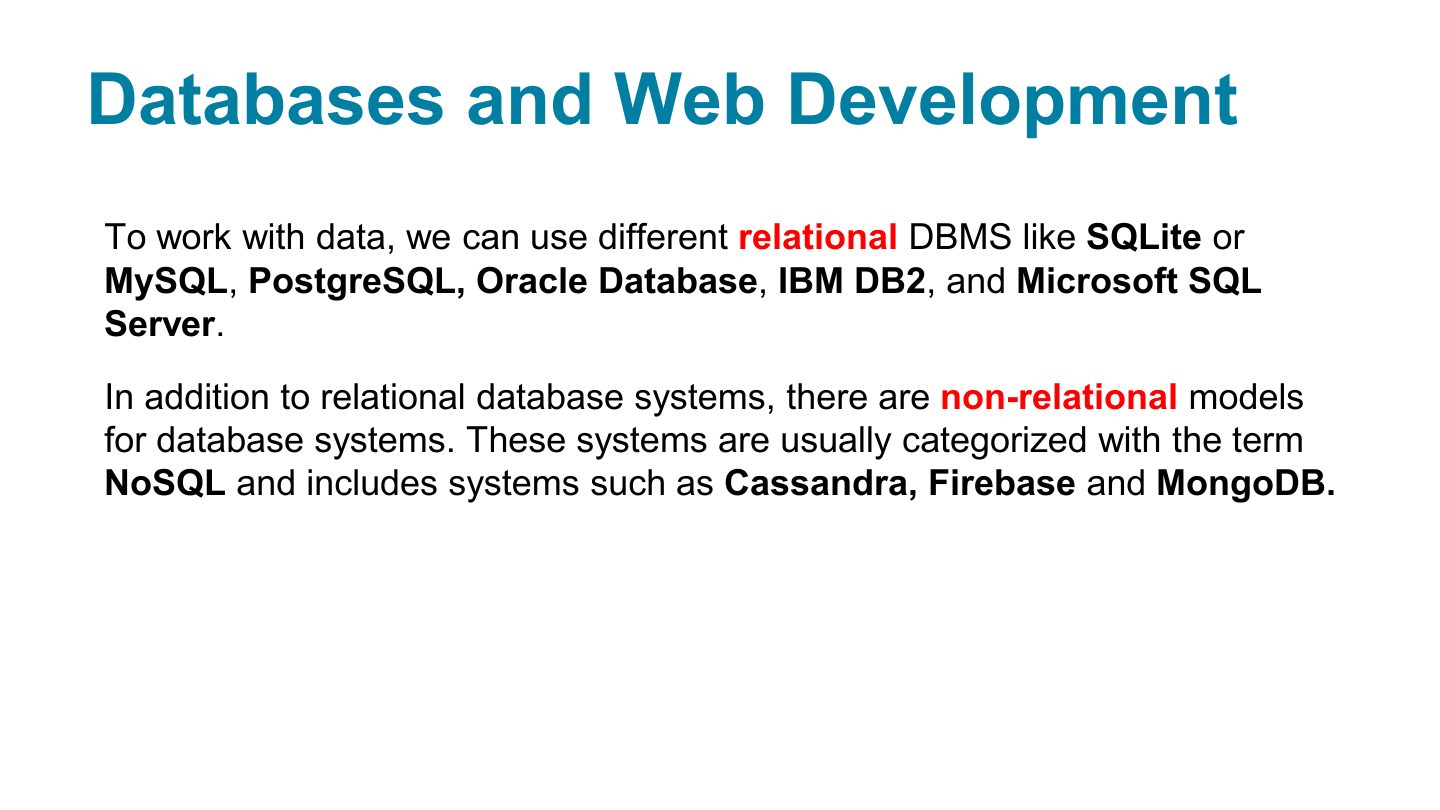
- 7 Databases and Web Development
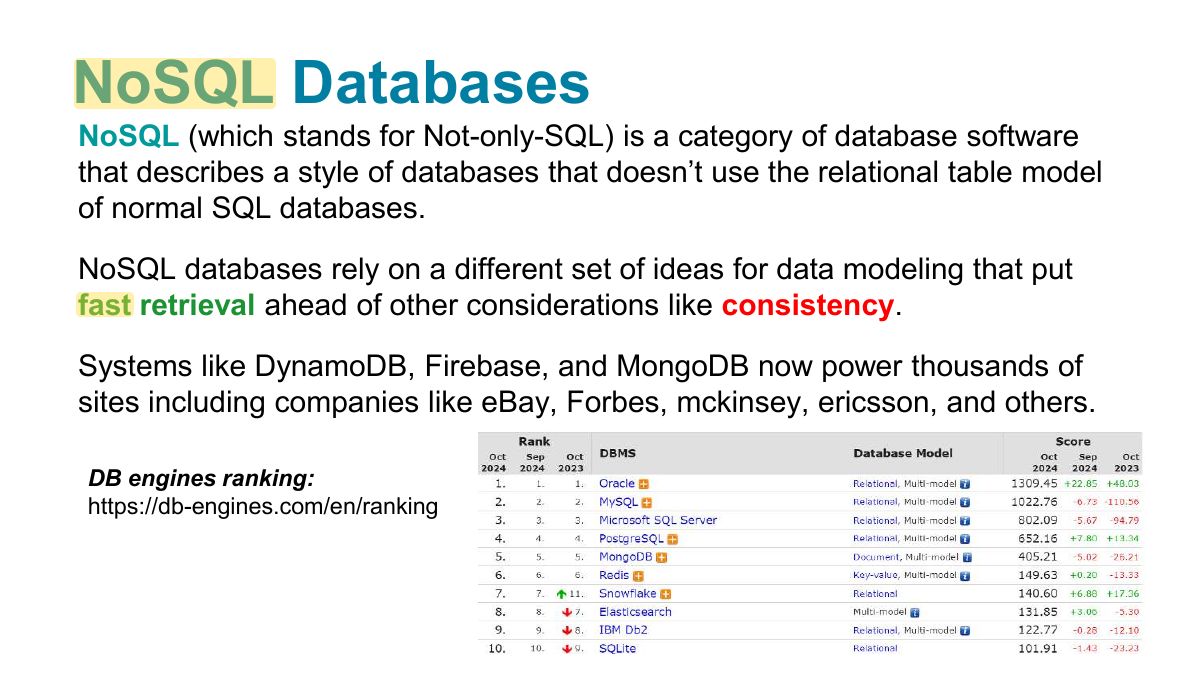
- 8 NoSQL Databases
- 9 Why (and Why Not) Choose NoSQL?
- 10 Key-Value Stores
- 11 Document Store
- 12 MongoDB
- 13 Relational data versus document store data
- 14 Comparing relational databases (MySQL) to document data model (MongoDB)
- 15 How websites use databases
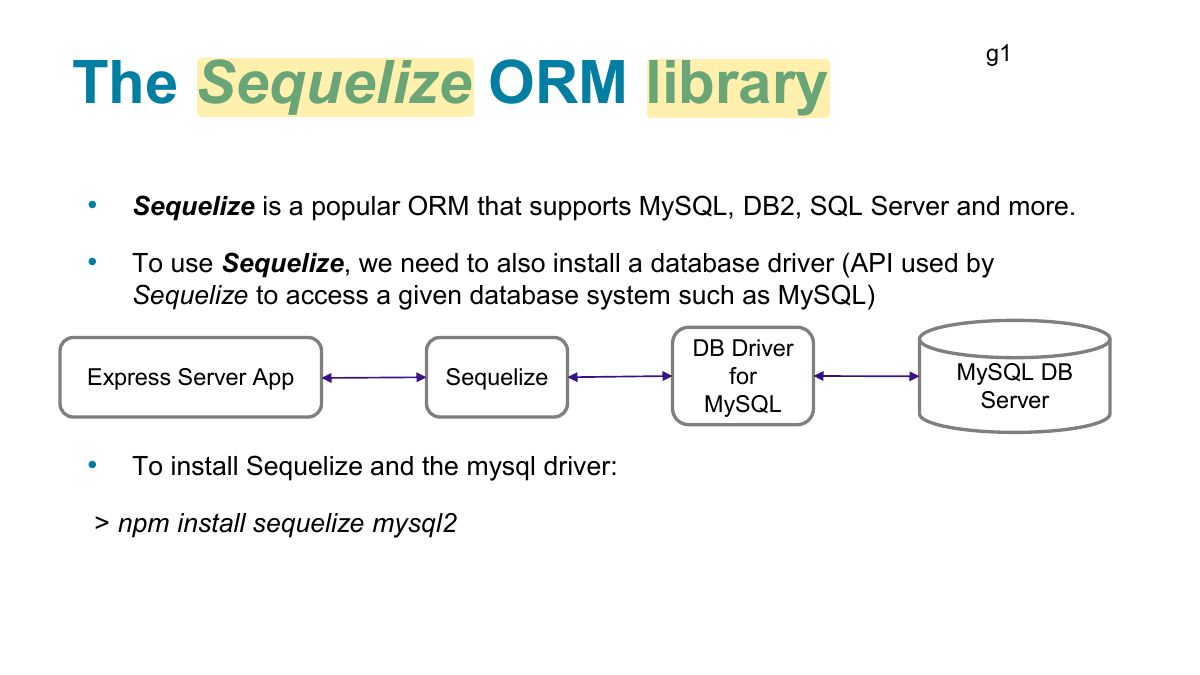
- 16 Object Relational Mapping libraries
- 17 g1
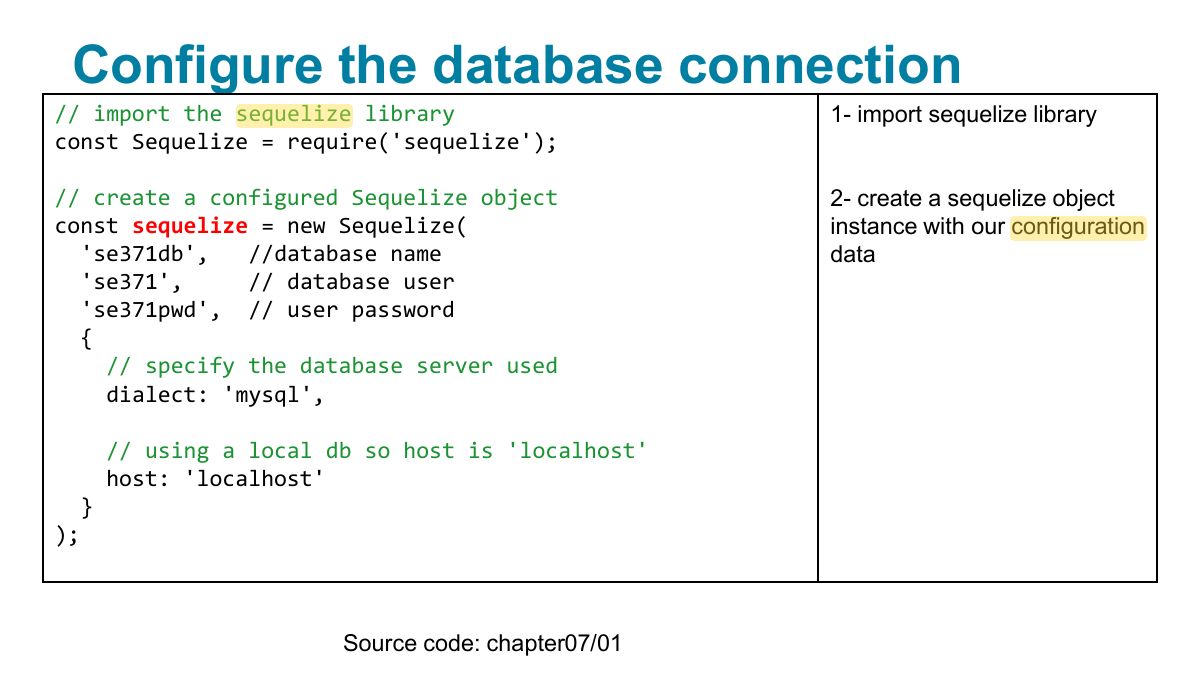
- 18 Configure the database connection
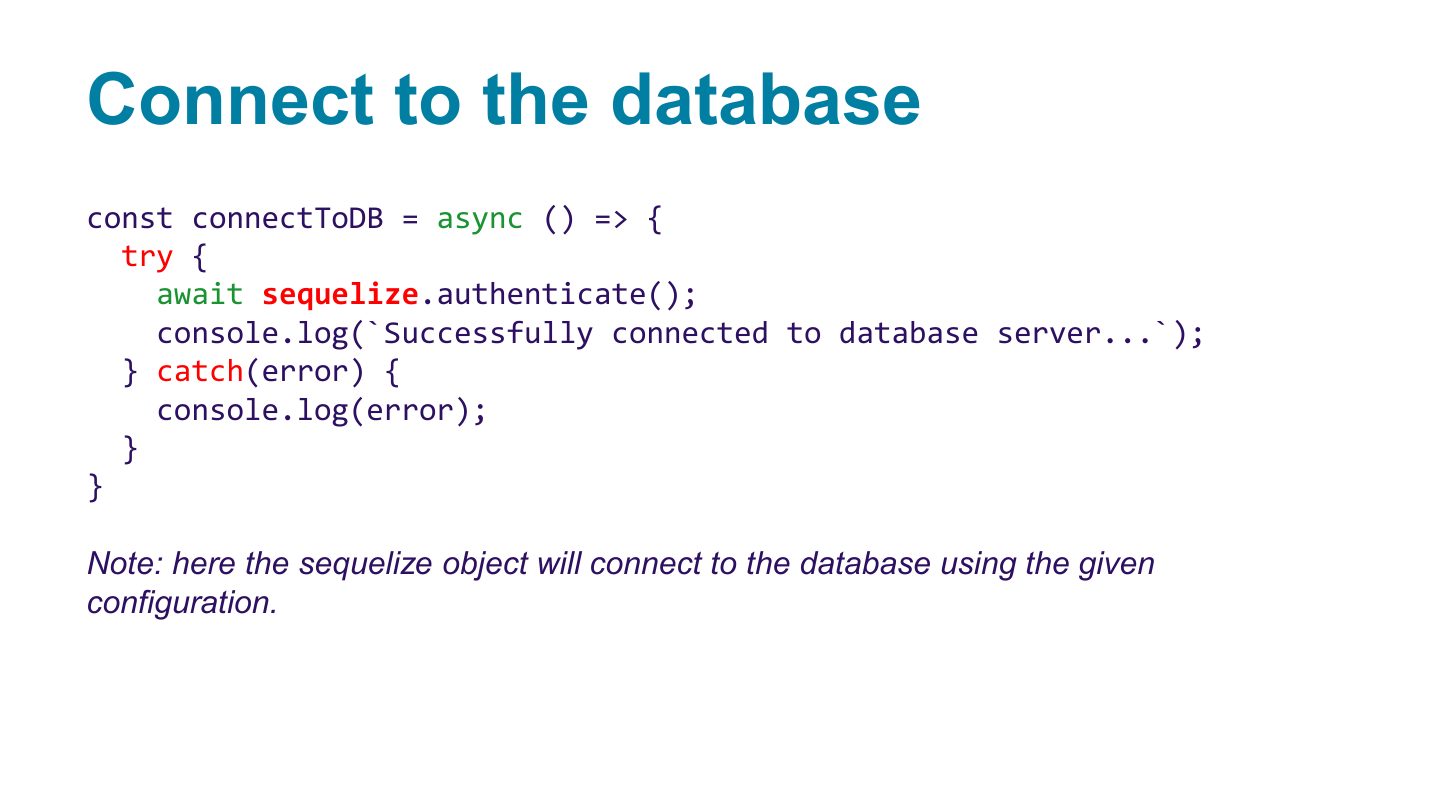
- 19 Connect to the database
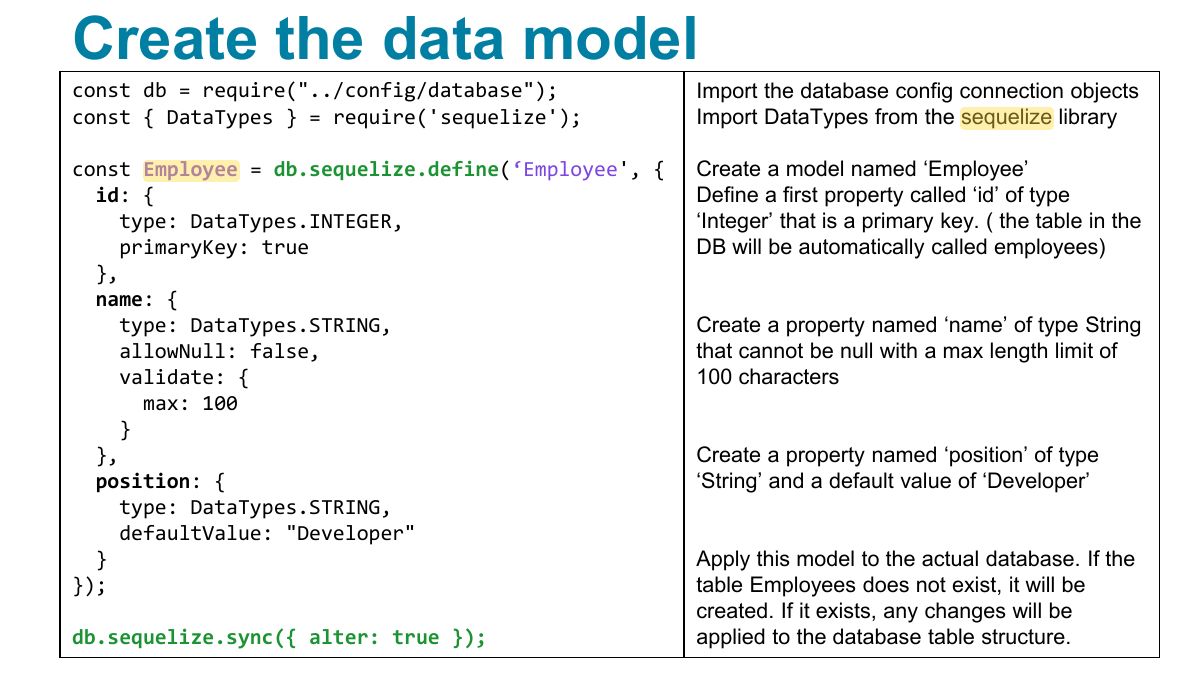
- 20 Create the data model
- 21 Which HTTP method to use: What is CRUD?
- 22 Page routes
- 23 Create a new element in the DB
- 24 Calling the add employee api endpoint
- 25 Retrieving data form the DB
- 26 Search for employees by id
- 27 Search for employees by criteria
- 28 Use projections on the result
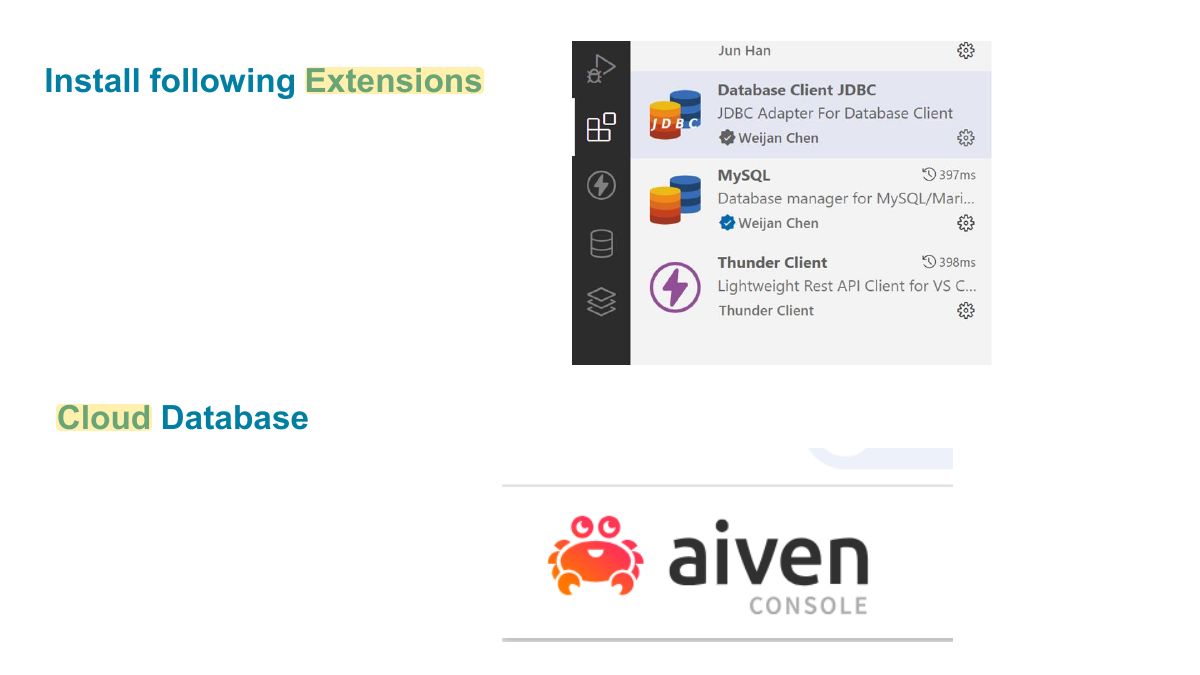
- 29 Install following Extensions
- 30 Fundamentals of Web Development
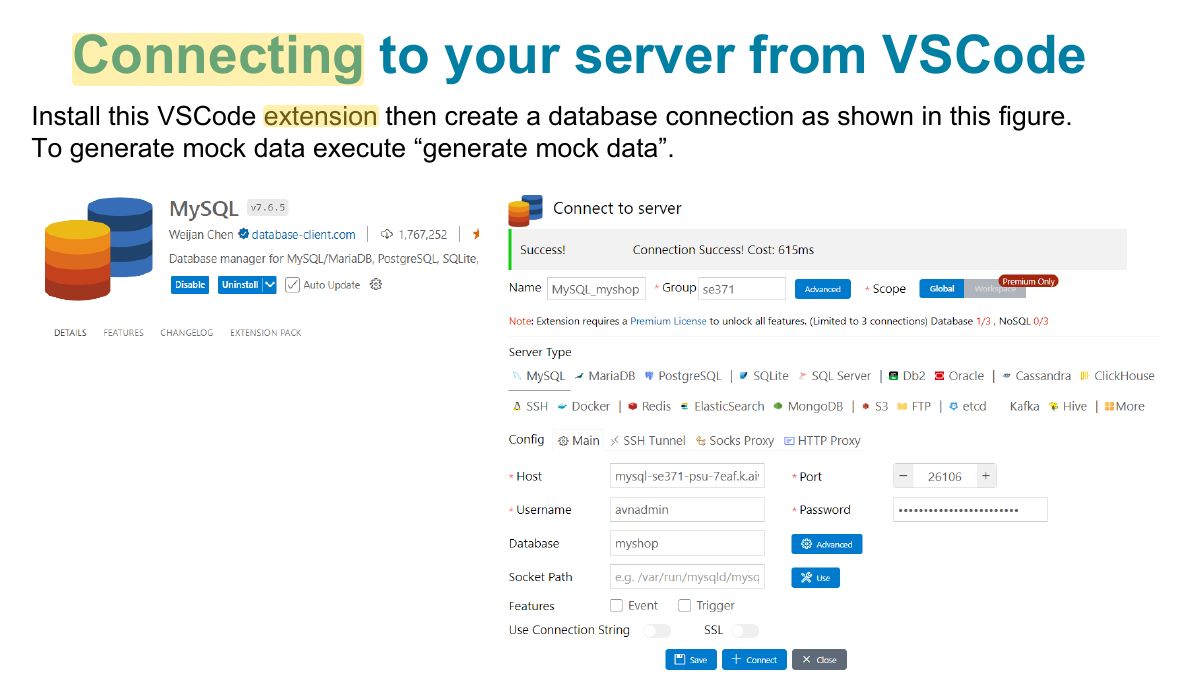
- 31 Connecting to your server from VSCode
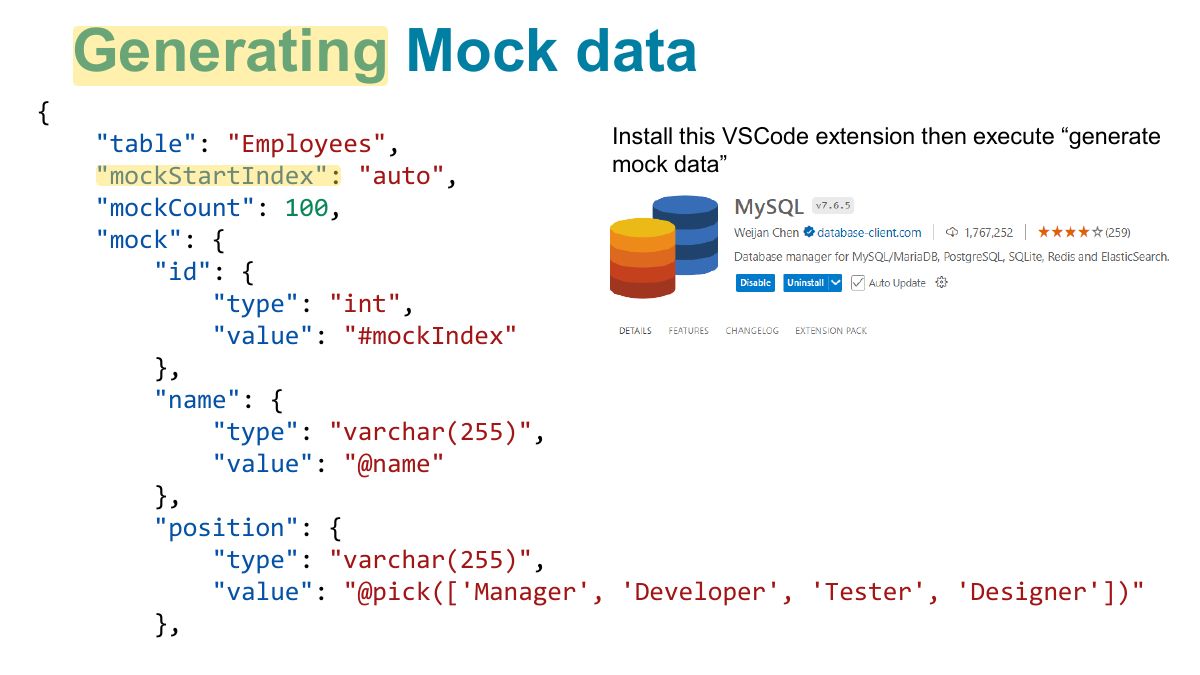
- 32 Generating Mock data
- 33 Generating Mock data (2)
- 34 More on WHERE clause: AND
- 35 More on WHERE clause: OR
- 36 More on WHERE clause: Delete all
- 37 More on WHERE clause: Not Equal
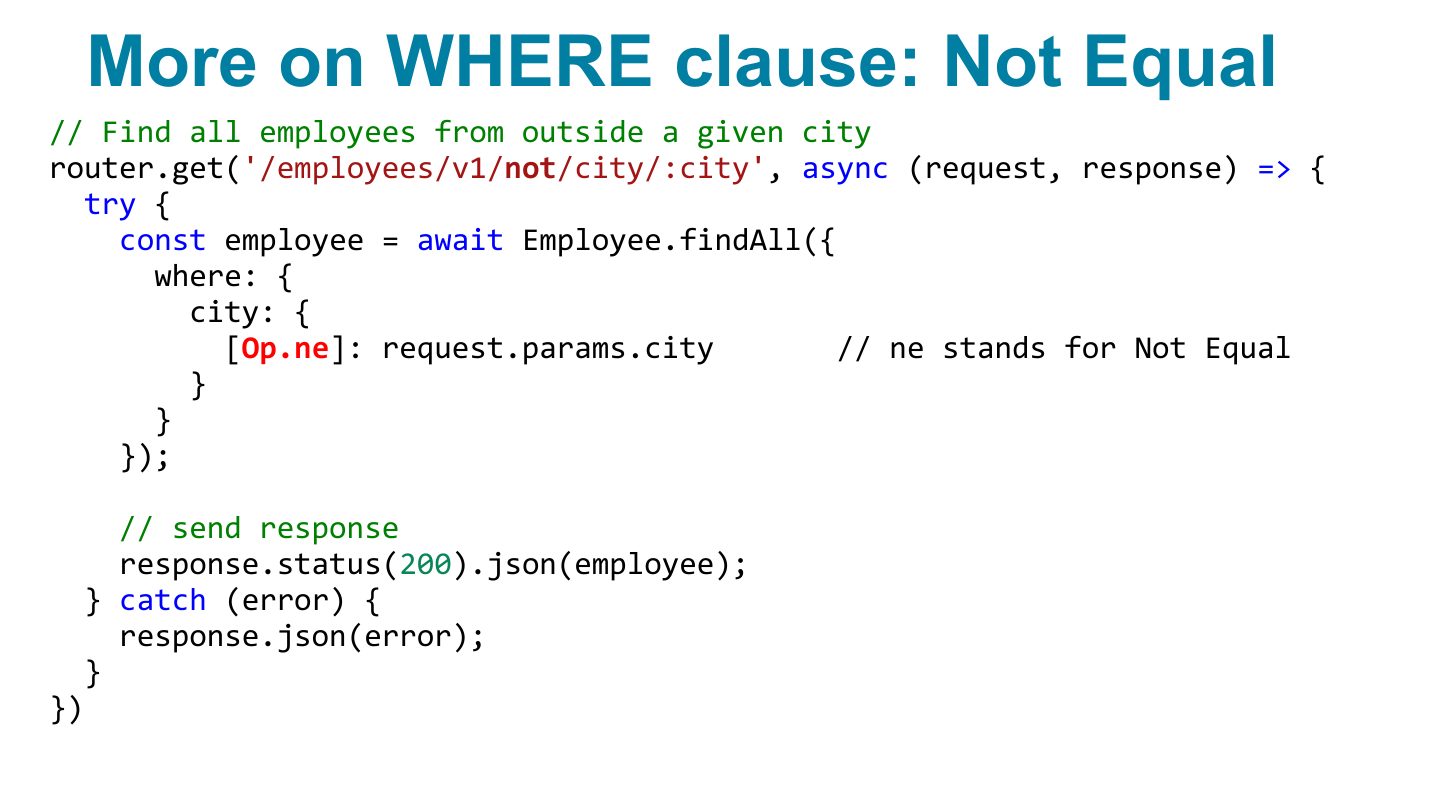
- 38 More on WHERE clause: gt, lt
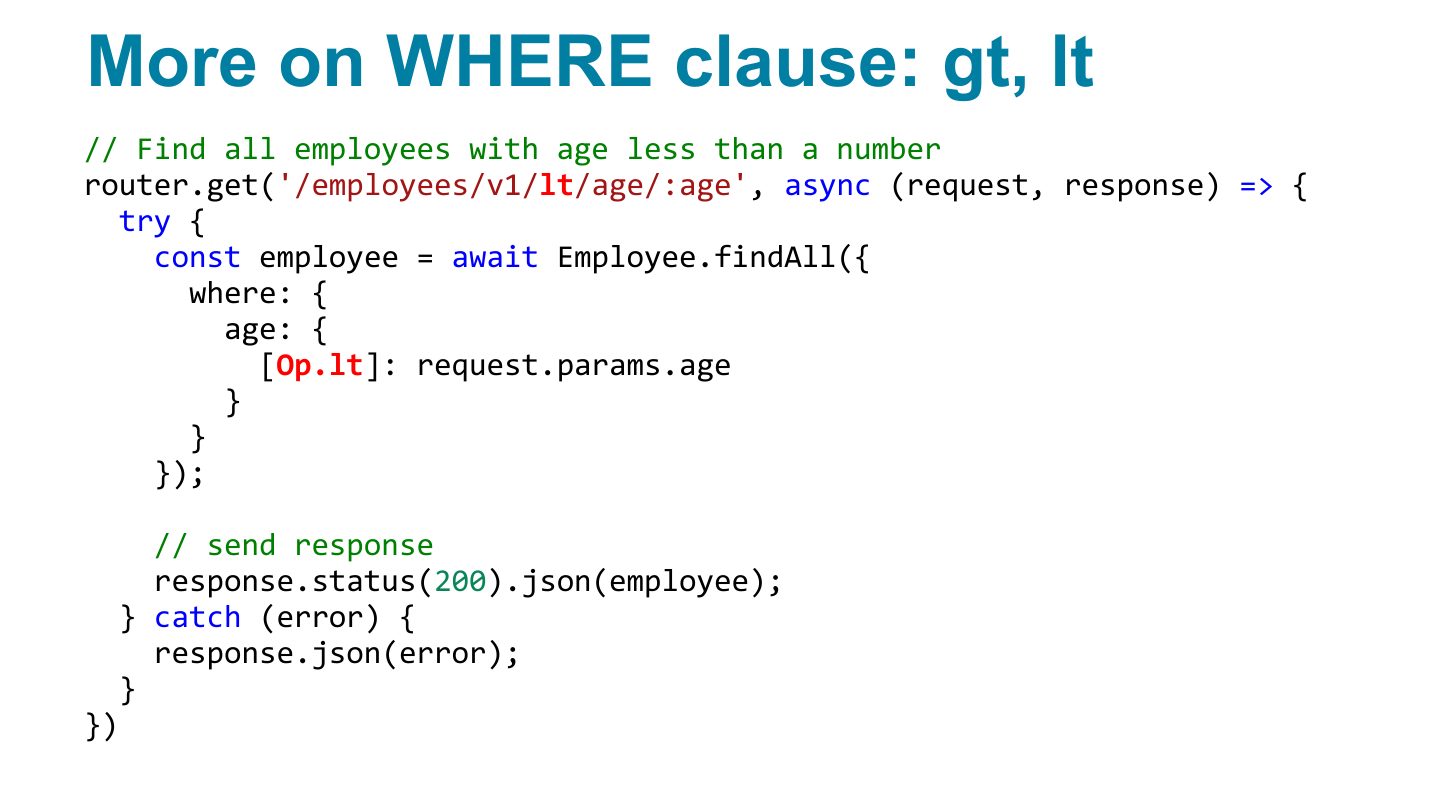
- 39 Insert data in a table at creation
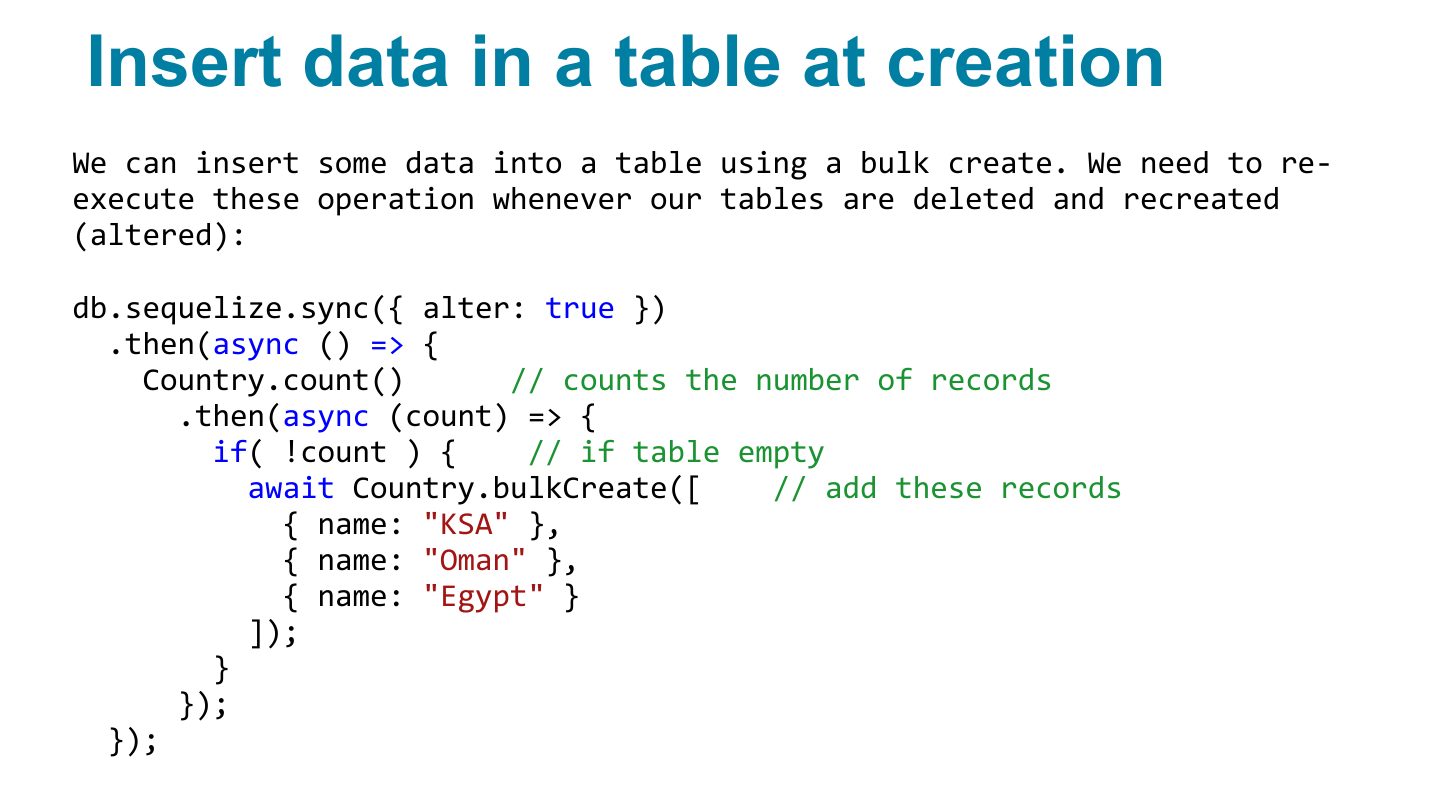
- 40 Work with model associations
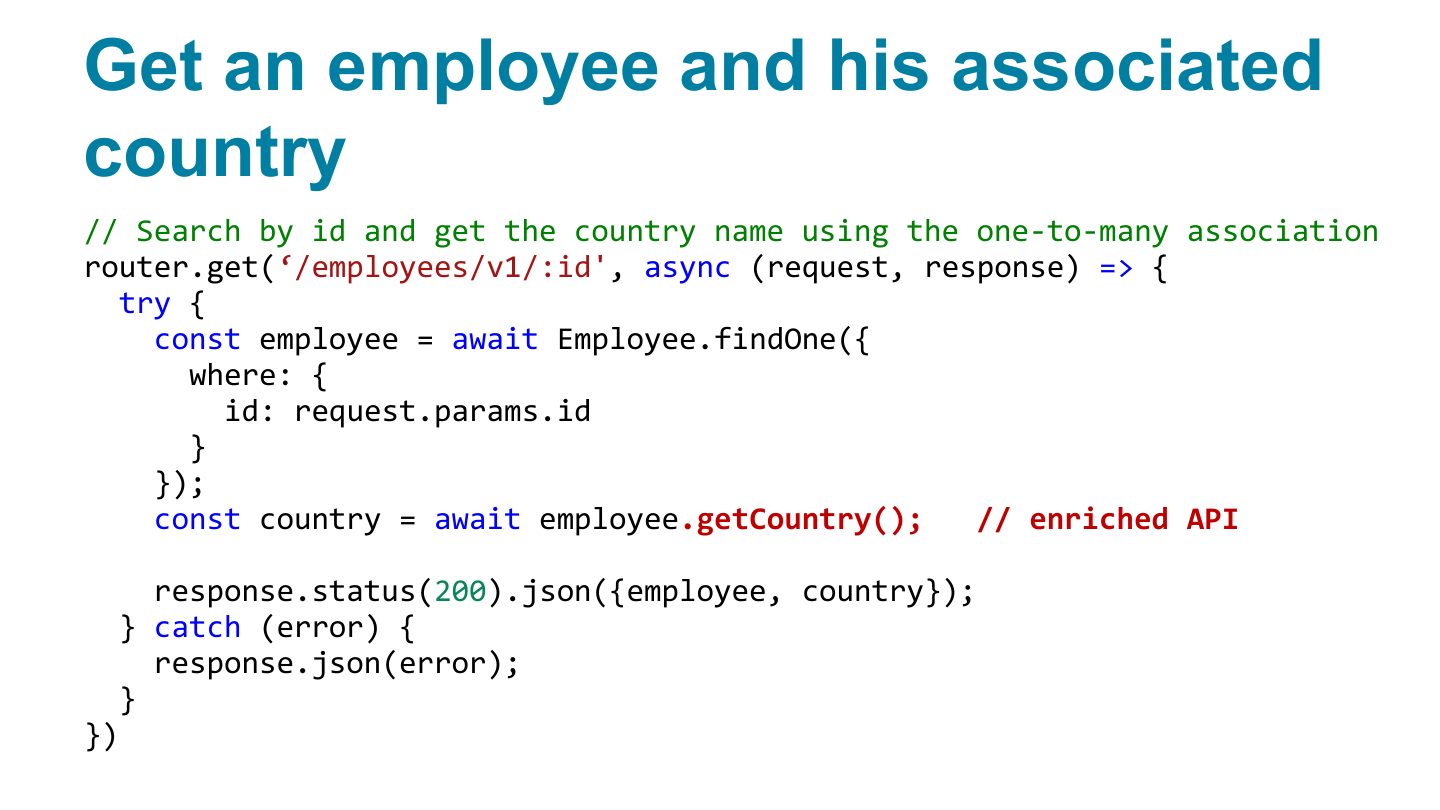
- 41 Get an employee and his associated country
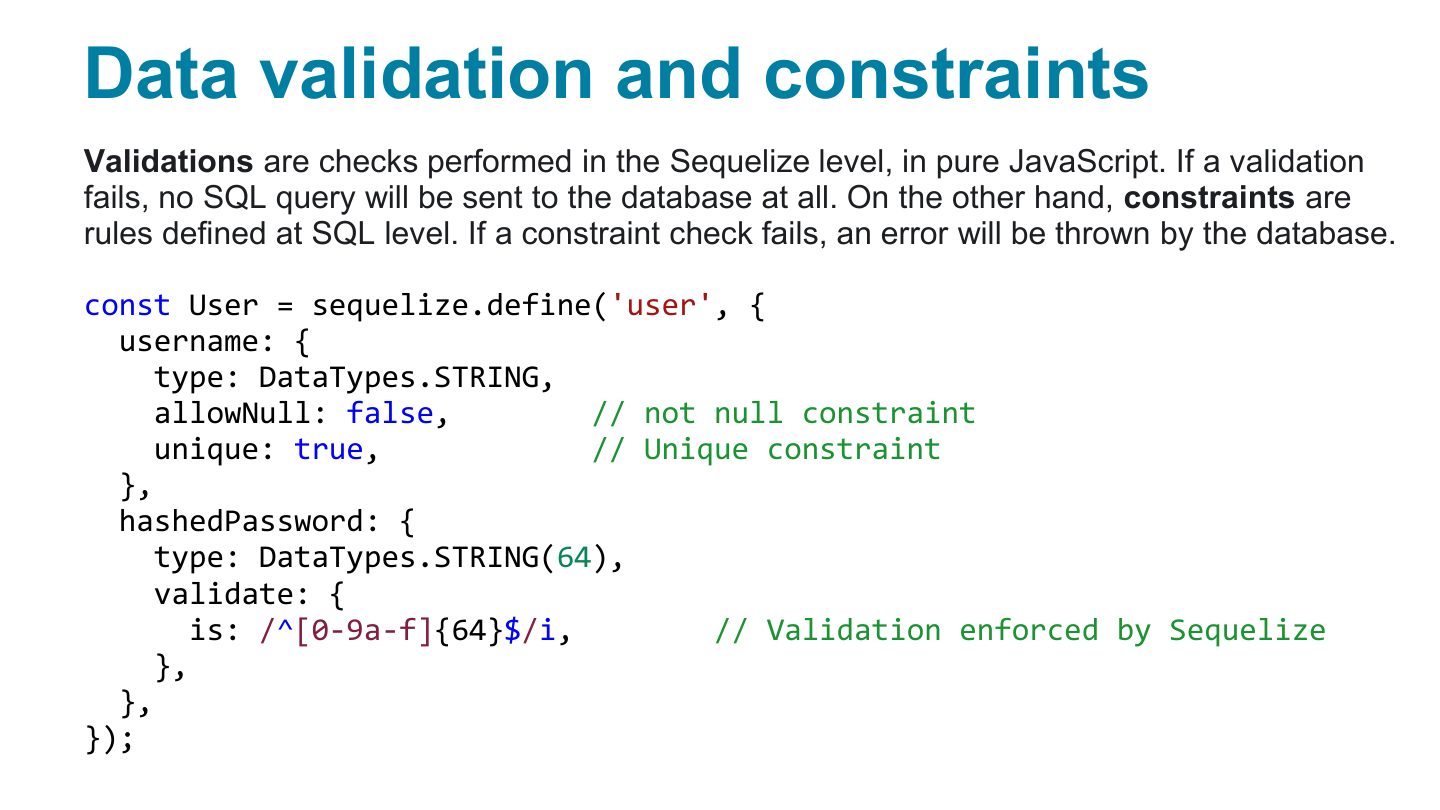
- 42 Data validation and constraints
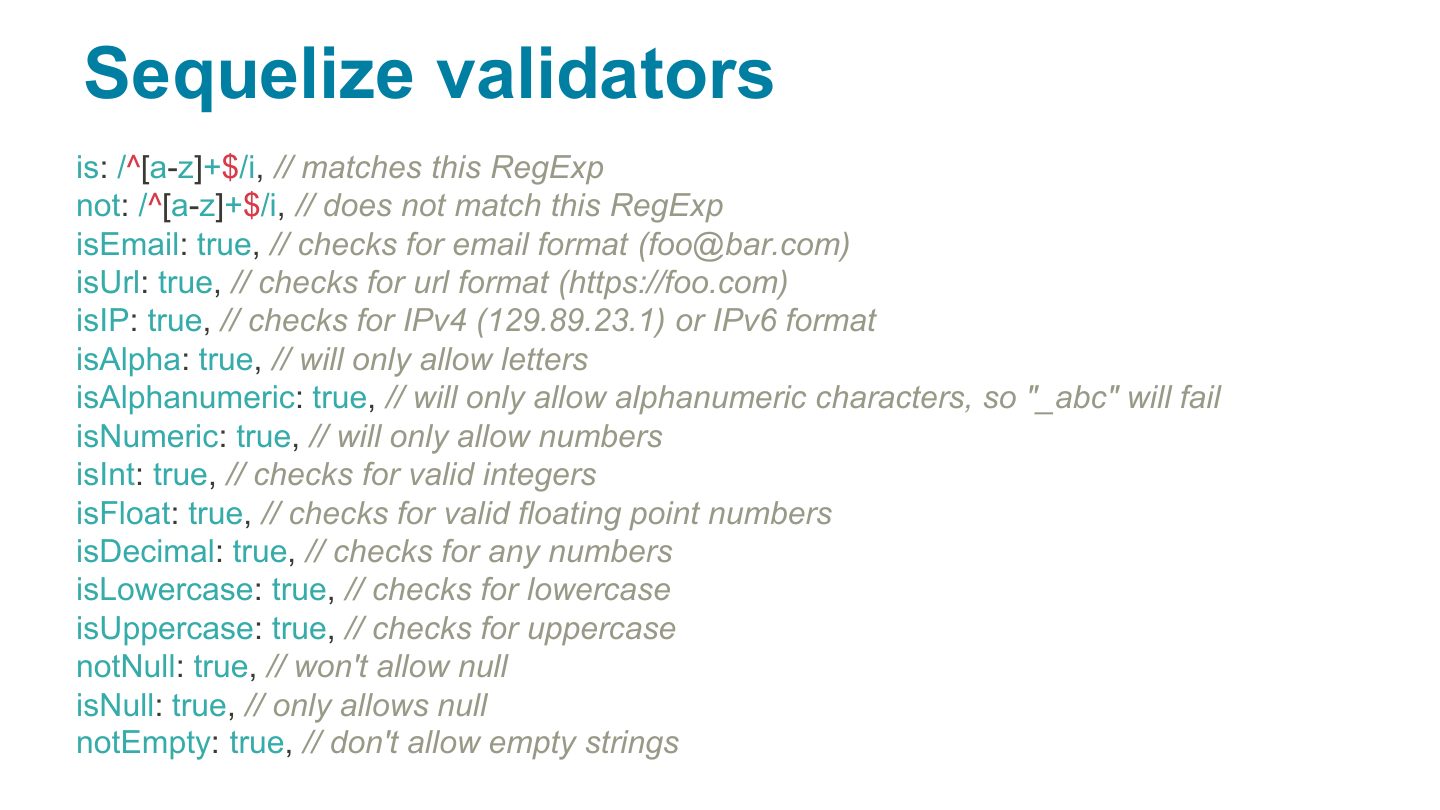
- 43 Sequelize validators
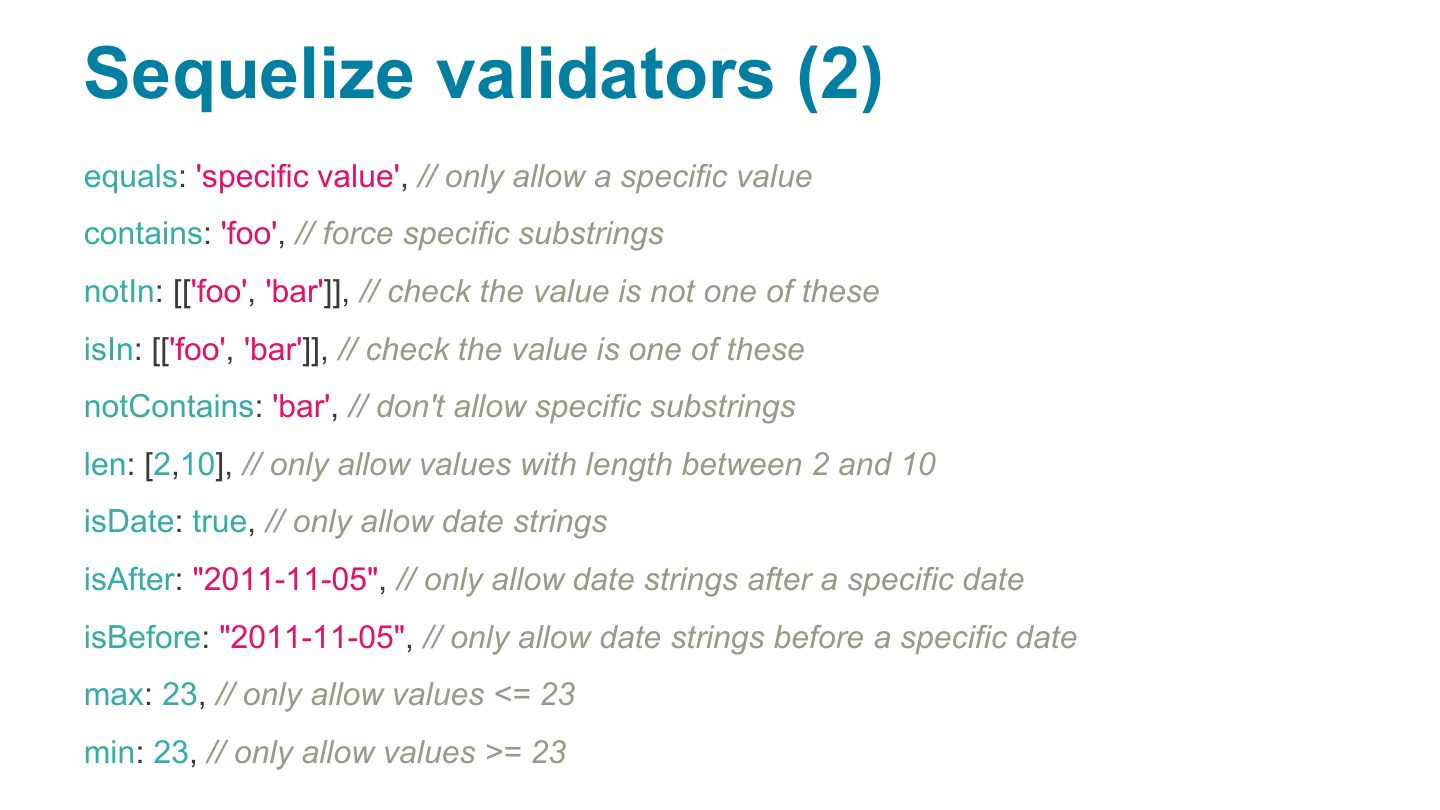
- 44 Sequelize validators (2)
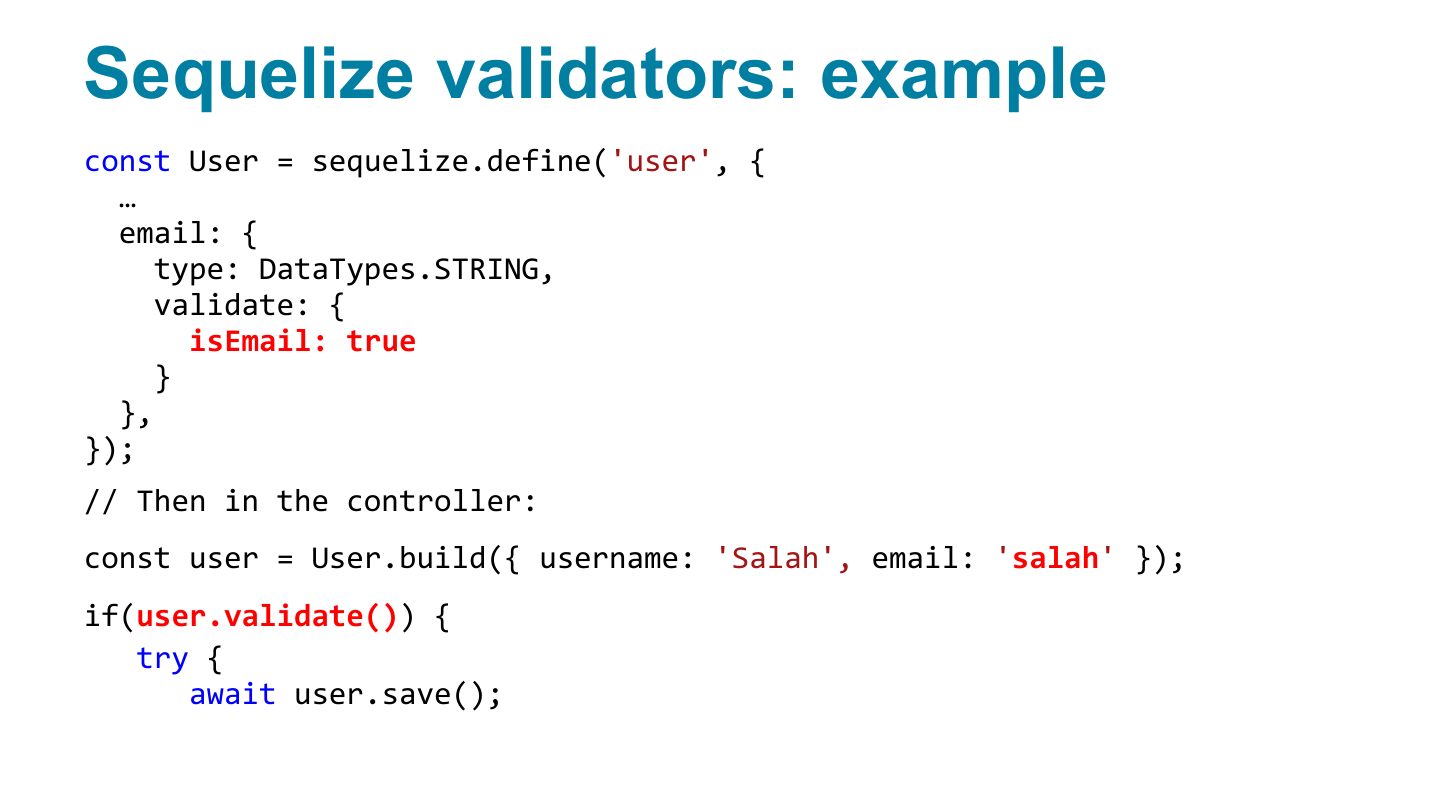
- 45 Sequelize validators: example
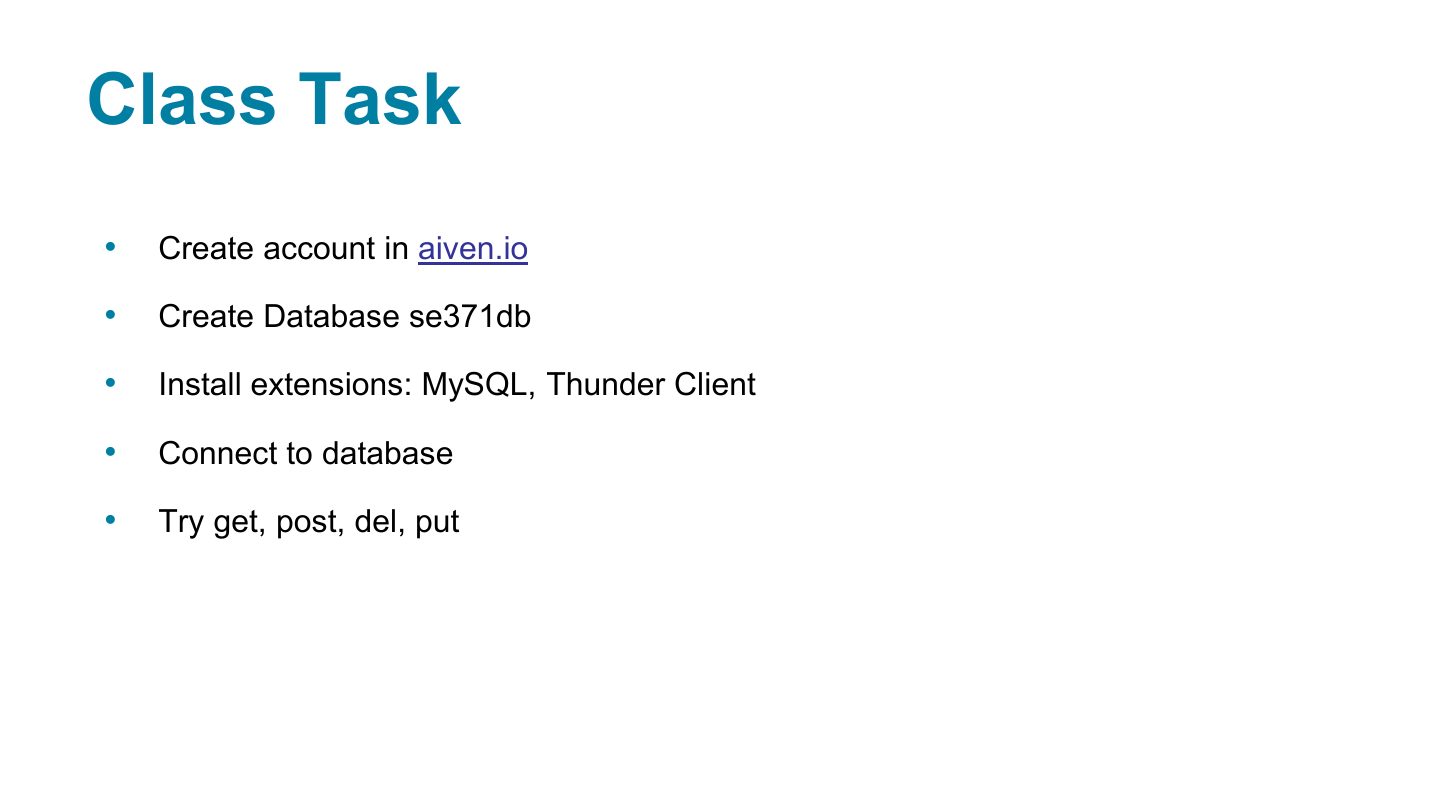
- 46 Class Task
- 47 Slide 47
Fundamentals of Web Development
Technical notes
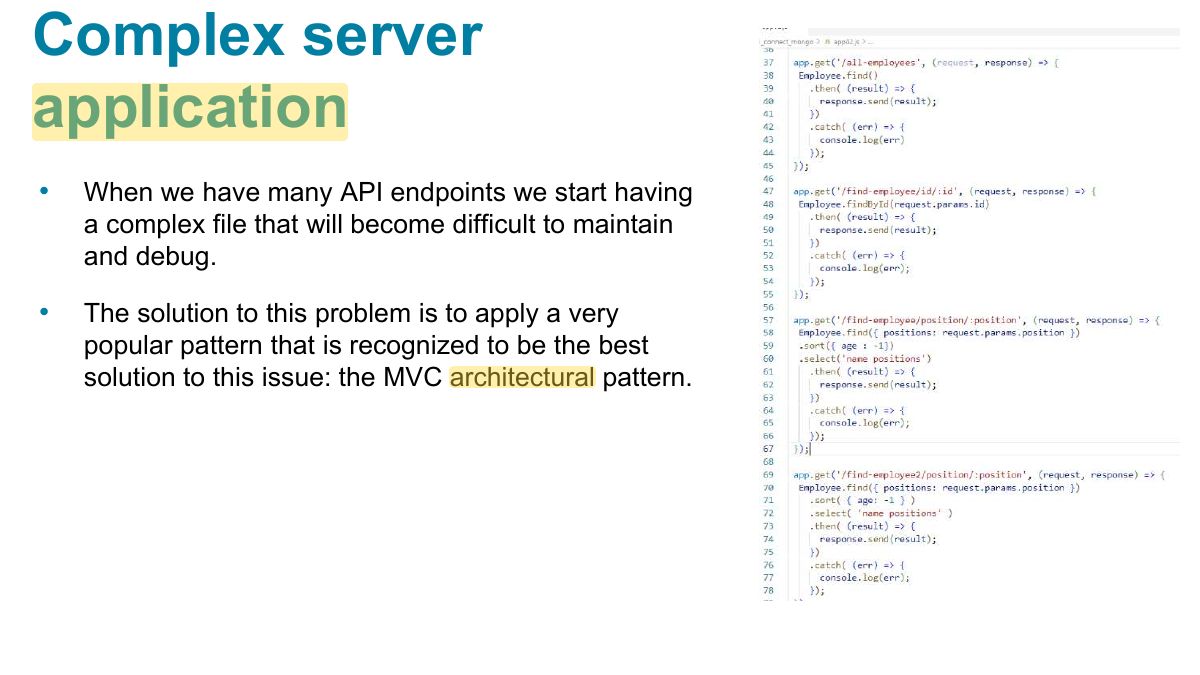
Complex server application
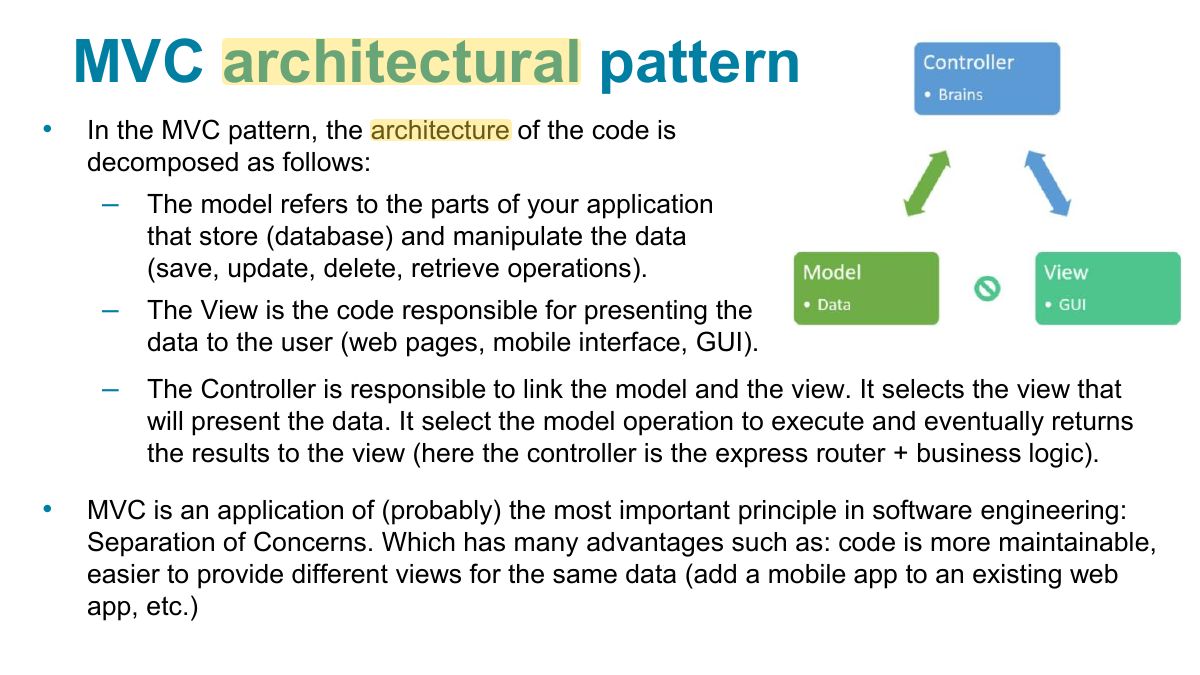
MVC architectural pattern
Notes
MVC on the server: models (data), views (templates), controllers (route handlers).
Seen again Chapter 6: Server-Side Node, slide 34: Express routes
Example of MVC
The Role of Databases in Web Development
Databases and Web Development
NoSQL Databases
Notes
NoSQL: key–value stores (Redis), document stores (MongoDB), column and graph databases. Flexible schema, horizontal scaling.
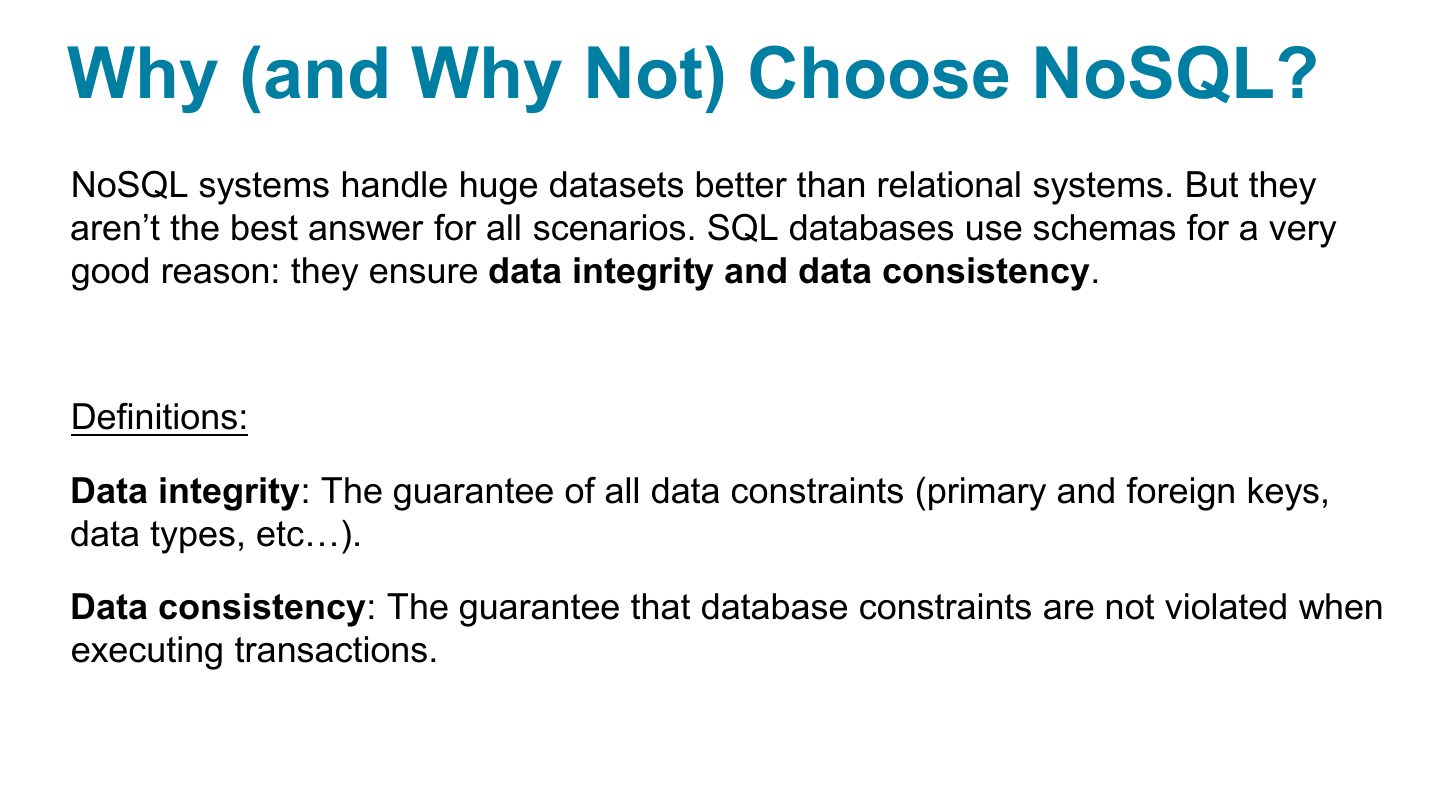
Why (and Why Not) Choose NoSQL?
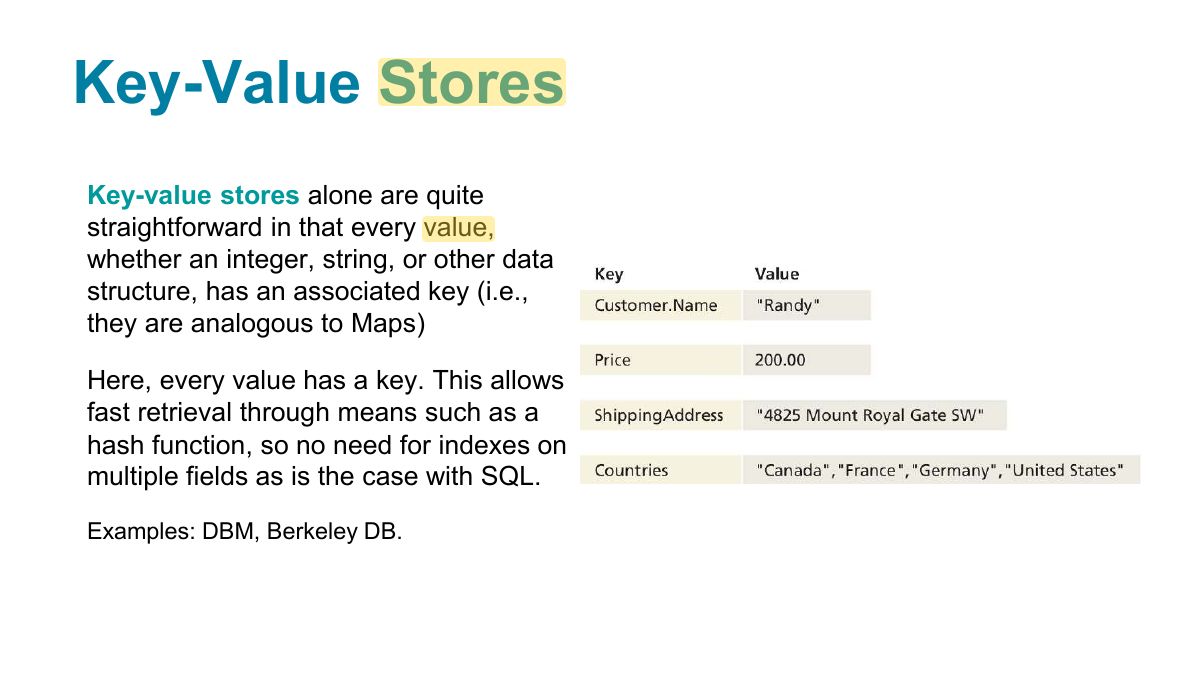
Key-Value Stores
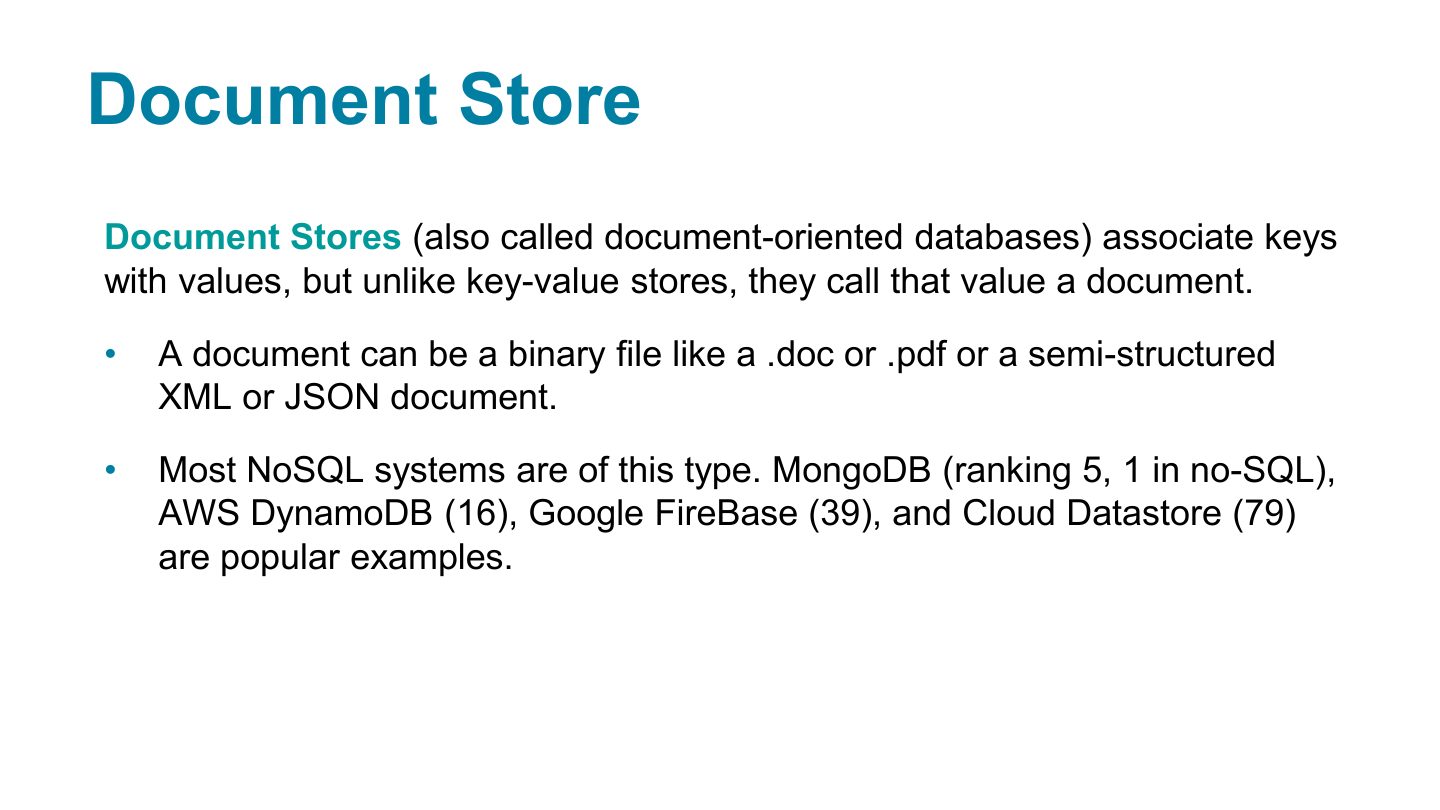
Document Store
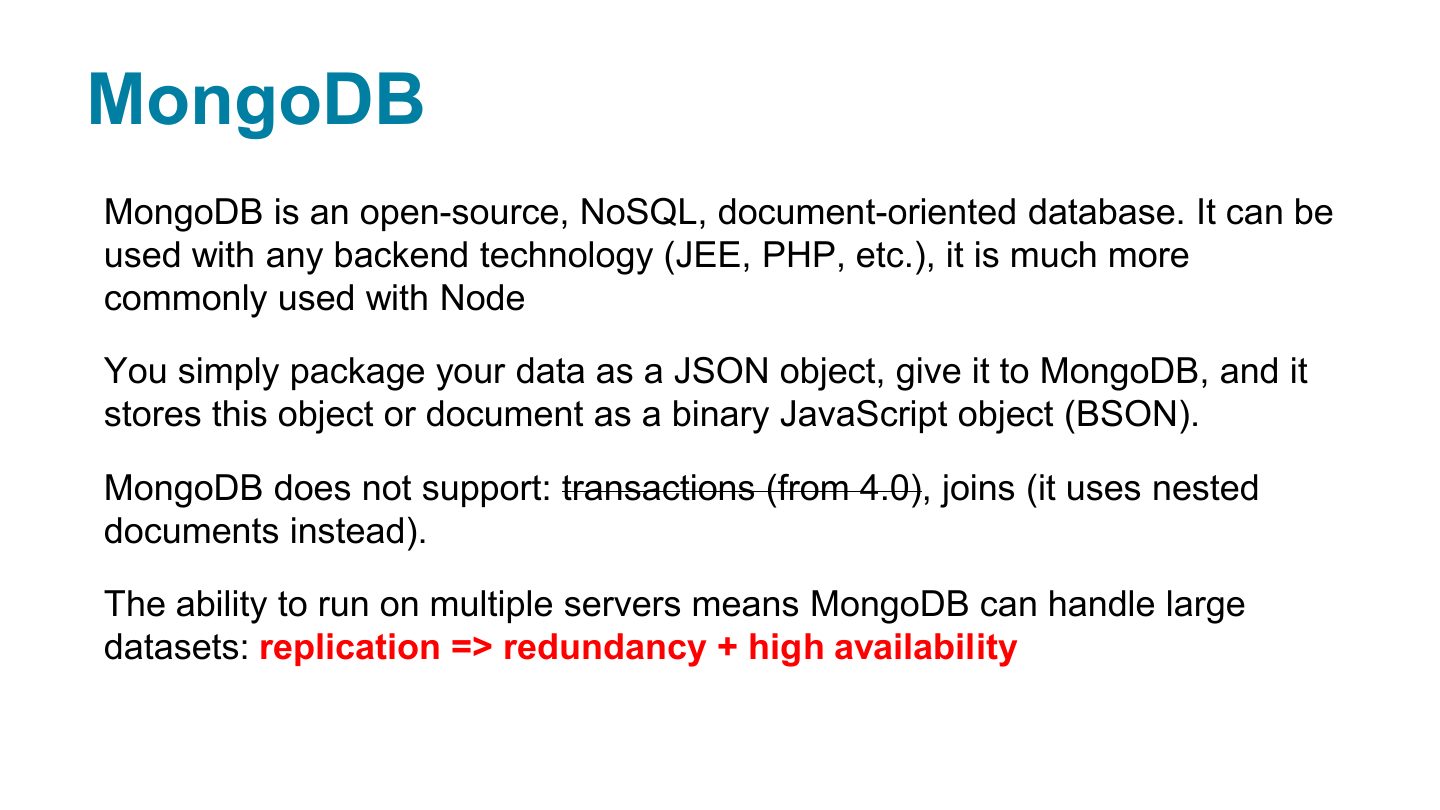
MongoDB
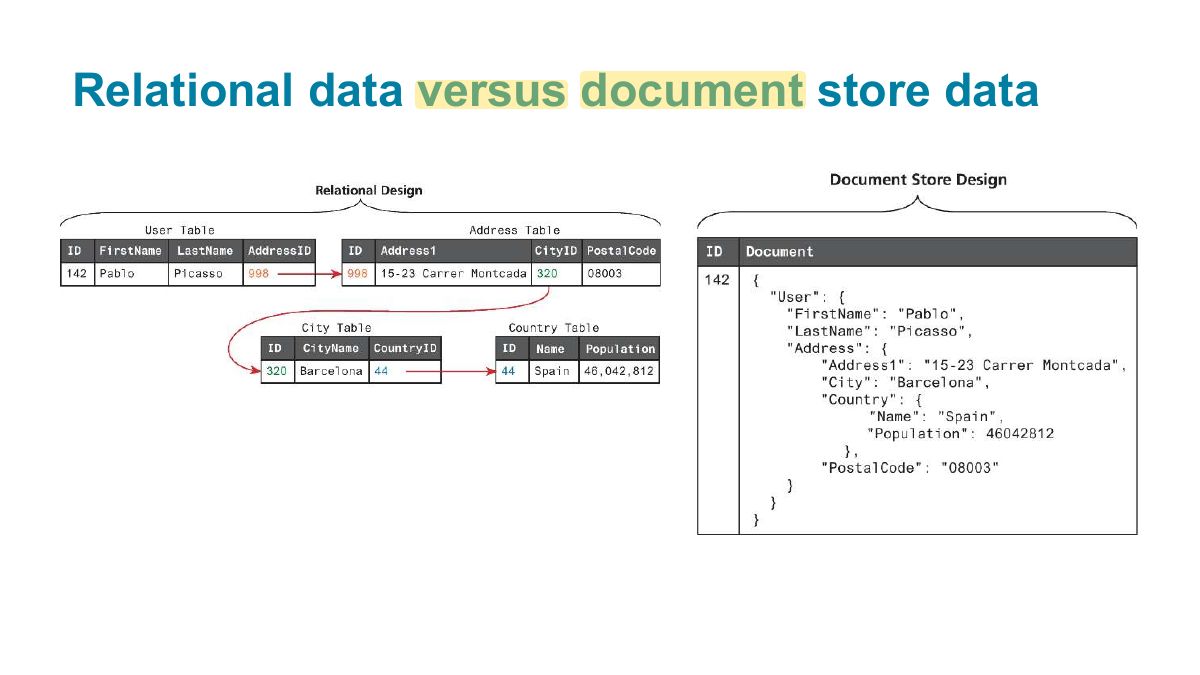
Relational data versus document store data
Notes
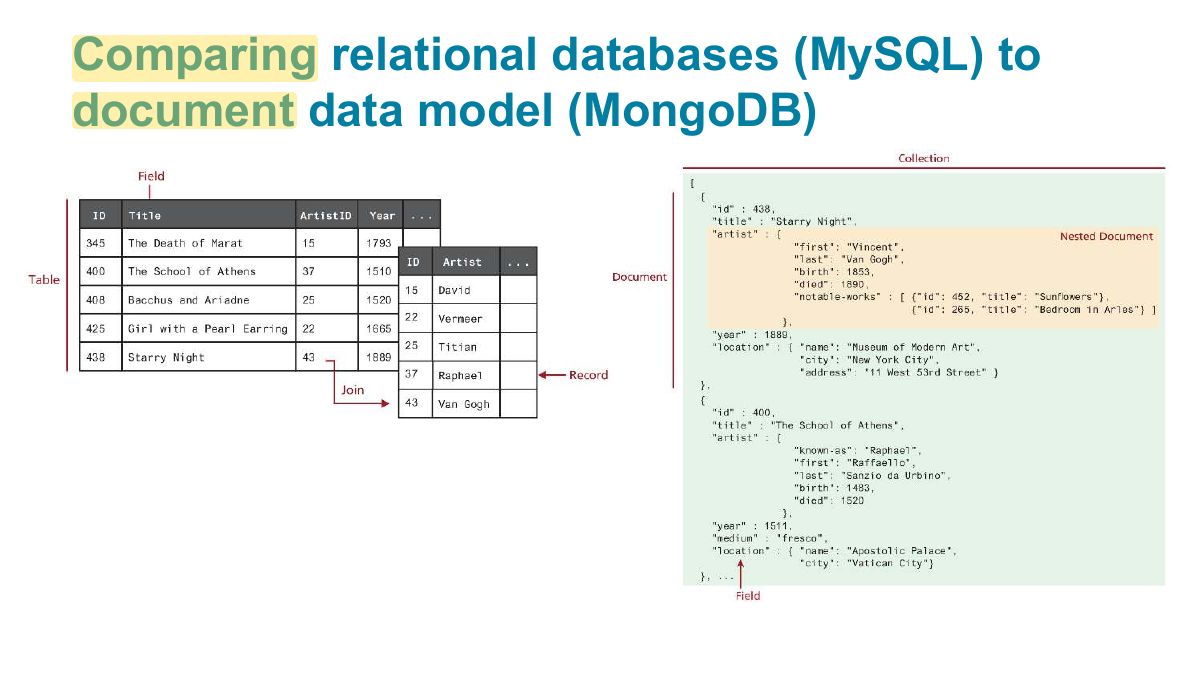
Relational: tables, fixed schema, joins, SQL. Document: JSON-like documents that can embed related data.
Exam angle
Comparing relational databases (MySQL) to document data model (MongoDB)
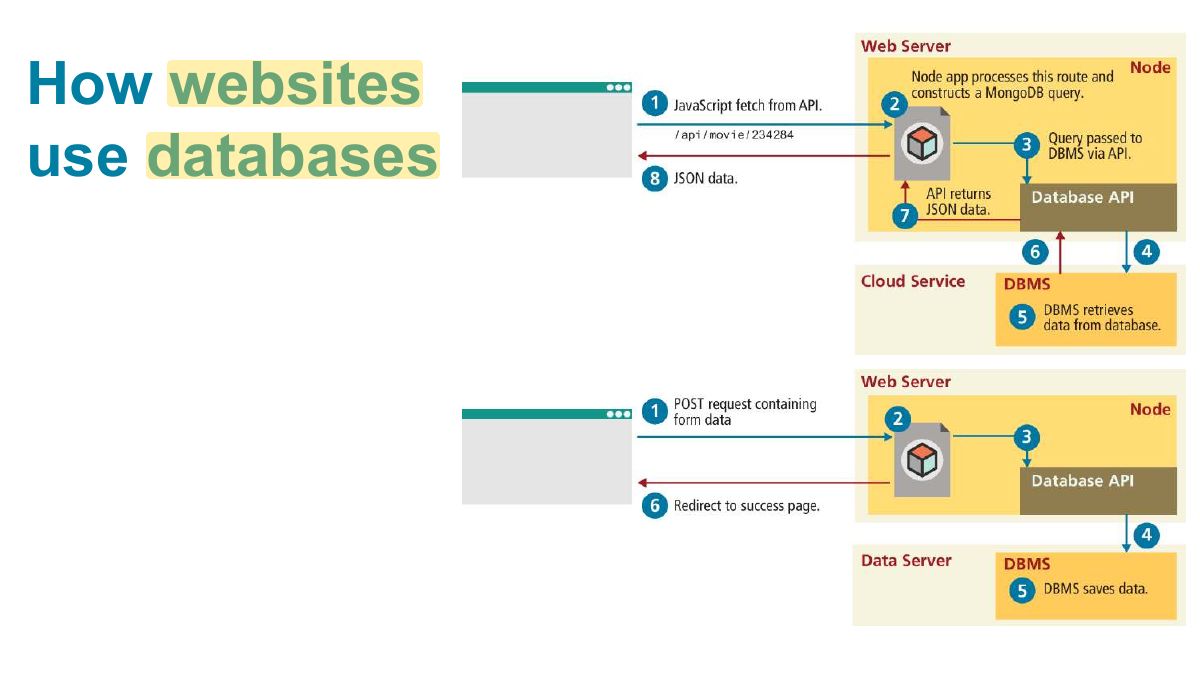
How websites use databases
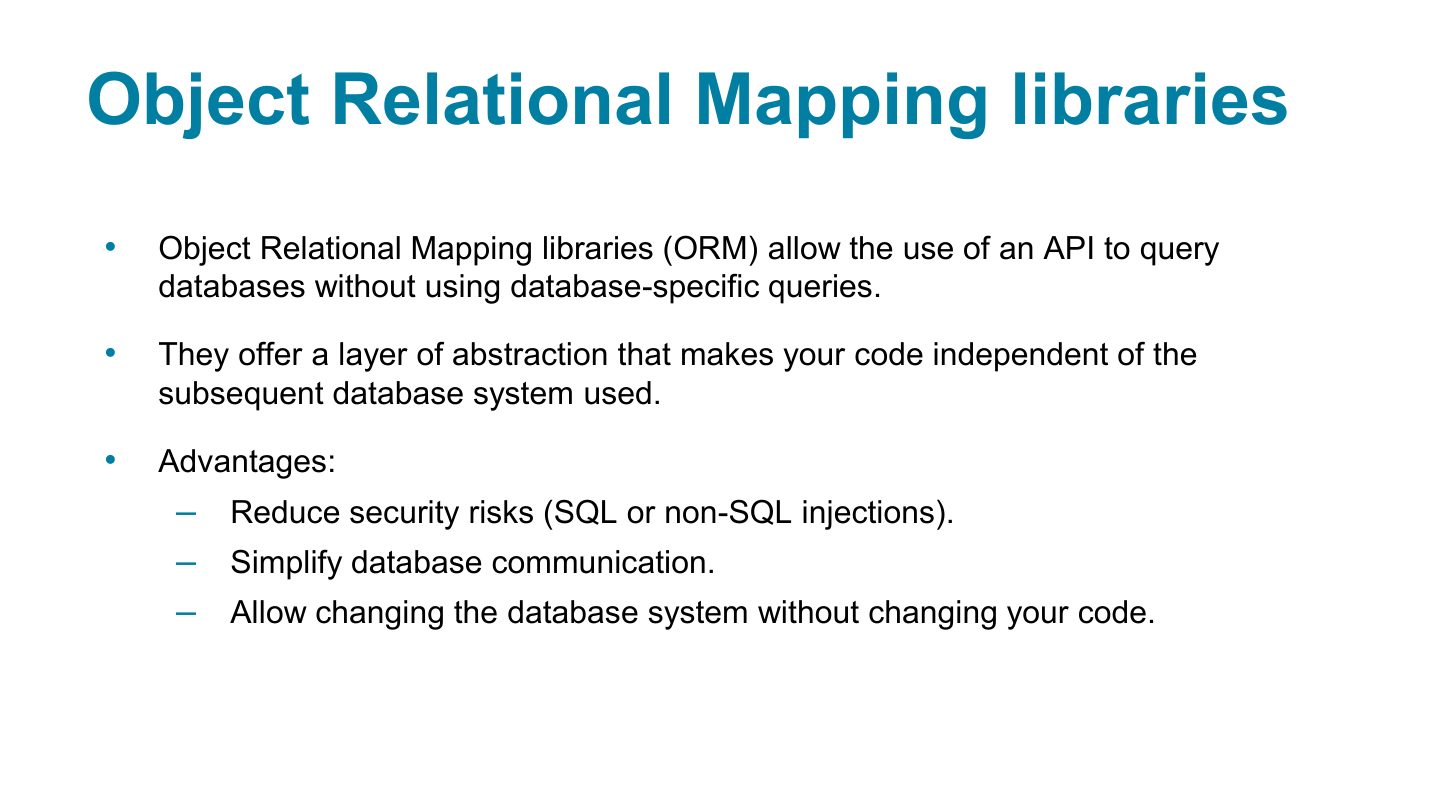
Object Relational Mapping libraries
Notes
ORM (Object Relational Mapping, e.g. Sequelize): work with tables as JavaScript objects/classes instead of writing SQL.
Exam angle
Sequelize is a(n):
g1
Configure the database connection
Connect to the database
Create the data model
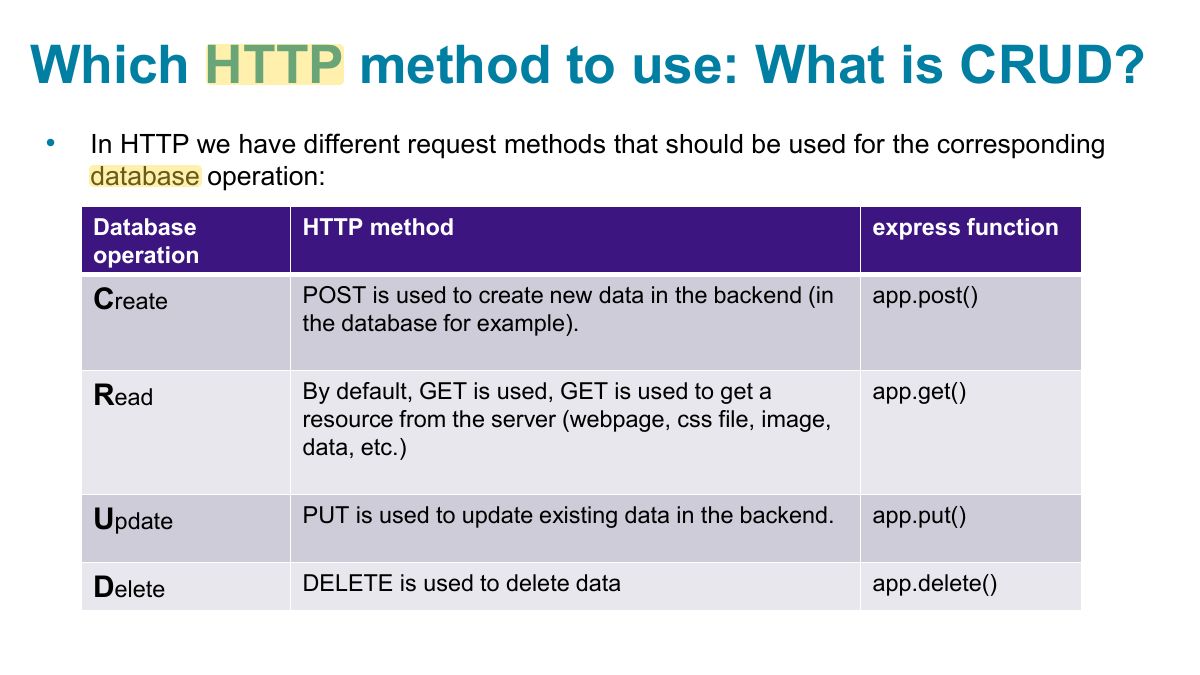
Which HTTP method to use: What is CRUD?
Notes
Memory trick POST creates, GET reads, PUT/PATCH updates, DELETE deletes.
Exam angle
An API endpoint that updates an existing employee should use:
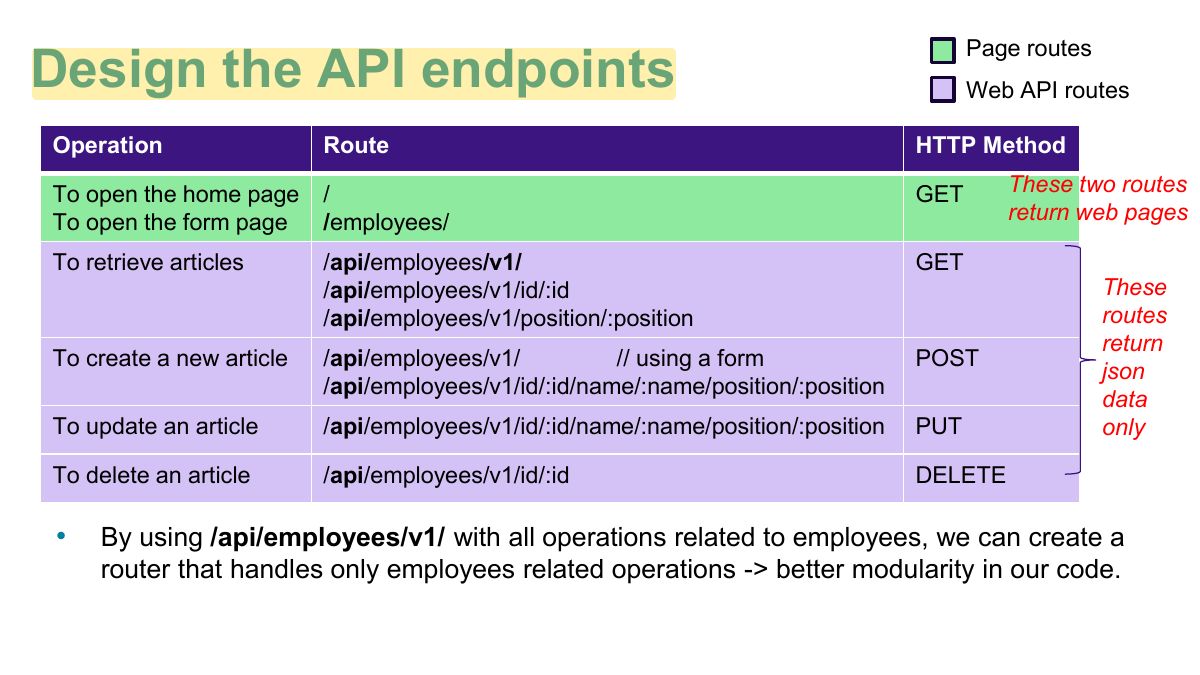
Page routes
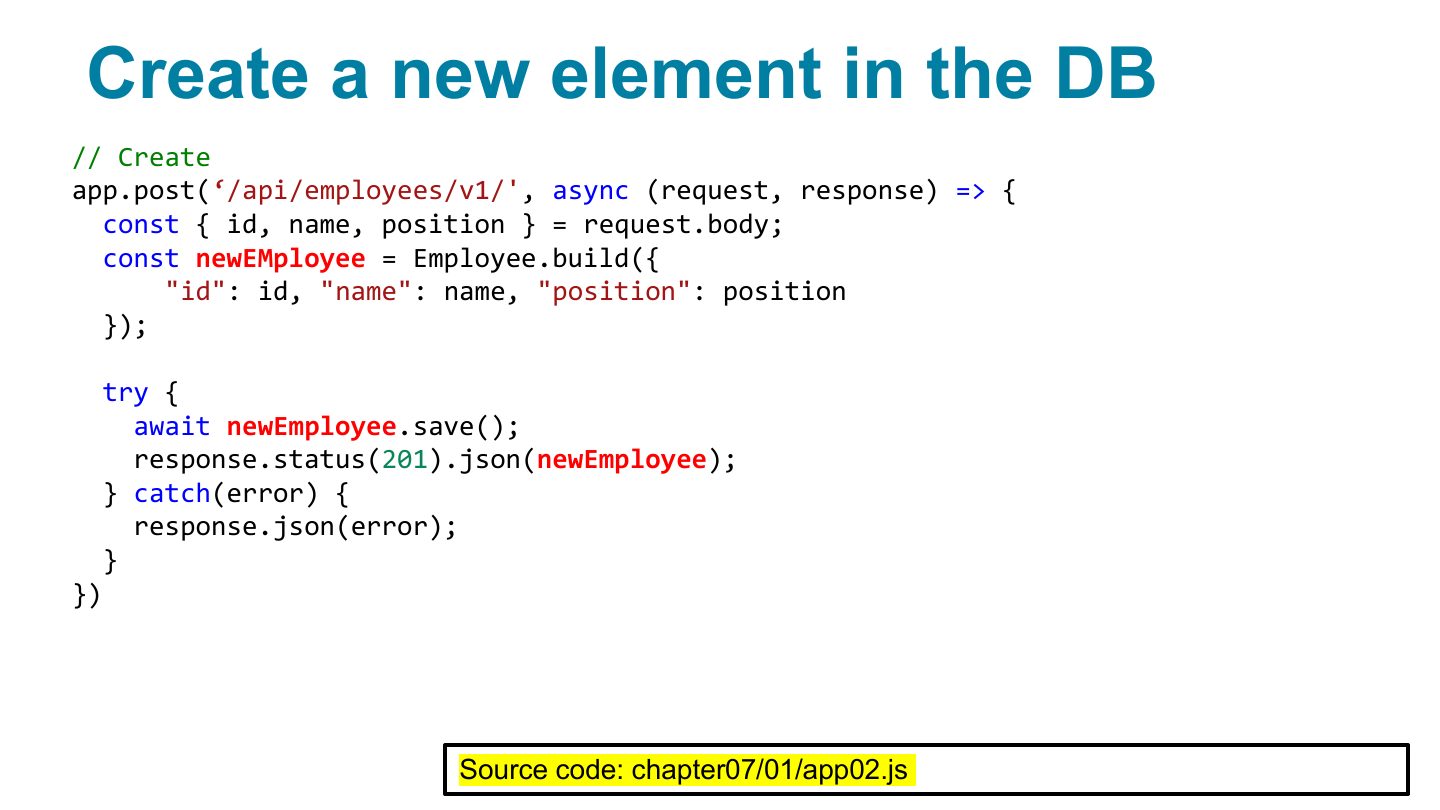
Create a new element in the DB
Notes
Model.create({…}) inserts a row.
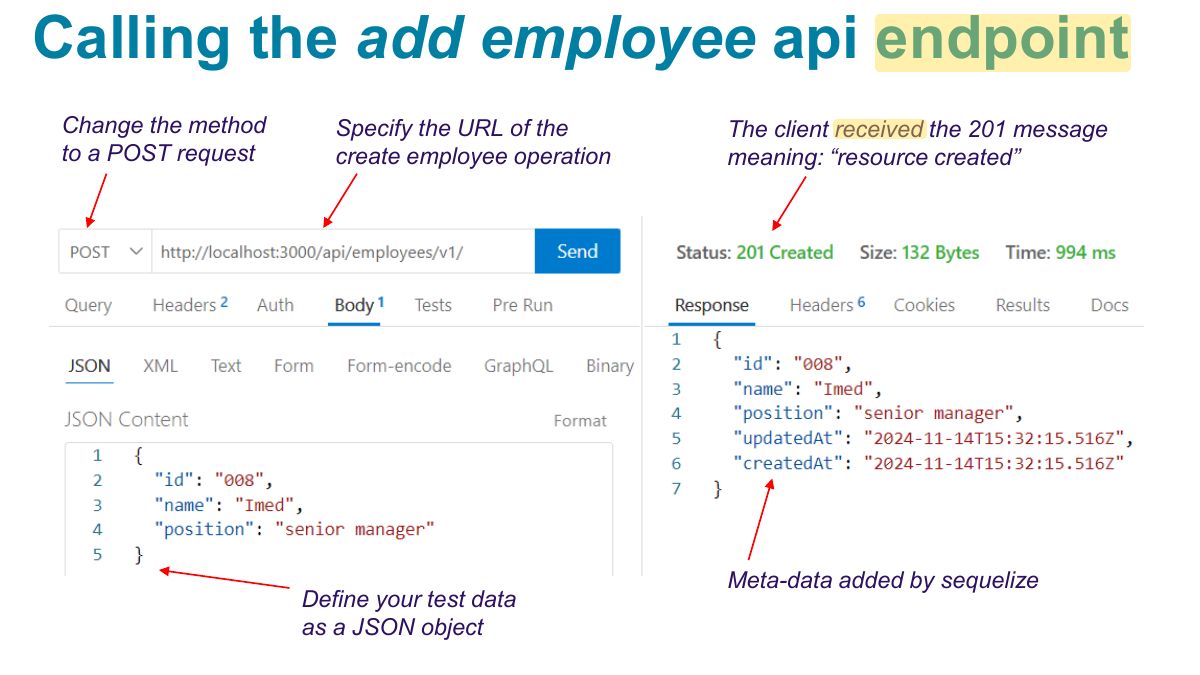
Calling the add employee api endpoint
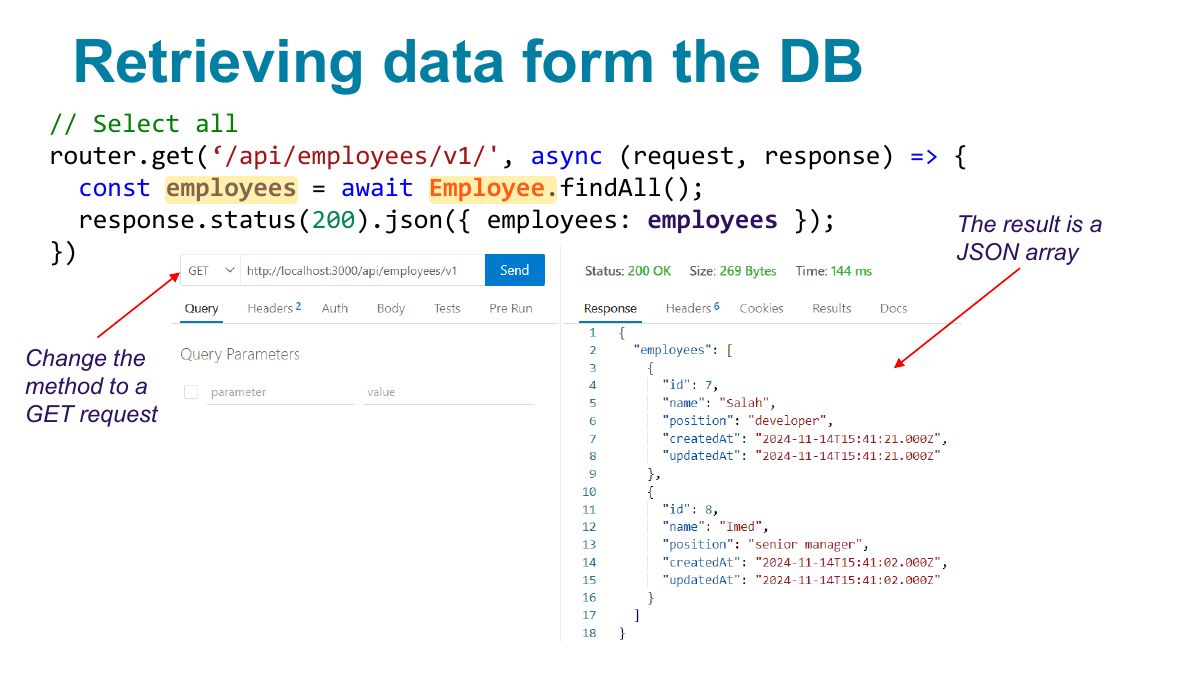
Retrieving data form the DB
Notes
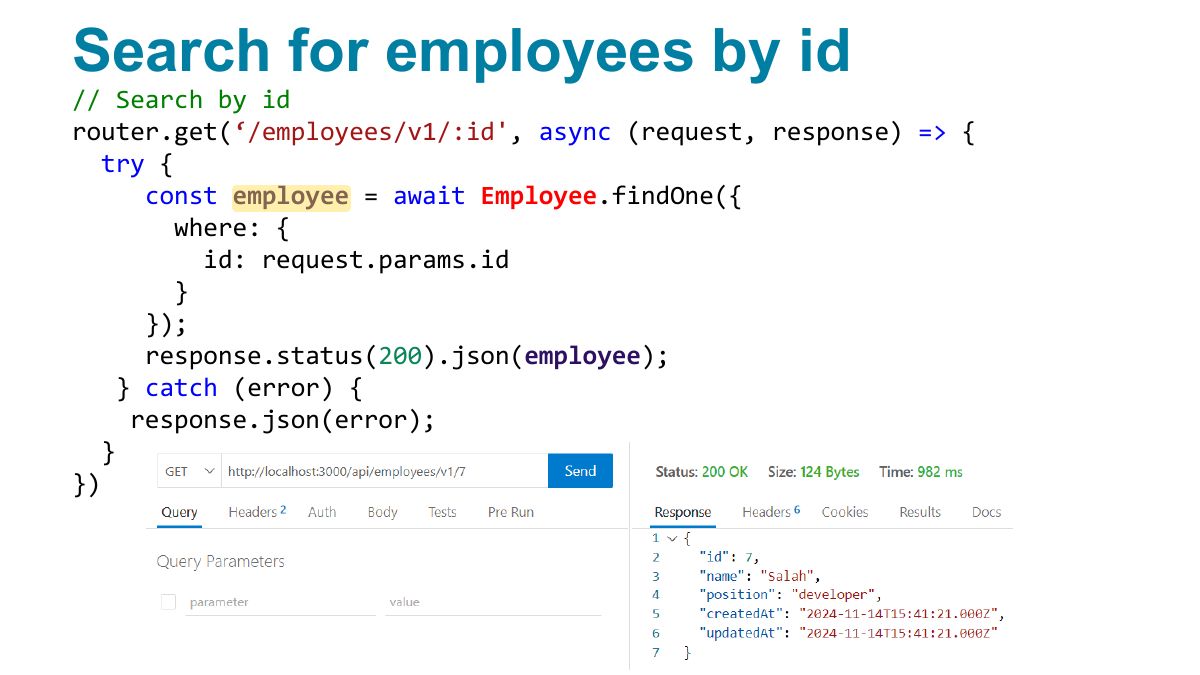
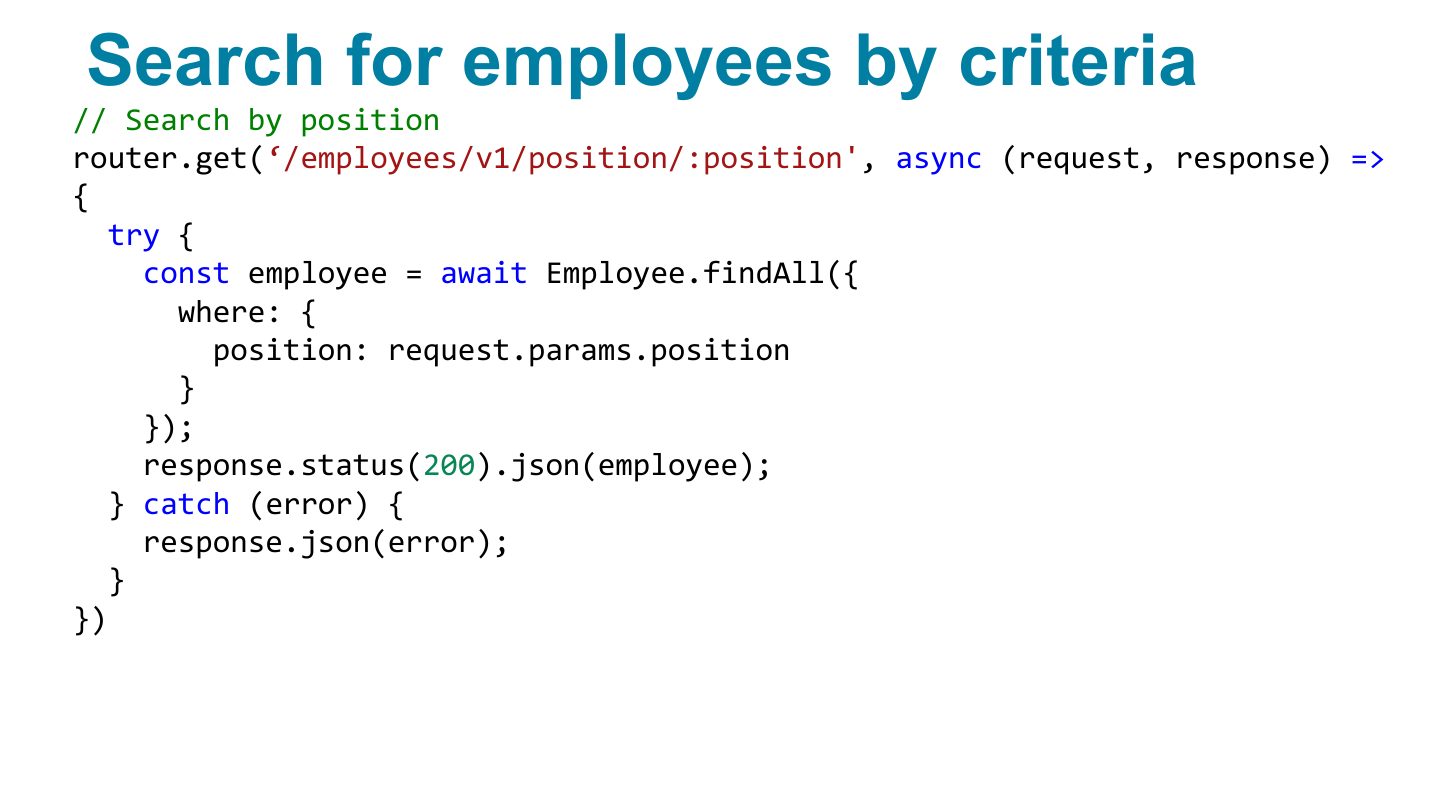
findAll(), findByPk(id), findOne({ where: {…} }).
Search for employees by id
Search for employees by criteria
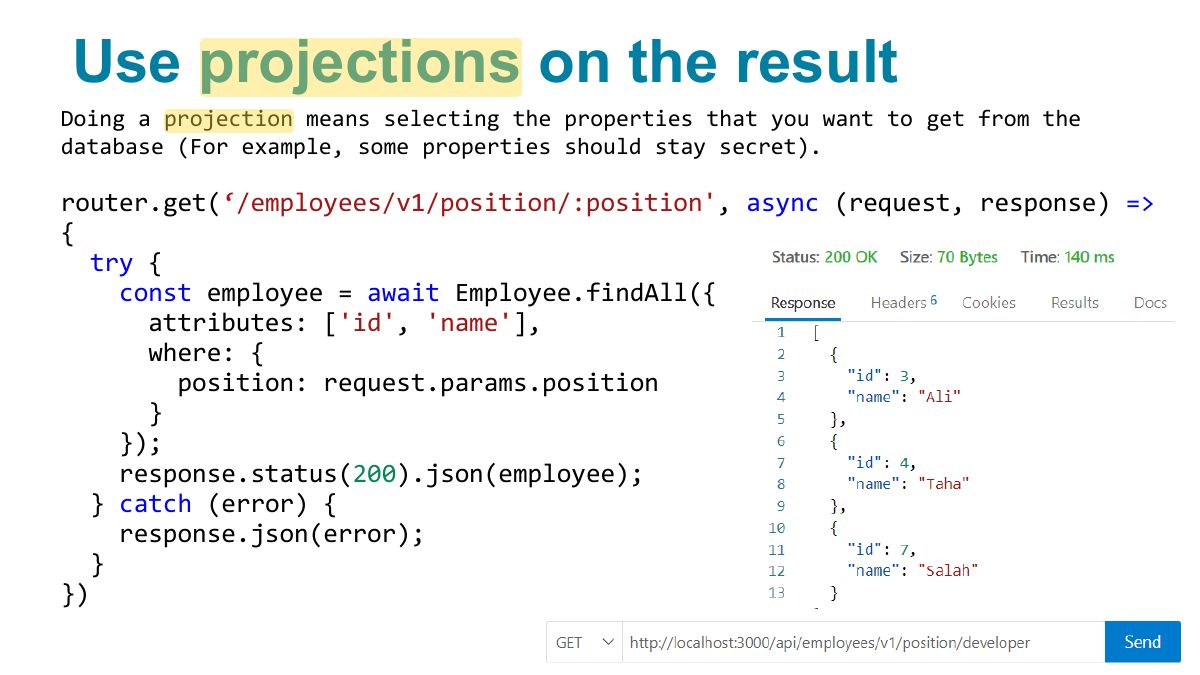
Use projections on the result
Install following Extensions
Fundamentals of Web Development
Connecting to your server from VSCode
Generating Mock data
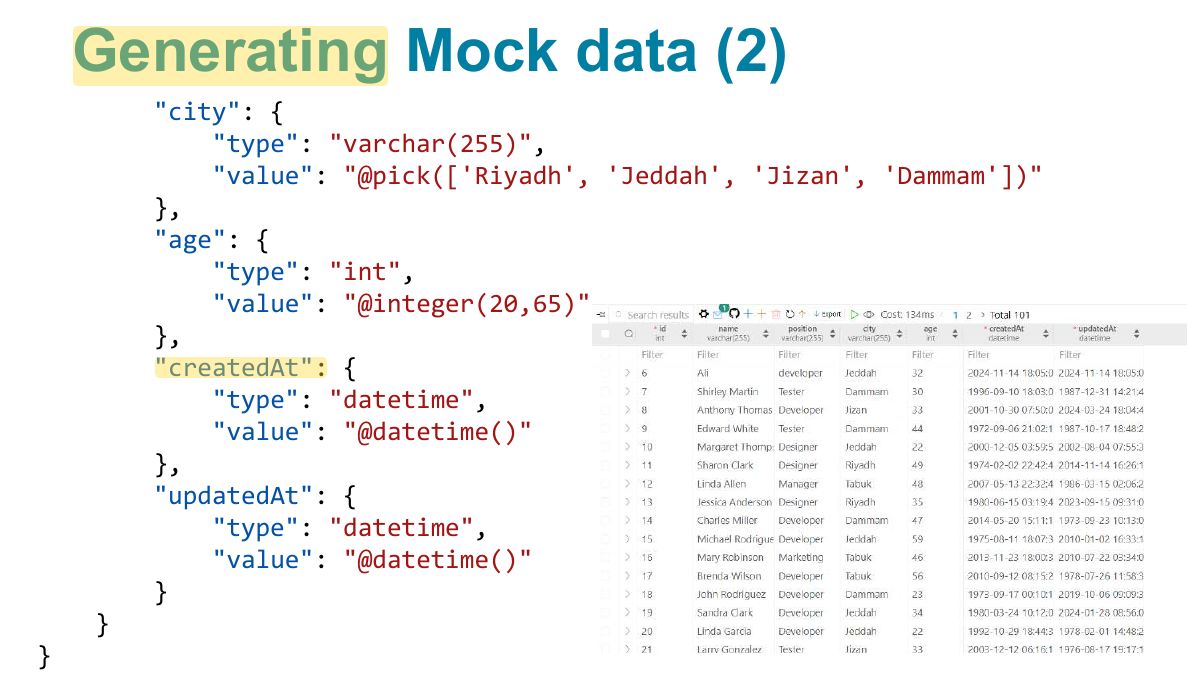
Generating Mock data (2)
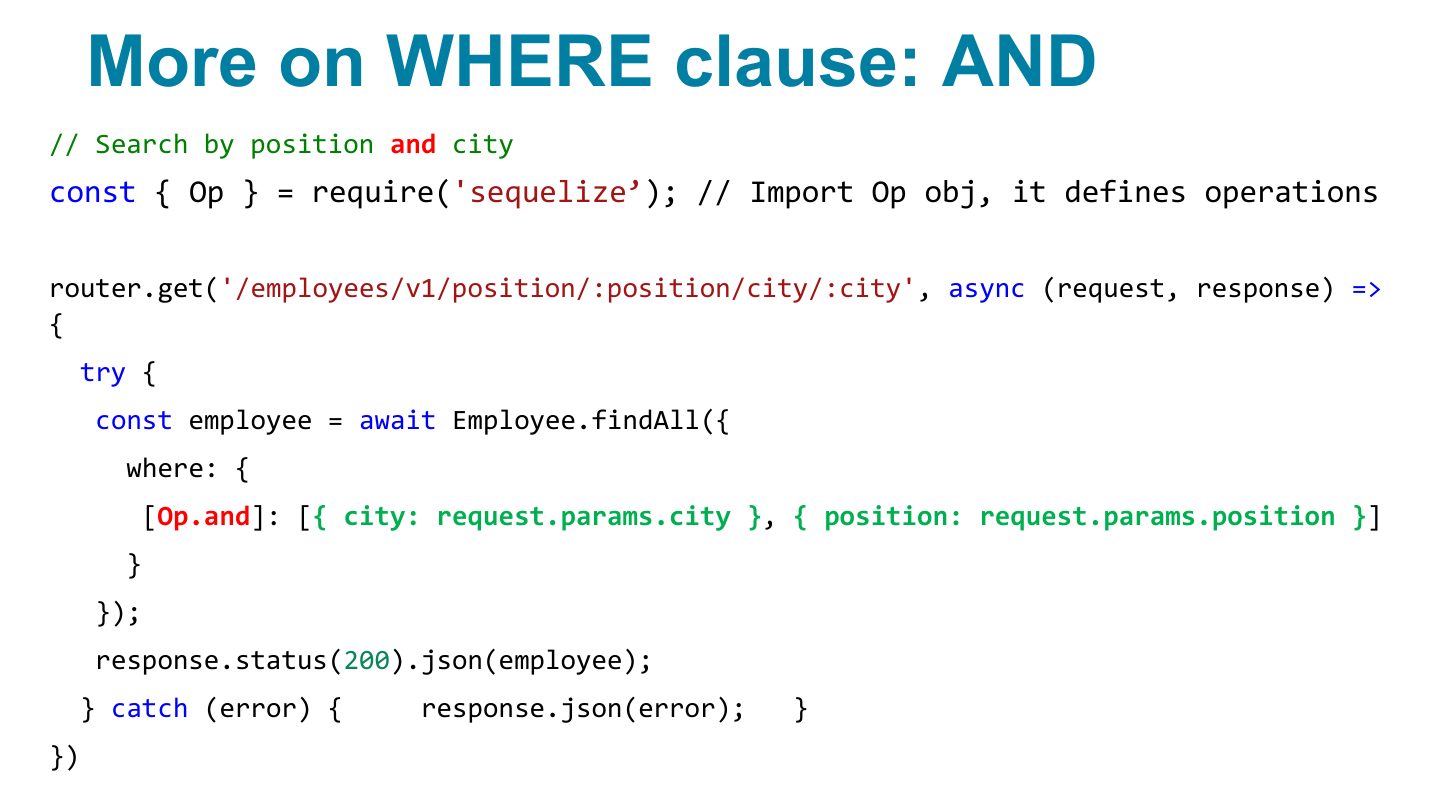
More on WHERE clause: AND
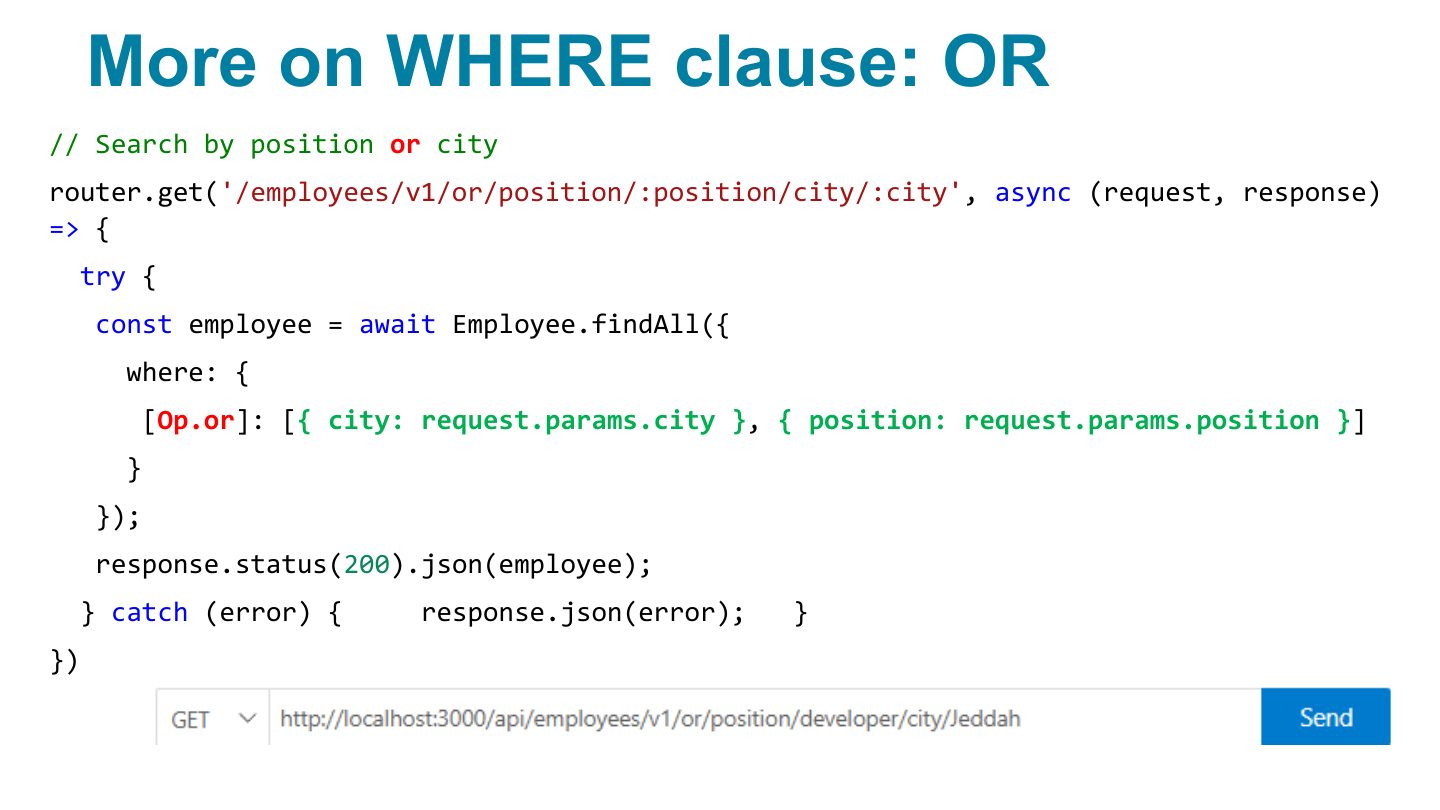
More on WHERE clause: OR
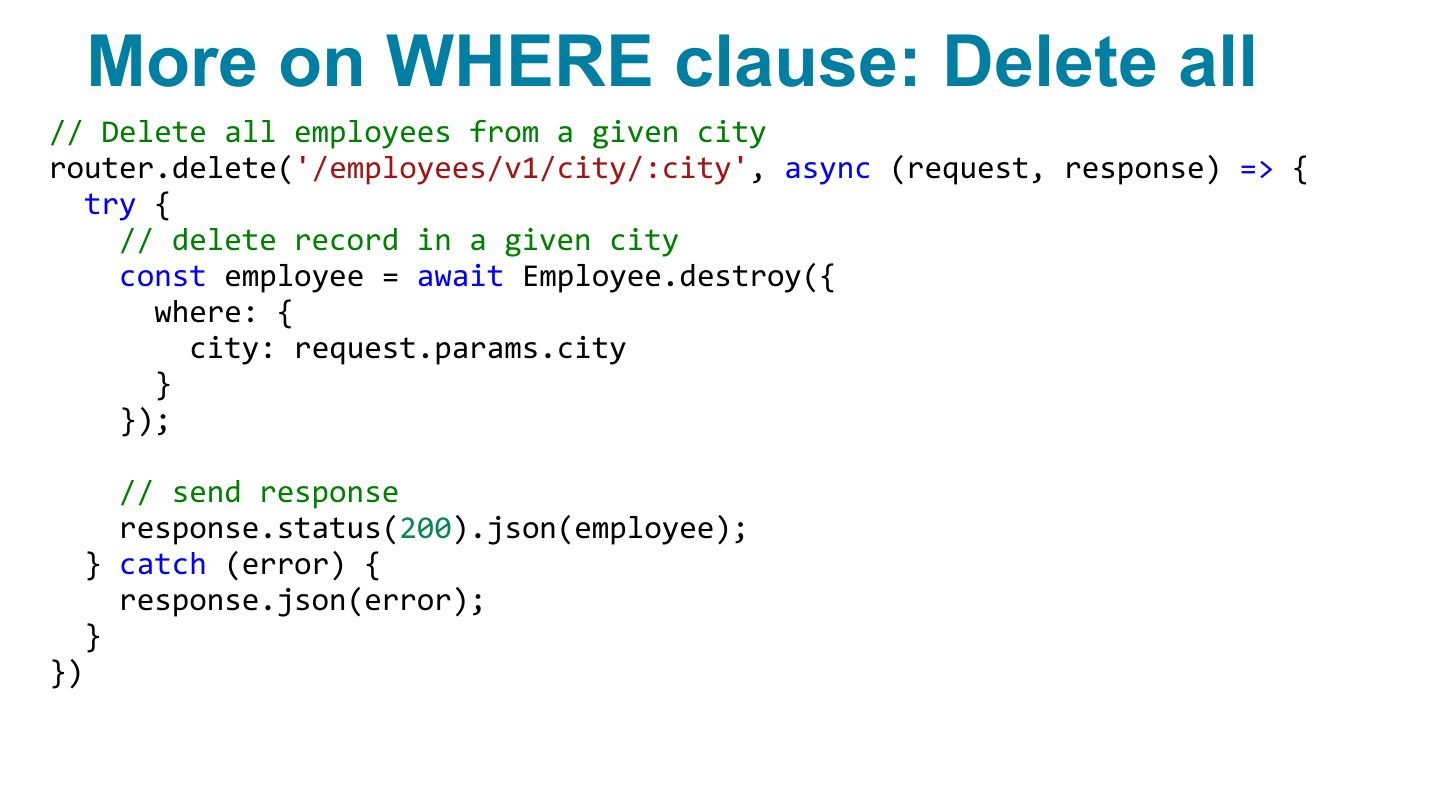
More on WHERE clause: Delete all
More on WHERE clause: Not Equal
More on WHERE clause: gt, lt
Insert data in a table at creation
Work with model associations
Notes
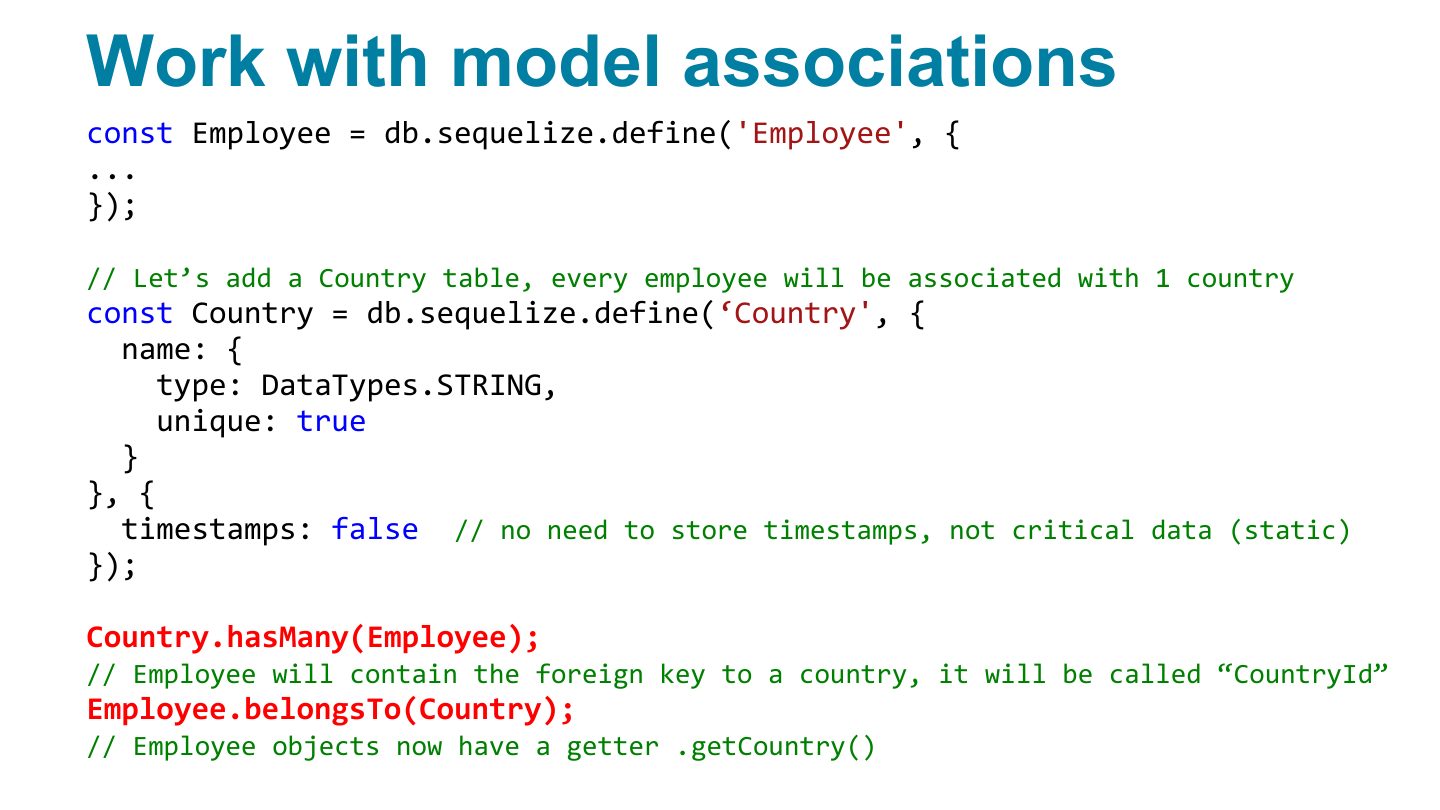
Associations: hasMany / belongsTo / hasOne / belongsToMany; include them in queries.
Get an employee and his associated country
Data validation and constraints
Sequelize validators
Notes
Validators on fields: allowNull: false, validate: { isEmail: true, len: [2, 50] }.
Sequelize validators (2)
Sequelize validators: example
Class Task
Slide 47