Node handles many concurrent connections efficiently because of:
Server-Side Node.js and Express
Node.js and JavaScript everywhere, modules (CommonJS and ES imports), core modules and a simple HTTP server, blocking vs. non-blocking architectures, asynchronous code with callbacks, promises, async/await and fetch, npm and package.json, CORS, Express routing and middleware, route parameters vs. query strings vs. forms, and EJS view engines.
How to read this page
Every original slide is shown unchanged. Yellow marks on a slide point to a numbered note: hover or tap a mark to jump to its note, and hover a note to see its marks. Questions tagged Past exam appeared on a real paper; Prediction questions are likely angles, not confirmed. Pick an answer to each question: a wrong pick tells you why it is wrong, so you can try again.
All 51 slides
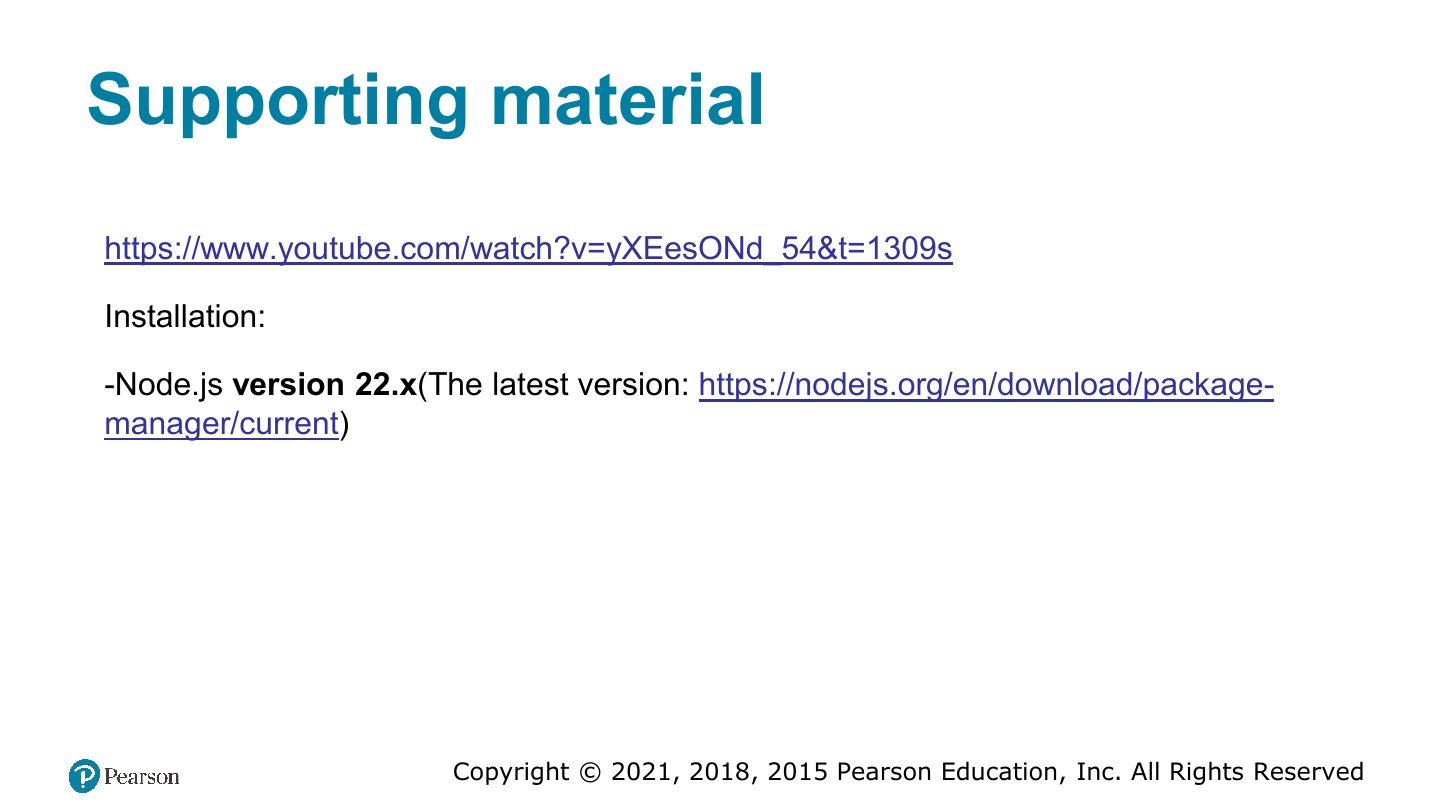
- 1 Task [Chapter 5]
- 2 Fundamentals of Web Development
- 3 Introducing Node.js
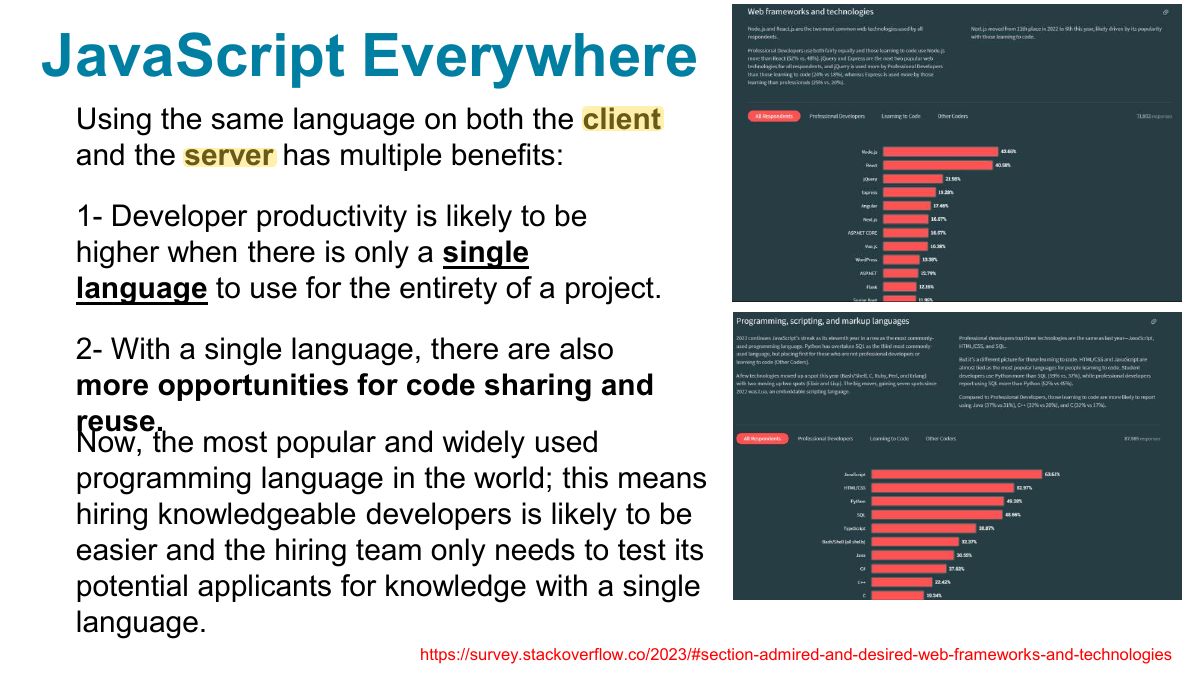
- 4 JavaScript Everywhere
- 5 Modules:
- 6 Modules
- 7 Running a node application
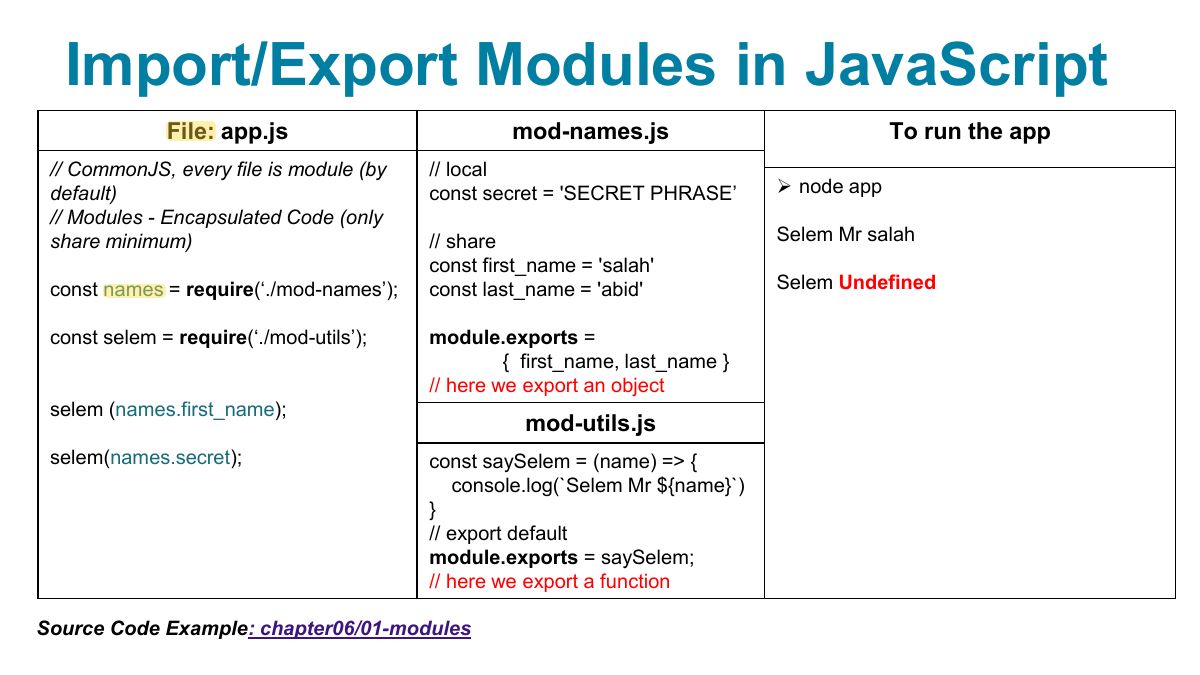
- 8 Import/Export Modules in JavaScript
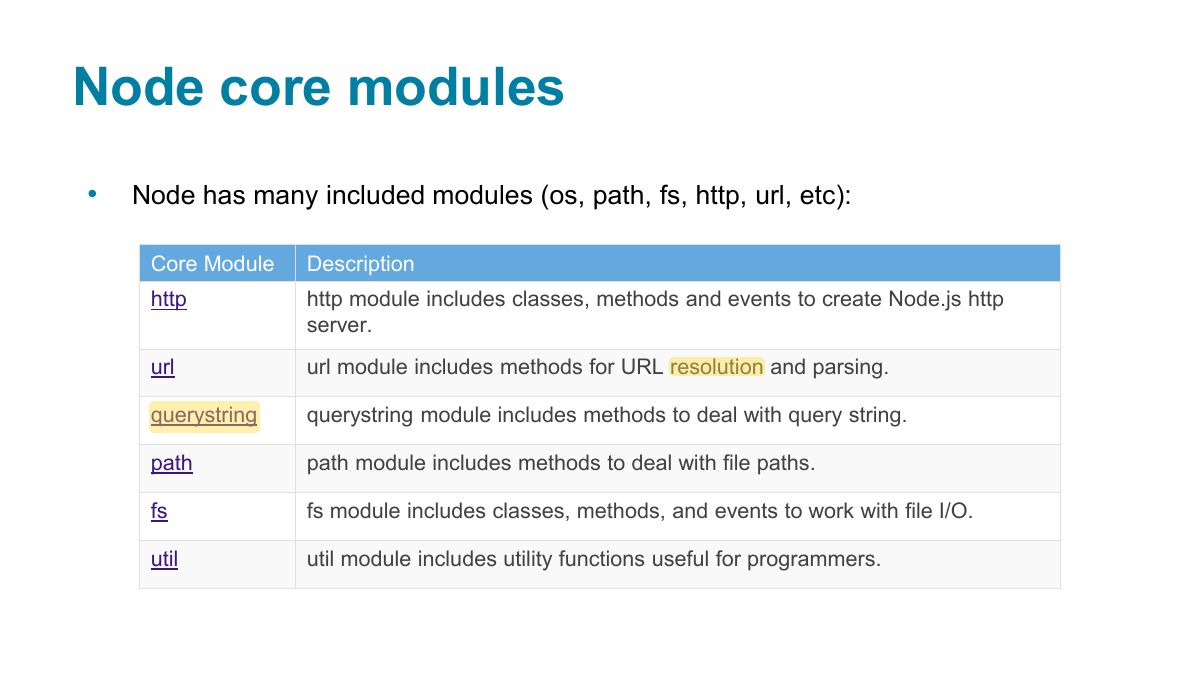
- 9 Node core modules
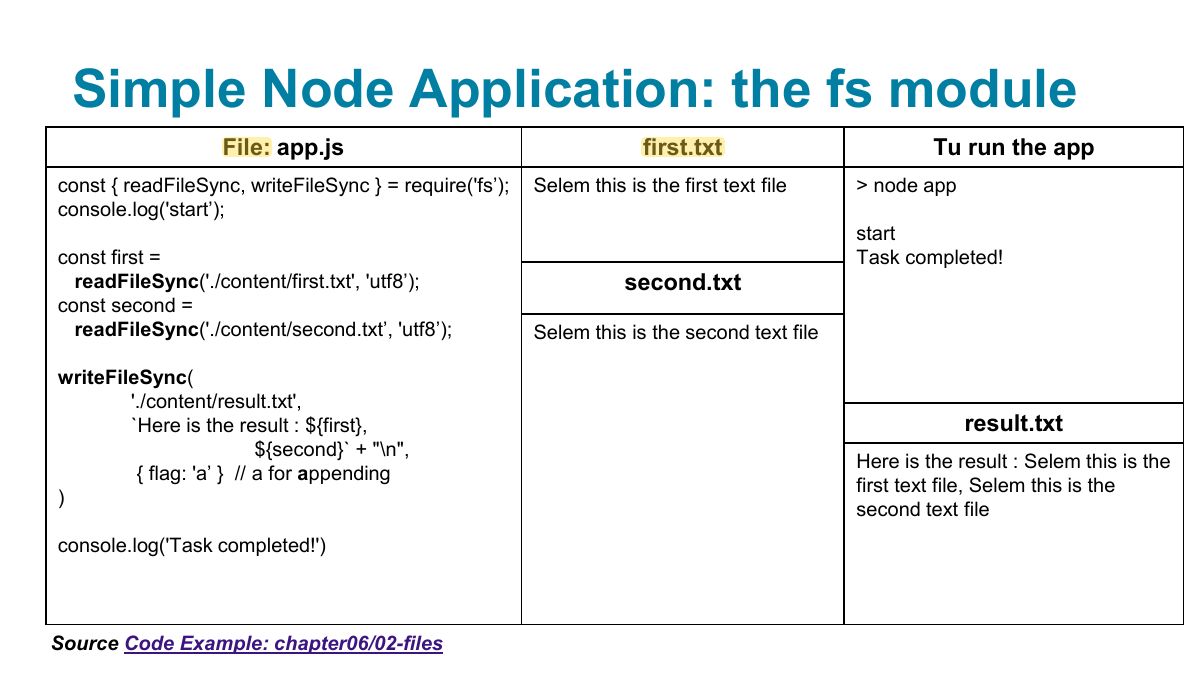
- 10 Simple Node Application: the fs module
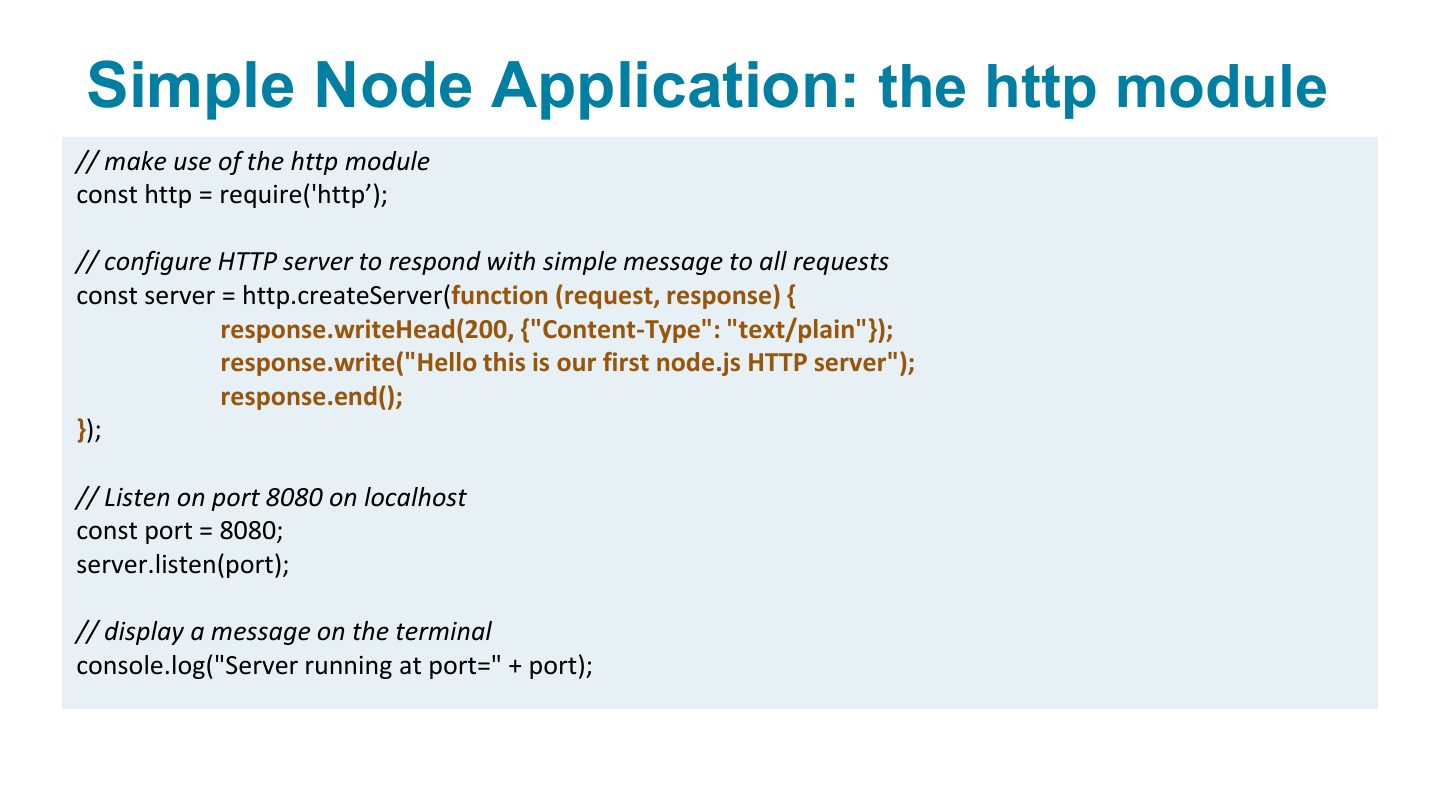
- 11 Simple Node Application: the http module
- 12 Simplest http server
- 13 http server: handling different requests
- 14 Static file server example: the http and path modules
- 15 Blocking Architectures
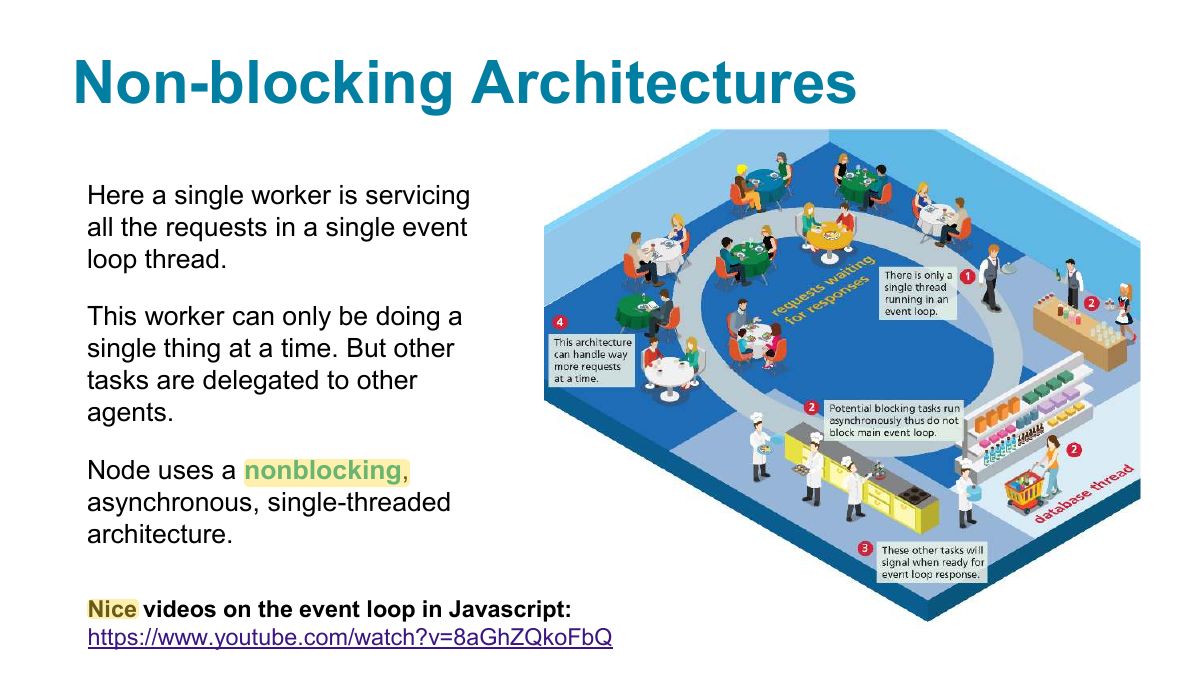
- 16 Non-blocking Architectures
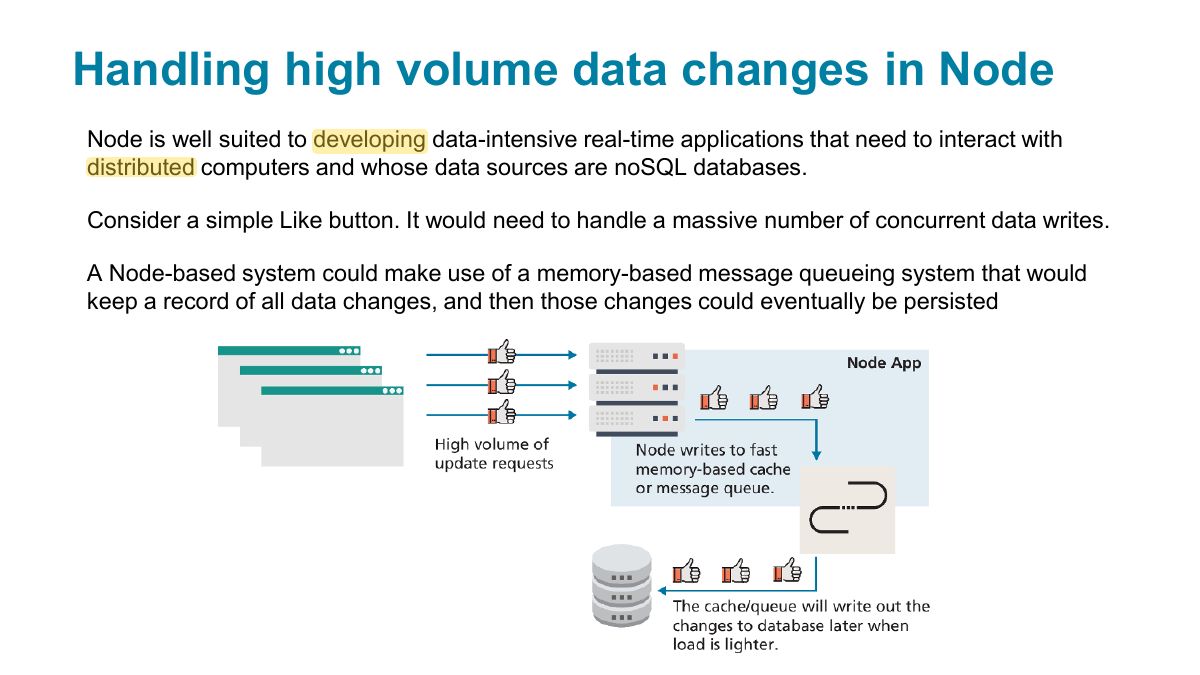
- 17 Handling high volume data changes in Node
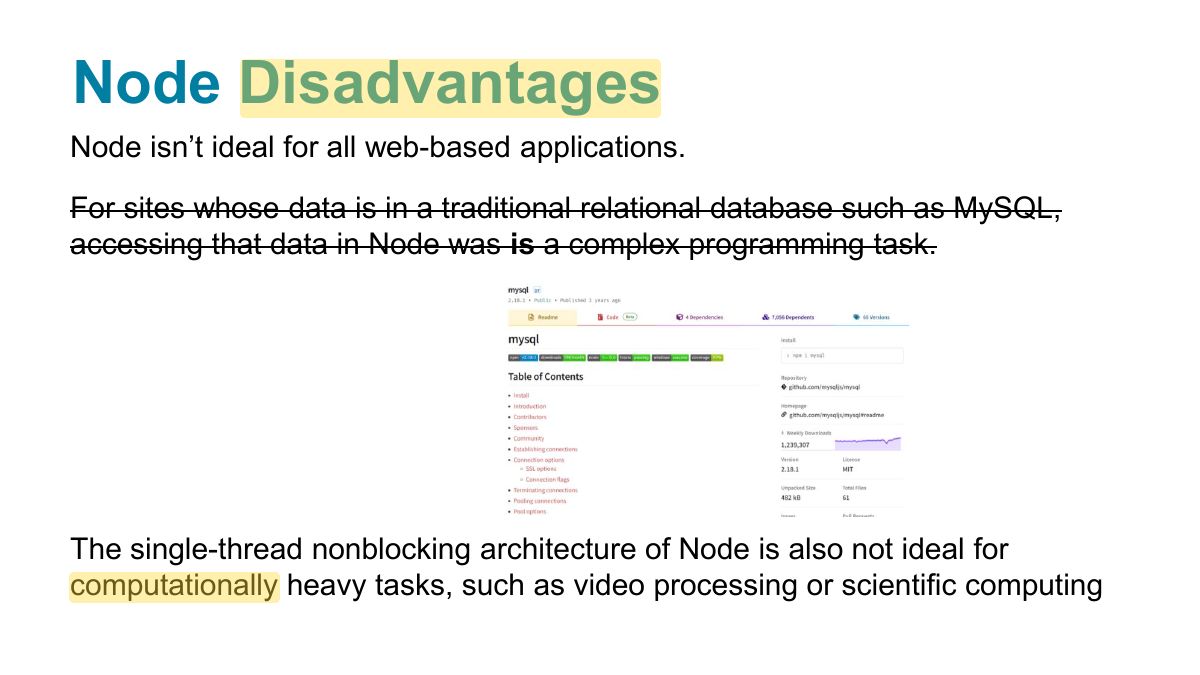
- 18 Node Disadvantages
- 19 Asynchronous Coding with JavaScript
- 20 Simple Node Application: fs module, async version
- 21 Simple Node Application: fs module, async version
- 22 So what are Promises?
- 23 File: app.js
- 24 Another use case for promises: (on the client-side)
- 25 Asynchronous data requests
- 26 Fetching Data from a Web API
- 27 Example of asynchronous request using fetch ... and promises
- 28 Common Mistakes with Fetch
- 29 Npm, package.json and dependencies
- 30 Cross-Origin Resource Sharing
- 31 "
- 32 Dependencies and code sharing (git)
- 33 Adding a dev-dependency
- 34 Routing: Importing Express
- 35 Middleware functions in Express:
- 36 Express: middleware functions
- 37 Using express for routing
- 38 Add middleware (chained operations)
- 39 Source Code Example: 09-env-variables- -app3
- 40 Simple API
- 41 Separating Functionality into Modules
- 42 Defining a module
- 43 Send parameters in route:
- 44 Send parameters in query (2)
- 45 Send parameters using forms (3)
- 46 View Engines
- 47 Introduction to EJS
- 48 Injecting data into EJS views
- 49 Example EJS view
- 50 Example EJS view
- 51 Supporting material
Task [Chapter 5]
Fundamentals of Web Development
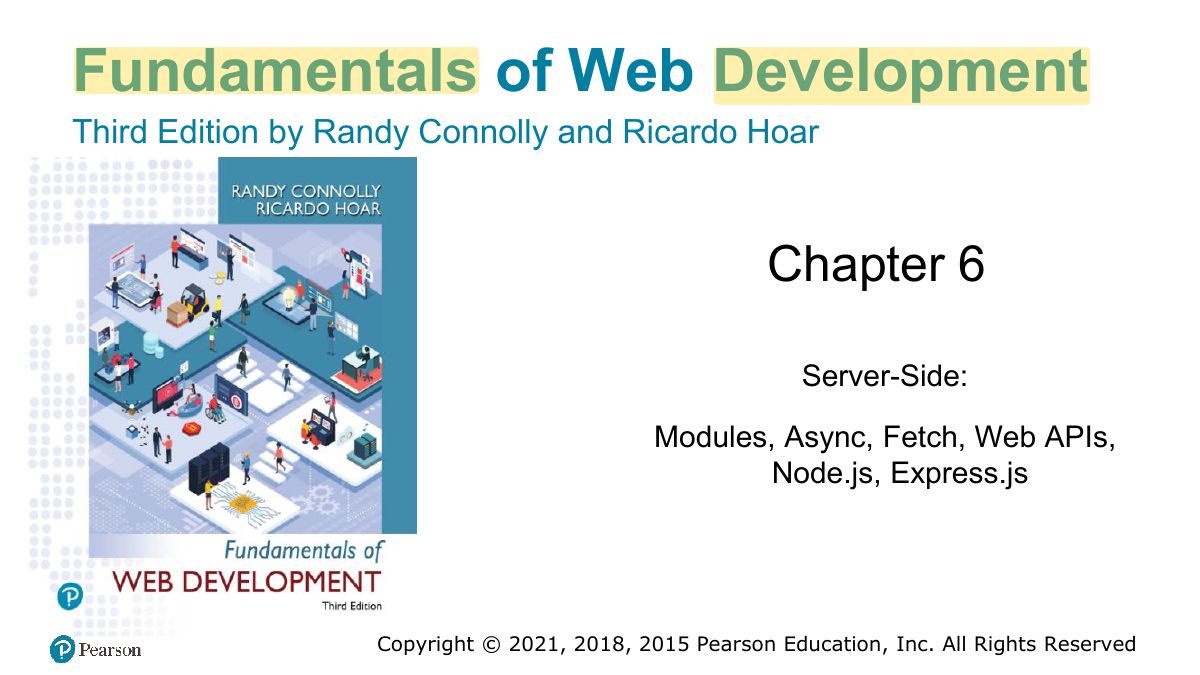
Introducing Node.js
Notes
Node.js: JavaScript on the server, built on Chrome’s V8 engine; single-threaded, event-driven, non-blocking I/O.
JavaScript Everywhere
Modules:
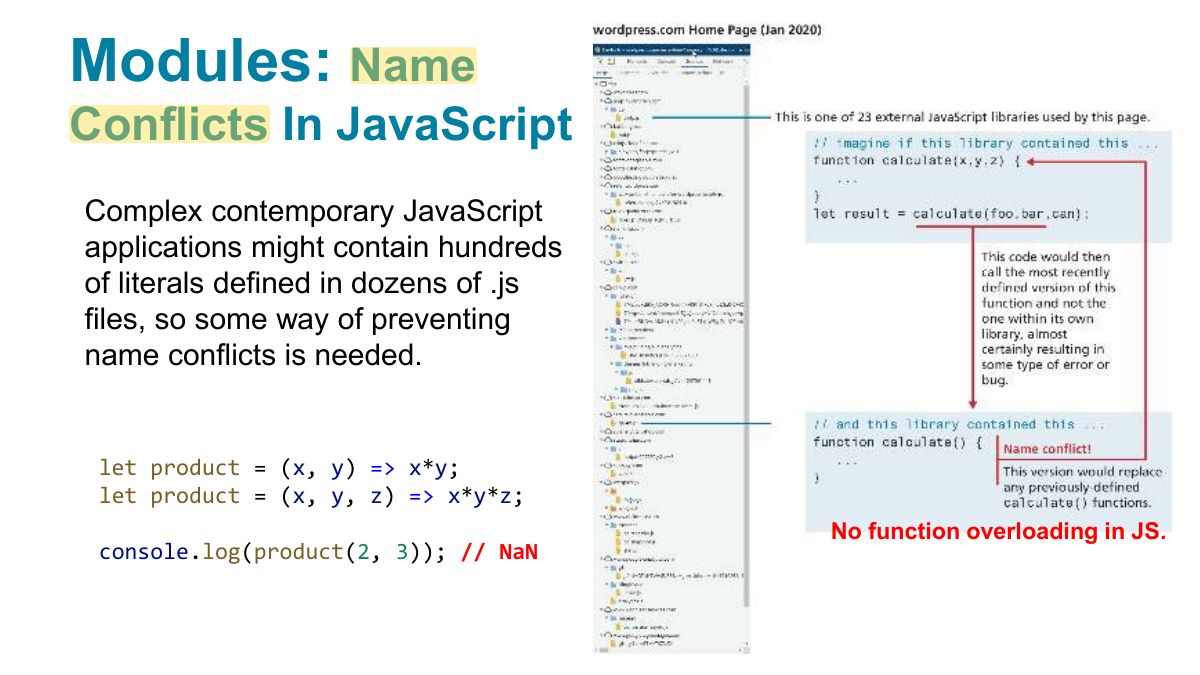
Notes
Modules: require/module.exports (CommonJS) or import/export (ES modules).
Modules
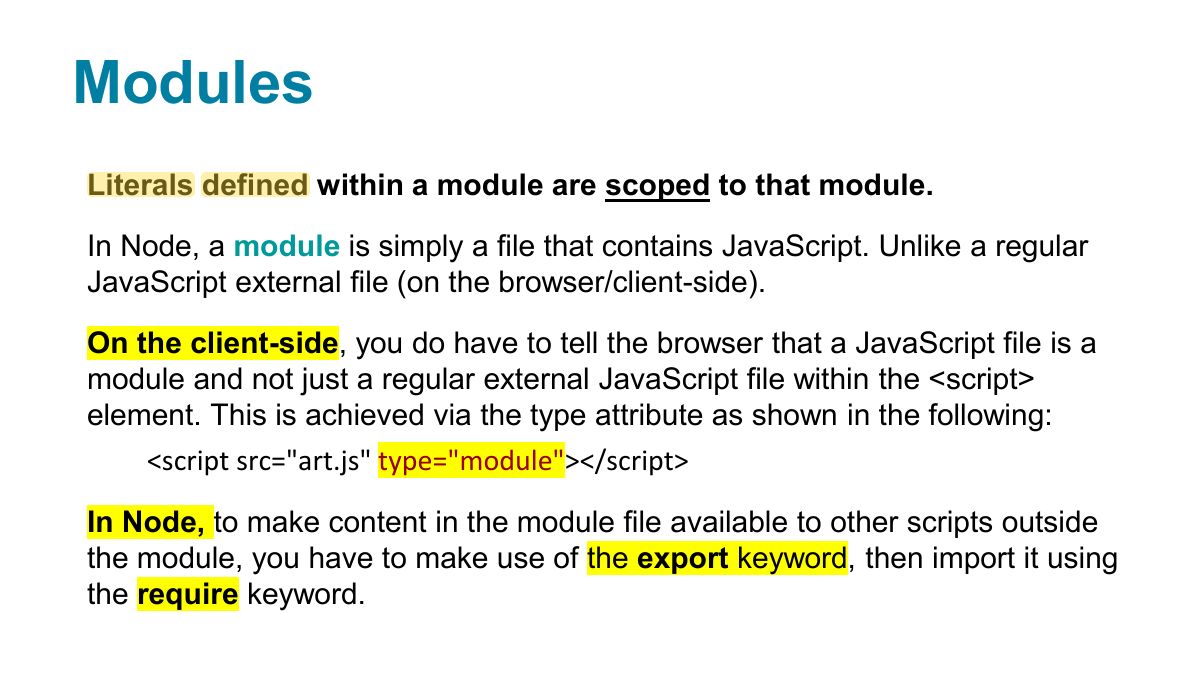
Running a node application
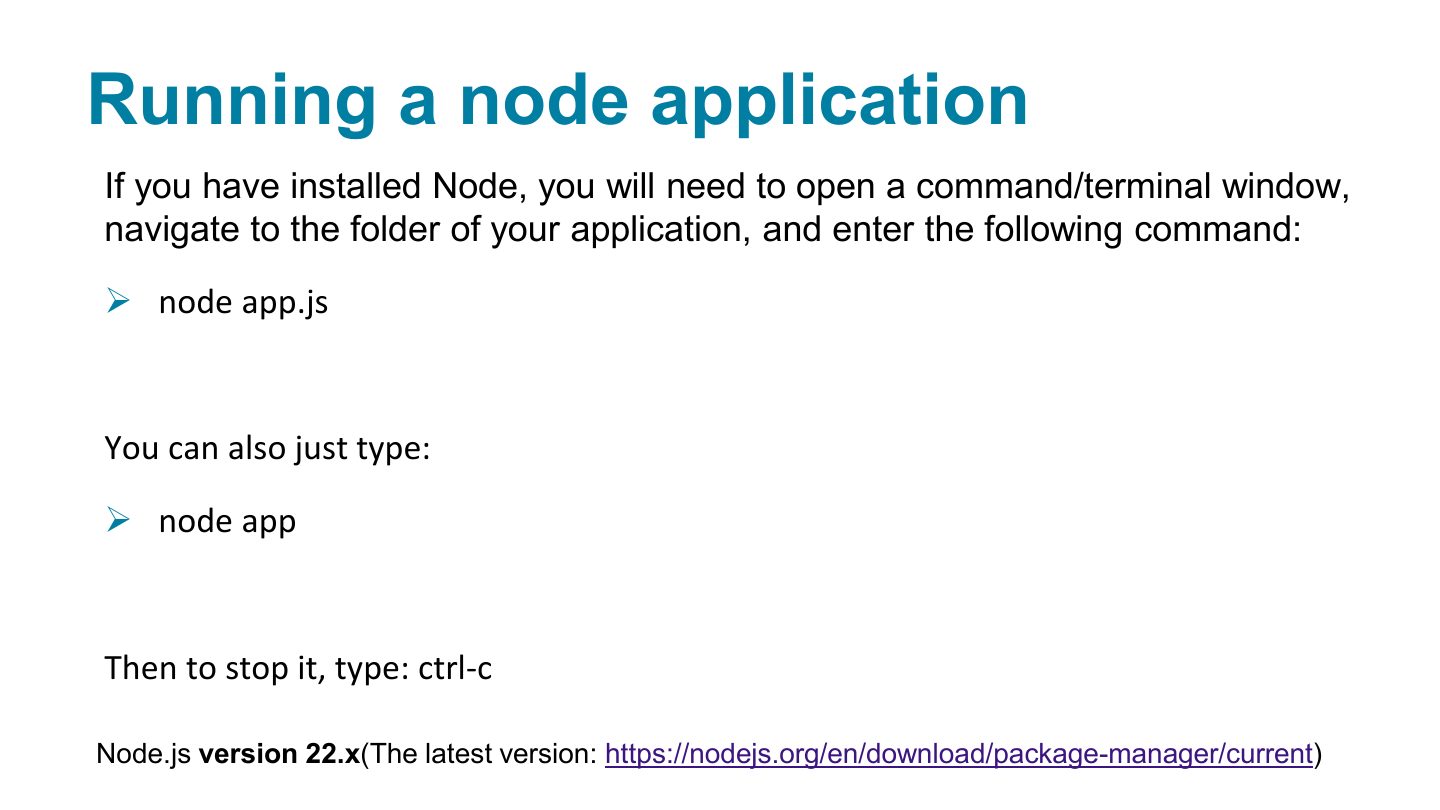
Import/Export Modules in JavaScript
Node core modules
Simple Node Application: the fs module
Simple Node Application: the http module
Simplest http server
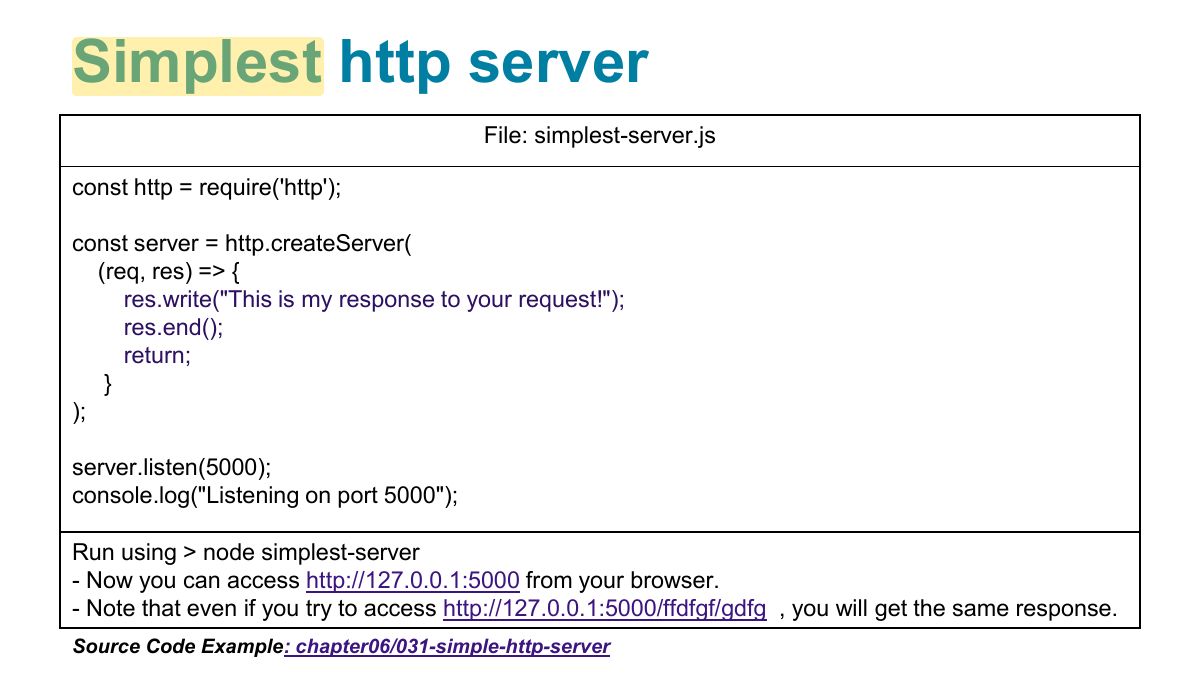
http server: handling different requests
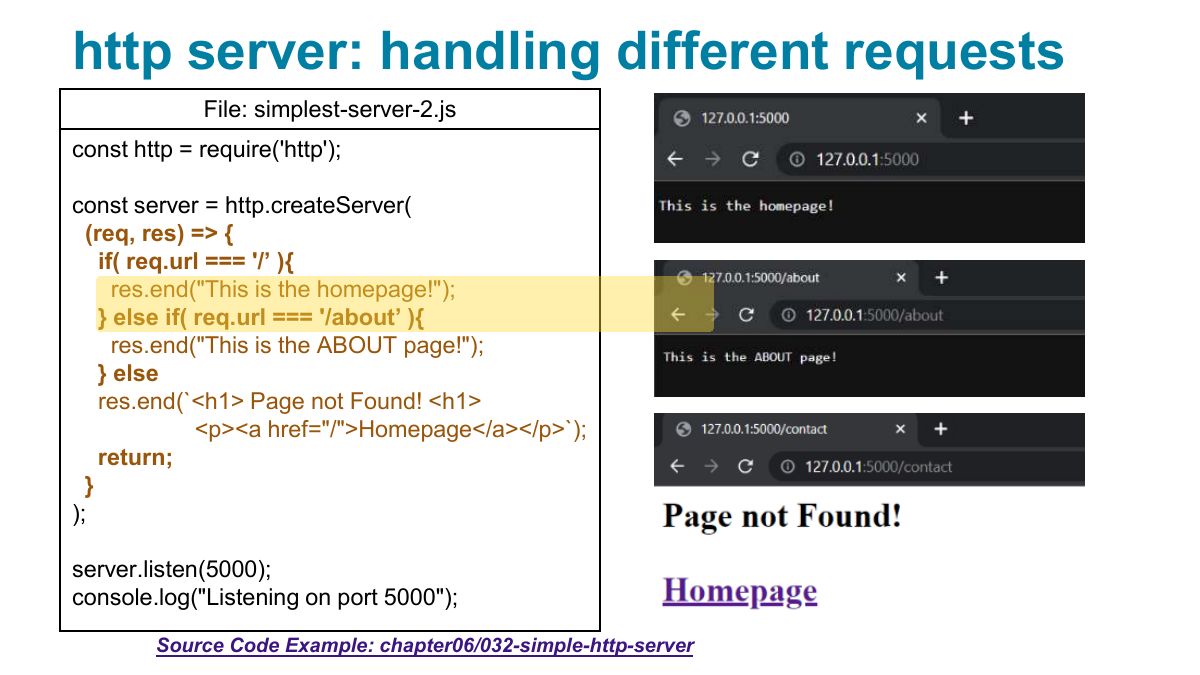
Static file server example: the http and path modules
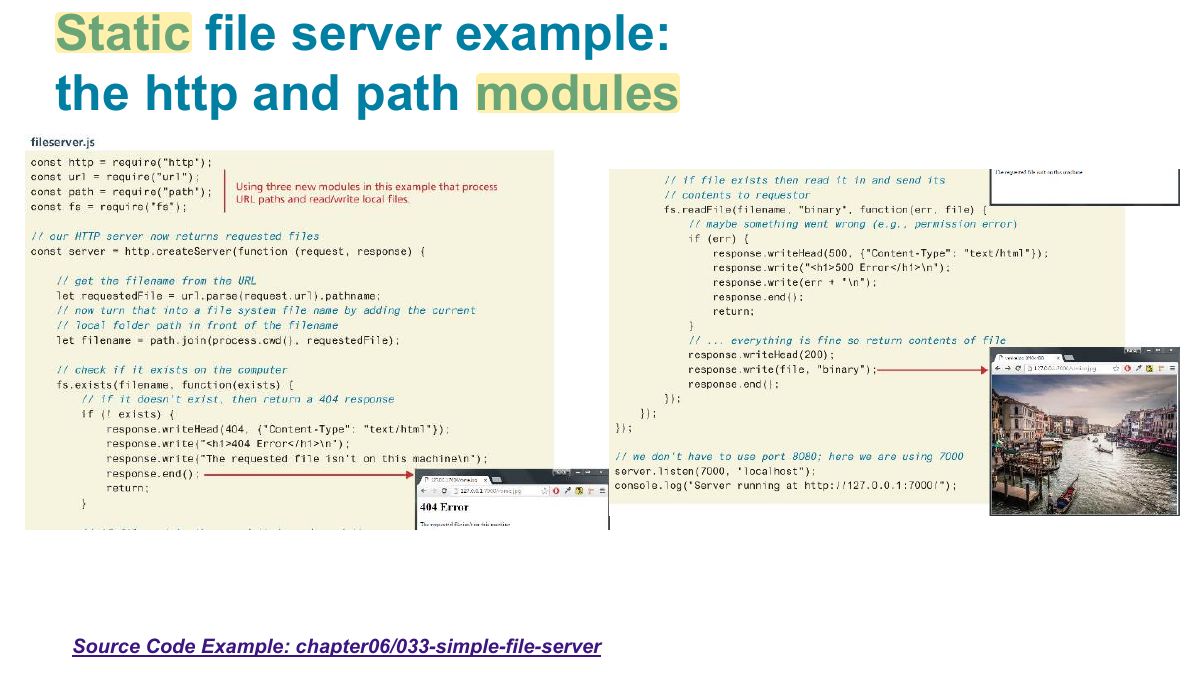
Blocking Architectures
Notes
Blocking: each request ties up a thread while waiting for I/O. Non-blocking (Node): one thread hands I/O off and handles other requests meanwhile (event loop).
Exam angle
Non-blocking Architectures
Handling high volume data changes in Node
Node Disadvantages
Notes
Node is a poor fit for CPU-heavy work: one long computation blocks the single thread.
Asynchronous Coding with JavaScript
Simple Node Application: fs module, async version
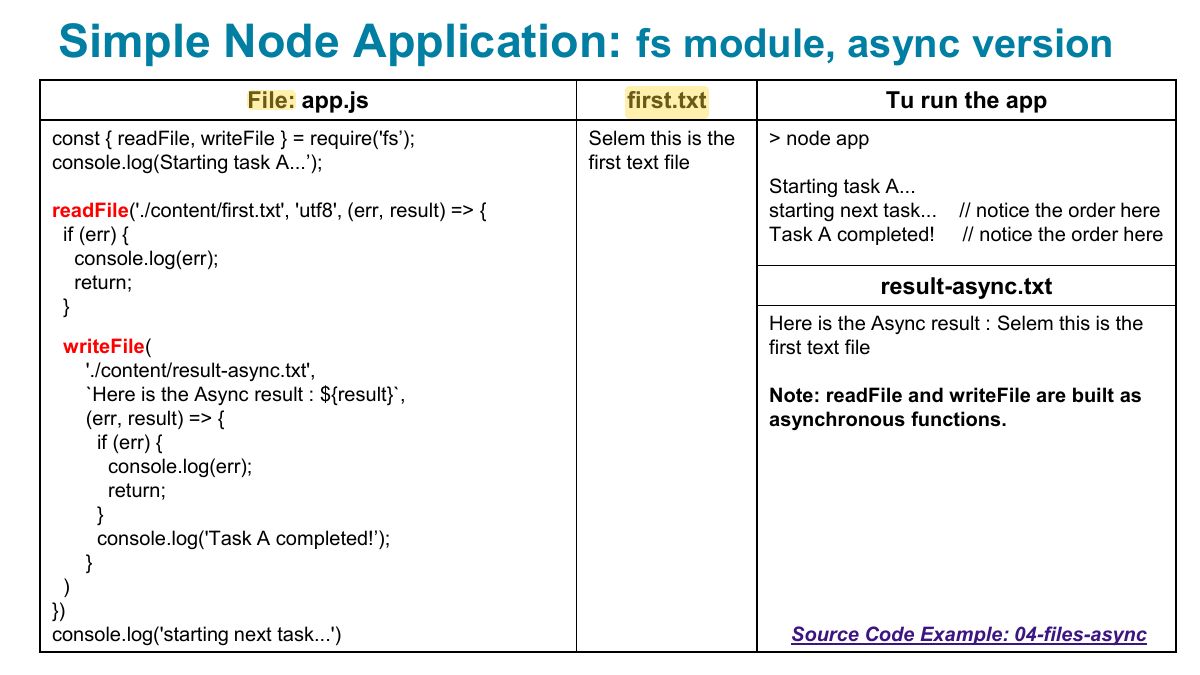
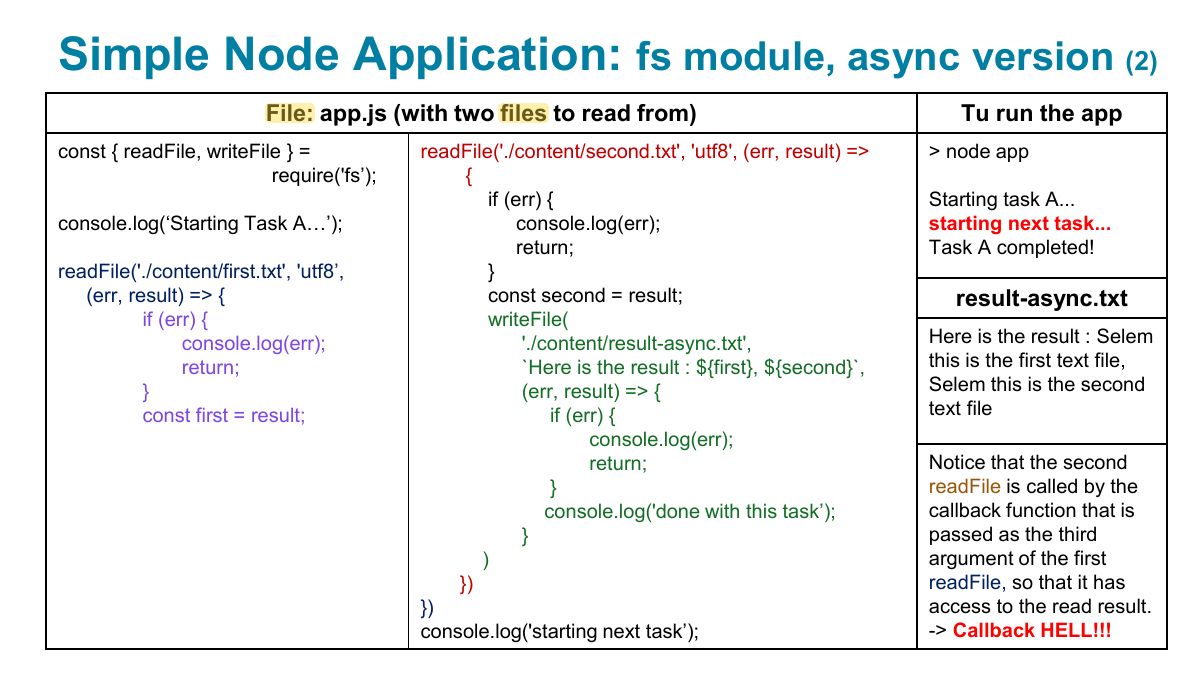
Simple Node Application: fs module, async version
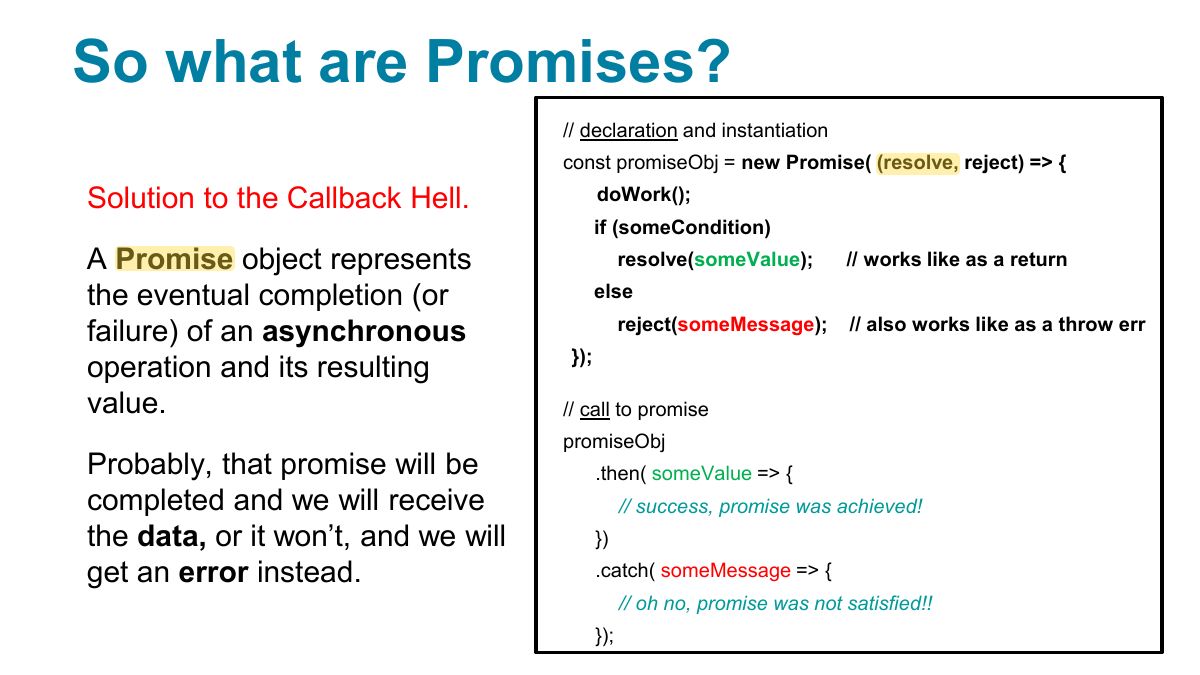
So what are Promises?
Notes
Promise: an object for a future value: pending → fulfilled or rejected; .then/.catch, or await inside an async function.
Exam angle
await can be used directly inside:
File: app.js
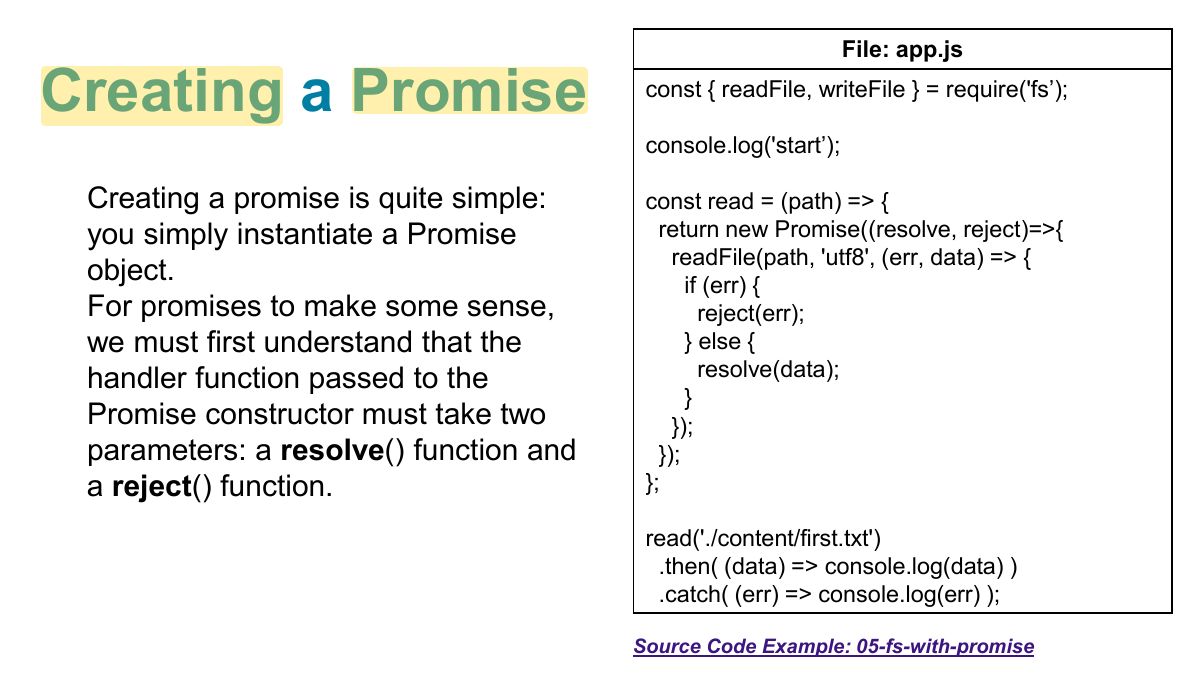
Another use case for promises: (on the client-side)
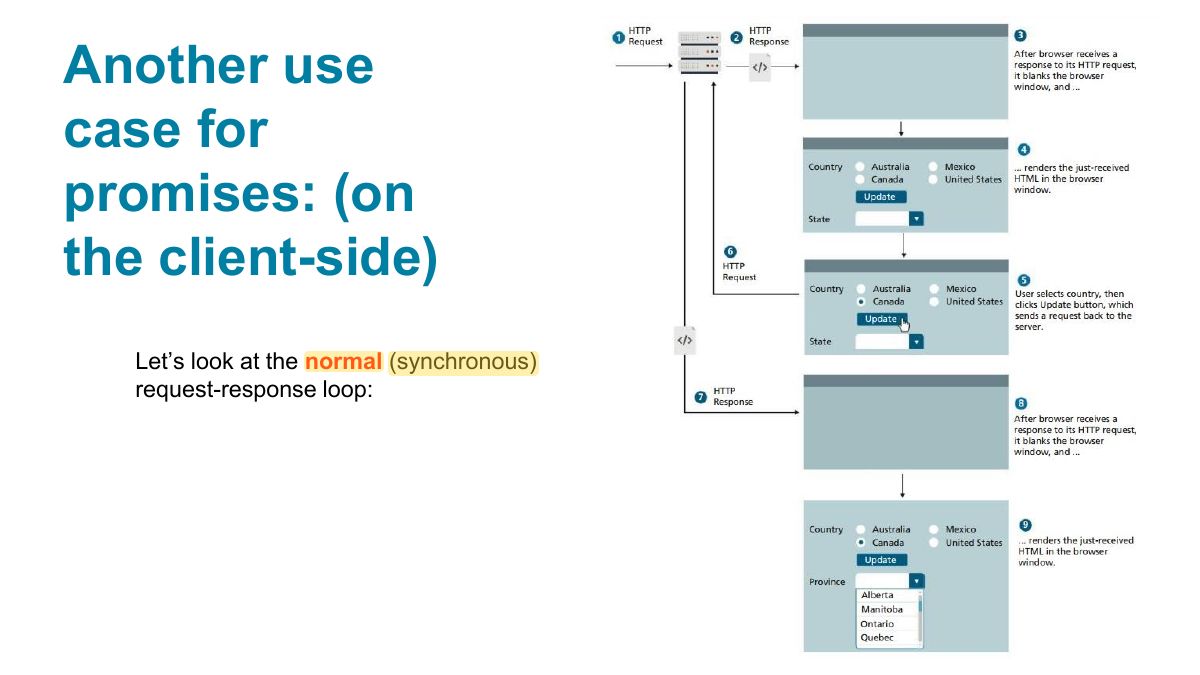
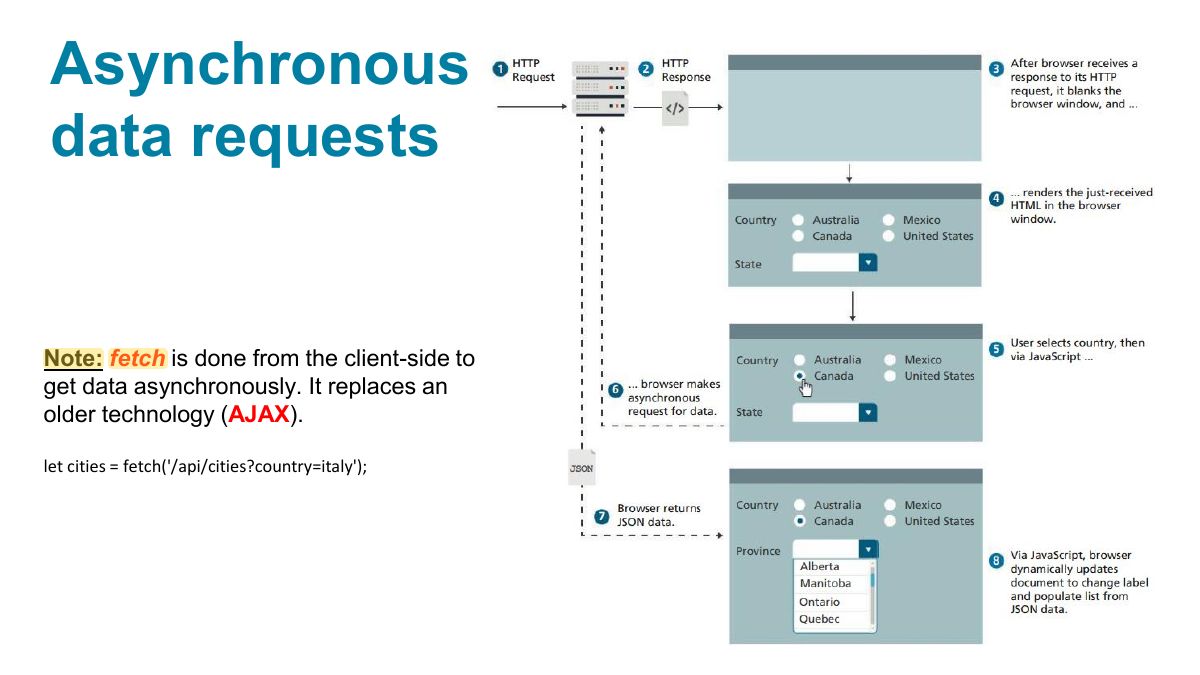
Asynchronous data requests
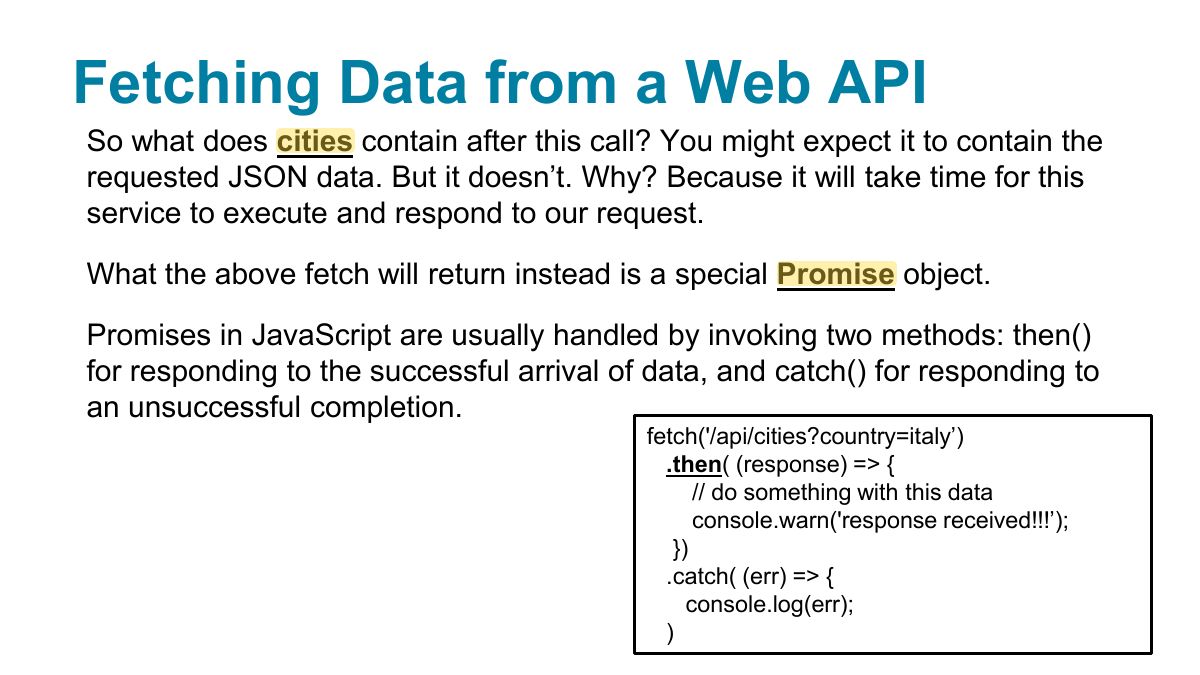
Fetching Data from a Web API
Notes
Trap fetch only rejects on network failure; a 404 still resolves, so check response.ok.
Example of asynchronous request using fetch ... and promises
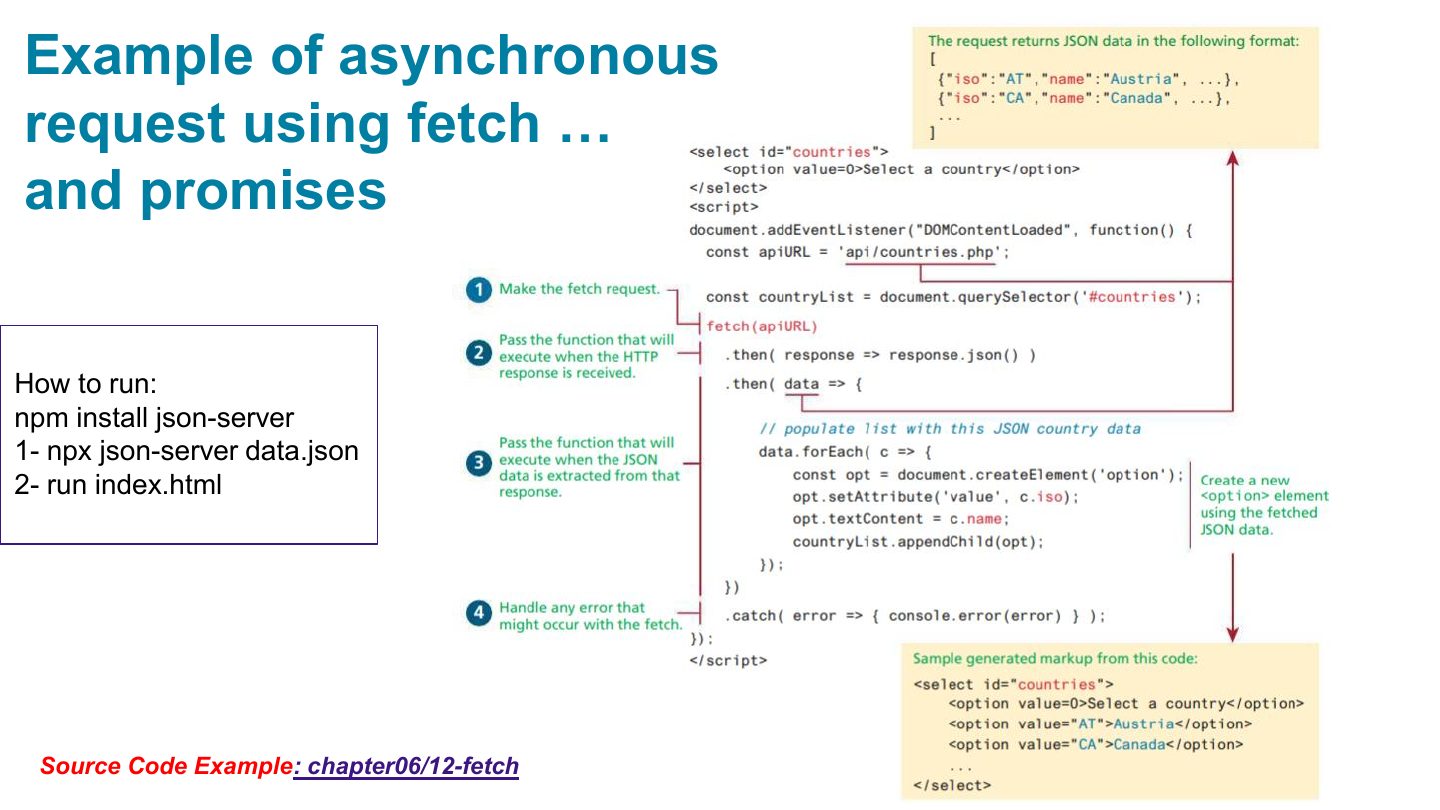
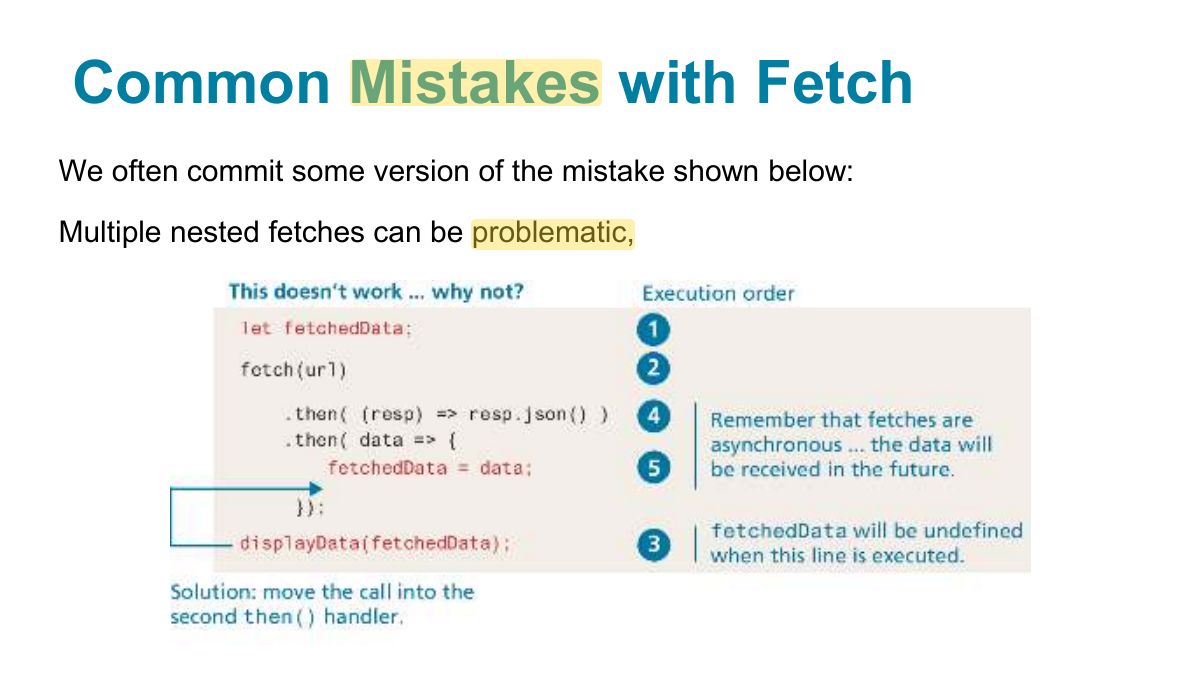
Common Mistakes with Fetch
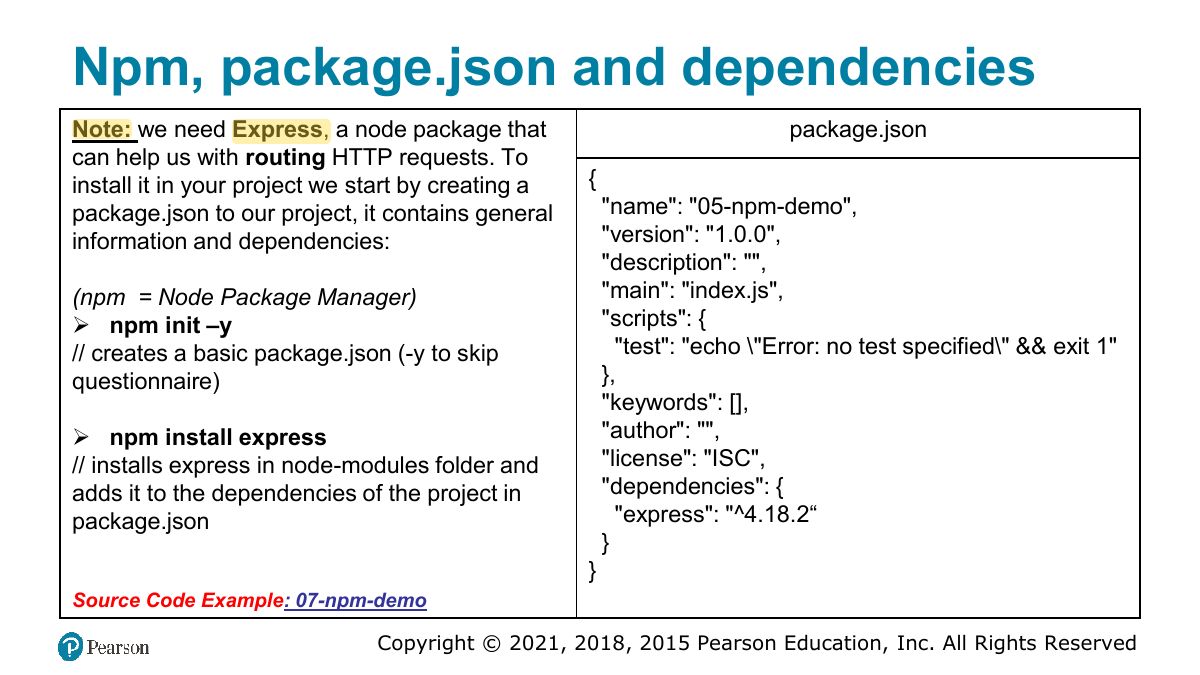
Npm, package.json and dependencies
Notes
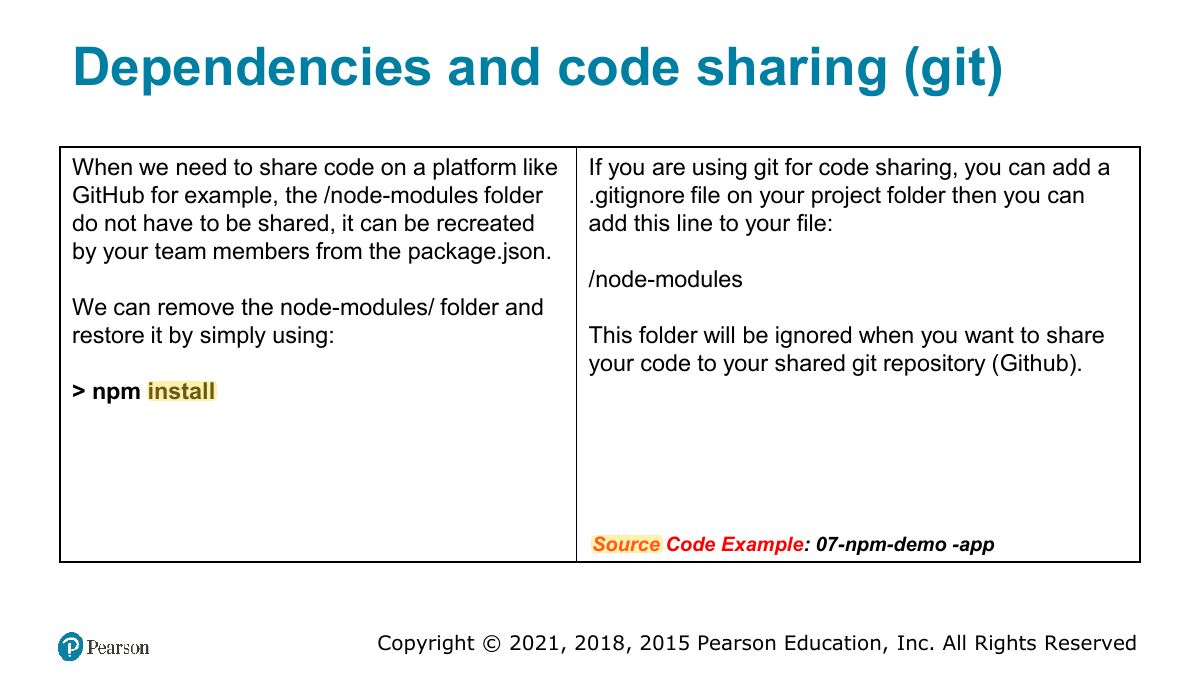
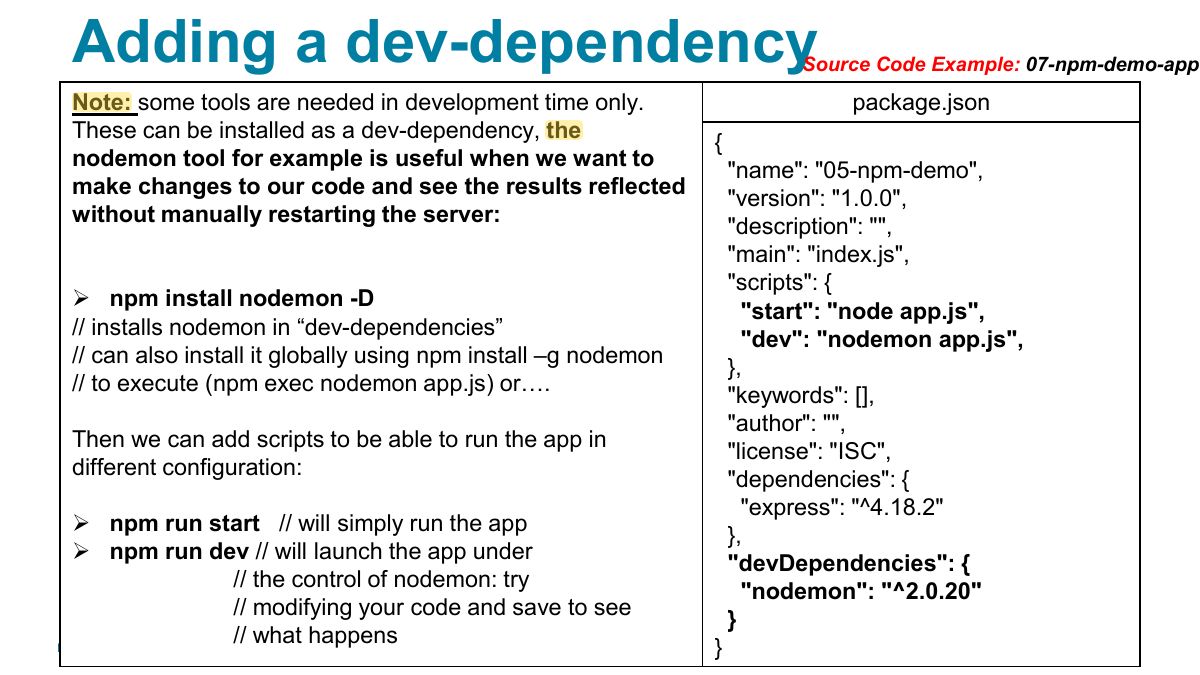
npm installs packages; package.json lists dependencies and scripts; dev-dependencies are only for development (nodemon).
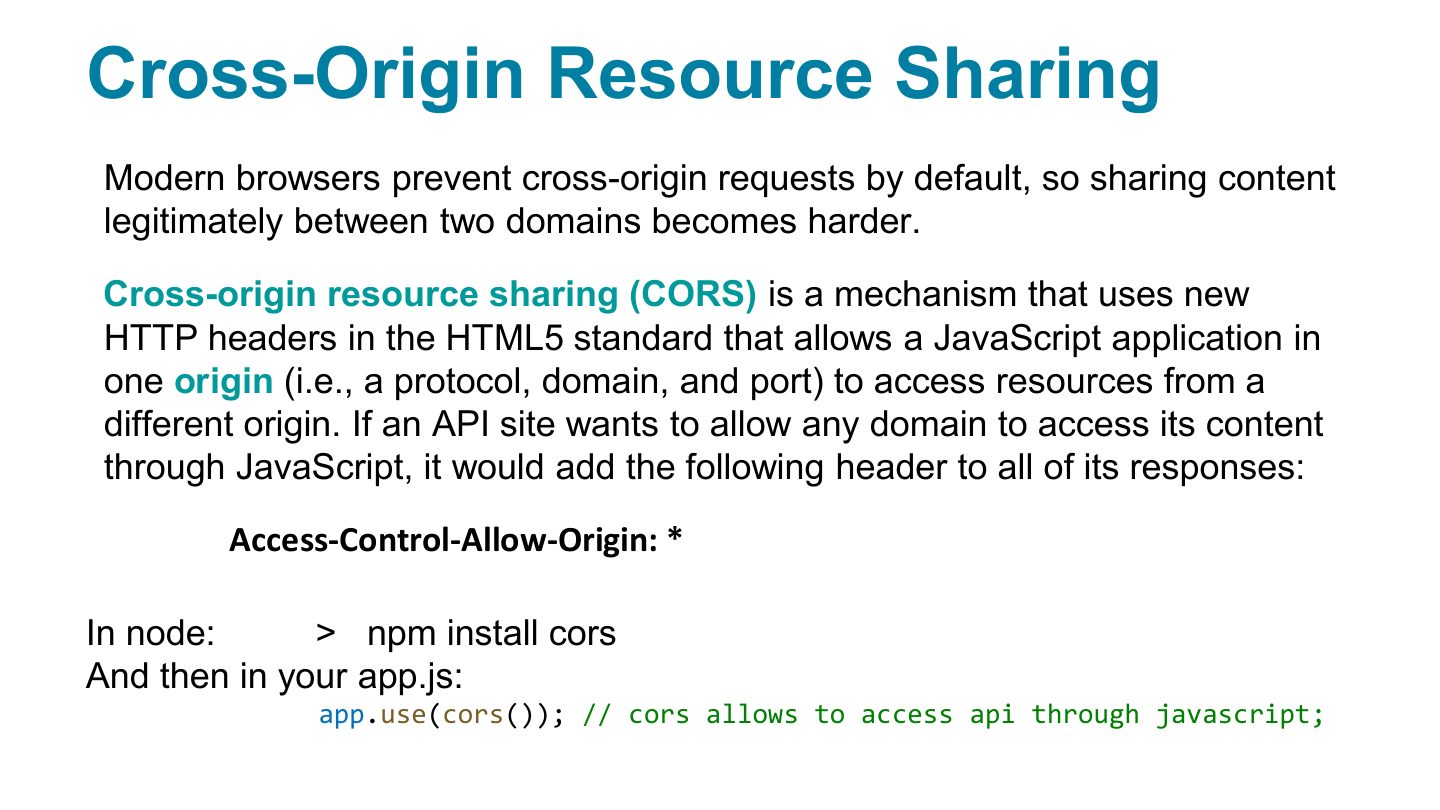
Cross-Origin Resource Sharing
Notes
CORS: browsers block cross-origin requests unless the server sends Access-Control-Allow-Origin.
"
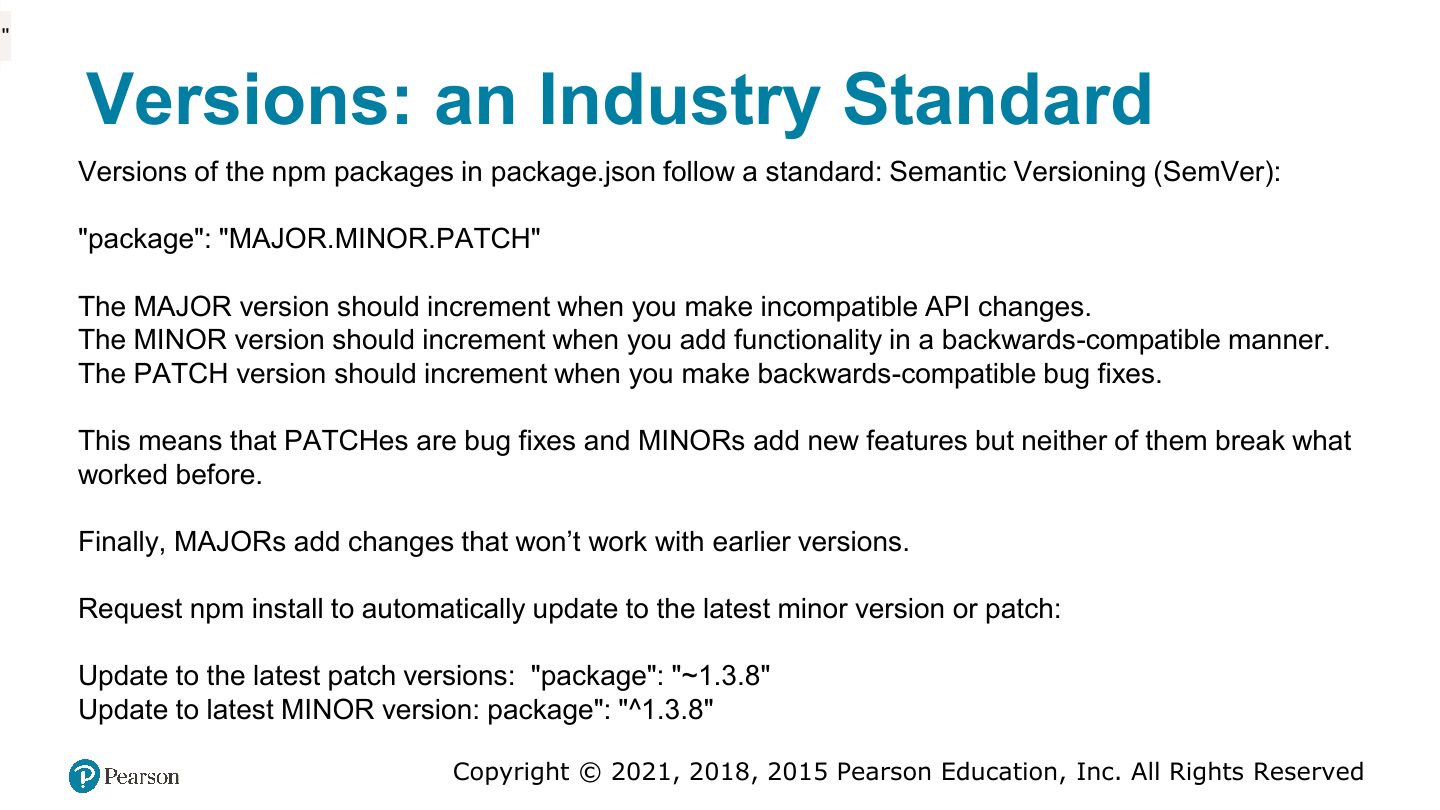
Dependencies and code sharing (git)
Adding a dev-dependency
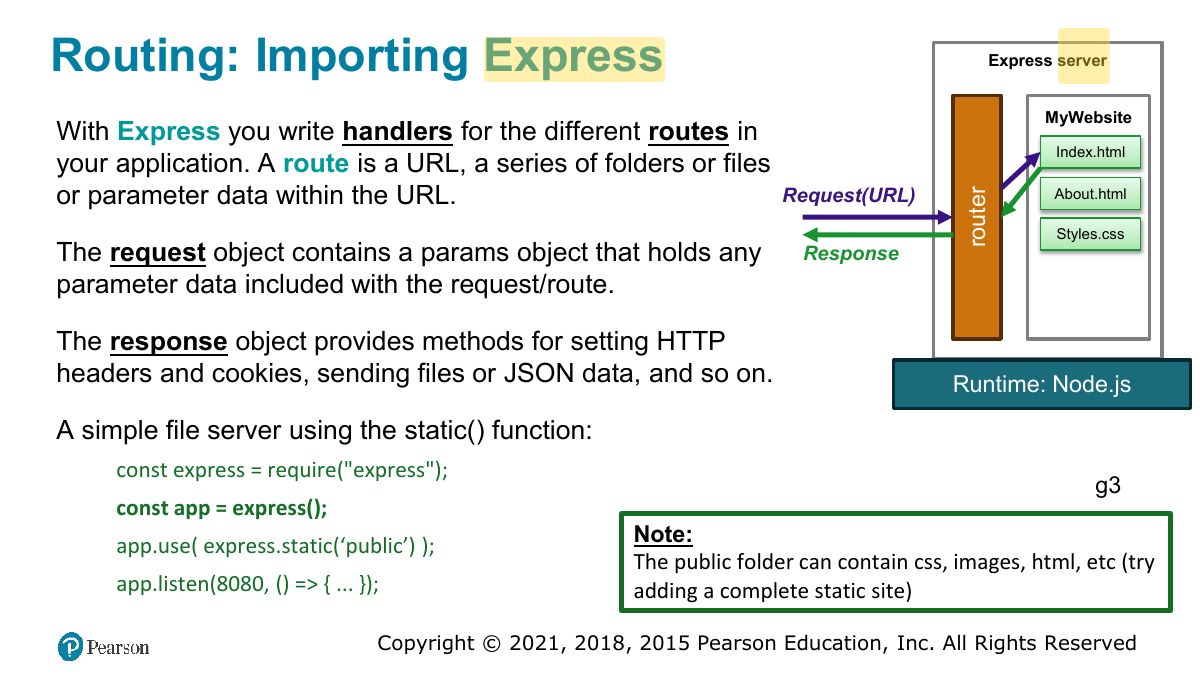
Routing: Importing Express
Notes
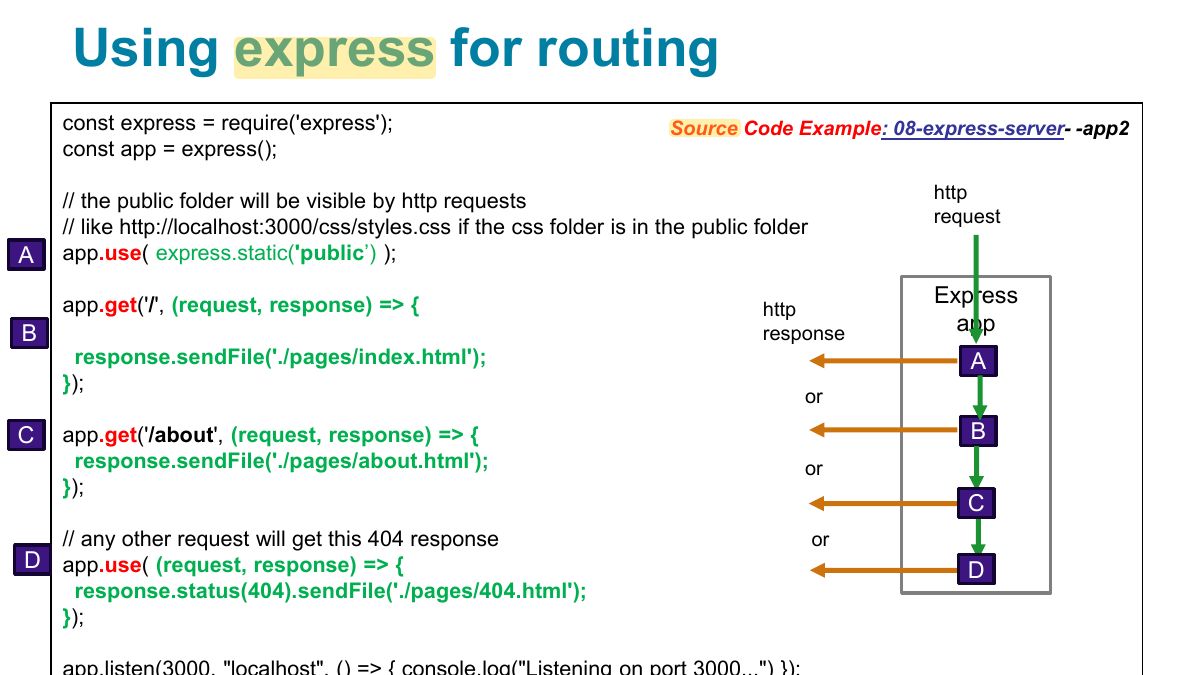
Express: app.get("/path", (req, res) => …); app.post; app.listen.
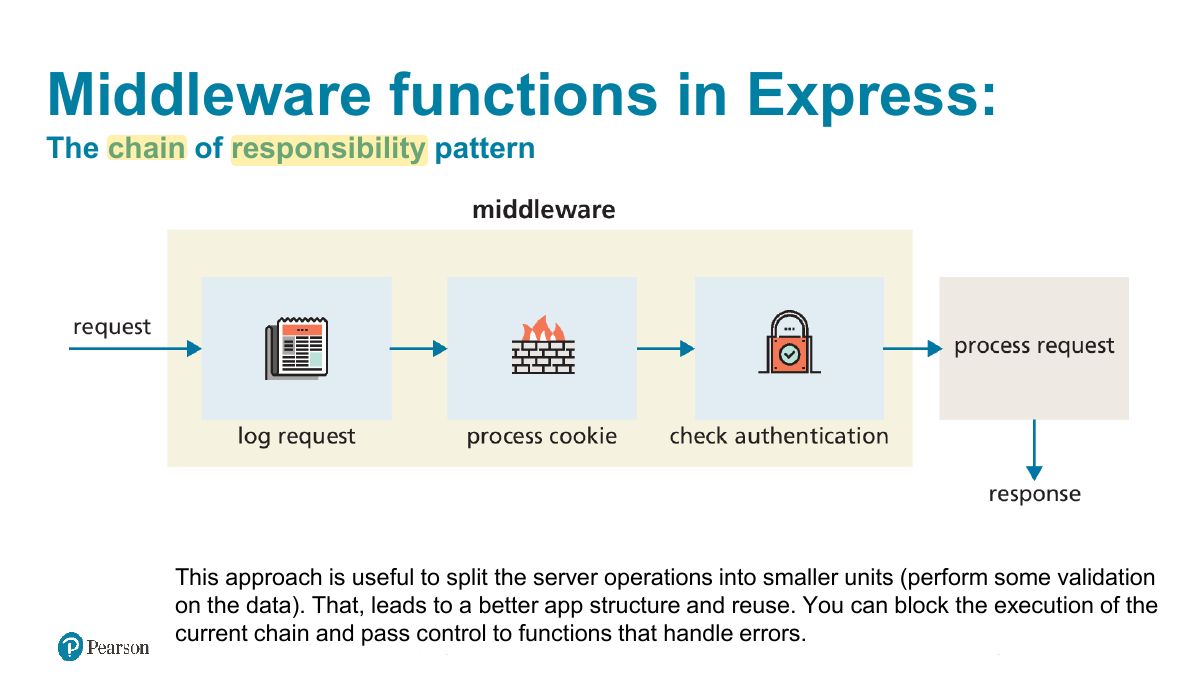
Middleware functions in Express:
Notes
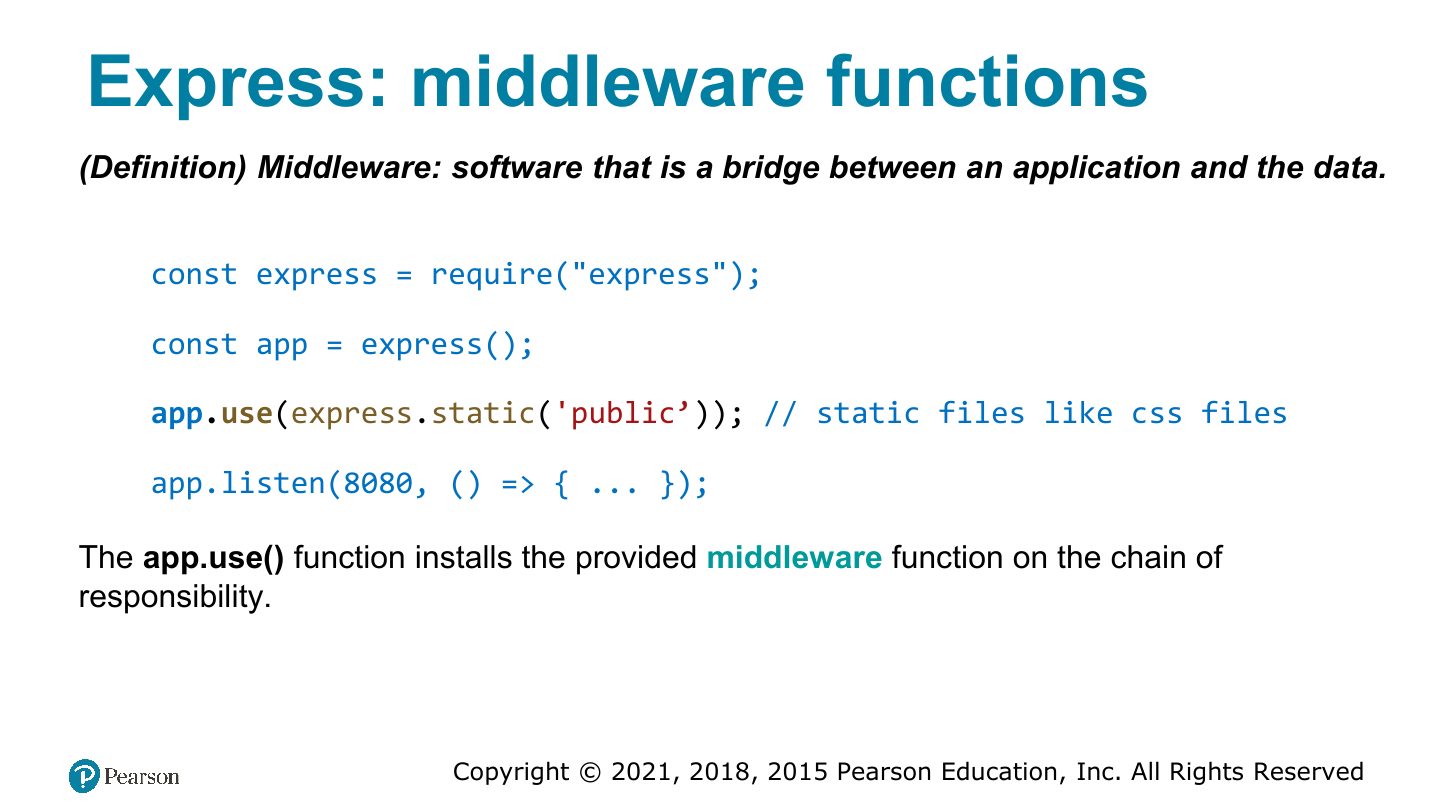
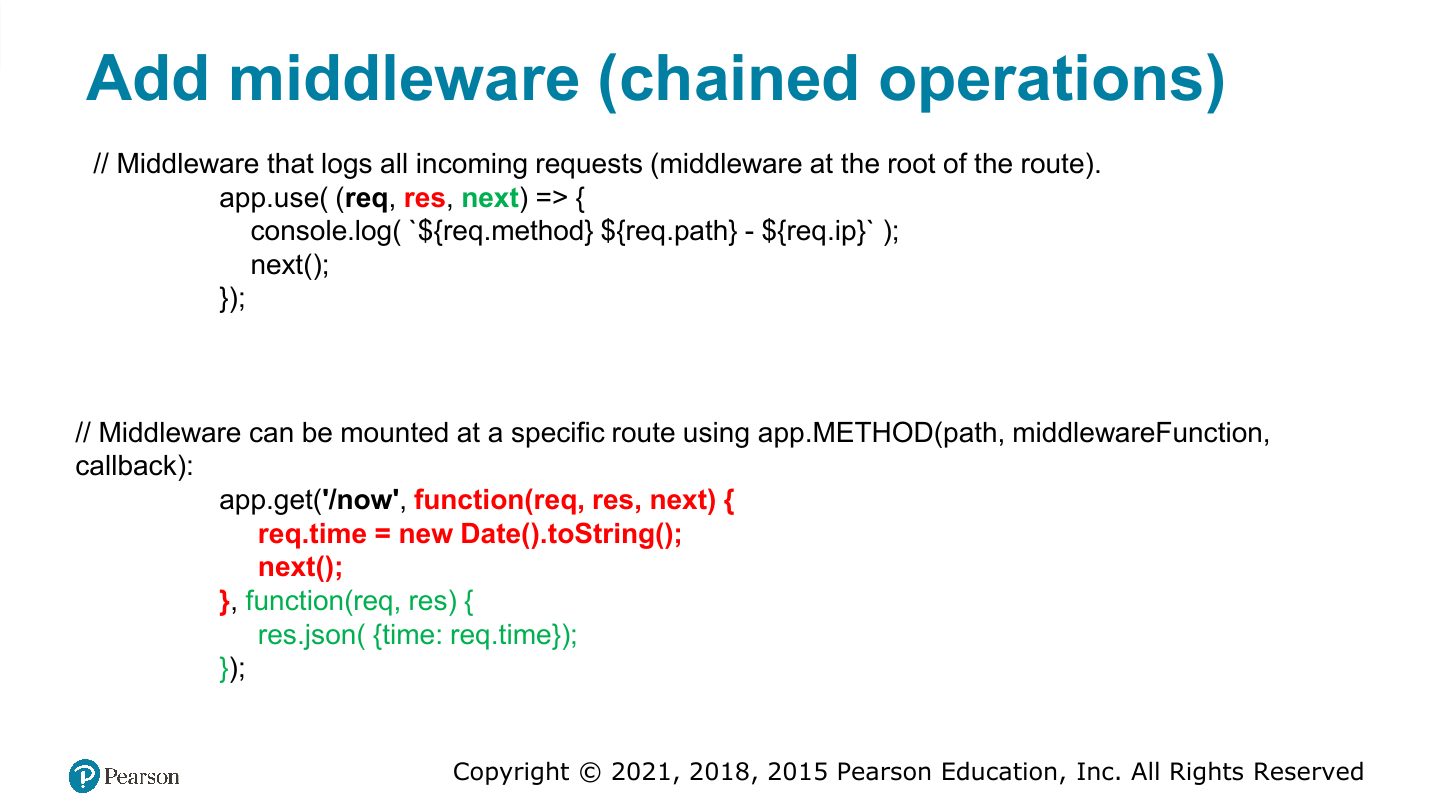
Middleware: functions (req, res, next) that run in order before route handlers (logging, parsing JSON: express.json(), static files).
Exam angle
An Express middleware function must call ___ to pass control to the next one:
Express: middleware functions
Using express for routing
Add middleware (chained operations)
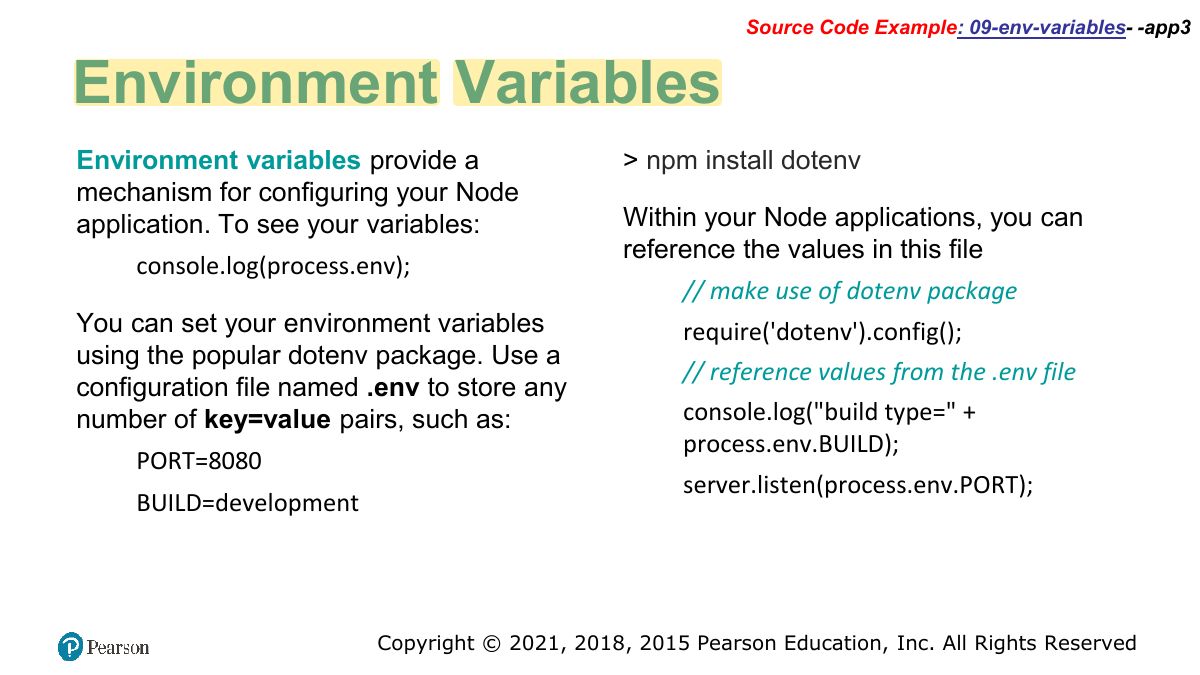
Source Code Example: 09-env-variables- -app3
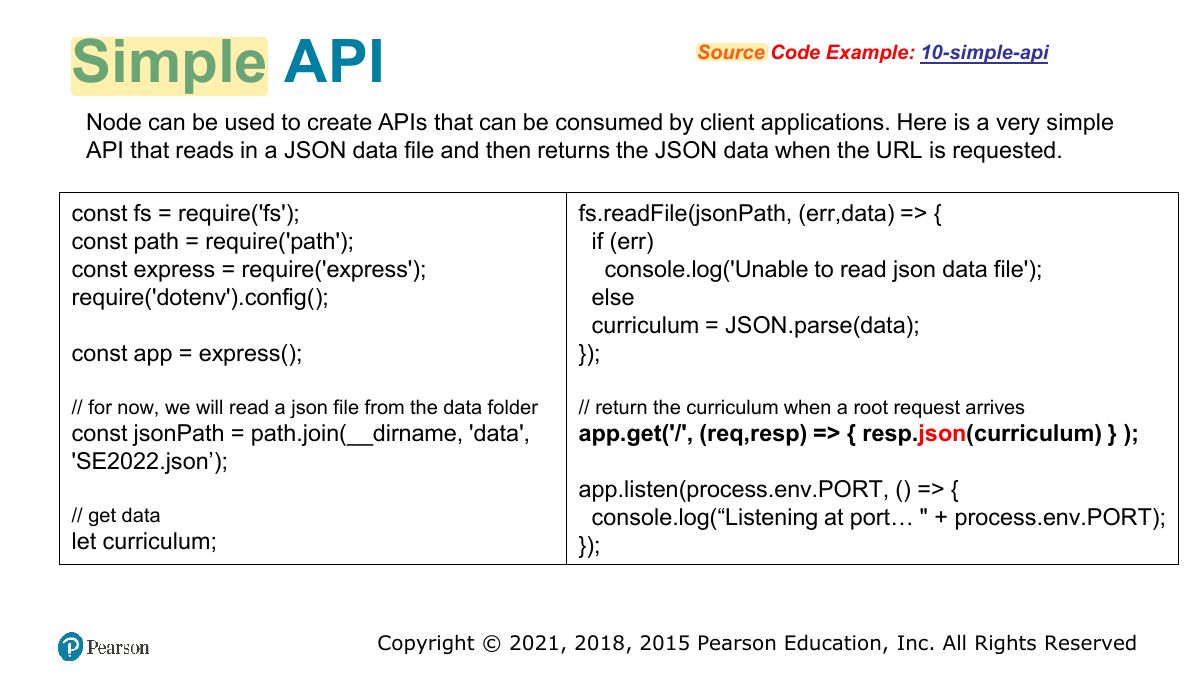
Simple API
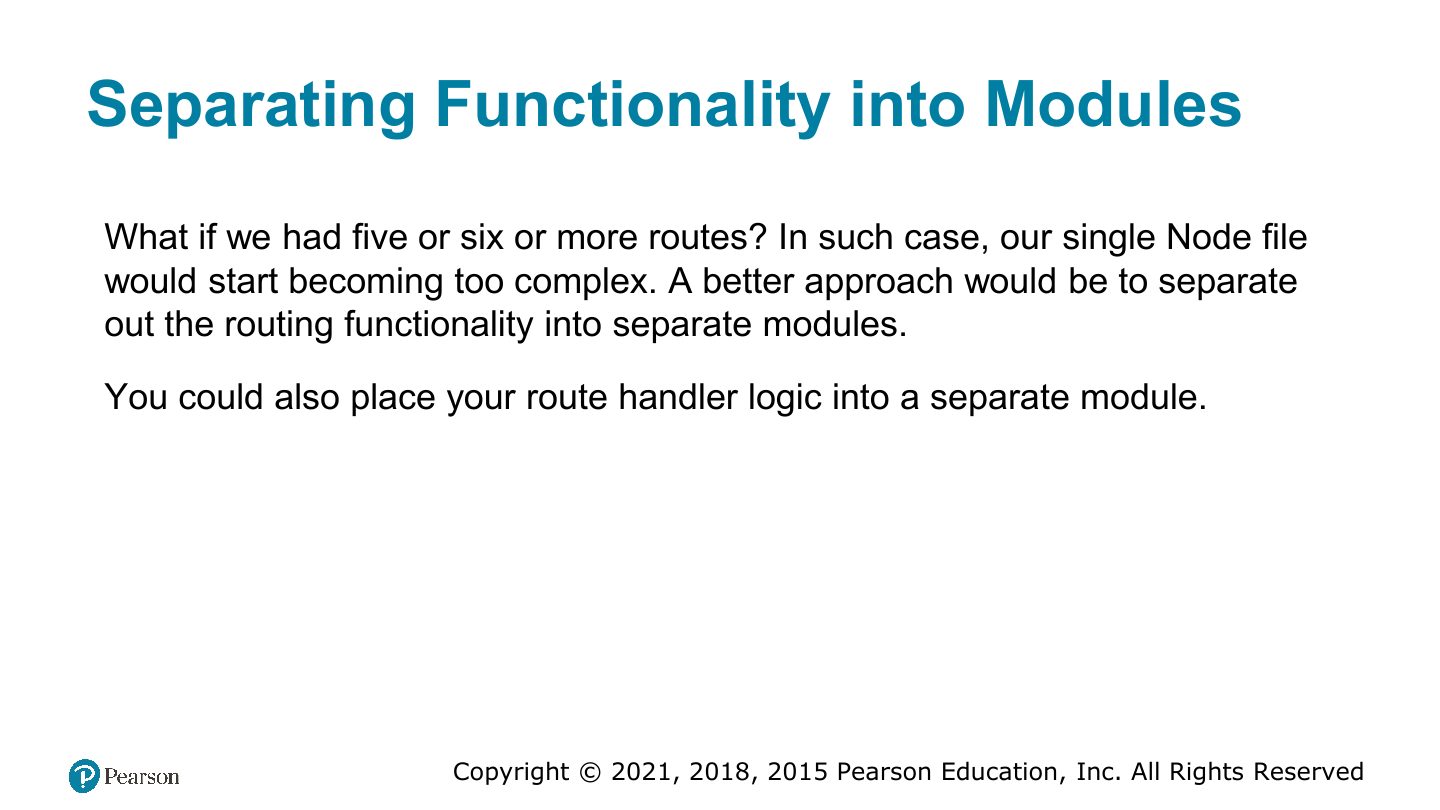
Separating Functionality into Modules
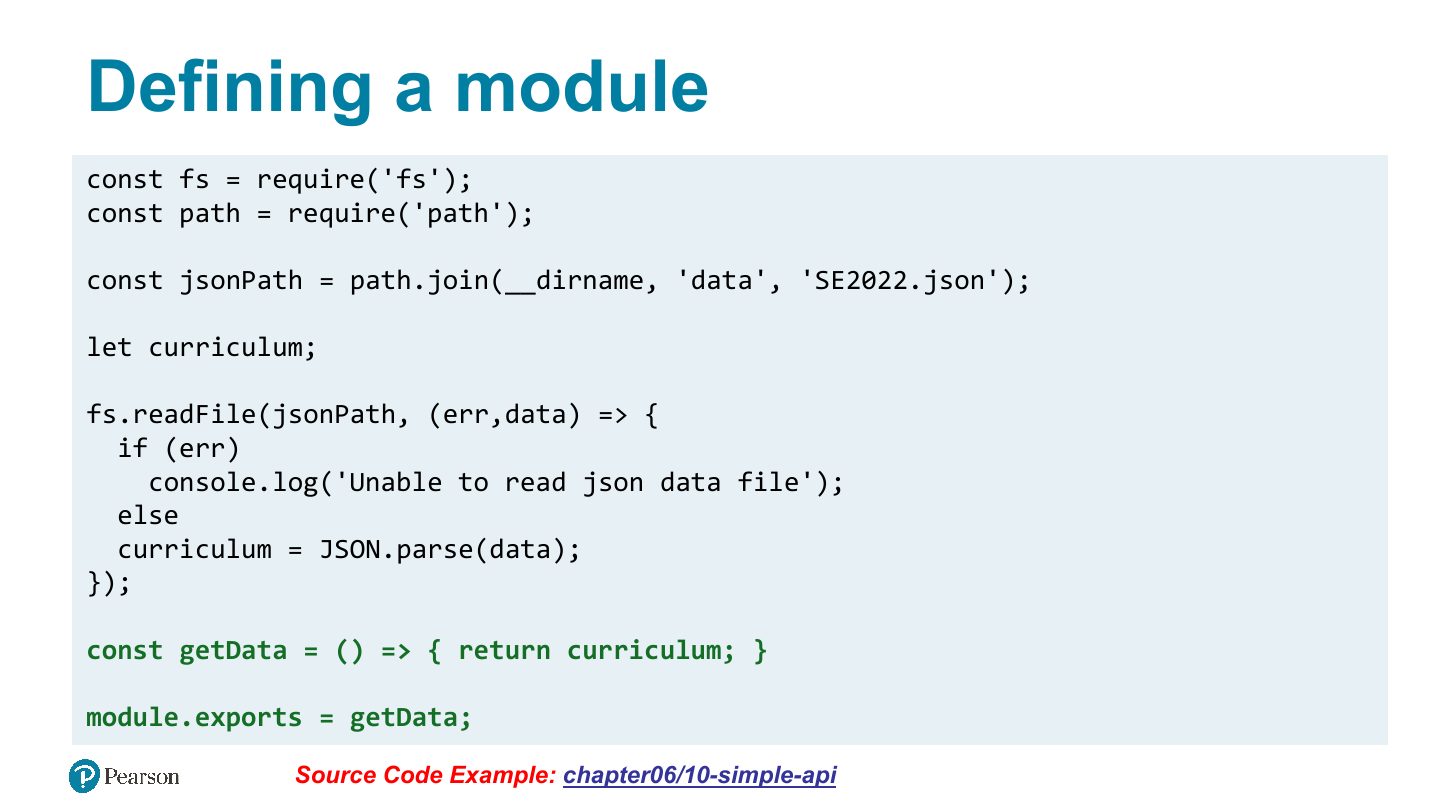
Defining a module
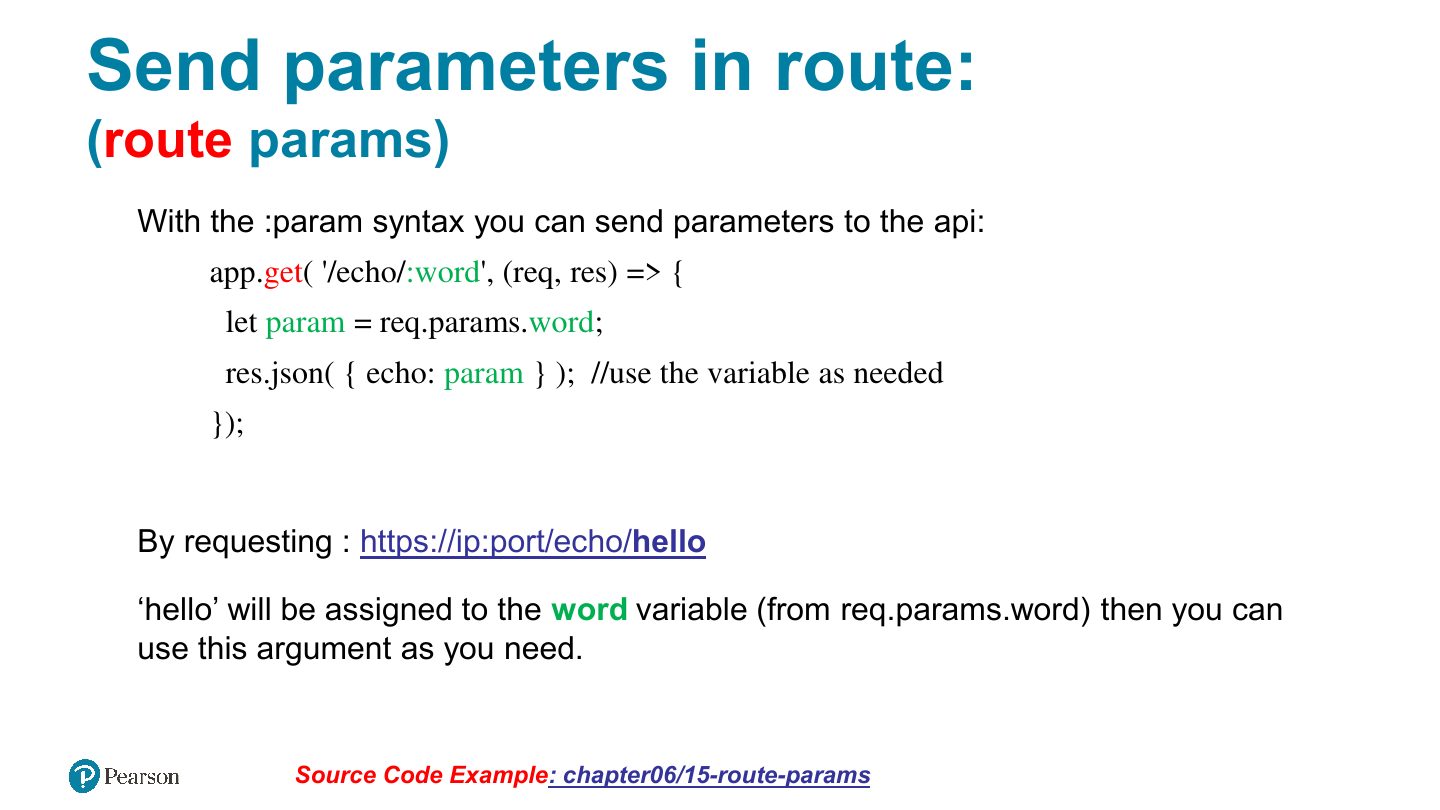
Send parameters in route:
Notes
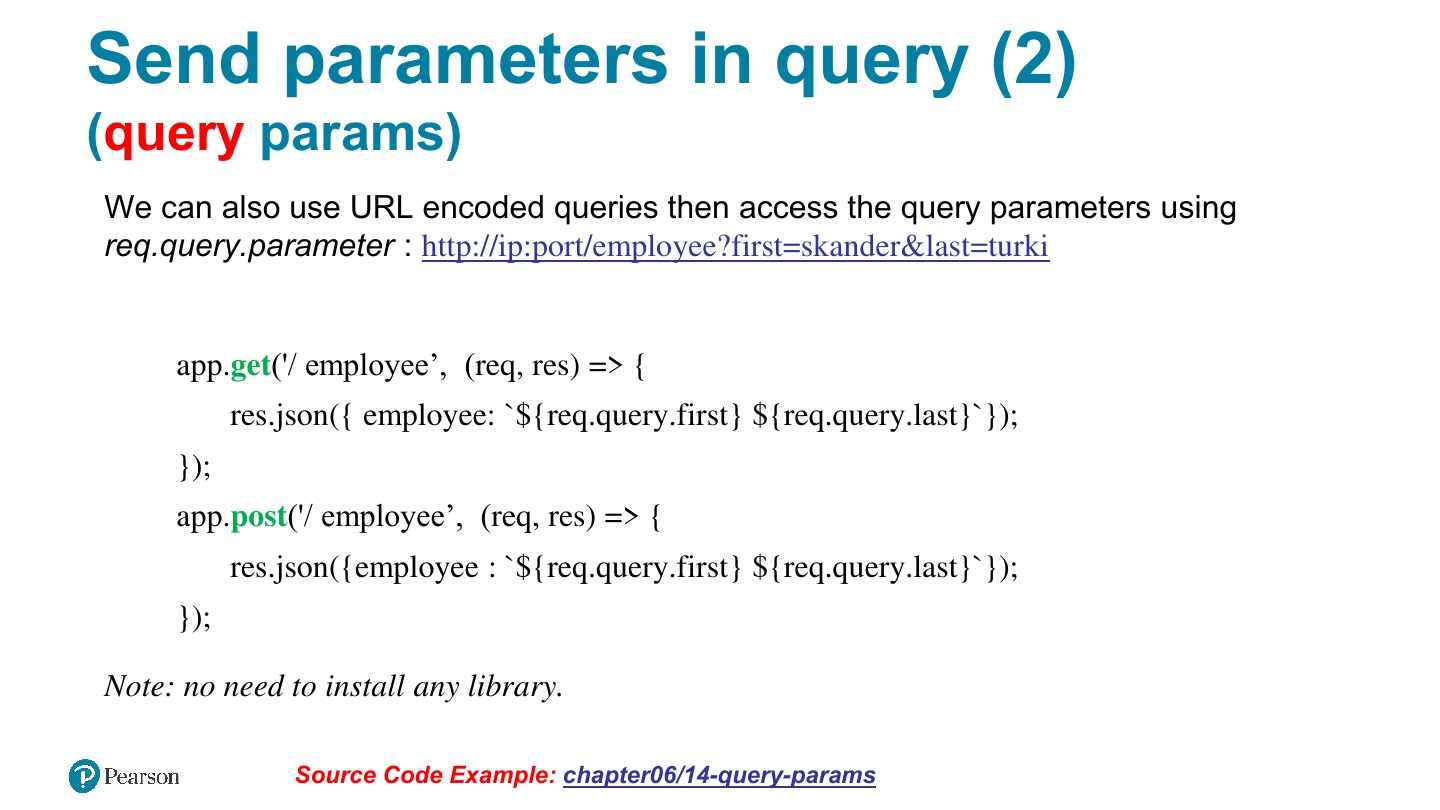
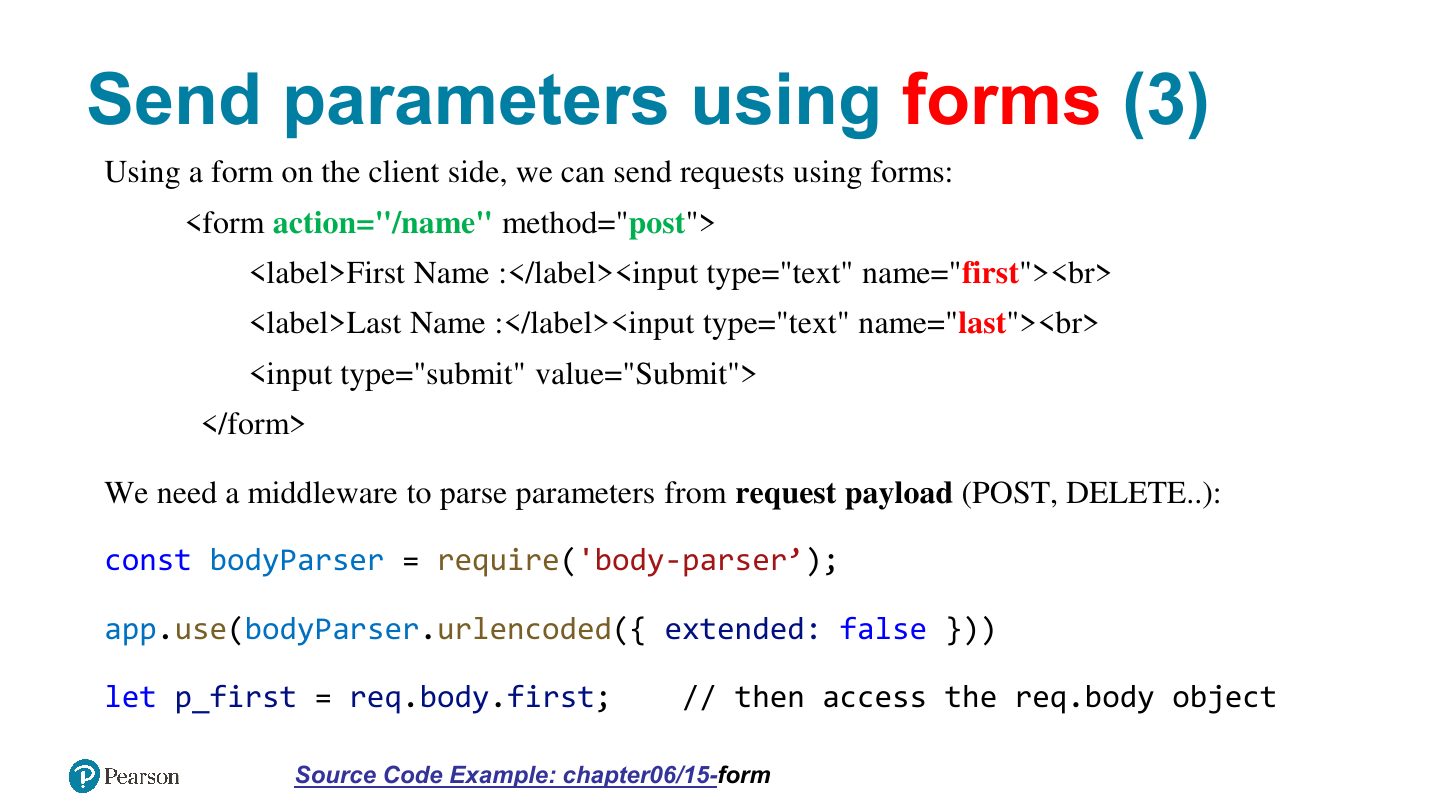
Route parameters: /users/:id → req.params.id. Query string: /search?q=x → req.query.q. Form POST body: req.body (needs a body parser).
Exam angle
For the route /books/:isbn, the value is read from:
Send parameters in query (2)
Send parameters using forms (3)
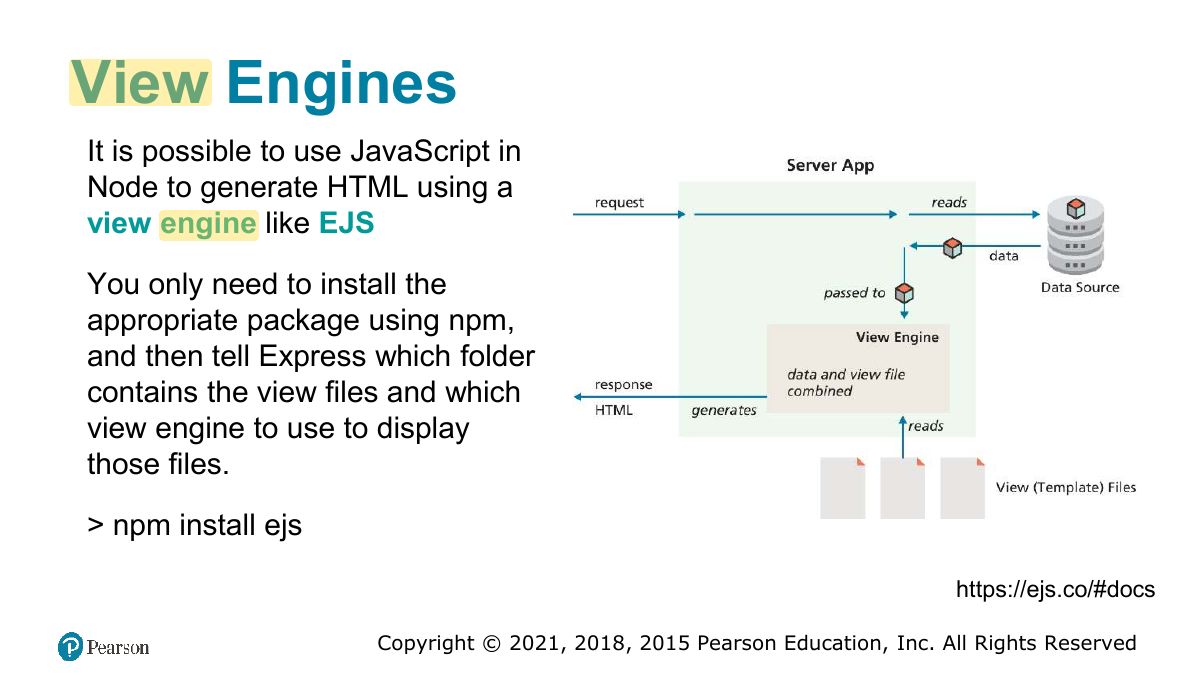
View Engines
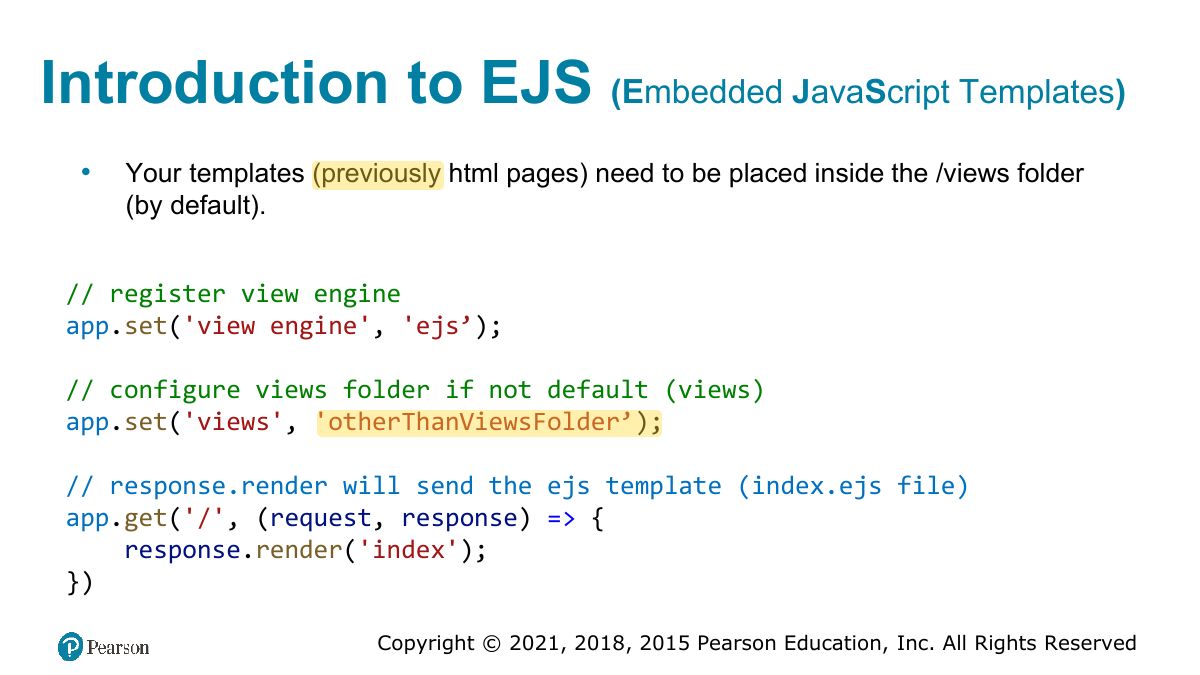
Introduction to EJS
Notes
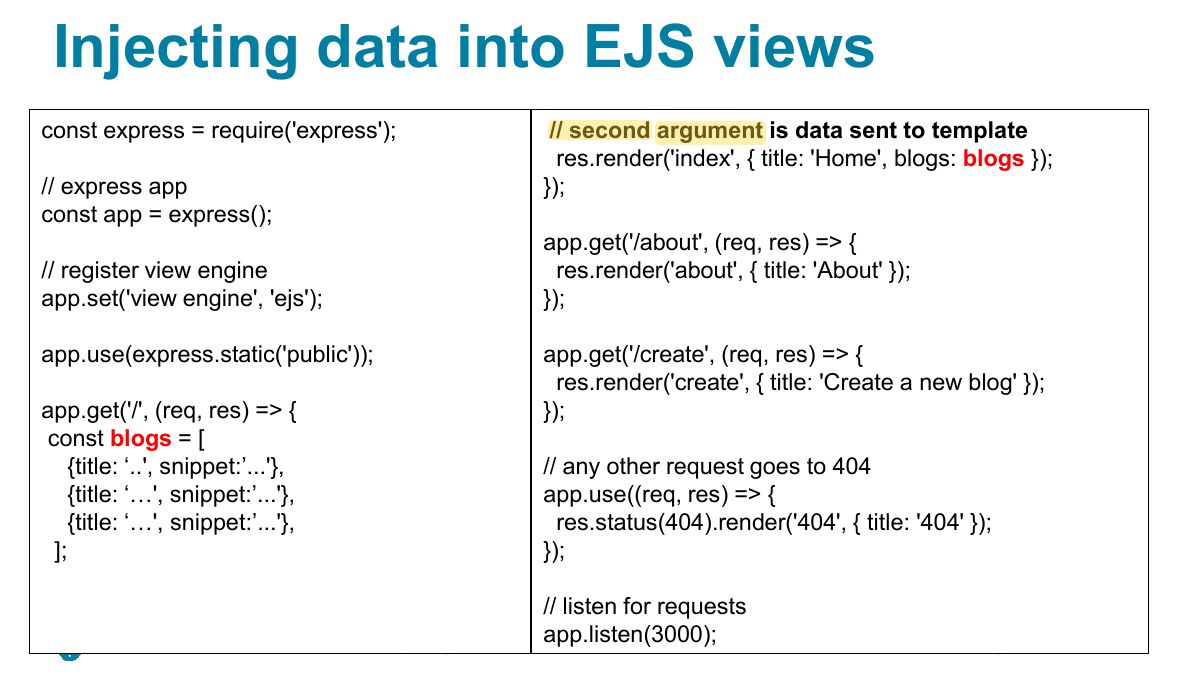
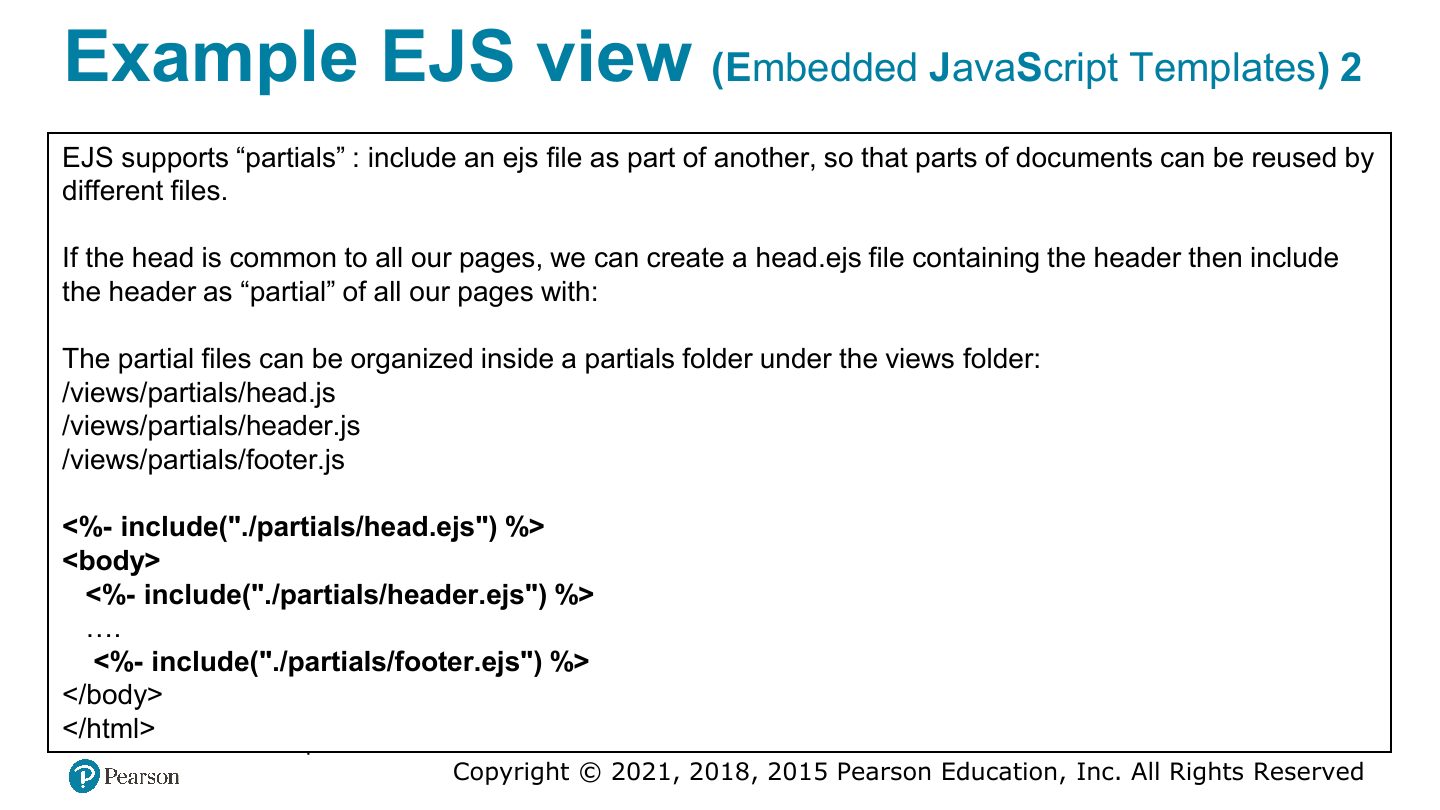
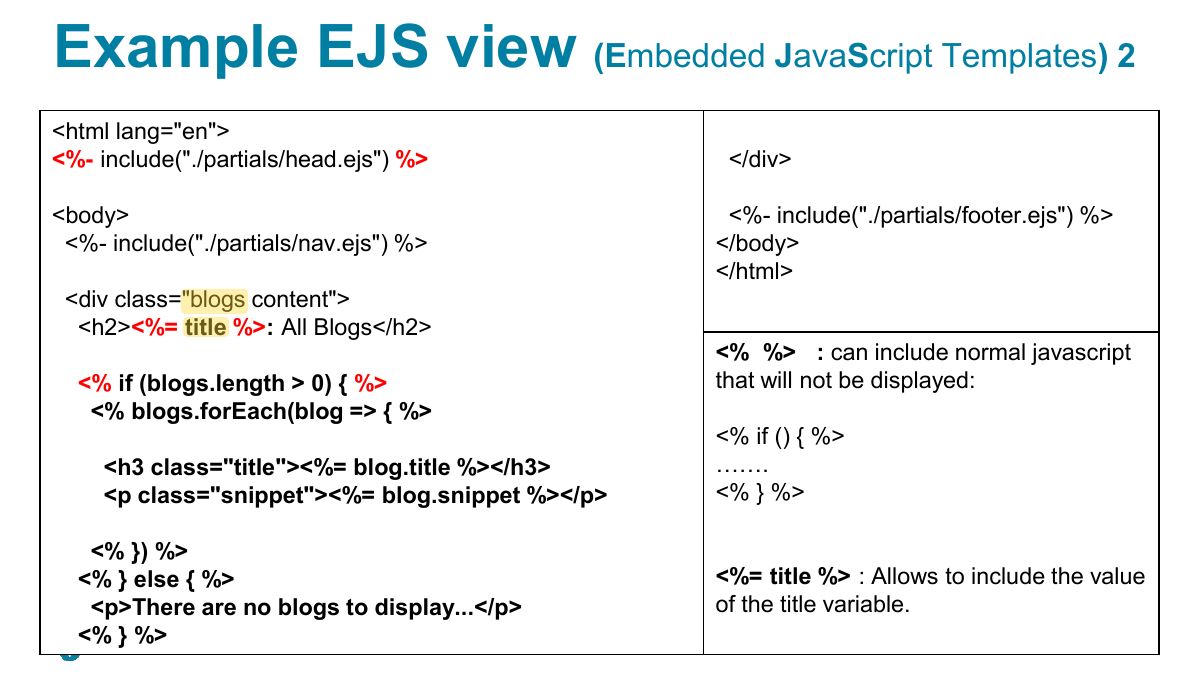
EJS: templates with <%= value %> (escaped output) and <% code %>; res.render("view", data).
Injecting data into EJS views
Example EJS view
Example EJS view
Supporting material