Which is NOT a transport-layer duty in the slides?
Transport Layer
Process-to-process delivery: port numbers and socket addresses, multiplexing, connectionless vs. connection-oriented service, and the two protocols. TCP gets the detail (sequence and acknowledgment numbers, the three-way handshake, termination, windows); UDP gets the “when is it the right choice” scenarios. Sequence/ACK arithmetic and TCP-or-UDP scenarios are the usual questions.
How to read this page
Every original slide is shown unchanged. Yellow marks on a slide point to a numbered note: hover or tap a mark to jump to its note, and hover a note to see its marks. Questions tagged Past exam appeared on a real paper; Prediction questions are likely angles, not confirmed. Pick an answer to each question: a wrong pick tells you why it is wrong, so you can try again.
All 50 slides
- 1 Transport Layer
- 2 Chapter 9: Outline
- 3 9-1 TRANSPORT LAYER SERVICES
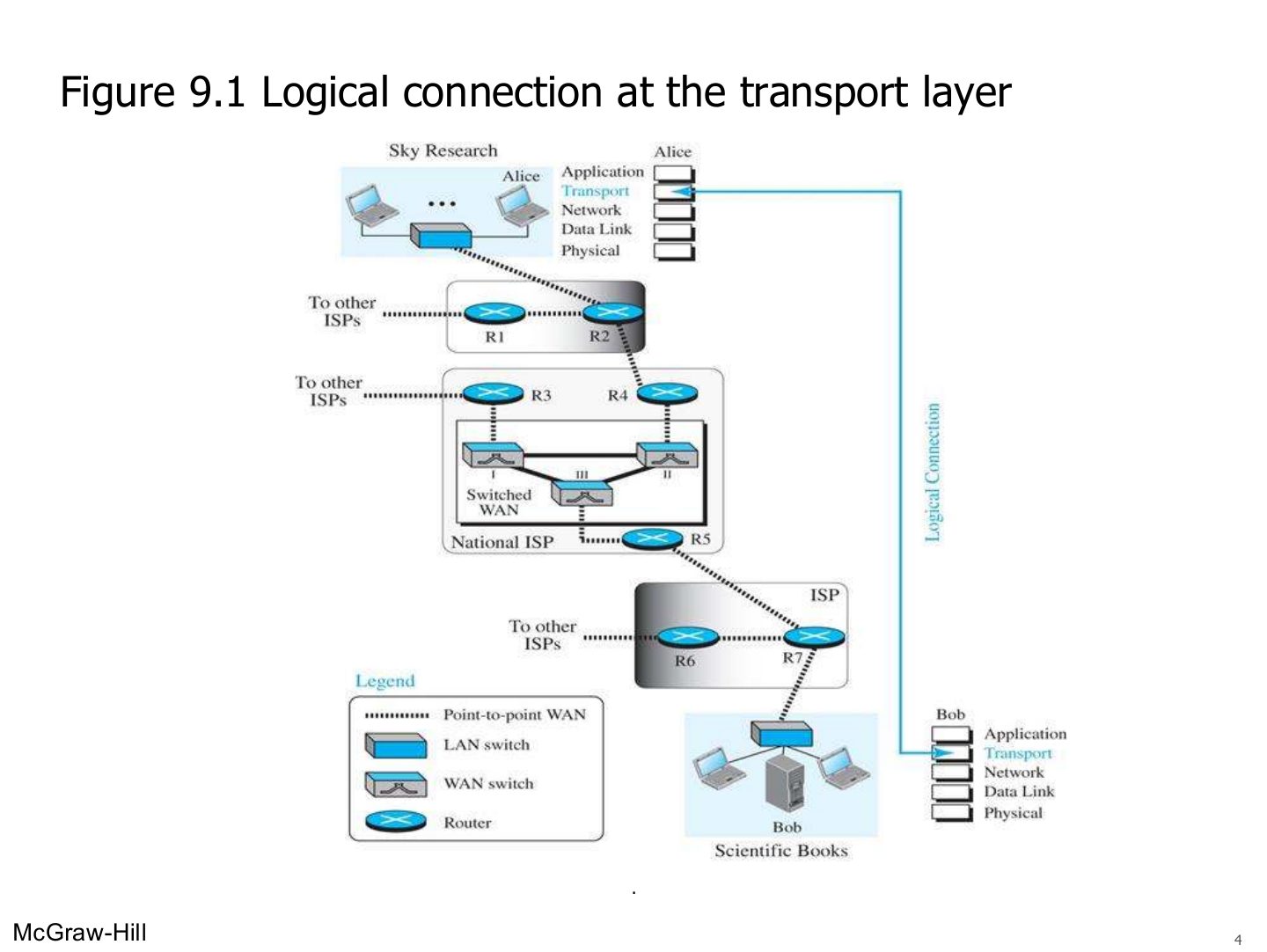
- 4 Logical connection at the transport layer (Figure 9.1)
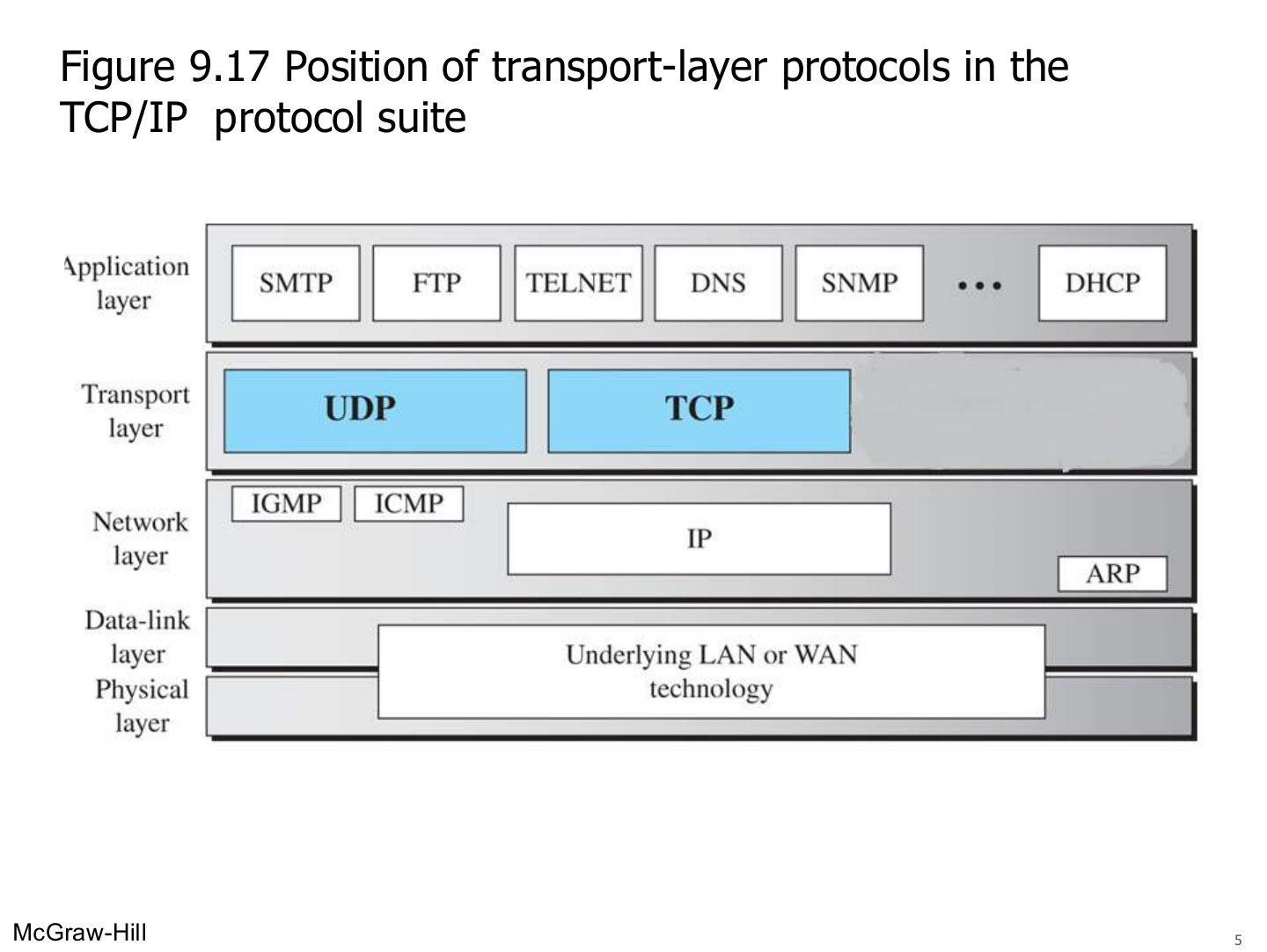
- 5 Position of transport-layer protocols in the TCP/IP protocol suite (Figure 9.17)
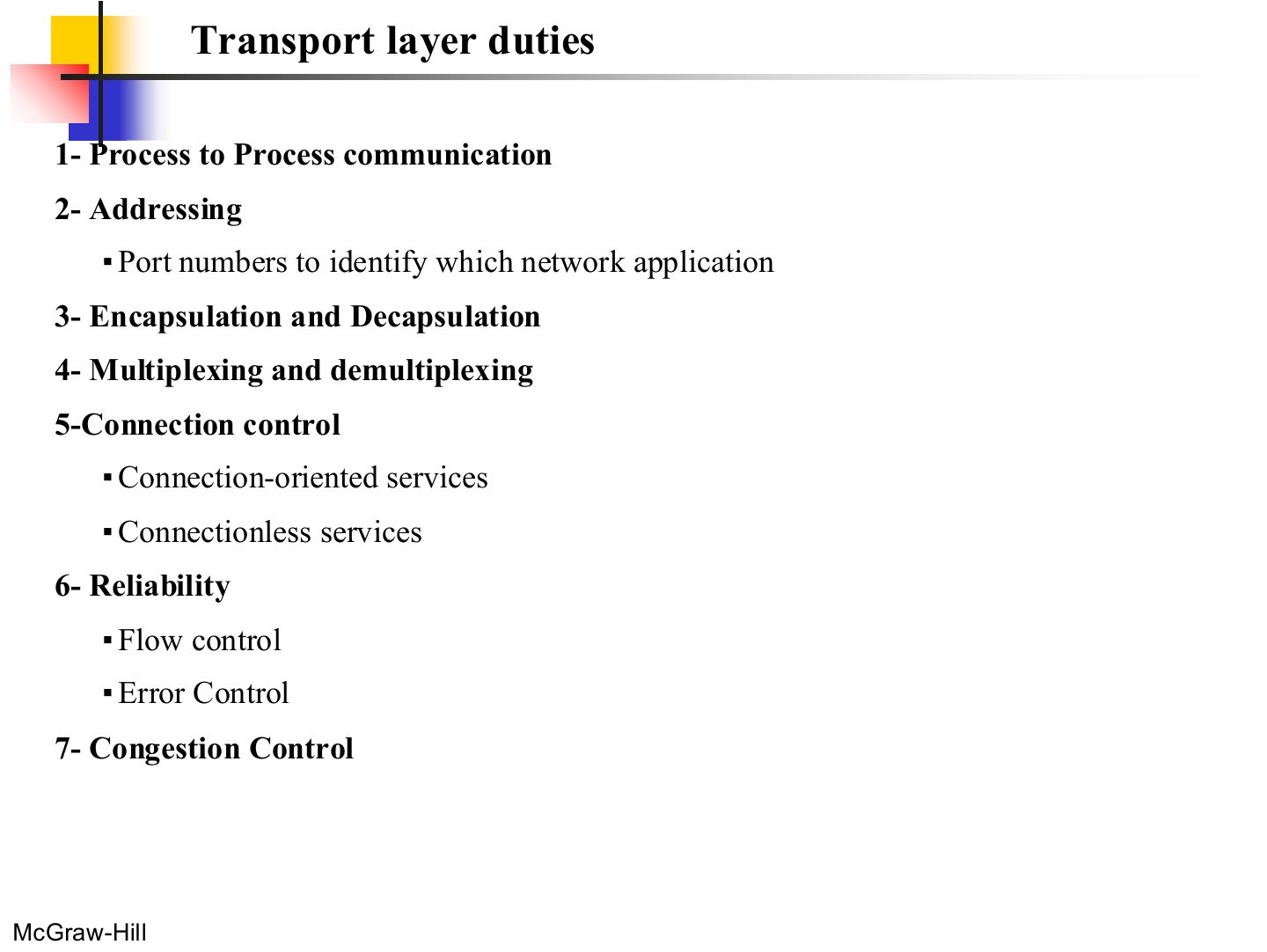
- 6 Transport layer duties
- 7 9.1.1 Process-to-Process Communication
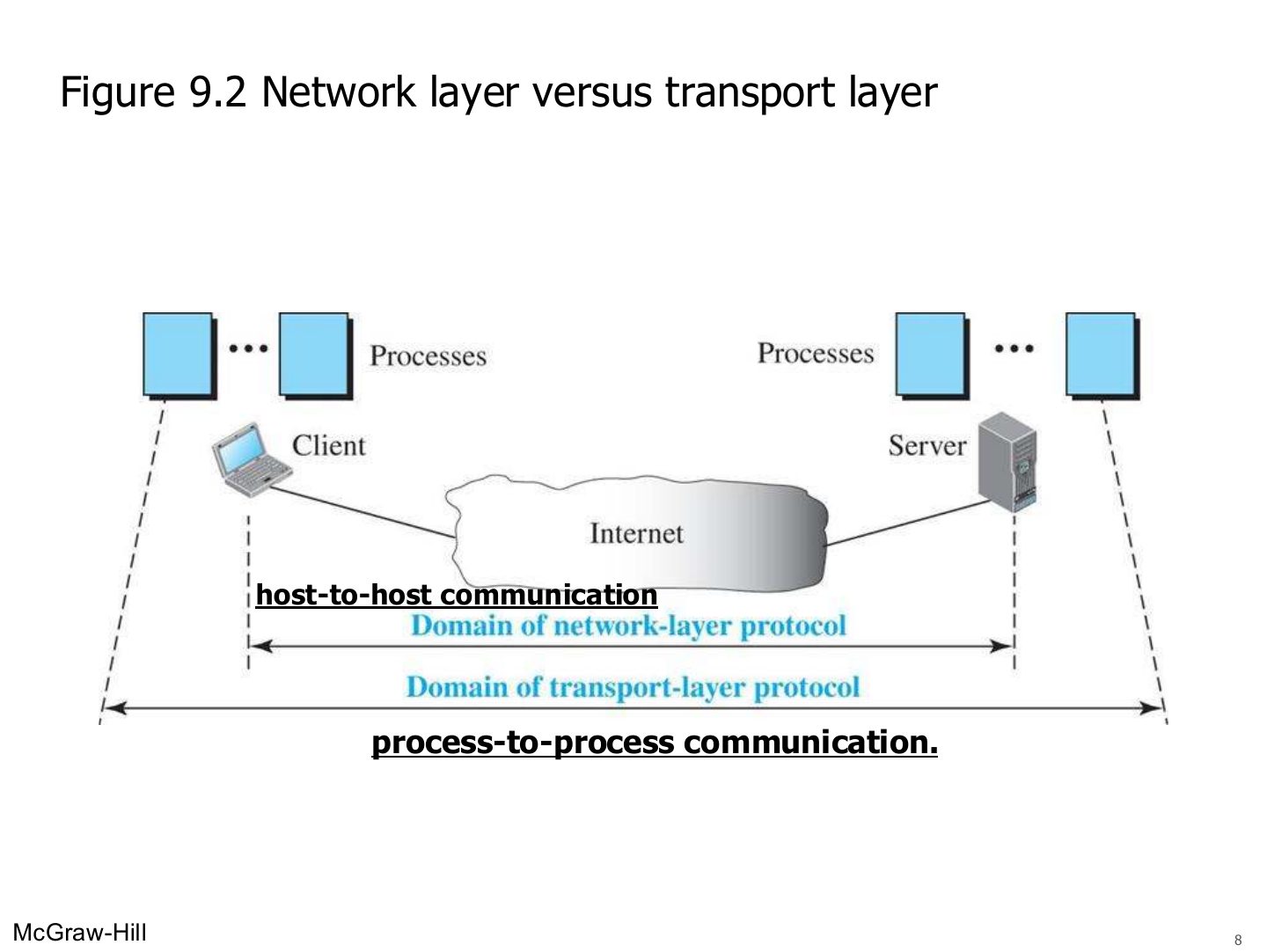
- 8 Network layer versus transport layer (Figure 9.2)
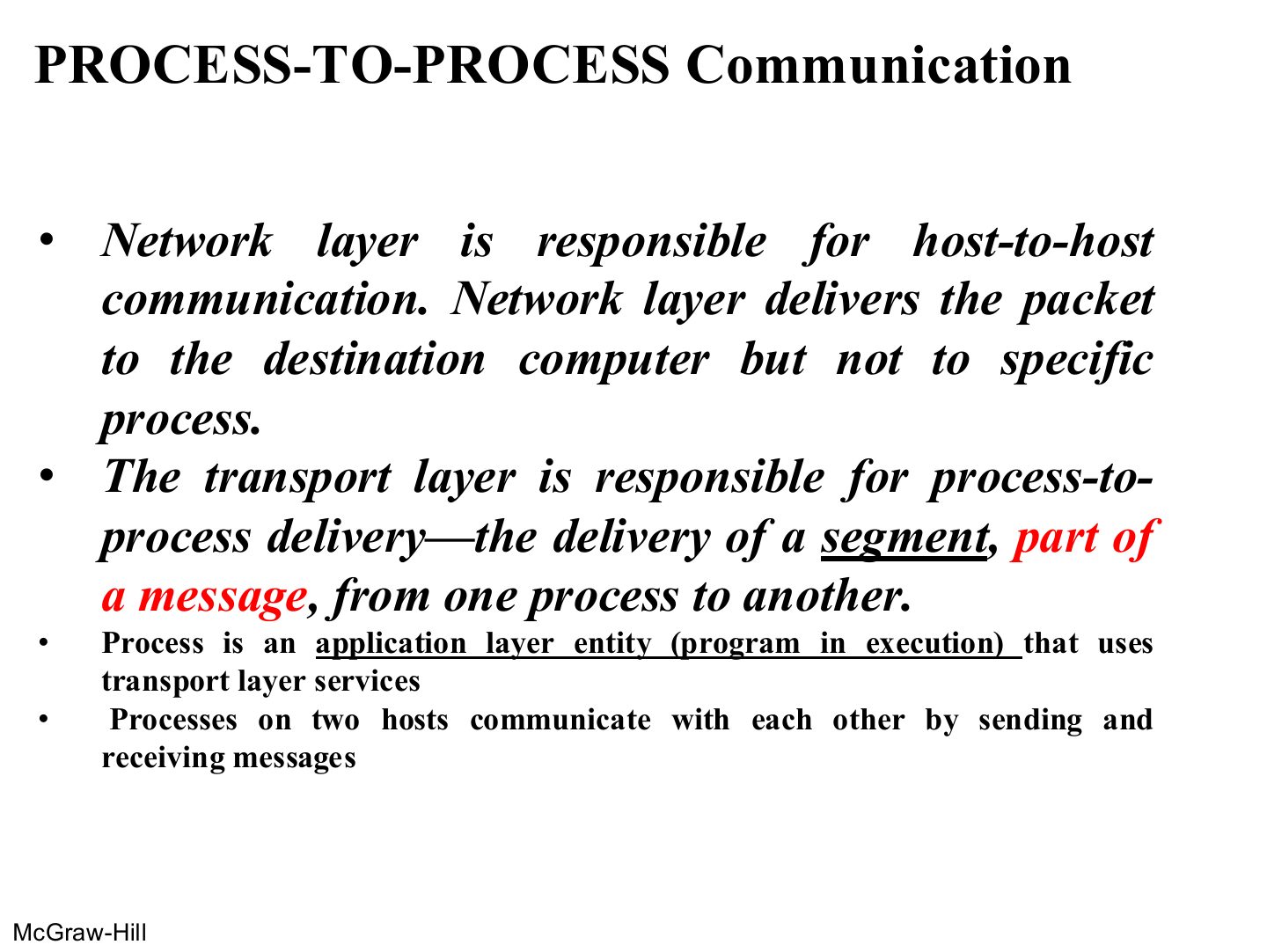
- 9 PROCESS-TO-PROCESS Communication
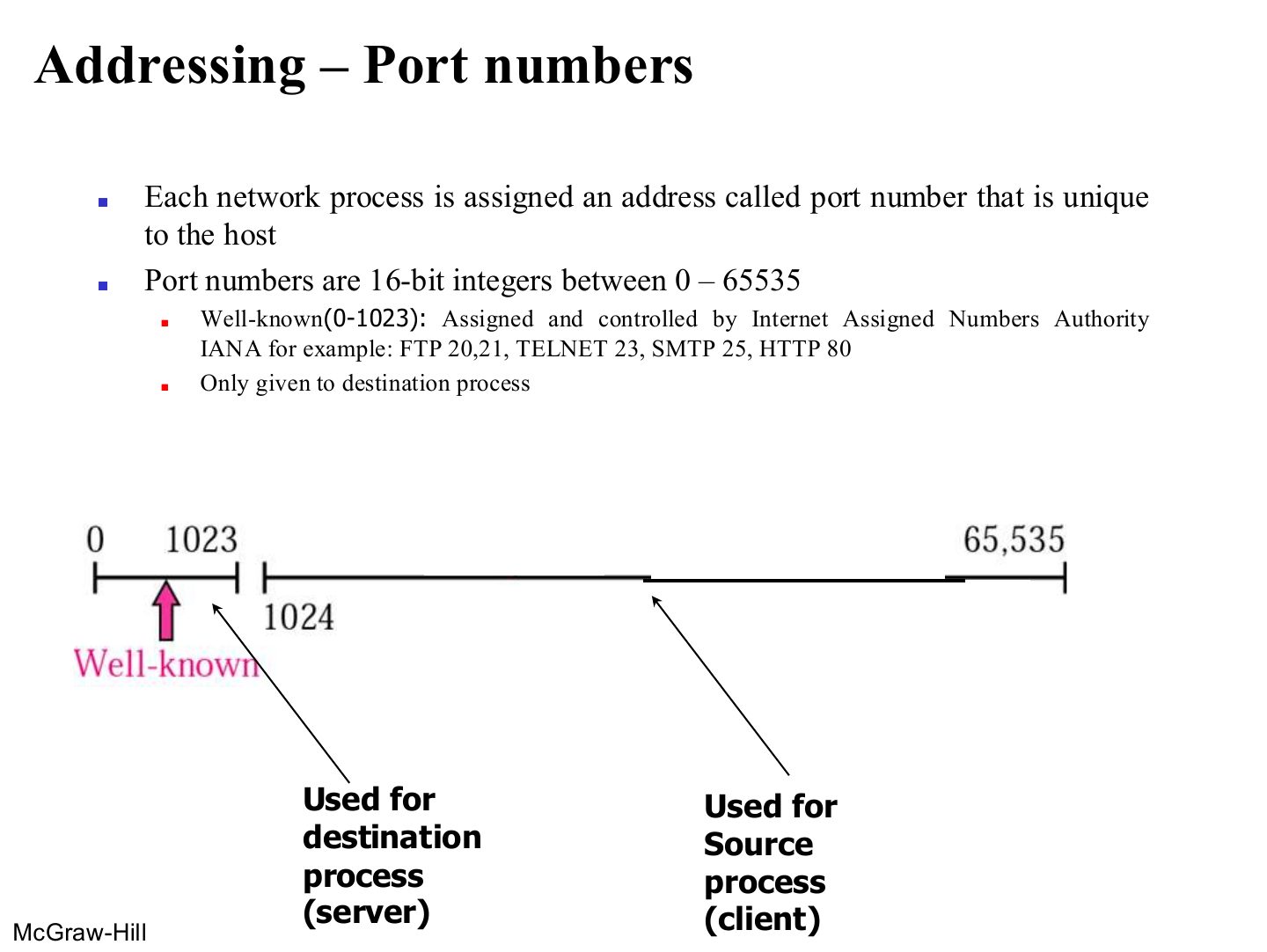
- 10 Addressing – Port numbers
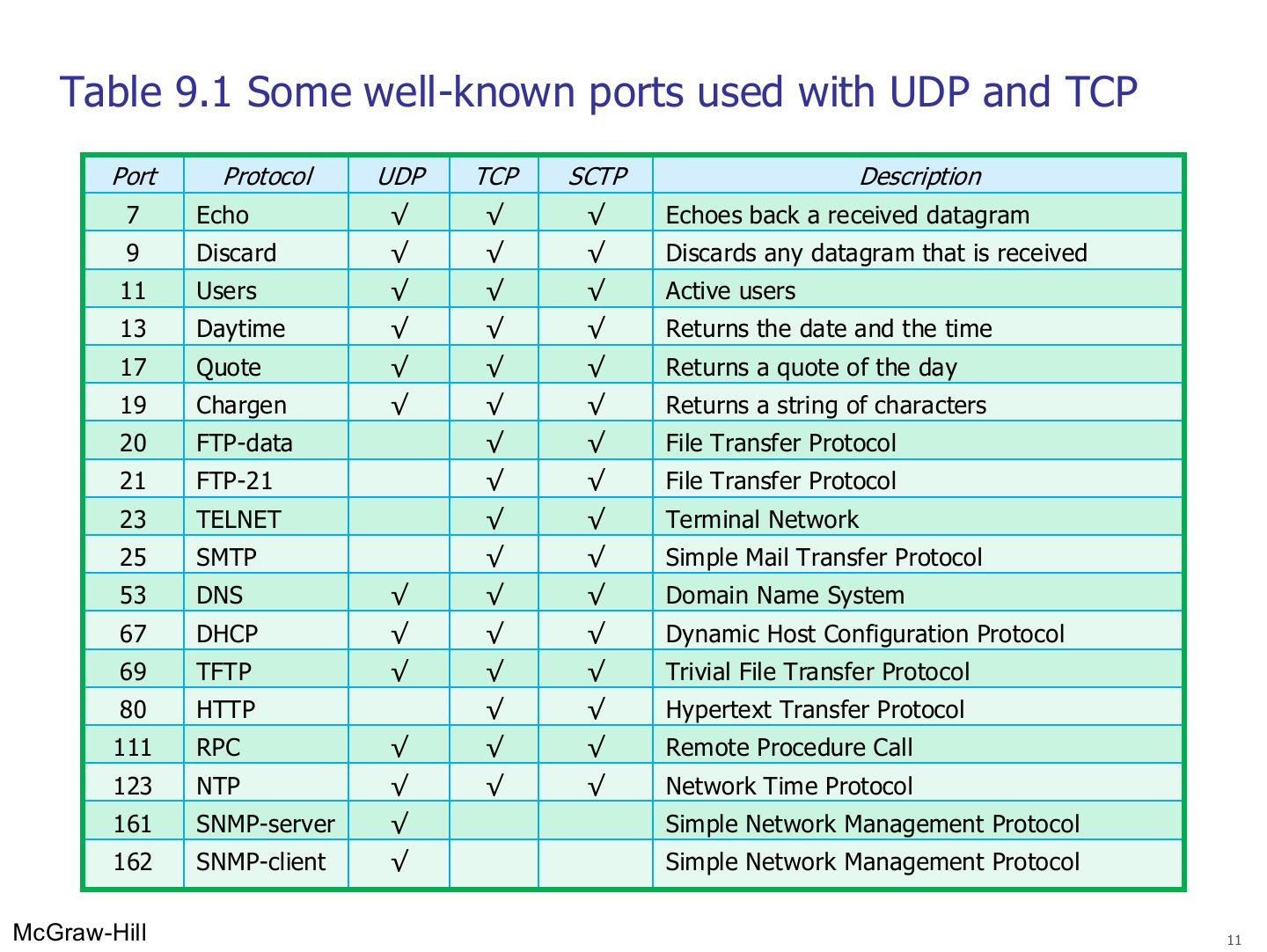
- 11 Some well-known ports used with UDP and TCP
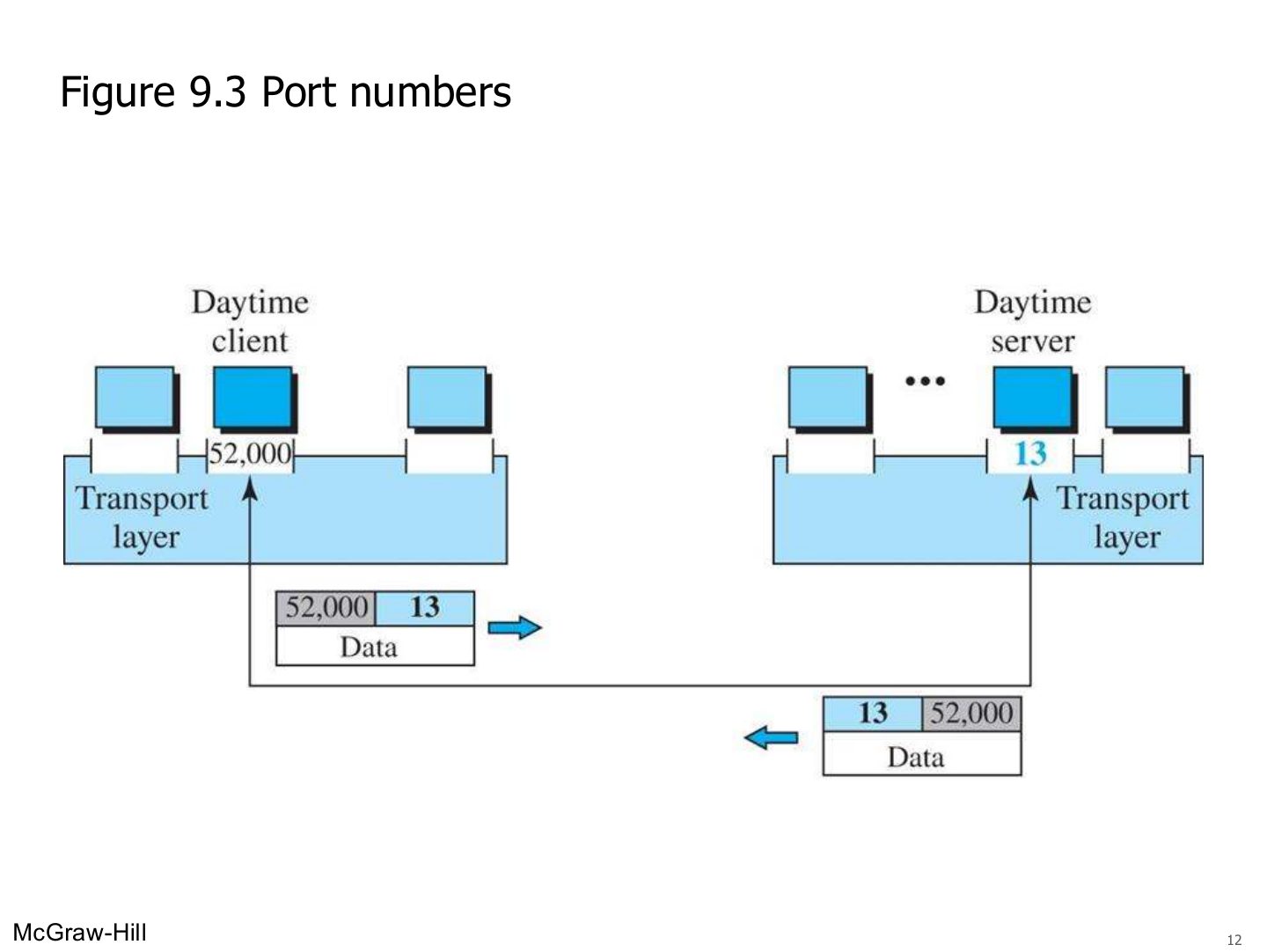
- 12 Port numbers
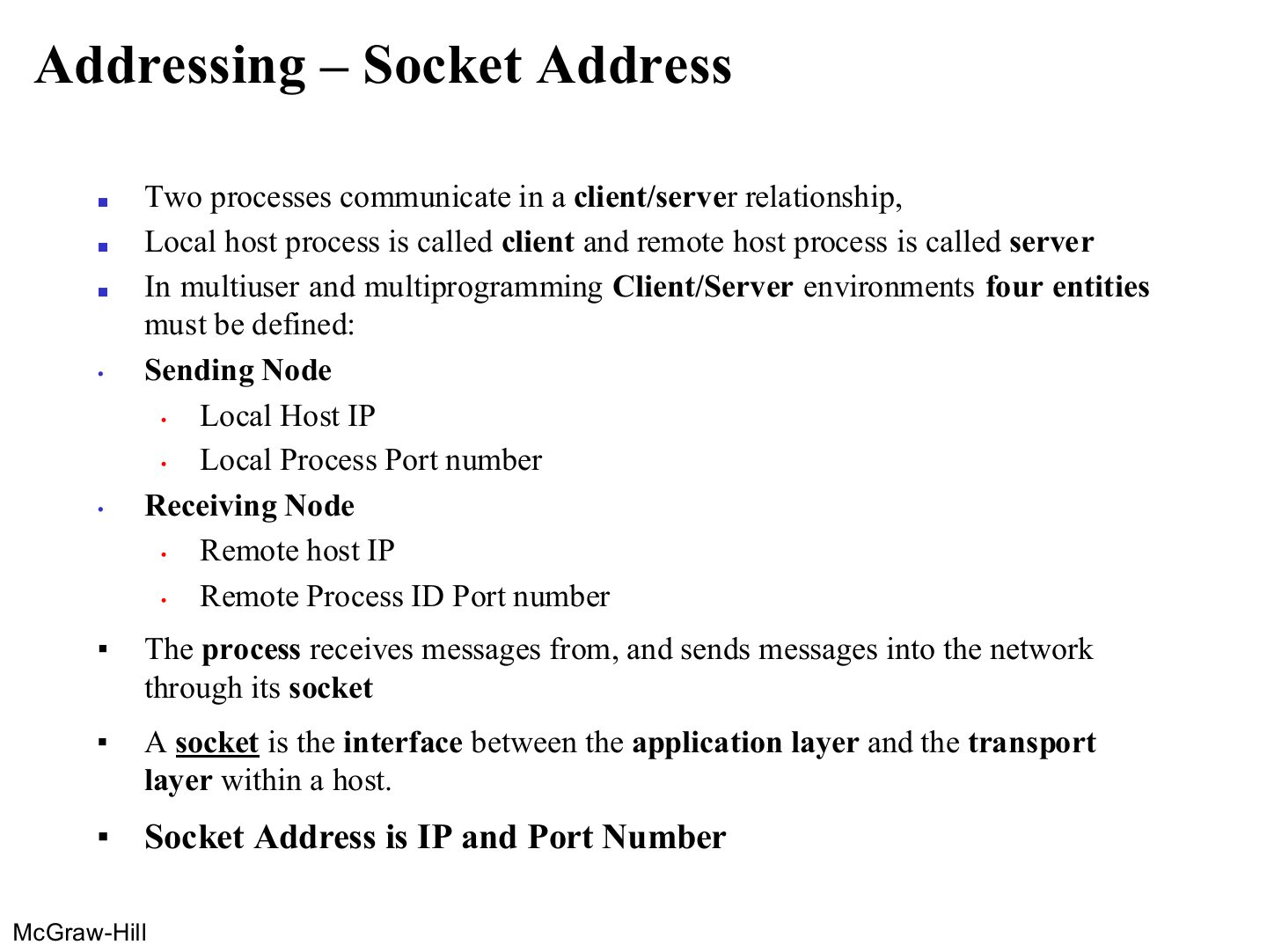
- 13 Addressing – Socket Address
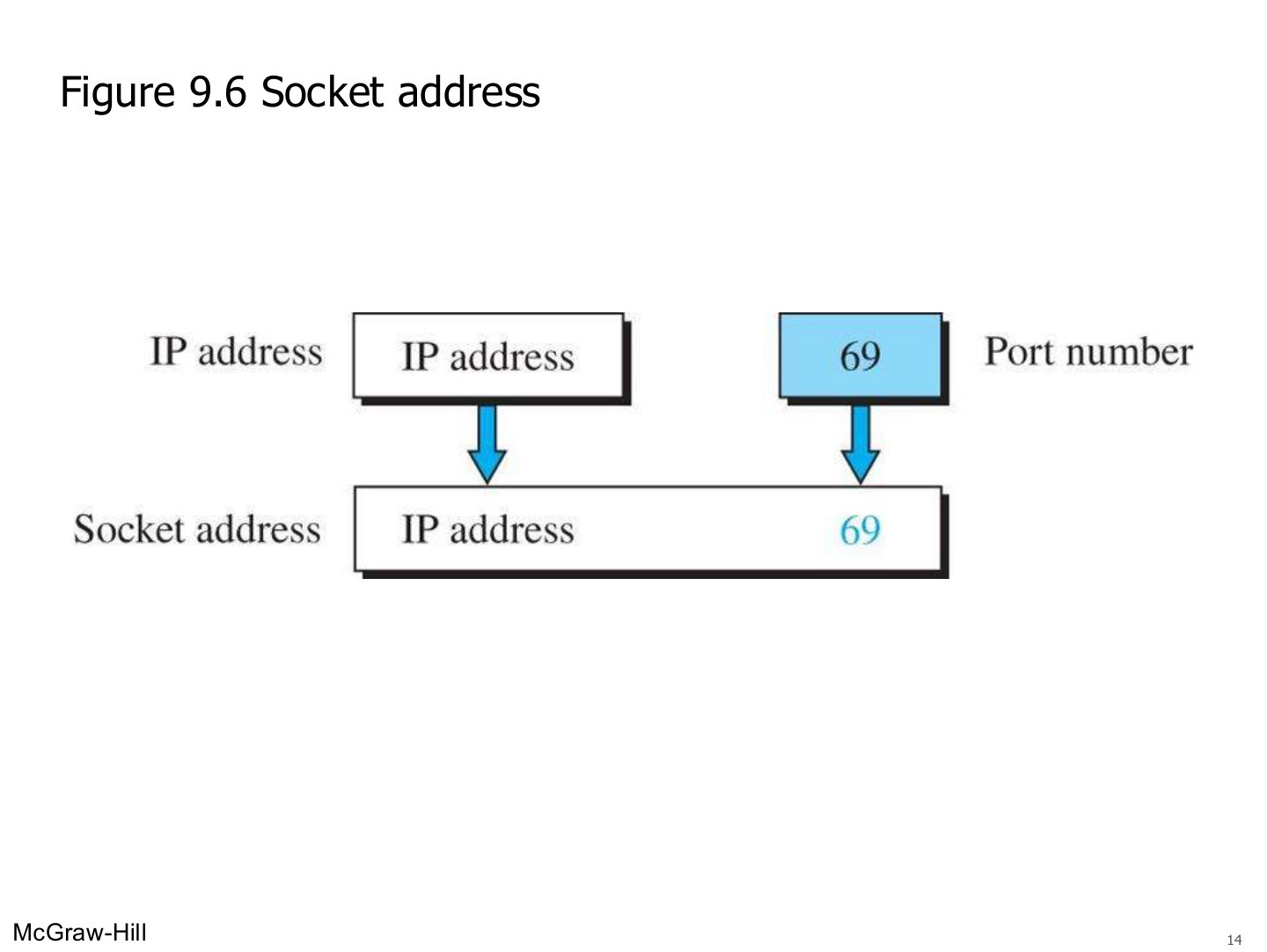
- 14 Socket address (Figure 9.6)
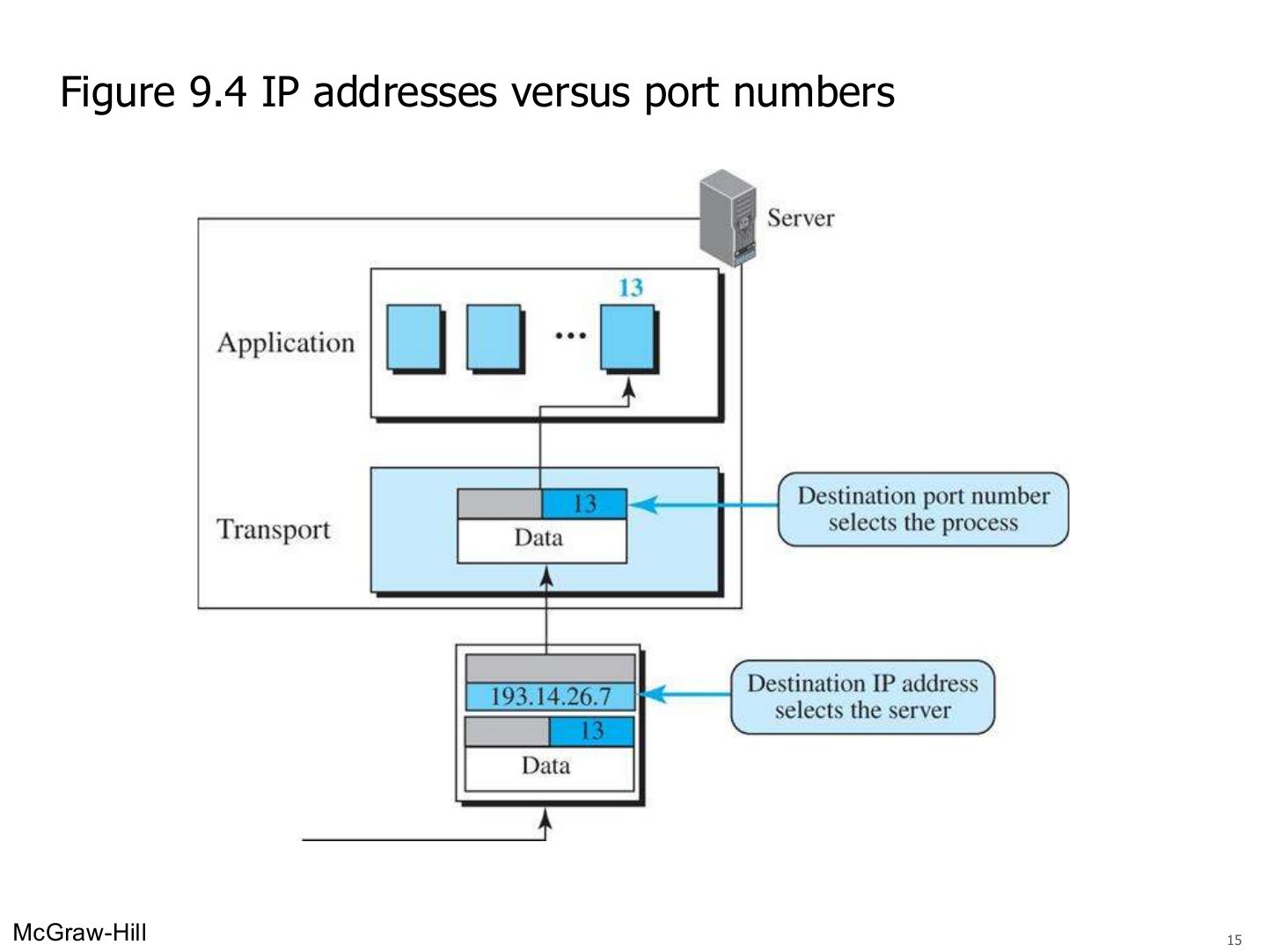
- 15 IP addresses versus port numbers (Figure 9.4)
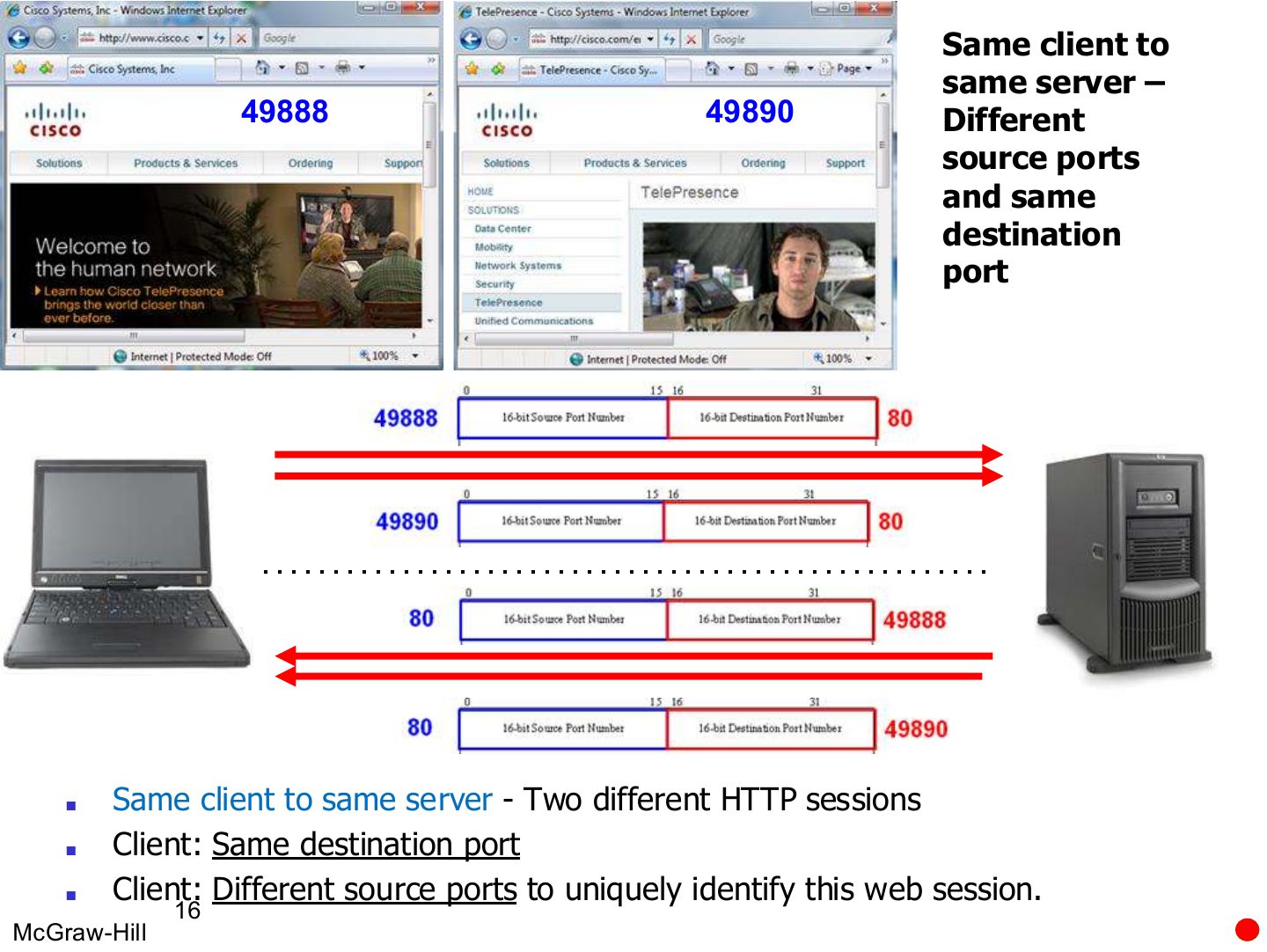
- 16 Same client to same server: different source ports, same destination port
- 17 Two clients contact the same server with the same port numbers
- 18 9.1.3 Encapsulation and Decapsulation
- 19 Encapsulation and decapsulation (Figure 9.7)
- 20 9.1.4 Multiplexing and Demultiplexing
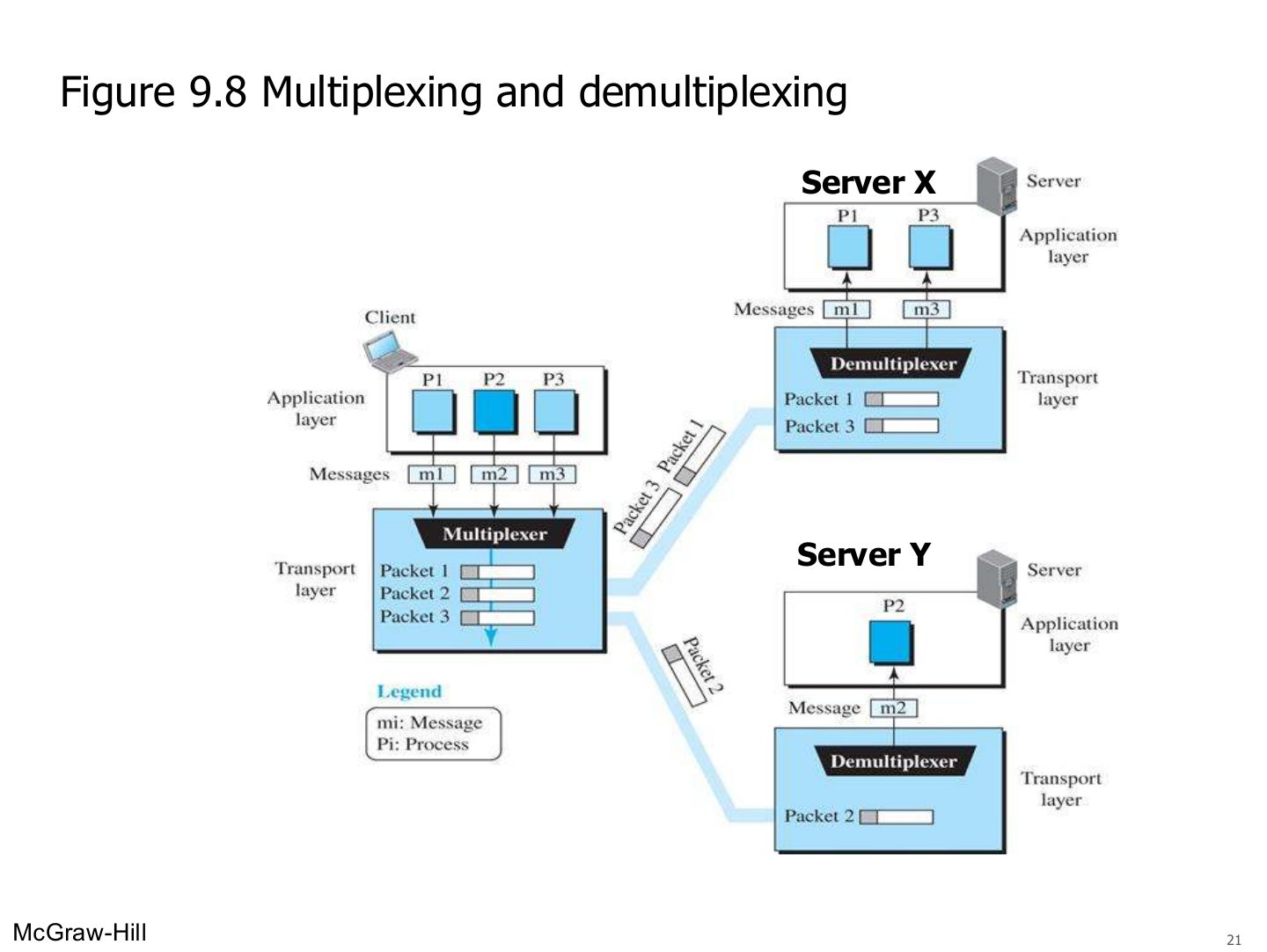
- 21 Multiplexing and demultiplexing (Figure 9.8)
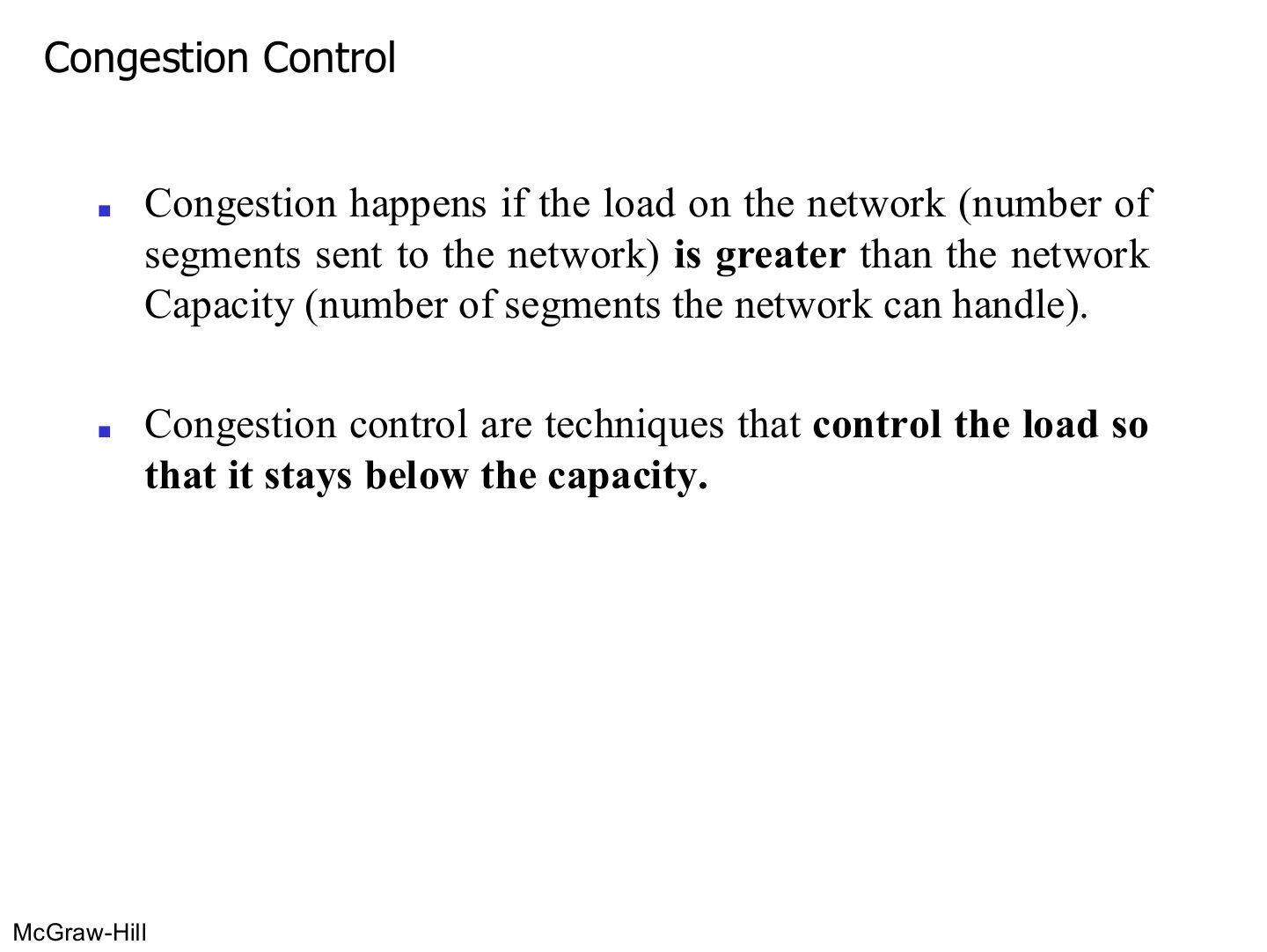
- 22 Congestion Control
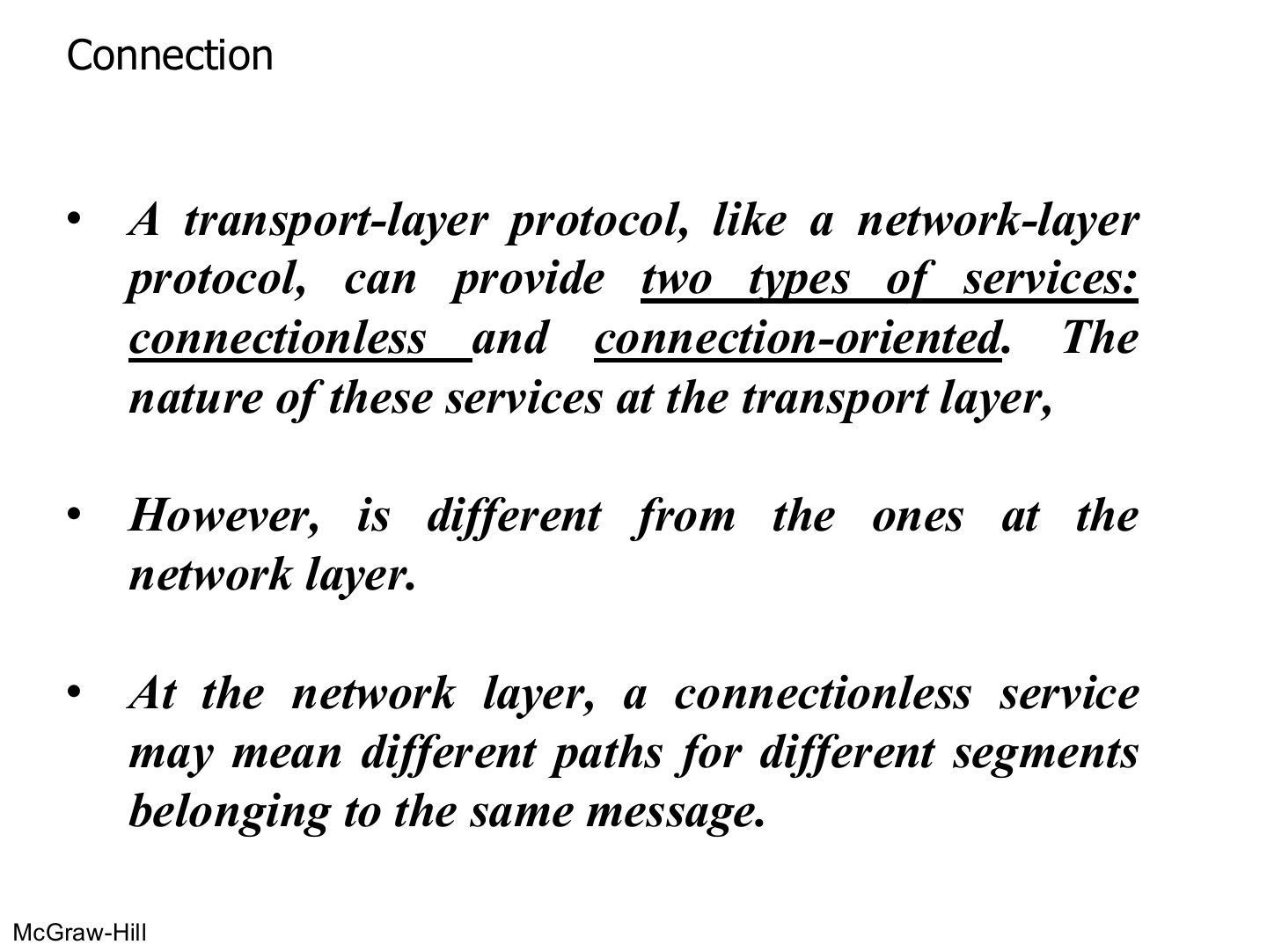
- 23 Connection
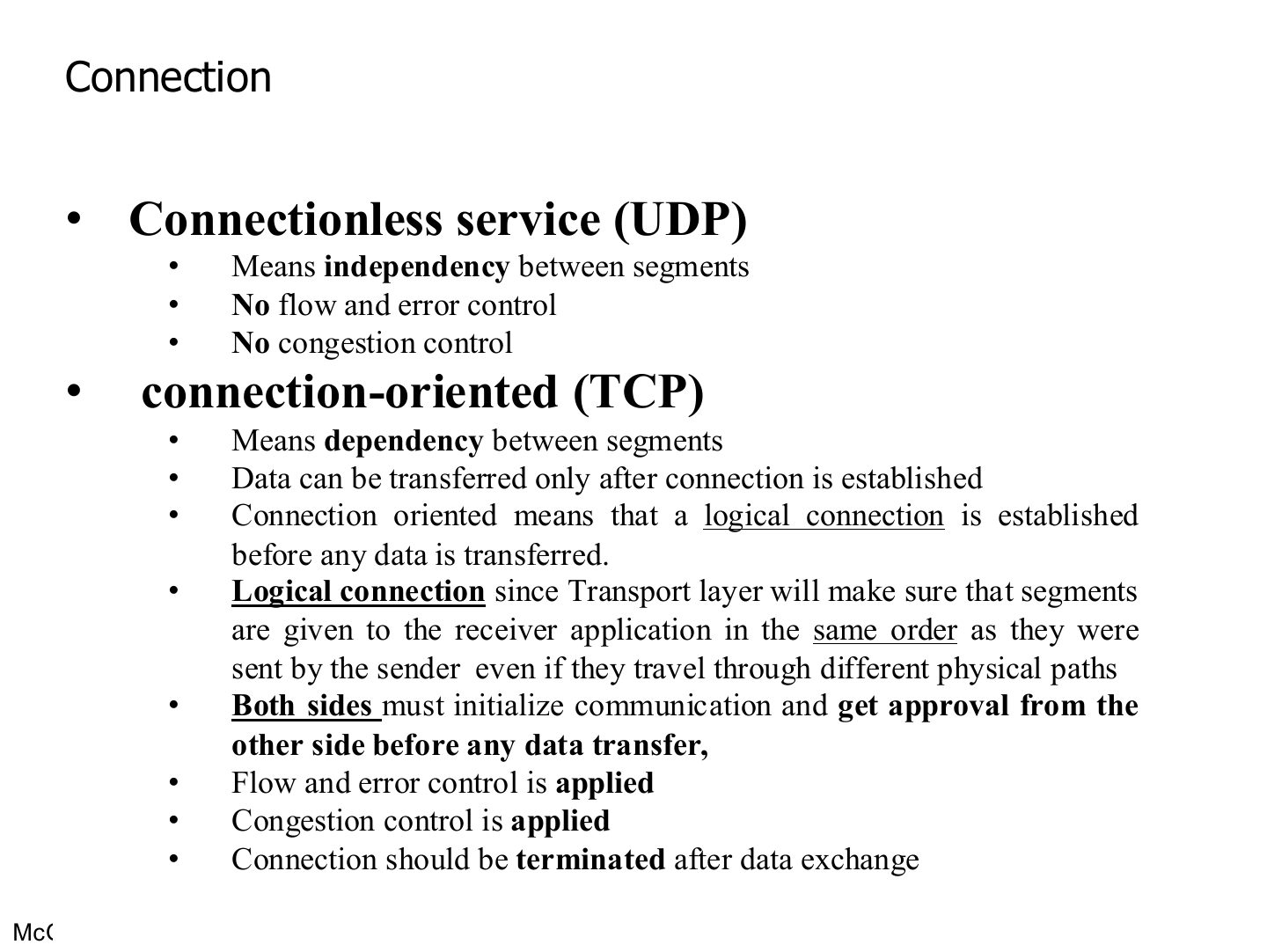
- 24 Connection
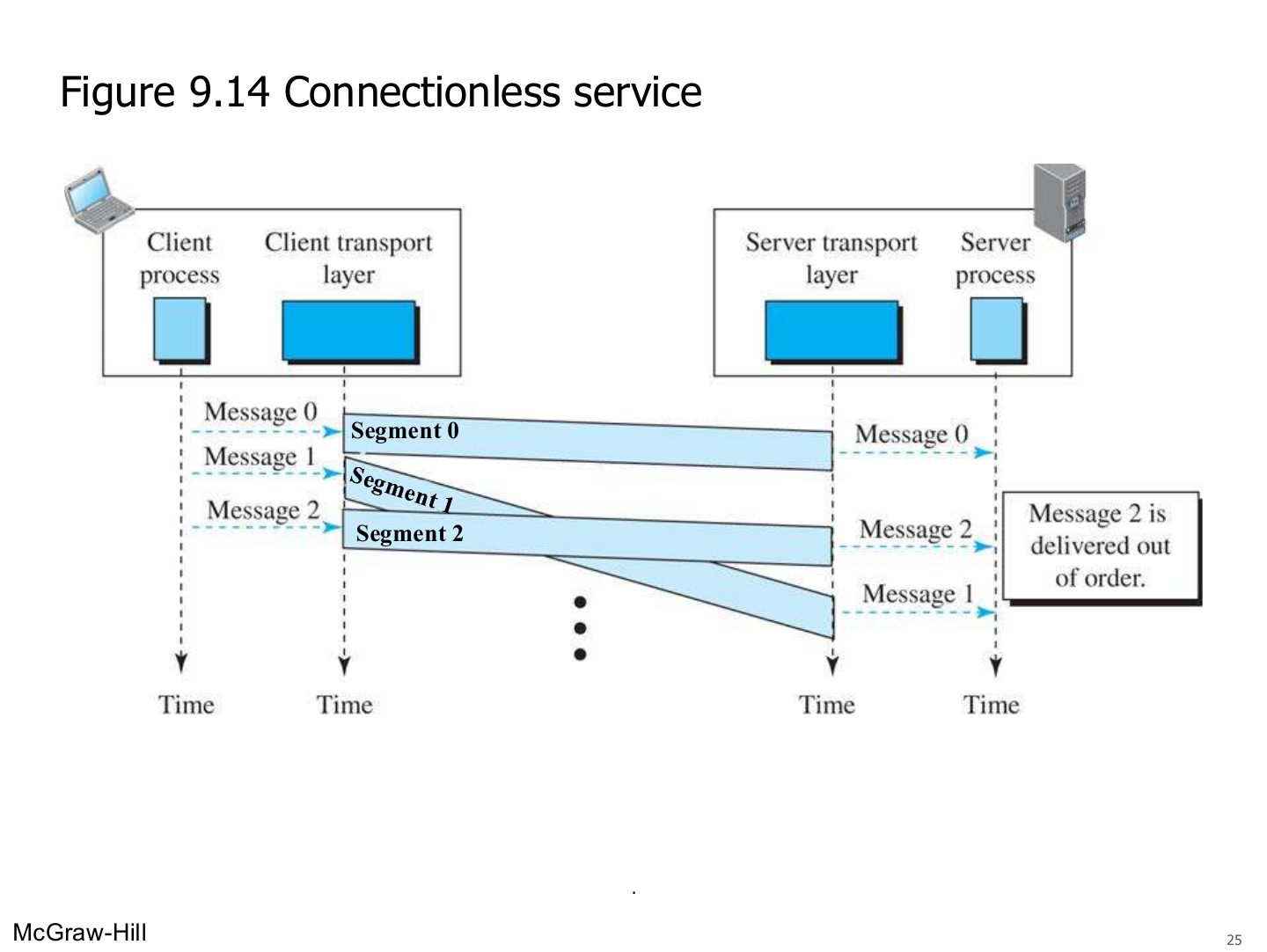
- 25 Connectionless service (Figure 9.14)
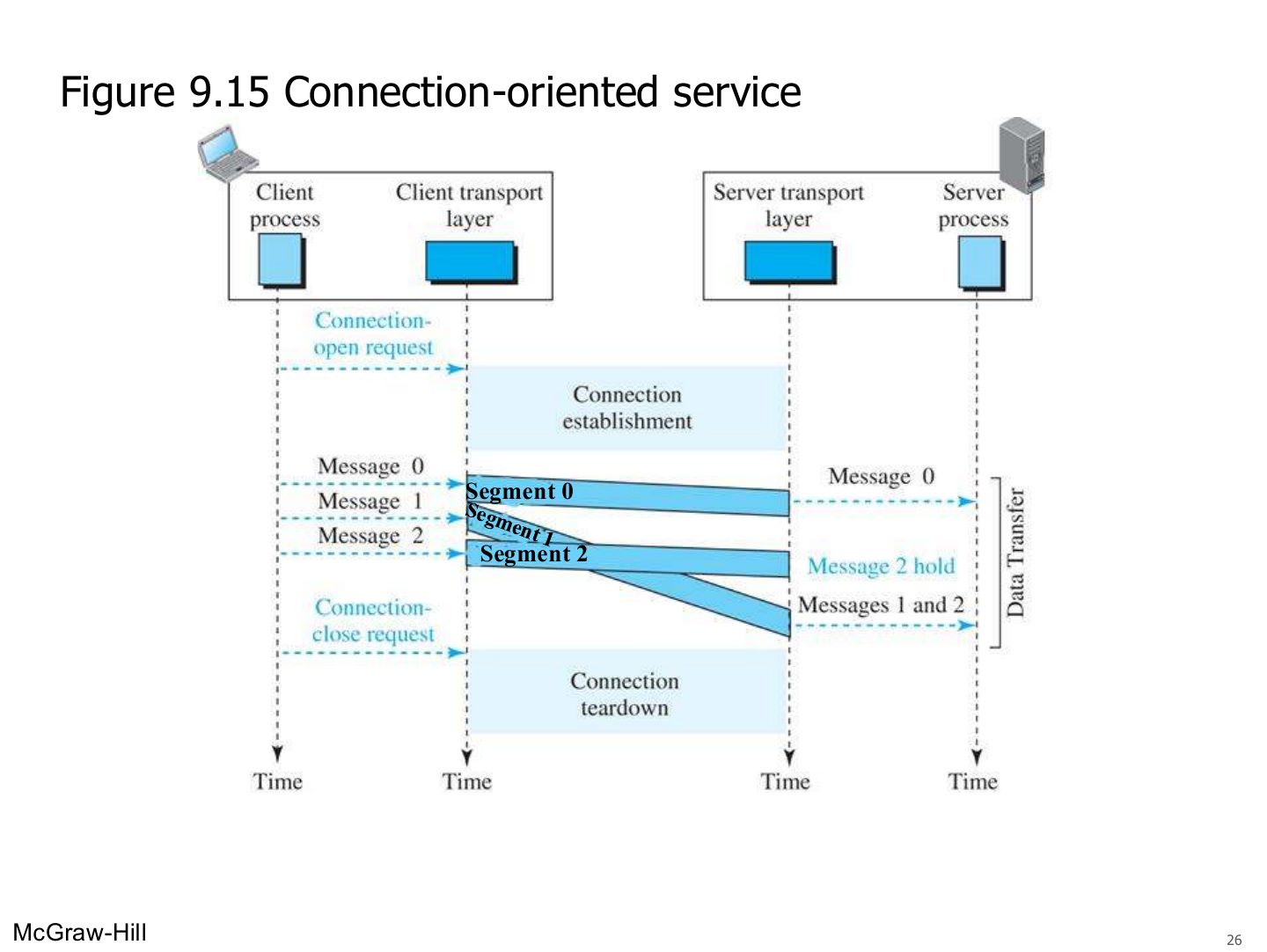
- 26 Connection-oriented service (Figure 9.15)
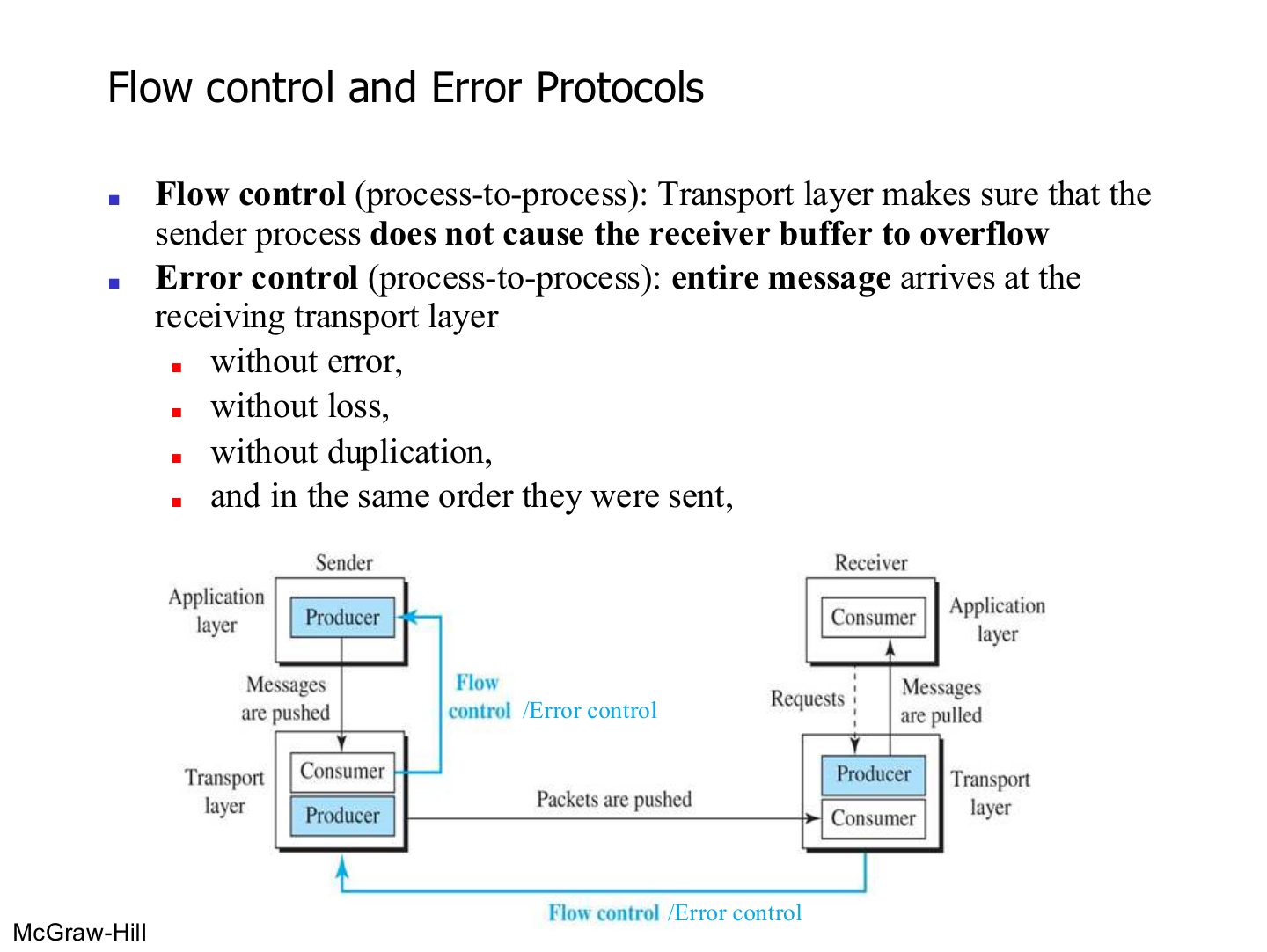
- 27 Flow control and Error Protocols
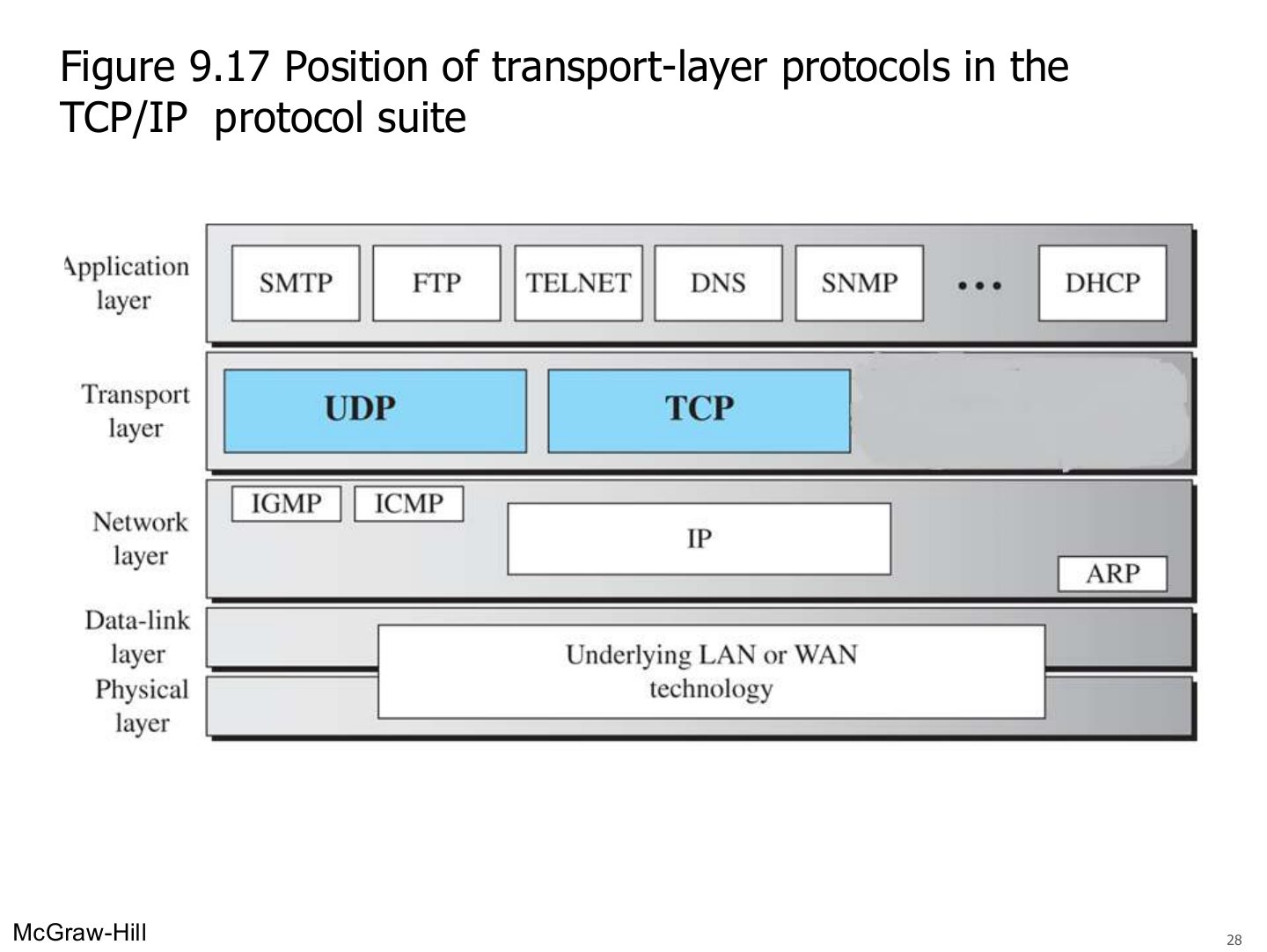
- 28 Position of transport-layer protocols in the TCP/IP protocol suite (Figure 9.17)
- 29 Transmission Control Protocol (TCP)
- 30 TCP segment format (Figure 9.23)
- 31 Control flags (Figure 9.24)
- 32 TCP segments (Figure 9.22)
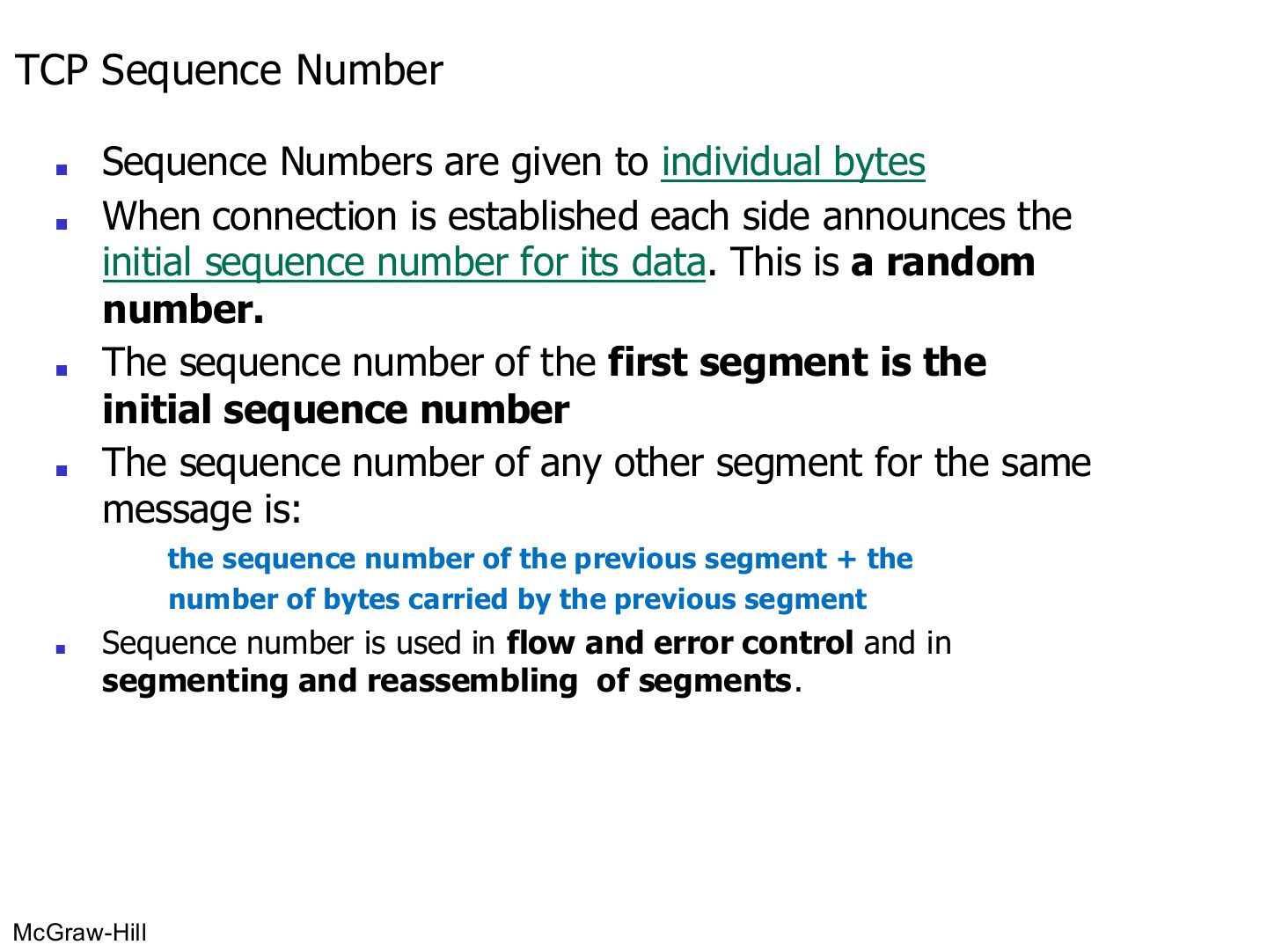
- 33 TCP Sequence Number
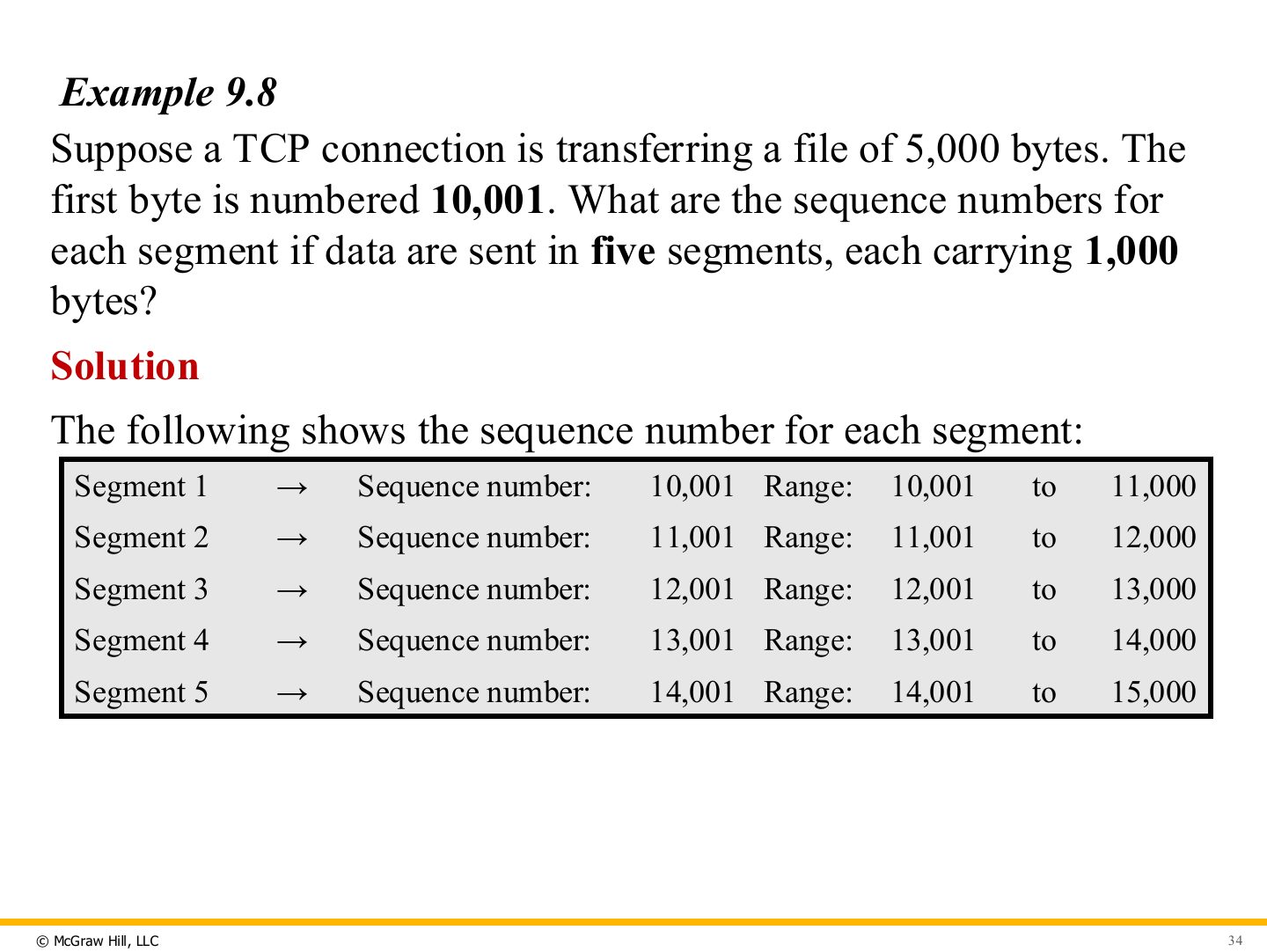
- 34 Example 9.8: sequence numbers
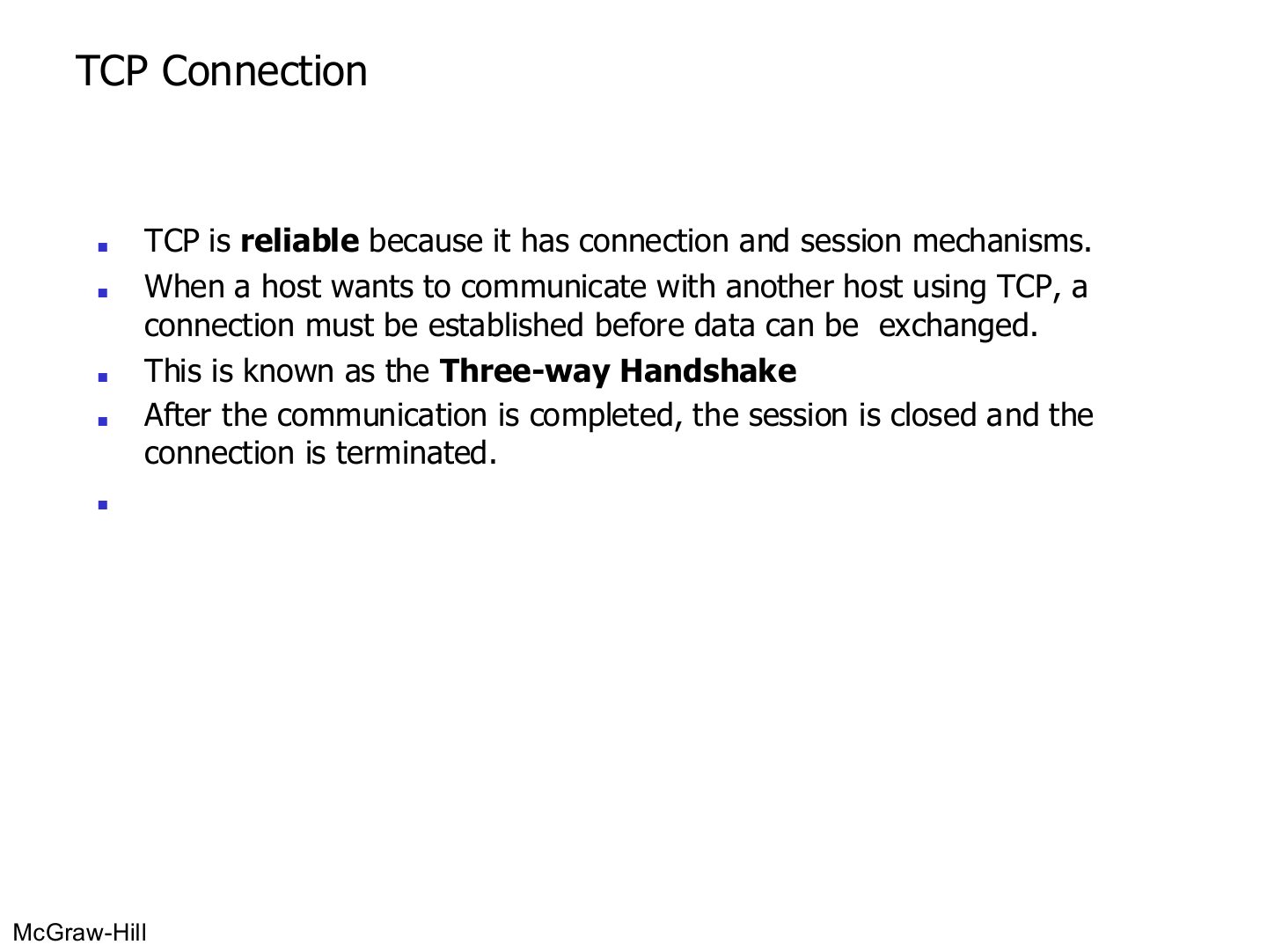
- 35 TCP Connection
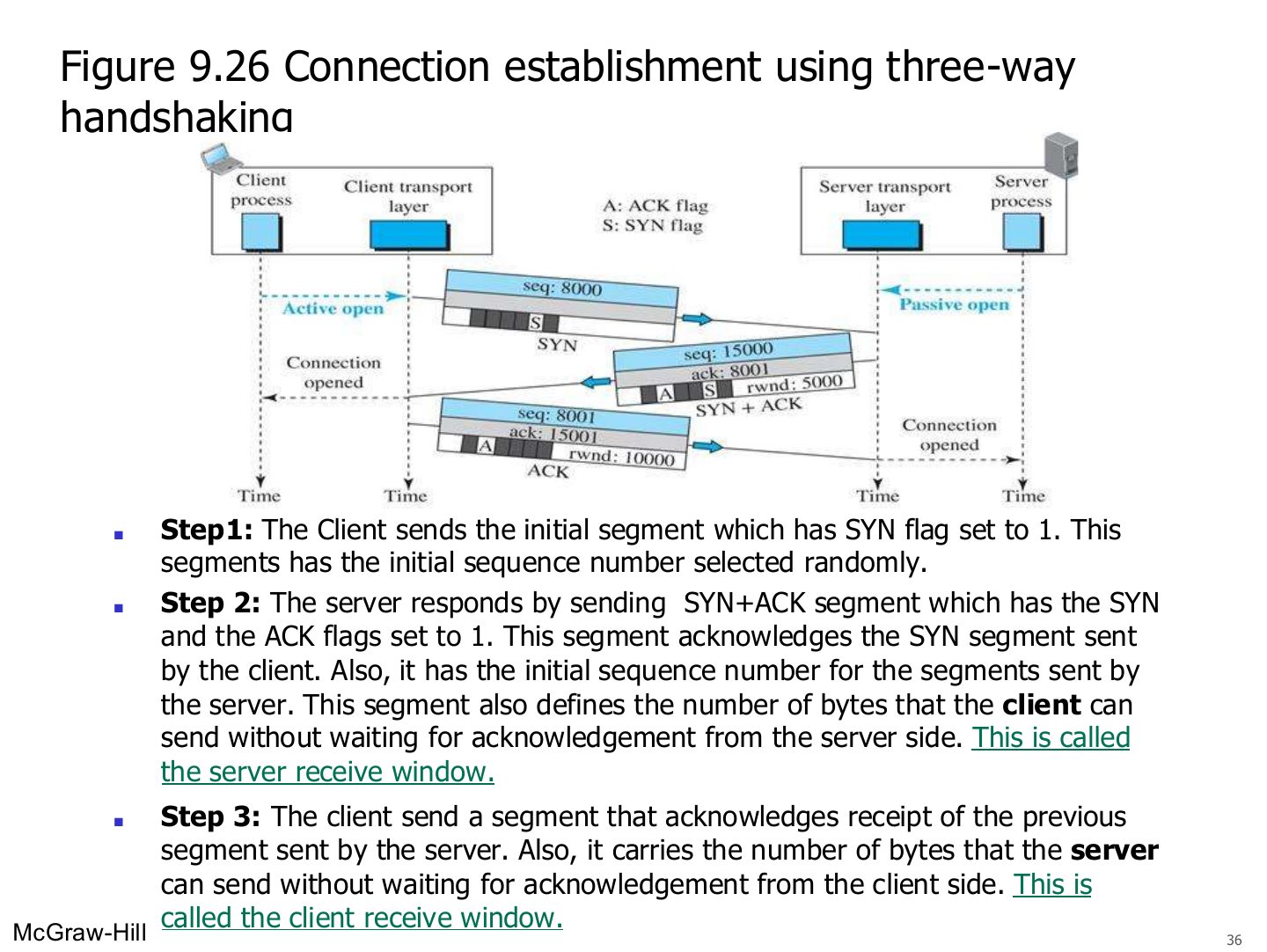
- 36 Connection establishment using three-way handshaking (Figure 9.26)
- 37 Reliable Delivery
- 38 Data transfer example (See Next Slide for explanation)
- 39 Data transfer example
- 40 Connection termination
- 41 Flow Control
- 42 TCP windows (initial window sizes)
- 43 TCP Applications
- 44 User Datagram Protocol (UDP)
- 45 UDP Applications
- 46 UDP is suitable for applications that makes one request
- 47 UDP is NOT suitable for applications that do not tolerate loss or errors or out of order arrival
- 48 UDP is NOT suitable for applications that do not tolerate loss or errors out of order arrival
- 49 UDP is suitable for real time applications
- 50 User datagram packet format (Figure 9.18)
Transport Layer
Notes
Duties → ports and sockets → mux/demux → connectionless vs. connection-oriented → TCP (sequence numbers, handshake, ACKs, windows) → UDP and when to use it.
Chapter 9: Outline
9-1 TRANSPORT LAYER SERVICES
Notes
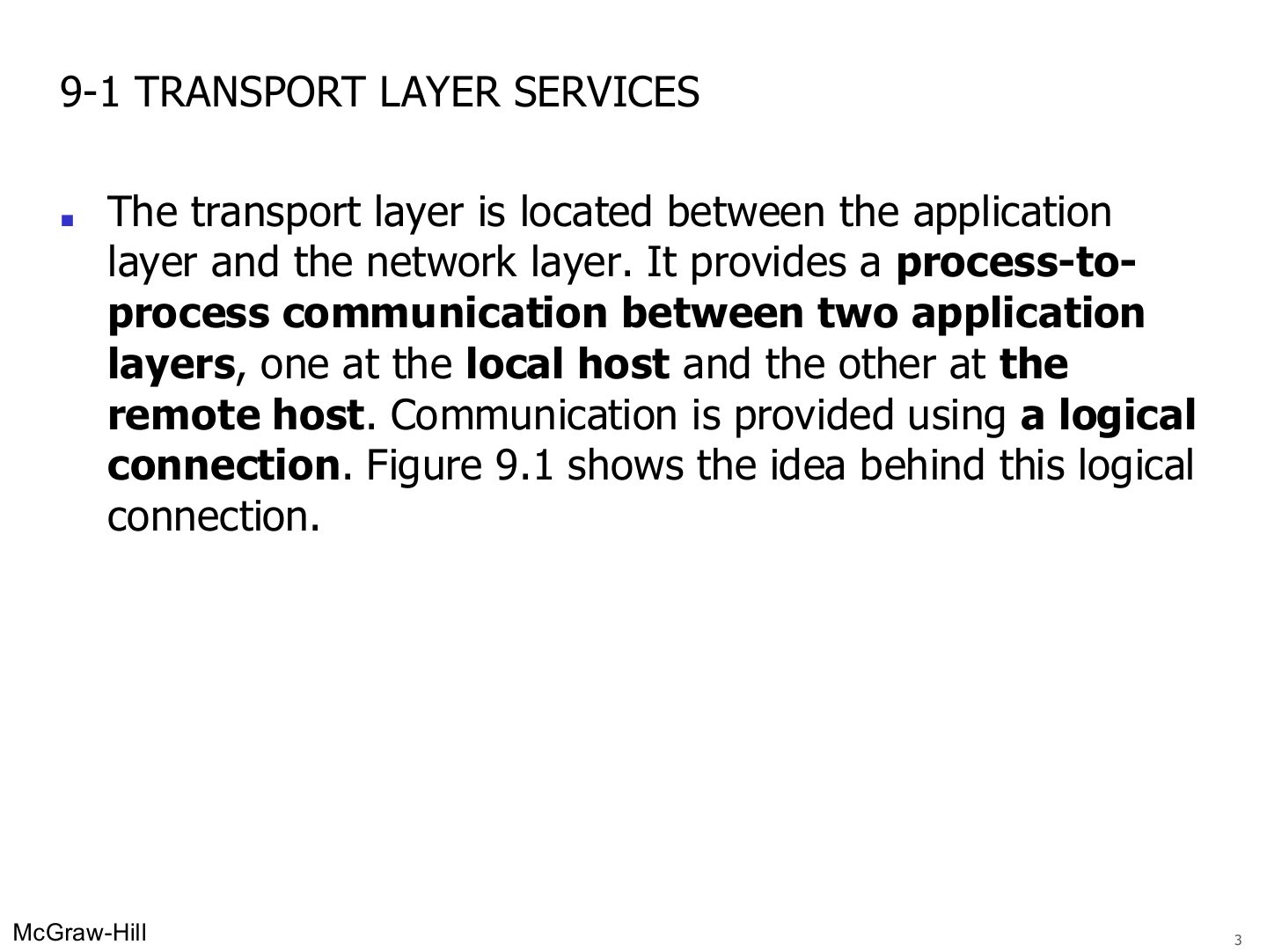
Transport sits between application and network and gives PROCESS-to-process delivery over a logical connection.
Seen again Ch 1 Part 2, slide 38: Transport layer overview
Logical connection at the transport layer (Figure 9.1)
Notes
The two transport layers act as if directly connected; the routers in between never look at the transport header.
Position of transport-layer protocols in the TCP/IP protocol suite (Figure 9.17)
Notes
Two transport protocols in the course: UDP and TCP.
Transport layer duties
Notes
Seven duties: process-to-process, addressing, encapsulation, mux/demux, connection control, reliability (flow + error), congestion control.
Exam angle
9.1.1 Process-to-Process Communication
Network layer versus transport layer (Figure 9.2)
Exam angle
Host-to-host delivery is the job of the _ layer; process-to-process delivery is the job of the _ layer.
PROCESS-TO-PROCESS Communication
Addressing – Port numbers
Notes
Port = 16 bits (0–65,535). Well-known 0–1023 (IANA) → servers. Clients pick a random higher (ephemeral) port.
Memory trick Ports to know: FTP 20/21, Telnet 23, SMTP 25, DNS 53, DHCP 67, HTTP 80.
Exam angle
Port numbers are:
The well-known port of HTTP is:
A client normally uses a well-known port as its source port.
- Well-known ports go to servers; clients use ephemeral ports.
Some well-known ports used with UDP and TCP
Notes
FTP, TELNET, SMTP, HTTP need reliability → TCP only. SNMP → UDP only. DNS uses both (mostly UDP).
Exam angle
Which application uses port 25?
Which port does DNS use?
Port numbers
Notes
Request: source 52,000 → destination 13. Reply: the ports swap.
Addressing – Socket Address
Notes
A connection needs four things: local IP, local port, remote IP, remote port.
Memory trick Socket address = WHERE (IP) + WHO (port).
Exam angle
A socket address is the combination of:
Socket address (Figure 9.6)
IP addresses versus port numbers (Figure 9.4)
Exam angle
At the receiving host, which field selects the application process?
Same client to same server: different source ports, same destination port
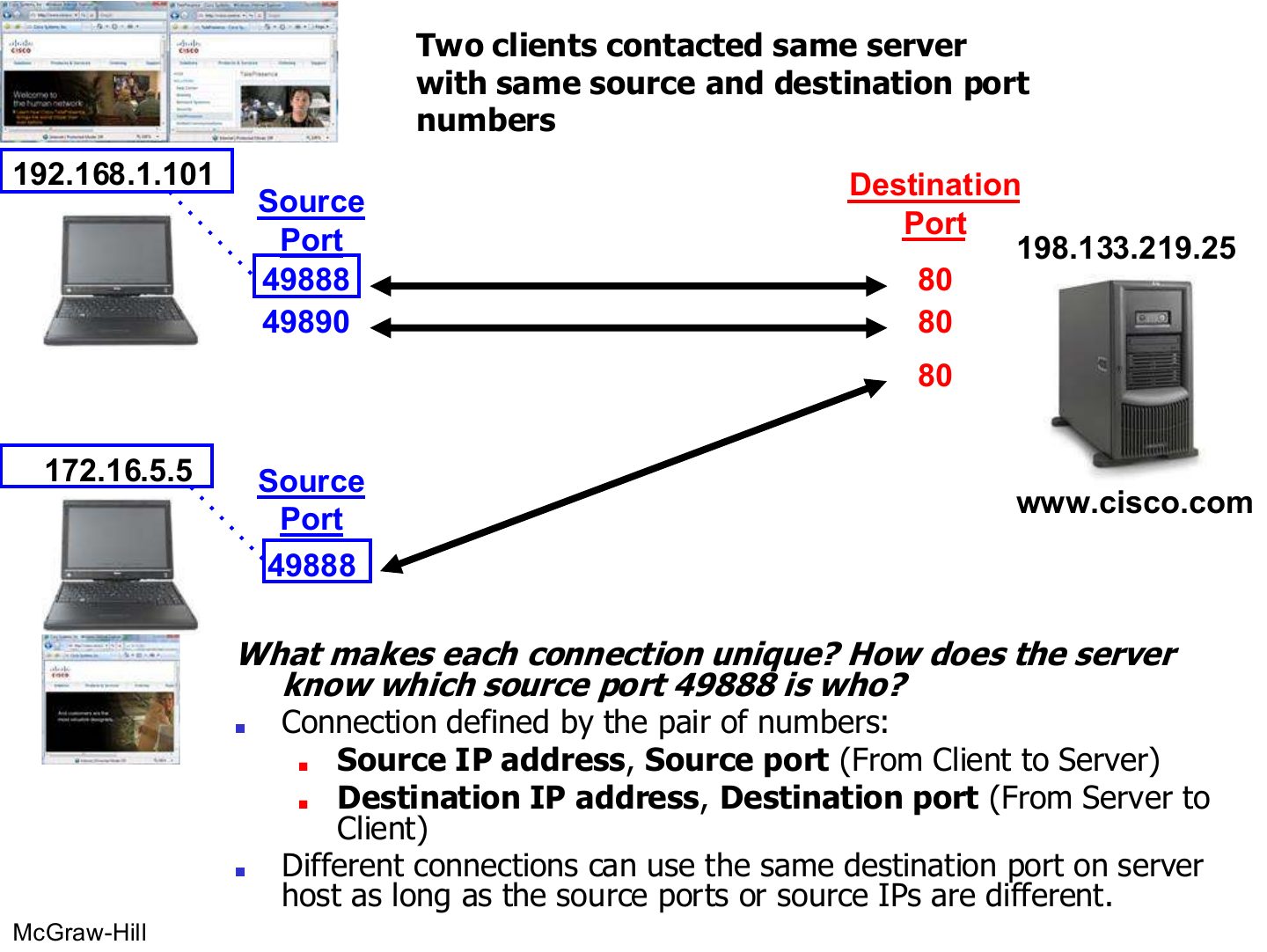
Two clients contact the same server with the same port numbers
Notes
A connection is identified by BOTH socket addresses. Same port 49888 is fine because the source IPs differ.
Exam angle
Two laptops, 192.168.1.101 and 172.16.5.5, both open a connection from port 49888 to a web server on port 80. How does the server tell them apart?
Compare with the model answer
Each connection is identified by the full pair of socket addresses (source IP, source port, destination IP, destination port). The source IPs differ, so the two connections are different even though the ports are the same.
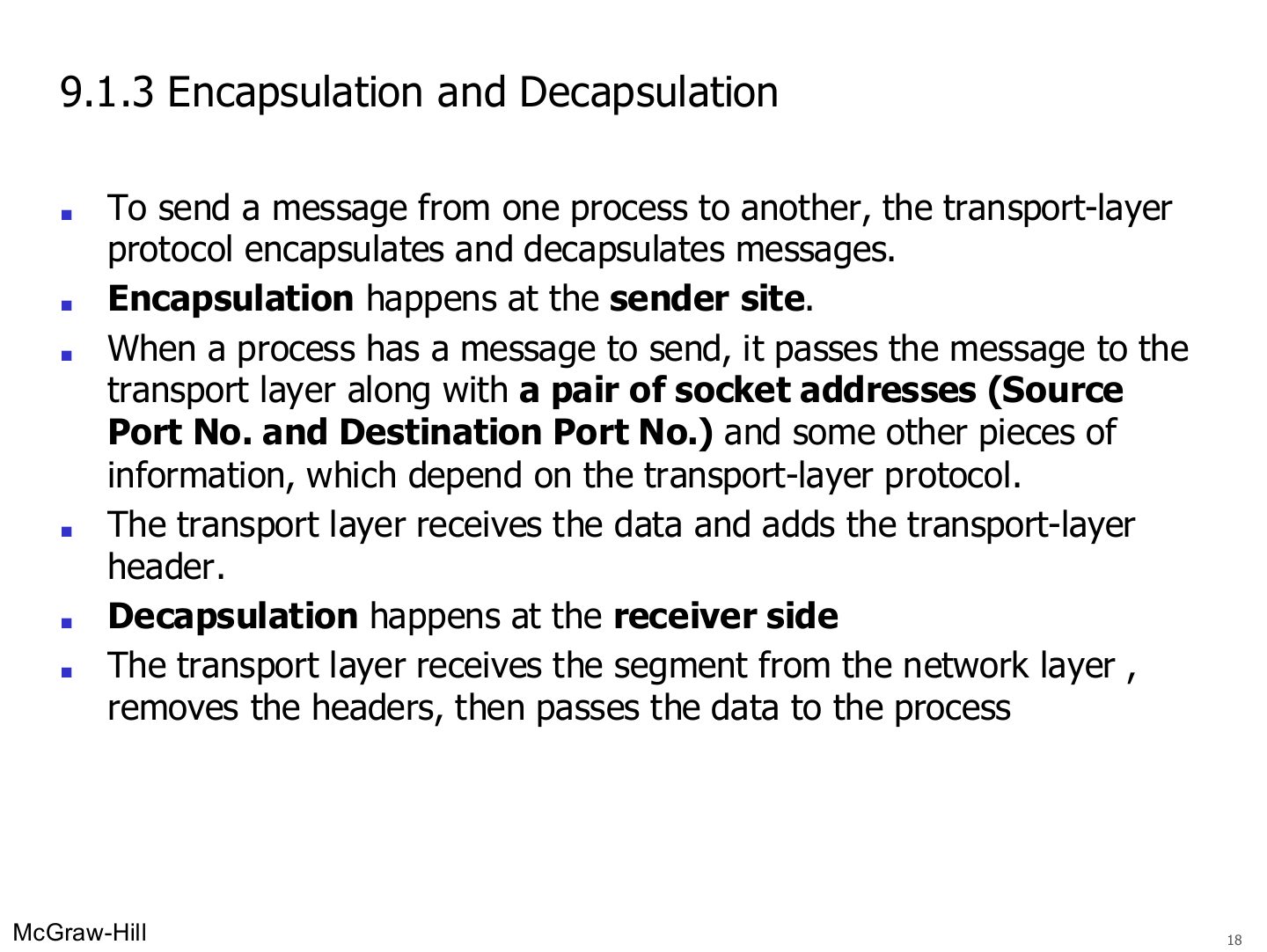
9.1.3 Encapsulation and Decapsulation
Notes
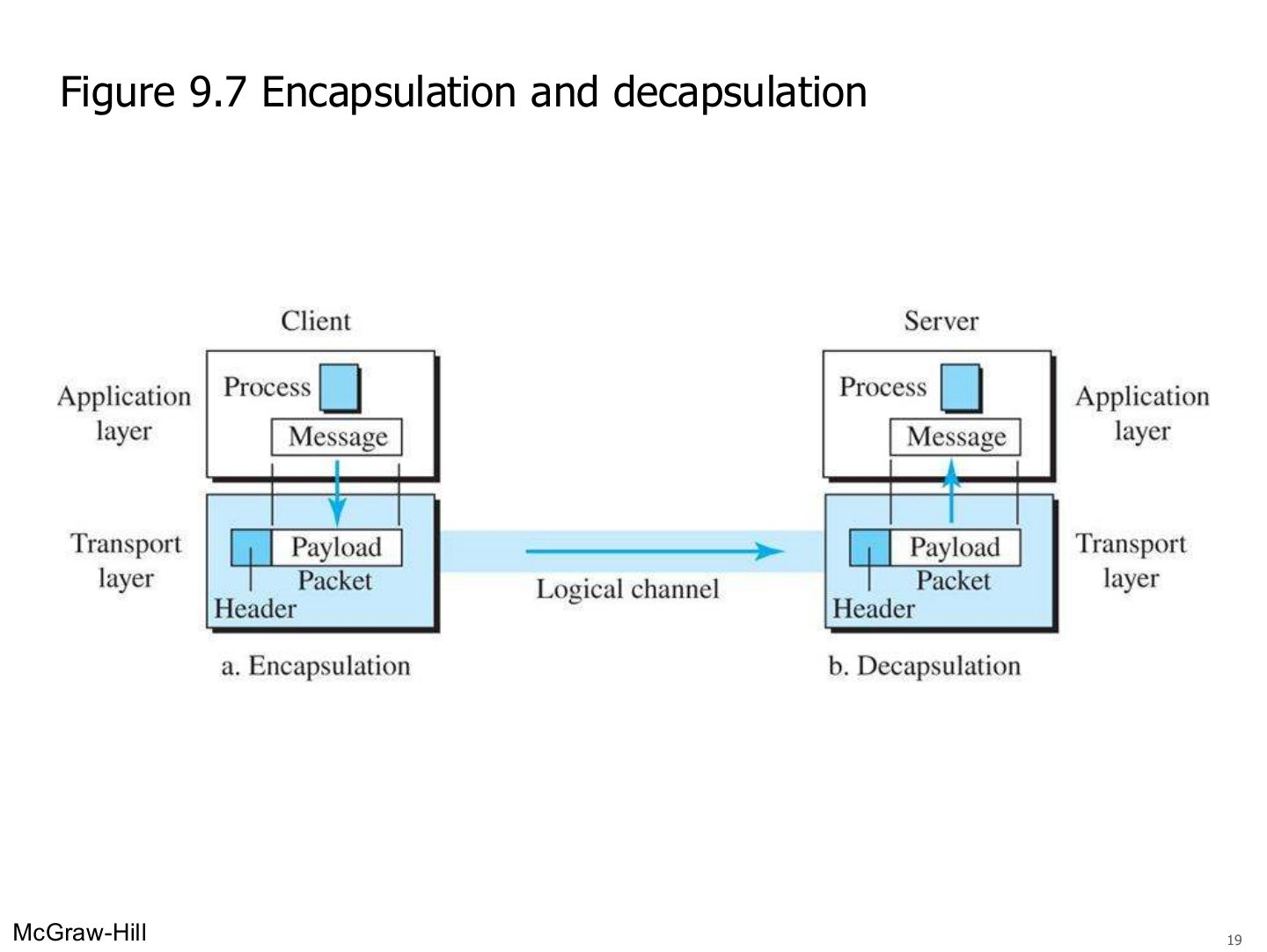
Sender: add the transport header (with the ports). Receiver: strip it and hand the data to the process.
Encapsulation and decapsulation (Figure 9.7)
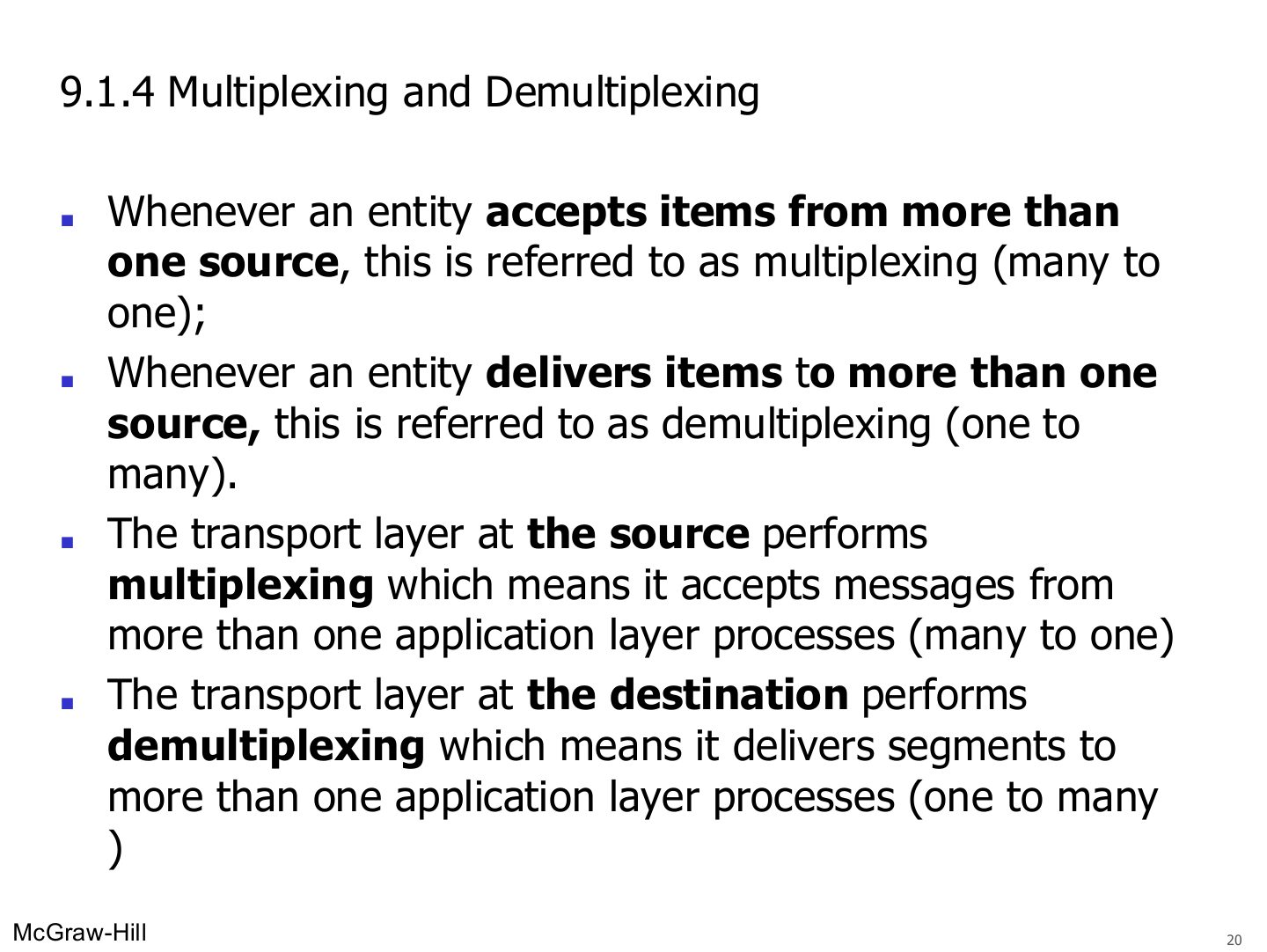
9.1.4 Multiplexing and Demultiplexing
Exam angle
Demultiplexing at the transport layer happens at the:
Multiplexing and demultiplexing (Figure 9.8)
Congestion Control
Notes
Trap Flow control protects the RECEIVER; congestion control protects the NETWORK.
Seen again Ch 3 Part 1, slide 5: Flow control at the data link layer
Exam angle
Keeping the load on the network below its capacity is:
Connection
Connection
Notes
TCP (connection-oriented): set up first, both sides agree, in-order delivery, flow + error + congestion control, then close.
Exam angle
Compare connectionless (UDP) and connection-oriented (TCP) transport services.
Compare with the model answer
Connectionless (UDP): each segment is independent, no connection setup, no flow, error or congestion control. Connection-oriented (TCP): a logical connection is set up with both sides agreeing before data is sent, segments are delivered in order, flow, error and congestion control are applied, and the connection is closed afterwards.
UDP provides flow and congestion control.
Connectionless service (Figure 9.14)
Connection-oriented service (Figure 9.15)
Notes
Connection-oriented: open → data (out-of-order segments held and reordered) → teardown.
Flow control and Error Protocols
Position of transport-layer protocols in the TCP/IP protocol suite (Figure 9.17)
Notes
Same figure as slide 5.
Transmission Control Protocol (TCP)
Exam angle
The default TCP header size is:
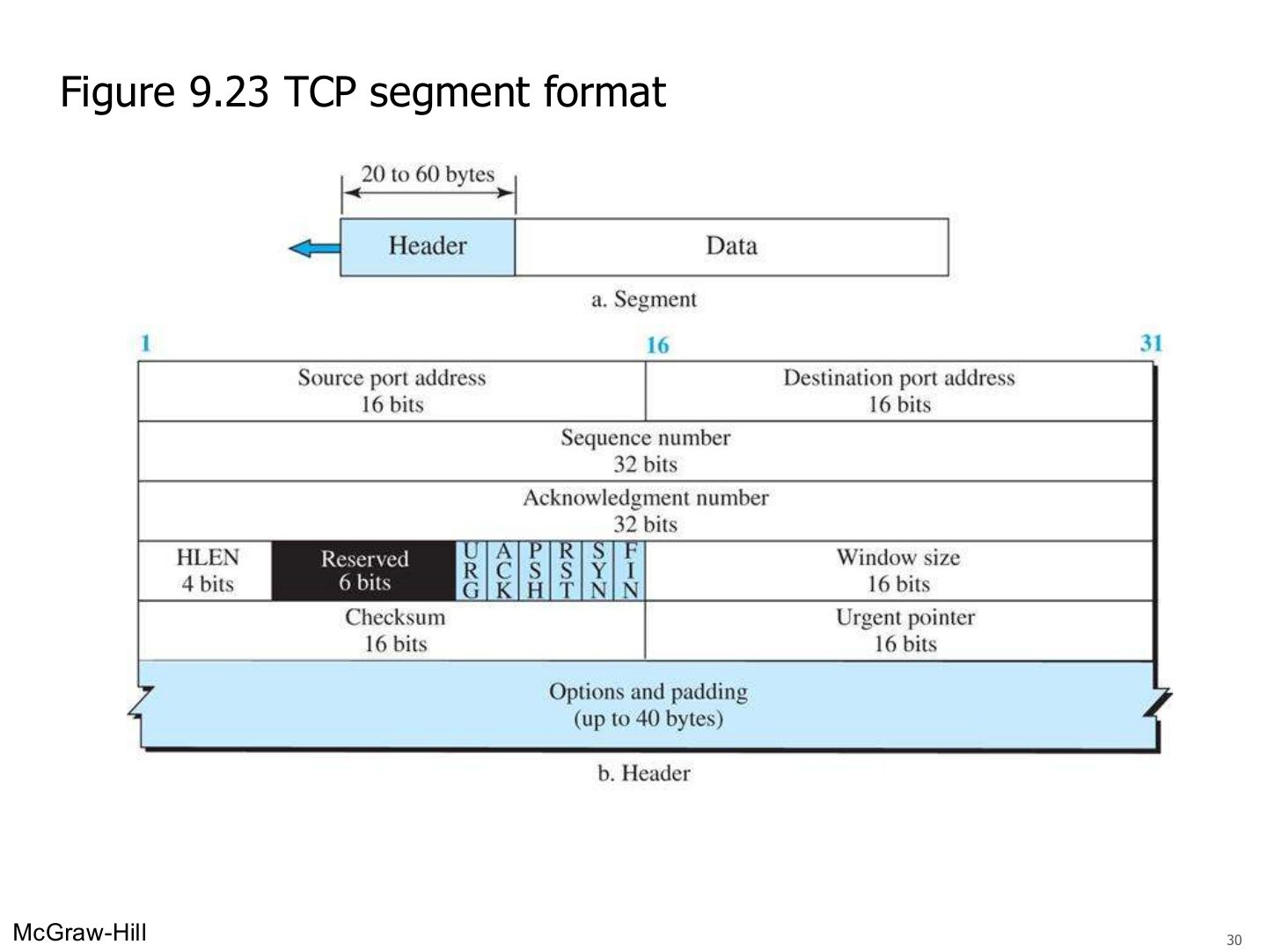
TCP segment format (Figure 9.23)
Notes
Ports (16 + 16), sequence (32), ACK number (32), HLEN, flags, window (16), checksum, urgent pointer, options.
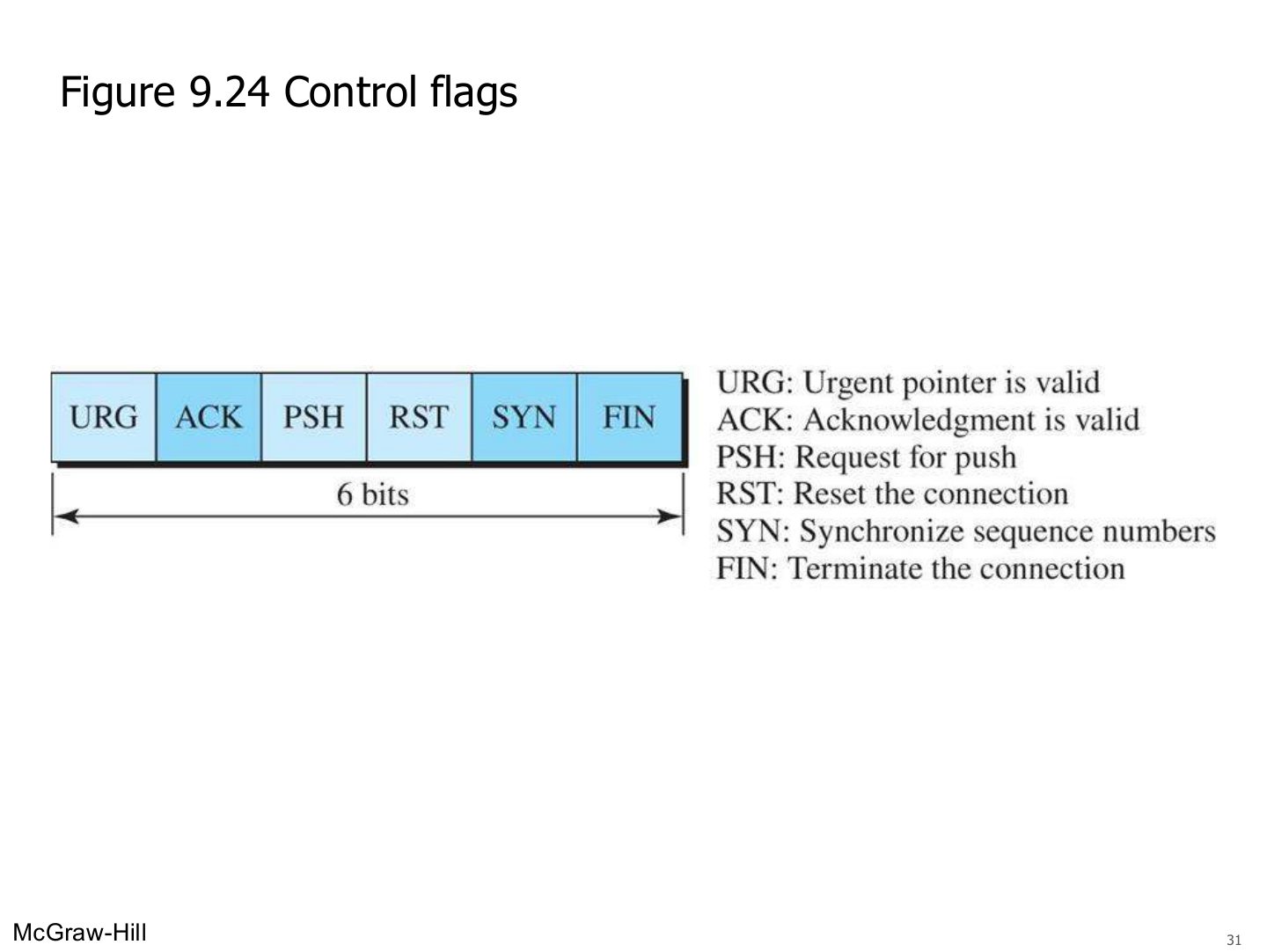
Control flags (Figure 9.24)
Notes
SYN = synchronize (open). ACK = acknowledgment valid. FIN = finish (close). RST = reset. PSH = push. URG = urgent.
Exam angle
Which TCP flag is used to open a connection?
Which flag terminates a connection?
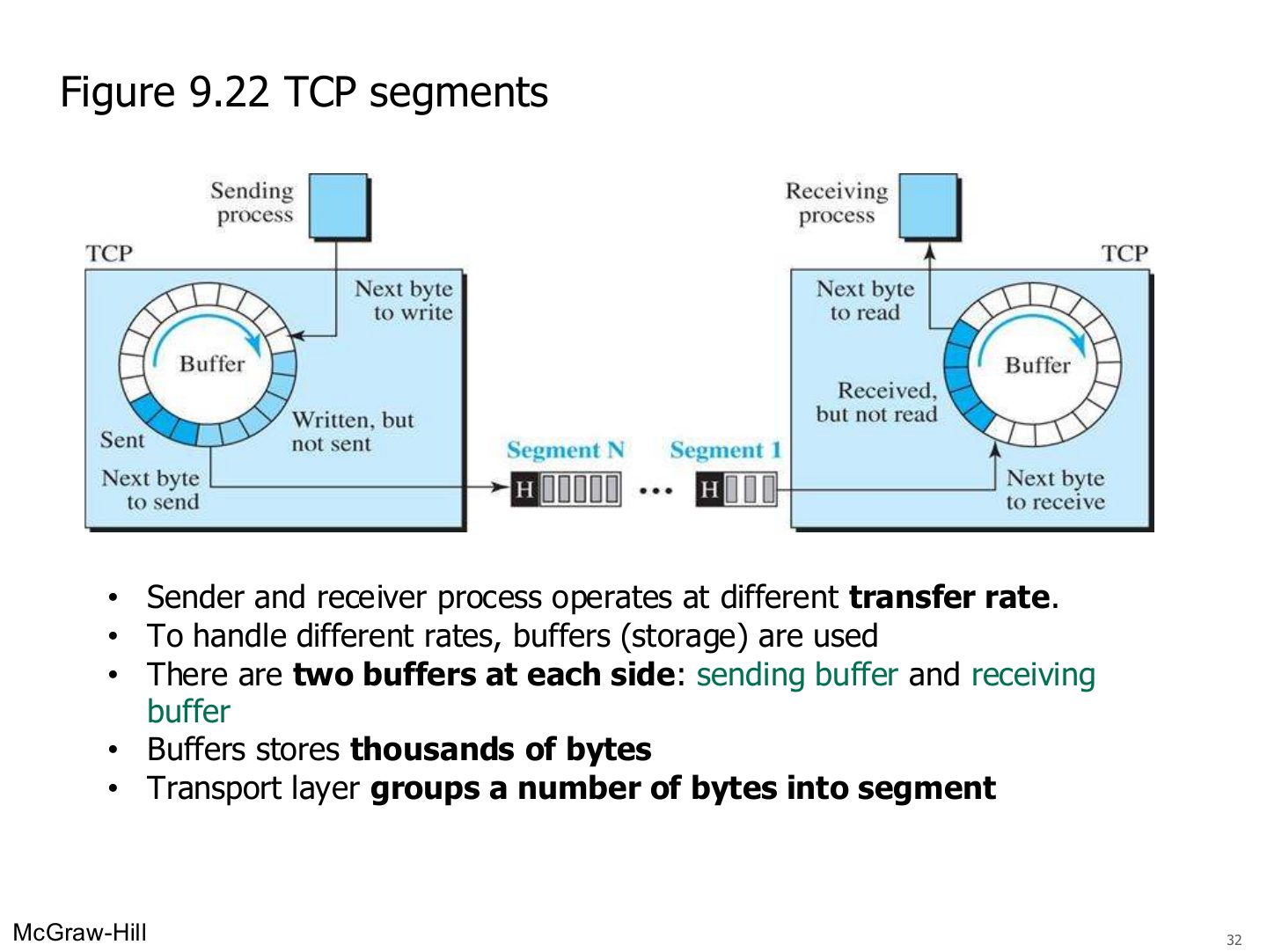
TCP segments (Figure 9.22)
Notes
Sender and receiver run at different speeds → buffers on both sides; TCP groups bytes into segments.
TCP Sequence Number
Notes
Trap Sequence numbers count bytes, not segments.
Exam angle
A segment has sequence number 2,001 and carries 500 bytes. The next segment’s sequence number is:
TCP sequence numbers count segments.
- They count bytes.
Example 9.8: sequence numbers
Notes
Add 1,000 each time.
Exam angle
A 6,000-byte file starts at byte 1,001 and is sent in 3 equal segments. The third segment’s sequence number is:
- 1,001 → 3,001 → 5,001.
TCP Connection
Connection establishment using three-way handshaking (Figure 9.26)
Notes
2) Server → SYN + ACK: acknowledges, gives its own ISN and its receive window.
Memory trick SYN → SYN-ACK → ACK.
Exam angle
The second segment of the three-way handshake has which flags set?
The client sends SYN with seq 8000. The server’s SYN+ACK carries ack =
- SYN consumes one sequence number.
Reliable Delivery
Notes
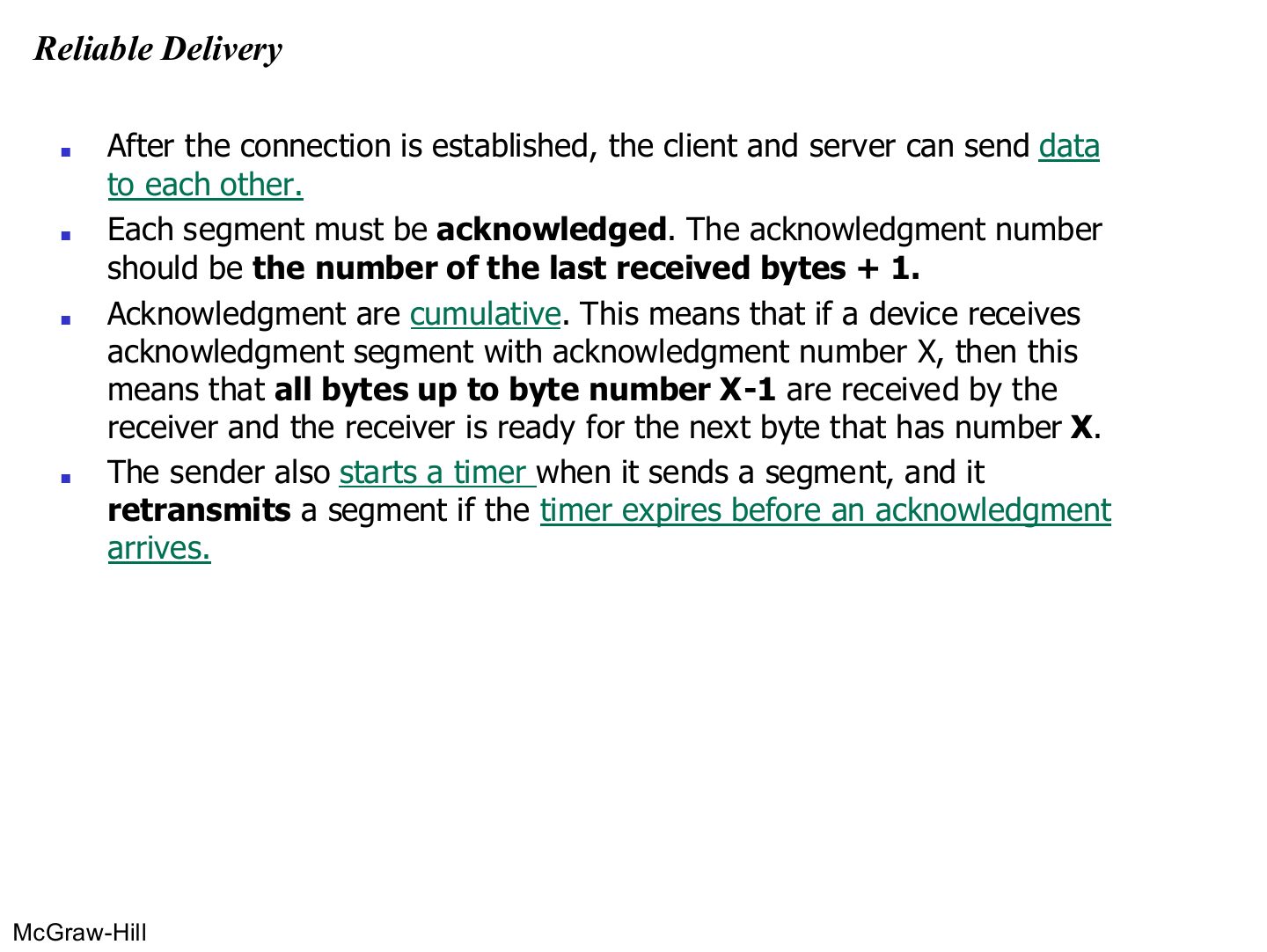
ACK number = next byte expected = last byte received + 1. ACKs are cumulative (all bytes up to X - 1).
A timer per segment: no ACK in time → retransmit.
Exam angle
A receiver got bytes up to 4,500. It sends ACK number:
An ACK number of X means bytes up to X - 1 were received.
Data transfer example (See Next Slide for explanation)
Notes
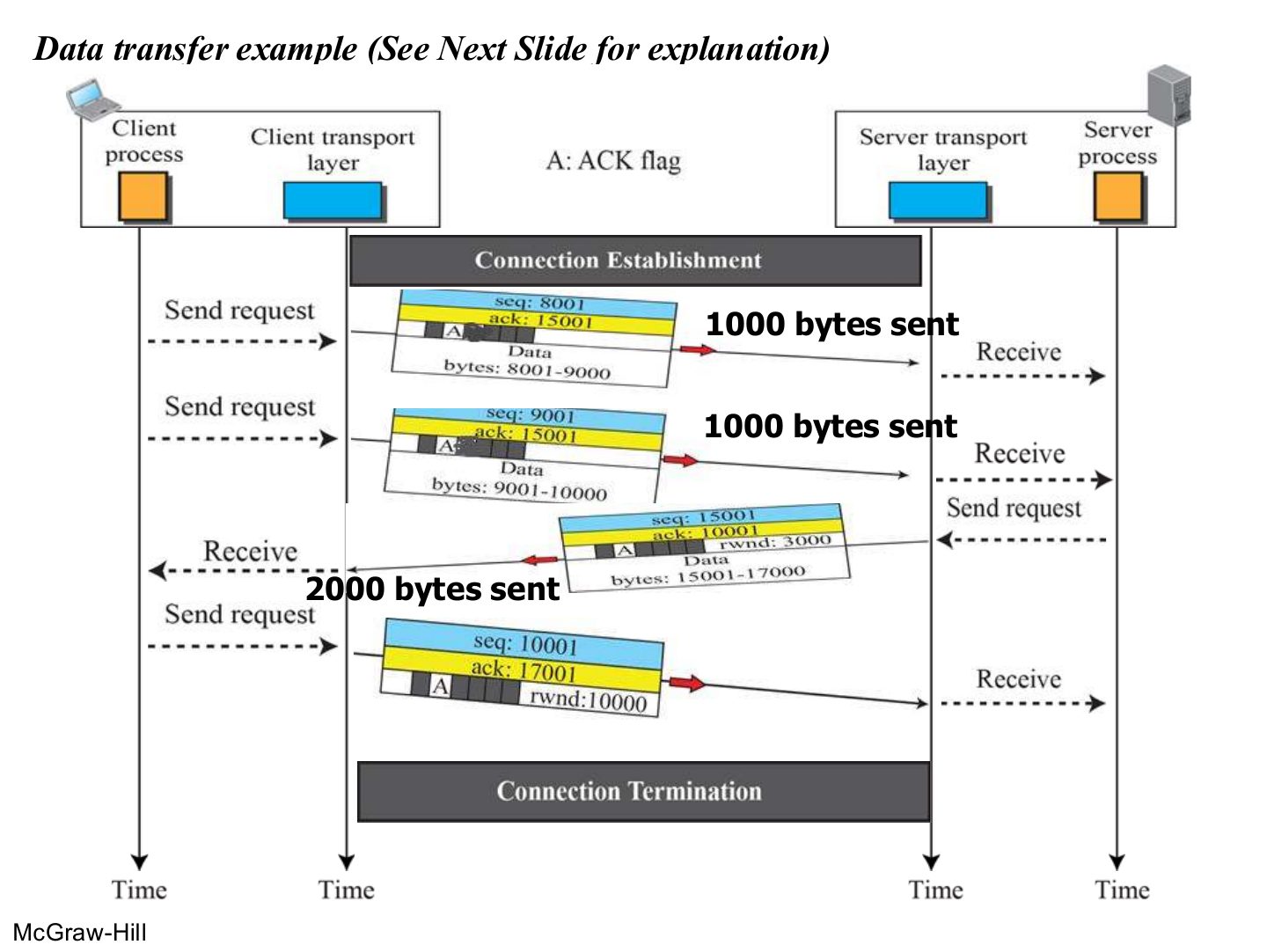
Explained on the next slide. ACKs piggyback on data segments.
Data transfer example
Exam angle
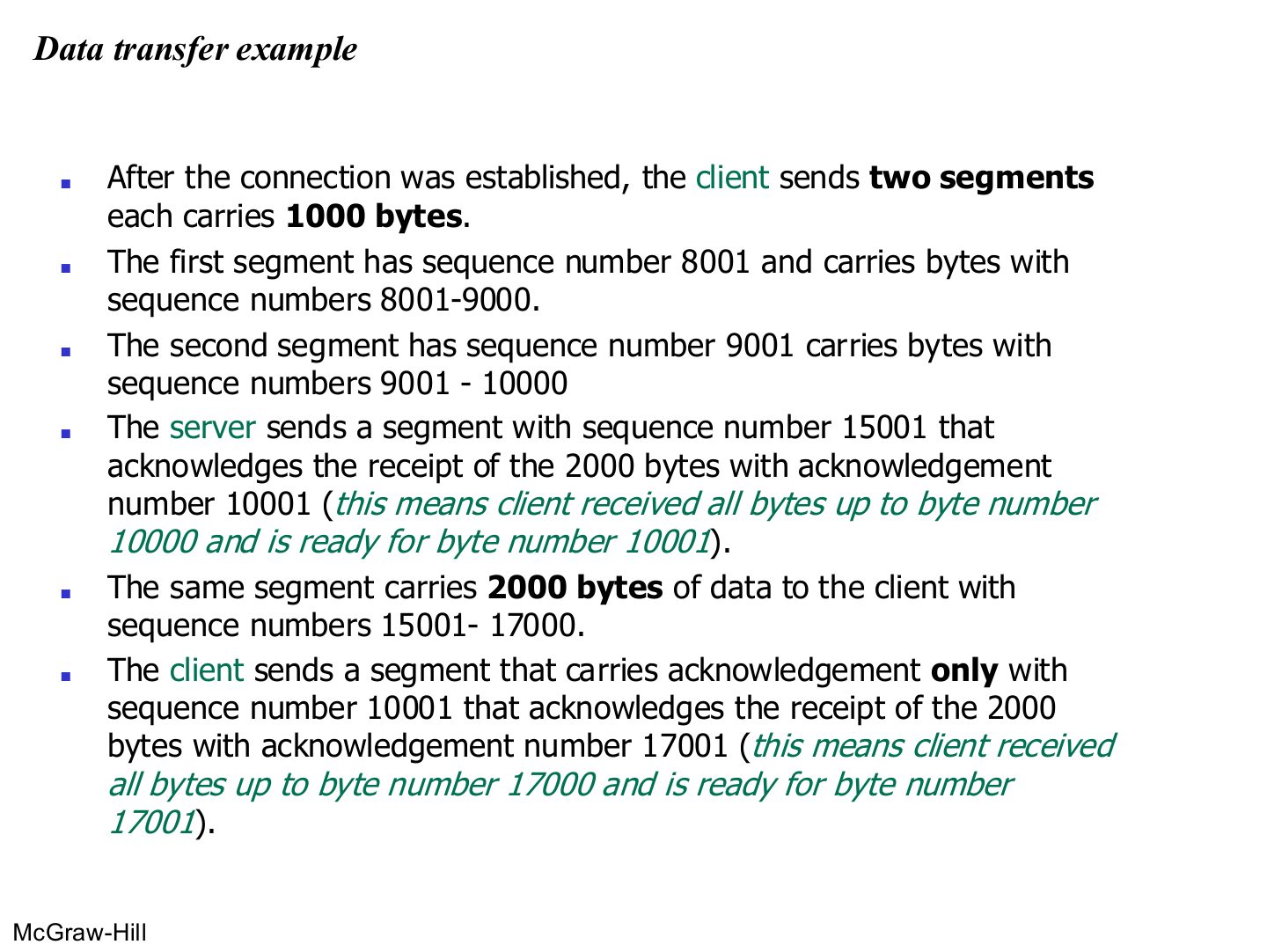
Client sends seq 8001 (1000 bytes) and seq 9001 (1000 bytes). The server replies with 2000 bytes starting at 15001. Give the server’s ACK number and the client’s final ACK number.
Compare with the model answer
The server acknowledges 10001 (it has bytes up to 10000). Its data covers 15001–17000, so the client acknowledges 17001.
Connection termination
Notes
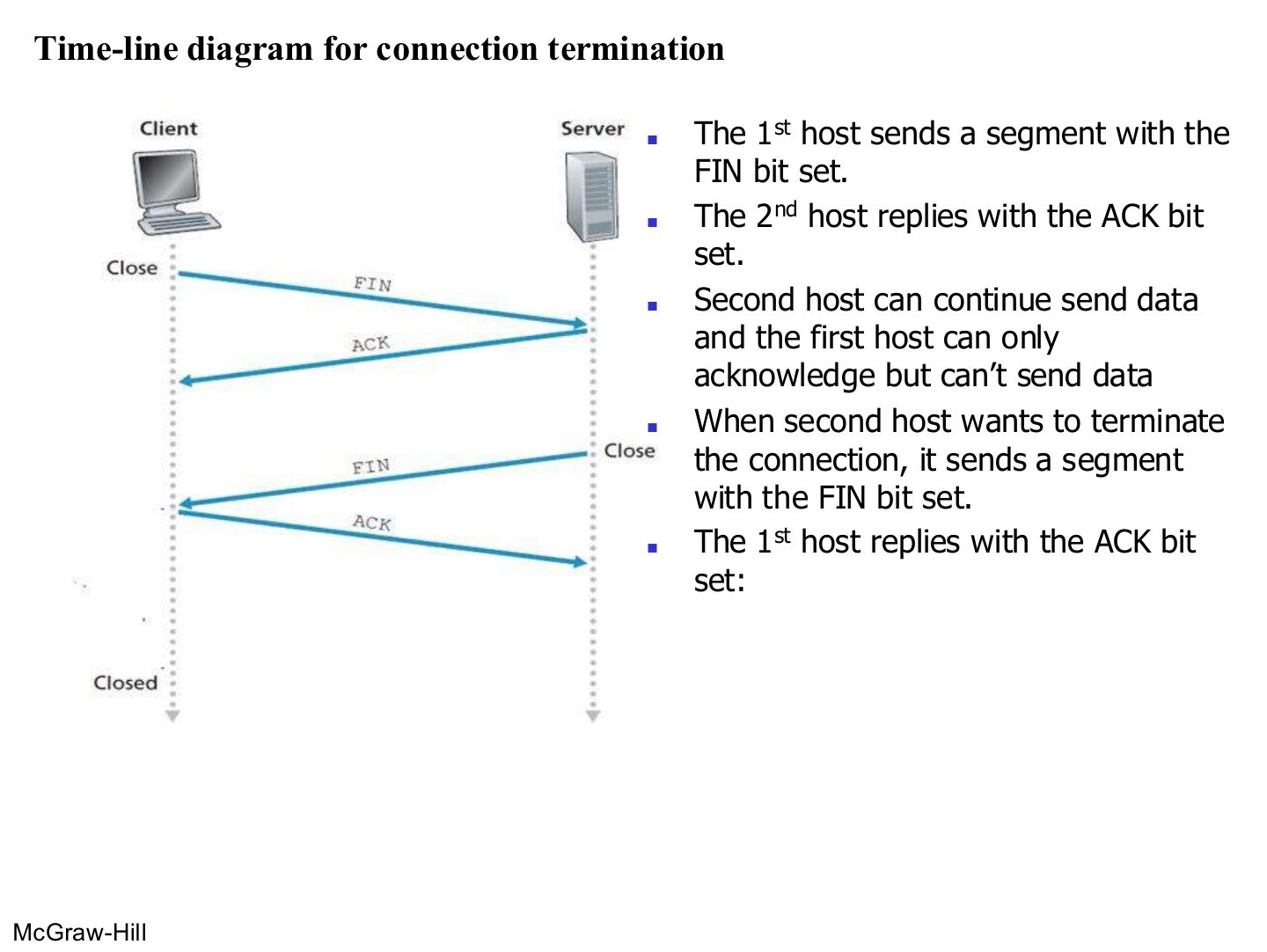
Termination: FIN → ACK, then (when the other side is done) FIN → ACK. Half-close in between.
Exam angle
After host 1 sends FIN and gets ACK, host 1 can:
Flow Control
Notes
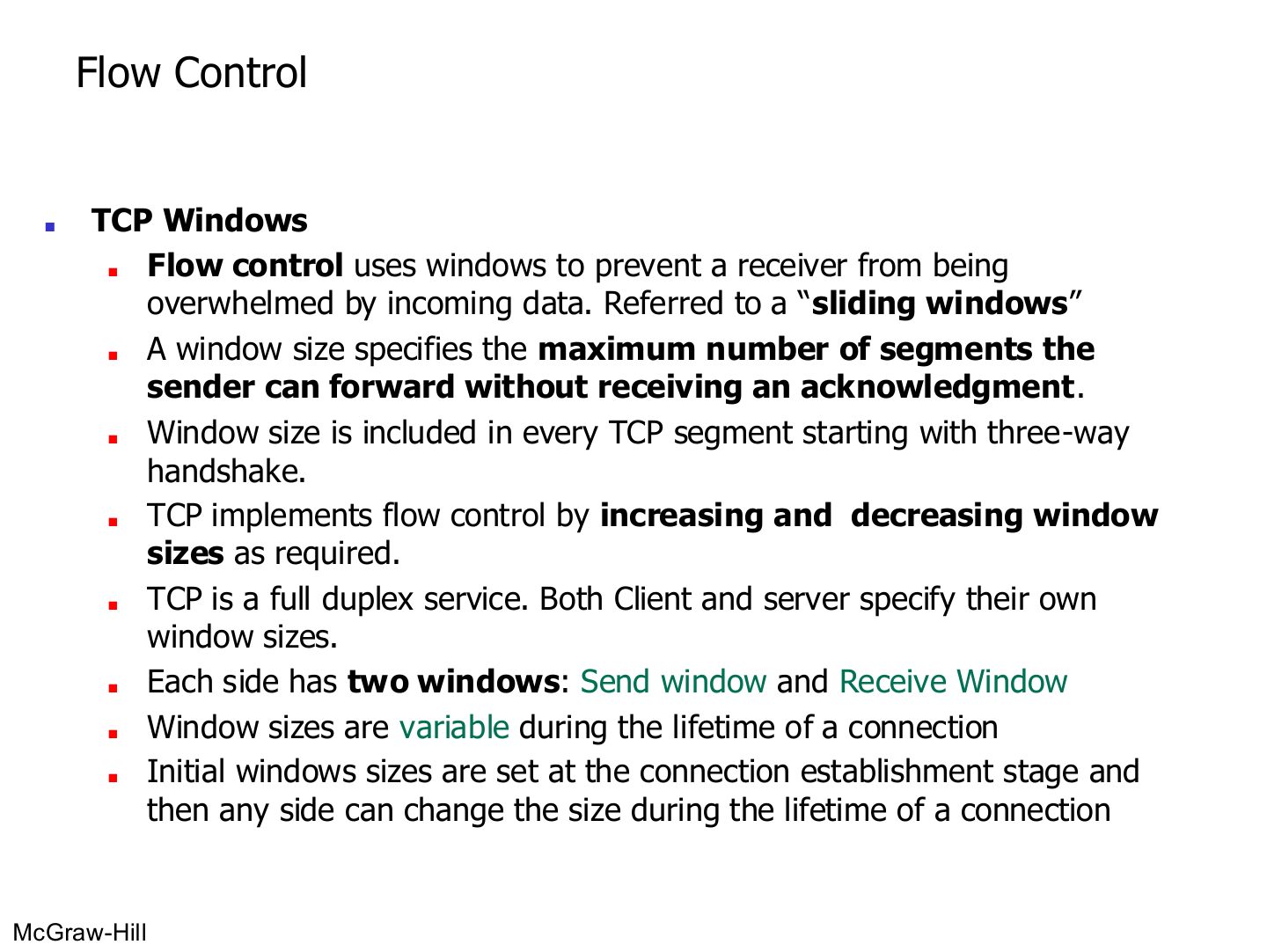
Window = how much the sender may send before it must wait for an ACK.
Exam angle
TCP flow control is done with:
TCP windows (initial window sizes)
Notes
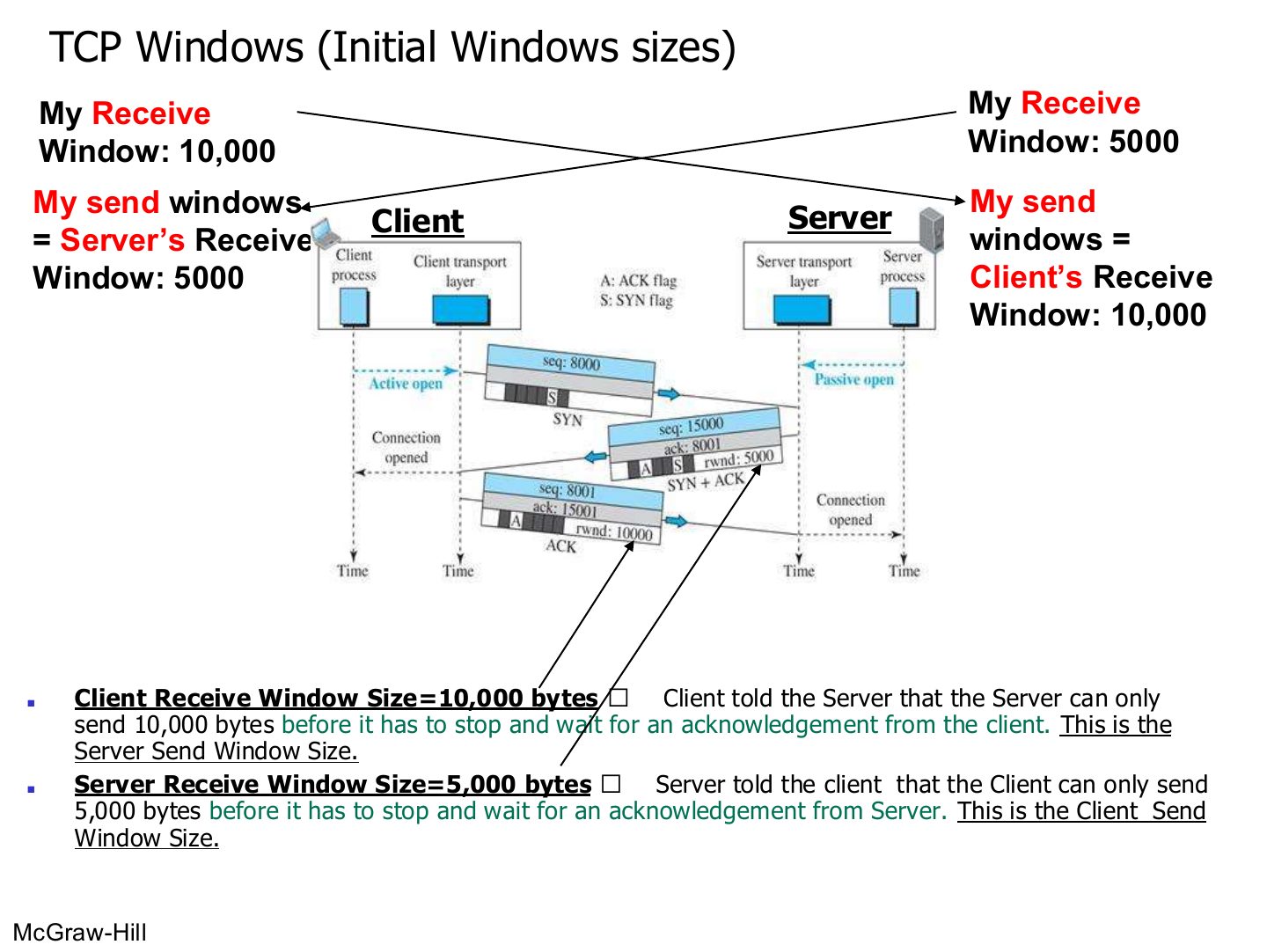
Memory trick You can only send as much as the other side can receive.
Exam angle
The server advertises a receive window of 5,000 bytes. The client’s send window is:
TCP Applications
Notes
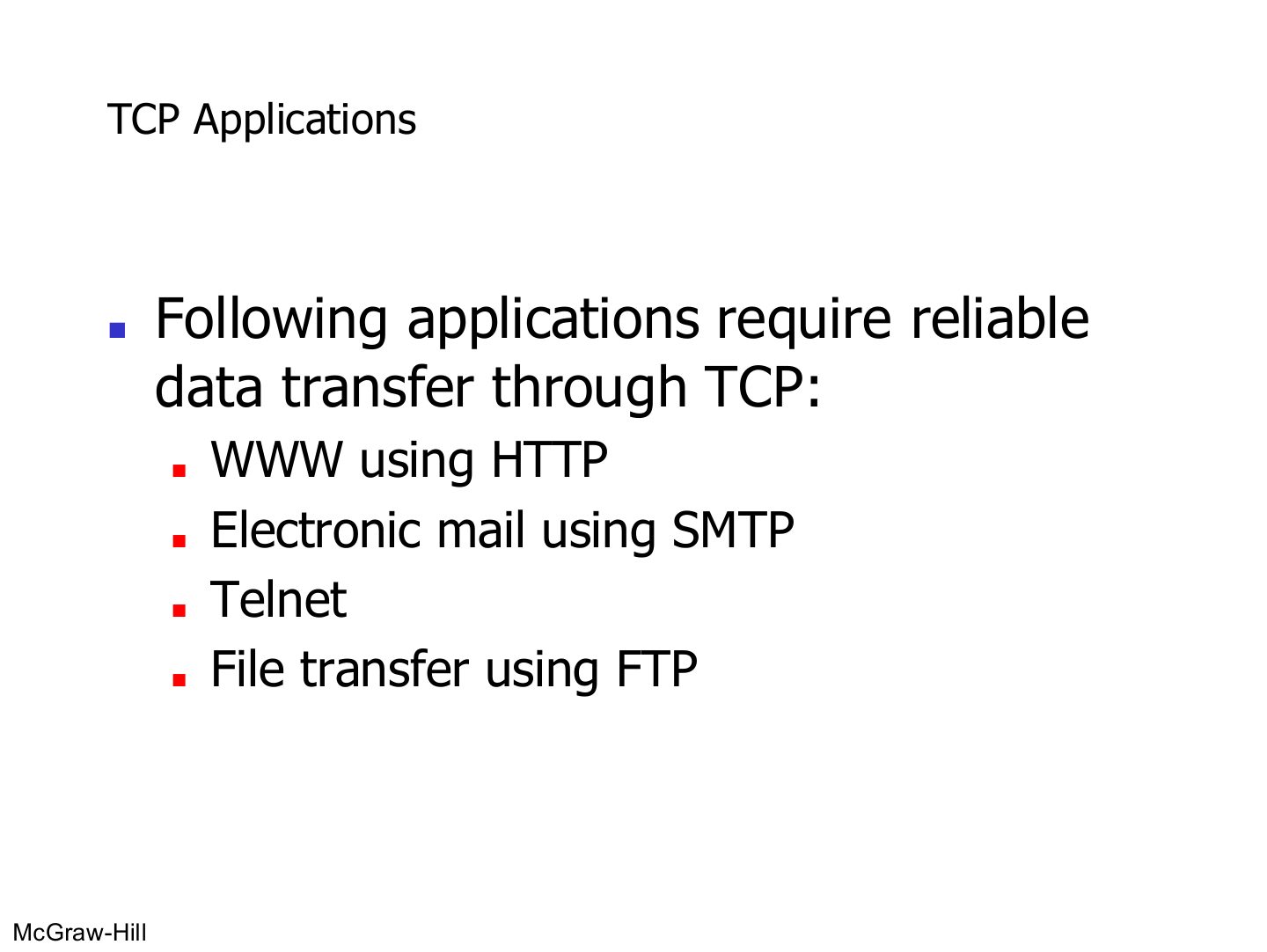
TCP for anything that must arrive complete: web (HTTP), email (SMTP), Telnet, file transfer (FTP).
Exam angle
Which application needs TCP?
User Datagram Protocol (UDP)
Notes
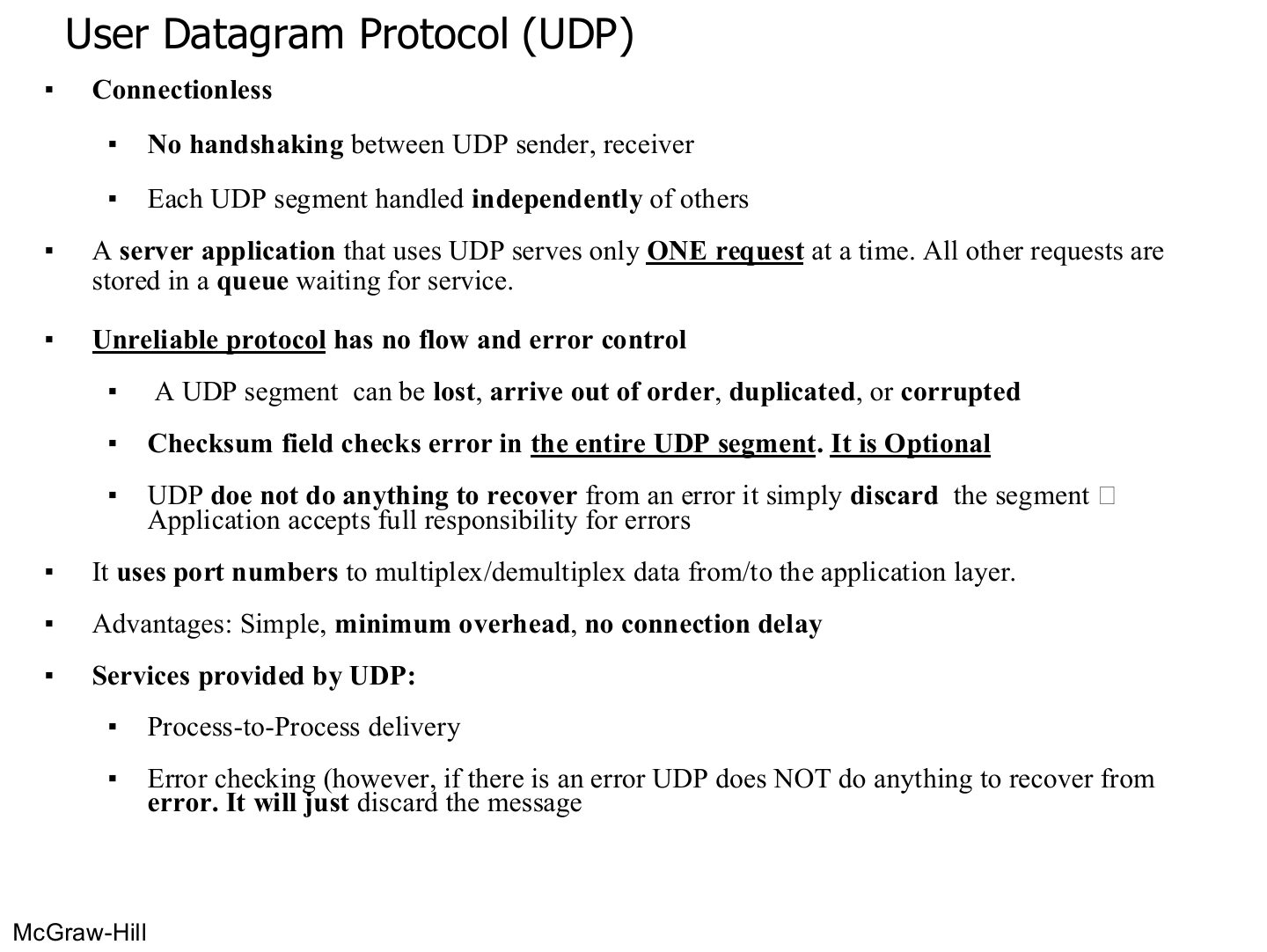
Benefits: simple, small header, no setup delay.
Exam angle
When UDP detects an error with its checksum, it asks the sender to retransmit.
- It simply discards the segment.
The UDP checksum is:
UDP Applications
Notes
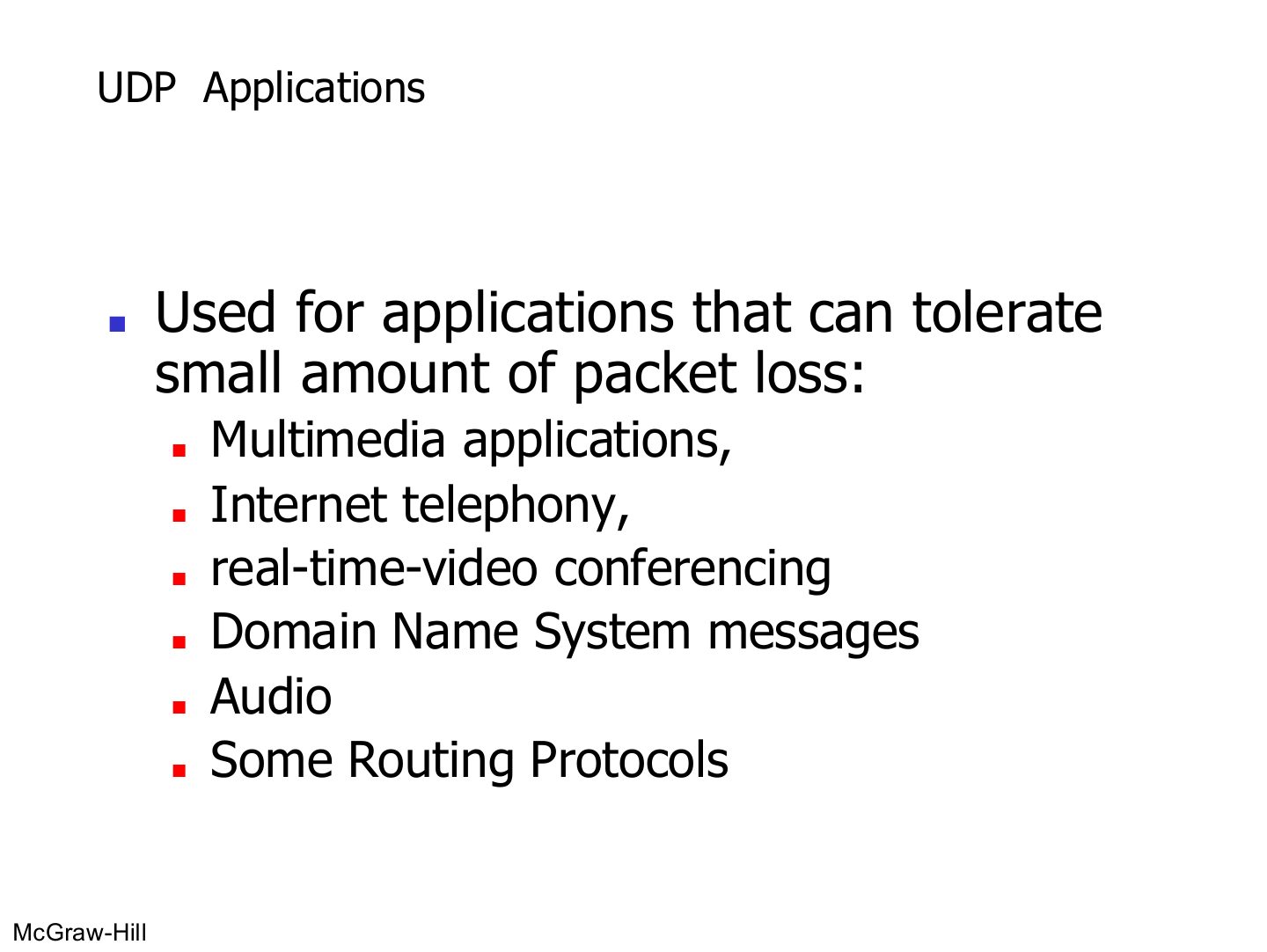
UDP for apps that tolerate a little loss and need speed: multimedia, internet telephony, video conferencing, DNS, audio, some routing protocols.
UDP is suitable for applications that makes one request
Notes
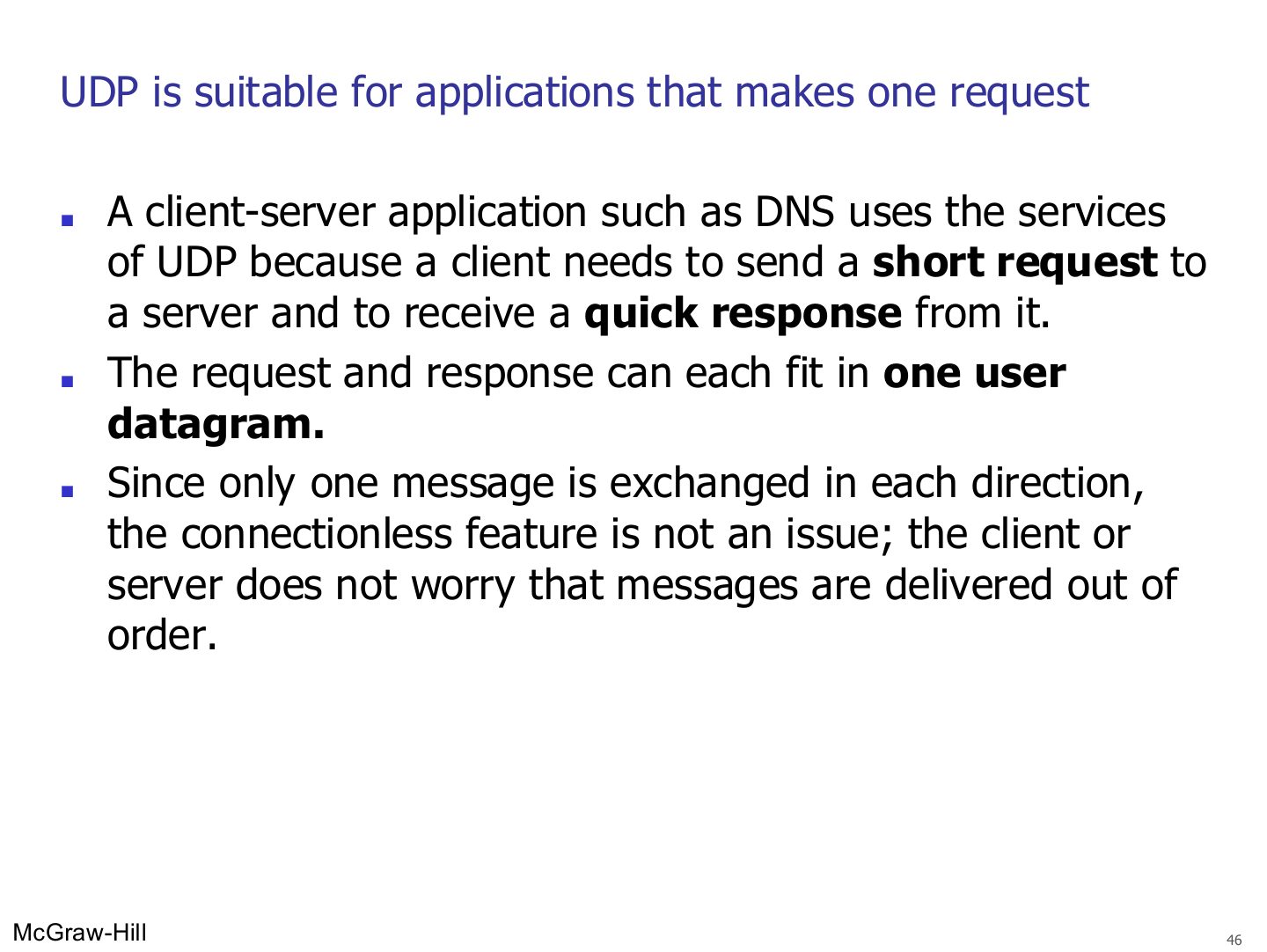
One short request + one short reply (DNS) → UDP is perfect: nothing to reorder.
Exam angle
Why does DNS use UDP?
UDP is NOT suitable for applications that do not tolerate loss or errors or out of order arrival
Notes
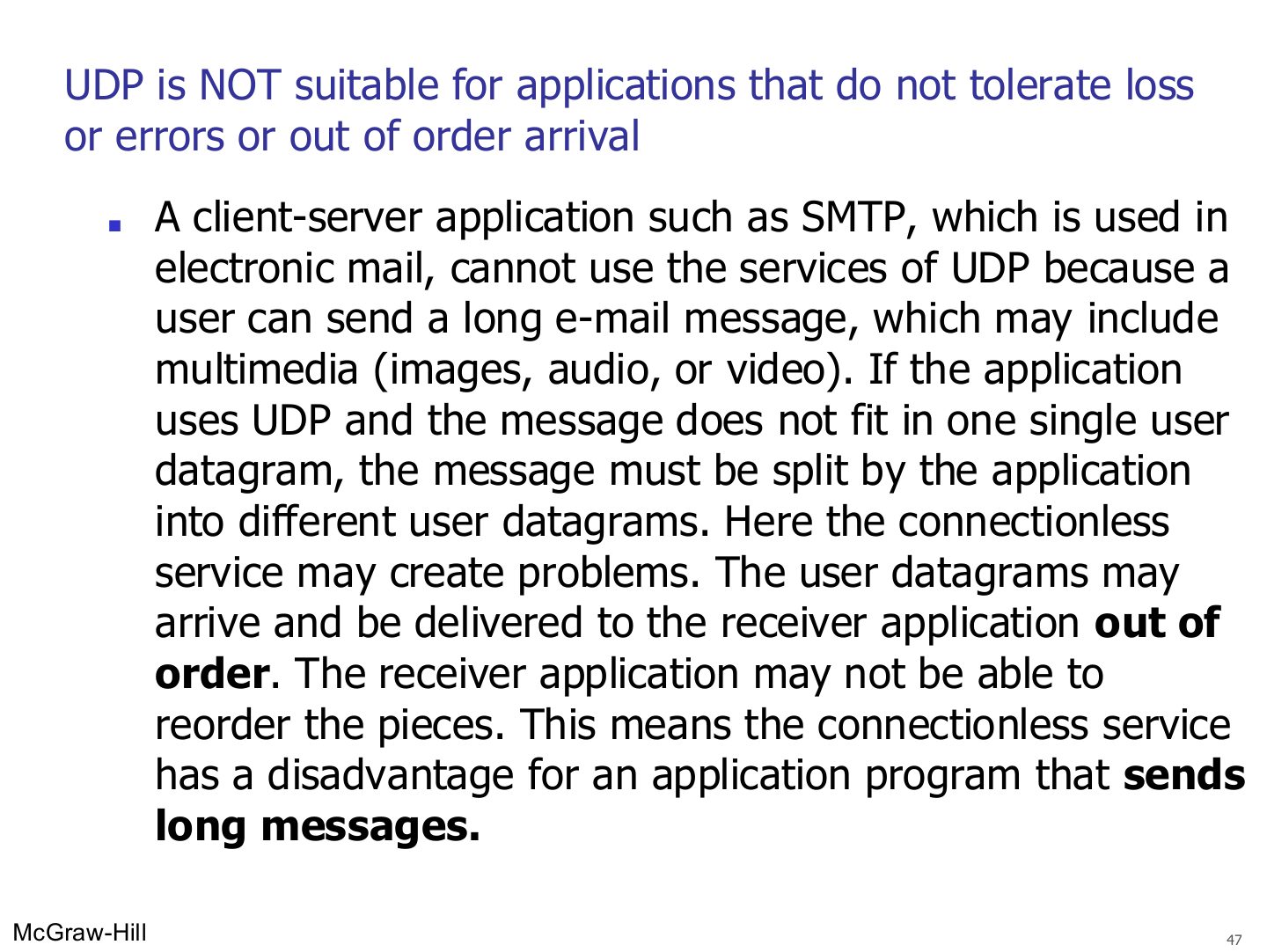
Long messages (SMTP with attachments) split over many datagrams can arrive out of order → UDP is a bad fit.
UDP is NOT suitable for applications that do not tolerate loss or errors out of order arrival
Notes
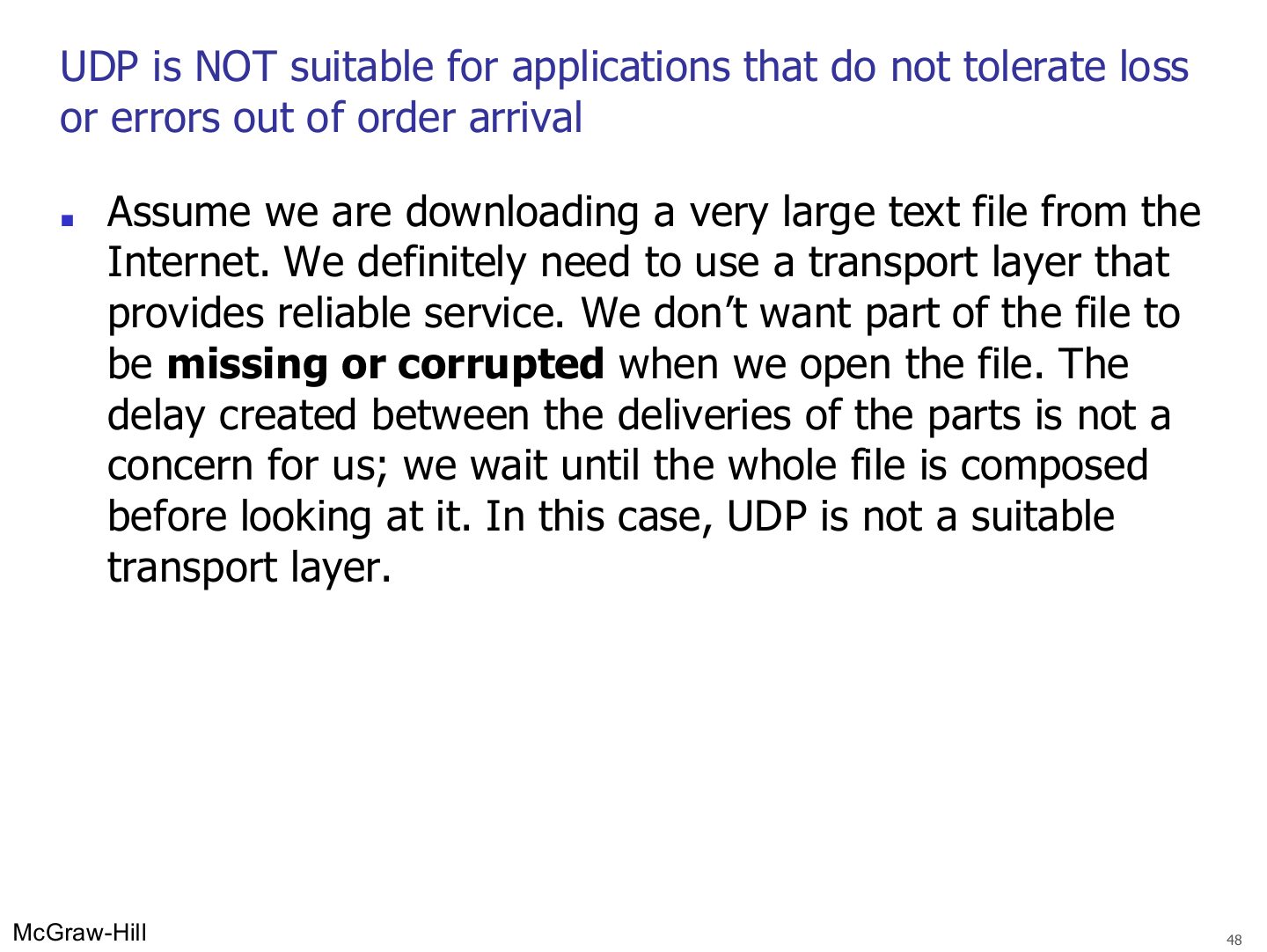
Big file download: completeness matters more than delay → TCP.
Exam angle
You are downloading a very large text file. TCP or UDP? Why?
Compare with the model answer
TCP. No part of the file may be missing or corrupted, and the delay between parts doesn’t matter because the file is opened only when complete. UDP gives no reliability or ordering.
UDP is suitable for real time applications
Notes
Real-time (Skype): resending late frames is worse than skipping them → UDP.
Exam angle
A video call app must choose between TCP and UDP. Which, and why?
Compare with the model answer
UDP. Audio and video are sent as a stream of small frames; waiting for a retransmission would break the timing and freeze the call. With UDP a lost or corrupted frame is just skipped, and the brief gap is barely noticed.
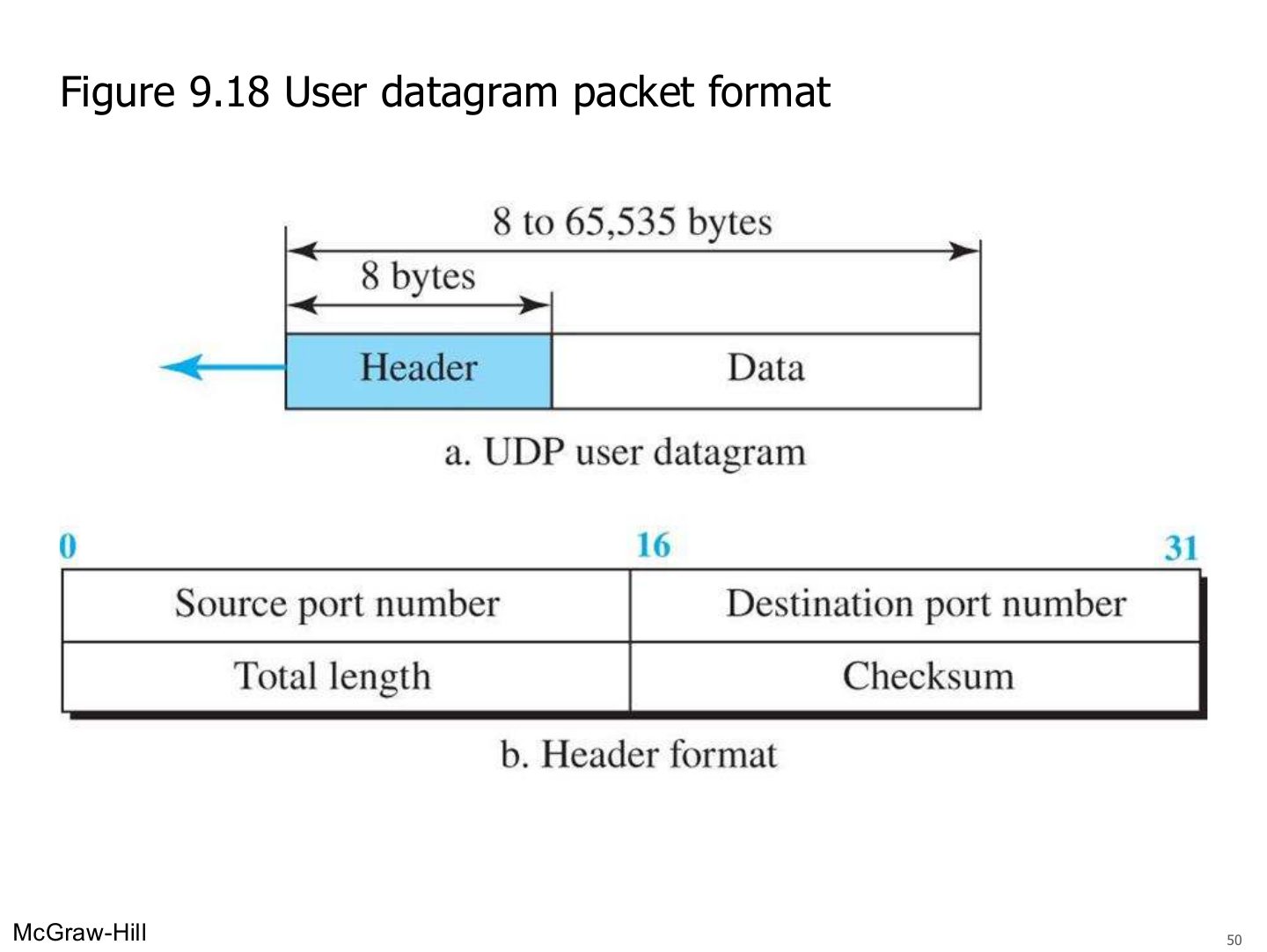
User datagram packet format (Figure 9.18)
Exam angle
The UDP header length is: