CS331 · Chapter 7 · Annotated SlidesNetwork Layer: Data Transfer
Original
Overview

Network Layer: Data Transfer

Network-layer duties, virtual-circuit vs. datagram switching, IPv4 addresses (notation, classes, network/host/broadcast addresses), masks and subnetting, DHCP, ARP, the IPv4 header and fragmentation, and NAT. The subnetting slides have empty practice tables in the PDF; the answers are worked out here in the notes and questions.

How to read this page

Every original slide is shown unchanged. Yellow marks on a slide point to a numbered note: hover or tap a mark to jump to its note, and hover a note to see its marks. Questions tagged Past exam appeared on a real paper; Prediction questions are likely angles, not confirmed. Pick an answer to each question: a wrong pick tells you why it is wrong, so you can try again.
All 88 slides
  1. 1 Network Layer: Data Transfer
  2. 2 Chapter 7: Outline
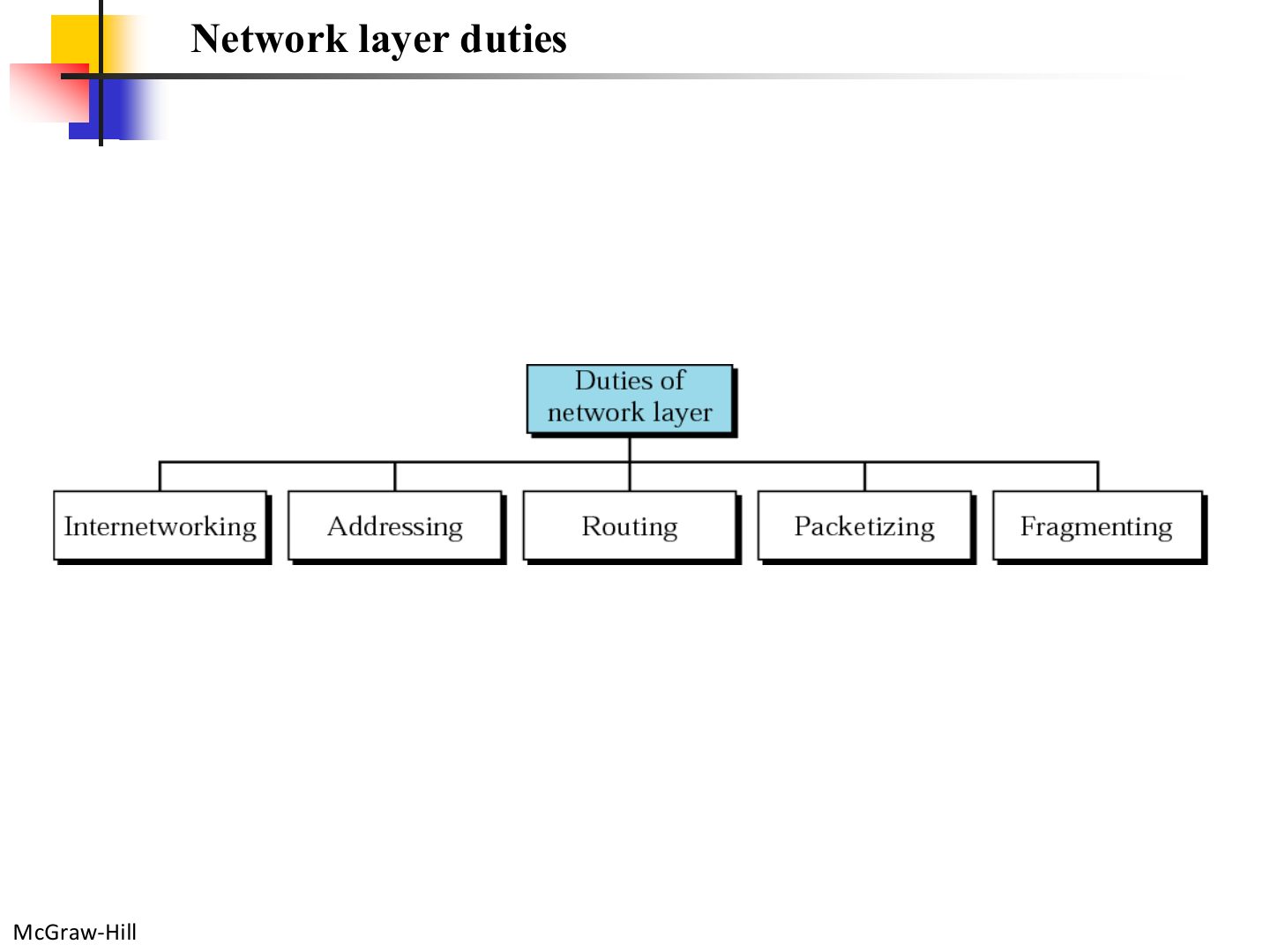
  3. 3 Network layer duties
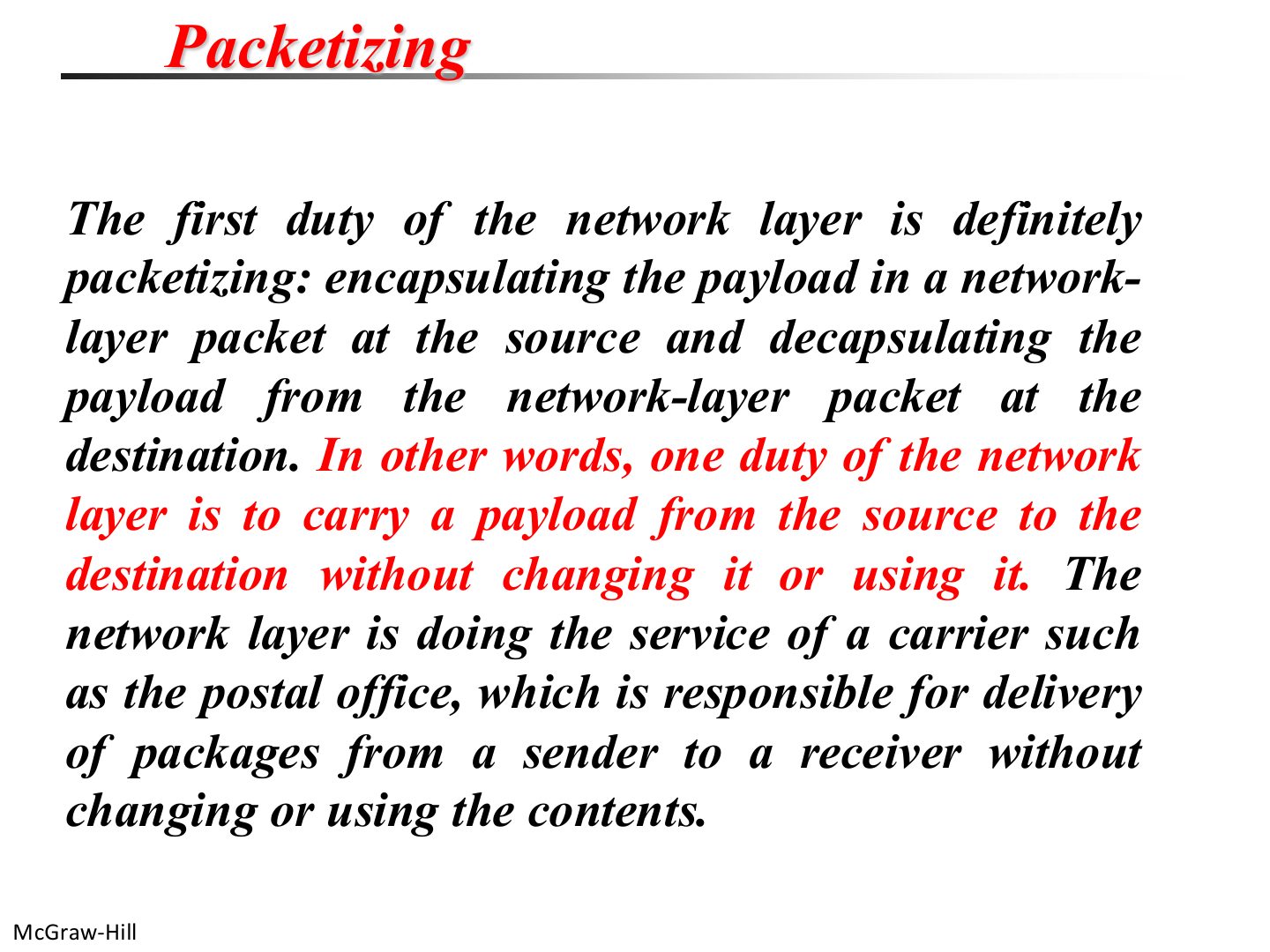
  4. 4 Packetizing
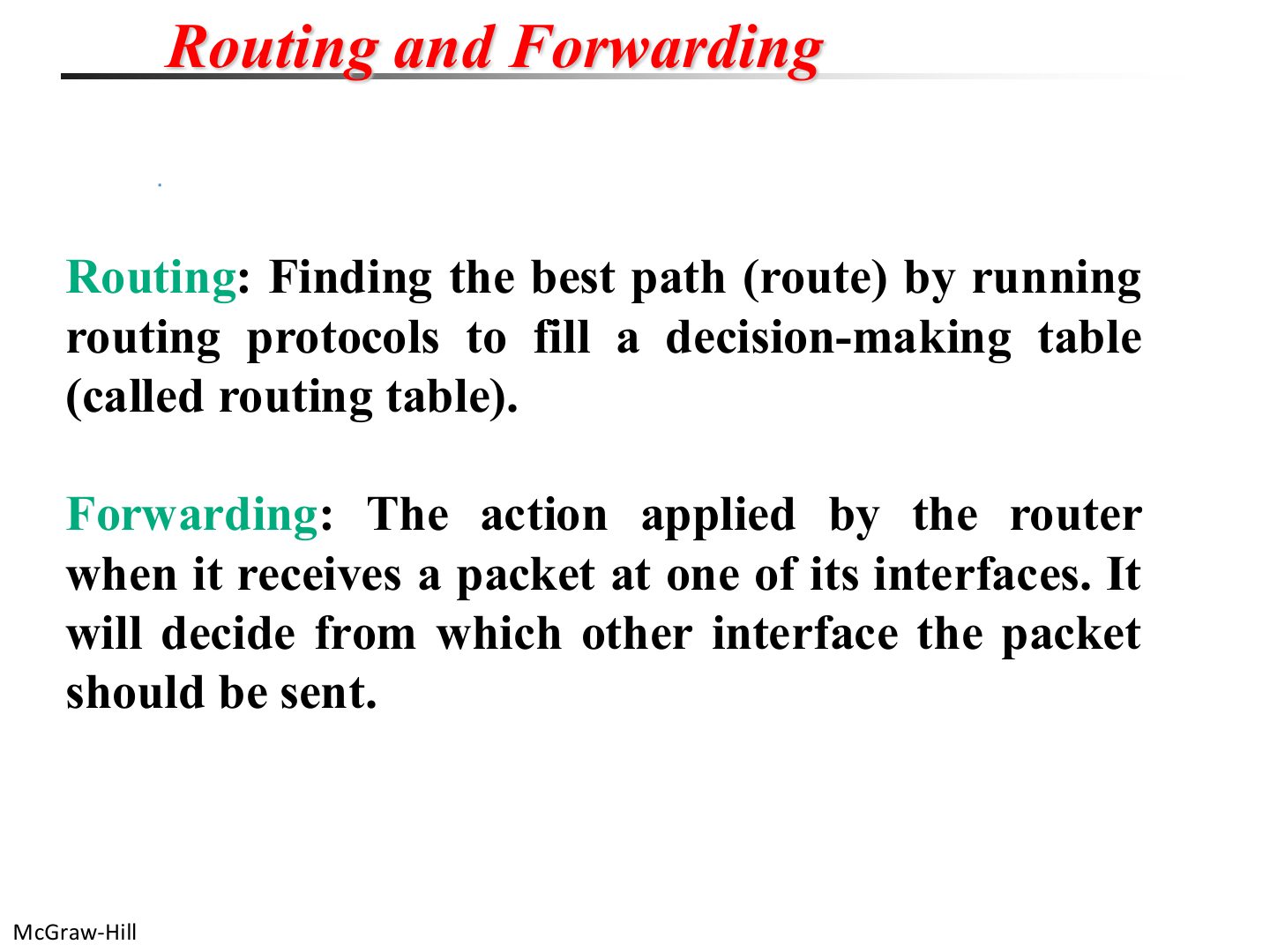
  5. 5 Routing and forwarding
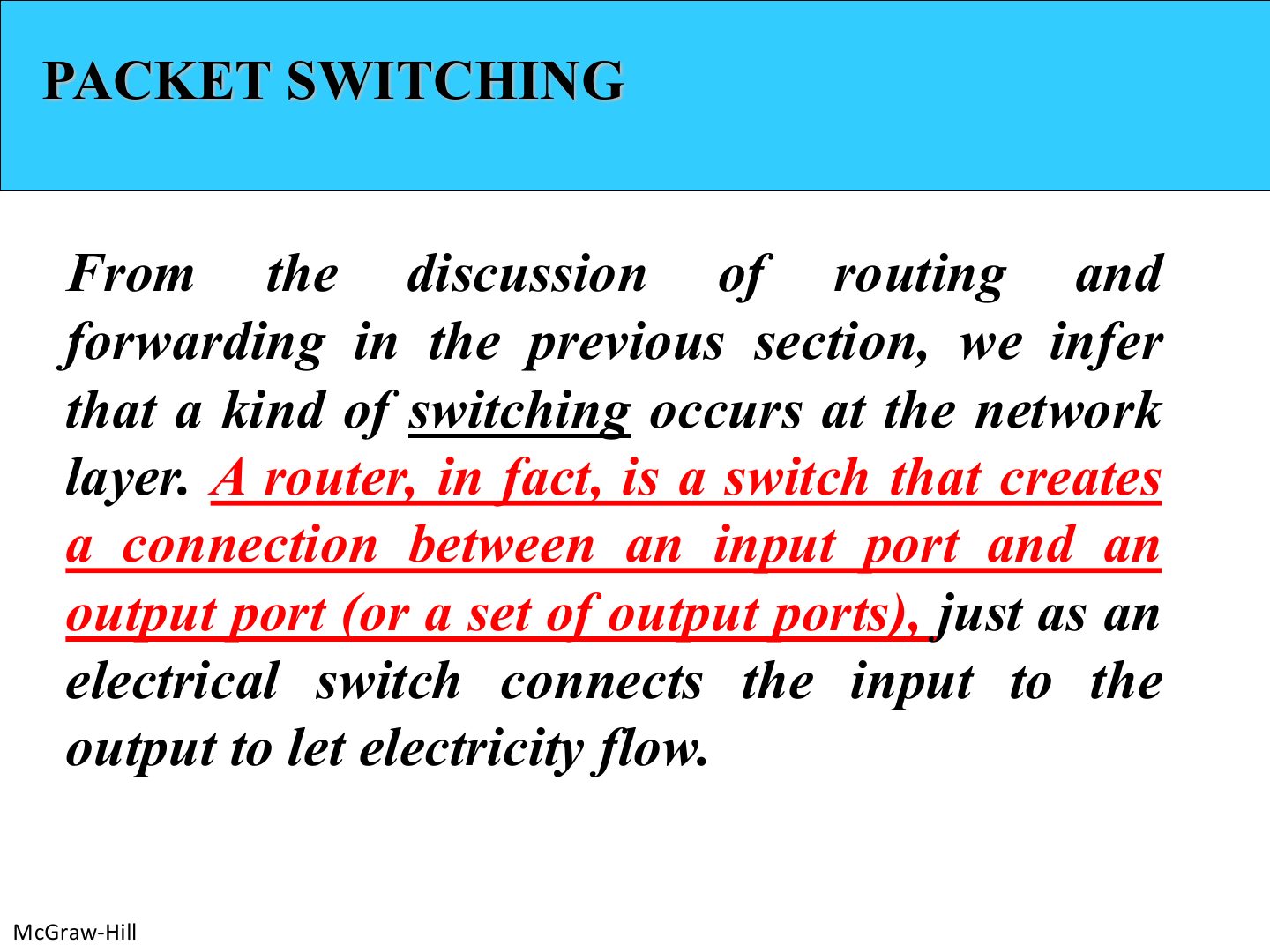
  6. 6 Packet switching
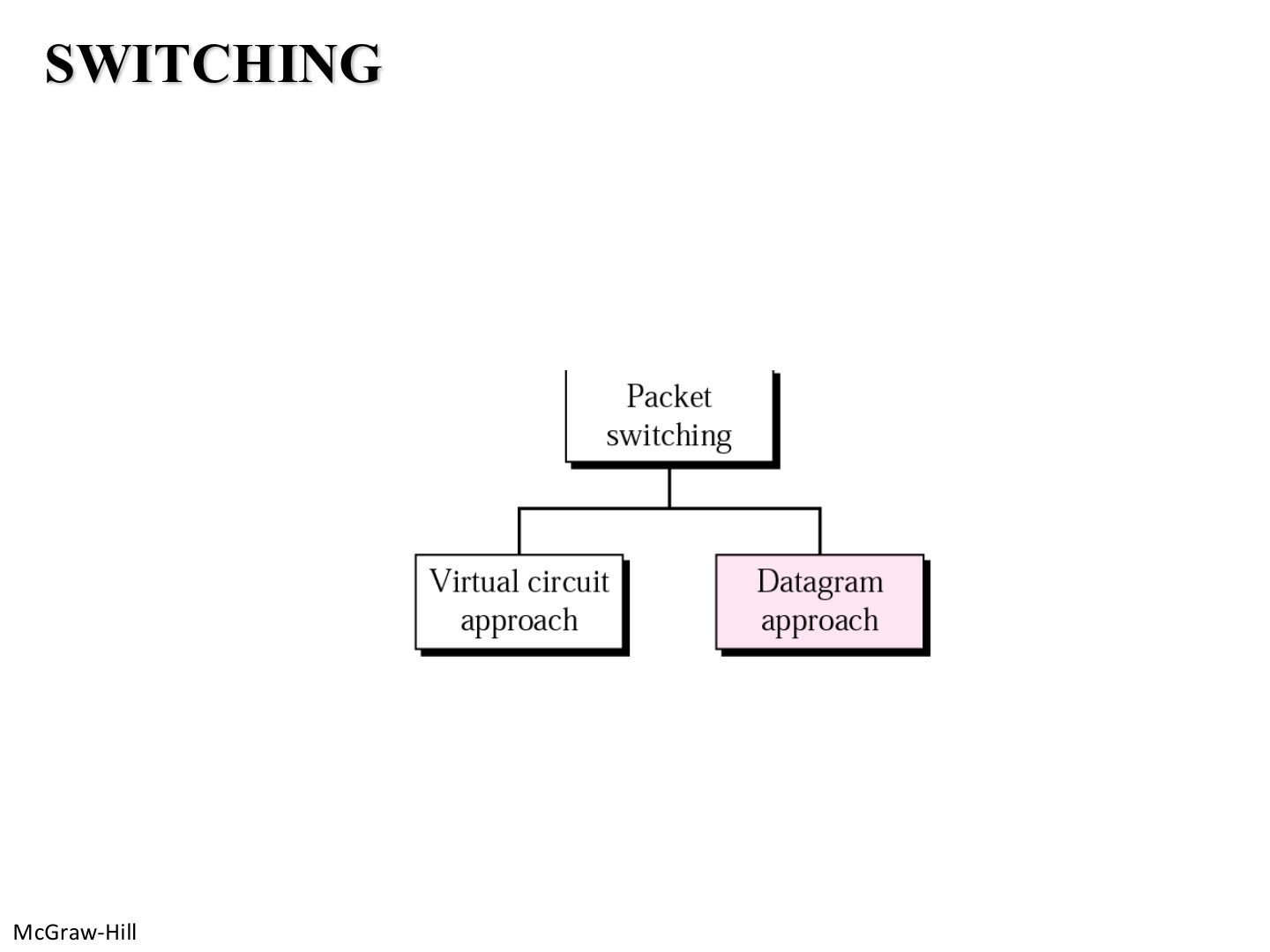
  7. 7 Switching
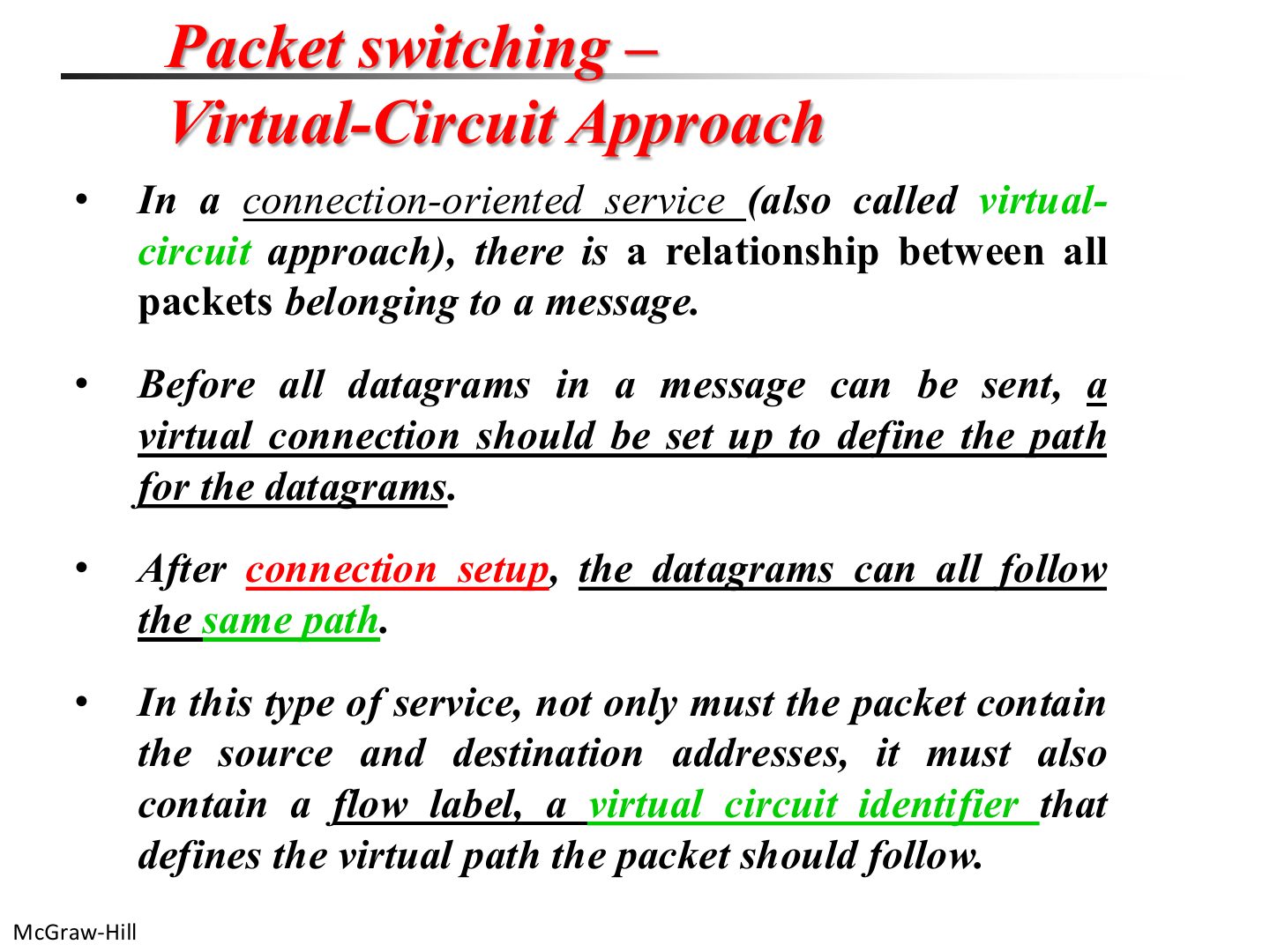
  8. 8 Packet switching: virtual-circuit approach
  9. 9 Virtual-circuit setup
  10. 10 A virtual-circuit packet-switched network
  11. 11 Flow of one packet in an established virtual circuit
  12. 12 Delay in a circuit-switched network
  13. 13 Packet switching: datagram approach
  14. 14 Note: the Internet is connectionless
  15. 15 A connectionless packet-switched network
  16. 16 Delay in a datagram network
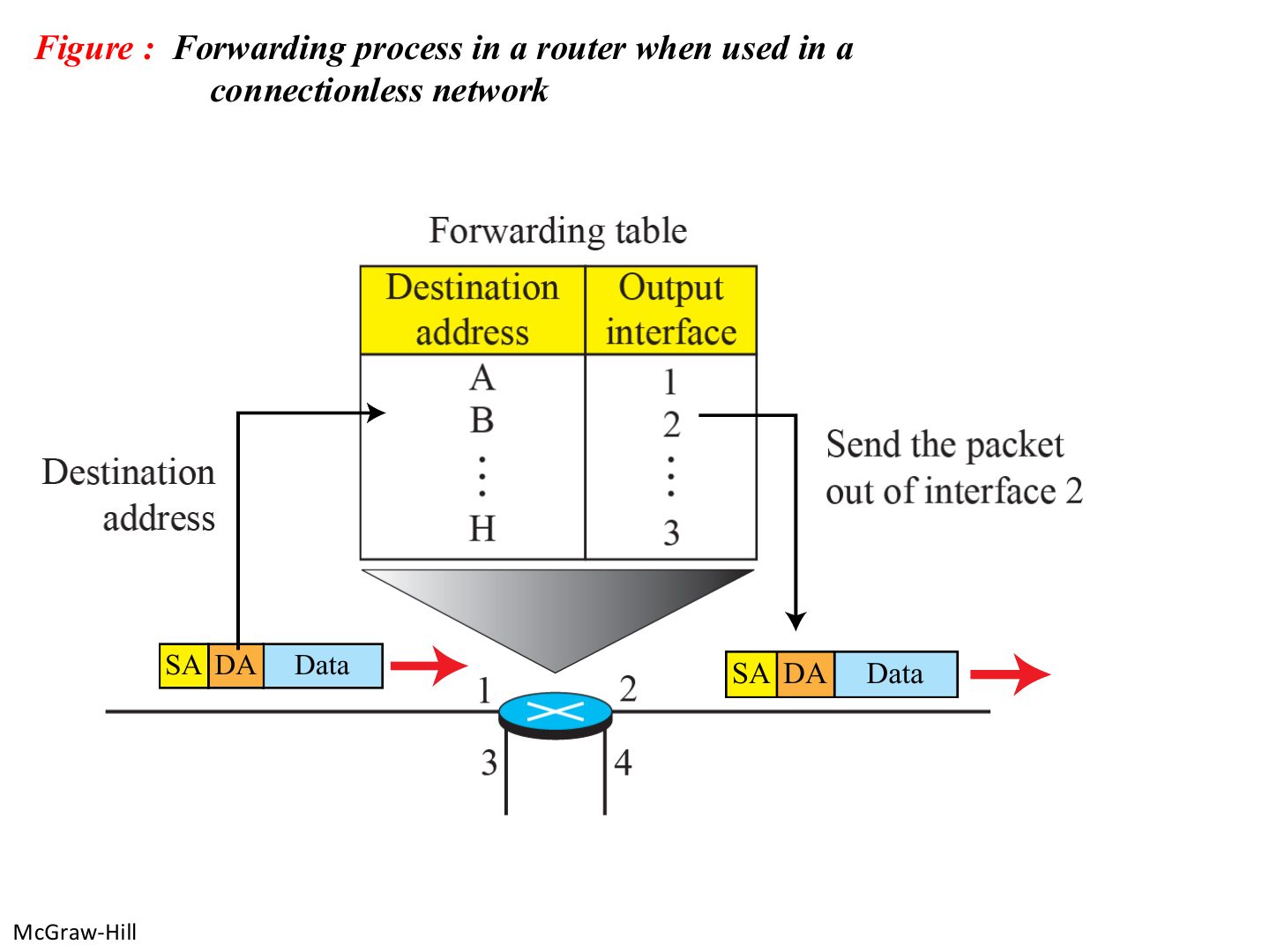
  17. 17 Forwarding in a connectionless router
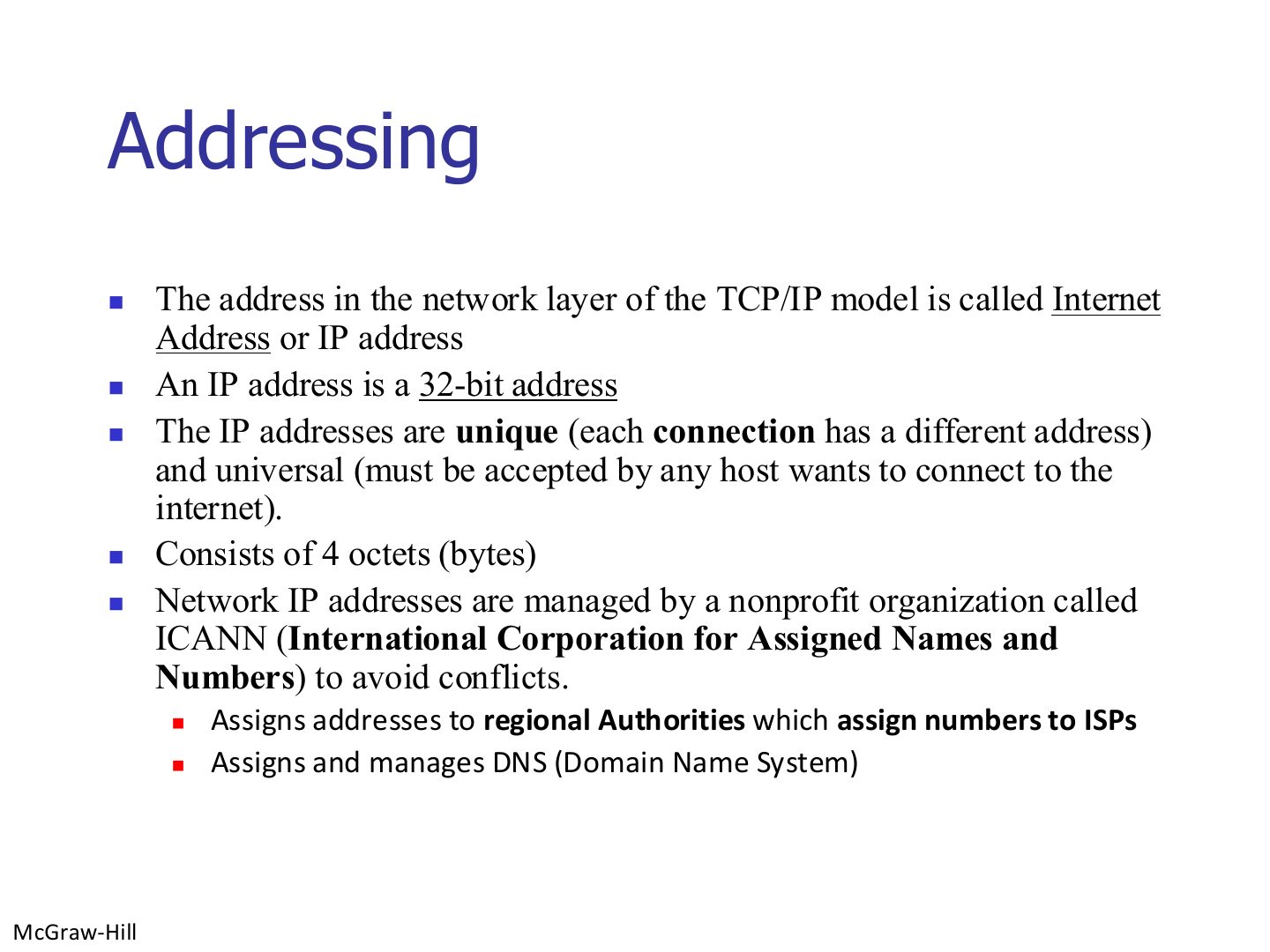
  18. 18 Addressing
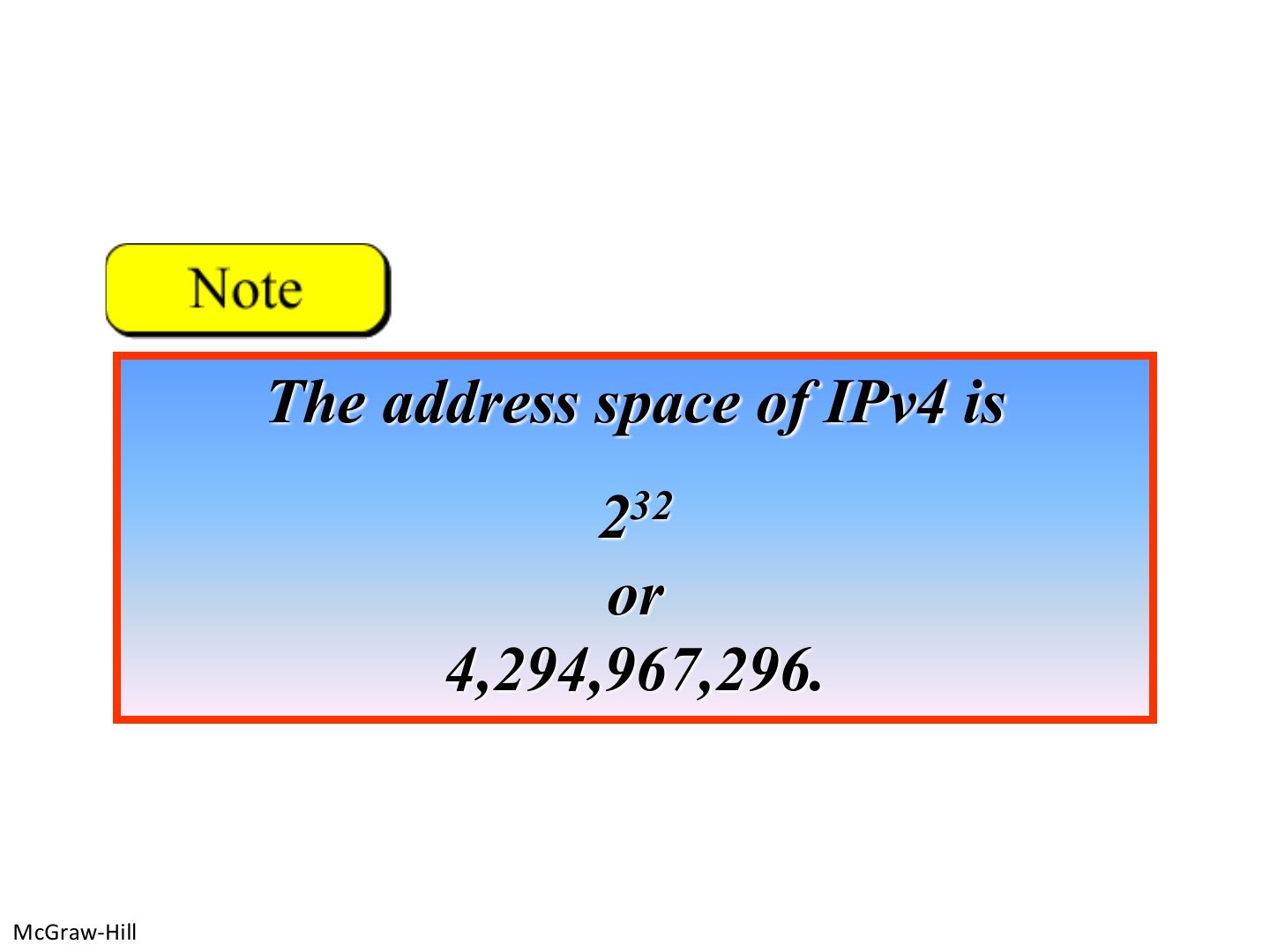
  19. 19 Note: the IPv4 address space
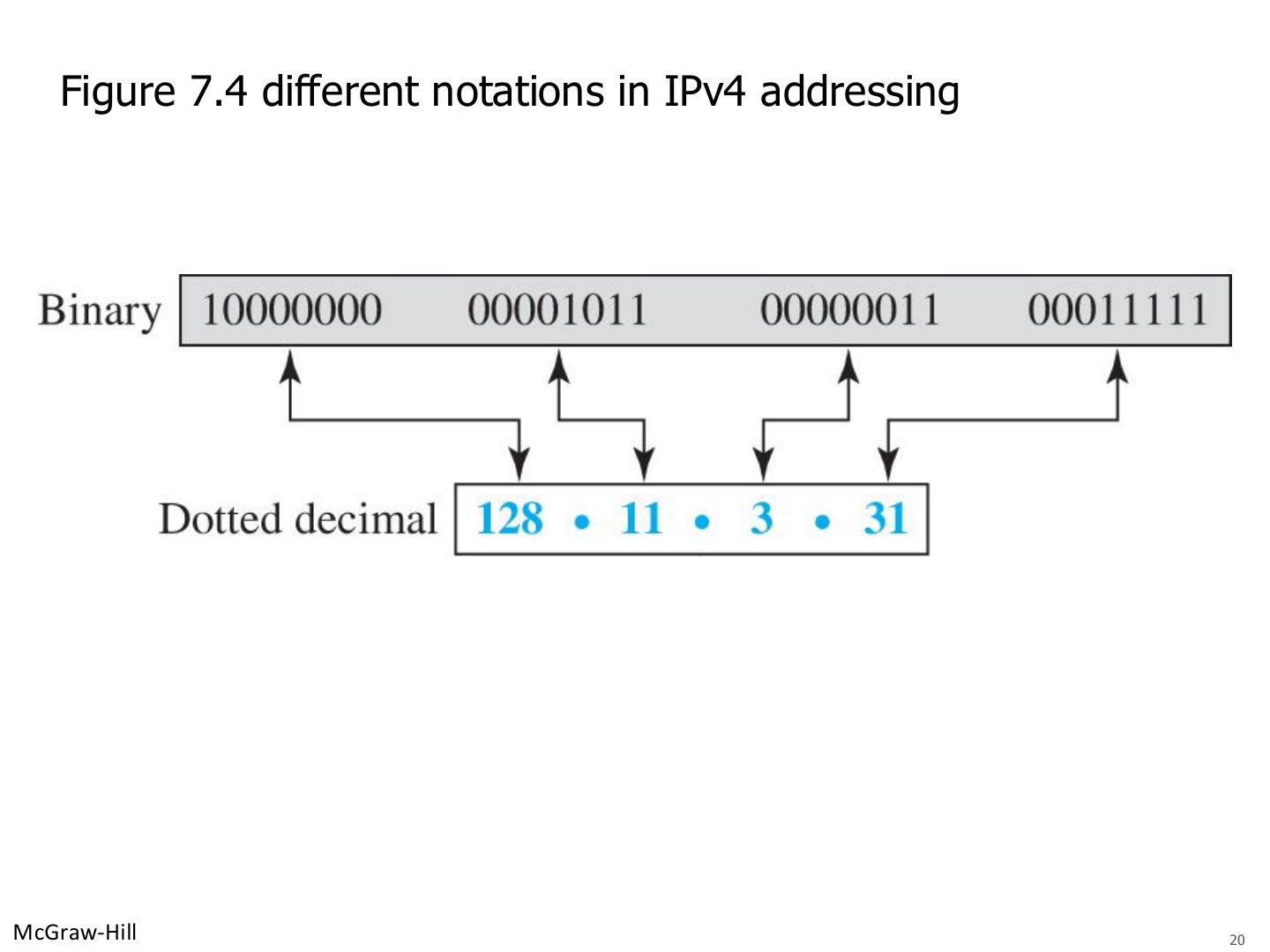
  20. 20 Different notations in IPv4 addressing
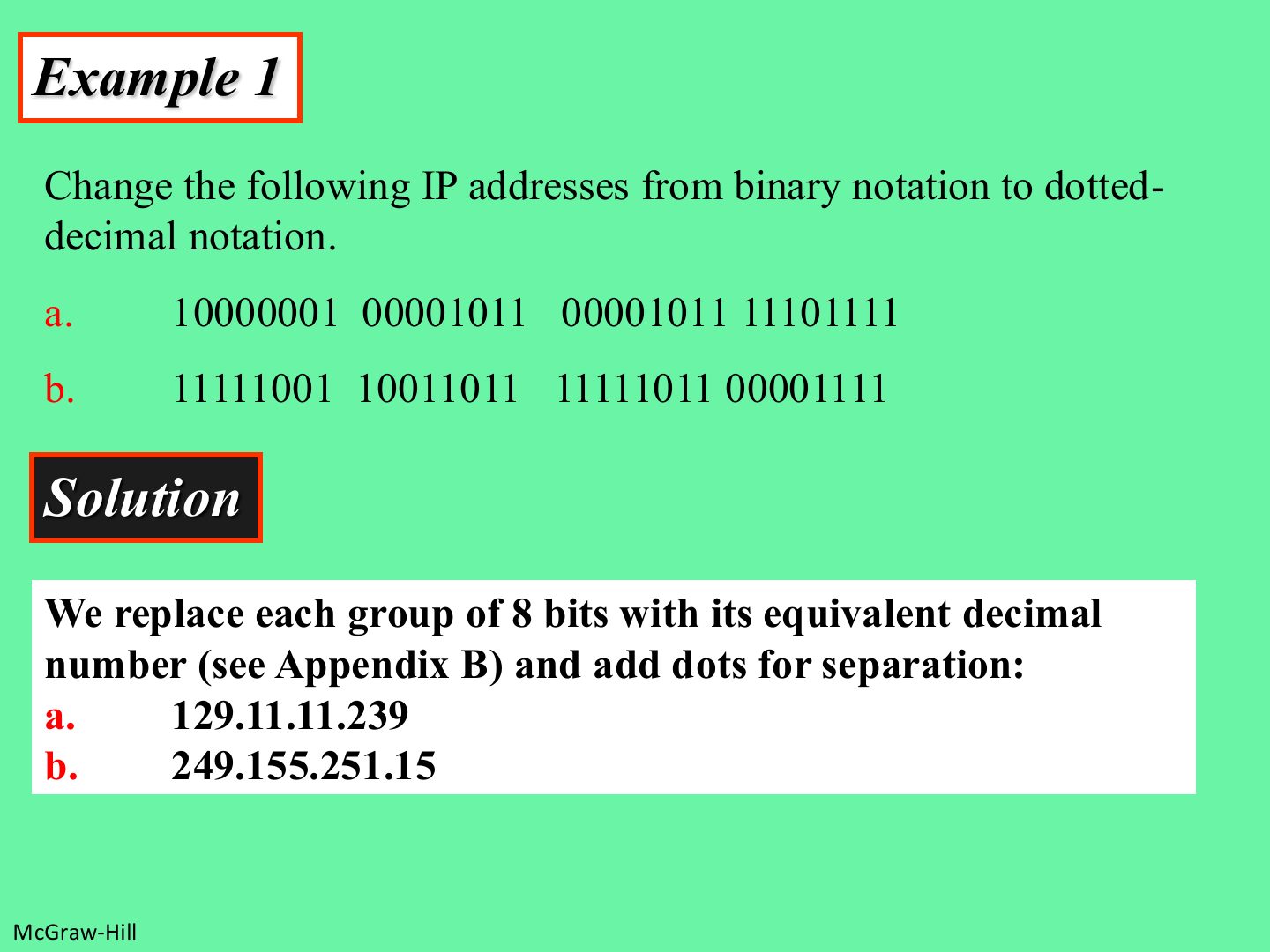
  21. 21 Example 1: binary to dotted-decimal
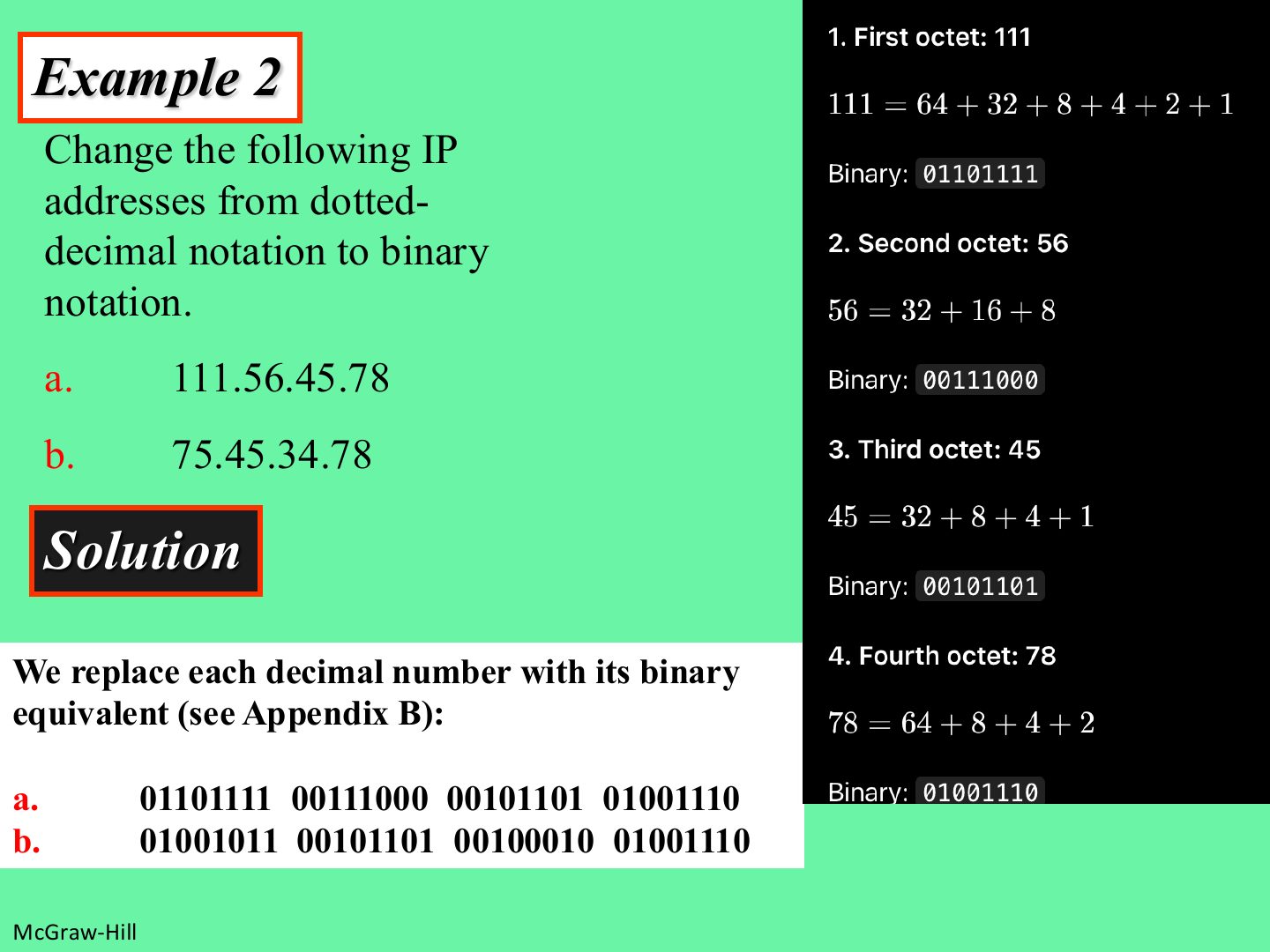
  22. 22 Example 2: dotted-decimal to binary
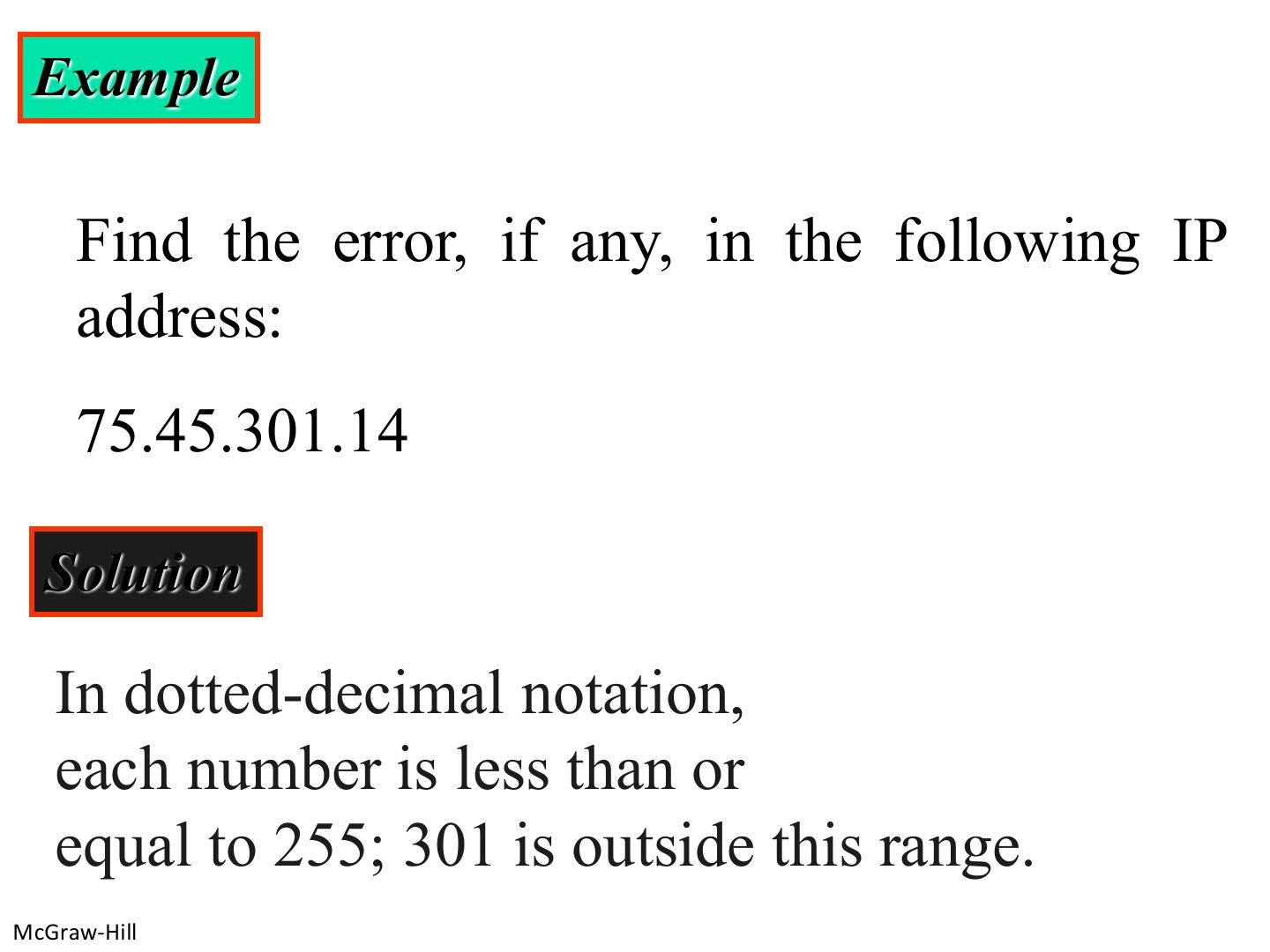
  23. 23 Example: find the error
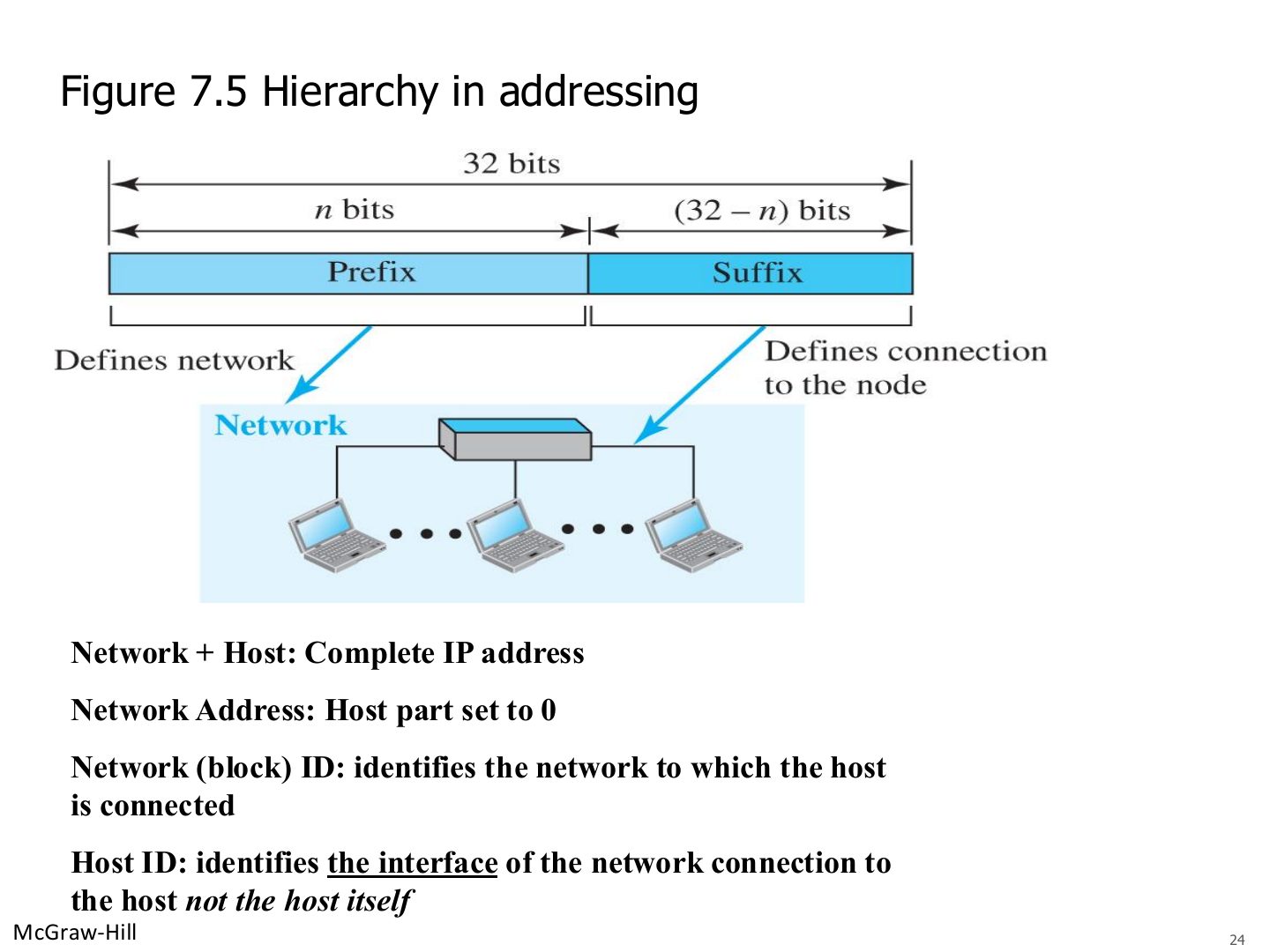
  24. 24 Hierarchy in addressing
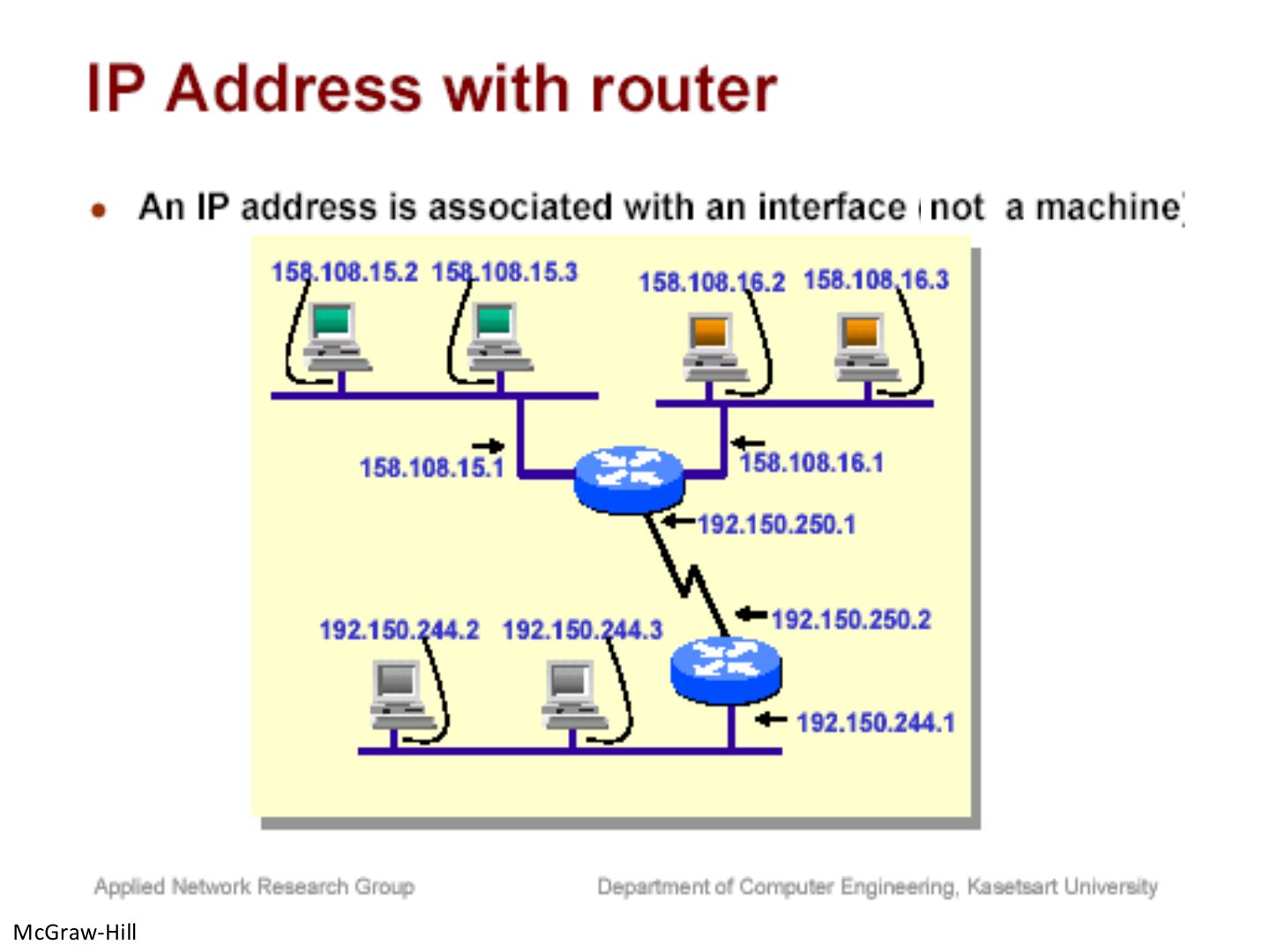
  25. 25 IP address with a router
  26. 26 Note: five classes
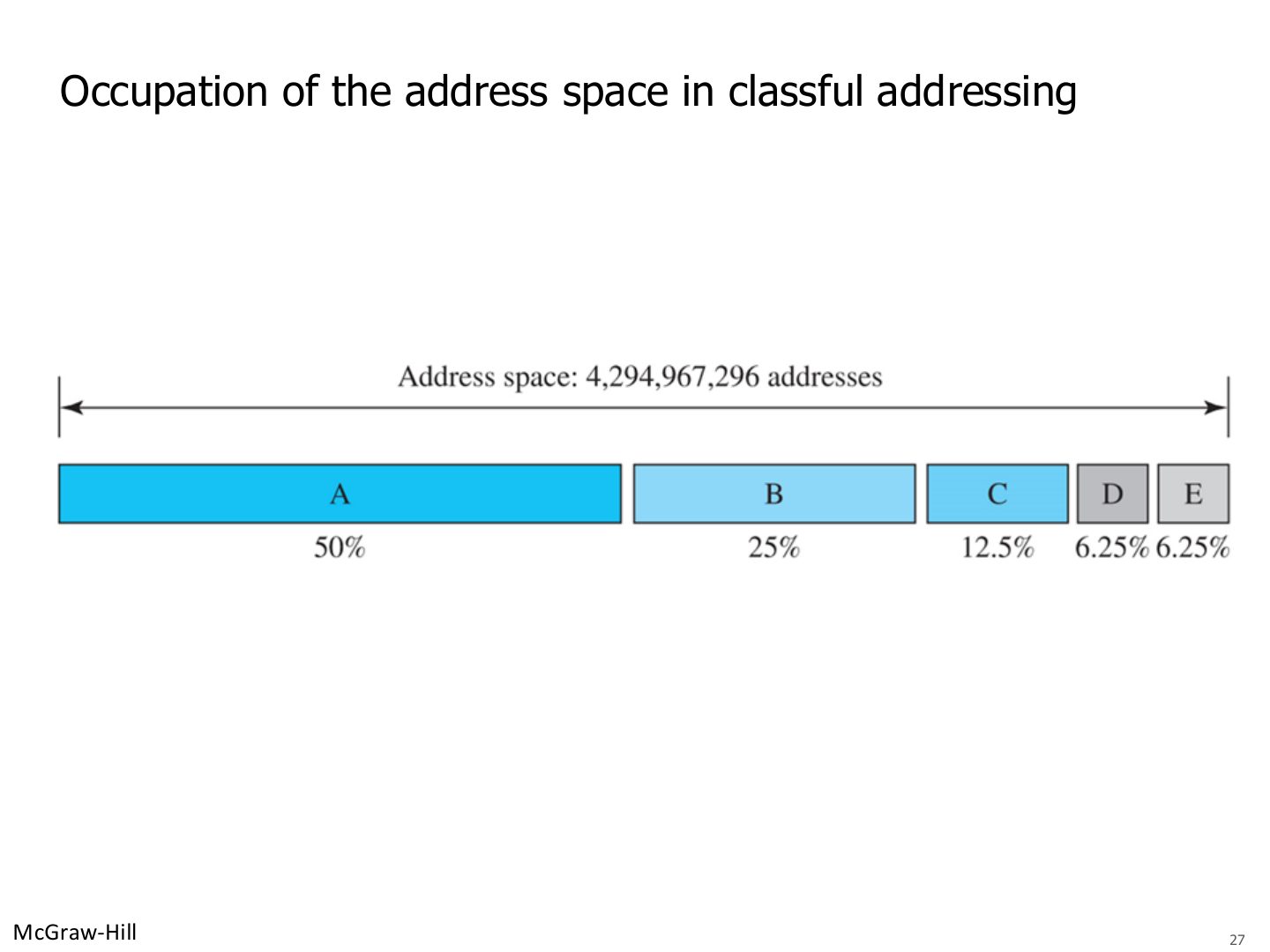
  27. 27 Occupation of the address space in classful addressing
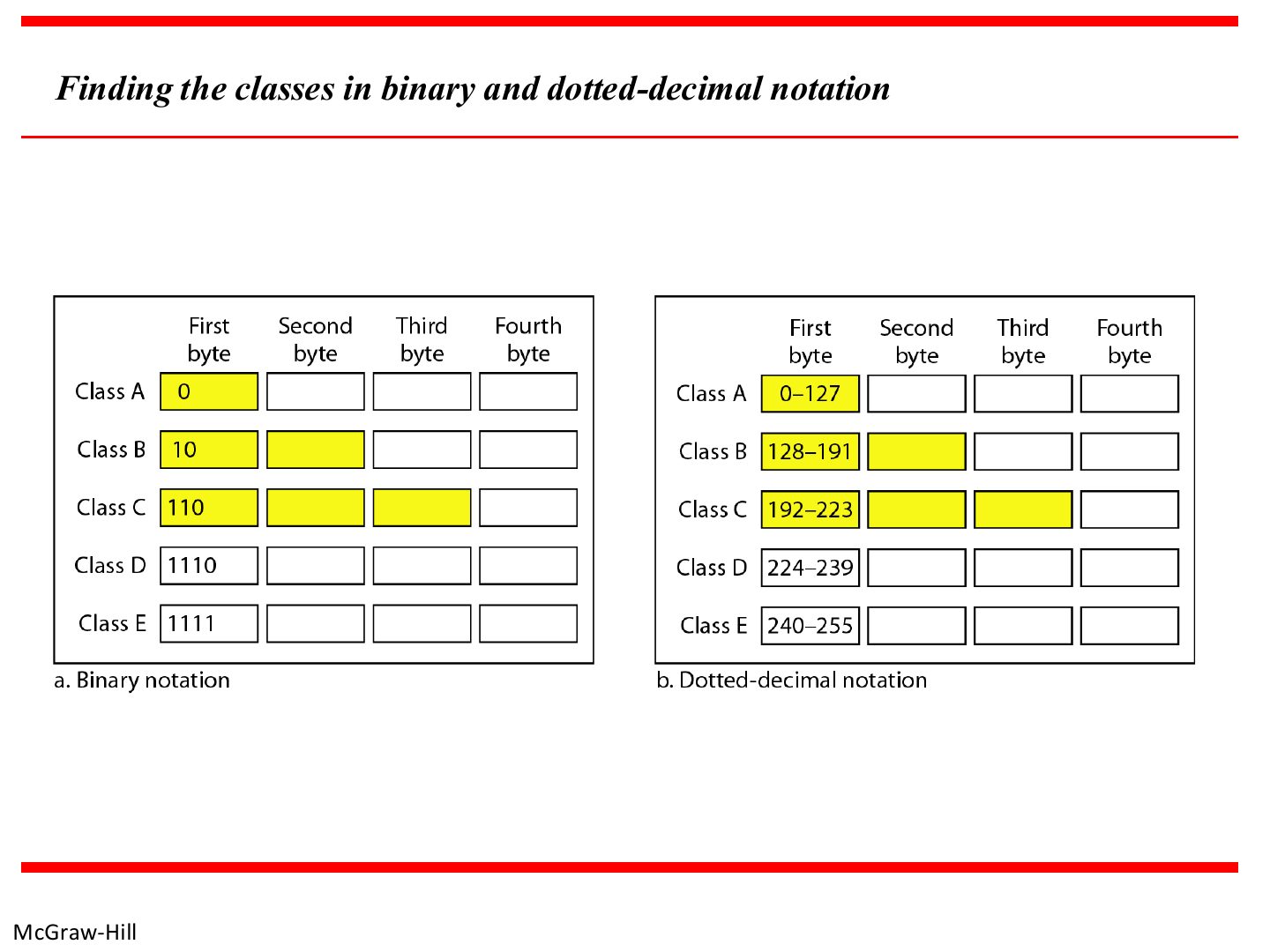
  28. 28 Finding the classes in binary and dotted-decimal notation
  29. 29 Classful Addressing
  30. 30 Classful Addressing
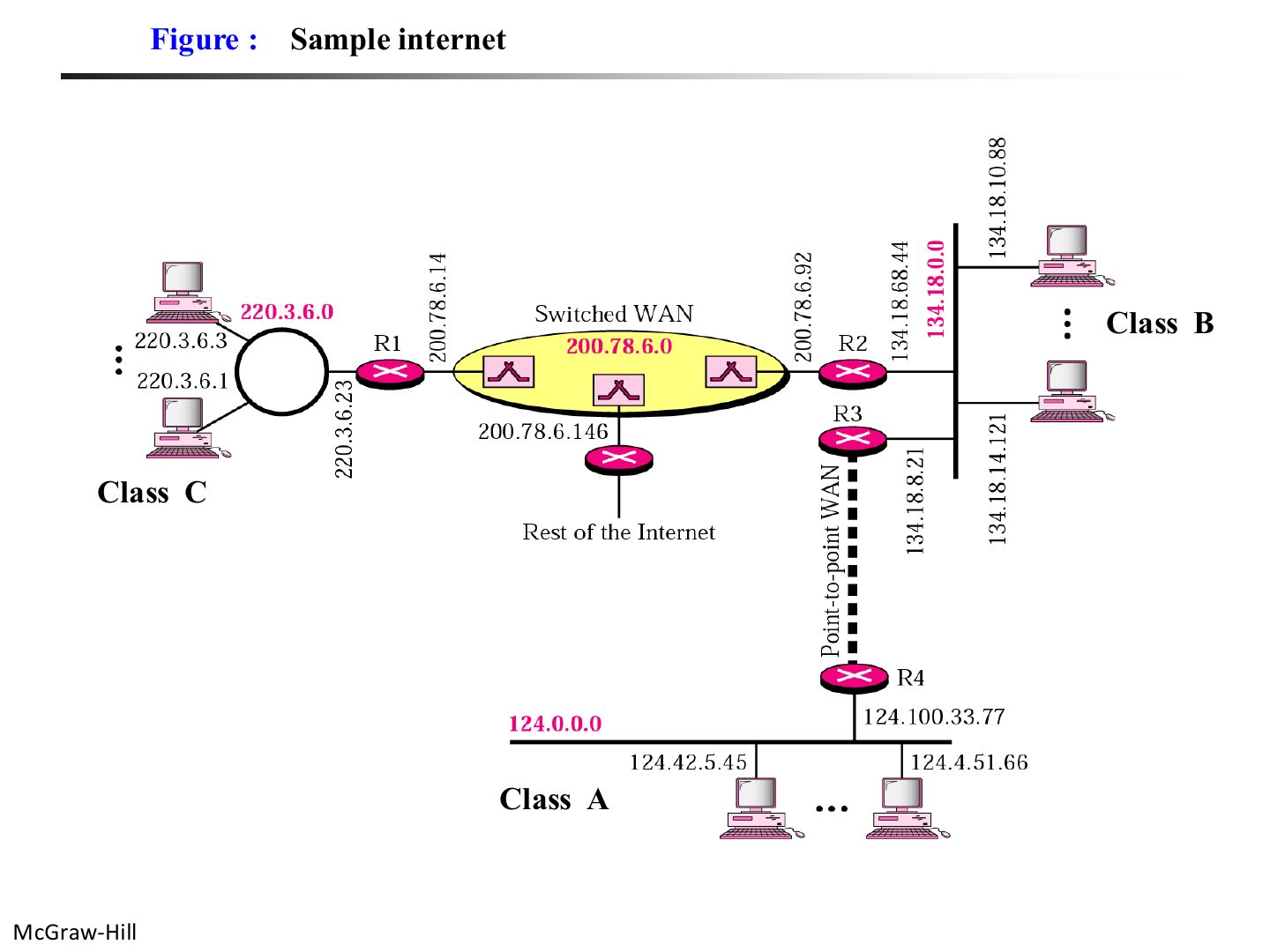
  31. 31 Sample internet
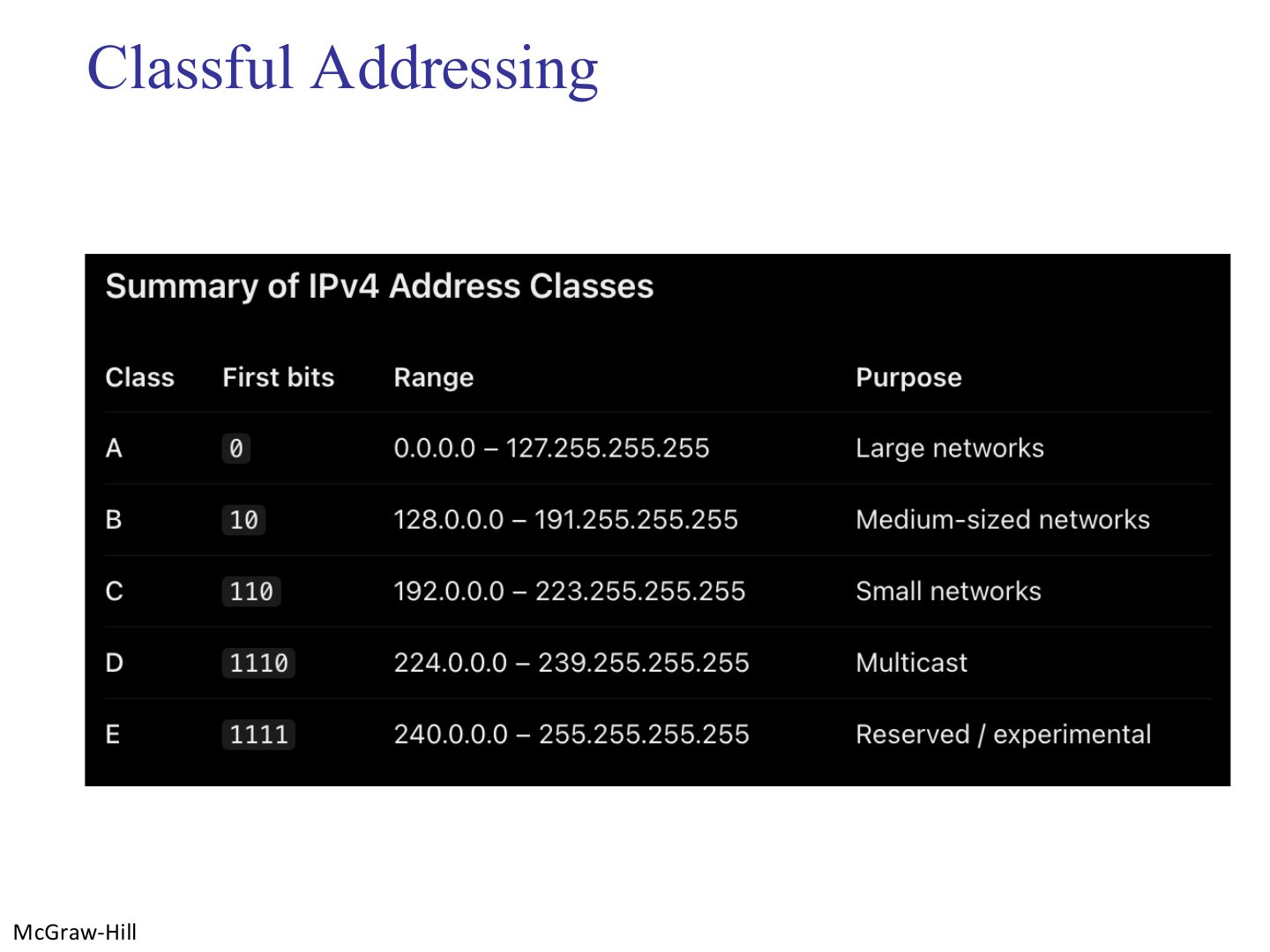
  32. 32 Summary of IPv4 address classes
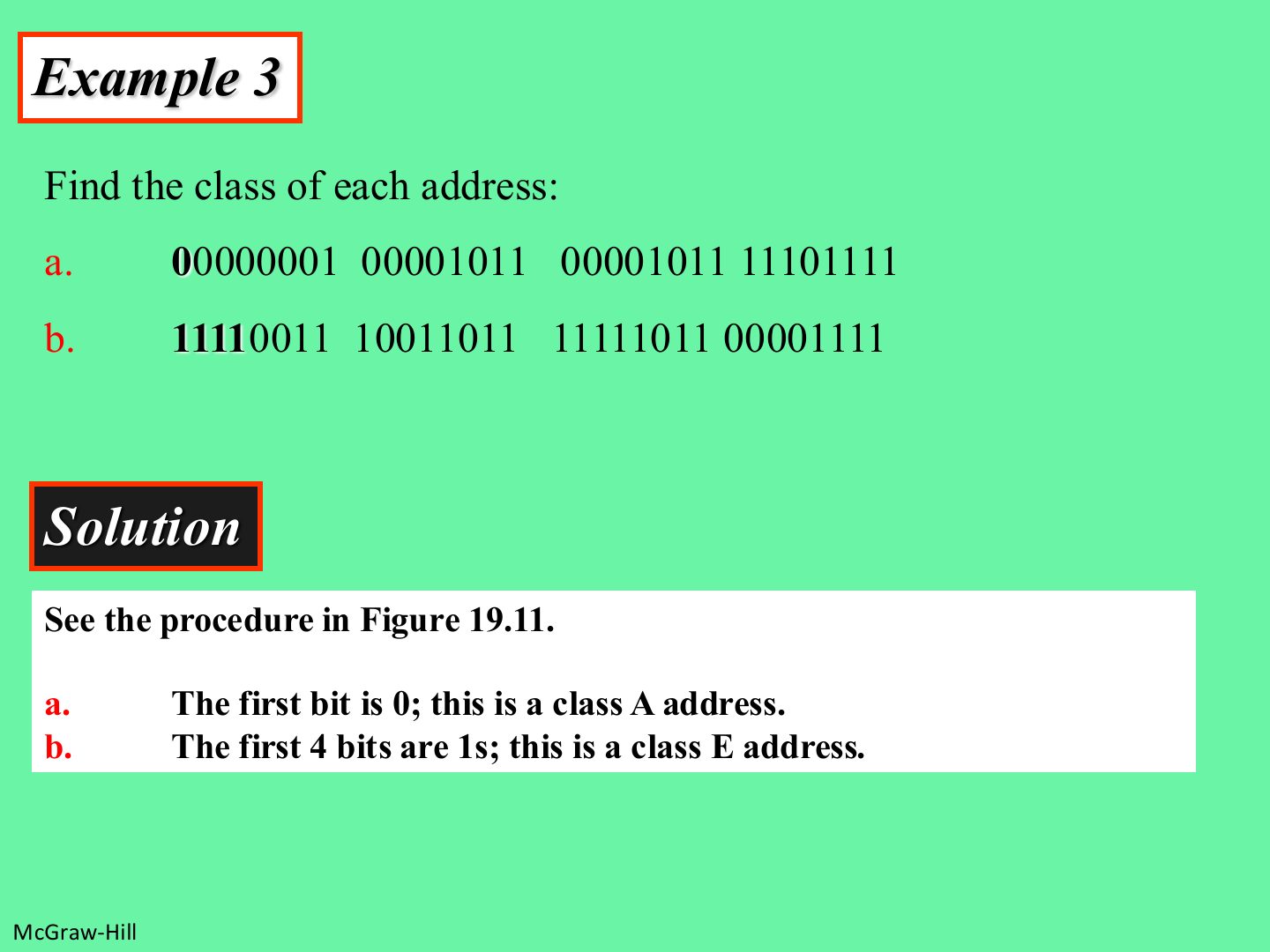
  33. 33 Find the class of each address:
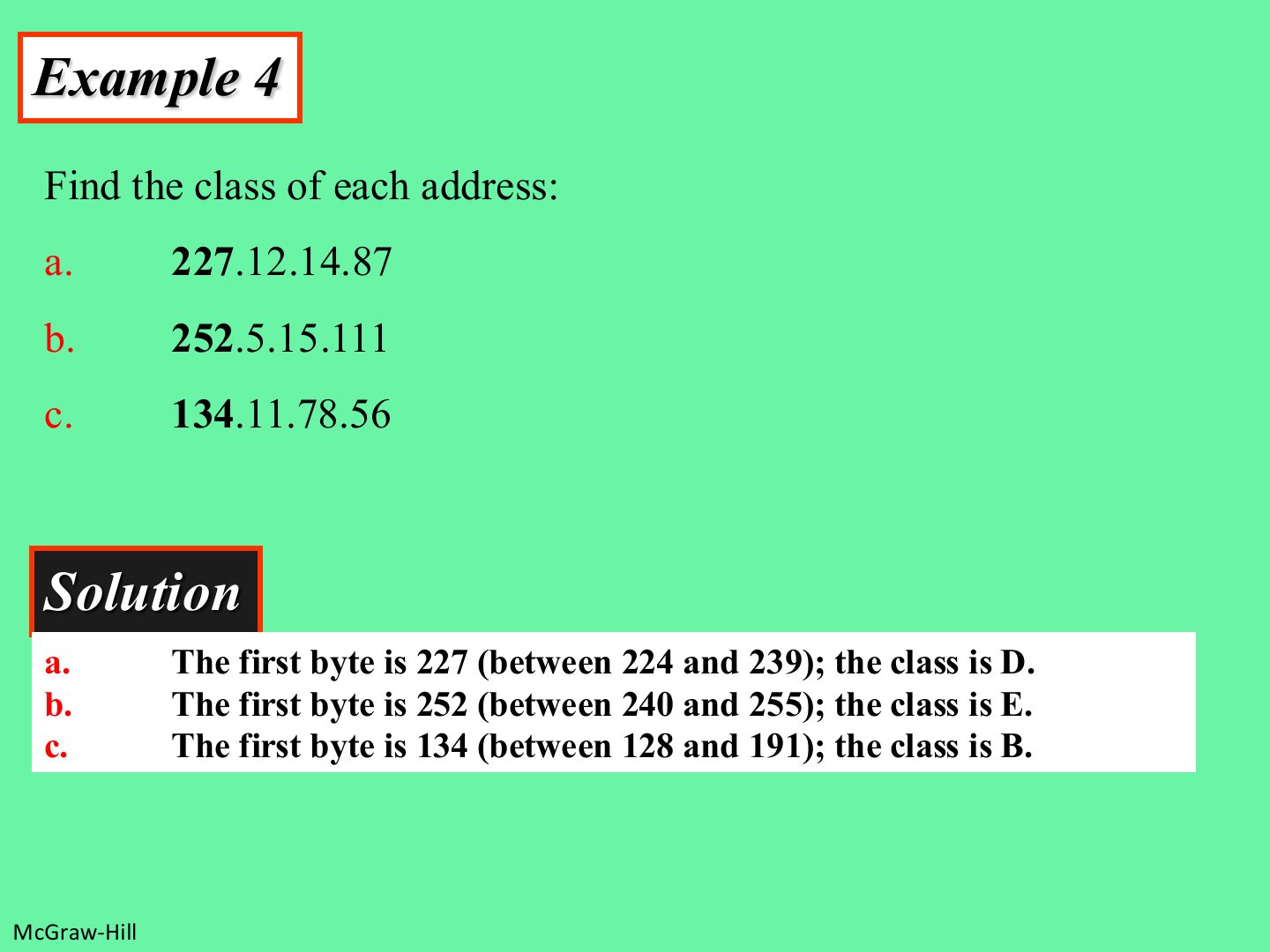
  34. 34 Find the class of each address:
  35. 35 Example: network address (class A)
  36. 36 Example: network address (class B)
  37. 37 Example: class from a network address
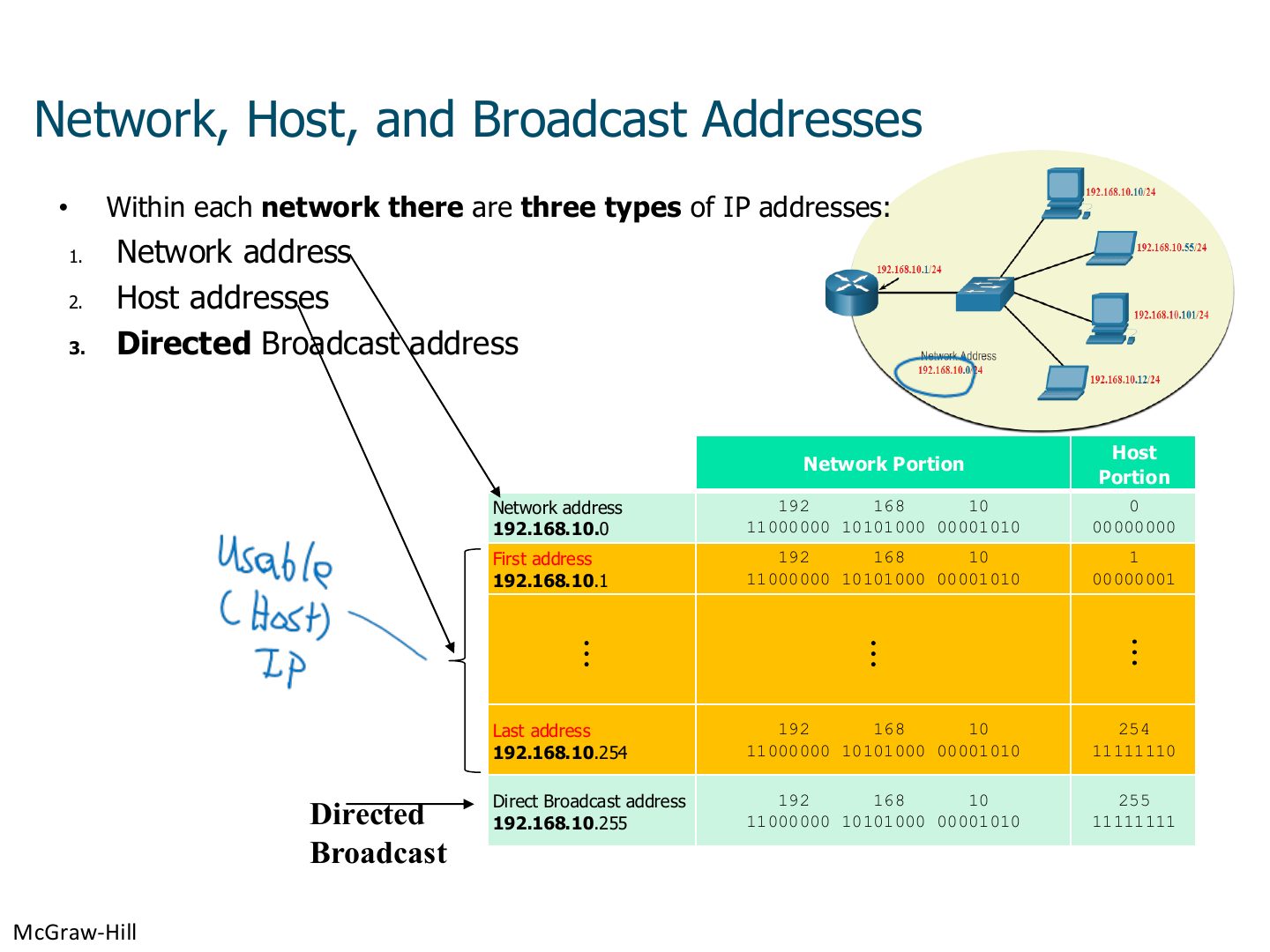
  38. 38 Network, Host, and Broadcast Addresses
  39. 39 Broadcast in IPv4
  40. 40 Broadcast in IPv4
  41. 41 Note: the network address is assigned
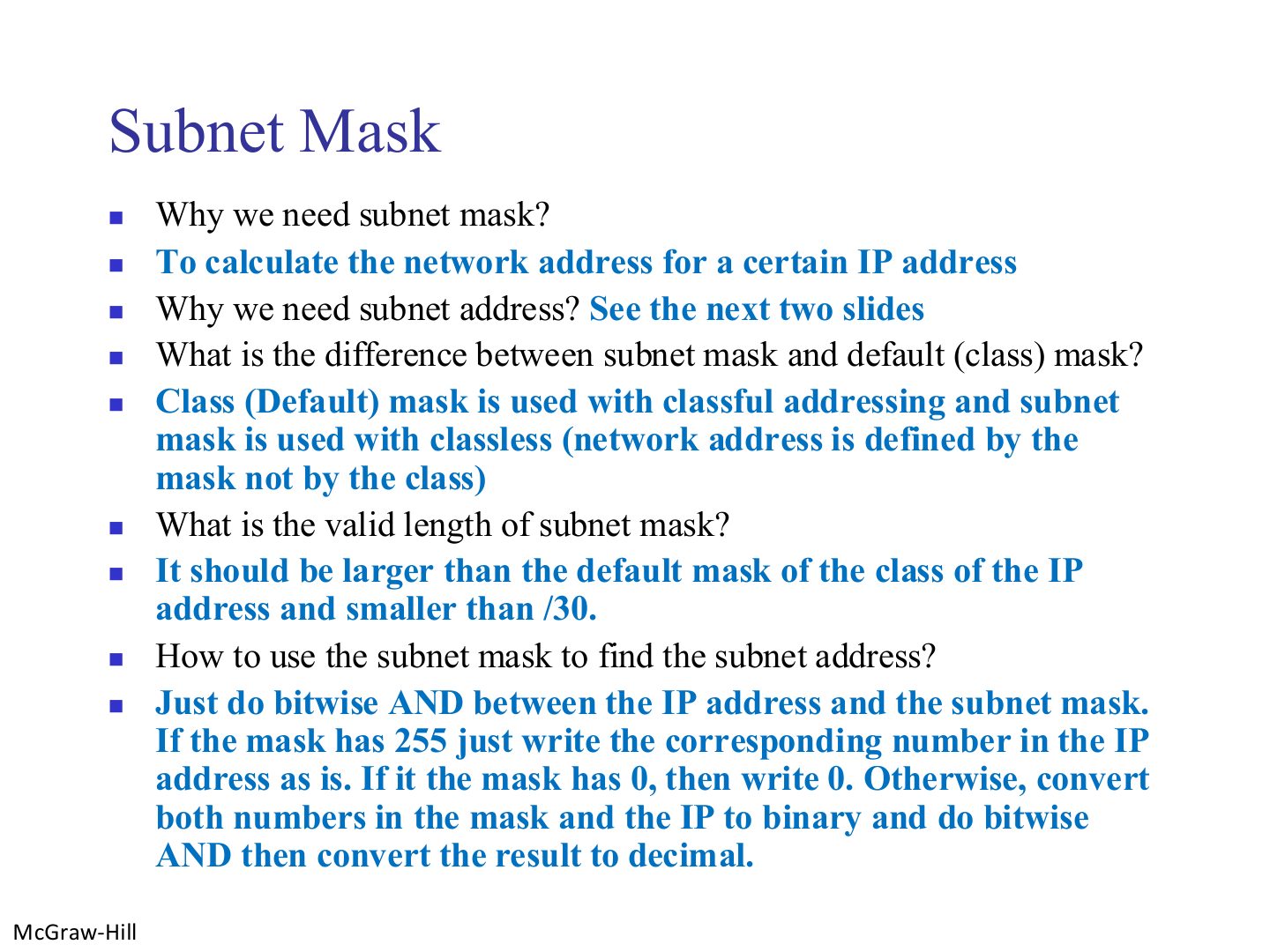
  42. 42 Subnet Mask
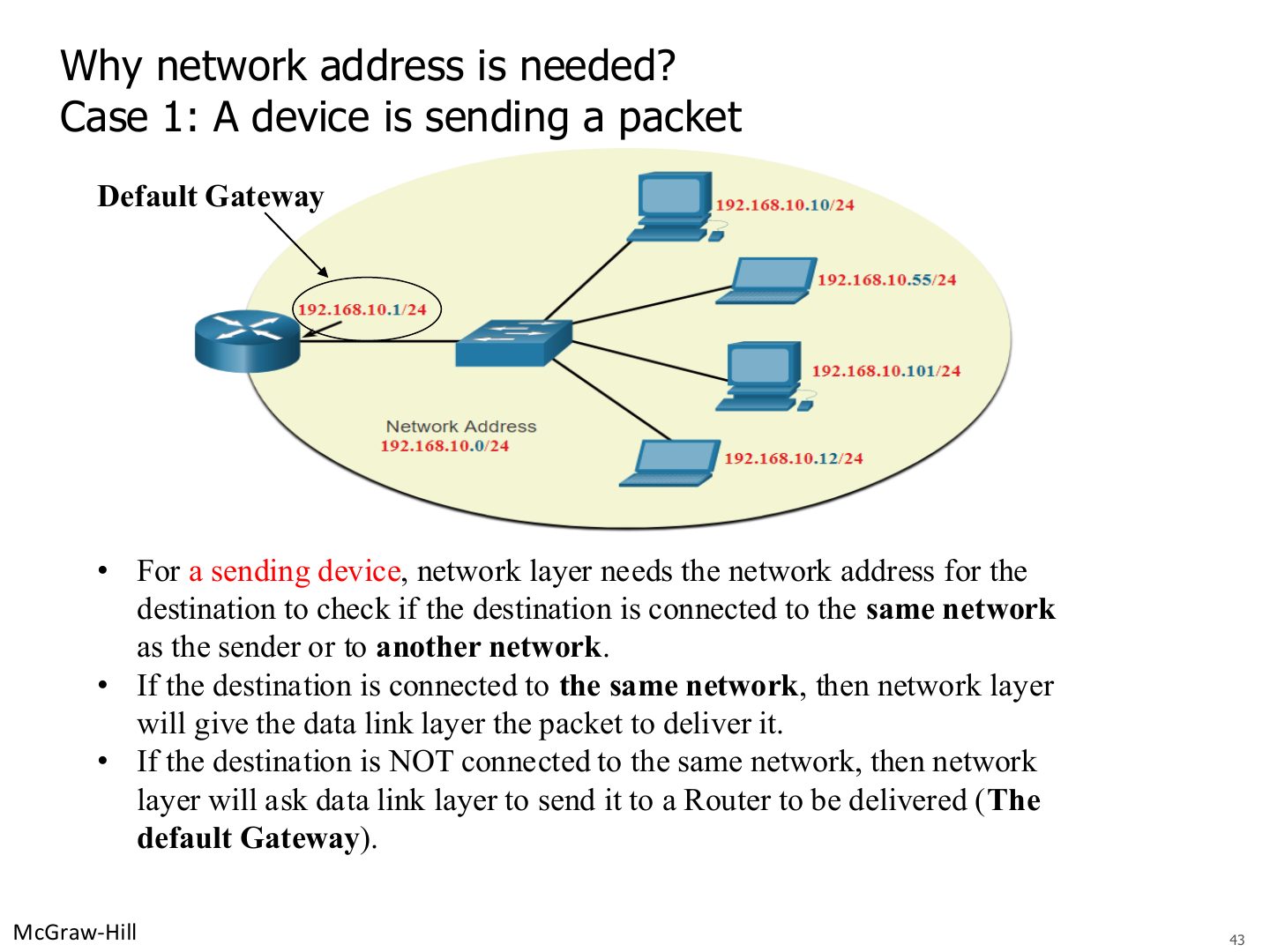
  43. 43 Why network address is needed? Case 1: A device is sending a packet
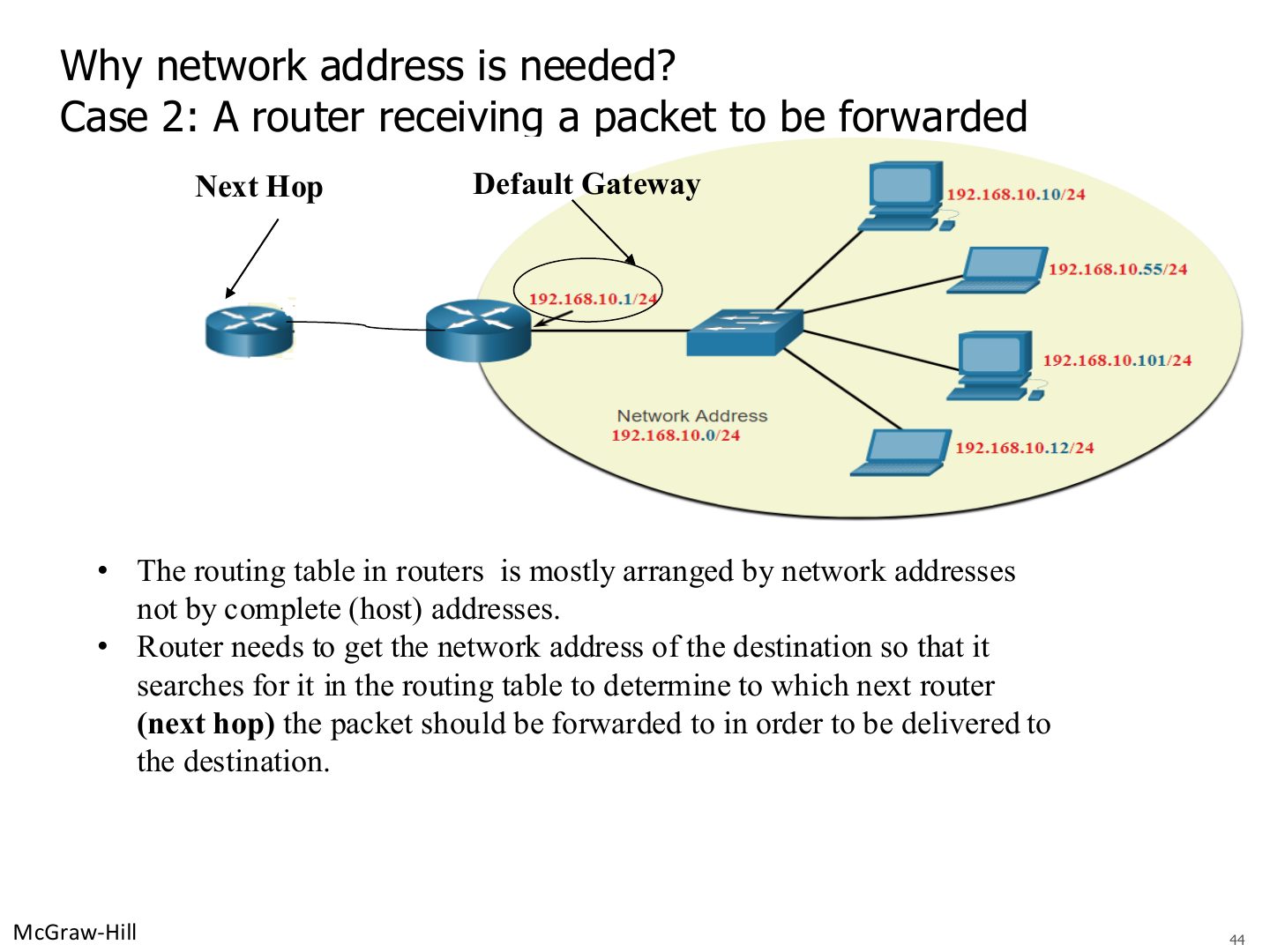
  44. 44 Why network address is needed? Case 2: A router receiving a packet to be forwarded
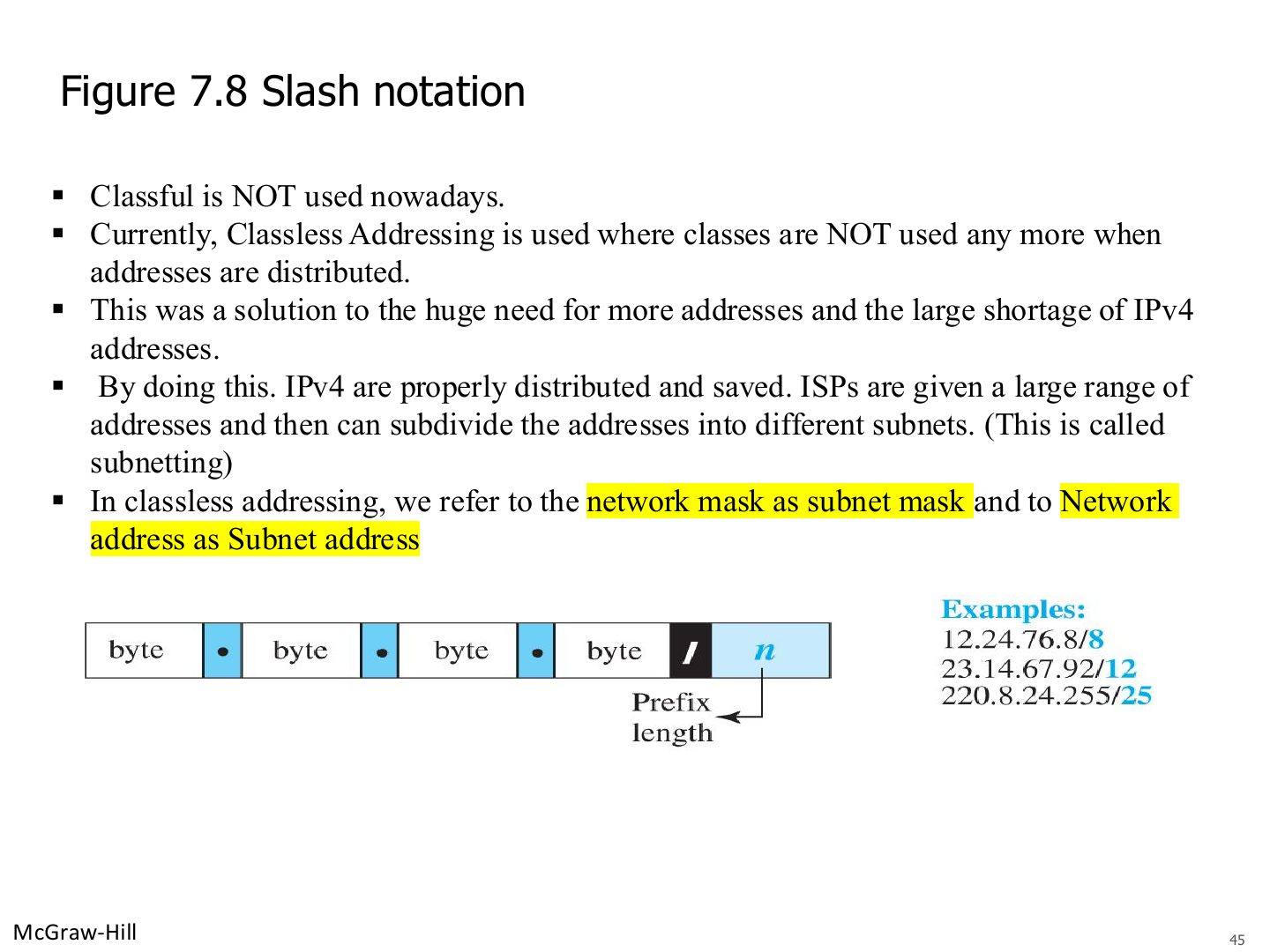
  45. 45 Slash notation and classless addressing
  46. 46 Default classful masks
  47. 47 Converting From Slash to Decimal Notation
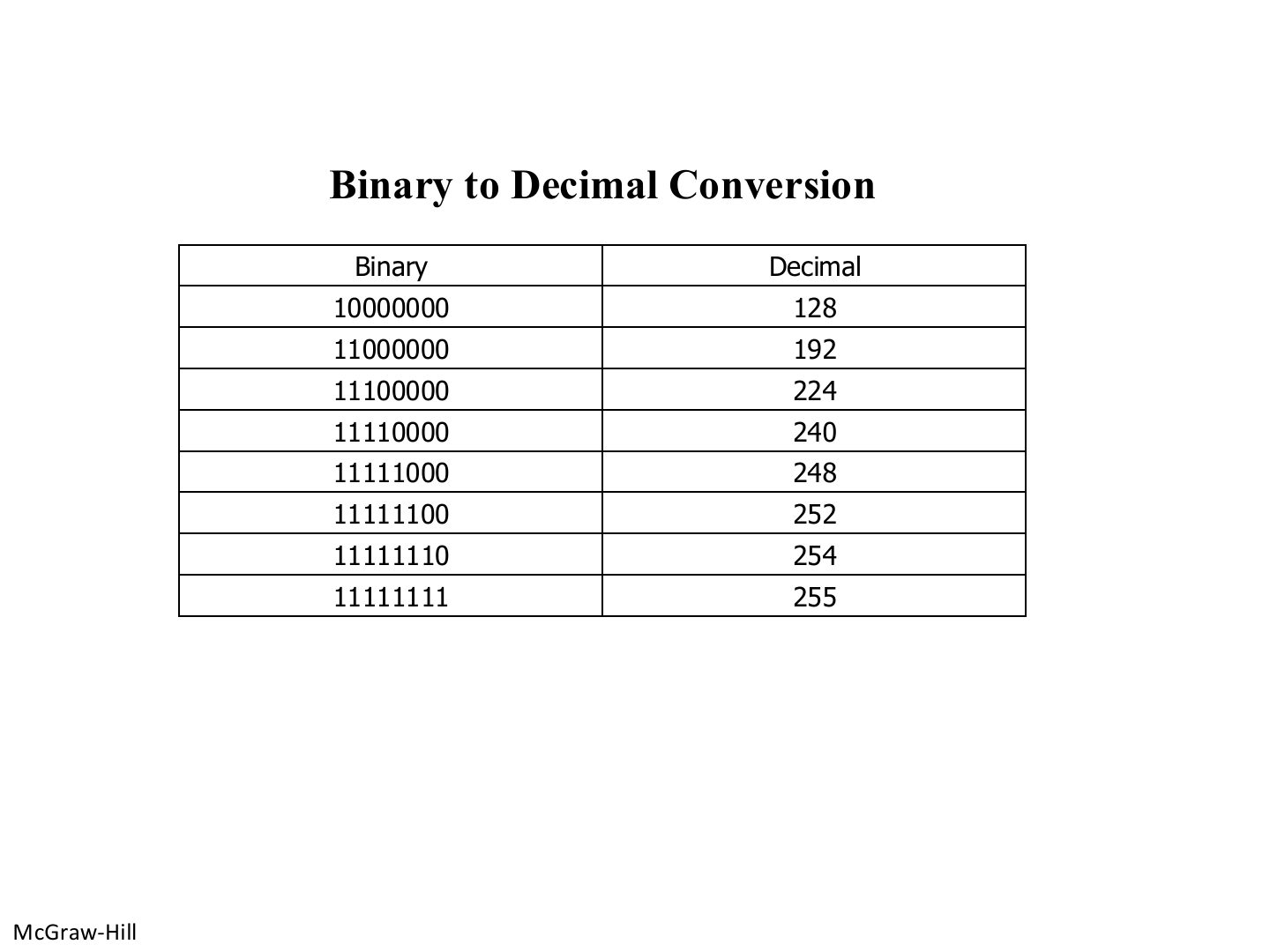
  48. 48 Binary to Decimal Conversion
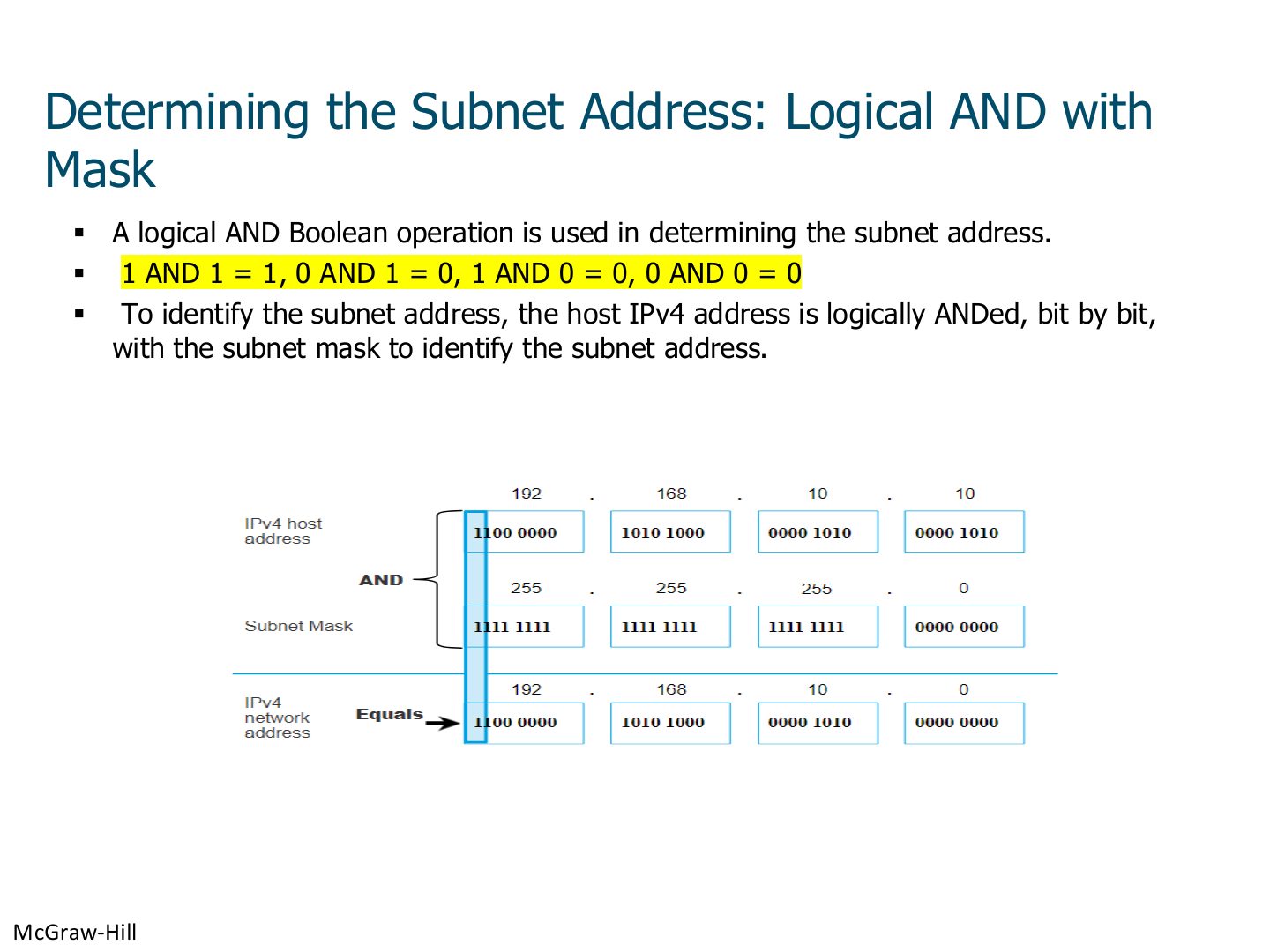
  49. 49 Determining the Subnet Address: Logical AND with Mask
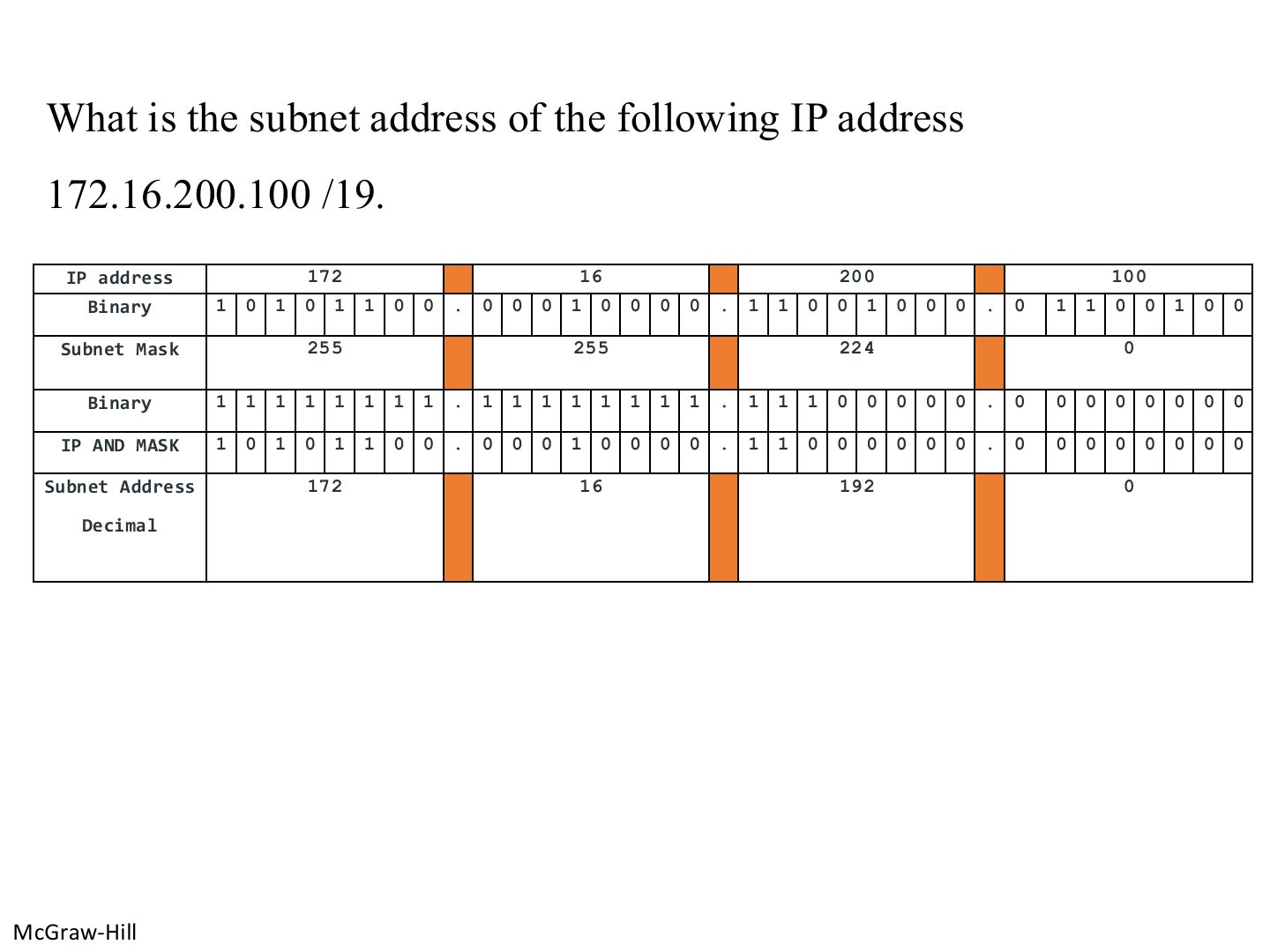
  50. 50 Example: subnet address of 172.16.200.100 /19
  51. 51 Example: subnet address of 193.1.2.129 /26
  52. 52 Practice: find the subnet addresses
  53. 53 Subnetting
  54. 54 Subnetwork benefits
  55. 55 Subnetting
  56. 56 Subnetting steps
  57. 57 Determining number of subnets and number of hosts per subnet
  58. 58 Practice table: 192.168.1.0/24 into /27 subnets
  59. 59 192.168.1.0/24 subnetted to 8 subnets: 5 used, 3 for future expansion
  60. 60 Practice table (blank in the PDF)
  61. 61 A network with three levels of hierarchy (subnetted)
  62. 62 Obtaining Host IP Address
  63. 63 Example: answer the questions on the next slide
  64. 64 Questions on the example
  65. 65 Practice: directed broadcast and subnet addresses
  66. 66 Dynamic Host Configuration Protocol (DHCP)
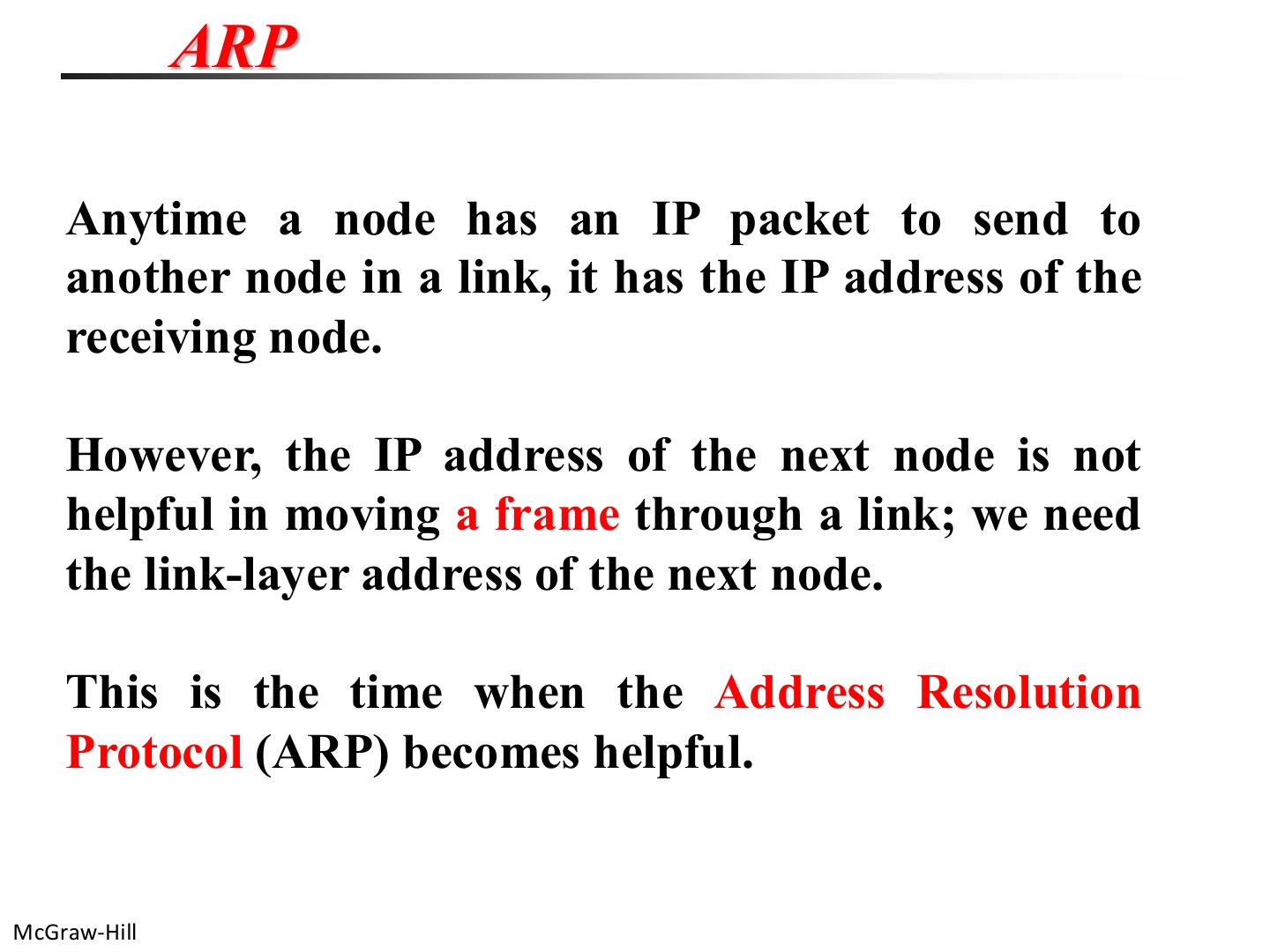
  67. 67 ARP: why it is needed
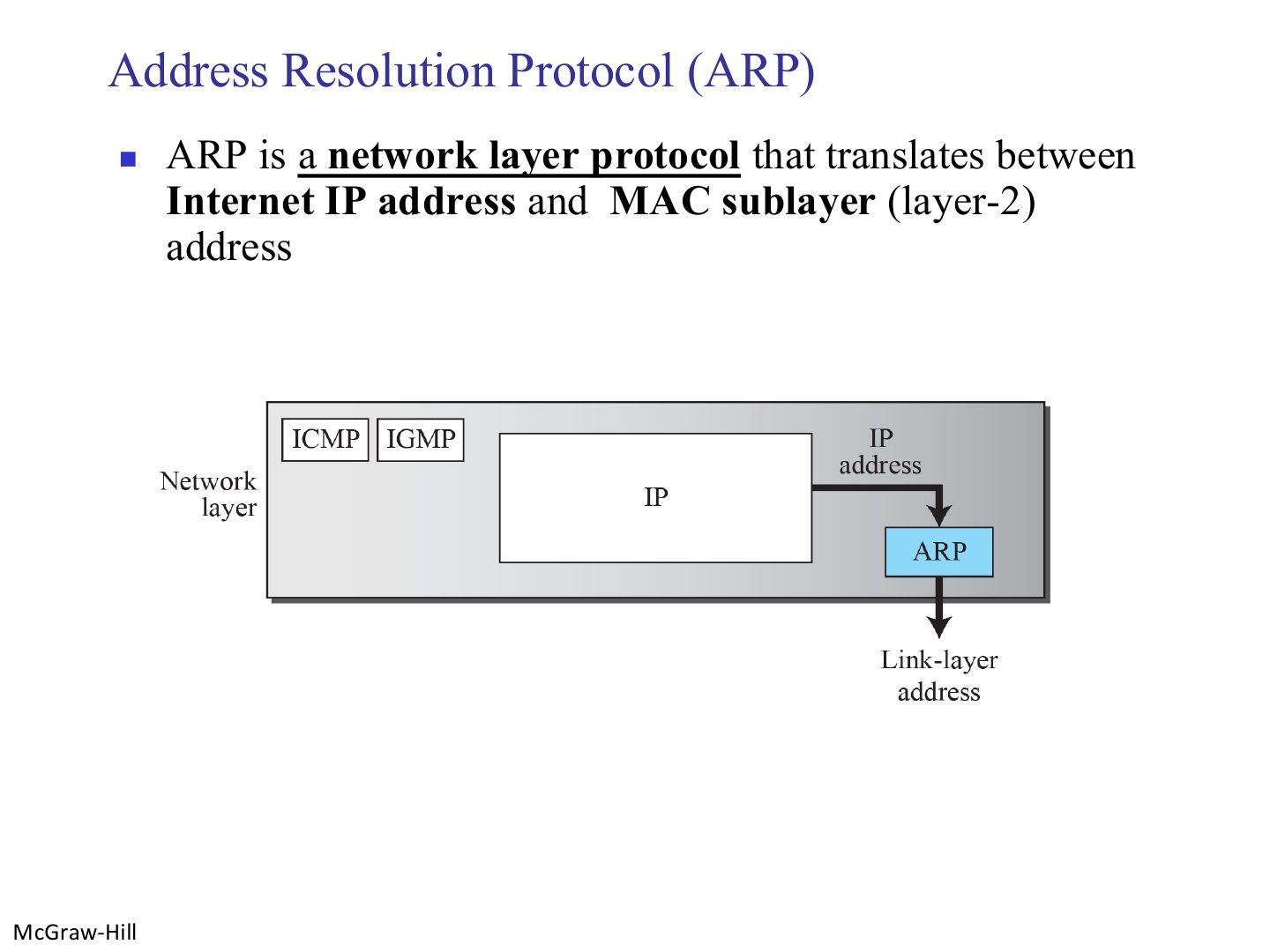
  68. 68 Address Resolution Protocol (ARP)
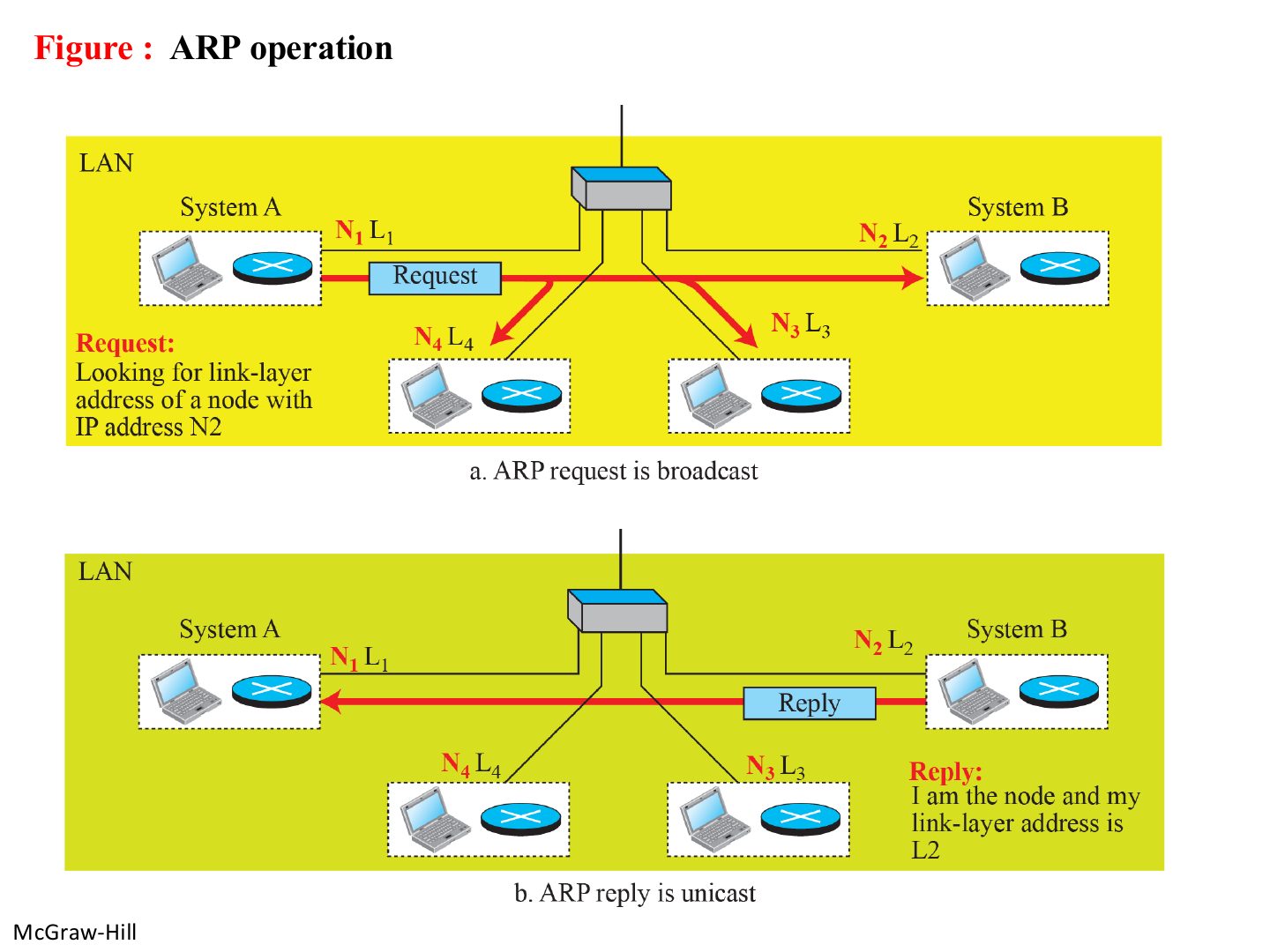
  69. 69 Note: ARP request and reply
  70. 70 ARP operation
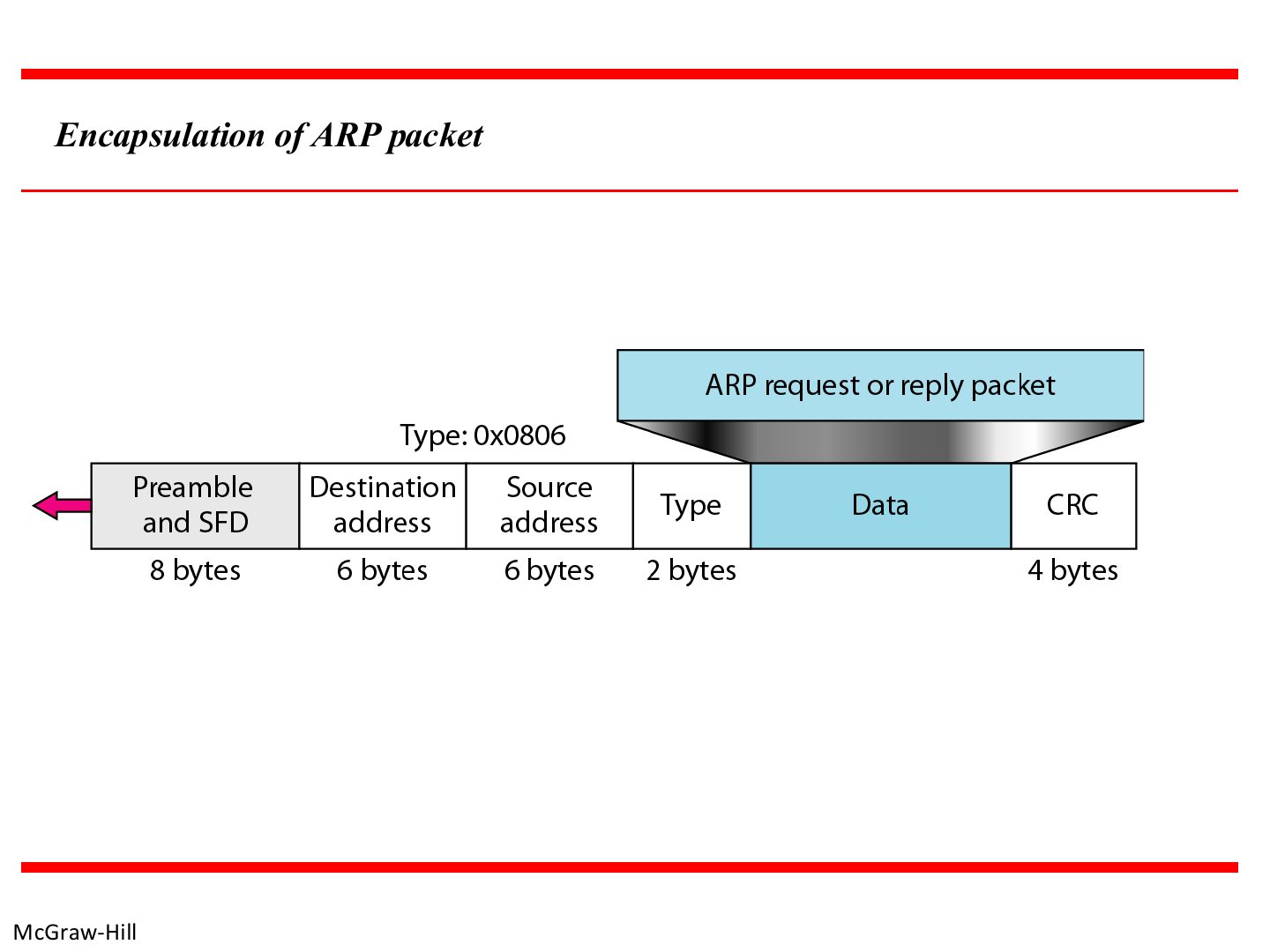
  71. 71 Encapsulation of ARP packet
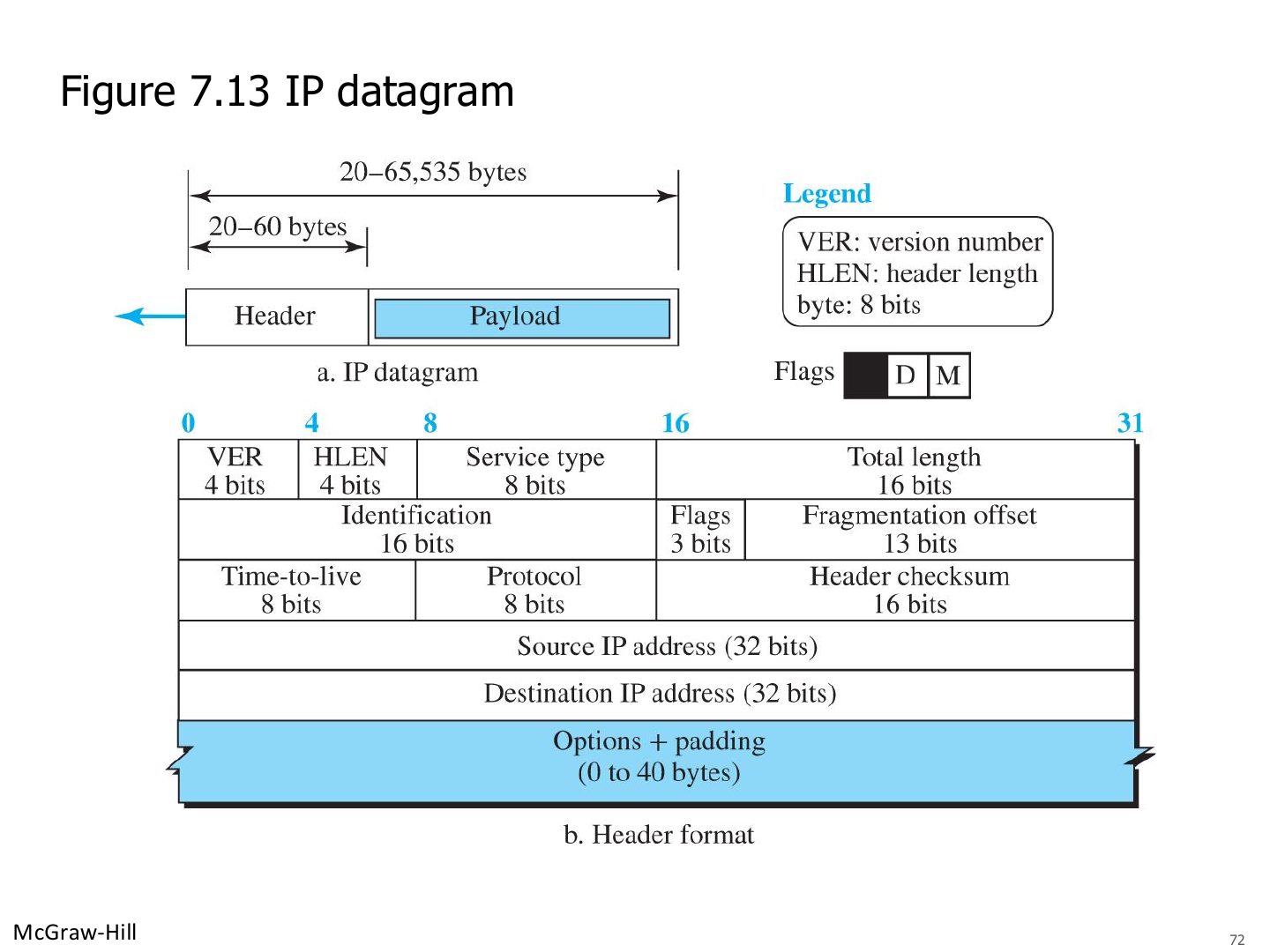
  72. 72 IP datagram
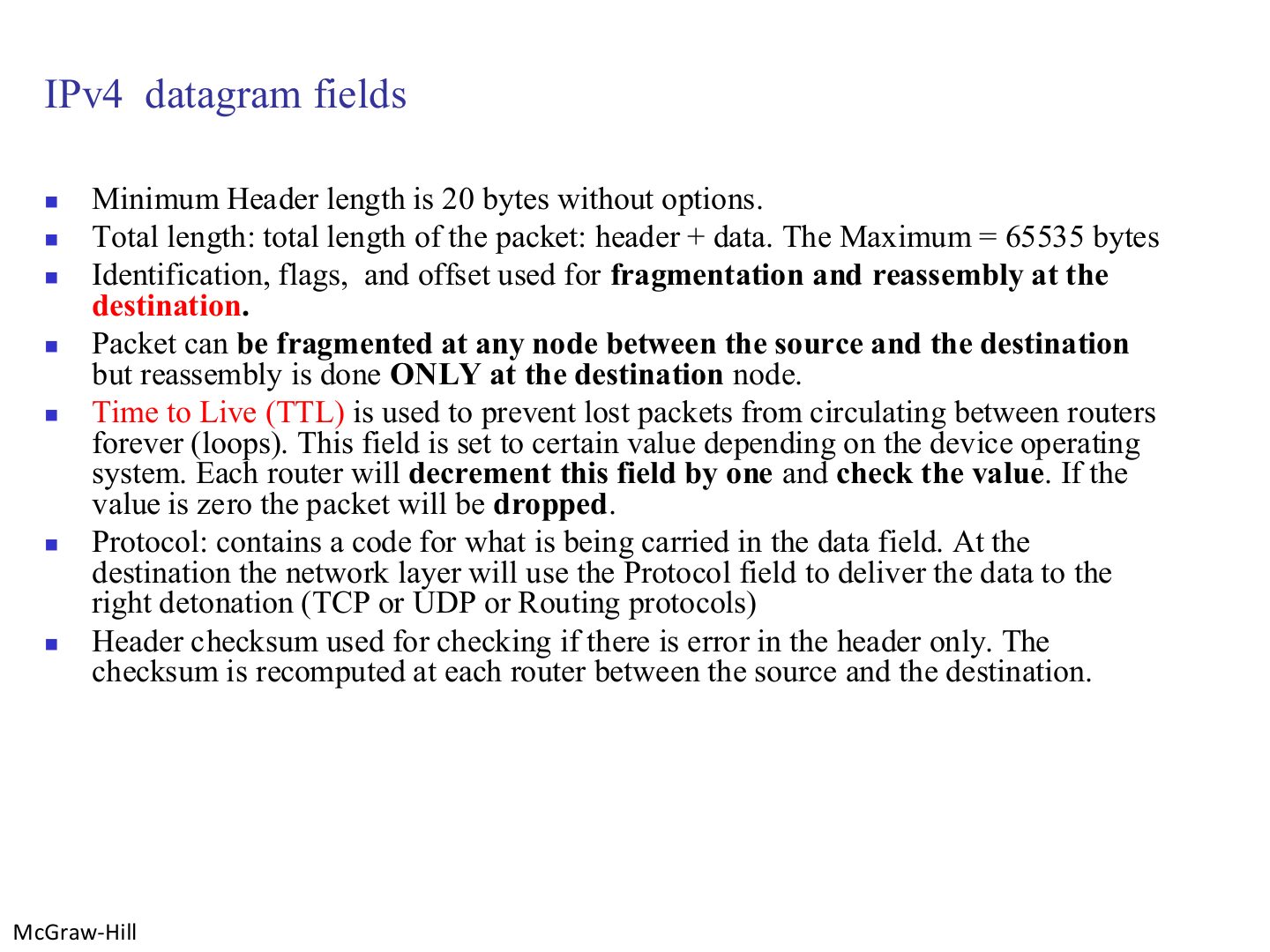
  73. 73 IPv4 datagram fields
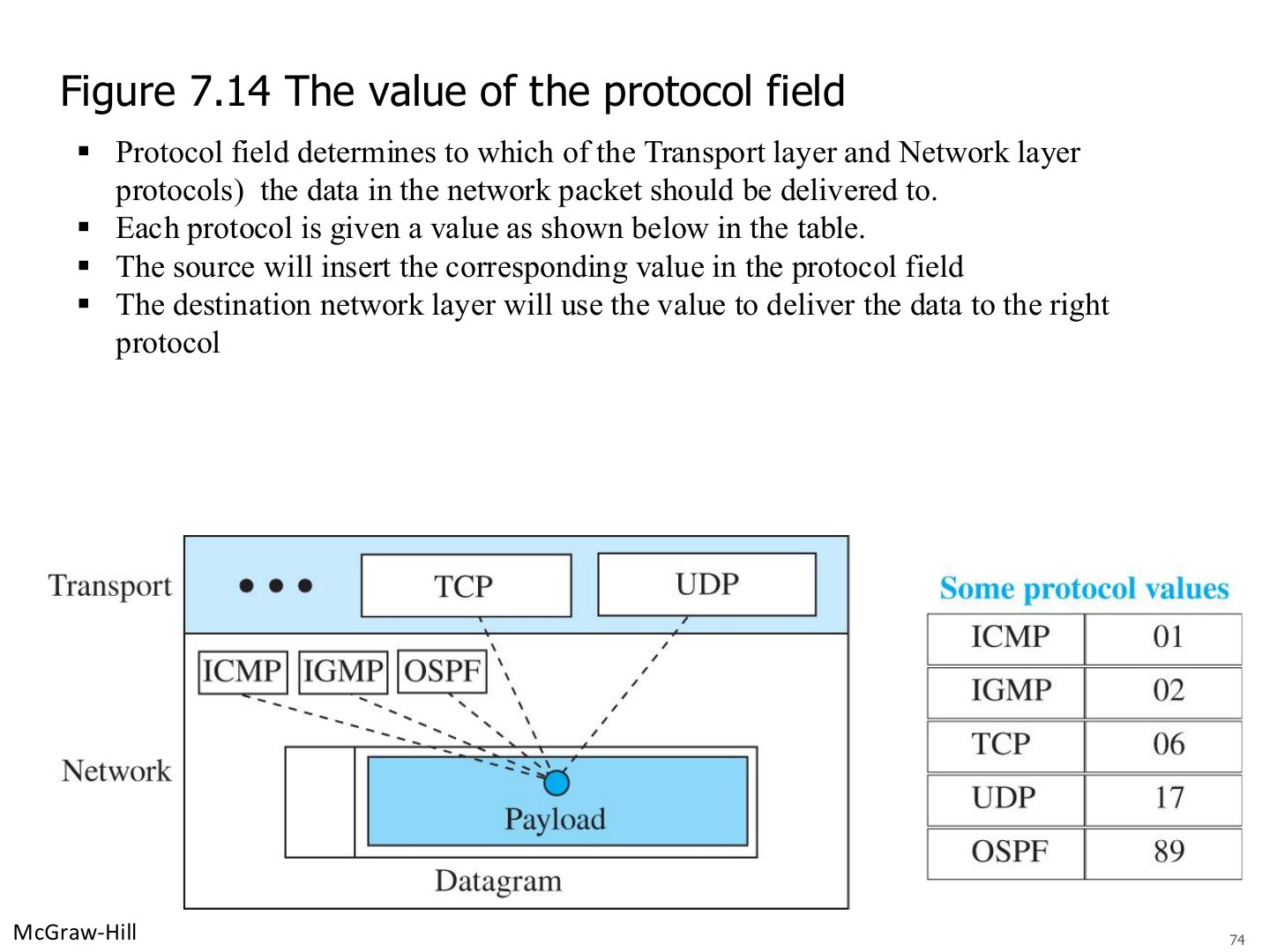
  74. 74 The protocol field
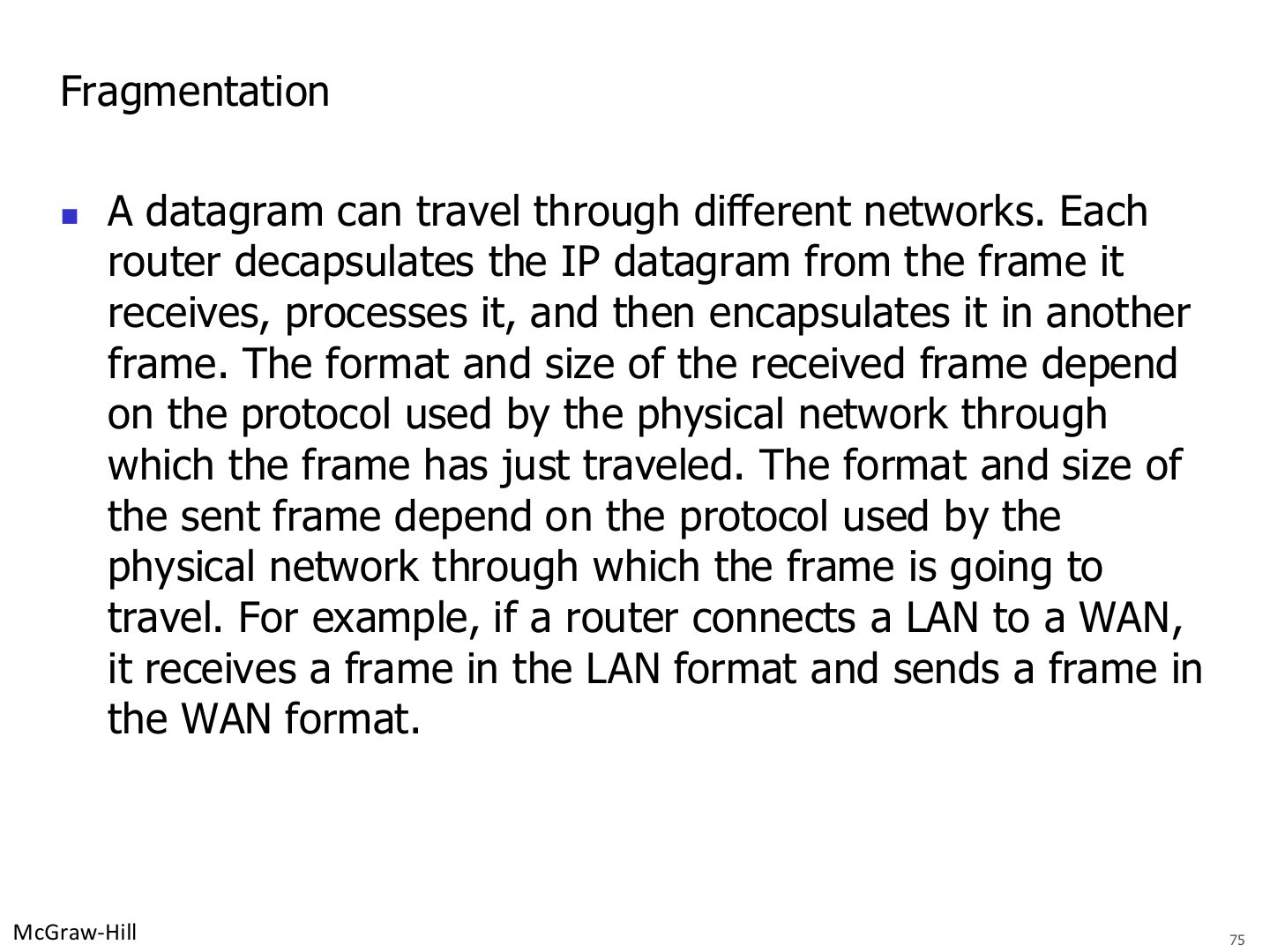
  75. 75 Fragmentation
  76. 76 MTUs for some networks
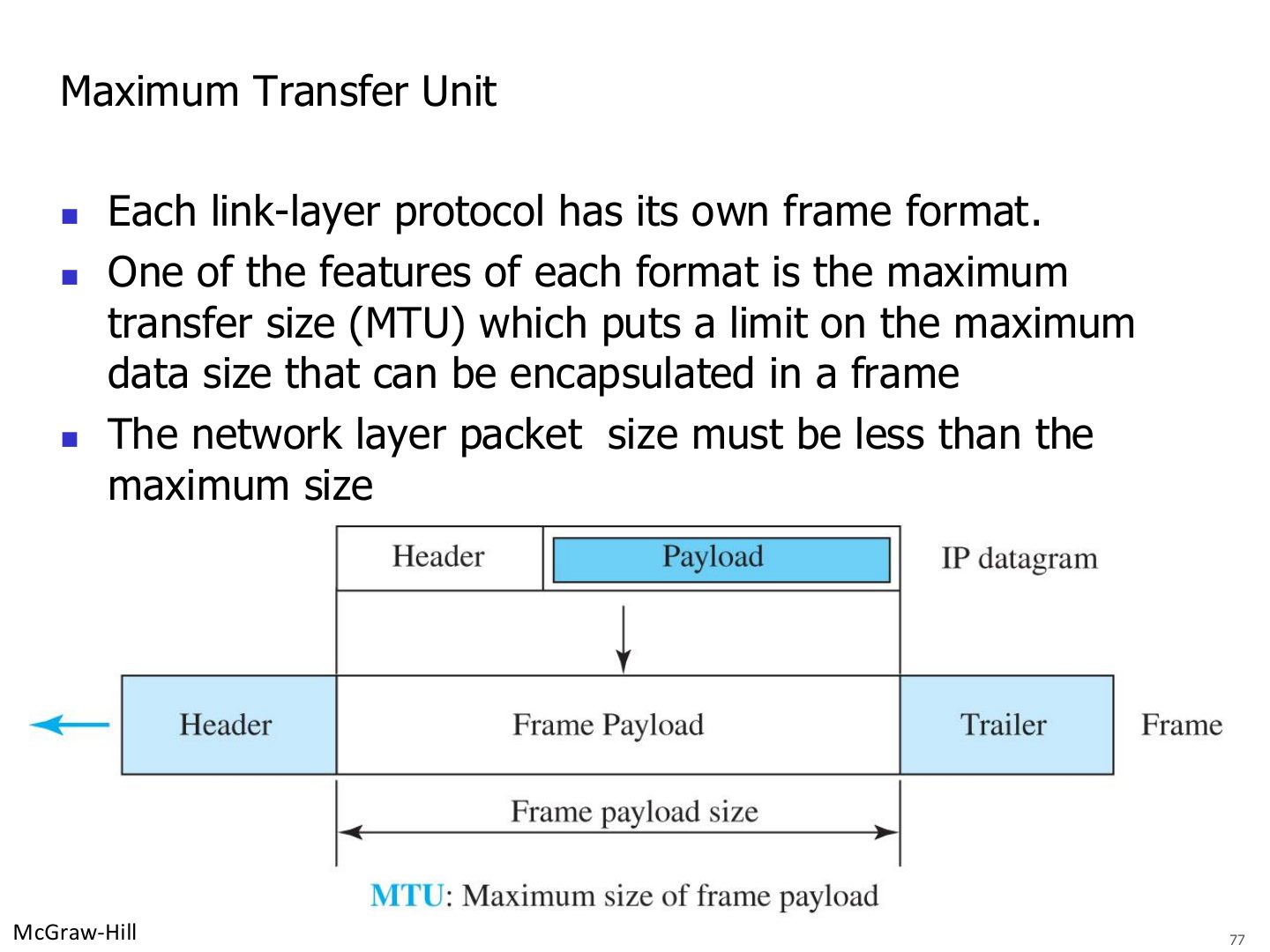
  77. 77 Maximum Transfer Unit
  78. 78 Fragmentation
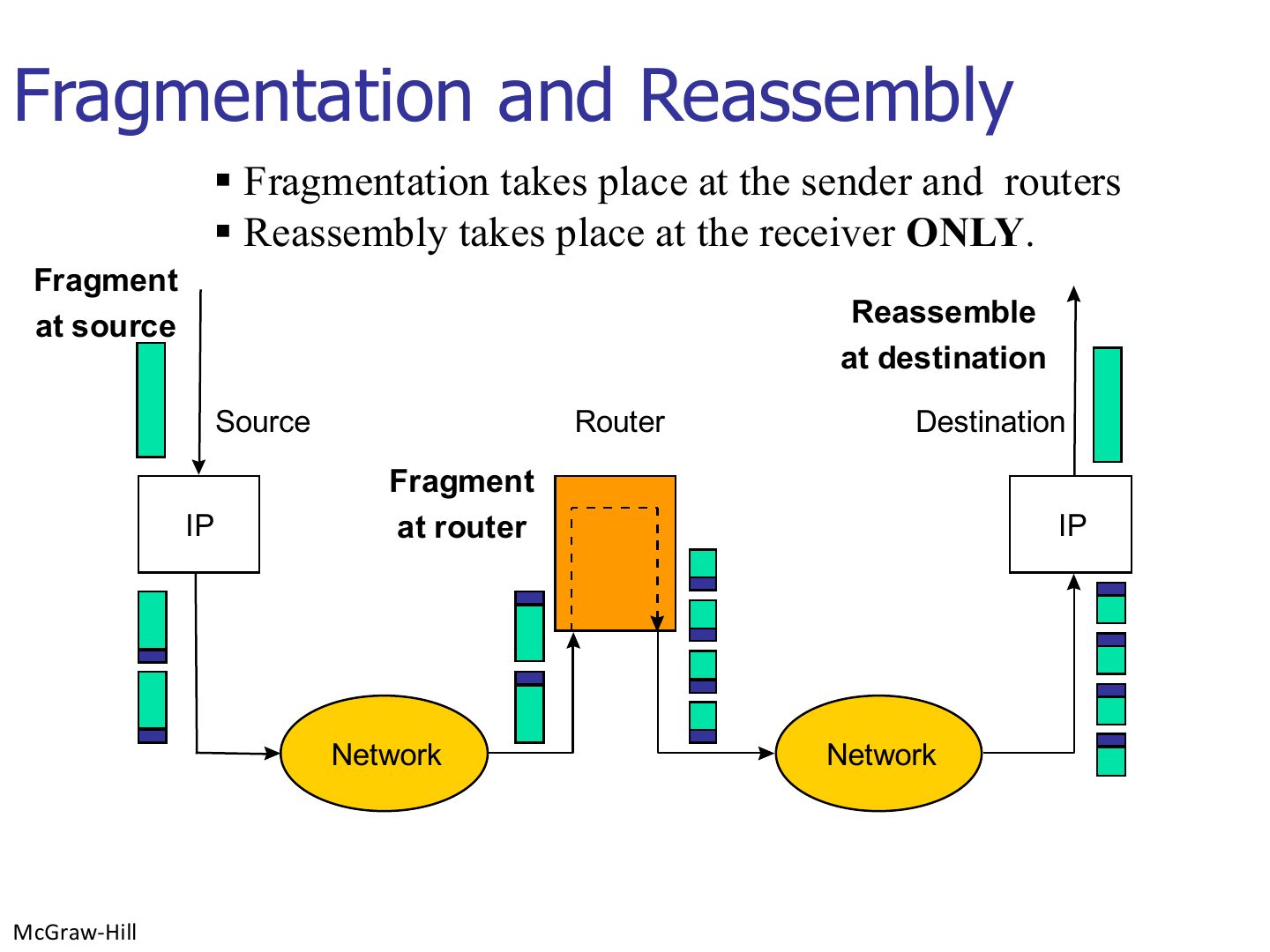
  79. 79 Fragmentation and Reassembly
  80. 80 Flags used in fragmentation
  81. 81 Example of checksum calculation
  82. 82 Network Address Translation (NAT)
  83. 83 Network Address Translation (NAT)
  84. 84 Private addresses and the NAT router
  85. 85 Address translation
  86. 86 Translation table
  87. 87 Network Address Translation (NAT)
  88. 88 Advantages of using NAT
Slide 1 / 88

Network Layer: Data Transfer

Slide 1: Network Layer: Data Transfer

Notes

  1. Services → packet switching (virtual circuit vs. datagram) → IPv4 addressing → subnetting → DHCP, ARP → IPv4 header, fragmentation → NAT.

  2. Practise subnetting until it’s automatic: it is the biggest calculation topic in the course.

  3. Tip Subnet in four lines: block size = 256 - the interesting mask octet · network = the multiple of the block at or below the address · broadcast = next network - 1 · usable = network + 1 to broadcast - 1.
Slide 2 / 88

Chapter 7: Outline

Slide 2: Chapter 7: Outline
Slide 3 / 88

Network layer duties

Slide 3: Network layer duties

Notes

  1. Seen again Ch 1 Part 2, slide 33: Network layer overview

Exam angle

PredictionQ1

Which is NOT a duty of the network layer in the slides?
Slide 4 / 88

Packetizing

Slide 4: Packetizing

Notes

  1. Packetizing: wrap the payload in a packet at the source, unwrap at the destination, never change or use it (like the post office).
Slide 5 / 88

Routing and forwarding

Slide 5: Routing and forwarding

Notes

  1. Routing = run routing protocols to BUILD the routing table (find best paths).

  2. Forwarding = what the router DOES with each arriving packet: pick the output interface.

  3. Memory trick Routing is planning the trip; forwarding is turning at each junction.

  4. Seen again Ch 8, slide 3: Routing protocols fill the table

Exam angle

PredictionQ1

Deciding which output interface to send an arriving packet on is:
Slide 6 / 88

Packet switching

Slide 6: Packet switching
Slide 7 / 88

Switching

Slide 7: Switching

Notes

  1. Two packet-switching approaches: virtual circuit (connection-oriented) and datagram (connectionless).
Slide 8 / 88

Packet switching: virtual-circuit approach

Slide 8: Packet switching: virtual-circuit approach

Notes

  1. Virtual circuit: set up a connection first, then every packet follows the SAME path and carries a VC identifier (flow label).
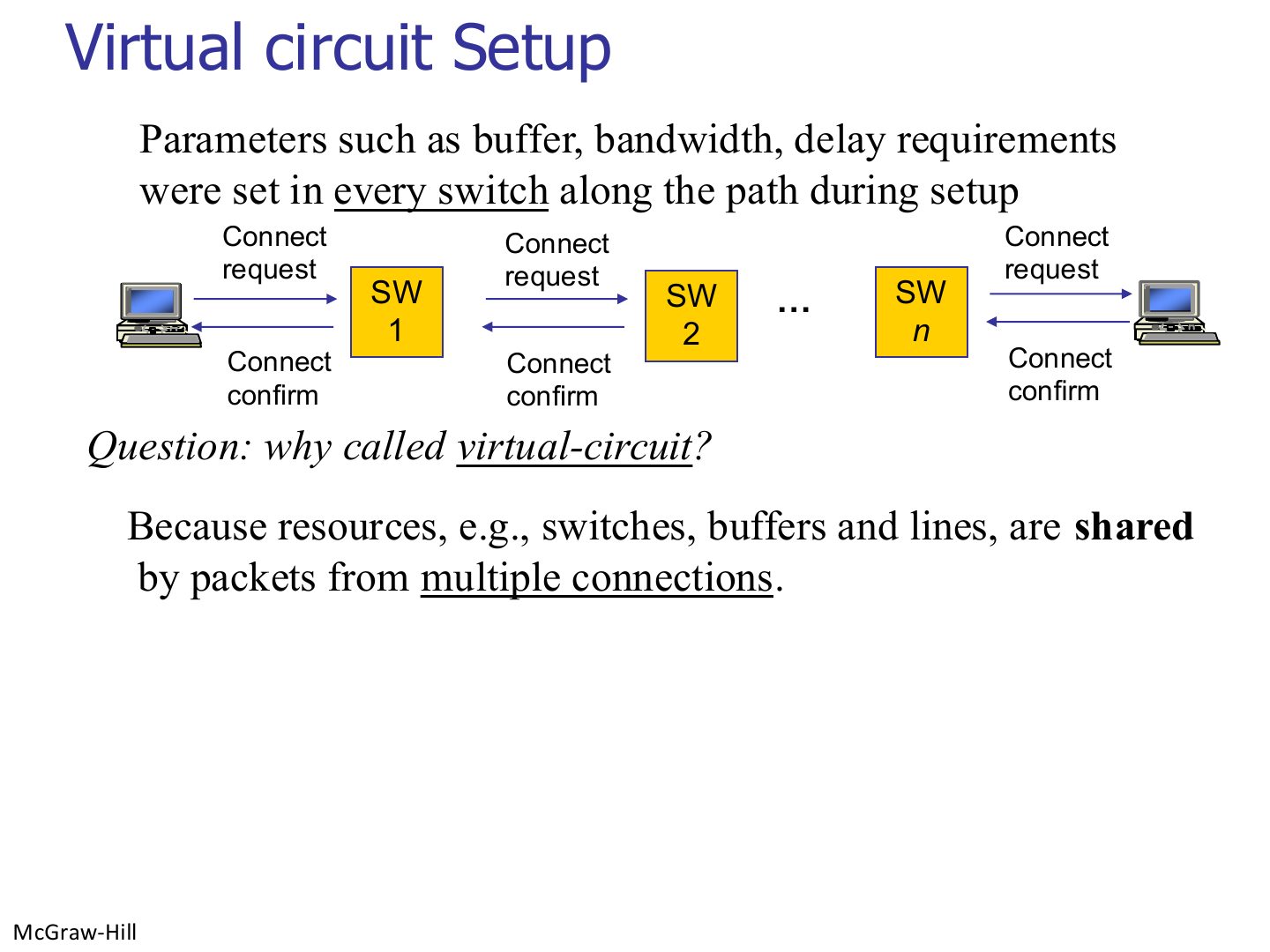
Slide 9 / 88

Virtual-circuit setup

Slide 9: Virtual-circuit setup

Notes

  1. Setup reserves resources in every switch. “Virtual” because the circuit is not dedicated wire: resources are shared.

Exam angle

PredictionQ1

A virtual circuit is called virtual because resources are shared by packets of several connections.
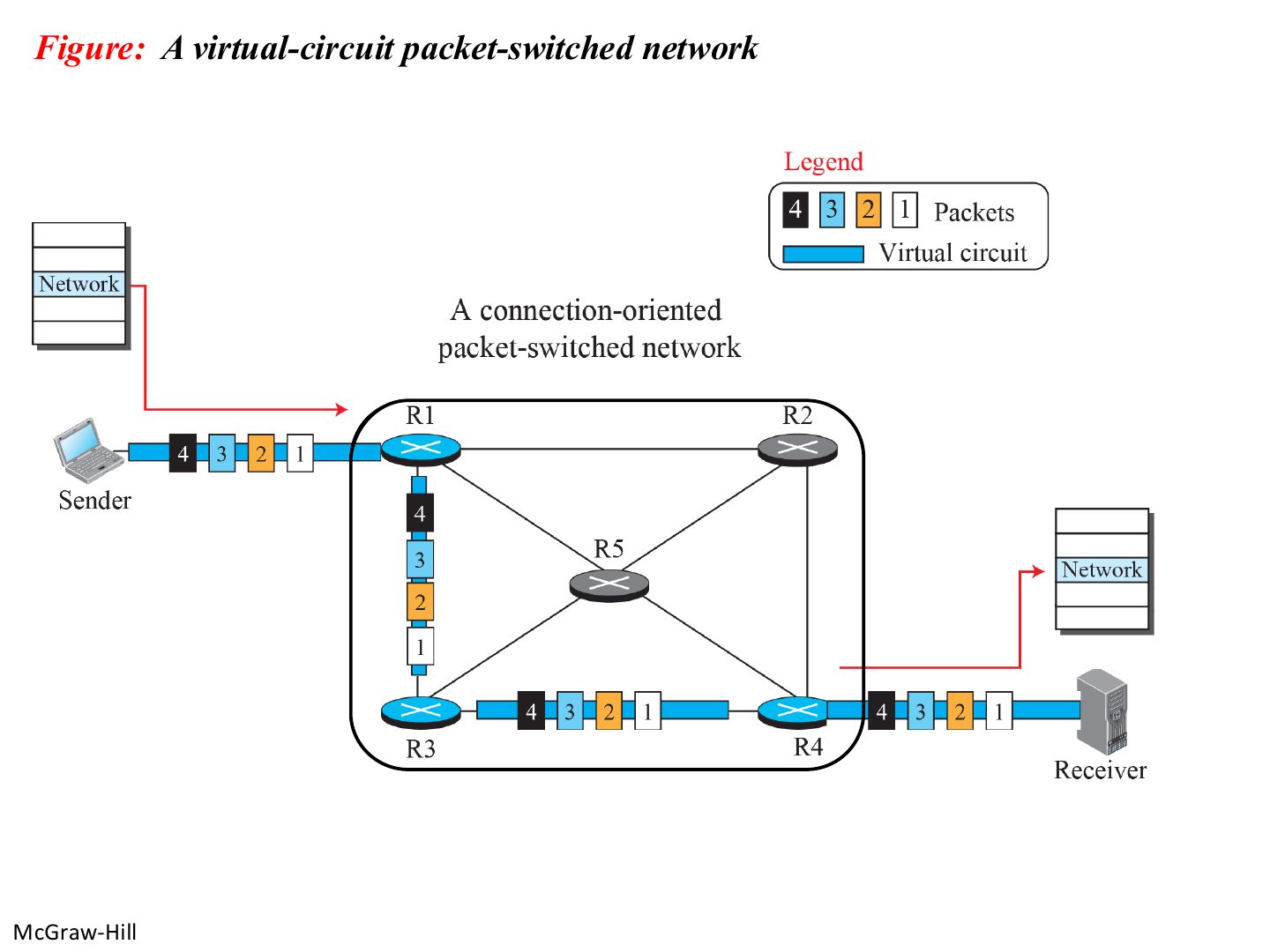
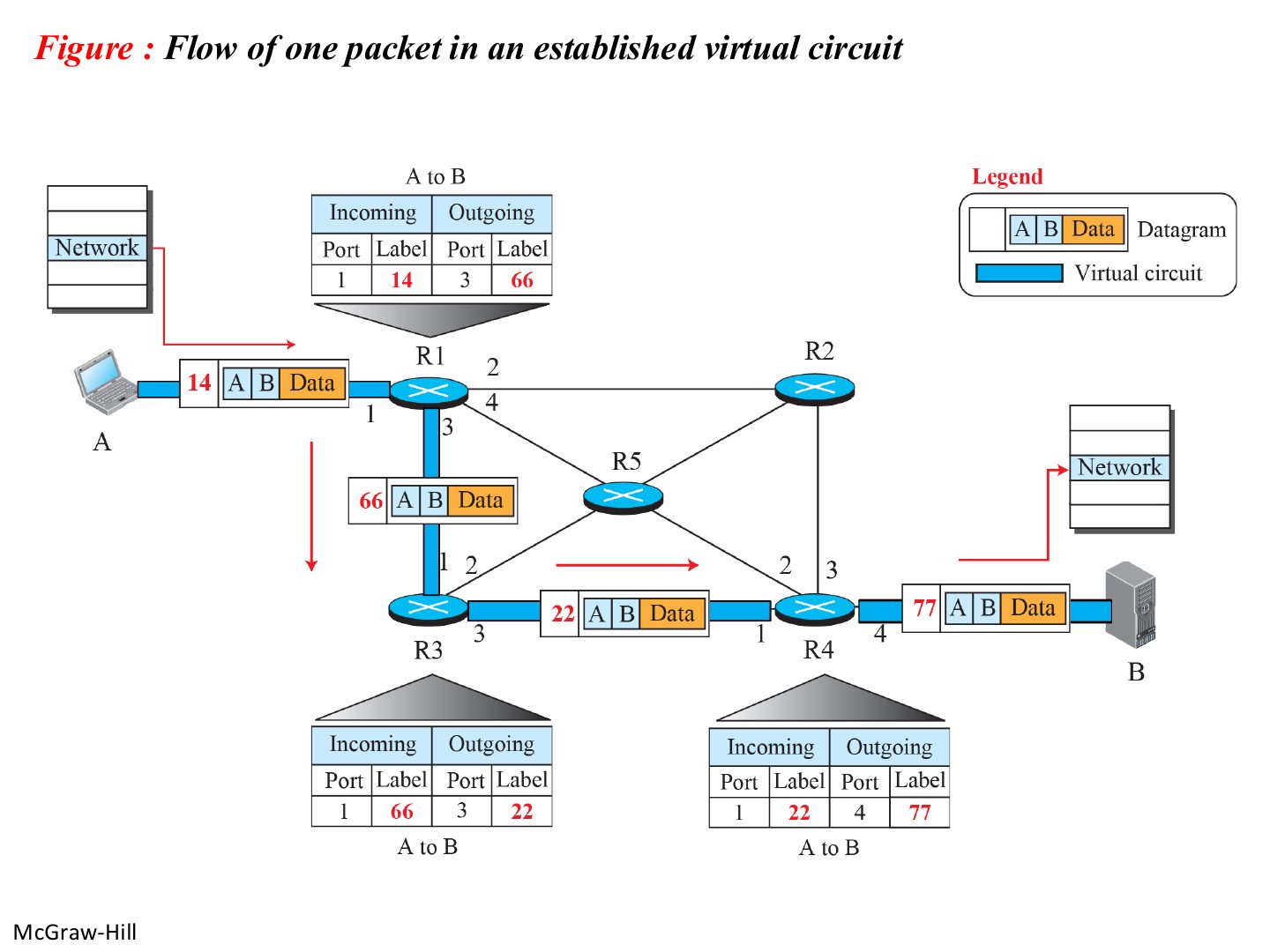
Slide 10 / 88

A virtual-circuit packet-switched network

Slide 10: A virtual-circuit packet-switched network
Slide 11 / 88

Flow of one packet in an established virtual circuit

Slide 11: Flow of one packet in an established virtual circuit

Notes

  1. Each switch maps (incoming port, label) → (outgoing port, new label).
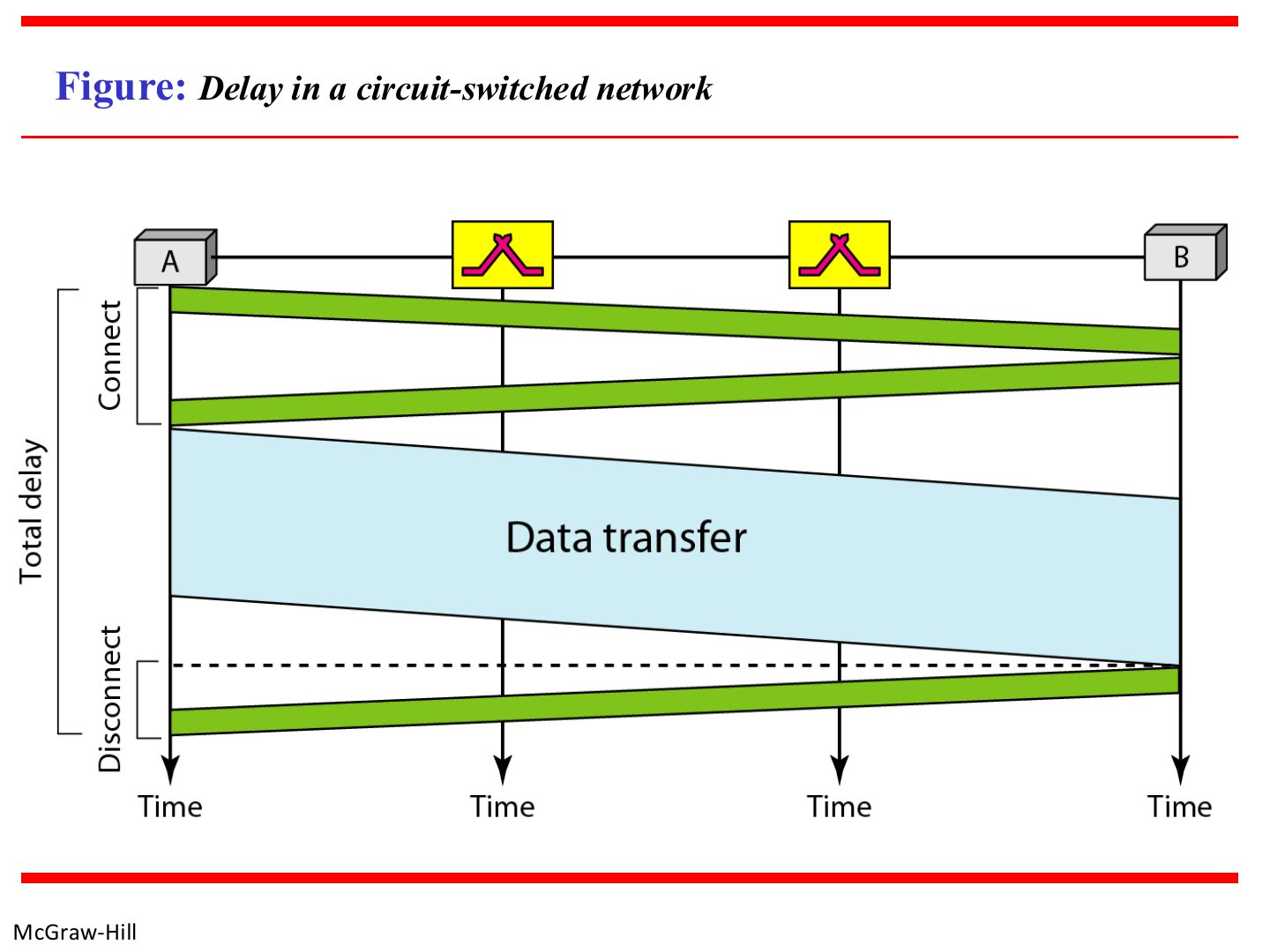
Slide 12 / 88

Delay in a circuit-switched network

Slide 12: Delay in a circuit-switched network

Notes

  1. Setup and teardown add delay, but no per-packet routing decisions.
Slide 13 / 88

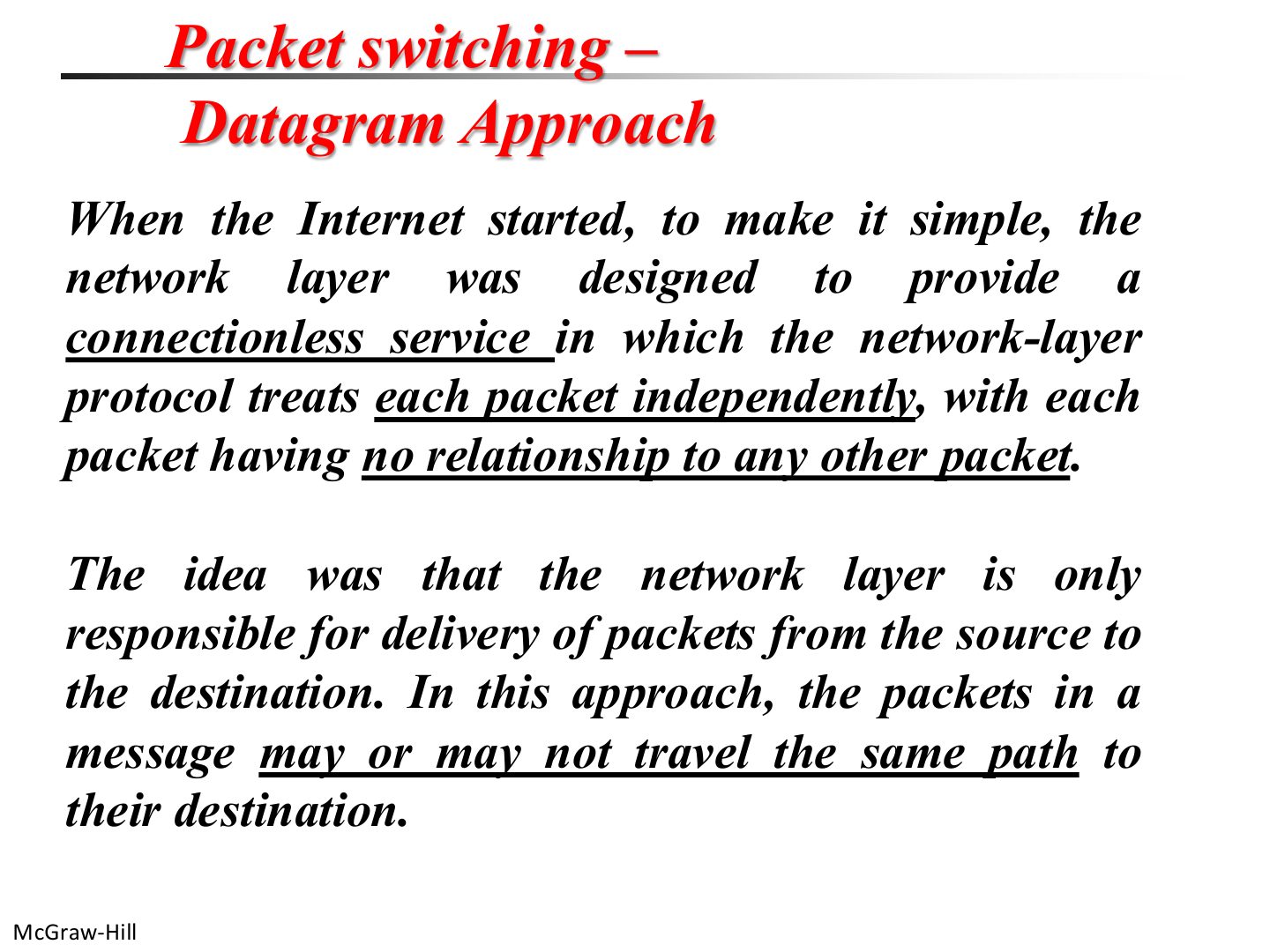
Packet switching: datagram approach

Slide 13: Packet switching: datagram approach

Notes

  1. Datagram (connectionless): each packet handled independently; packets may take different paths.
Slide 14 / 88

Note: the Internet is connectionless

Slide 14: Note: the Internet is connectionless

Exam angle

PredictionQ1

Communication at the network layer in the Internet is:
Slide 15 / 88

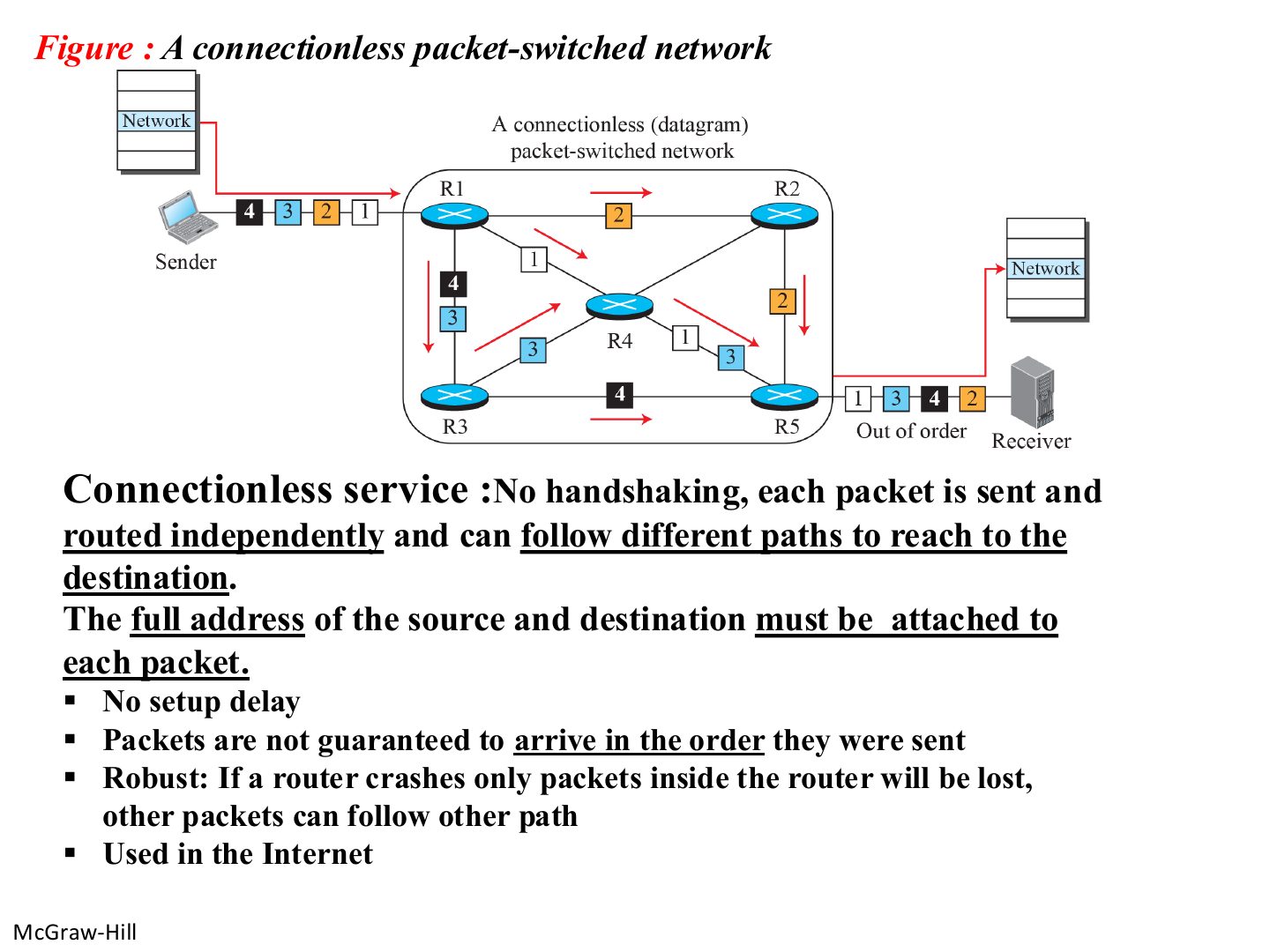
A connectionless packet-switched network

Slide 15: A connectionless packet-switched network

Notes

  1. No setup, full addresses in every packet, may arrive out of order, robust (if a router dies, other packets reroute).

Exam angle

PredictionQ1

Compare the virtual-circuit and datagram approaches.

Compare with the model answer

Virtual circuit: a connection is set up first, all packets follow the same path in order and carry a VC label, resources are reserved, but there is setup delay. Datagram: no setup, every packet carries full source and destination addresses and is routed independently, so packets can take different paths and arrive out of order; it is robust and is what the Internet uses.

PredictionQ2

In a datagram network, packets are guaranteed to arrive in order.
Slide 16 / 88

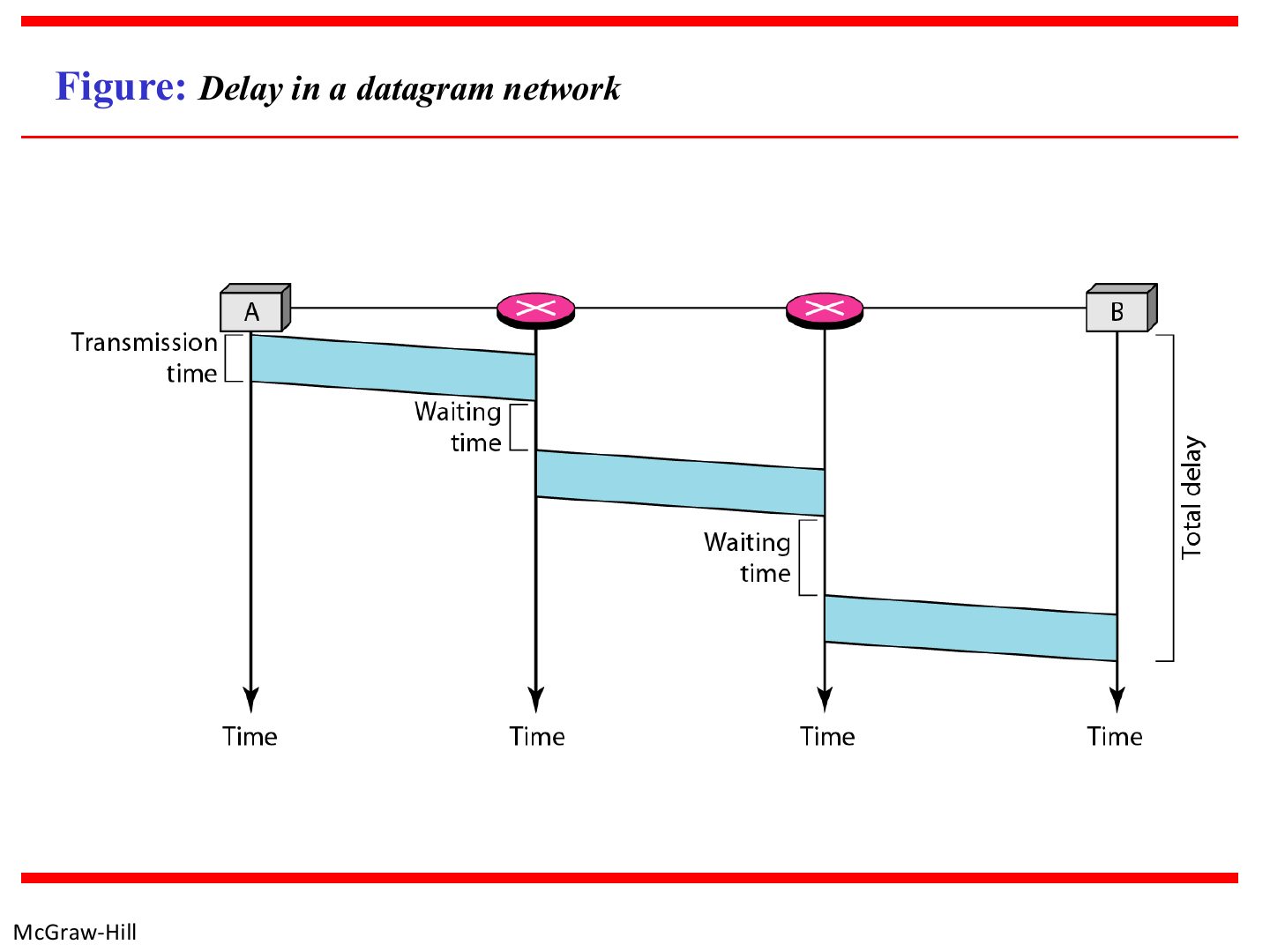
Delay in a datagram network

Slide 16: Delay in a datagram network
Slide 17 / 88

Forwarding in a connectionless router

Slide 17: Forwarding in a connectionless router

Notes

  1. The router looks only at the destination address.
Slide 18 / 88

Addressing

Slide 18: Addressing

Exam angle

PredictionQ1

An IPv4 address is:

Slide 19 / 88

Note: the IPv4 address space

Slide 19: Note: the IPv4 address space

Notes

  1. 2³² ≈ 4.3 billion addresses.

Slide 20 / 88

Different notations in IPv4 addressing

Slide 20: Different notations in IPv4 addressing
Slide 21 / 88

Example 1: binary to dotted-decimal

Slide 21: Example 1: binary to dotted-decimal

Notes

  1. Bit weights: 128 64 32 16 8 4 2 1.

Exam angle

PredictionQ1

11000000 10101000 00000001 00001010 in dotted decimal is:
Slide 22 / 88

Example 2: dotted-decimal to binary

Slide 22: Example 2: dotted-decimal to binary

Notes

  1. Subtract the biggest weight that fits, write 1, continue.
Slide 23 / 88

Example: find the error

Slide 23: Example: find the error

Notes

  1. Each octet is 0–255. Also watch for leading zeros (045) and more than four octets.

Exam angle

PredictionQ1

Which is a valid IPv4 address?

Slide 24 / 88

Hierarchy in addressing

Slide 24: Hierarchy in addressing

Notes

  1. Prefix = network, suffix = host. Network address = host bits all 0.
Slide 25 / 88

IP address with a router

Slide 25: IP address with a router

Notes

  1. A router has one IP address PER INTERFACE (one per network it touches).

Exam angle

PredictionQ1

A router connected to three networks has three IP addresses.
Slide 26 / 88

Note: five classes

Slide 26: Note: five classes

Notes

  1. Classful: classes A, B, C, D, E.

Slide 27 / 88

Occupation of the address space in classful addressing

Slide 27: Occupation of the address space in classful addressing
Slide 28 / 88

Finding the classes in binary and dotted-decimal notation

Slide 28: Finding the classes in binary and dotted-decimal notation

Notes

  1. First byte: A 0–127 · B 128–191 · C 192–223 · D 224–239 · E 240–255.

  2. Memory trick First-byte limits: 127 / 191 / 223 / 239 / 255.

Exam angle

PredictionQ1

An address starting with 190 is class:

PredictionQ2

An address whose first bits are 110 is class:
Slide 29 / 88

Classful Addressing

Slide 29: Classful Addressing

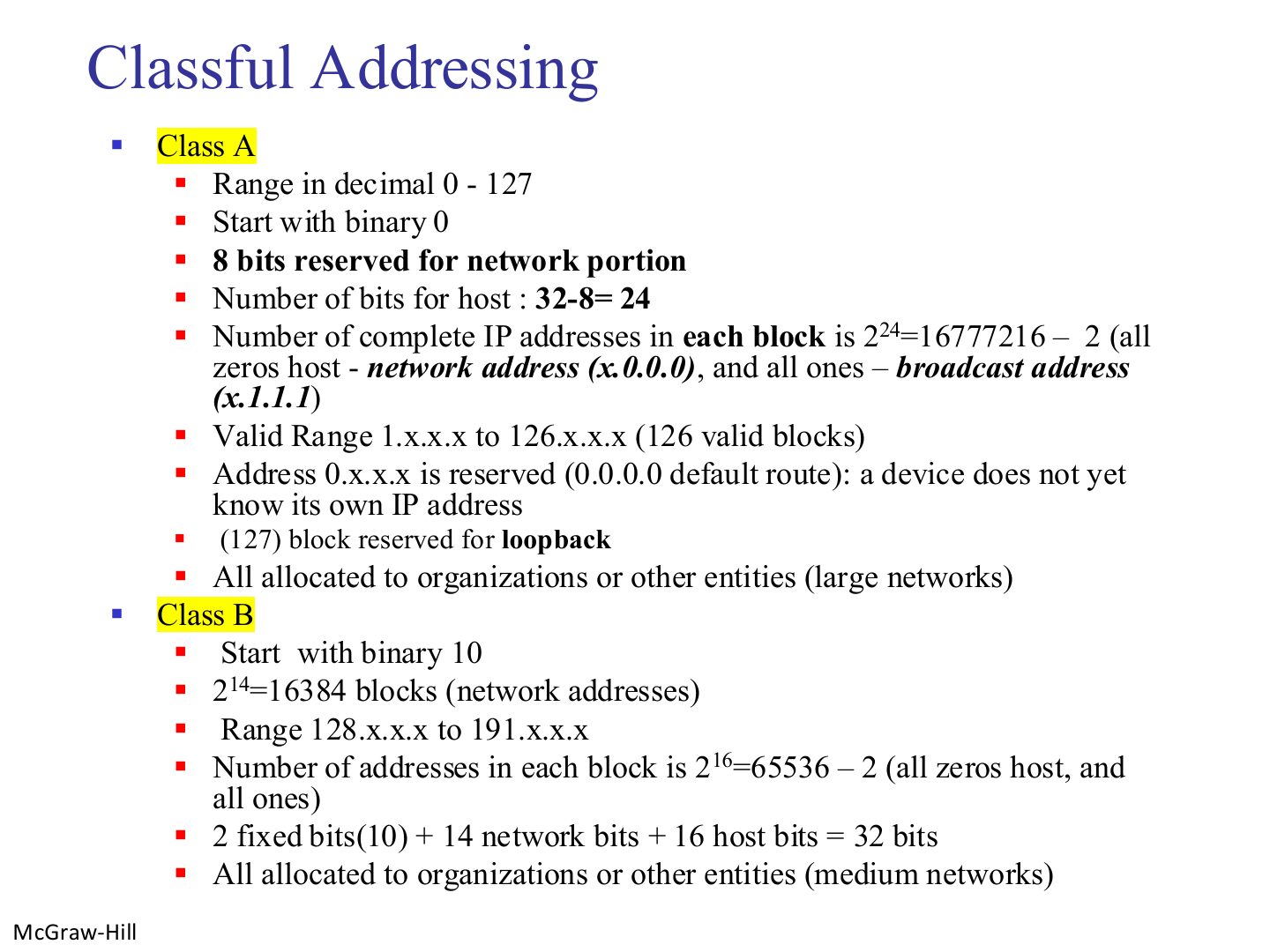
Notes

  1. Class A: /8, 126 usable networks, ~16.7 million hosts each. 127 = loopback.

  2. Class B: /16, 16,384 networks, 65,534 hosts each.

Exam angle

PredictionQ1

The 127.x.x.x block is reserved for:

PredictionQ2

How many usable host addresses does one class B block have?
Slide 30 / 88

Classful Addressing

Slide 30: Classful Addressing

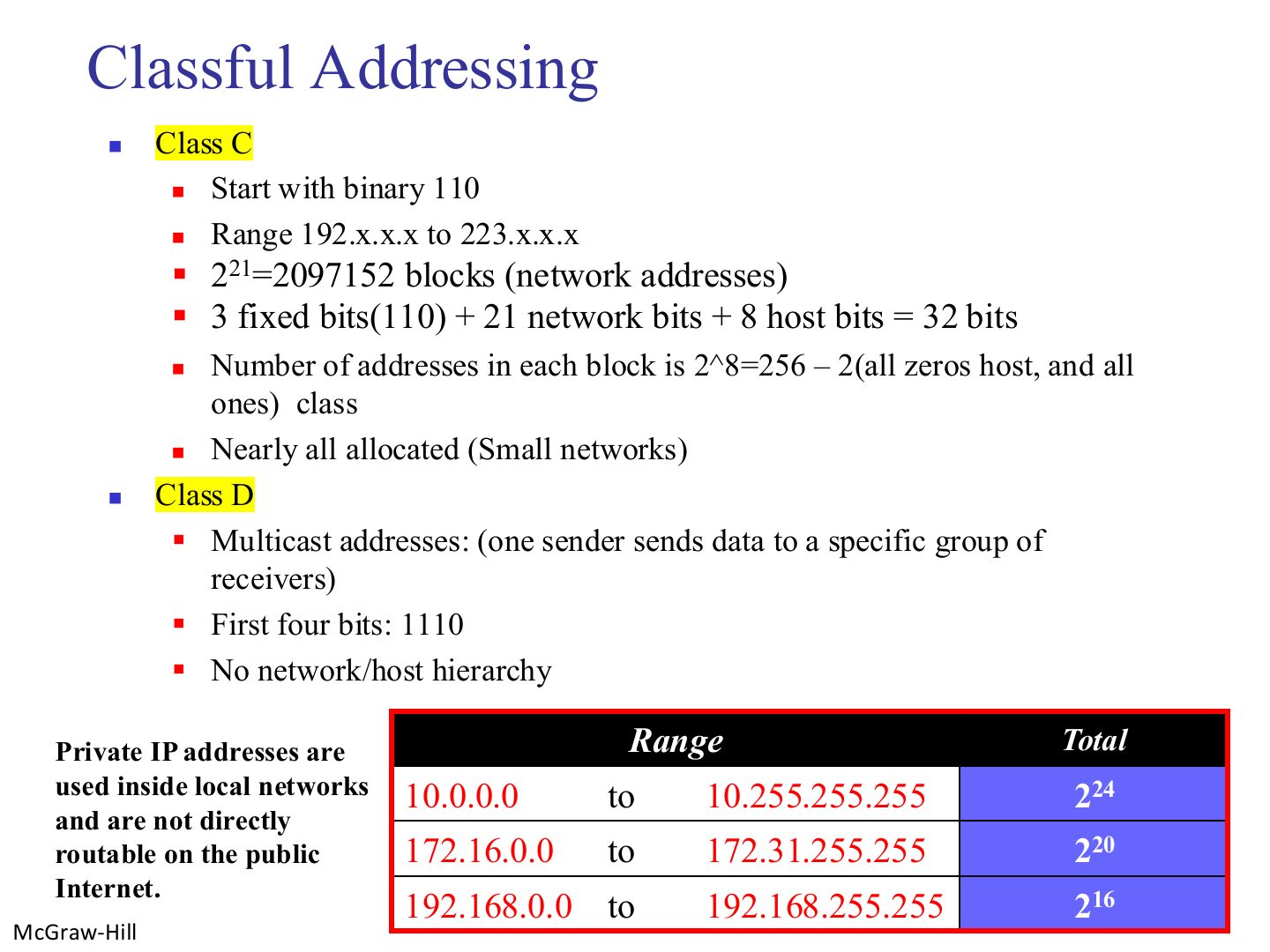
Notes

  1. Class C: /24, 254 hosts. Class D: multicast, no net/host split.

  2. Private ranges: 10/8, 172.16–172.31, 192.168/16. Not routable on the Internet (NAT needed).

  3. Seen again This deck, slide 84: Private addresses and NAT

Exam angle

PredictionQ1

Which address is private?

PredictionQ2

Class D addresses are used for:

Slide 31 / 88

Sample internet

Slide 31: Sample internet
Slide 32 / 88

Summary of IPv4 address classes

Slide 32: Summary of IPv4 address classes
Slide 33 / 88

Find the class of each address:

Slide 33: Find the class of each address:
Slide 34 / 88

Find the class of each address:

Slide 34: Find the class of each address:

Exam angle

PredictionQ1

The address 227.12.14.87 is class:
Slide 35 / 88

Example: network address (class A)

Slide 35: Example: network address (class A)

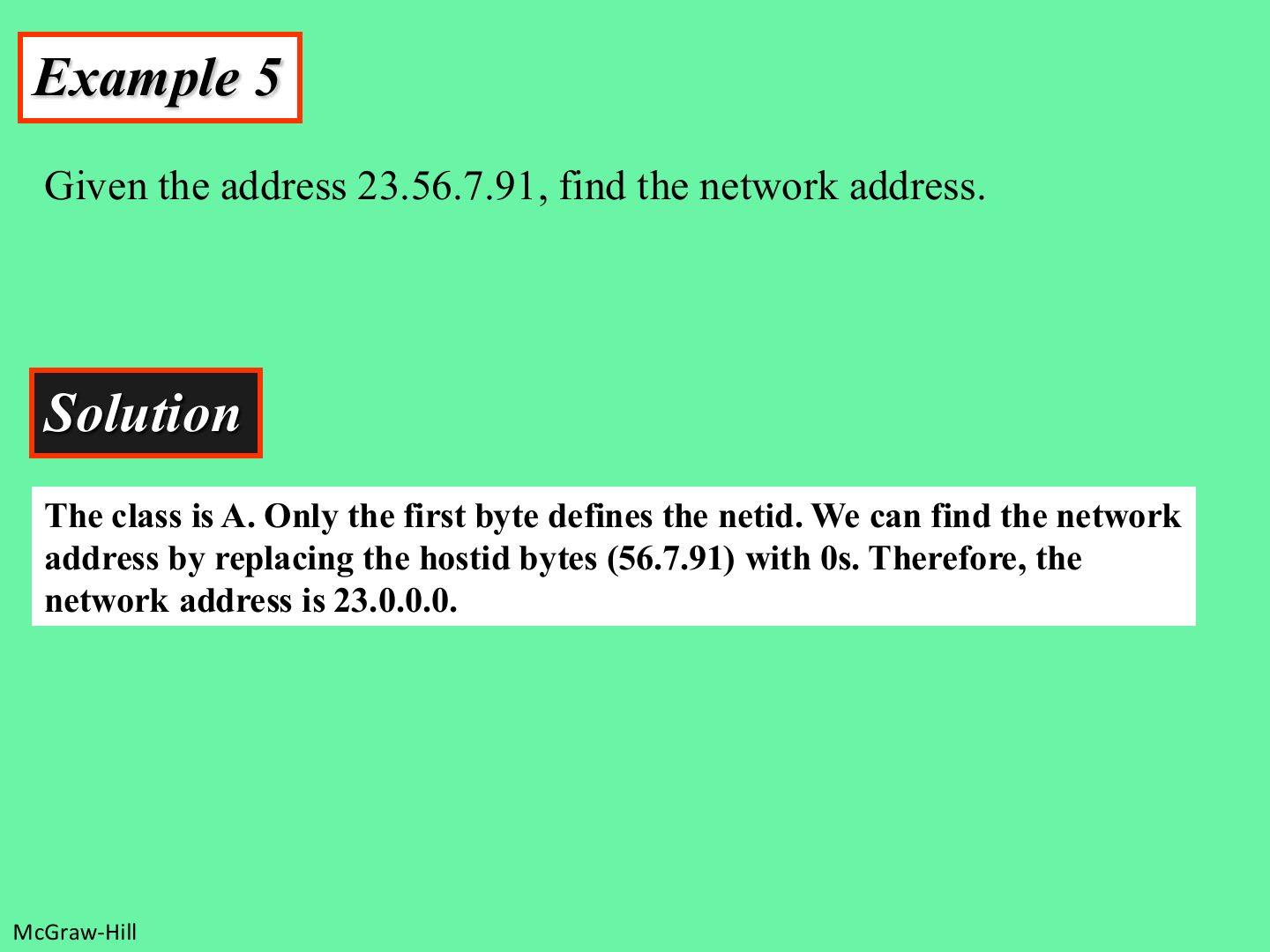
Notes

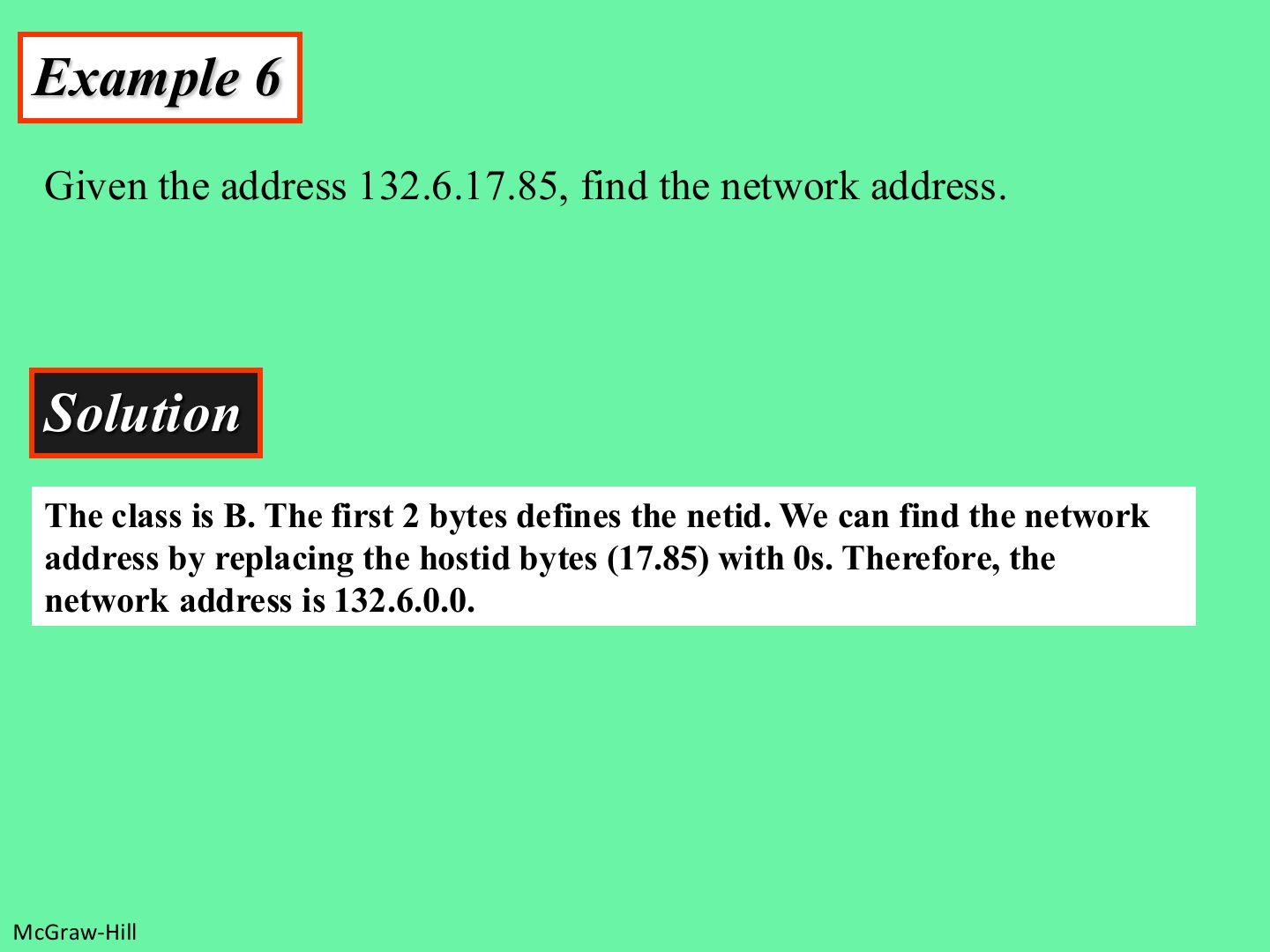
  1. Class A → keep 1 byte, zero the rest: 23.0.0.0.
Slide 36 / 88

Example: network address (class B)

Slide 36: Example: network address (class B)

Exam angle

PredictionQ1

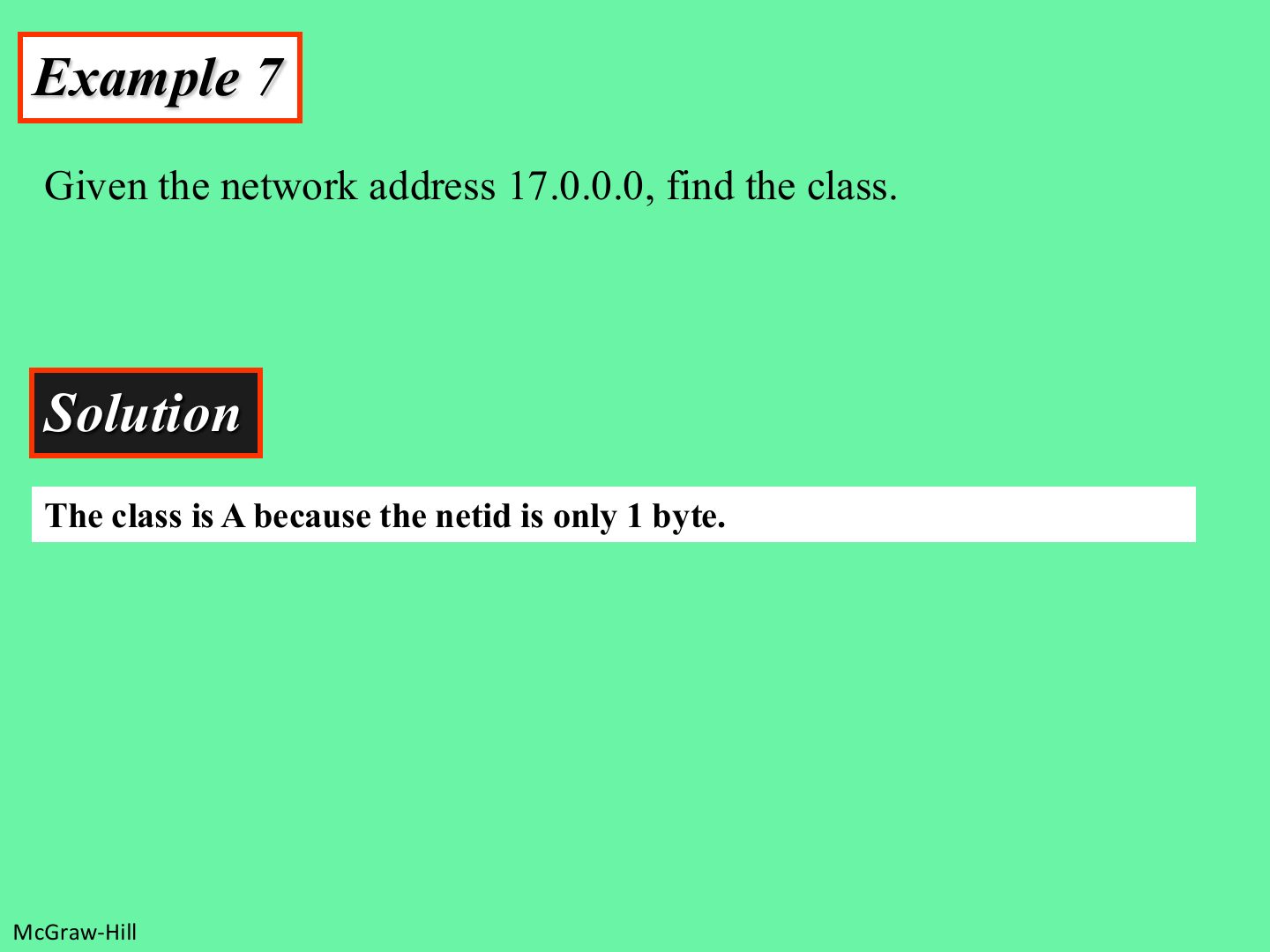
The network address of 201.14.78.65 (classful) is:
Slide 37 / 88

Example: class from a network address

Slide 37: Example: class from a network address
Slide 38 / 88

Network, Host, and Broadcast Addresses

Slide 38: Network, Host, and Broadcast Addresses

Notes

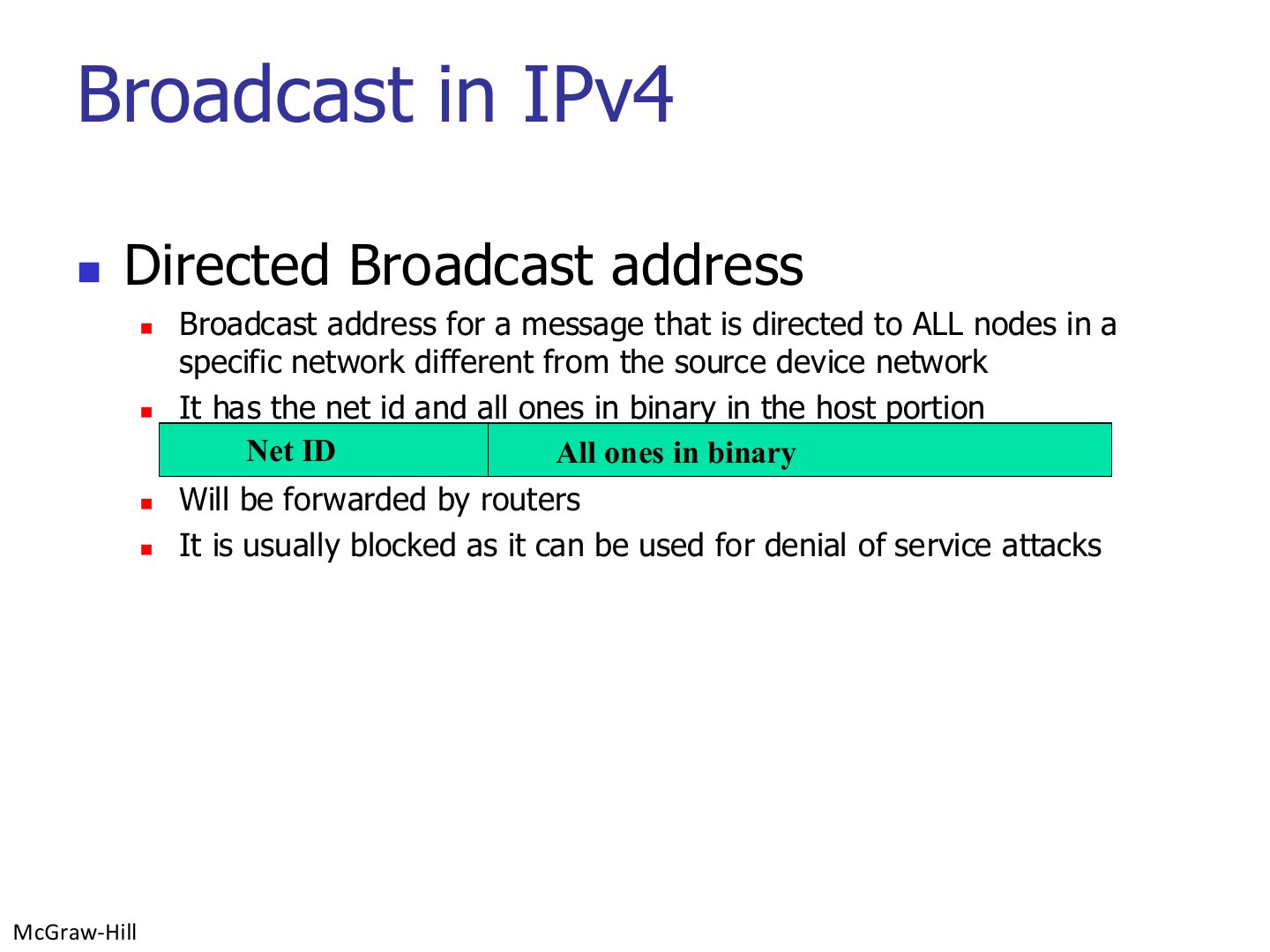
  1. Host bits all 0 → network address. All 1 → directed broadcast. Everything in between is usable.
Slide 39 / 88

Broadcast in IPv4

Slide 39: Broadcast in IPv4

Notes

  1. Directed broadcast = net ID + host all 1s, sent to ANOTHER network. Routers forward it (often blocked: DoS risk).
Slide 40 / 88

Broadcast in IPv4

Slide 40: Broadcast in IPv4

Notes

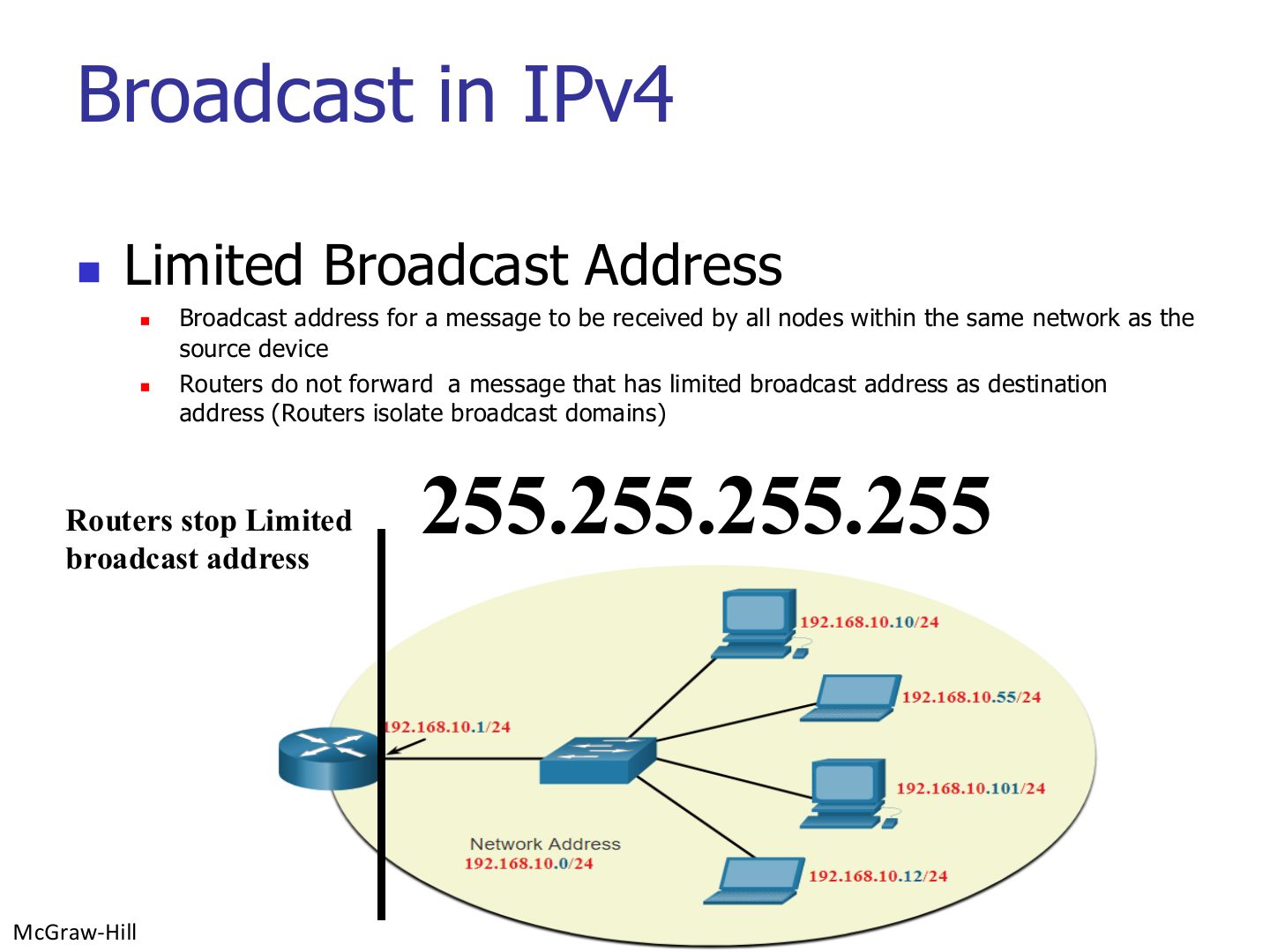
  1. Trap Directed broadcast (e.g. 192.168.10.255) CAN cross routers; limited broadcast 255.255.255.255 cannot.

Exam angle

PredictionQ1

Which broadcast address is never forwarded by routers?

PredictionQ2

The directed broadcast address of 192.168.10.0/24 is:
Slide 41 / 88

Note: the network address is assigned

Slide 41: Note: the network address is assigned
Slide 42 / 88

Subnet Mask

Slide 42: Subnet Mask

Notes

  1. Shortcut: mask 255 → copy the octet, mask 0 → write 0, otherwise AND in binary.

  2. Tip Mask octets to know by heart: 128 · 192 · 224 · 240 · 248 · 252 · 254 · 255.
Slide 43 / 88

Why network address is needed? Case 1: A device is sending a packet

Slide 43: Why network address is needed? Case 1: A device is sending a packet

Notes

  1. Sender ANDs the destination with its mask: same network → deliver directly; different → send to the default gateway.

Exam angle

PredictionQ1

Host 192.168.10.10/24 sends to 192.168.20.5. What does its network layer do?

Compare with the model answer

It ANDs both addresses with 255.255.255.0: 192.168.10.0 vs. 192.168.20.0, which are different networks, so it hands the packet to the data link layer addressed to the default gateway (the router interface on its own network), not to the destination directly.
Slide 44 / 88

Why network address is needed? Case 2: A router receiving a packet to be forwarded

Slide 44: Why network address is needed? Case 2: A router receiving a packet to be forwarded
Slide 45 / 88

Slash notation and classless addressing

Slide 45: Slash notation and classless addressing

Notes

  1. Classful is dead: today addresses are classless (CIDR), written /n.
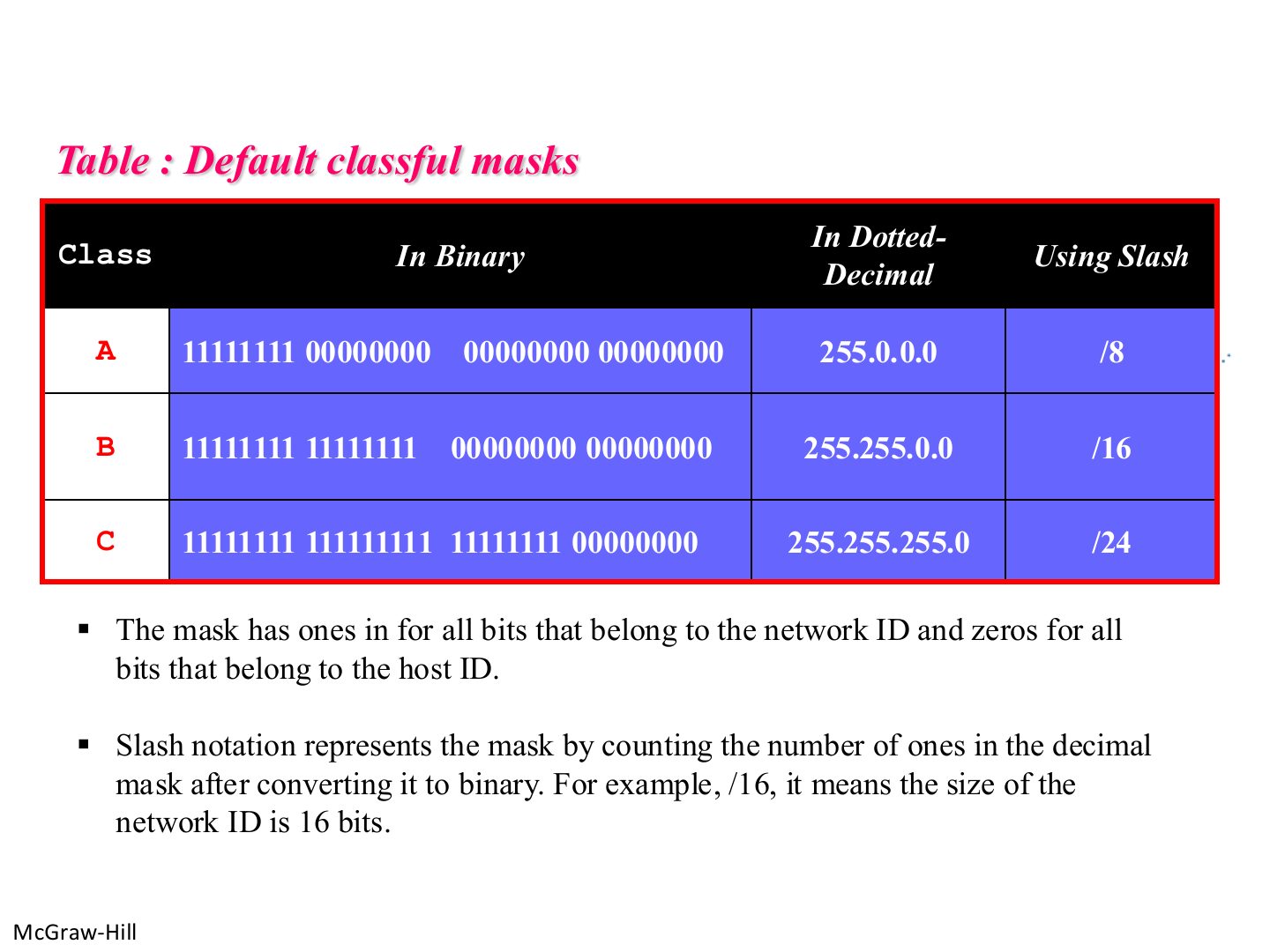
Slide 46 / 88

Default classful masks

Slide 46: Default classful masks

Exam angle

PredictionQ1

The default mask of a class C address is:
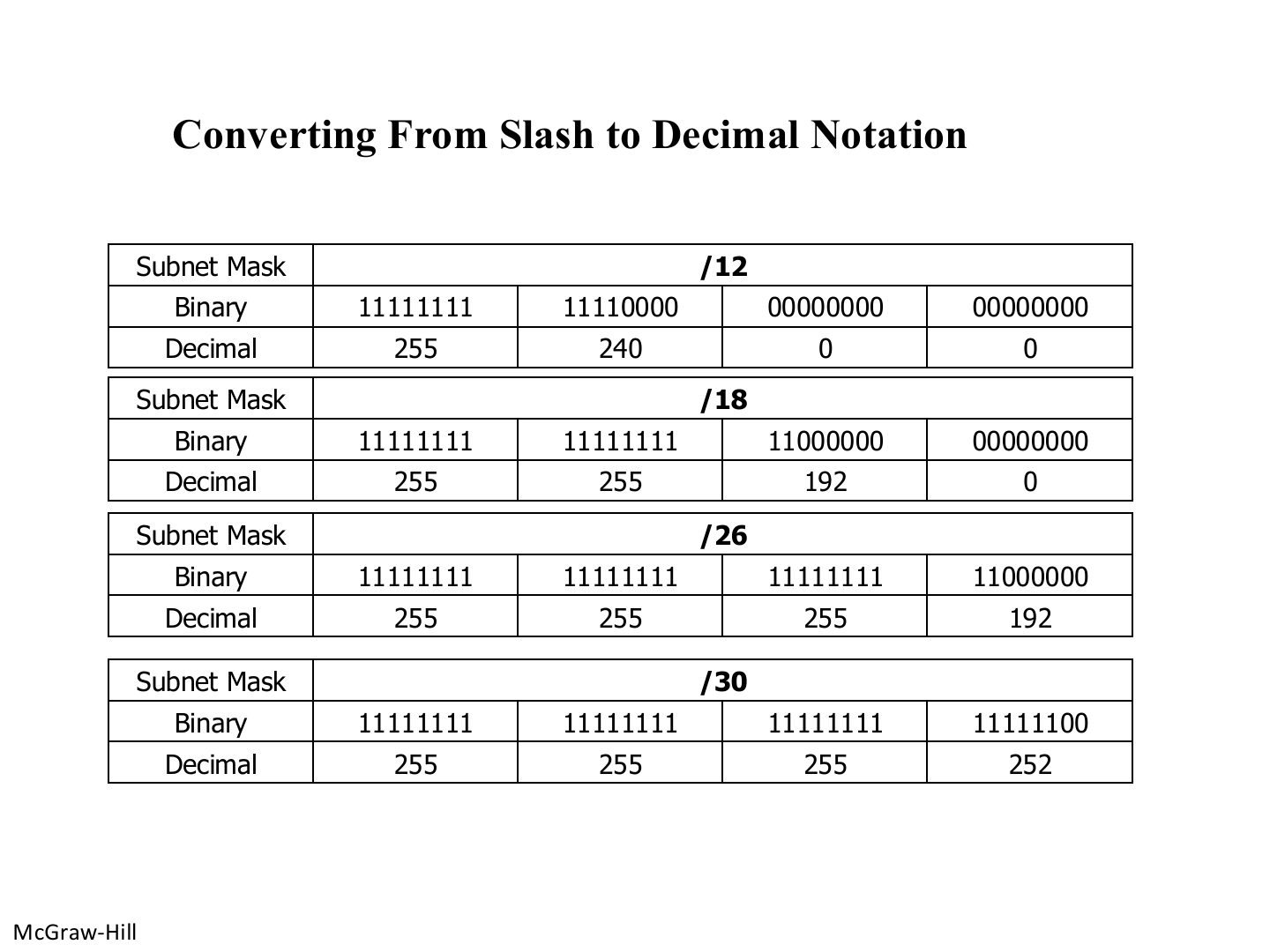
Slide 47 / 88

Converting From Slash to Decimal Notation

Slide 47: Converting From Slash to Decimal Notation

Notes

  1. Fill whole octets of 255 (8 bits each), then the leftover bits go in the next octet.

  2. Tip Mask octets to know by heart: 128 · 192 · 224 · 240 · 248 · 252 · 254 · 255.

Exam angle

PredictionQ1

/20 in dotted decimal is:

PredictionQ2

/27 in dotted decimal is:

Slide 48 / 88

Binary to Decimal Conversion

Slide 48: Binary to Decimal Conversion

Notes

  1. Memorize this list.

Slide 49 / 88

Determining the Subnet Address: Logical AND with Mask

Slide 49: Determining the Subnet Address: Logical AND with Mask

Notes

  1. 1 AND 1 = 1, everything else 0.

Slide 50 / 88

Example: subnet address of 172.16.200.100 /19

Slide 50: Example: subnet address of 172.16.200.100 /19

Notes

  1. Only the octet where the mask is not 255 or 0 needs binary work.
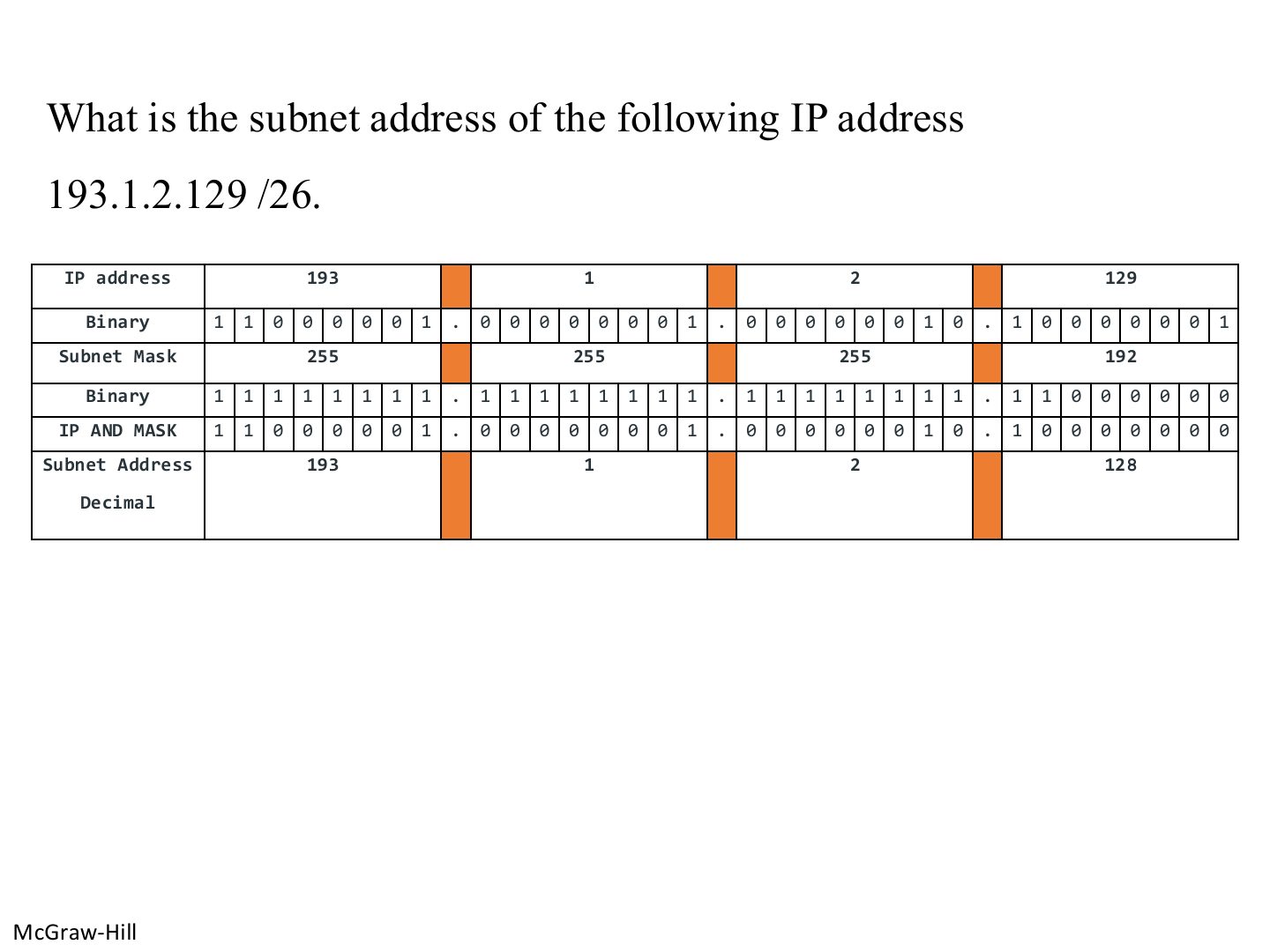
Slide 51 / 88

Example: subnet address of 193.1.2.129 /26

Slide 51: Example: subnet address of 193.1.2.129 /26
Slide 52 / 88

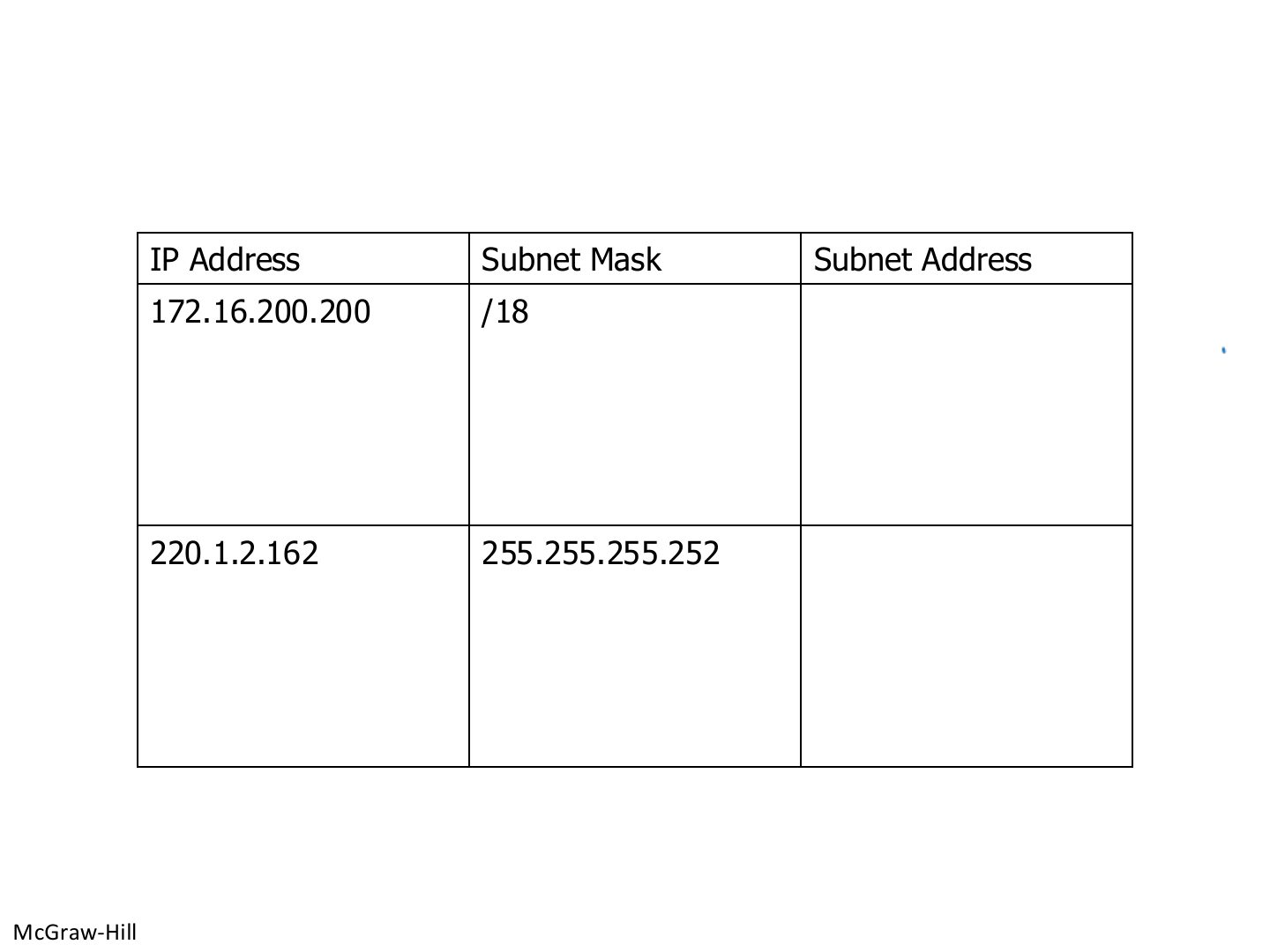
Practice: find the subnet addresses

Slide 52: Practice: find the subnet addresses

Exam angle

PredictionQ1

The subnet address of 172.16.200.200/18 is:

PredictionQ2

The subnet address of 220.1.2.162 with mask 255.255.255.252 is:
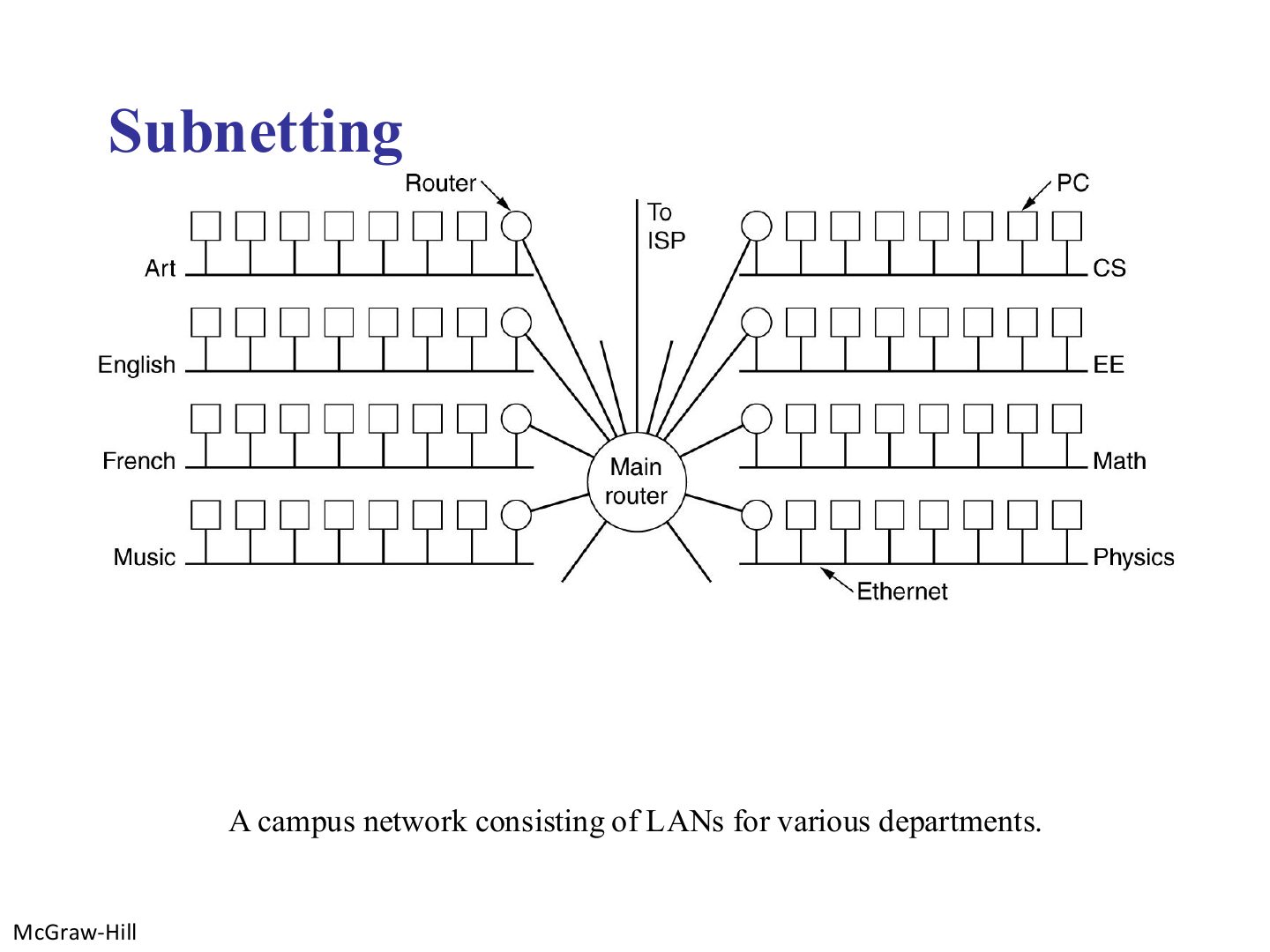
Slide 53 / 88

Subnetting

Slide 53: Subnetting

Notes

  1. One organisation, one block, many departmental LANs → subnetting.
Slide 54 / 88

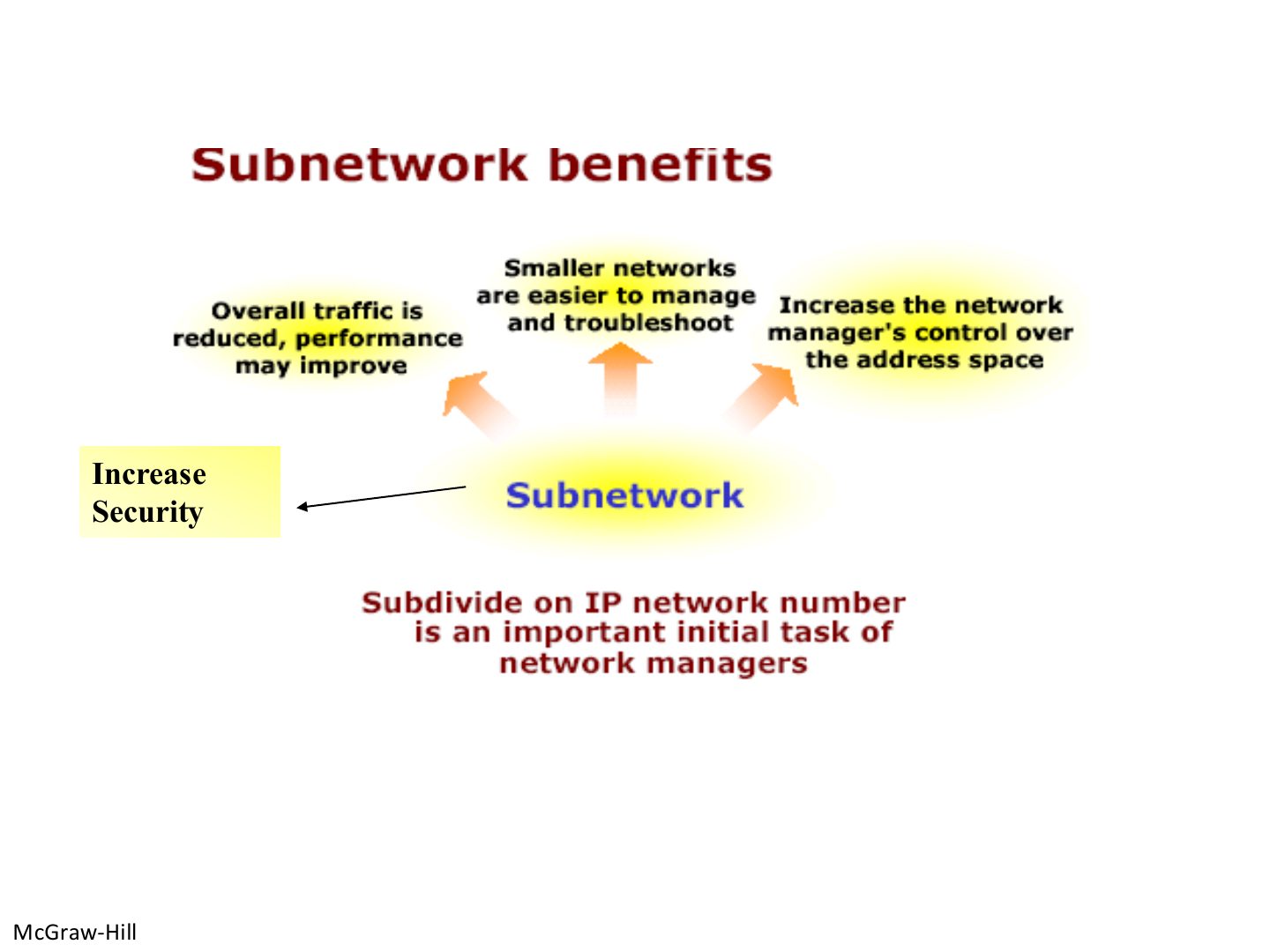
Subnetwork benefits

Slide 54: Subnetwork benefits

Notes

  1. Benefits: less traffic (smaller broadcast domains), easier management, control over the address space, security.
Slide 55 / 88

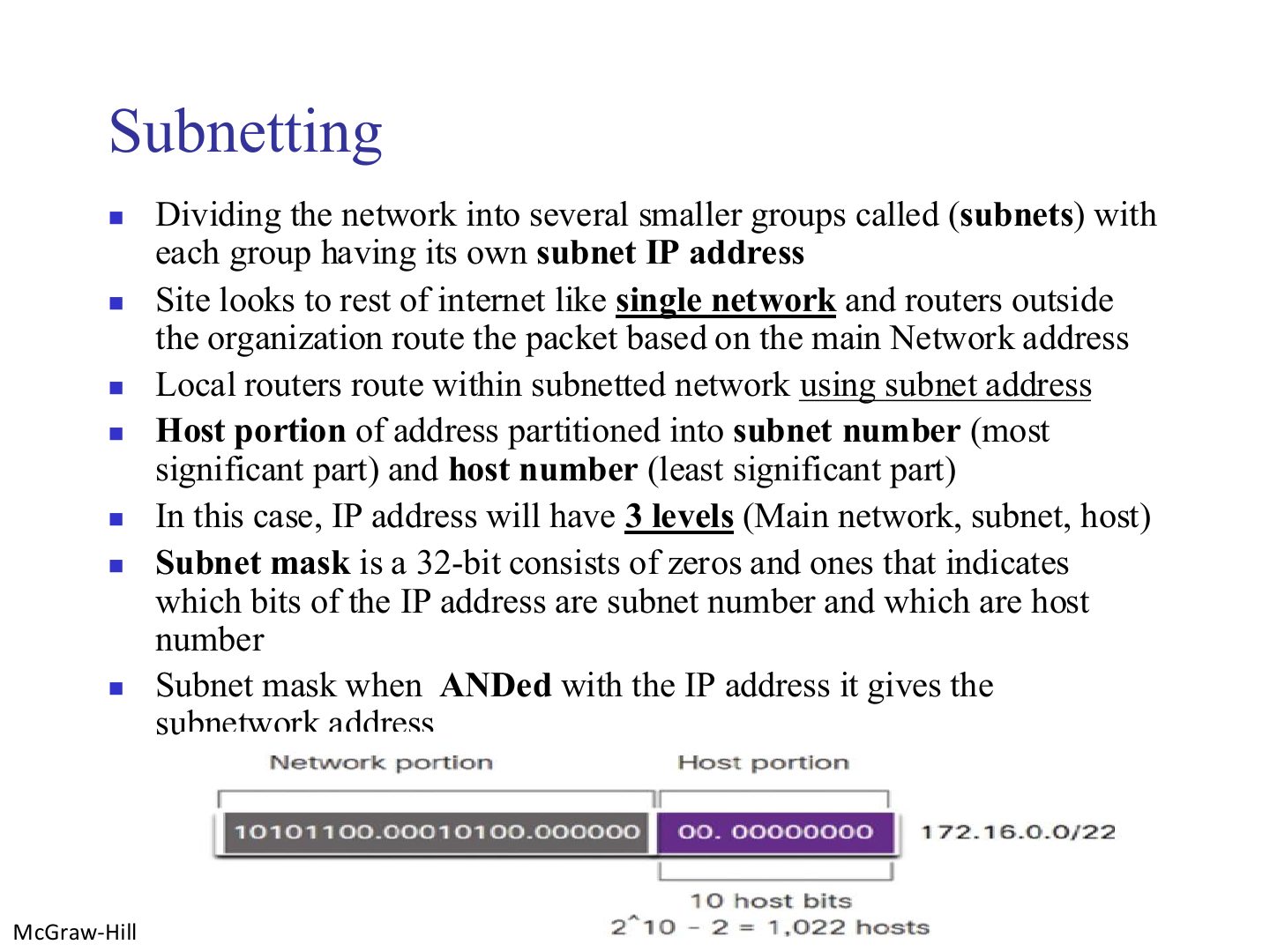
Subnetting

Slide 55: Subnetting

Exam angle

PredictionQ1

A /22 network has how many usable host addresses?
Slide 56 / 88

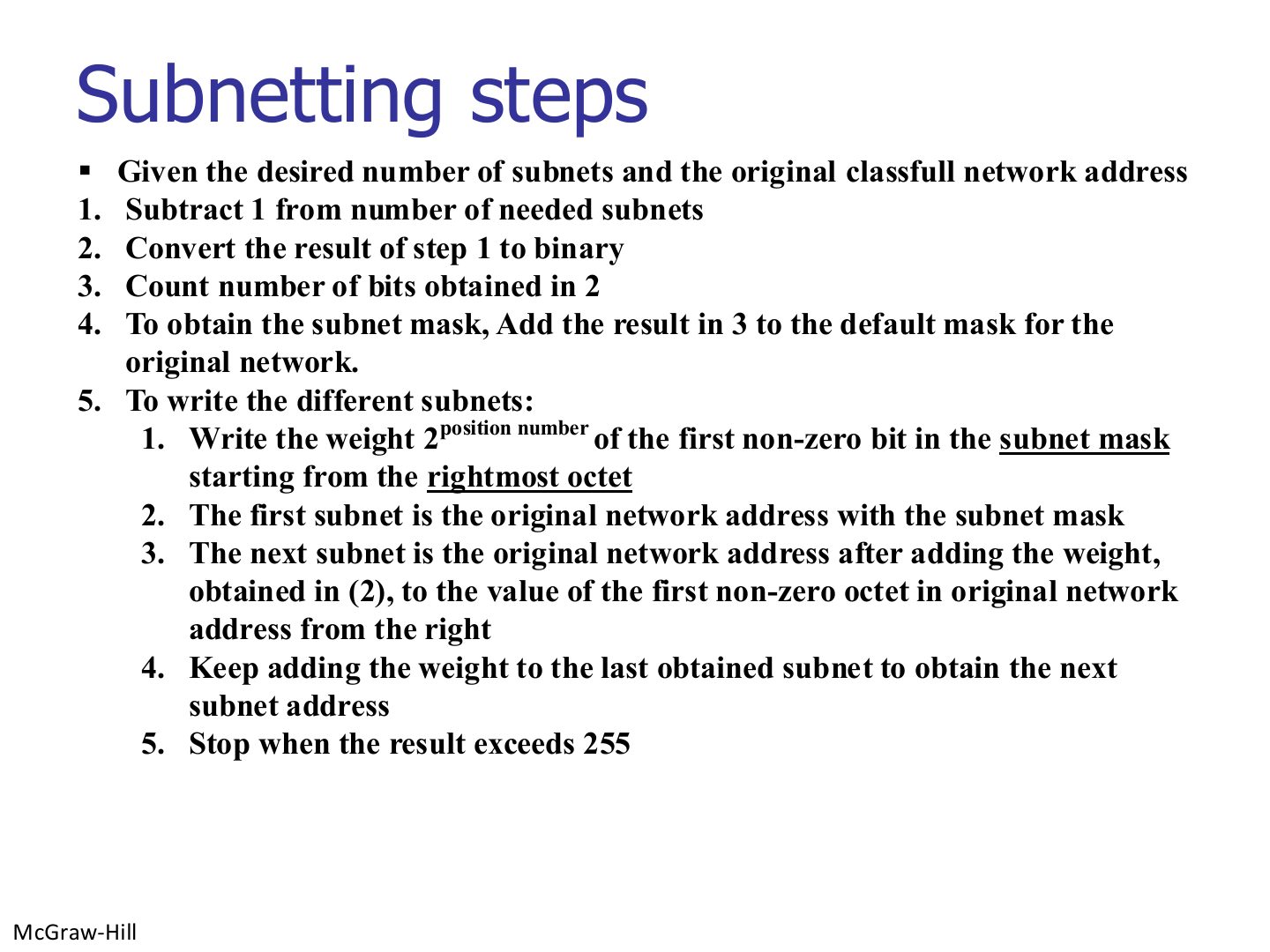
Subnetting steps

Slide 56: Subnetting steps

Notes

  1. Example: 192.168.1.0/24 into 5 subnets. 5 - 1 = 4 = 100 → 3 bits → /27 (255.255.255.224).

  2. Weight: the last 1 of the mask sits at 2⁵ = 32 → subnets .0, .32, .64, .96, .128, .160, .192, .224.

  3. Memory trick Bits needed = smallest n with 2ⁿ ≥ subnets. Block size = 256 - the mask octet.

Exam angle

PredictionQ1

A class C network must be split into 6 subnets. The new mask is:
Slide 57 / 88

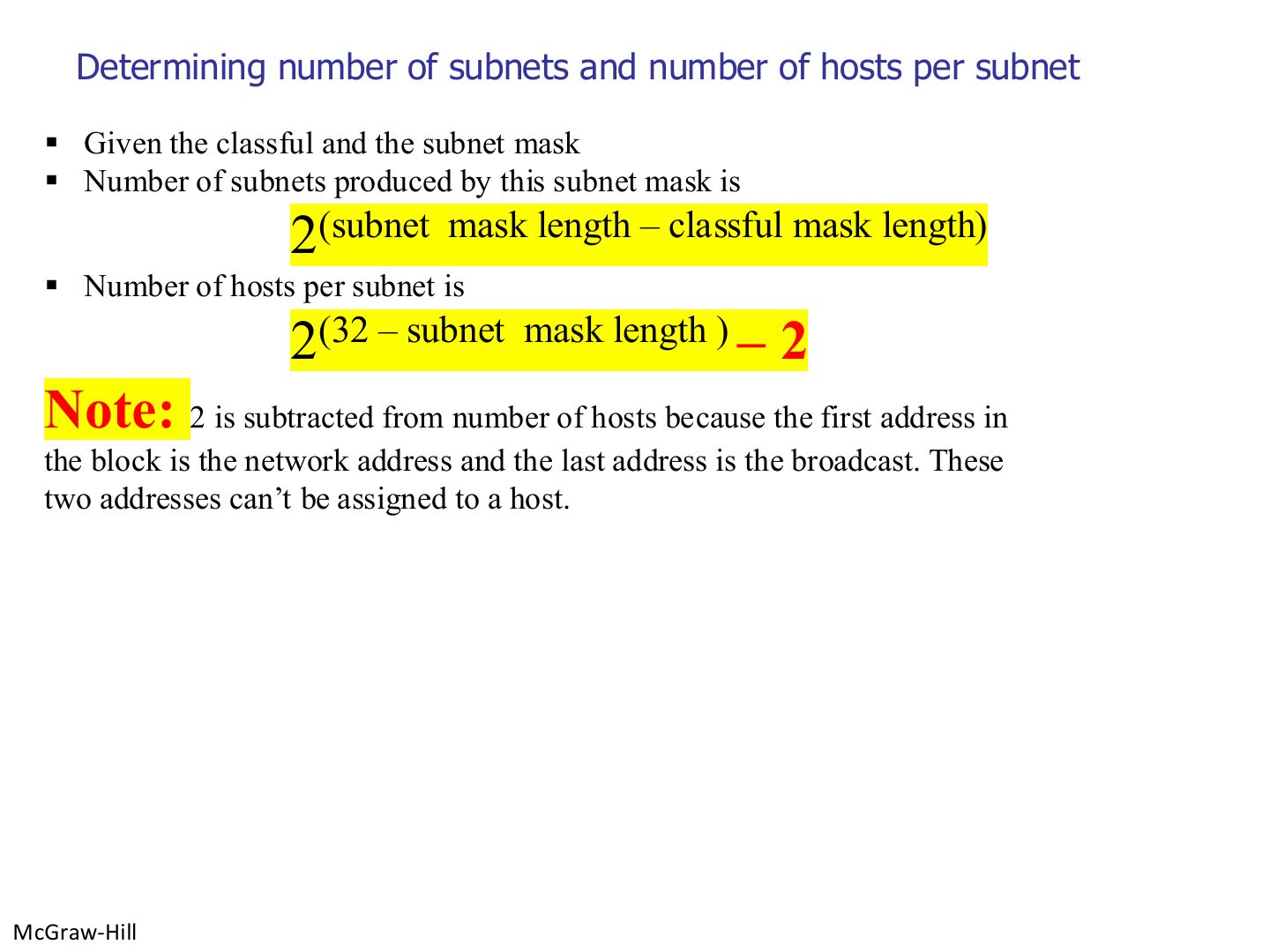
Determining number of subnets and number of hosts per subnet

Slide 57: Determining number of subnets and number of hosts per subnet

Exam angle

PredictionQ1

A class B network uses mask /20. How many subnets?

PredictionQ2

How many hosts per subnet with mask /20?
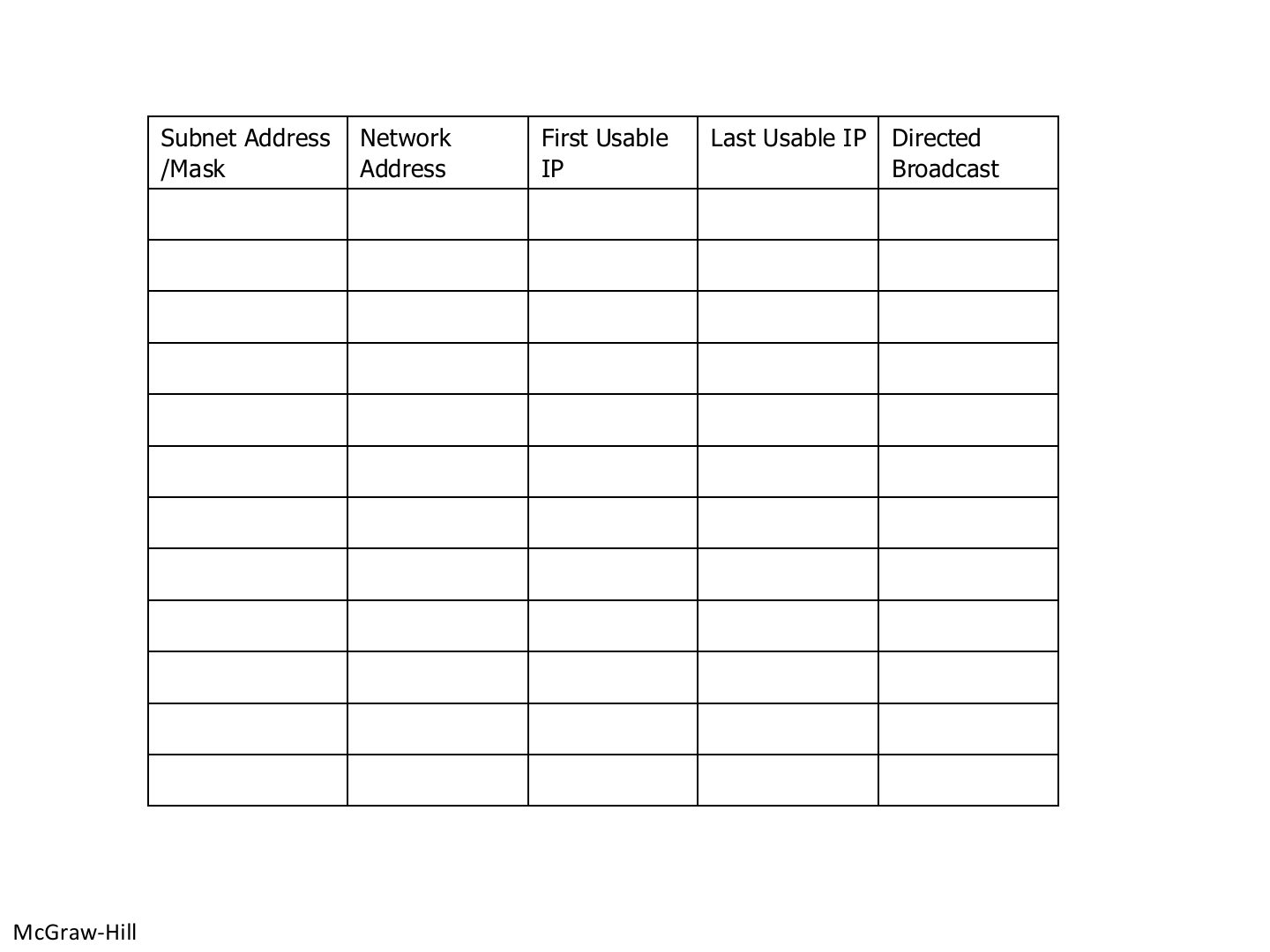
Slide 58 / 88

Practice table: 192.168.1.0/24 into /27 subnets

Slide 58: Practice table: 192.168.1.0/24 into /27 subnets

Notes

  1. The slide’s table is blank in the PDF: these are the answers. Each /27 has 32 addresses, 30 usable.

Exam angle

PredictionQ1

In 192.168.1.64/27, the broadcast address is:

PredictionQ2

The first usable host of 192.168.1.160/27 is:
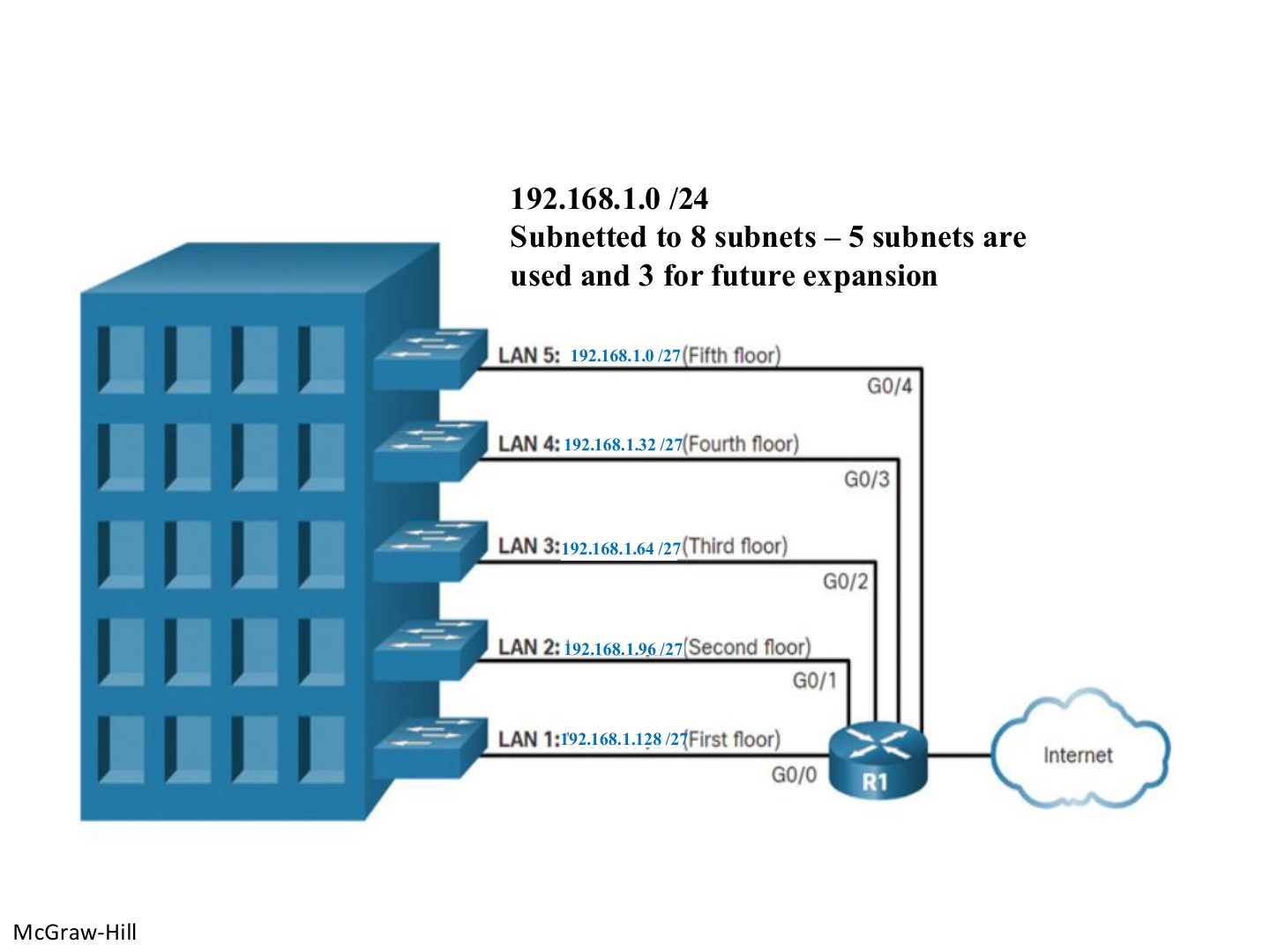
Slide 59 / 88

192.168.1.0/24 subnetted to 8 subnets: 5 used, 3 for future expansion

Slide 59: 192.168.1.0/24 subnetted to 8 subnets: 5 used, 3 for future expansion

Notes

  1. One /27 per floor; .160, .192 and .224 are kept for expansion.
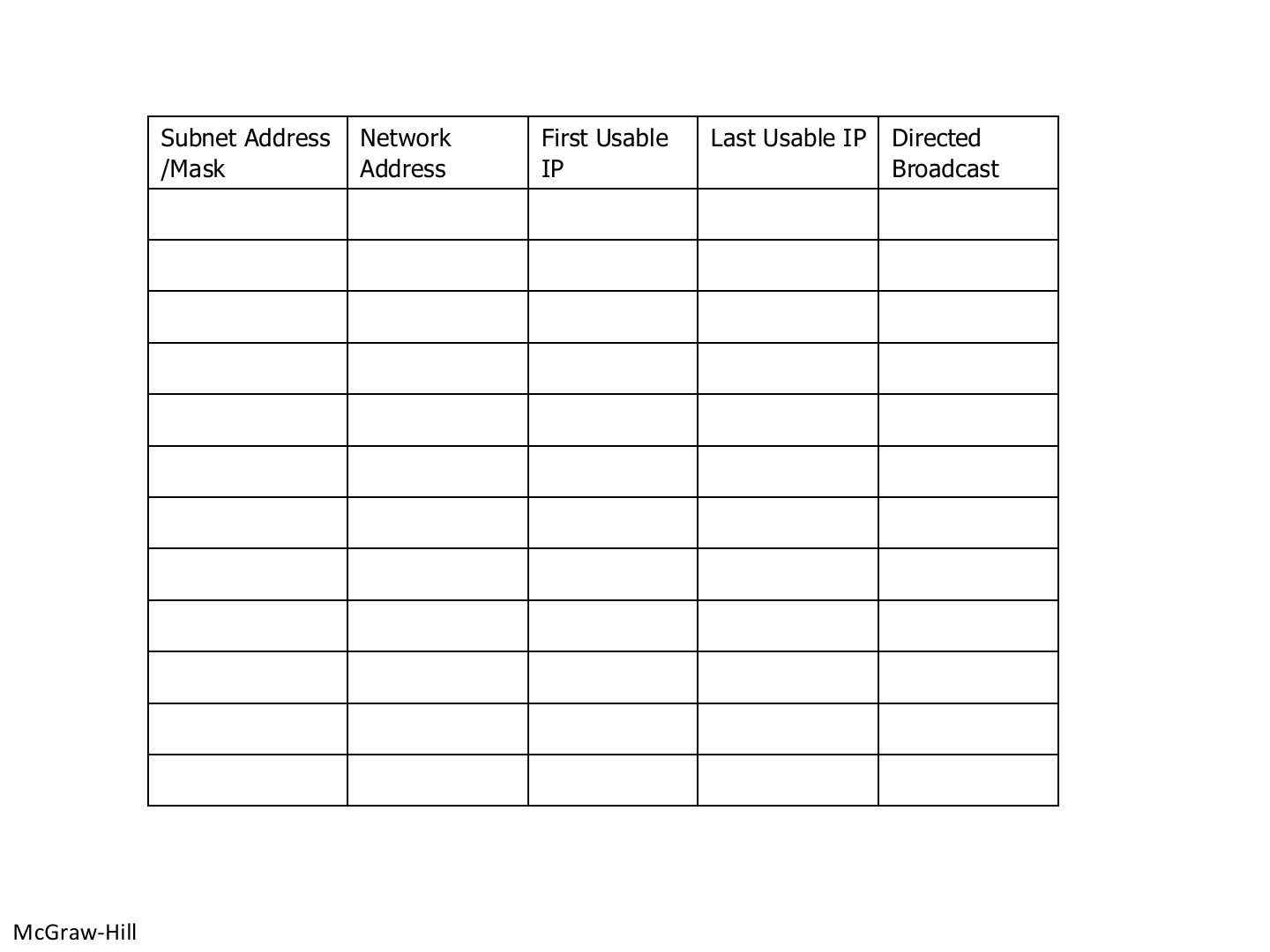
Slide 60 / 88

Practice table (blank in the PDF)

Slide 60: Practice table (blank in the PDF)

Notes

  1. Use the answers on slide 58.

Slide 61 / 88

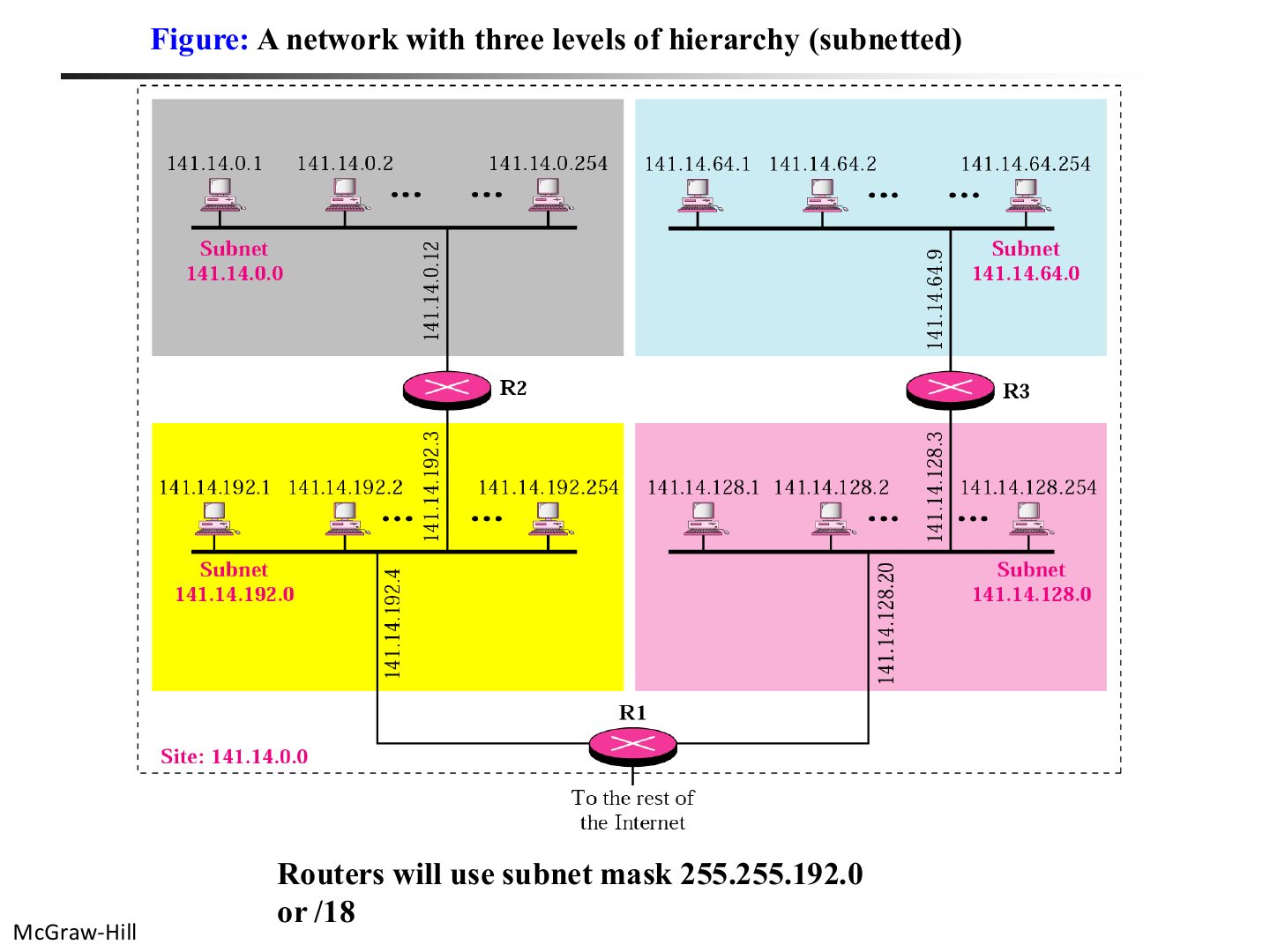
A network with three levels of hierarchy (subnetted)

Slide 61: A network with three levels of hierarchy (subnetted)

Notes

  1. 141.14.0.0/16 split into 4 subnets with /18: .0.0, .64.0, .128.0, .192.0.

Exam angle

PredictionQ1

141.14.0.0/16 is split with mask /18. Which is one of the subnet addresses?
Slide 62 / 88

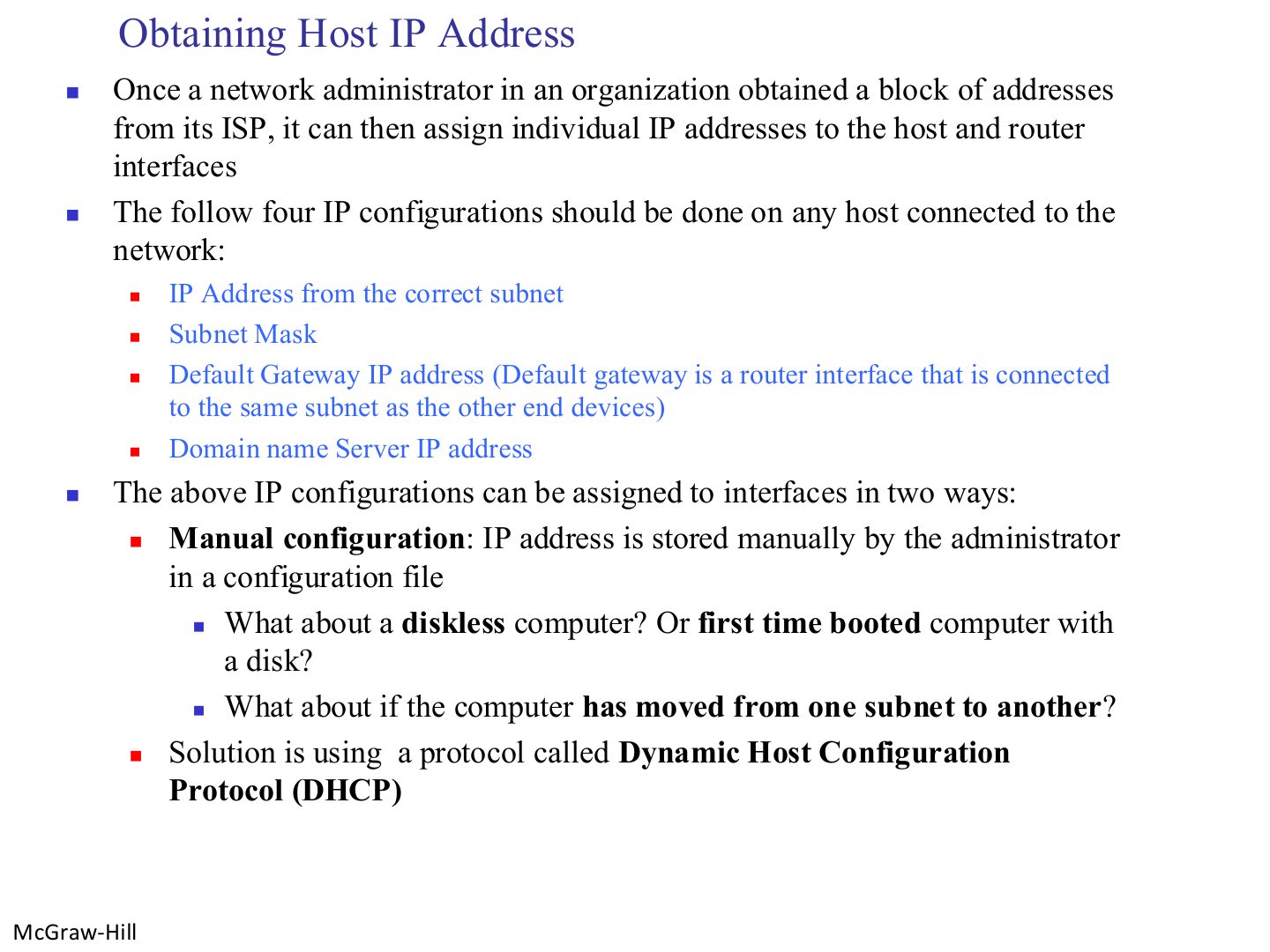
Obtaining Host IP Address

Slide 62: Obtaining Host IP Address

Notes

  1. Four settings every host needs: IP address, subnet mask, default gateway, DNS server.

  2. Manual configuration doesn’t work for diskless, newly booted or moved machines → DHCP.

Exam angle

PredictionQ1

Which is NOT one of the four IP settings a host needs?
Slide 63 / 88

Example: answer the questions on the next slide

Slide 63: Example: answer the questions on the next slide

Notes

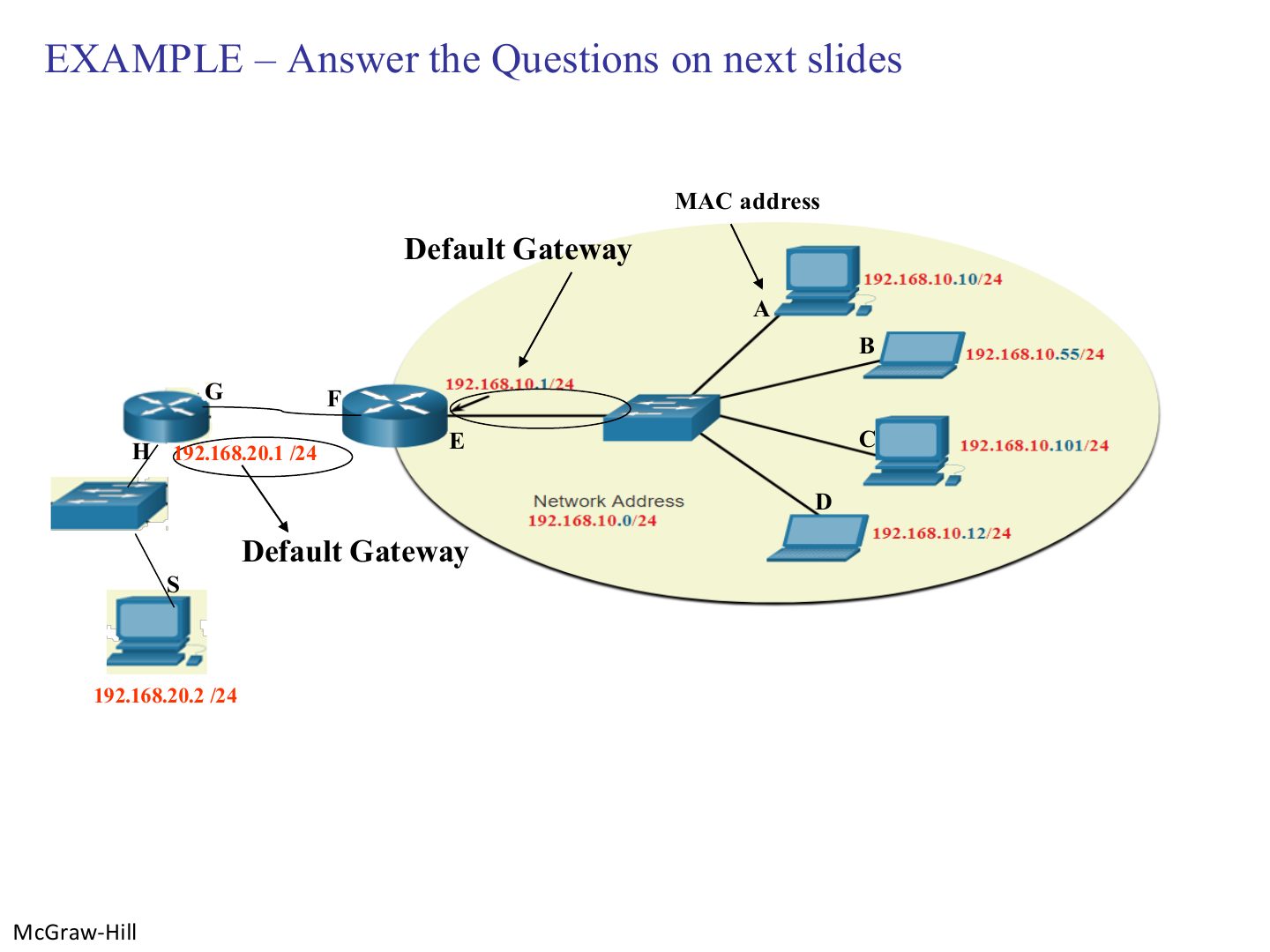
  1. Two networks joined by one router: 192.168.10.0/24 (A–D) and 192.168.20.0/24 (S).
Slide 64 / 88

Questions on the example

Slide 64: Questions on the example

Notes

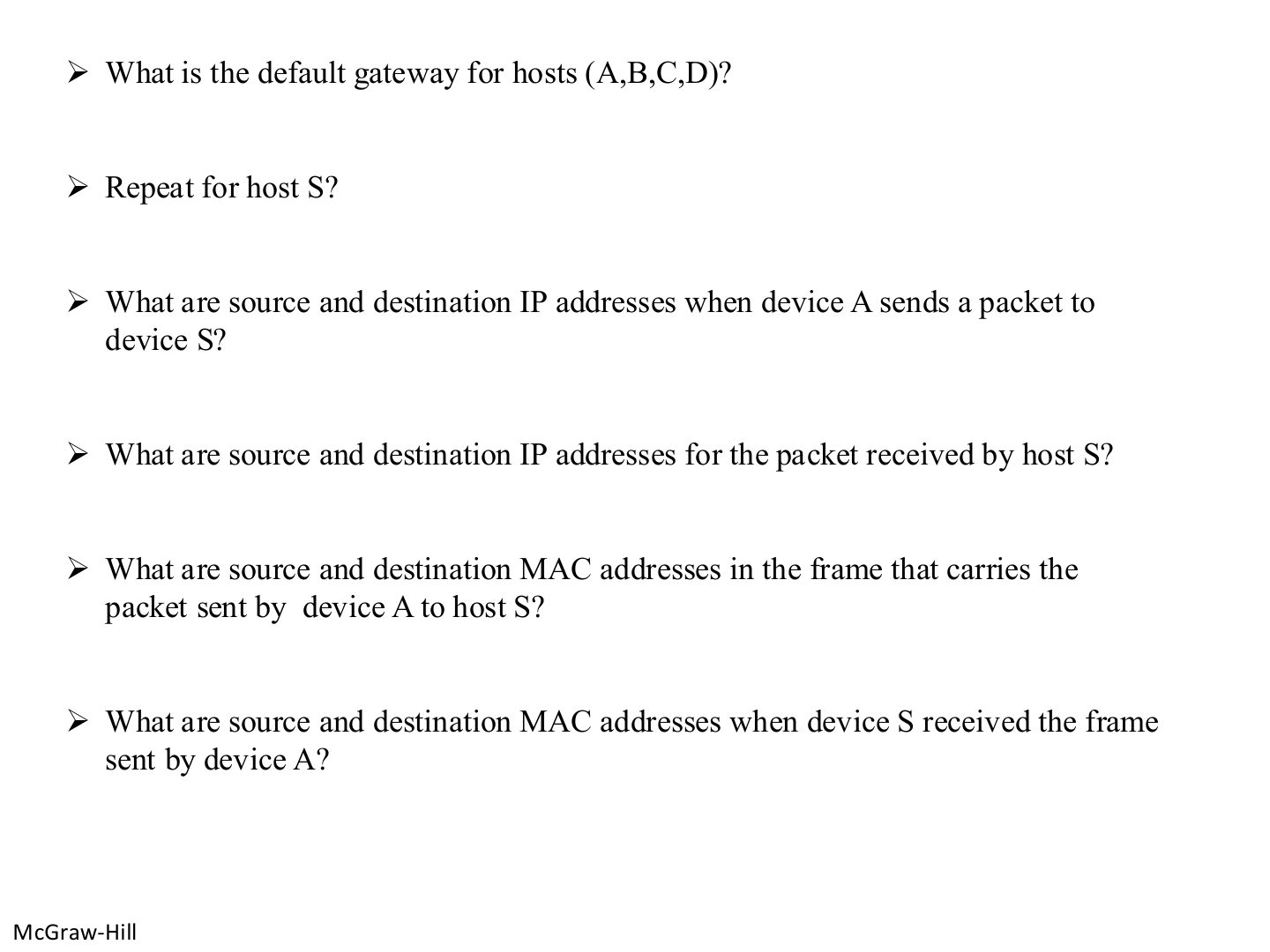
  1. Gateway for A–D: the router interface on their LAN (192.168.10.1). For S: 192.168.20.1.

  2. IP: A → S on both sides (unchanged).

  3. MAC from A: source A’s MAC, destination the router’s 192.168.10.1 interface. At S: source the router’s 192.168.20.1 interface, destination S’s MAC.

  4. Seen again Ch 1 Part 2, slide 28: IP stays end to end, MAC changes per hop

Exam angle

PredictionQ1

In the example, give the source and destination MAC addresses of the frame leaving A, and of the frame arriving at S.

Compare with the model answer

Leaving A: source = A’s MAC, destination = the MAC of the router interface on A’s network (the default gateway). Arriving at S: source = the MAC of the router interface on S’s network, destination = S’s MAC. The IP addresses stay A → S the whole way.
Slide 65 / 88

Practice: directed broadcast and subnet addresses

Slide 65: Practice: directed broadcast and subnet addresses

Notes

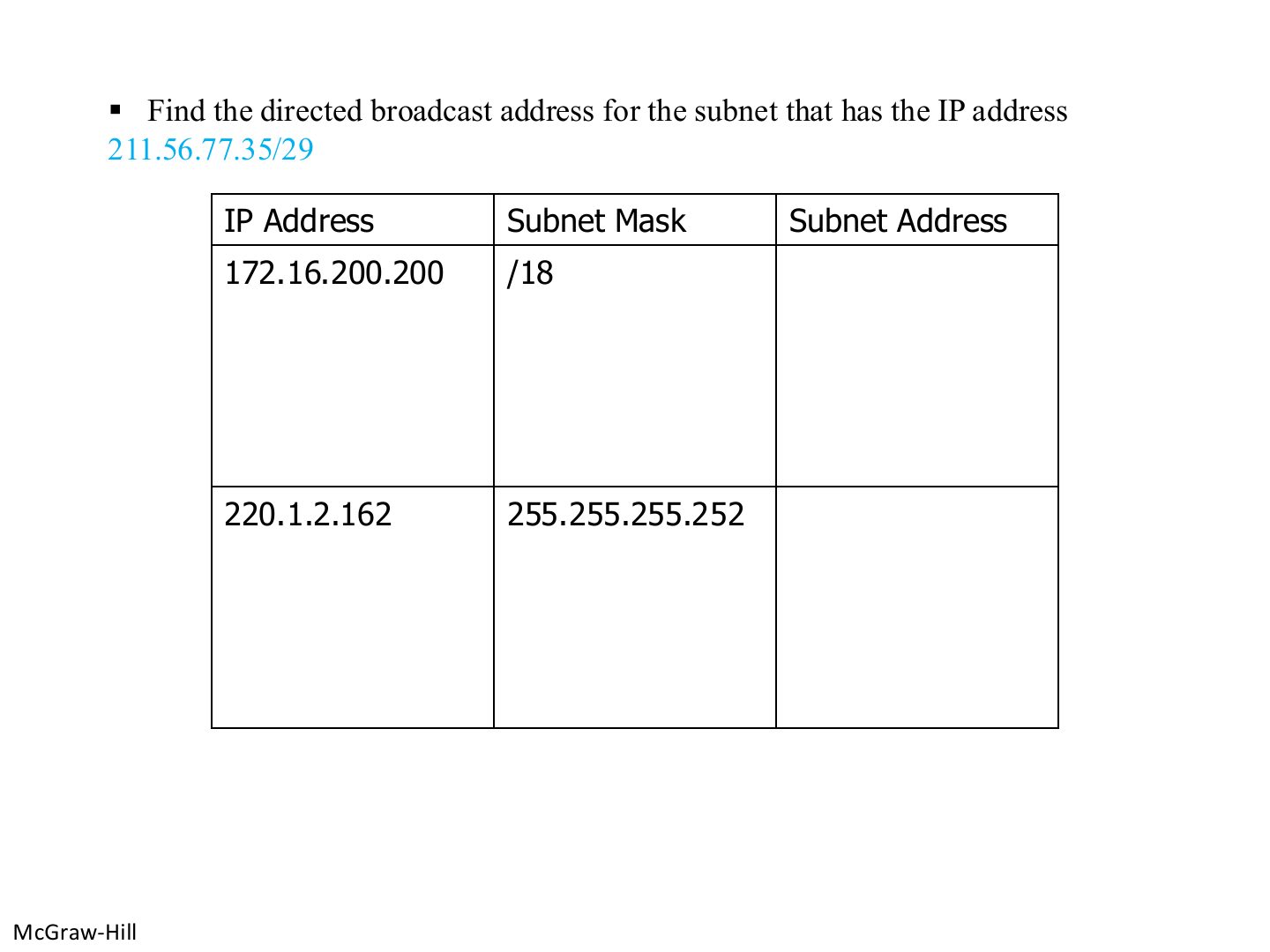
  1. /29 → block 8 → 35 is in 32–39 → network 211.56.77.32, broadcast 211.56.77.39.

  2. Others: 172.16.192.0 and 220.1.2.160 (see slide 52).

Exam angle

PredictionQ1

The directed broadcast address of 211.56.77.35/29 is:
Slide 66 / 88

Dynamic Host Configuration Protocol (DHCP)

Slide 66: Dynamic Host Configuration Protocol (DHCP)

Notes

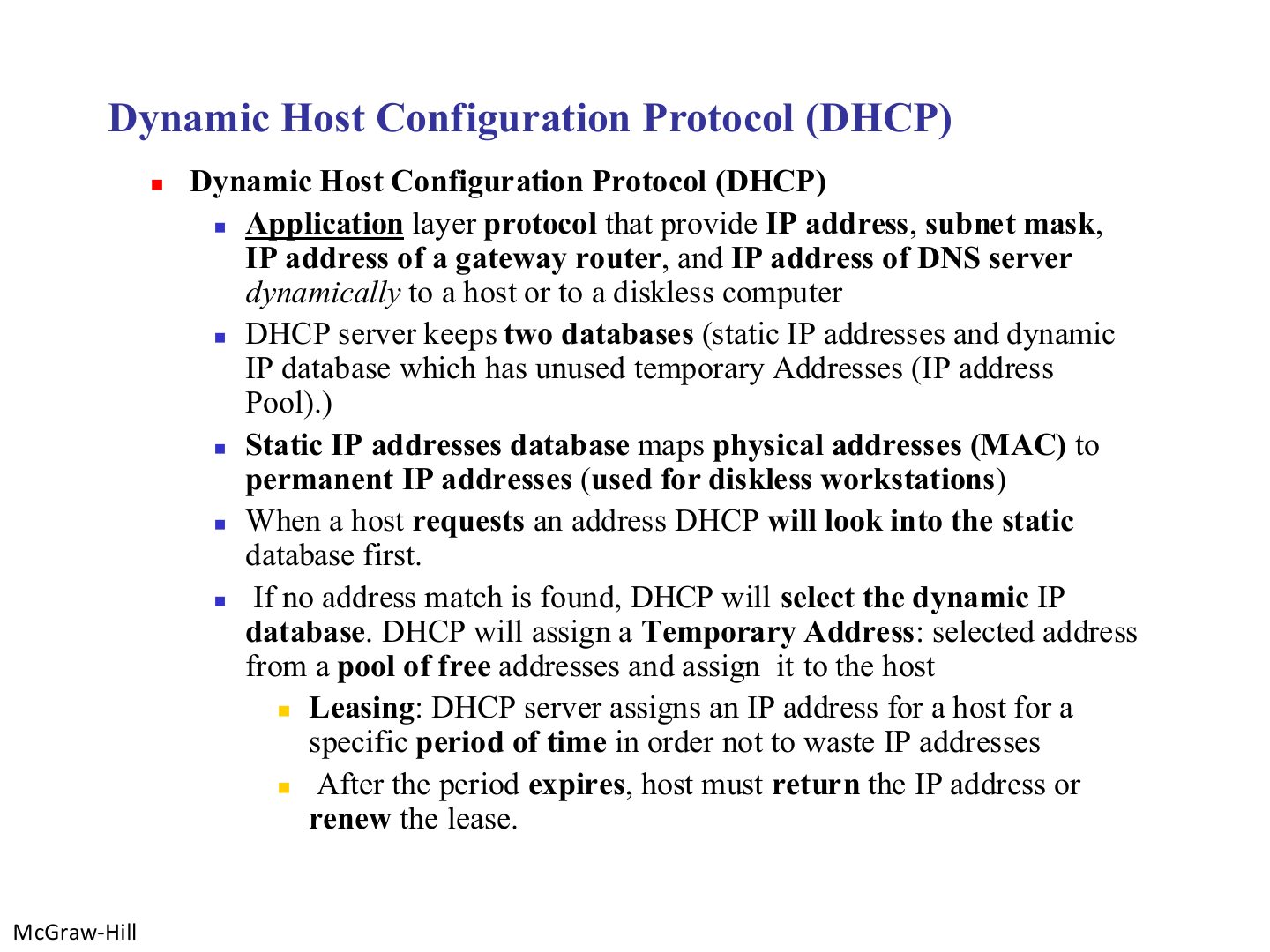
  1. Trap DHCP lives in the application layer even though it configures network-layer settings.

Exam angle

PredictionQ1

DHCP is a protocol of which layer?

PredictionQ2

A DHCP lease means the address is given for a limited period.
Slide 67 / 88

ARP: why it is needed

Slide 67: ARP: why it is needed

Notes

  1. IP gets the packet to the right NEXT node logically, but the frame needs that node’s MAC address. ARP finds it.
Slide 68 / 88

Address Resolution Protocol (ARP)

Slide 68: Address Resolution Protocol (ARP)

Exam angle

PredictionQ1

ARP maps:

Slide 69 / 88

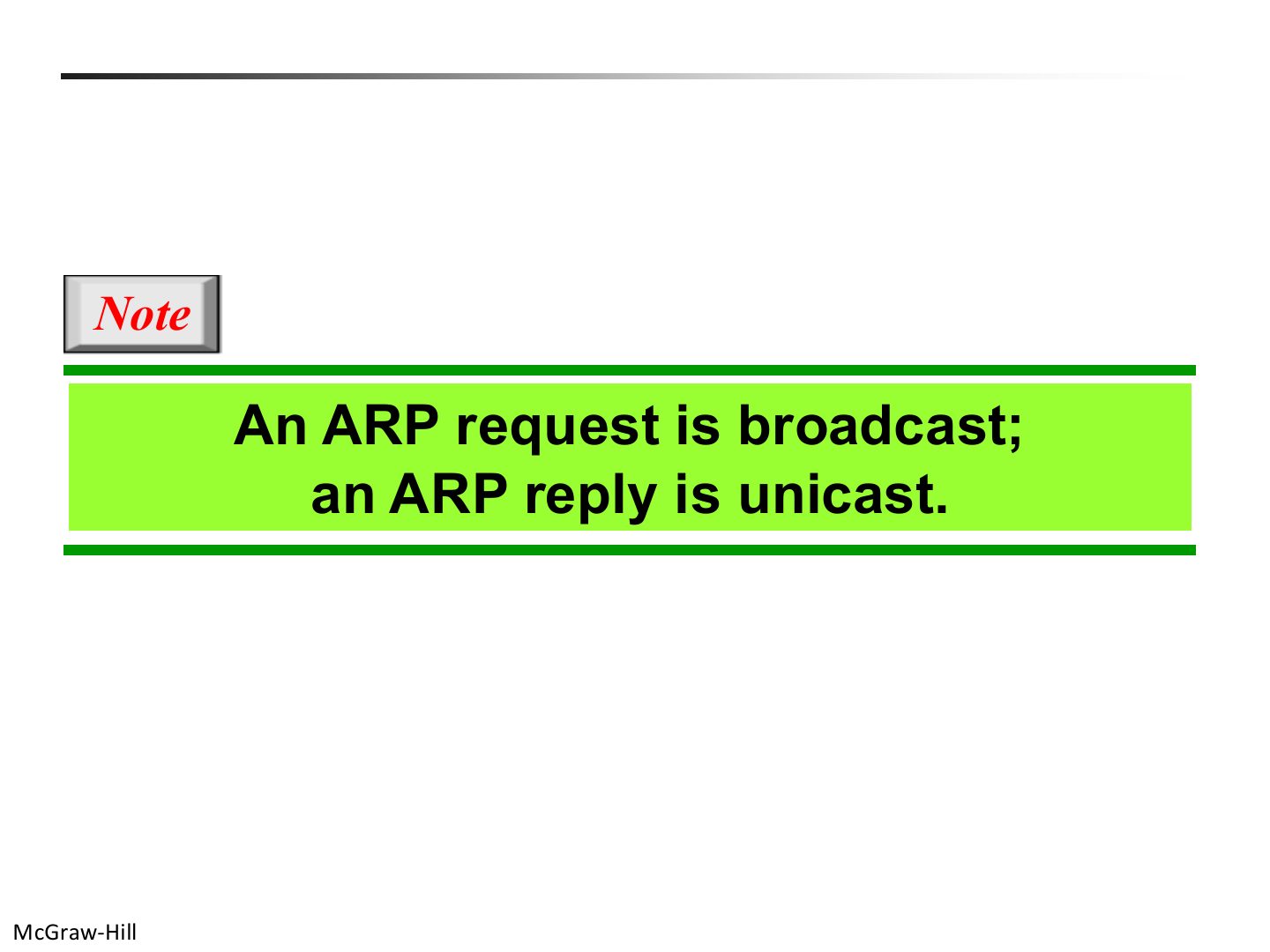
Note: ARP request and reply

Slide 69: Note: ARP request and reply

Notes

  1. Request = BROADCAST (“who has IP N2?”). Reply = UNICAST (“I do, my MAC is L2”).

  2. Memory trick Ask everyone, answer one.

Exam angle

PredictionQ1

An ARP request is sent as a _ and the reply as a _.
Slide 70 / 88

ARP operation

Slide 70: ARP operation
Slide 71 / 88

Encapsulation of ARP packet

Slide 71: Encapsulation of ARP packet

Notes

  1. ARP is carried directly in an Ethernet frame (type 0x0806), not inside IP.

  2. Seen again Ch 4, slide 8: The Ethernet type field
Slide 72 / 88

IP datagram

Slide 72: IP datagram
Slide 73 / 88

IPv4 datagram fields

Slide 73: IPv4 datagram fields

Notes

  1. TTL: each router subtracts 1; 0 → drop (kills loops).

  2. Protocol field: who gets the payload (TCP 6, UDP 17…). Checksum covers the HEADER only and is recomputed at every router.

  3. Trap The IPv4 checksum does not cover the data.

Exam angle

PredictionQ1

What happens when a router decrements TTL to 0?

PredictionQ2

IPv4 fragments can be reassembled at intermediate routers.

PredictionQ3

The minimum IPv4 header length is:

Slide 74 / 88

The protocol field

Slide 74: The protocol field

Notes

  1. ICMP 1, IGMP 2, TCP 6, UDP 17, OSPF 89.

Exam angle

PredictionQ1

The IPv4 protocol value for UDP is:

Slide 75 / 88

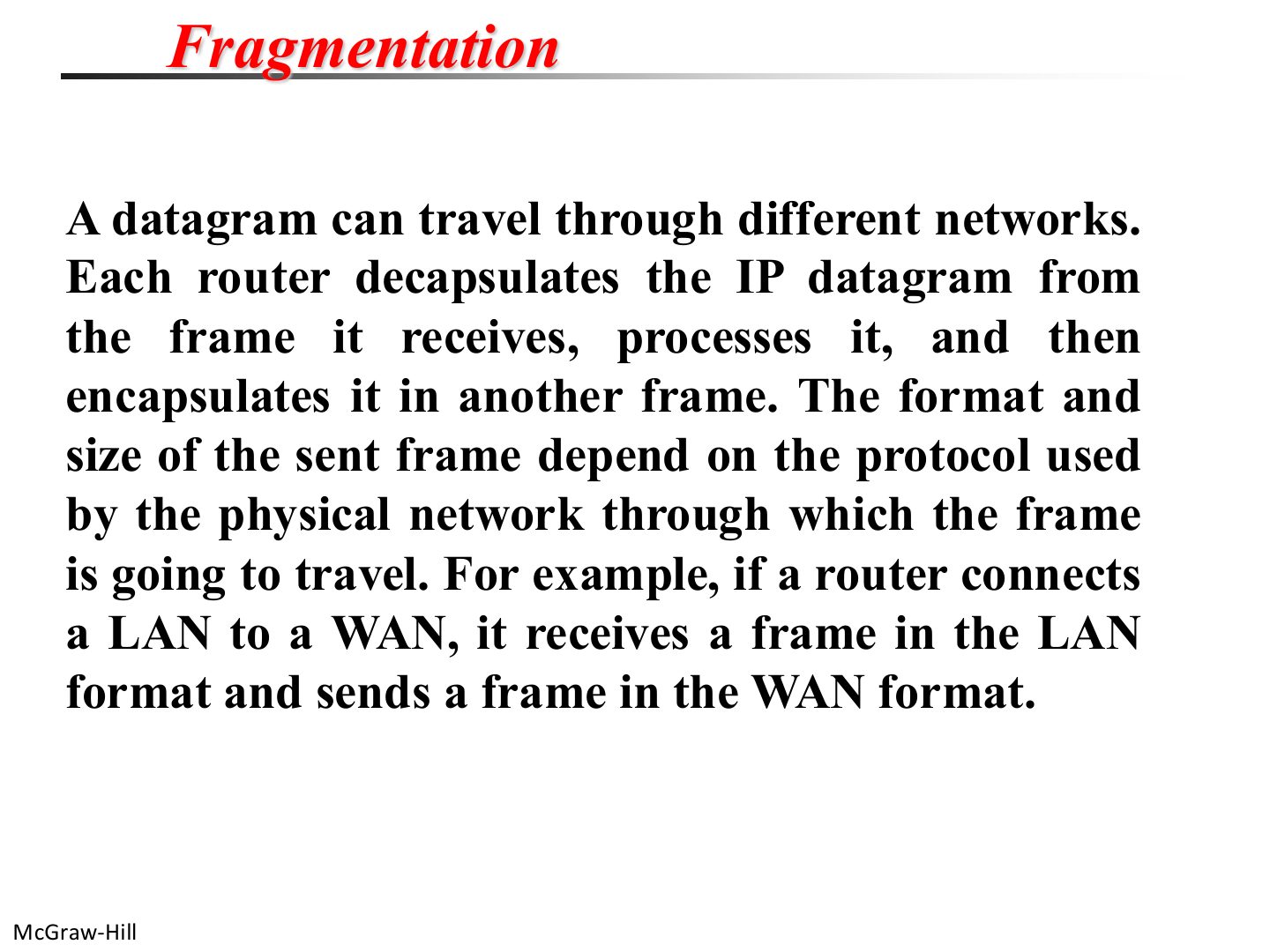
Fragmentation

Slide 75: Fragmentation

Notes

  1. Each network has its own frame format and size, so a router may have to cut a datagram to fit the next network.
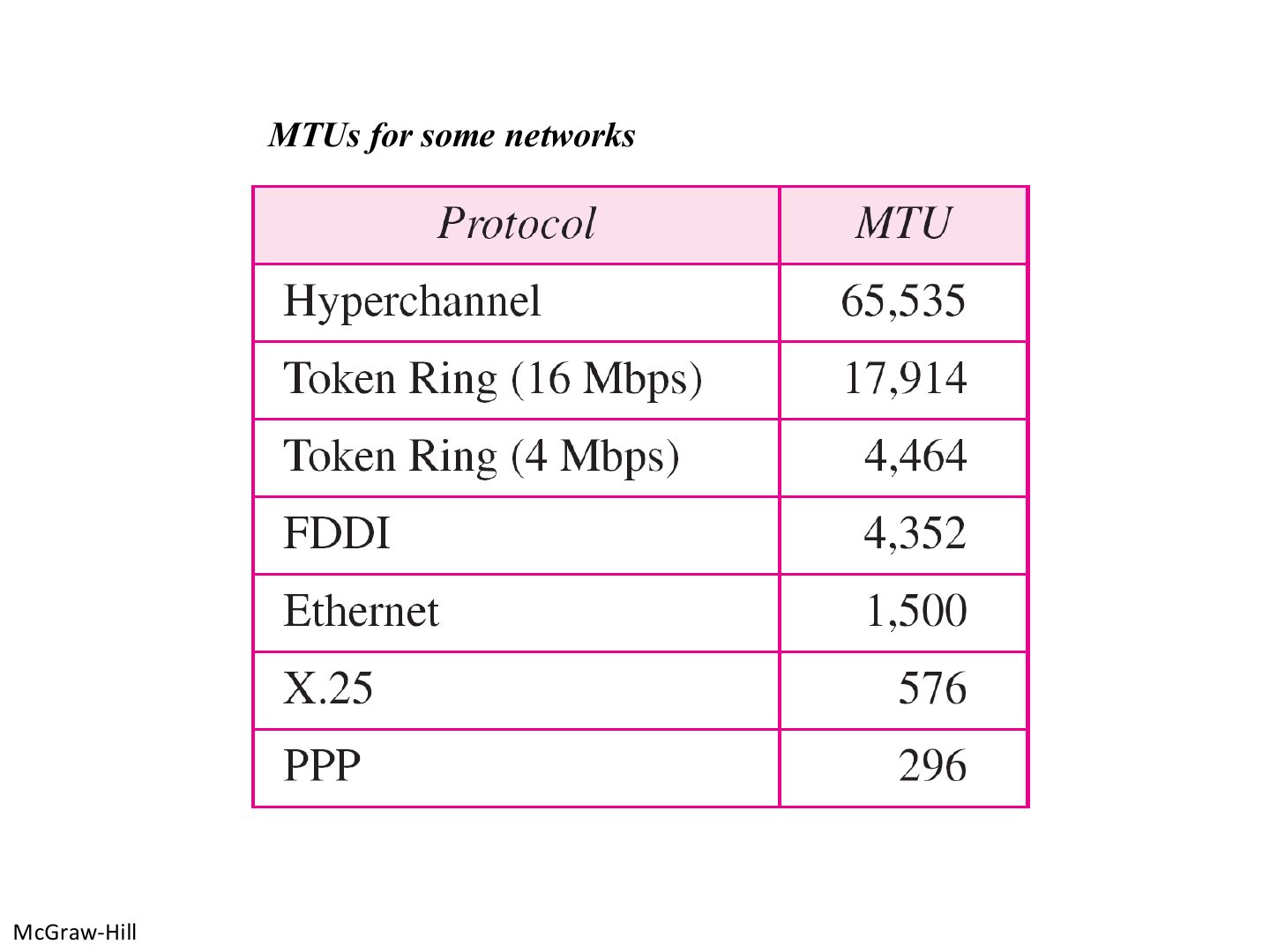
Slide 76 / 88

MTUs for some networks

Slide 76: MTUs for some networks

Notes

  1. Ethernet MTU = 1500 bytes (= Ethernet’s max data).

Exam angle

PredictionQ1

The MTU of Ethernet is:

Slide 77 / 88

Maximum Transfer Unit

Slide 77: Maximum Transfer Unit

Notes

  1. MTU = biggest payload a frame can carry. The datagram must be ≤ MTU, or it gets fragmented.
Slide 78 / 88

Fragmentation

Slide 78: Fragmentation
Slide 79 / 88

Fragmentation and Reassembly

Slide 79: Fragmentation and Reassembly
Slide 80 / 88

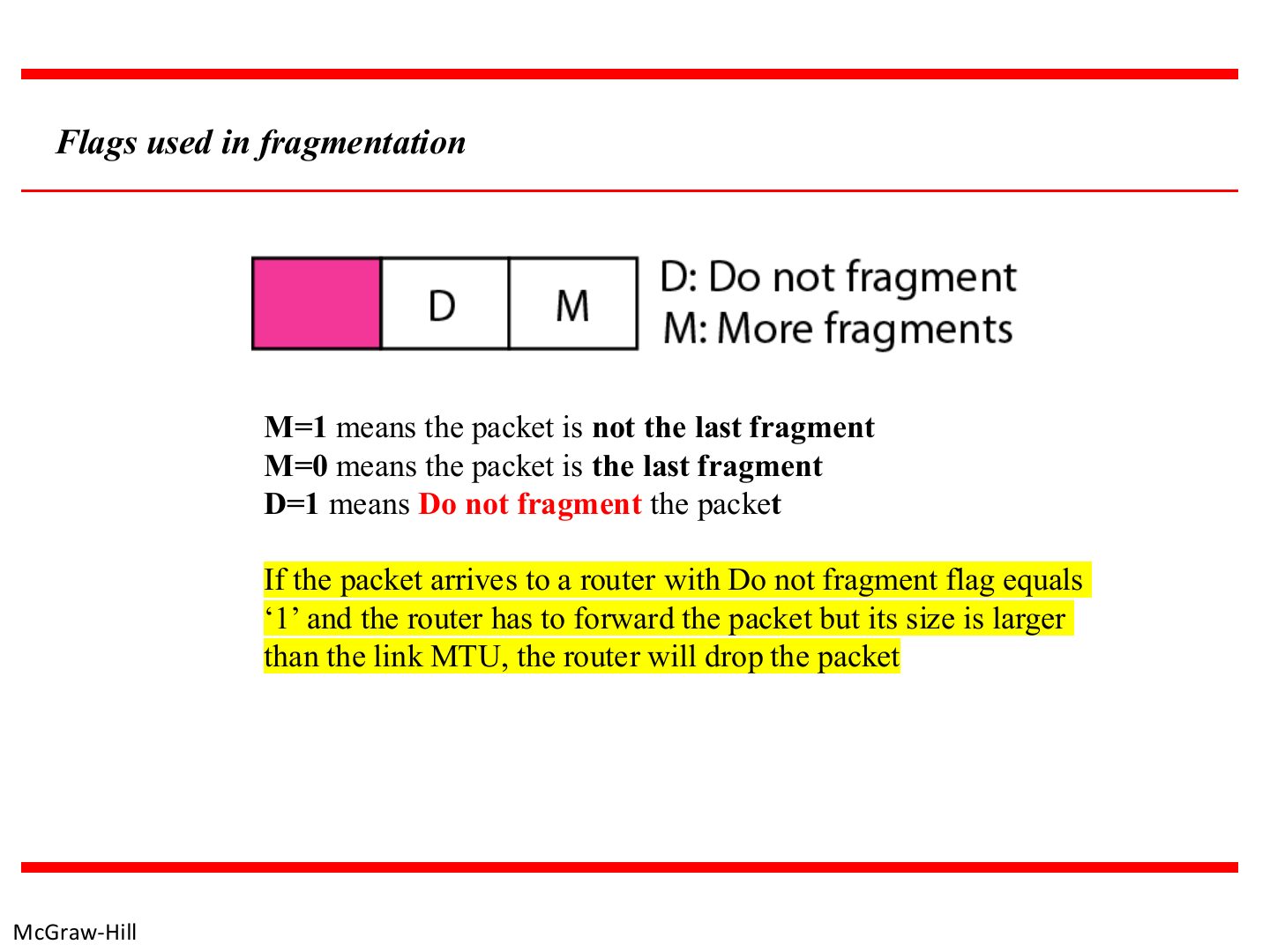
Flags used in fragmentation

Slide 80: Flags used in fragmentation

Notes

  1. M = more fragments follow. D = don’t fragment (too big + D = 1 → dropped).

Exam angle

PredictionQ1

A fragment with M = 0 is:

PredictionQ2

A router fragments a packet even if D = 1 when it is bigger than the MTU.
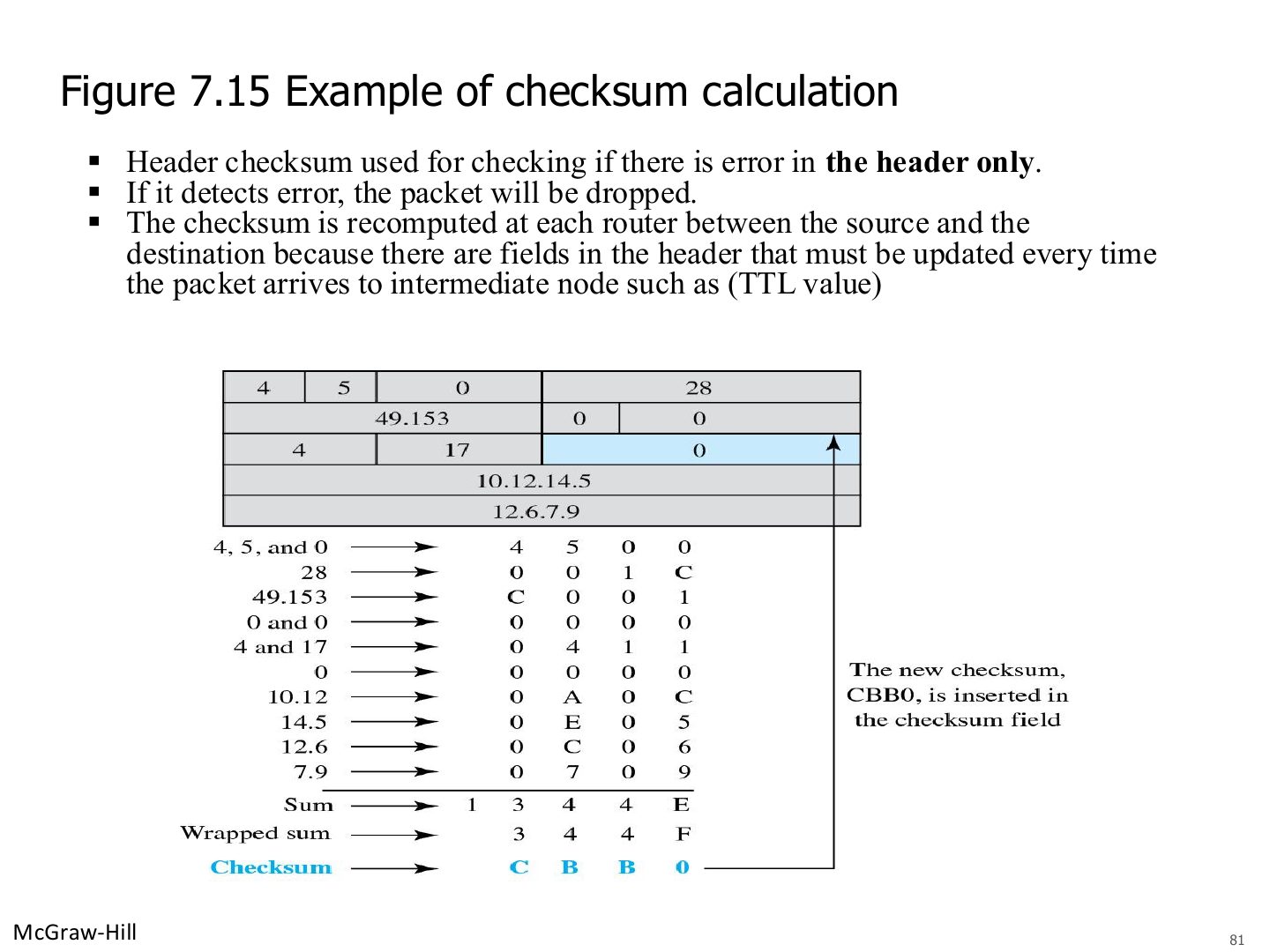
Slide 81 / 88

Example of checksum calculation

Slide 81: Example of checksum calculation

Notes

  1. Same one’s-complement checksum as Chapter 3, over the header words only.

  2. Seen again Ch 3 Part 1, slide 42: The Internet checksum
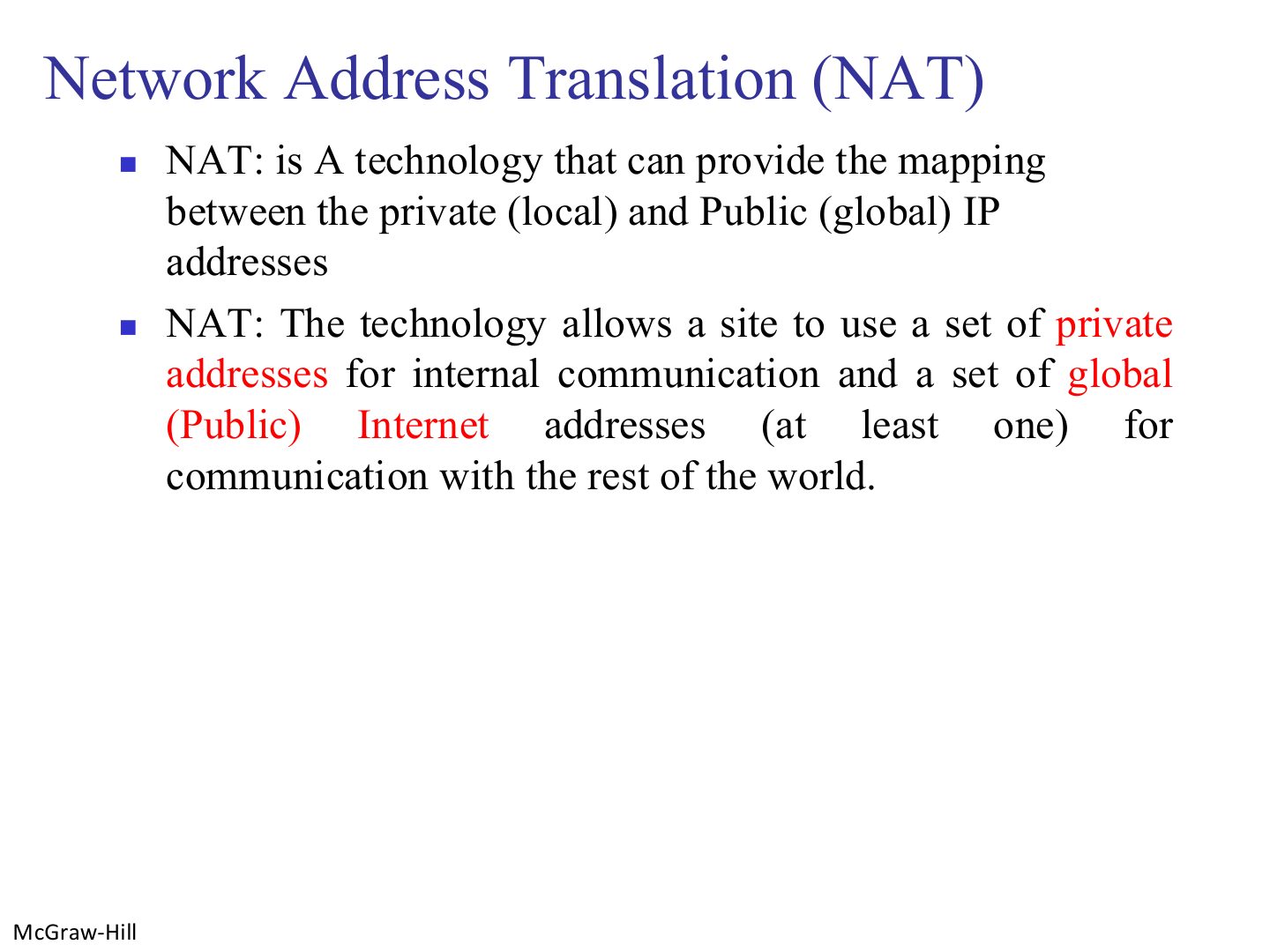
Slide 82 / 88

Network Address Translation (NAT)

Slide 82: Network Address Translation (NAT)
Slide 83 / 88

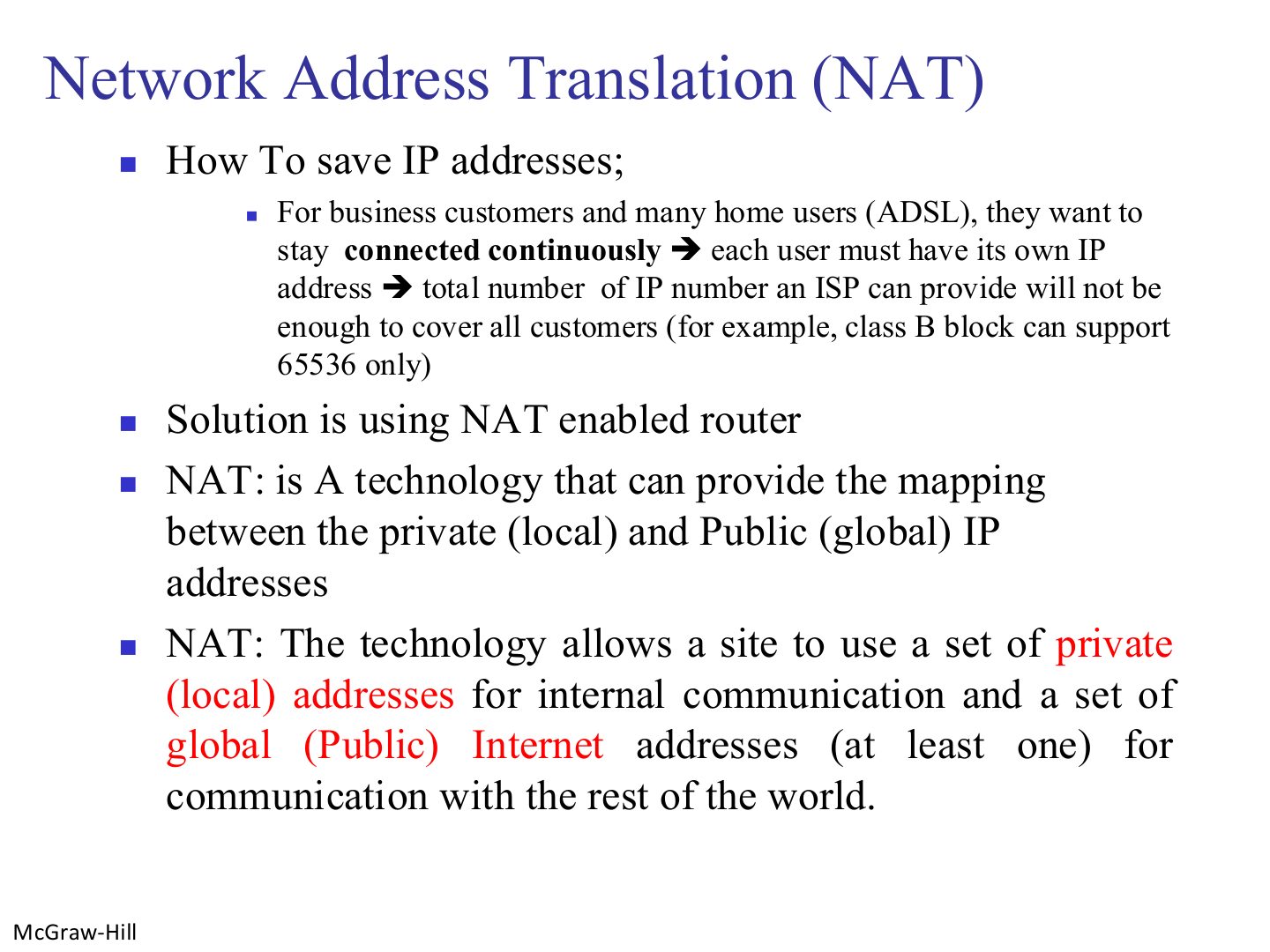
Network Address Translation (NAT)

Slide 83: Network Address Translation (NAT)

Notes

  1. Always-on customers each need an address; there aren’t enough. NAT lets many private hosts share one public IP.
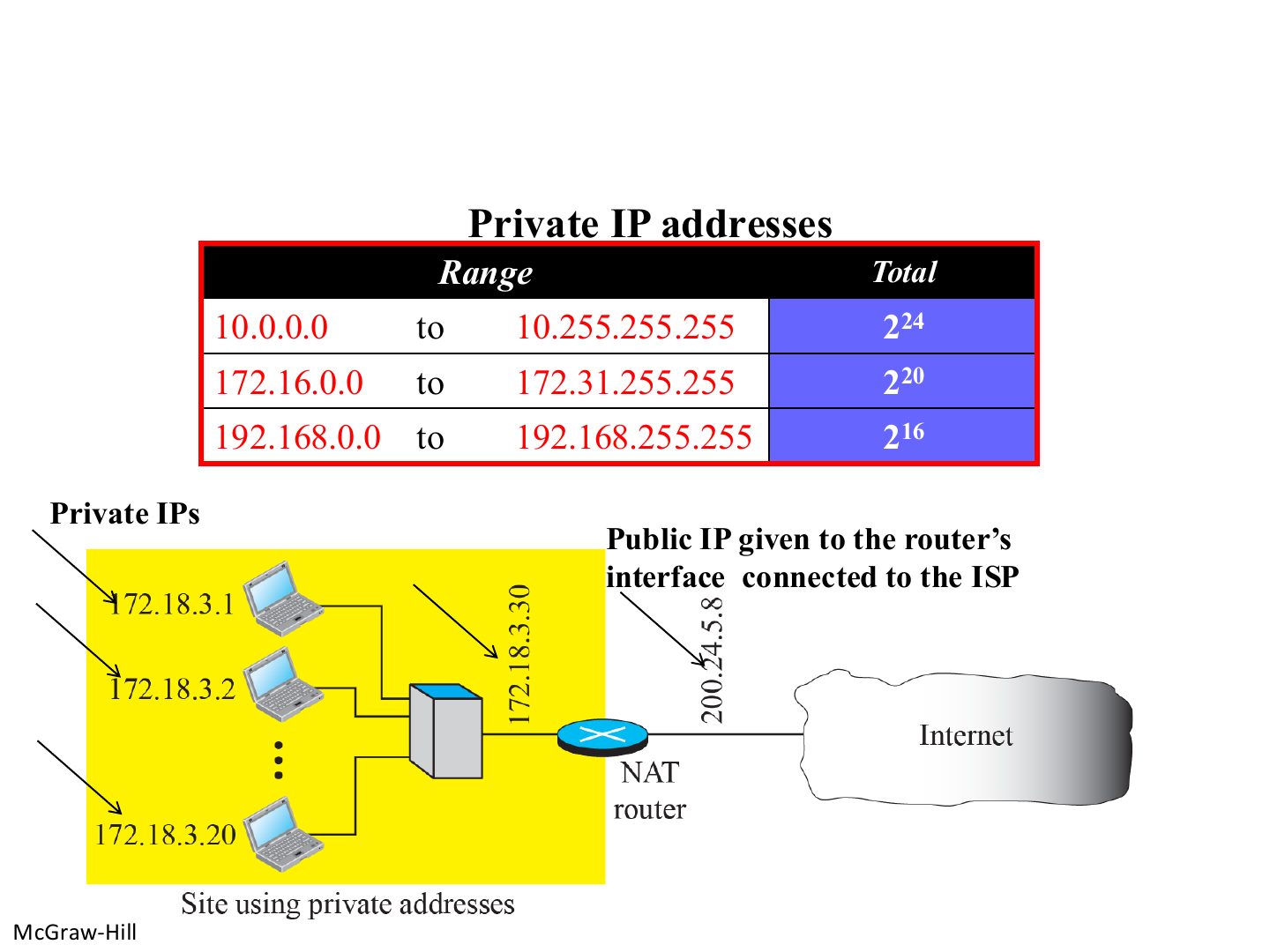
Slide 84 / 88

Private addresses and the NAT router

Slide 84: Private addresses and the NAT router

Notes

  1. Inside: private 172.18.3.x. Outside: one public 200.24.5.8.
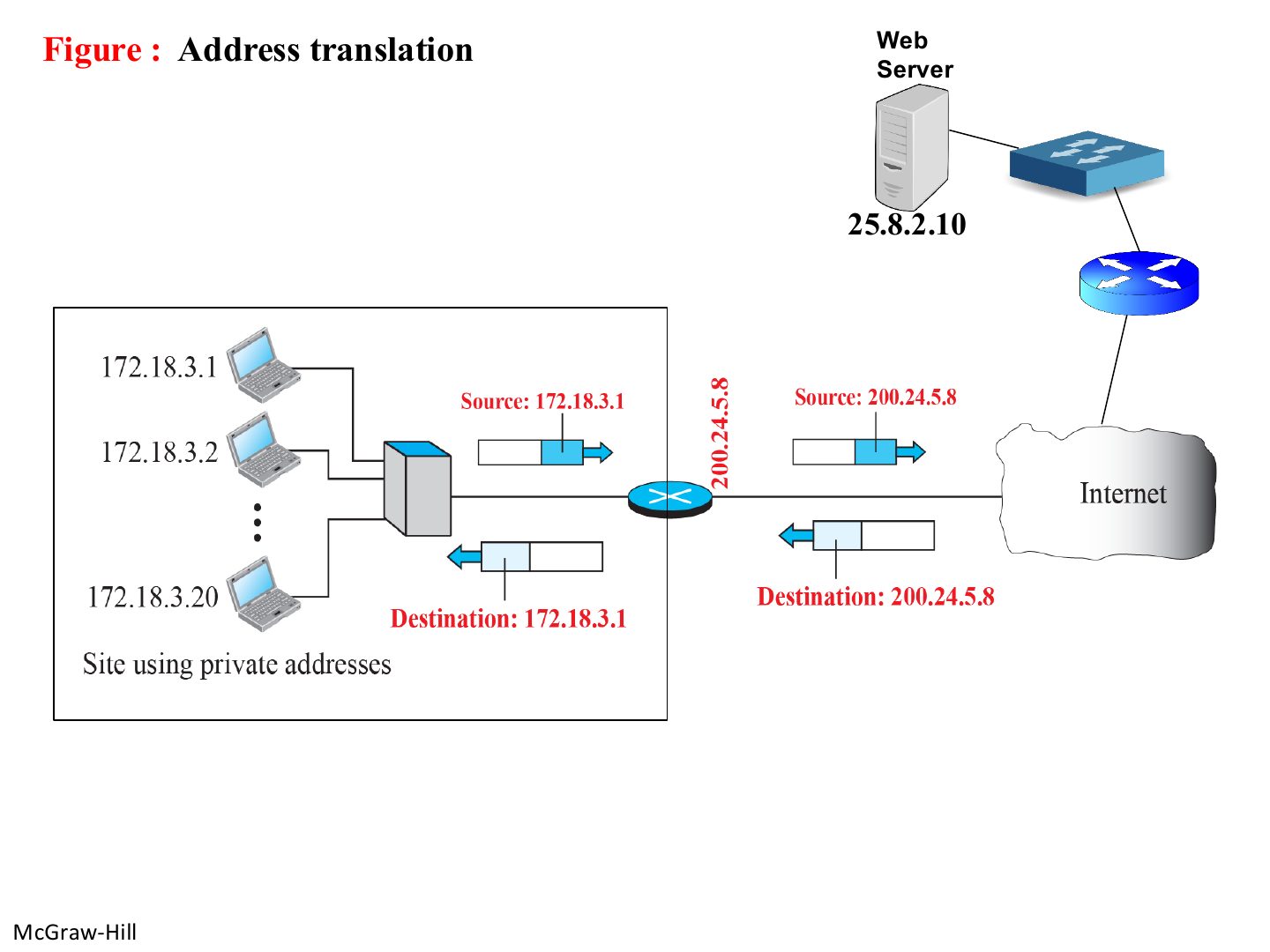
Slide 85 / 88

Address translation

Slide 85: Address translation

Notes

  1. Out: the router rewrites the SOURCE (private → public). In: it rewrites the DESTINATION (public → private).

Exam angle

PredictionQ1

For an outgoing packet, a NAT router changes the:
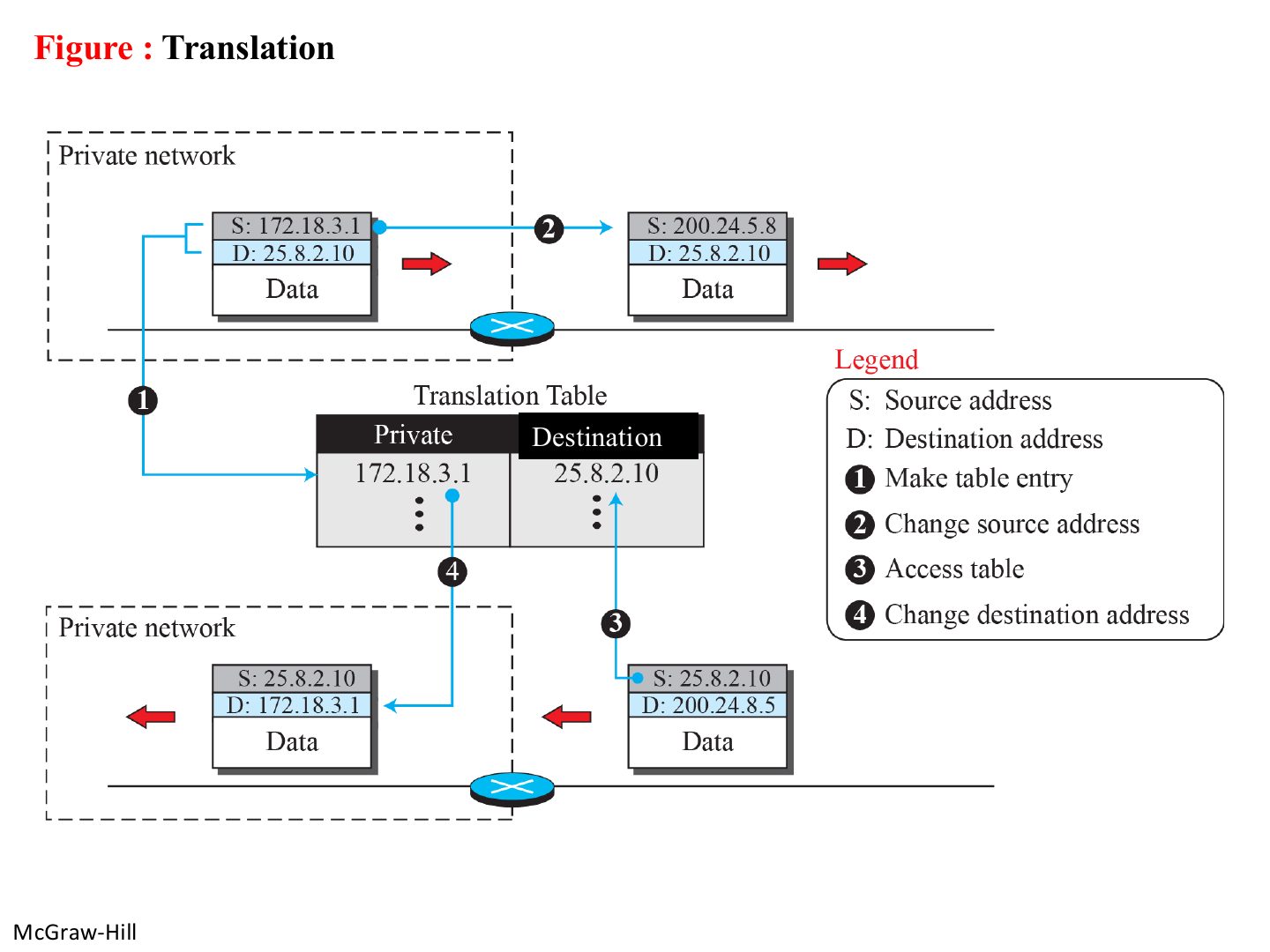
Slide 86 / 88

Translation table

Slide 86: Translation table

Notes

  1. The table entry made on the way out tells the router where to send the reply.
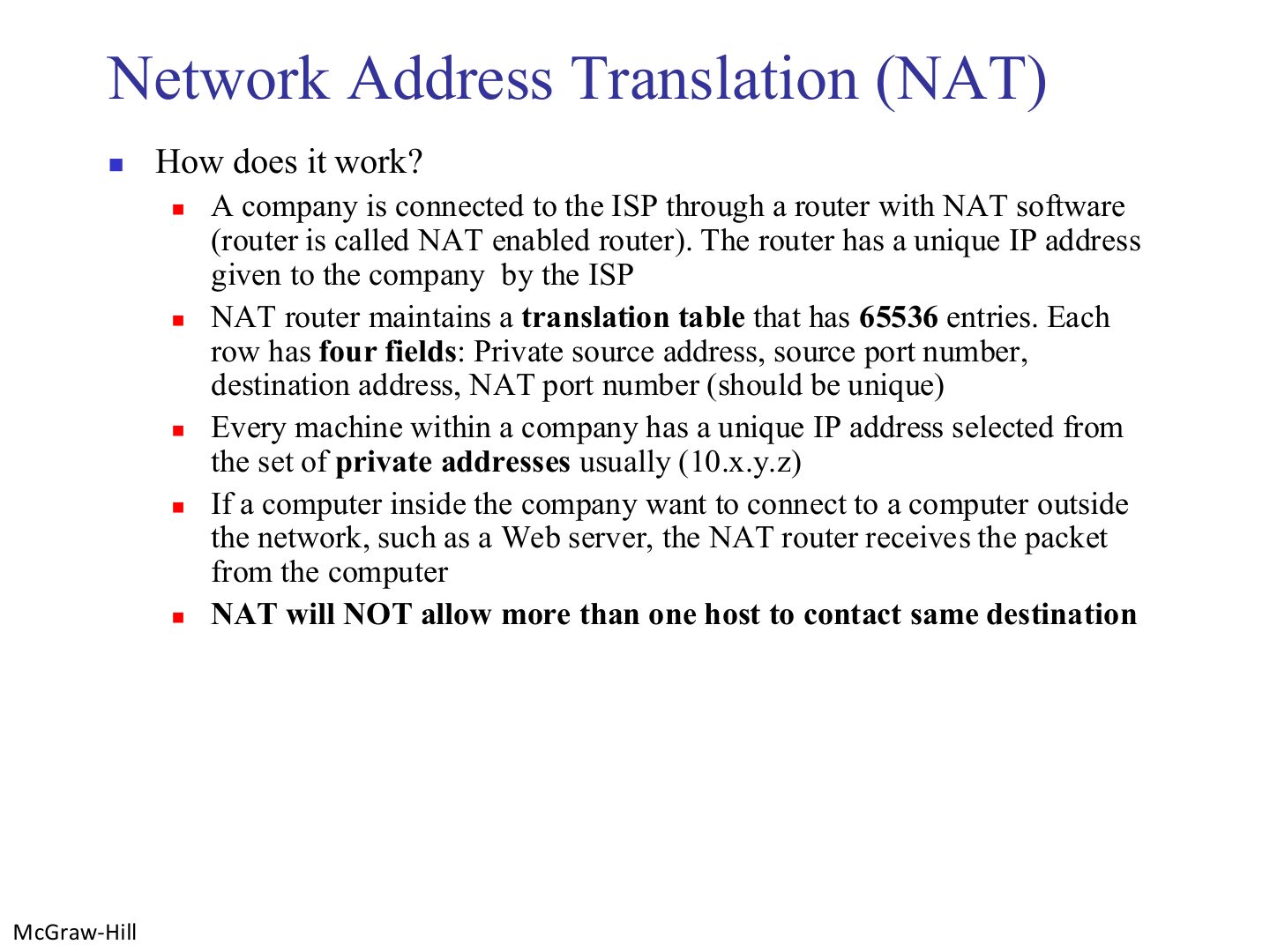
Slide 87 / 88

Network Address Translation (NAT)

Slide 87: Network Address Translation (NAT)
Slide 88 / 88

Advantages of using NAT

Slide 88: Advantages of using NAT

Notes

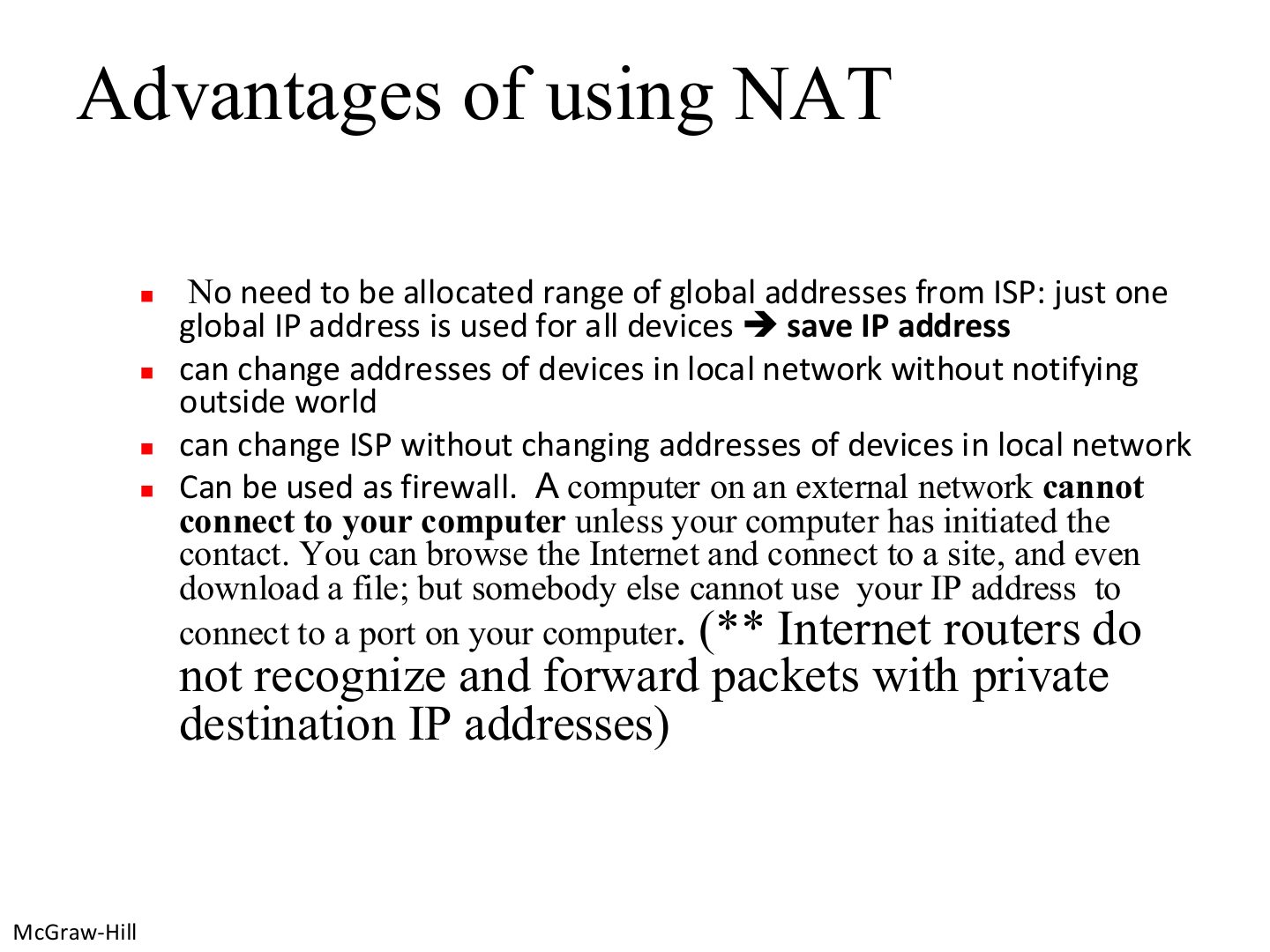
  1. NAT advantages: saves public addresses, change inside addresses or ISP freely, acts like a firewall (outsiders can’t start a connection in).

Exam angle

PredictionQ1

Give three advantages of NAT.

Compare with the model answer

It saves public IP addresses (one public address for the whole site); internal addresses can be changed without telling the outside world, and the ISP can be changed without renumbering inside; and it acts like a firewall, since outside hosts cannot open a connection to an internal host unless it started the contact.