document.querySelector(".item") returns:
JavaScript in the Front End: DOM and Events
The Document Object Model, nodes and NodeLists, selecting elements (getElementById, querySelector), changing styles and content (innerHTML vs. textContent), DOM manipulation methods, the dataset property, event handling with addEventListener, the event object, capture, bubbling and delegation, event types, and form validation with regular expressions.
How to read this page
Every original slide is shown unchanged. Yellow marks on a slide point to a numbered note: hover or tap a mark to jump to its note, and hover a note to see its marks. Questions tagged Past exam appeared on a real paper; Prediction questions are likely angles, not confirmed. Pick an answer to each question: a wrong pick tells you why it is wrong, so you can try again.
All 58 slides
- 1 Web Engineering SE371
- 2 JavaScript Output ( third-party libraries ): sweetalert
- 3 The Document Object Model (DOM)
- 4 Document Object
- 5 DOM Nodes and NodeLists
- 6 Some Essential Node Object Properties
- 7 document object Methods: Selection
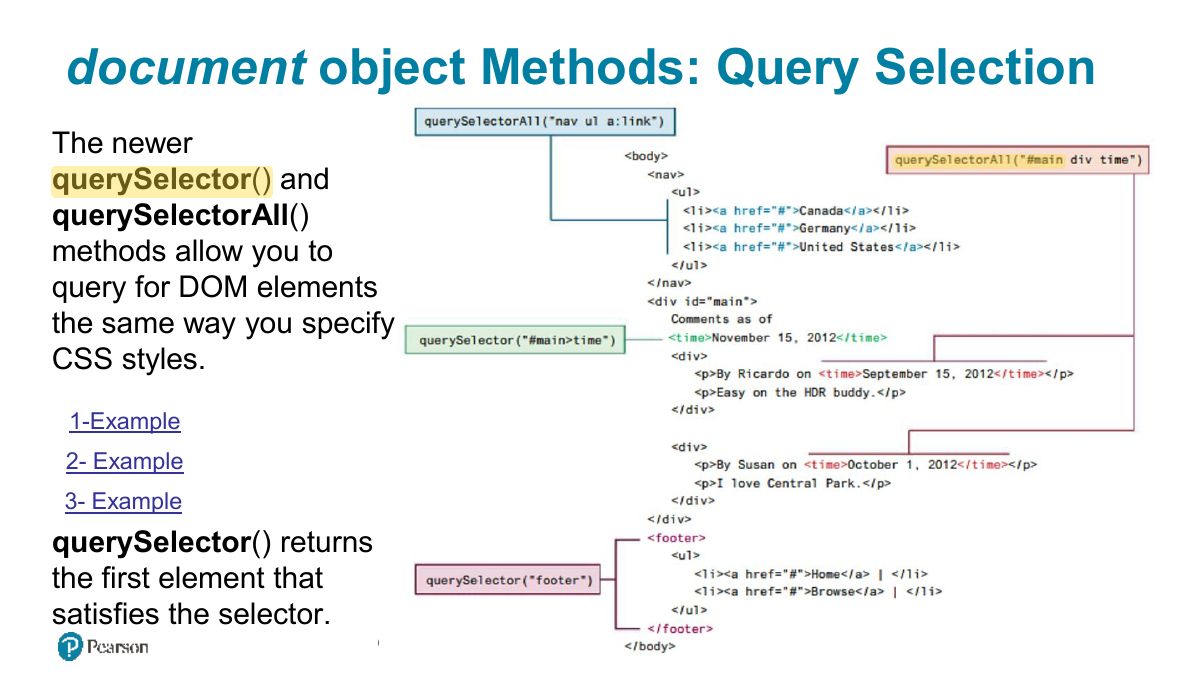
- 8 document object Methods: Query Selection
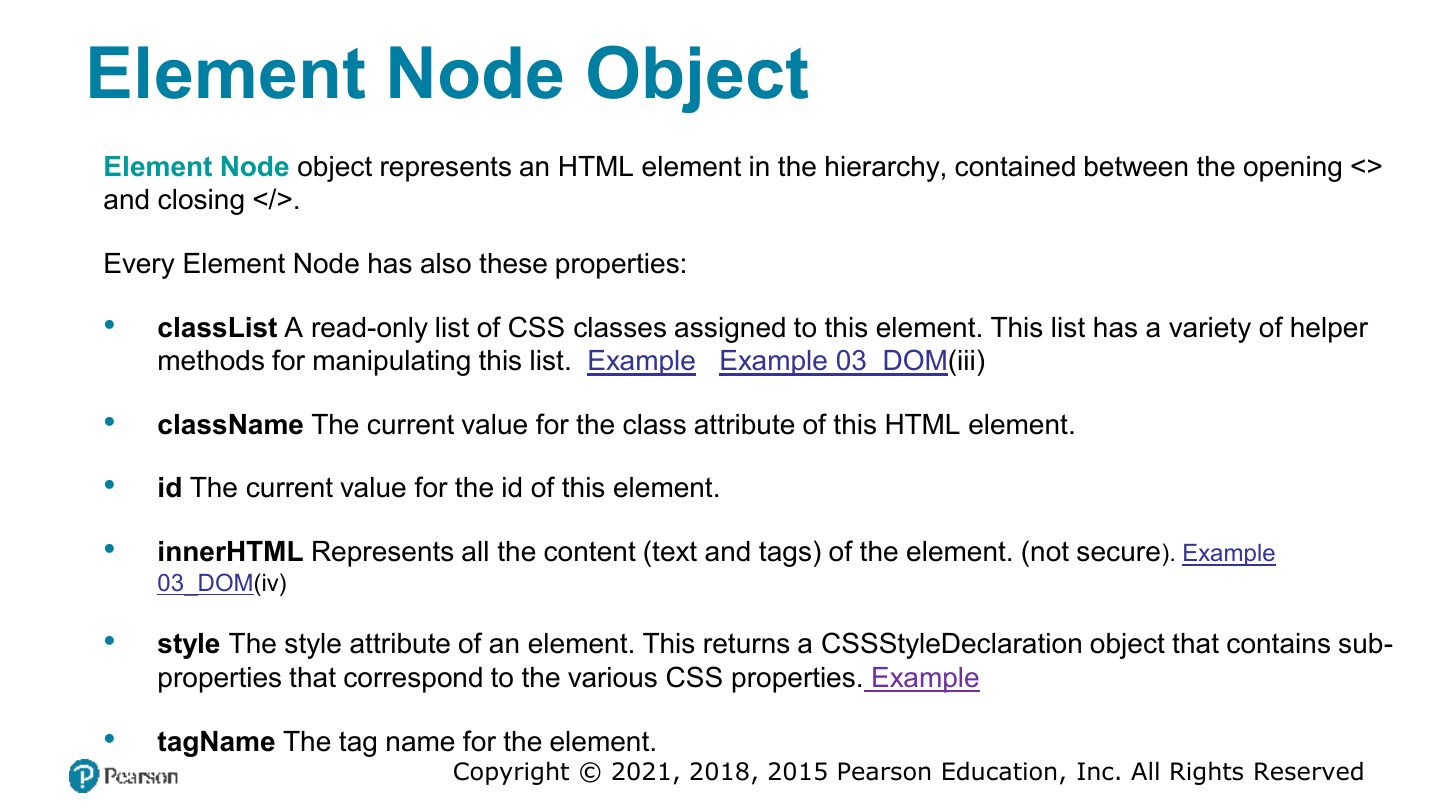
- 9 Element Node Object
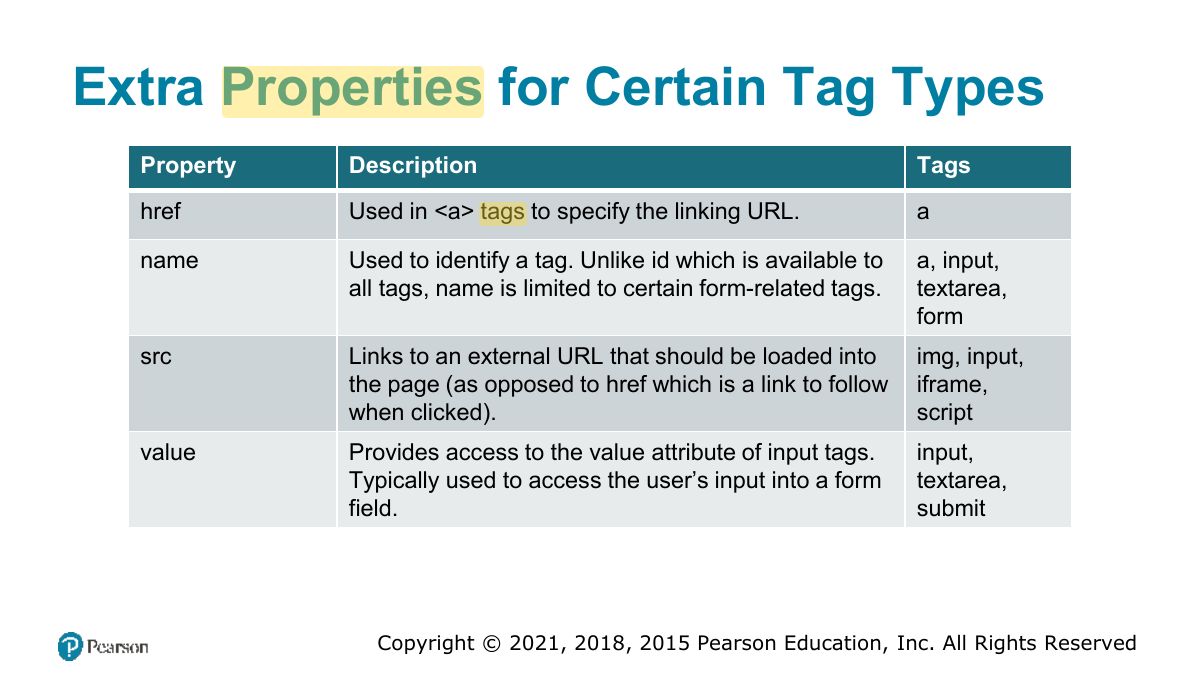
- 10 Extra Properties for Certain Tag Types
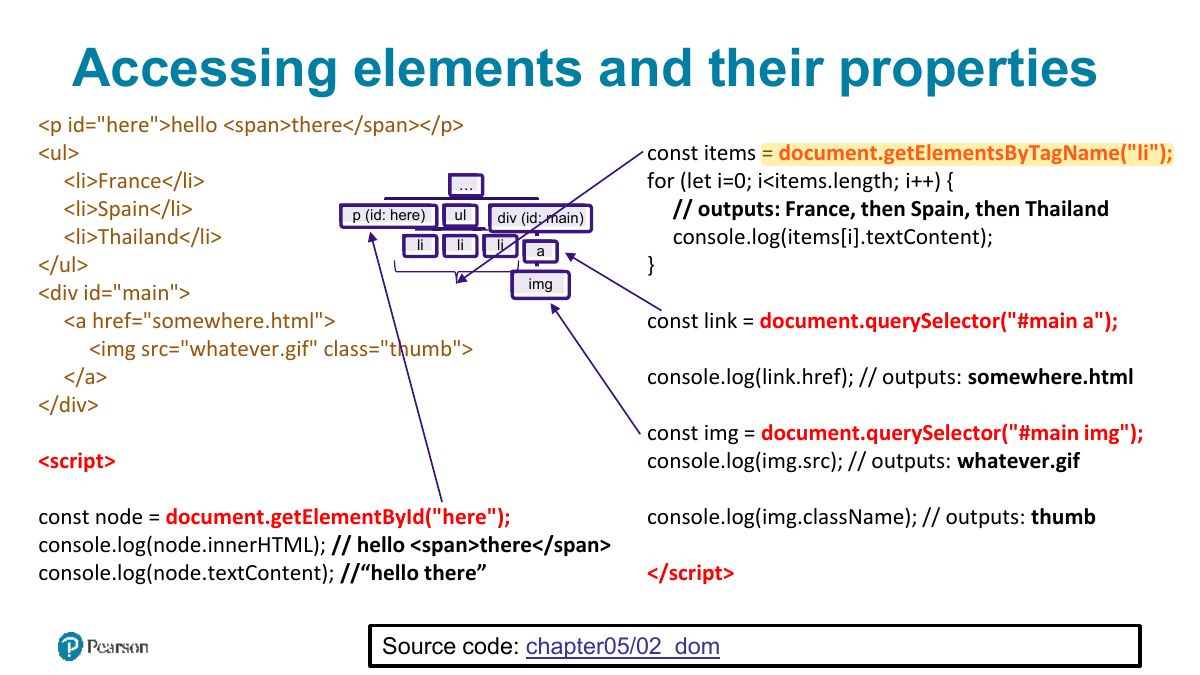
- 11 Accessing elements and their properties
- 12 Changing an Element‟s Style
- 13 How CSS styles can be programmatically manipulated in JavaScript
- 14 InnerHTML vs textContent vs DOM Manipulation
- 15 Exercise 2 (innerHTML + functions)
- 16 DOM family relations
- 17 DOM Manipulation Methods
- 18 Visualizing the DOM modification
- 19 Visualizing the DOM modification (ii)
- 20 Same Exercise p65 (DOM manipulation)
- 21 Using the Dataset Property
- 22 Slide 22
- 23 DOM Timing
- 24 JavaScript Event Handling
- 25 Implementing an Event Handler
- 26 Handling events with anonymous functions
- 27 Event handling with NodeList arrays
- 28 Page Loading and the DOM
- 29 Wrapping DOM code within a DOMContentLoaded event handler
- 30 Event Object
- 31 Event Object Example
- 32 Event Propagation
- 33 Event capture and bubbling
- 34 Problems with event propagation
- 35 Stopping event propagation
- 36 g1
- 37 Event Delegation (ii)
- 38 Event Delegation (iii)
- 39 Event Types
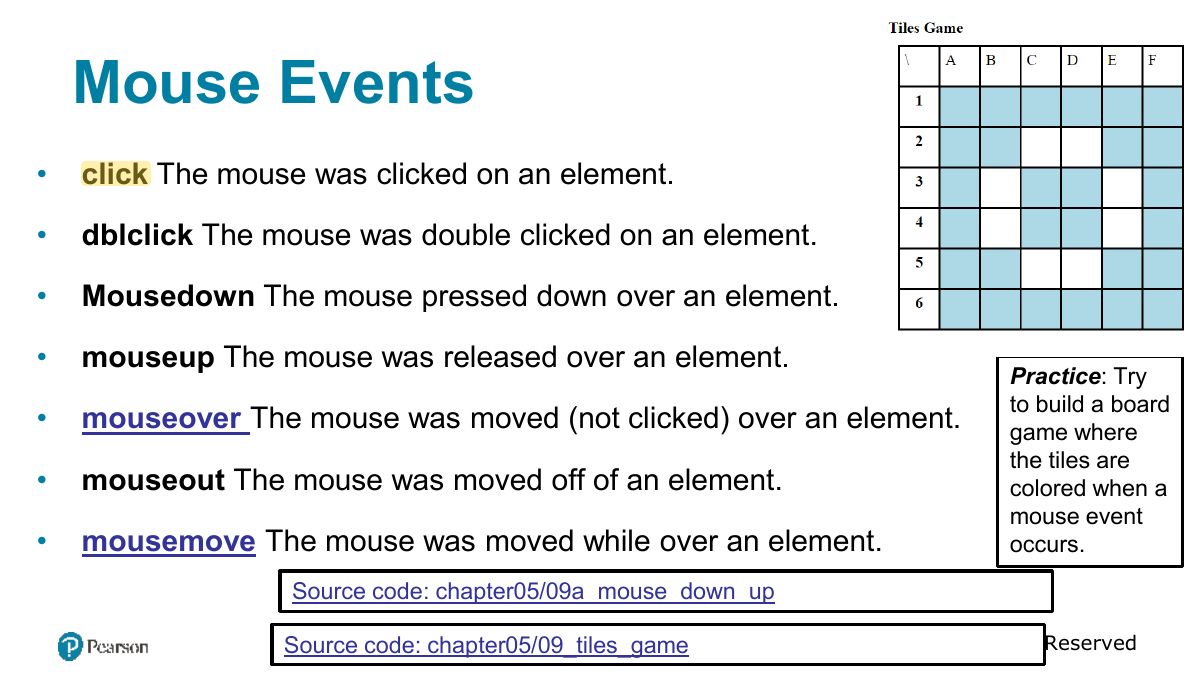
- 40 Mouse Events
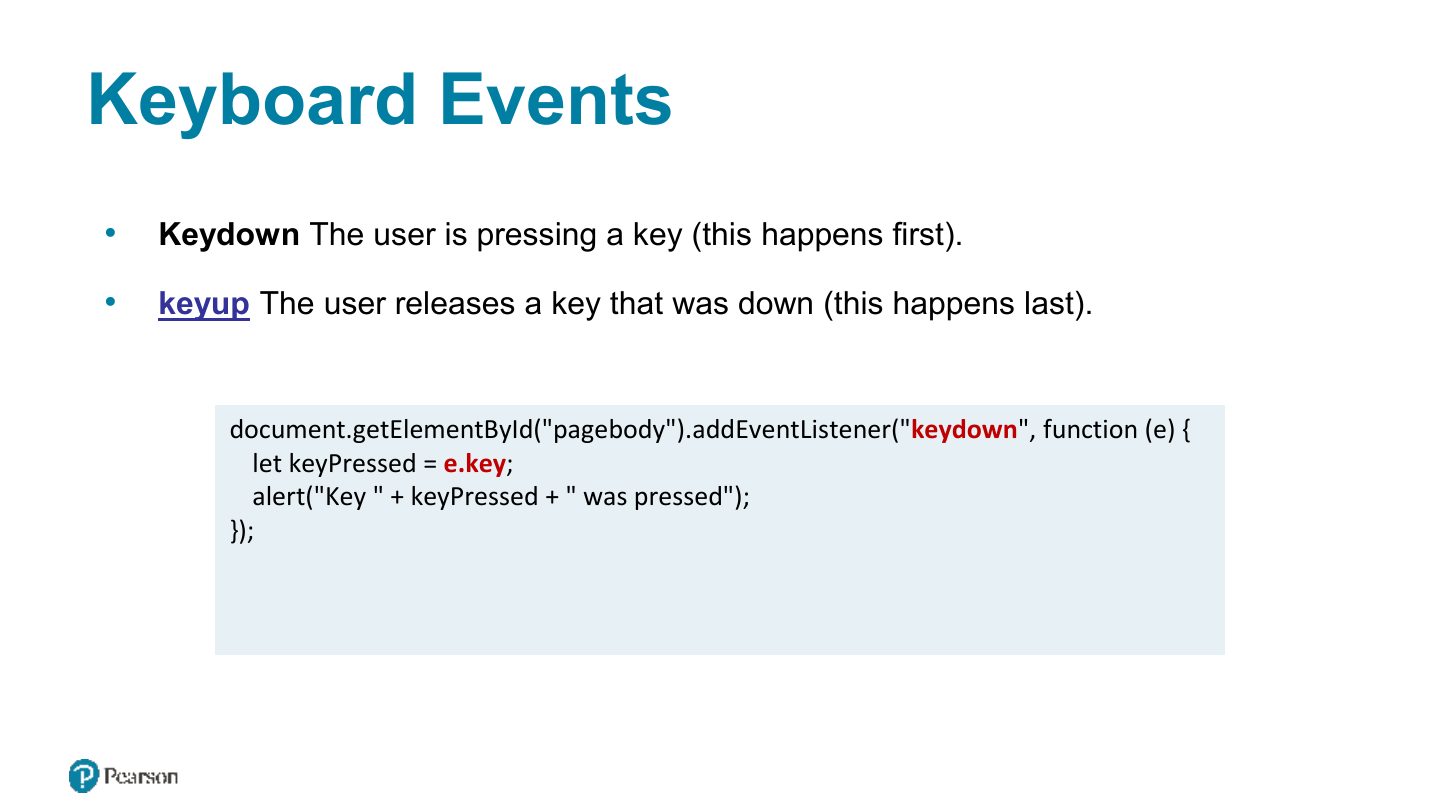
- 41 Keyboard Events
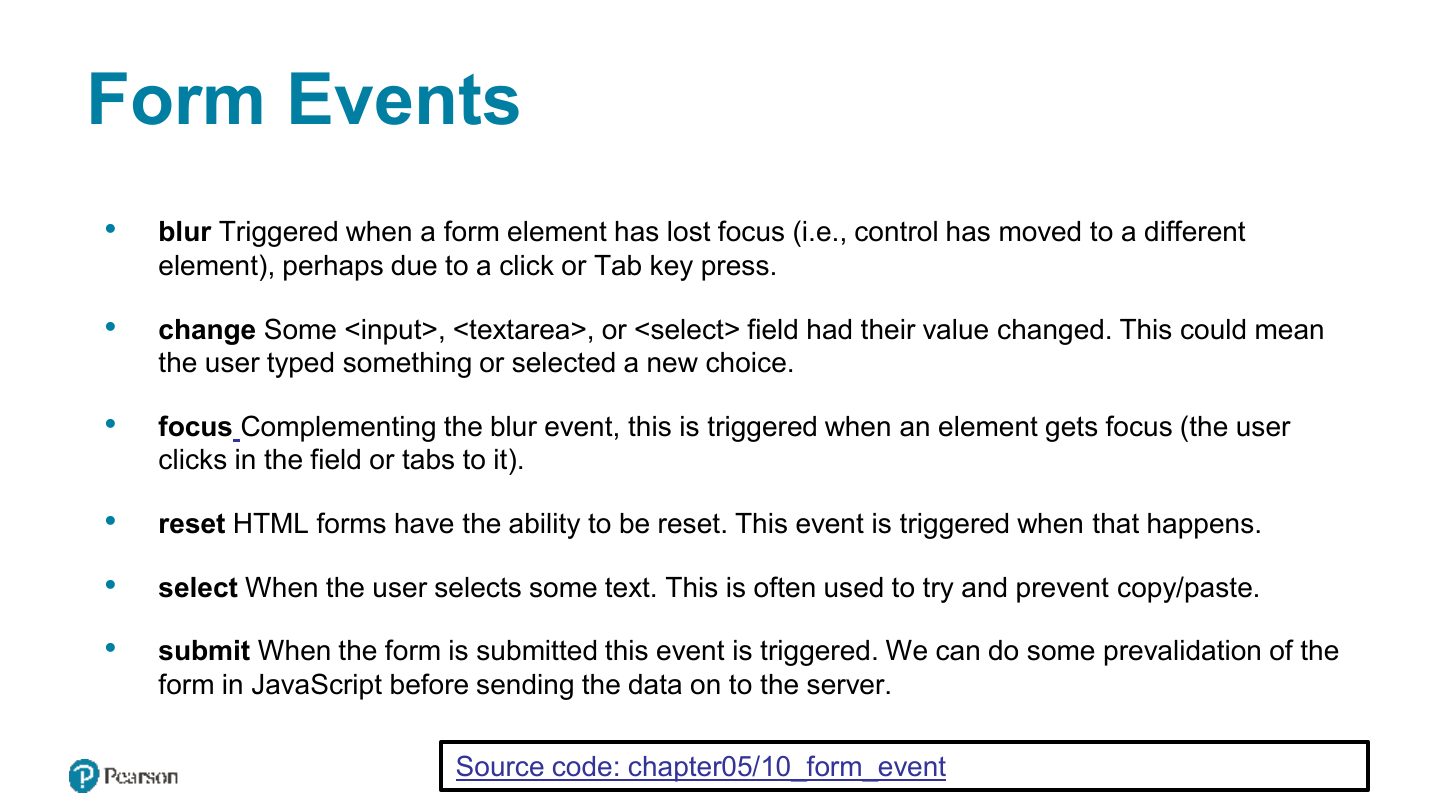
- 42 Form Events
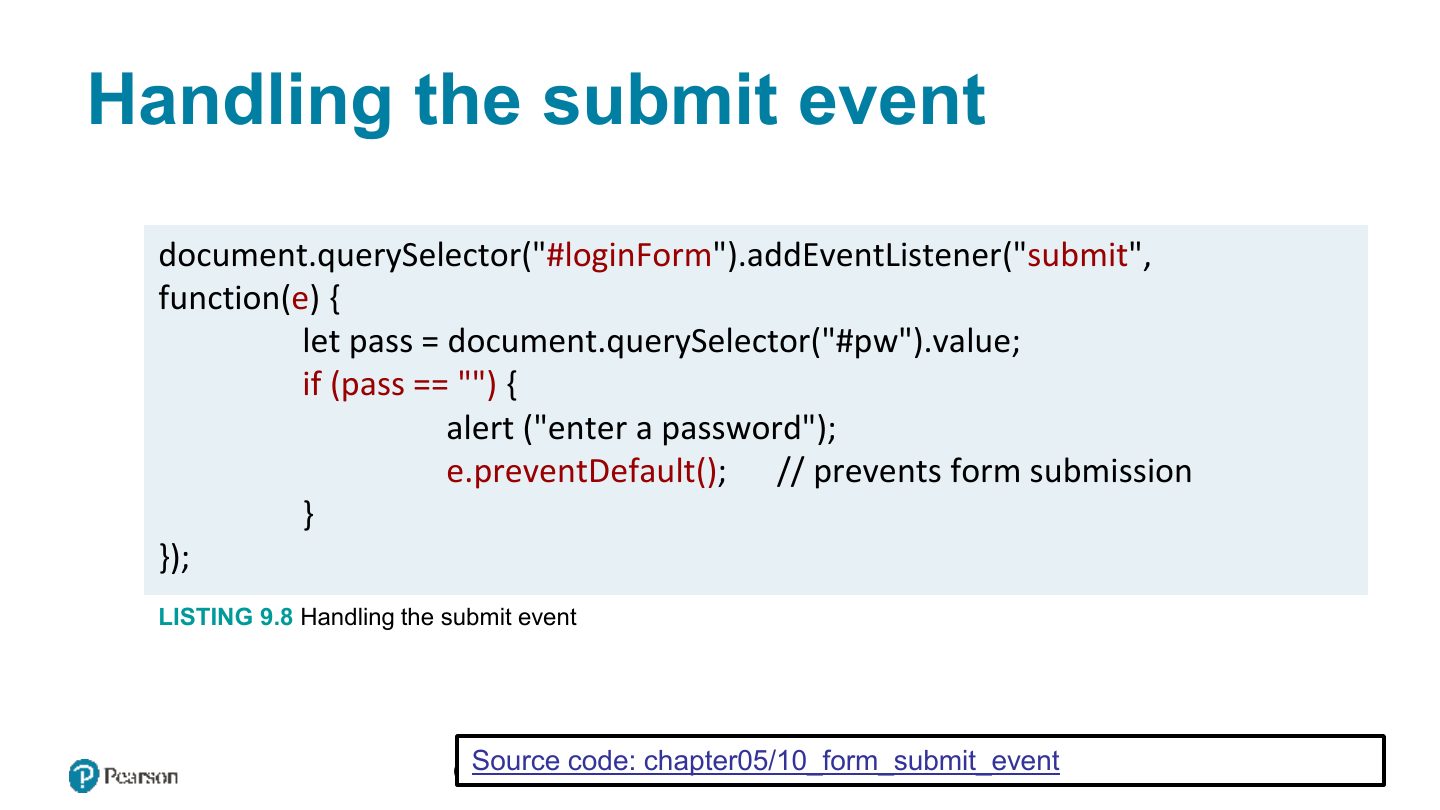
- 43 Handling the submit event
- 44 Forms in JavaScript
- 45 Responding to form movement events
- 46 to Form
- 47 Validating a Submitted Form
- 48 Empty Field Validation
- 49 Determining which items in multiselect list are selected
- 50 Javascript validation examples
- 51 Number Validation
- 52 Submitting Forms using JS
- 53 Javascript validation examples (2)
- 54 Javascript validation examples (3)
- 55 g1
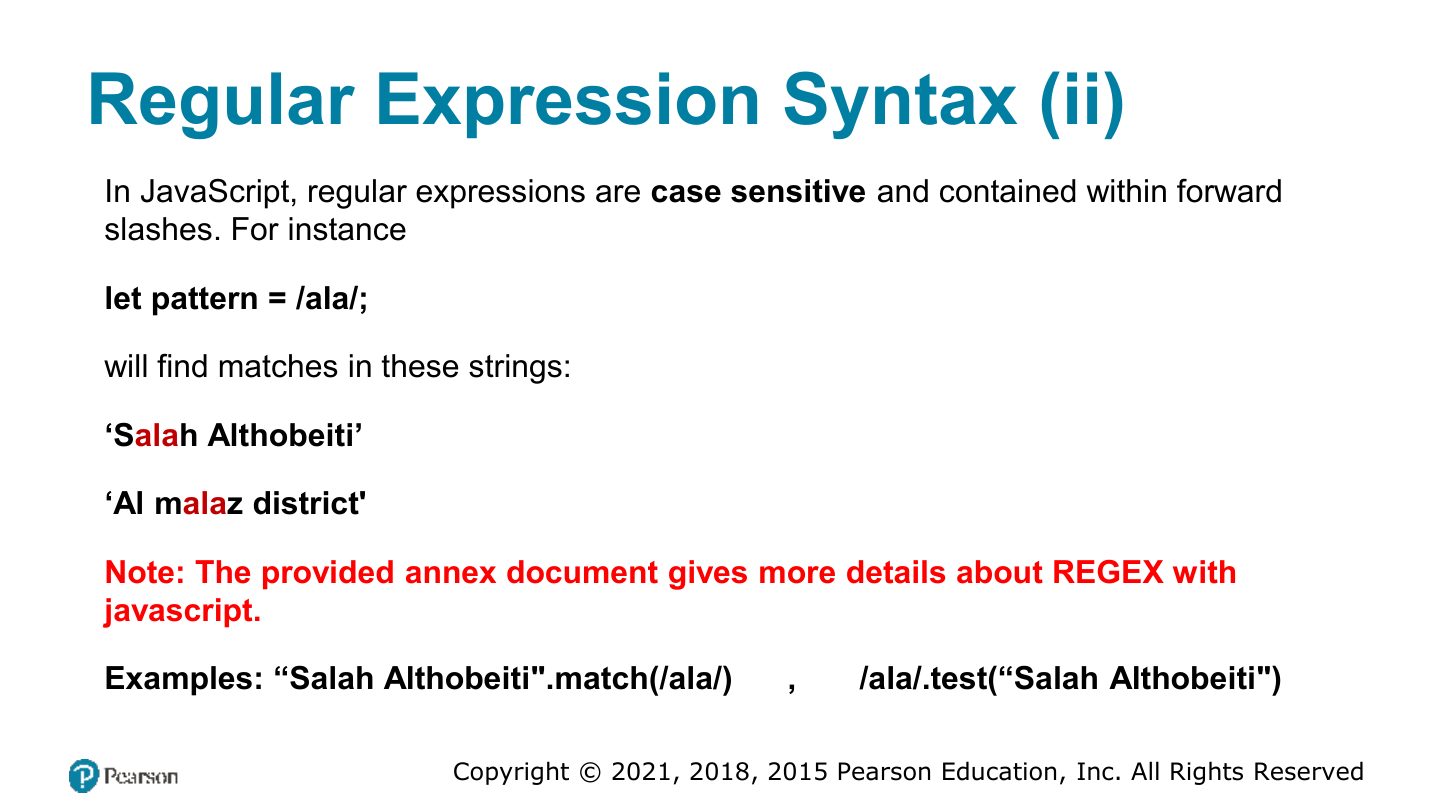
- 56 Regular Expression Syntax (ii)
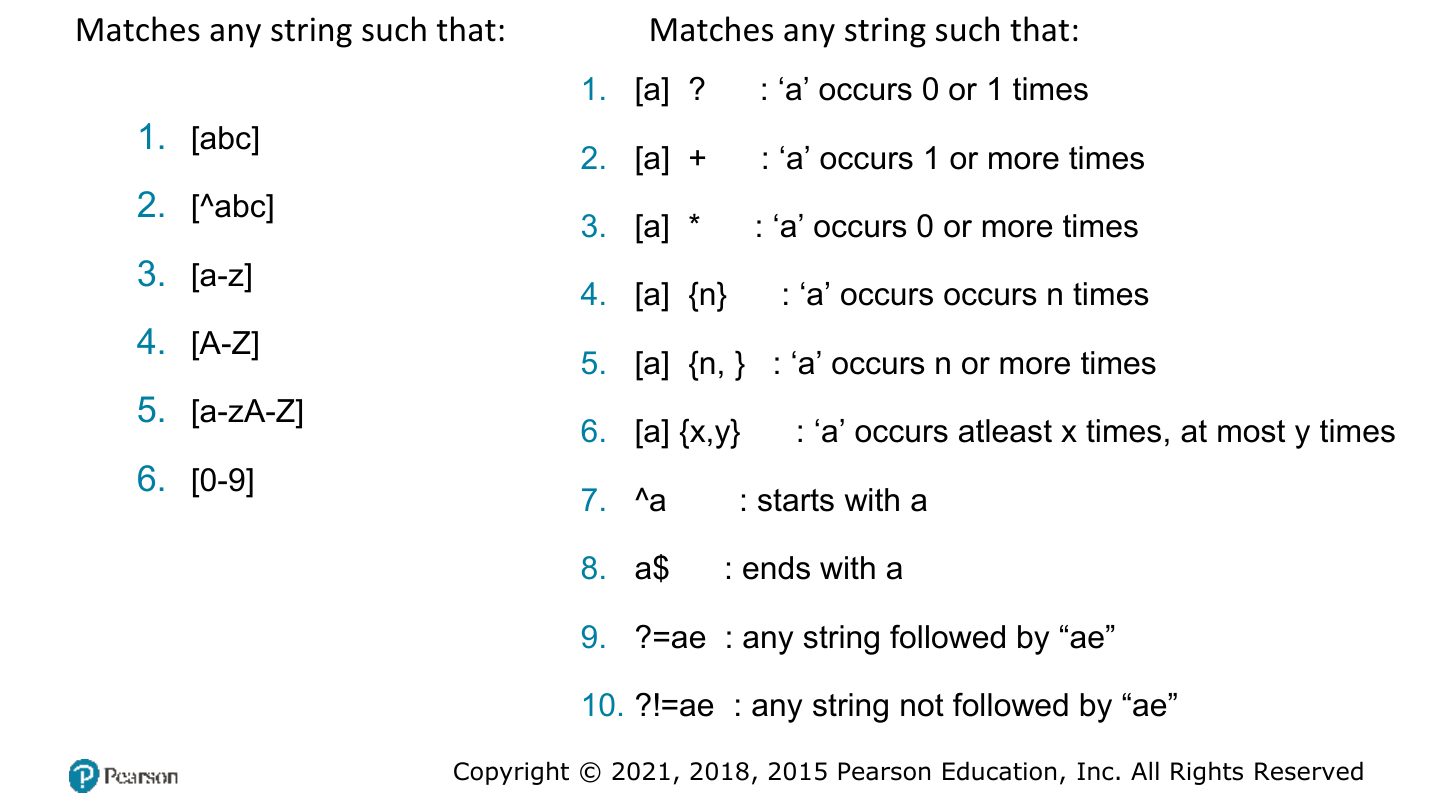
- 57 Matches any string such that: Matches any string such that:
- 58 /pattern/modifier : /[a-z][0-9]/ ig
Web Engineering SE371
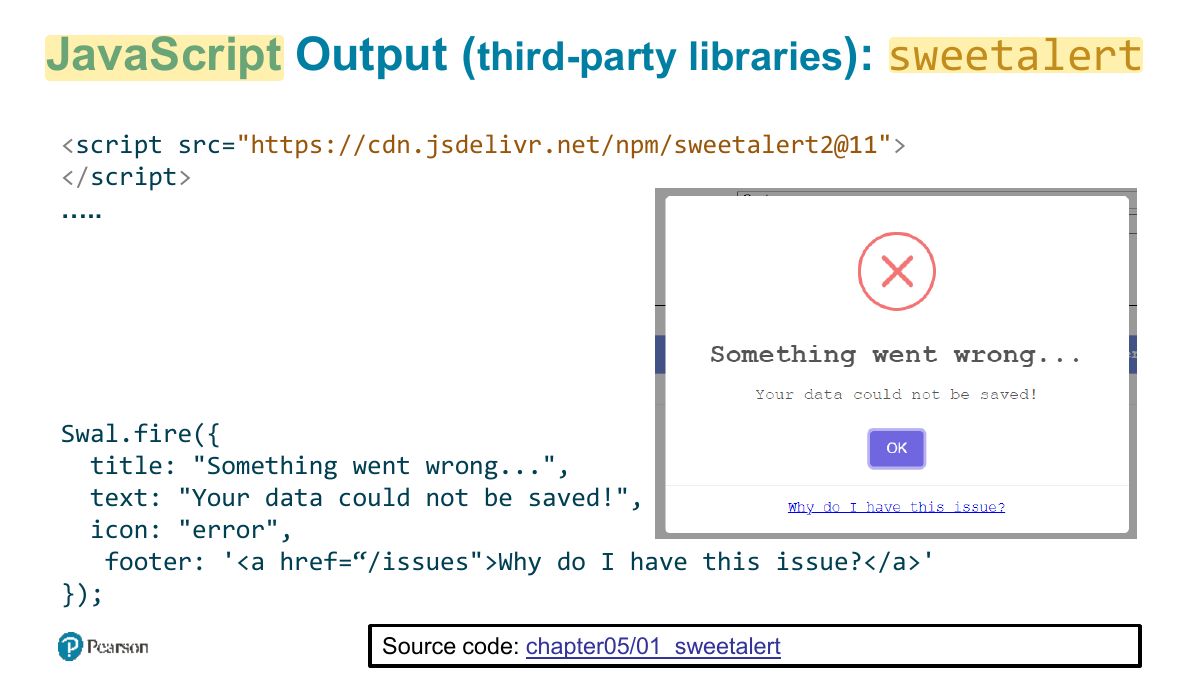
JavaScript Output ( third-party libraries ): sweetalert
The Document Object Model (DOM)
Notes
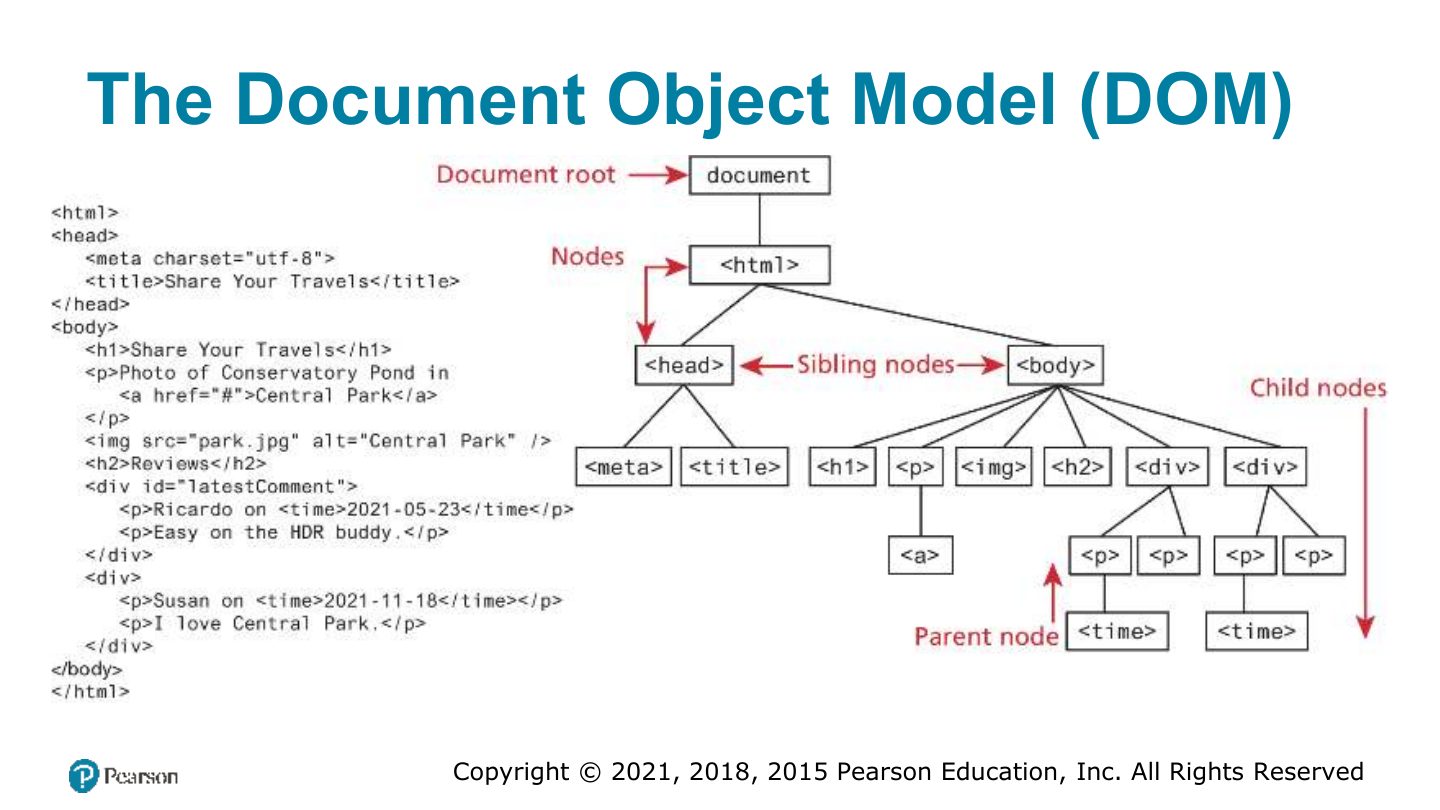
DOM: the browser’s tree of objects representing the page; JavaScript reads and changes it.
Document Object
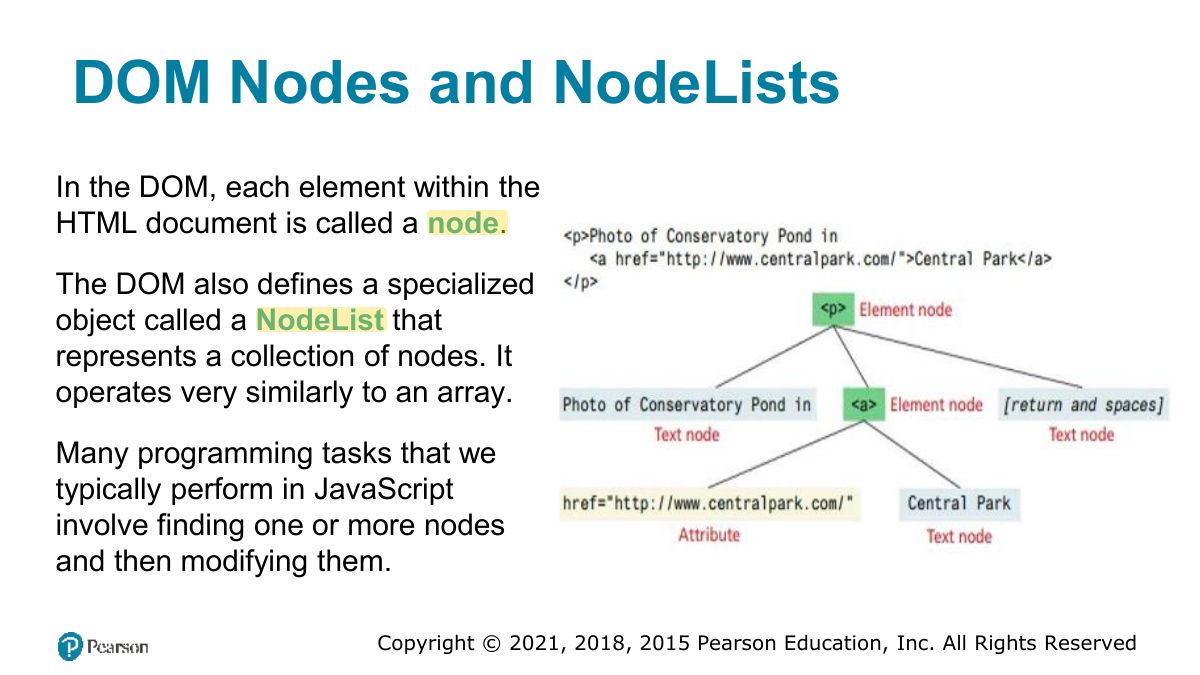
DOM Nodes and NodeLists
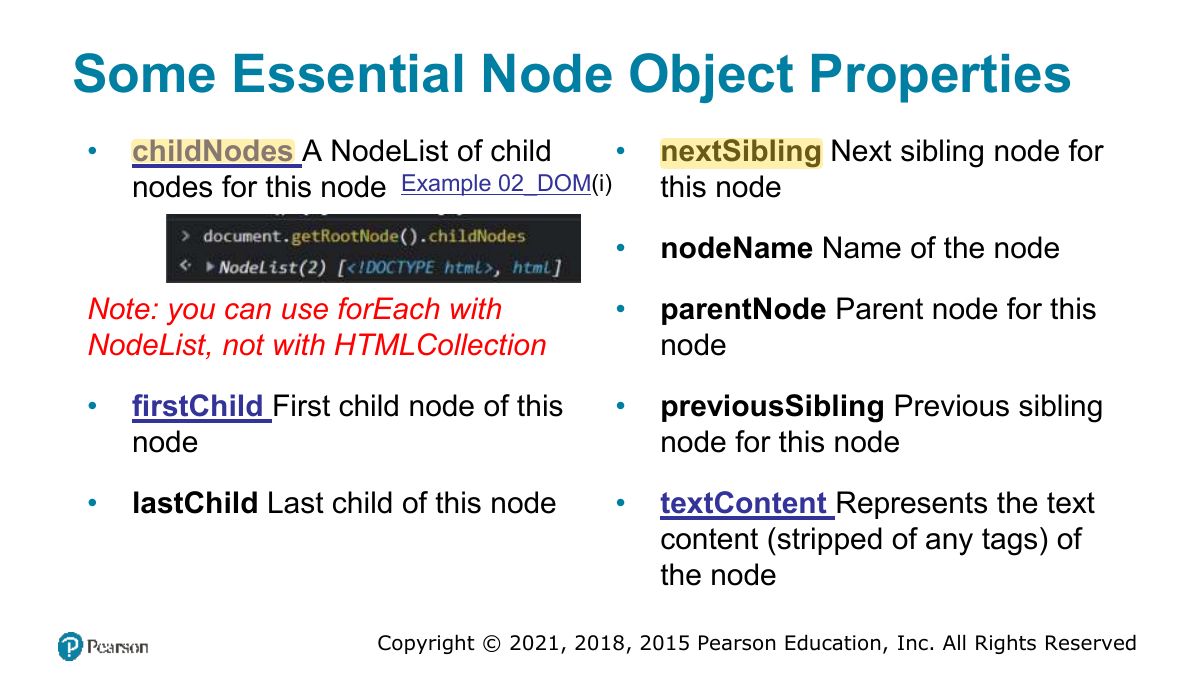
Some Essential Node Object Properties
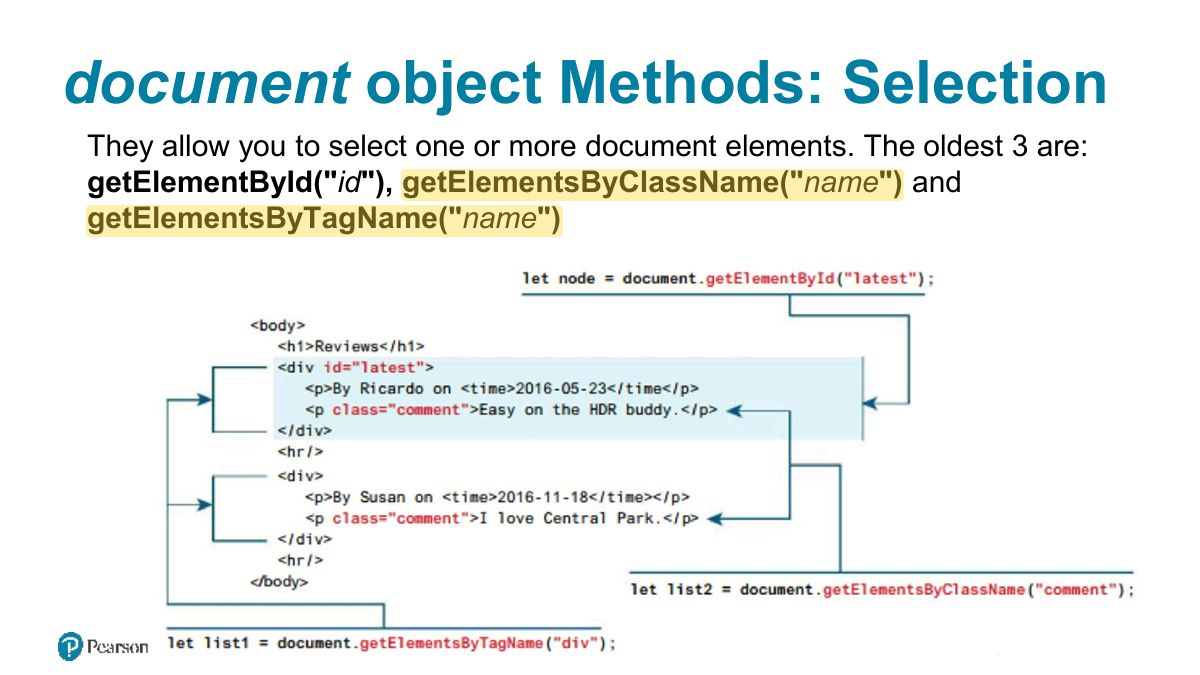
document object Methods: Selection
Notes
Select: getElementById, getElementsByClassName, querySelector (first match), querySelectorAll (NodeList of all matches).
Exam angle
document object Methods: Query Selection
Element Node Object
Extra Properties for Certain Tag Types
Accessing elements and their properties
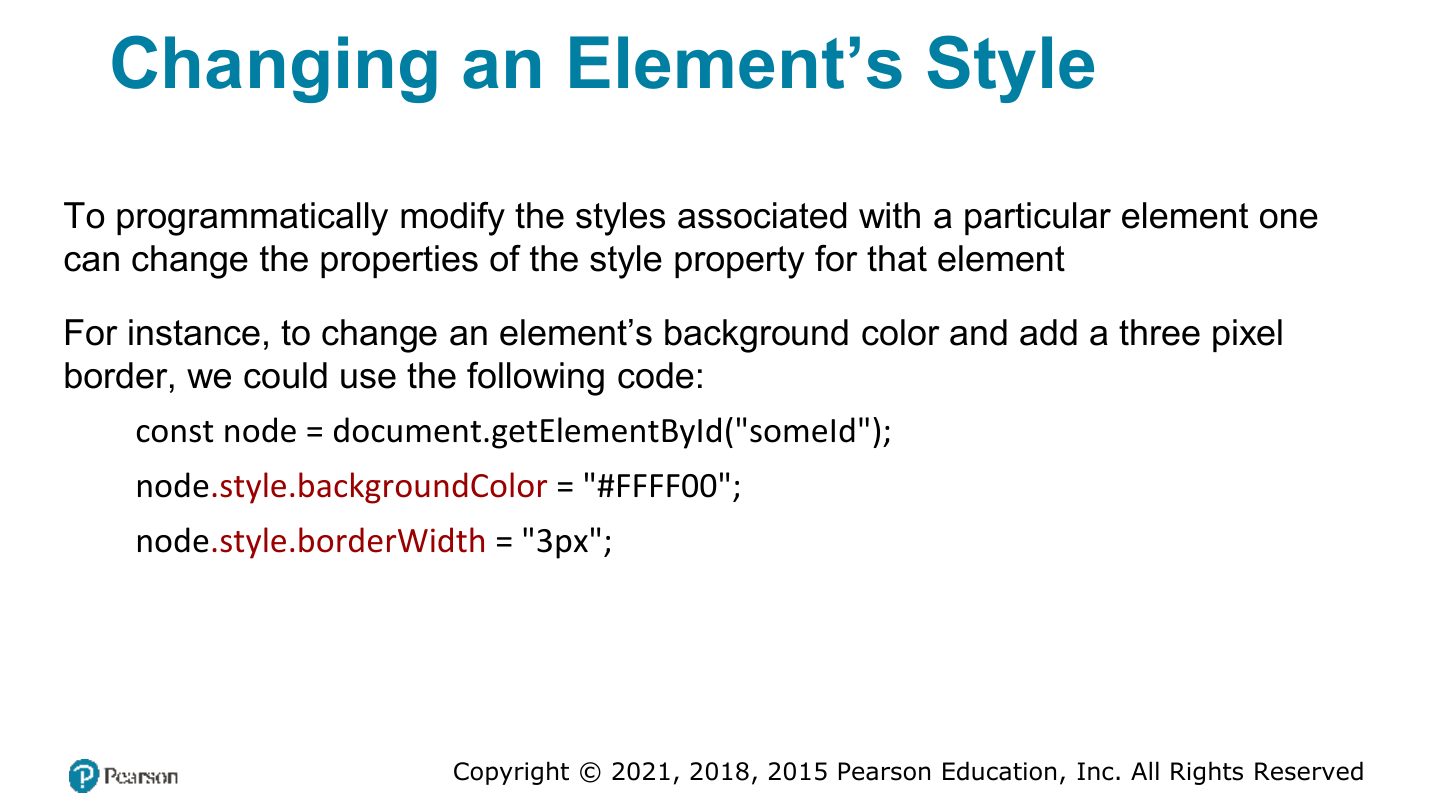
Changing an Element‟s Style
Notes
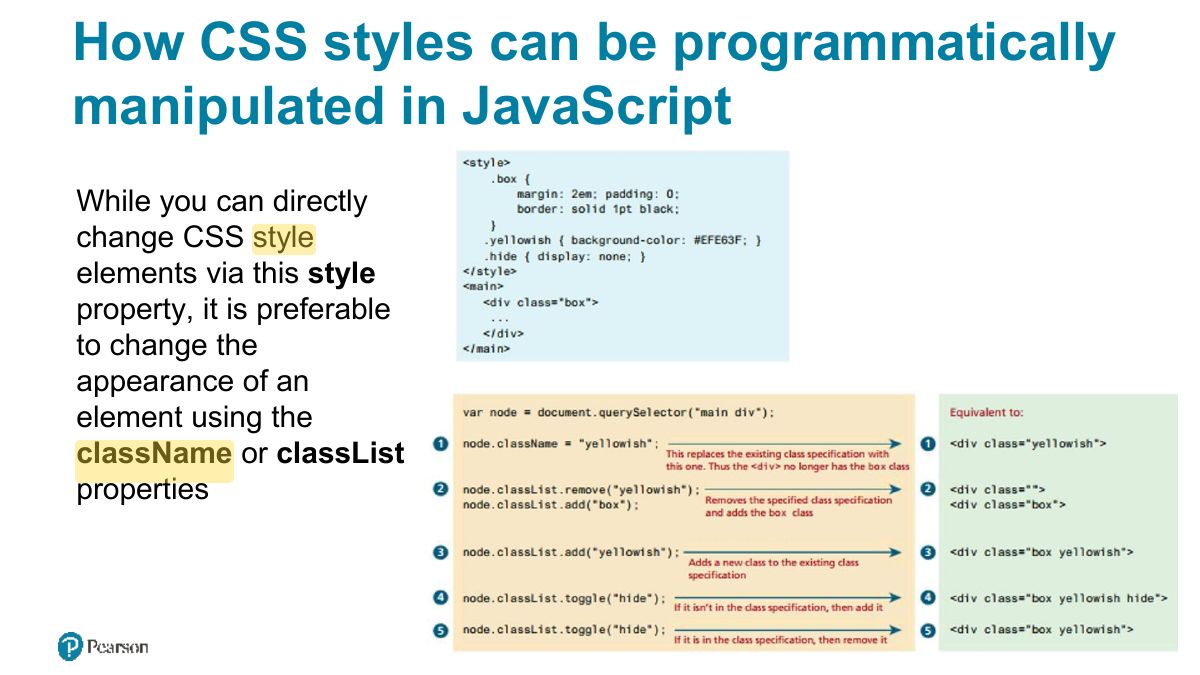
element.style.color = "red" sets inline style; better: element.classList.add/remove/toggle.
How CSS styles can be programmatically manipulated in JavaScript
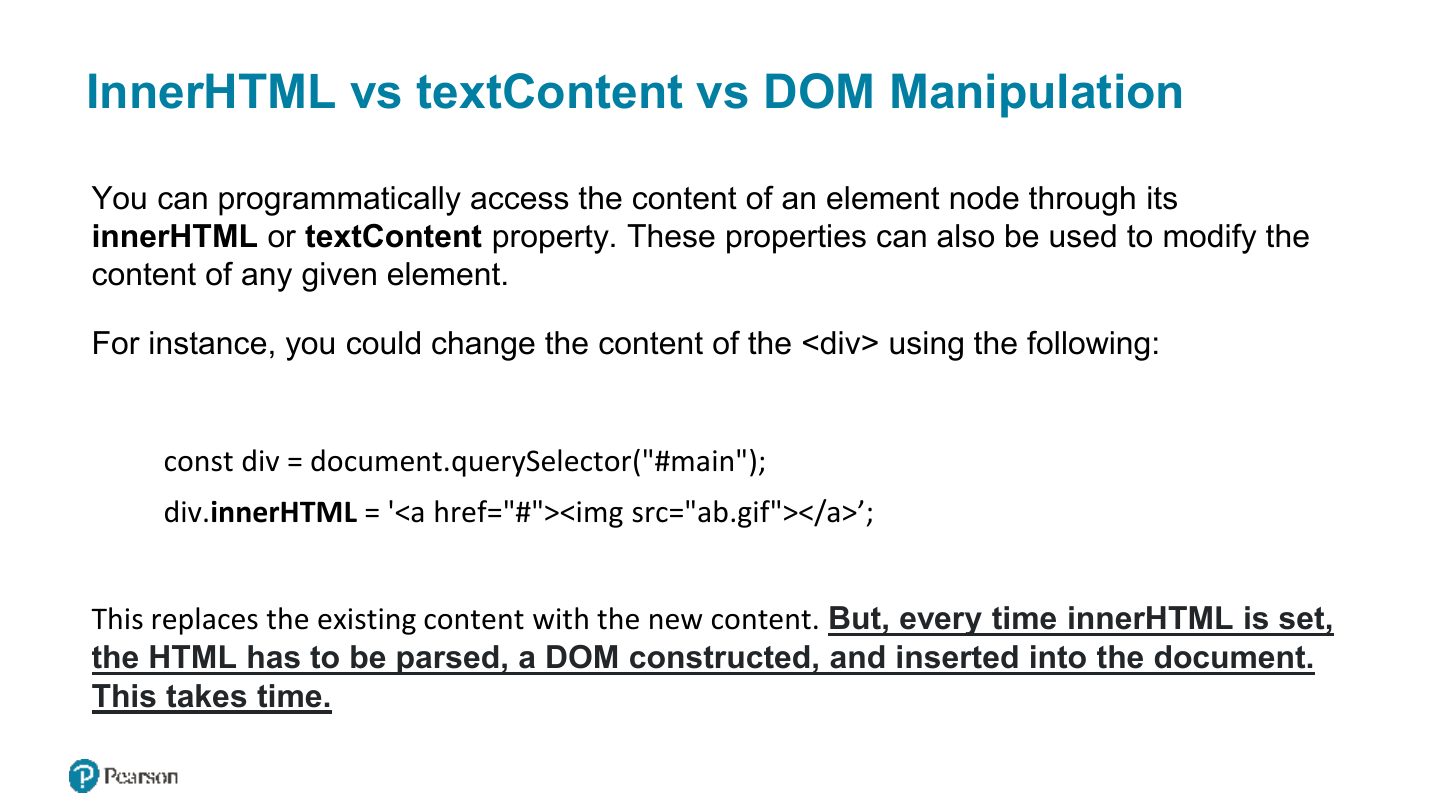
InnerHTML vs textContent vs DOM Manipulation
Notes
innerHTML parses HTML (XSS risk with user input); textContent sets plain text safely.
Trap Never put user input into innerHTML: use textContent.
Exam angle
Which is safest for inserting user-typed text into the page?
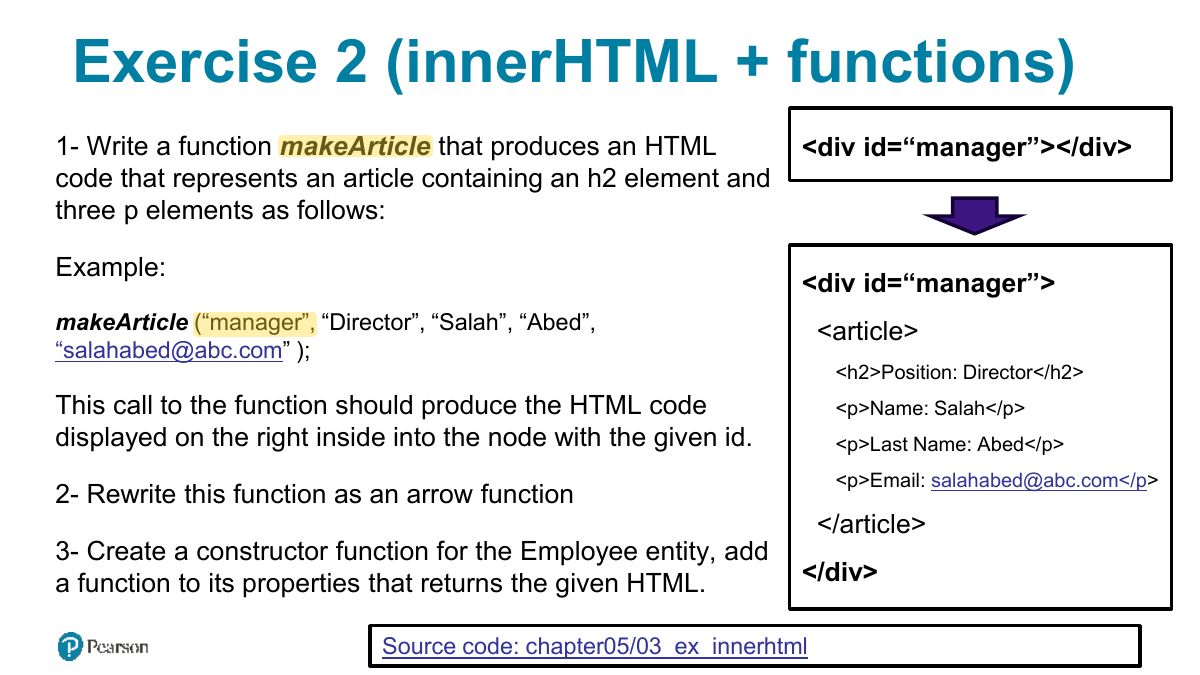
Exercise 2 (innerHTML + functions)
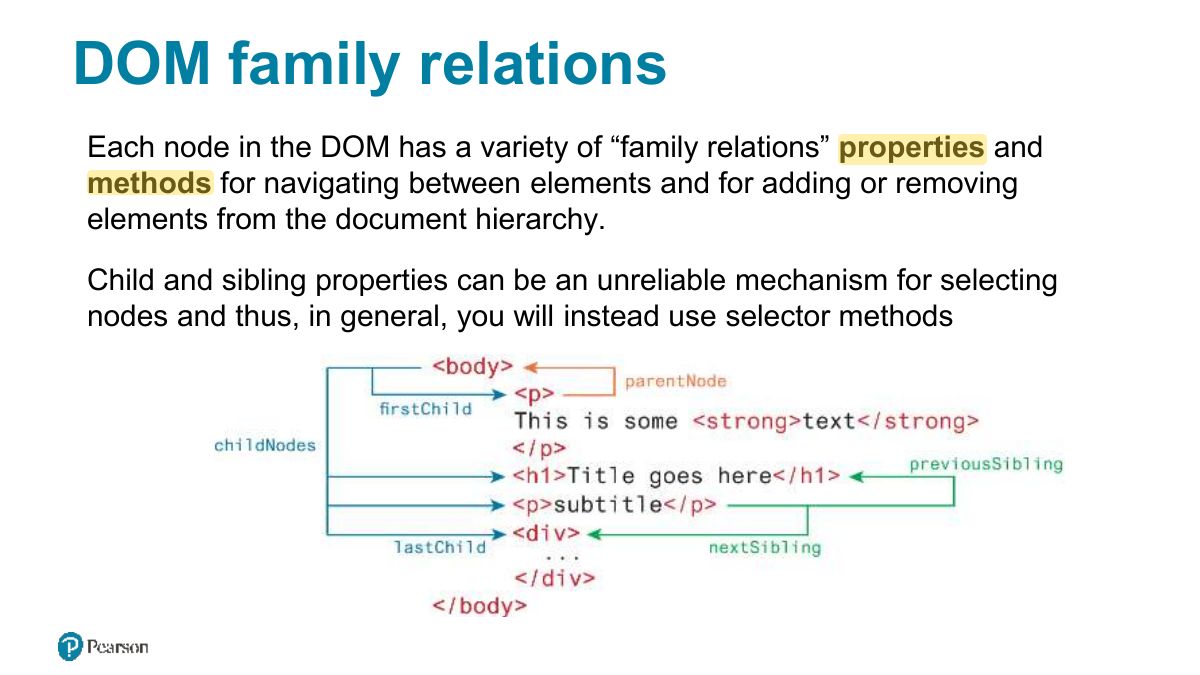
DOM family relations
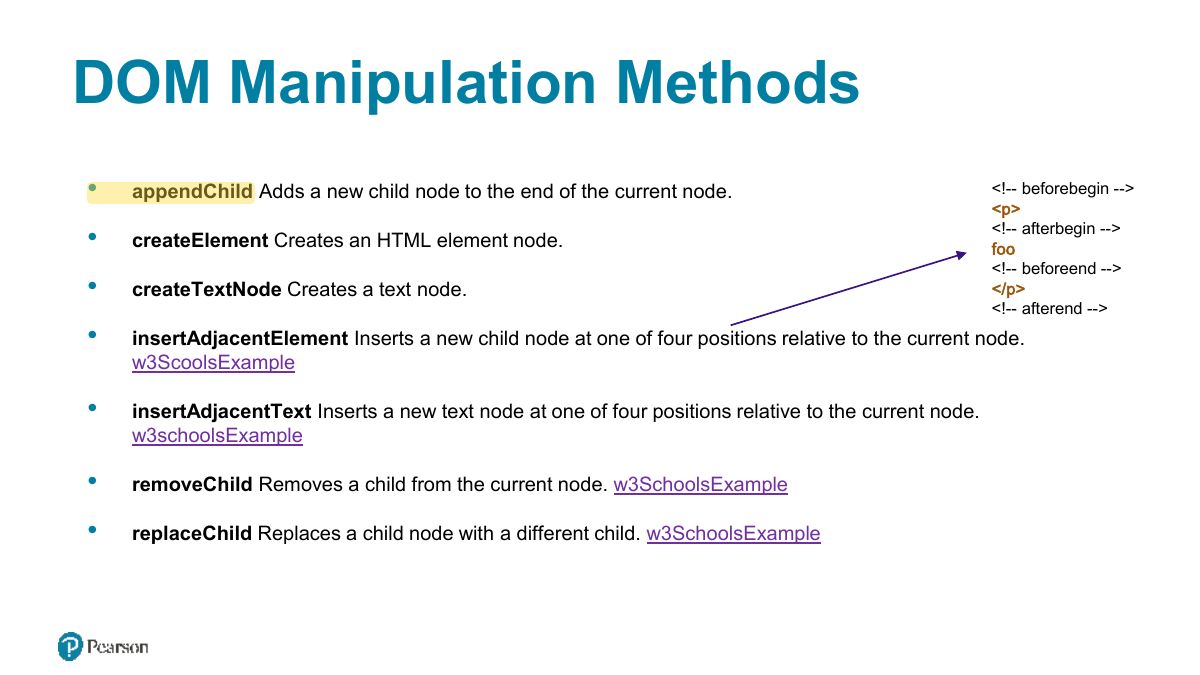
DOM Manipulation Methods
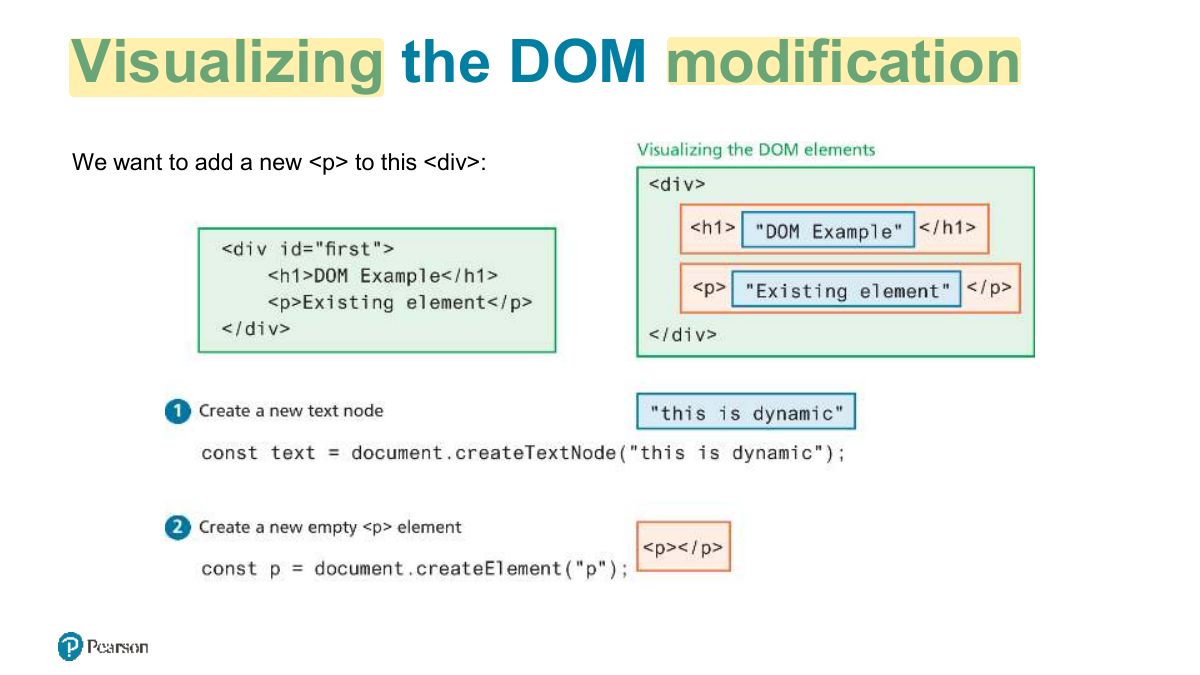
Visualizing the DOM modification
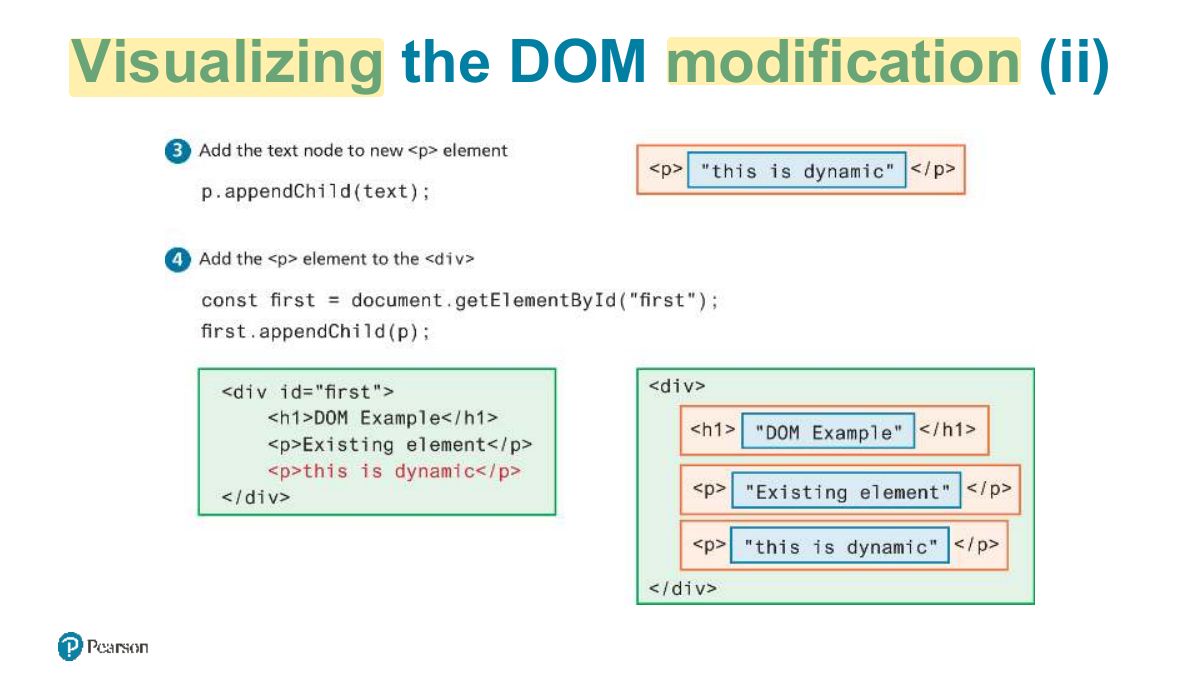
Visualizing the DOM modification (ii)
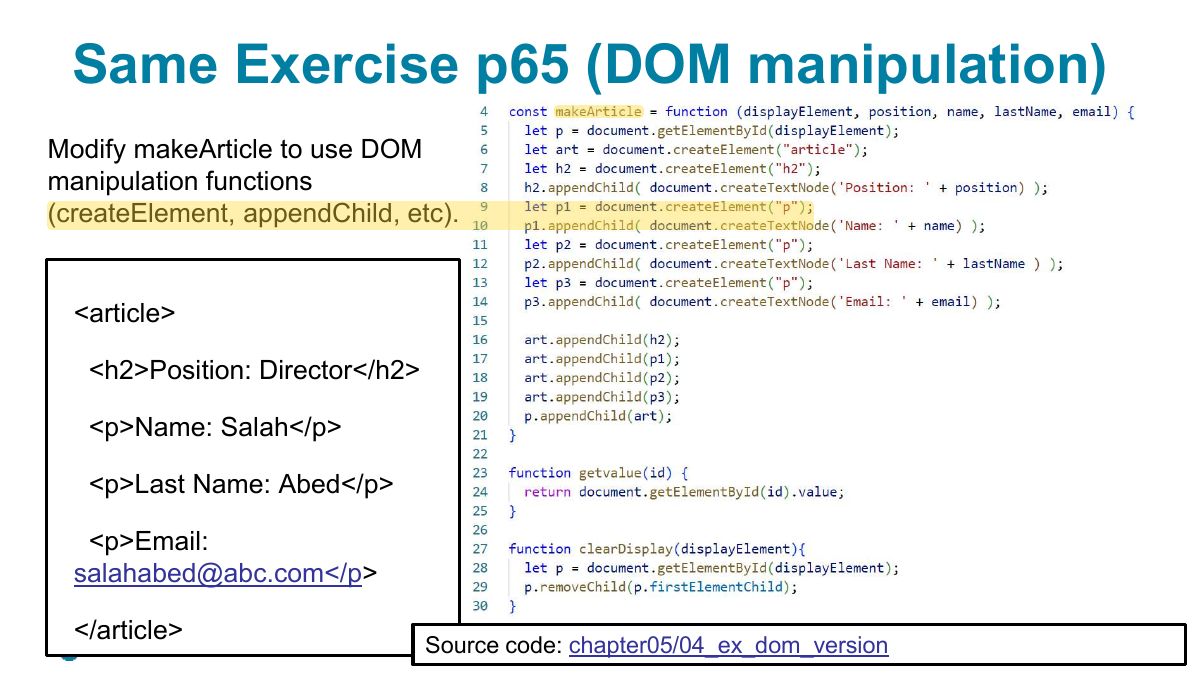
Same Exercise p65 (DOM manipulation)
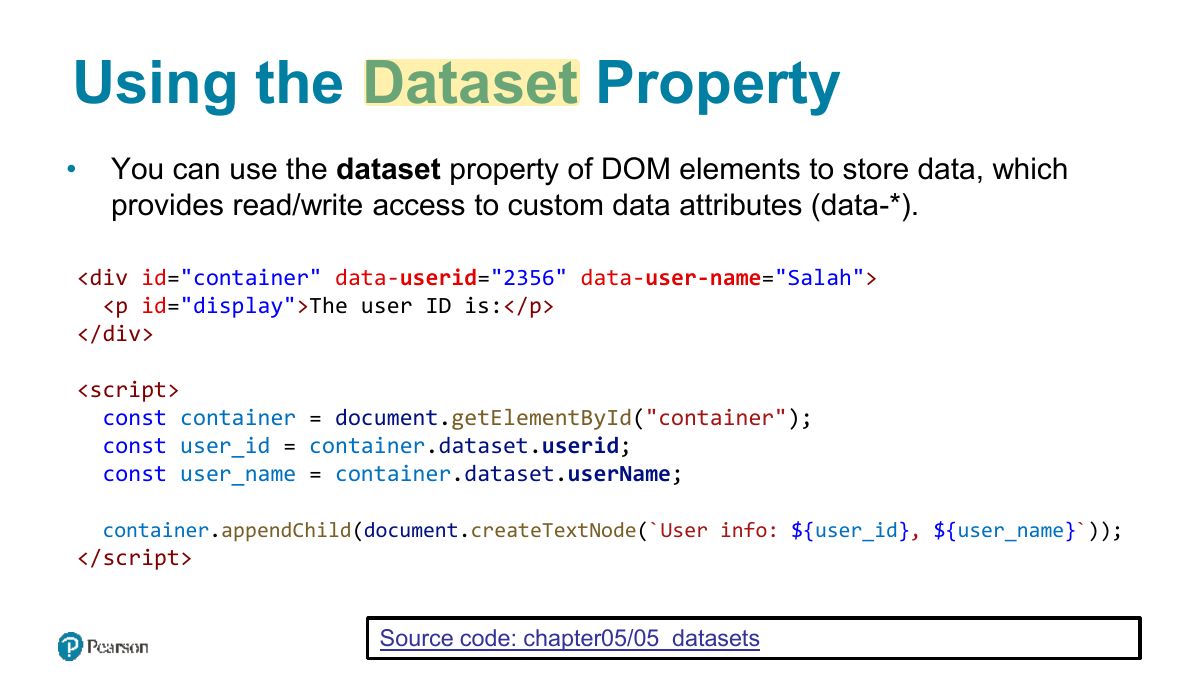
Using the Dataset Property
Slide 22
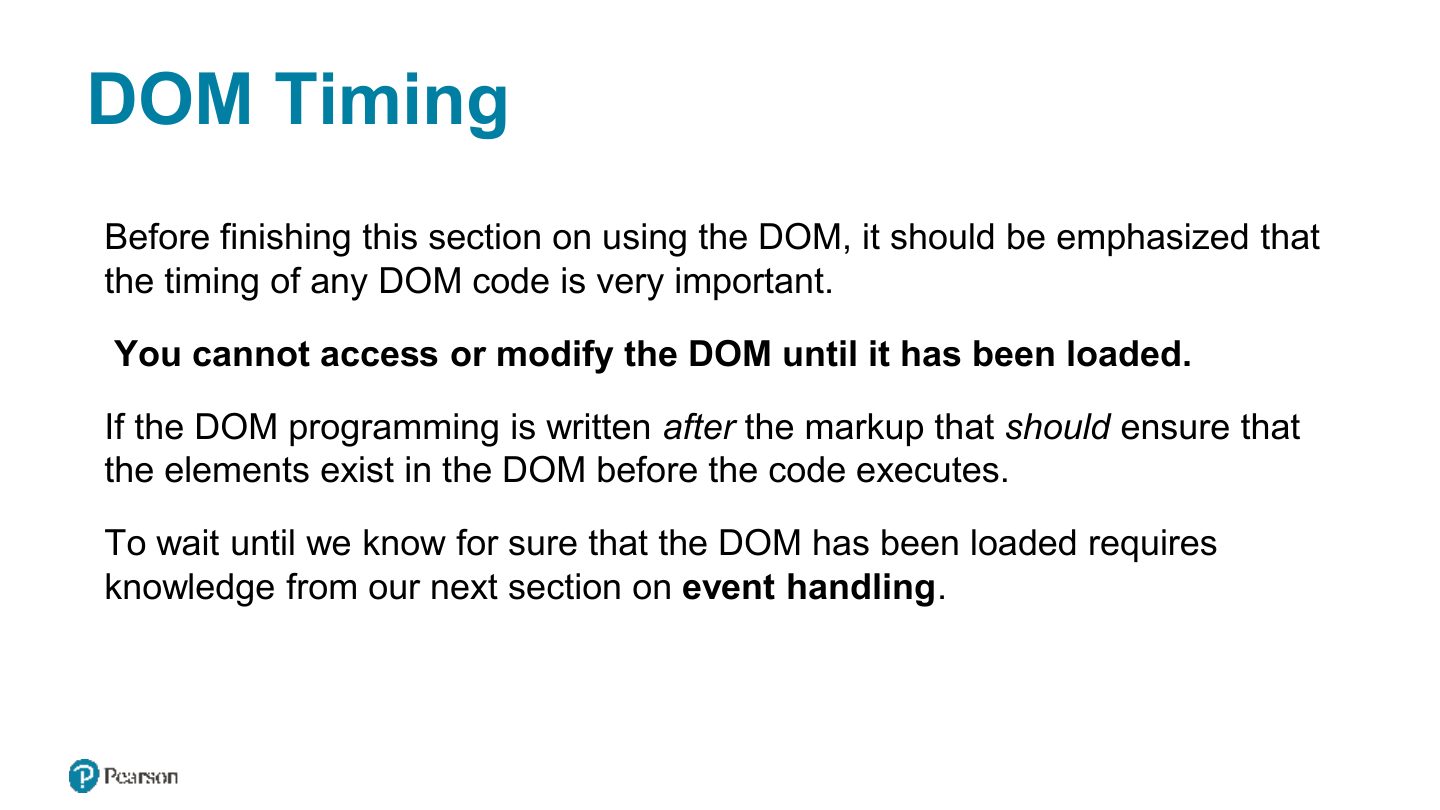
DOM Timing
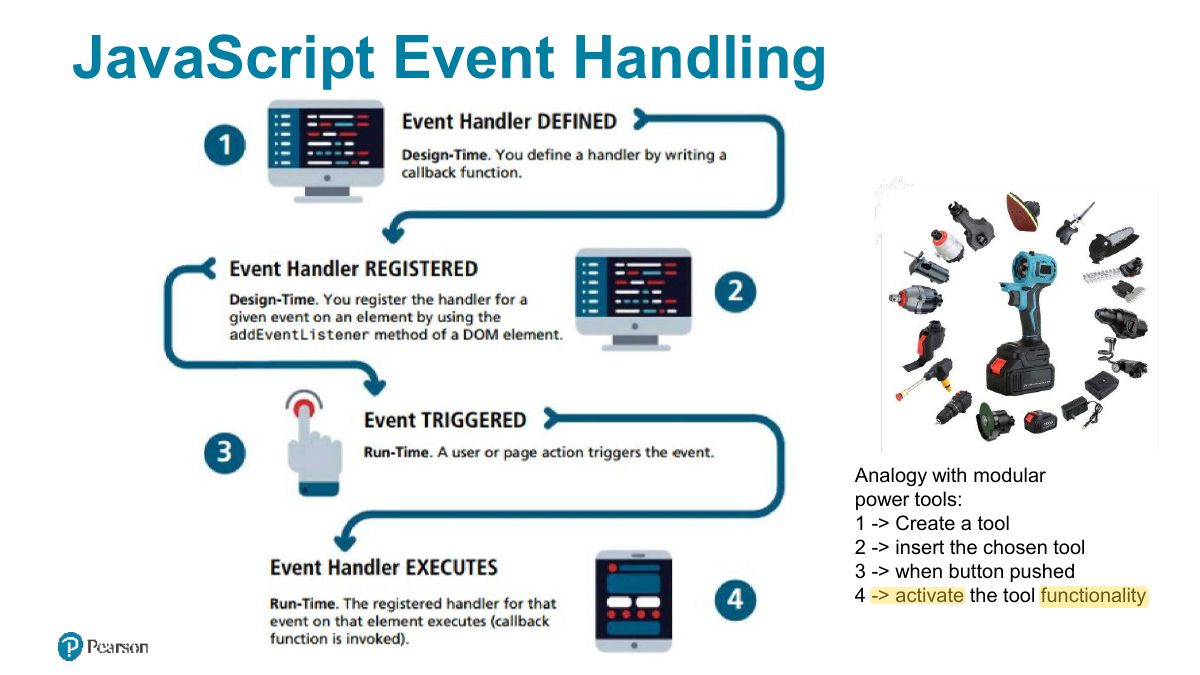
JavaScript Event Handling
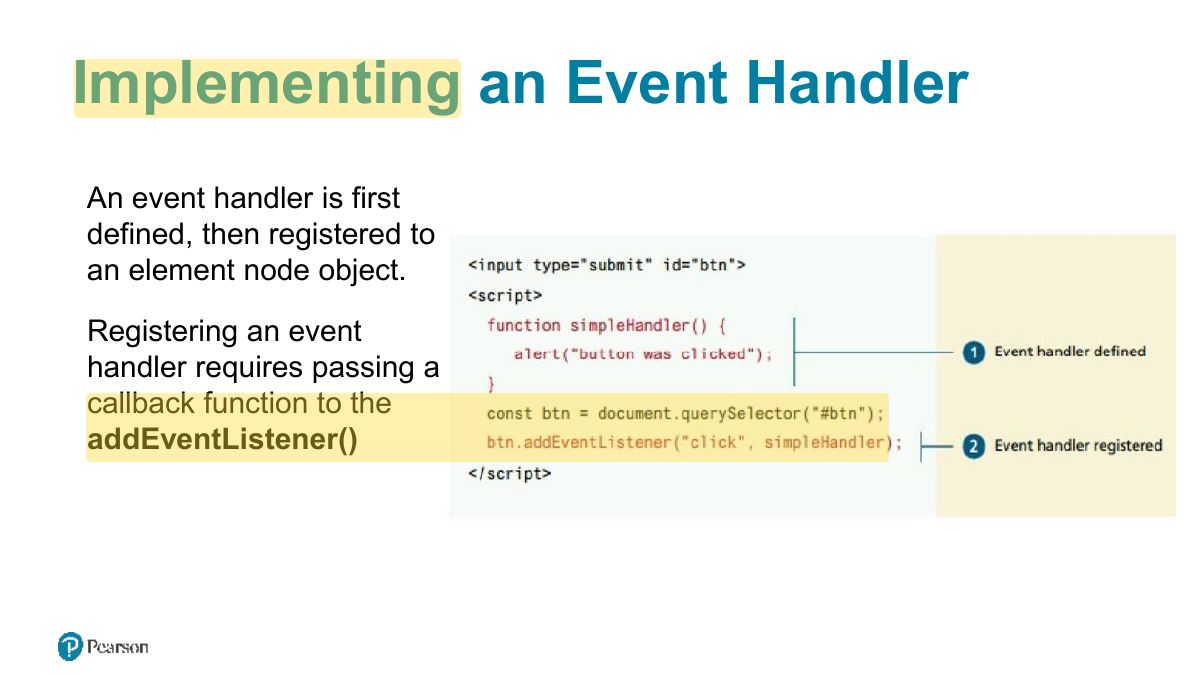
Implementing an Event Handler
Notes
element.addEventListener("click", handler): many handlers per event, can be removed.
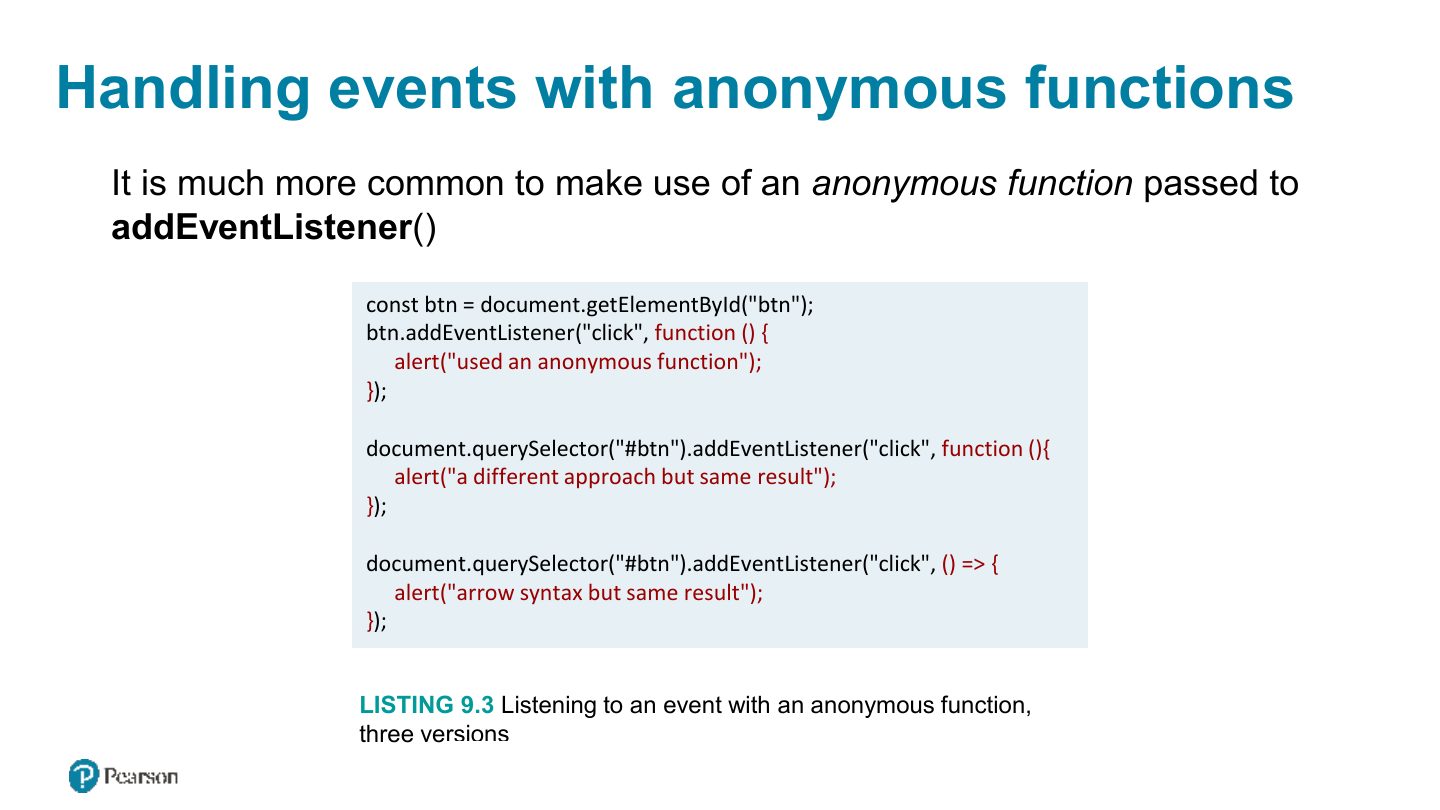
Handling events with anonymous functions
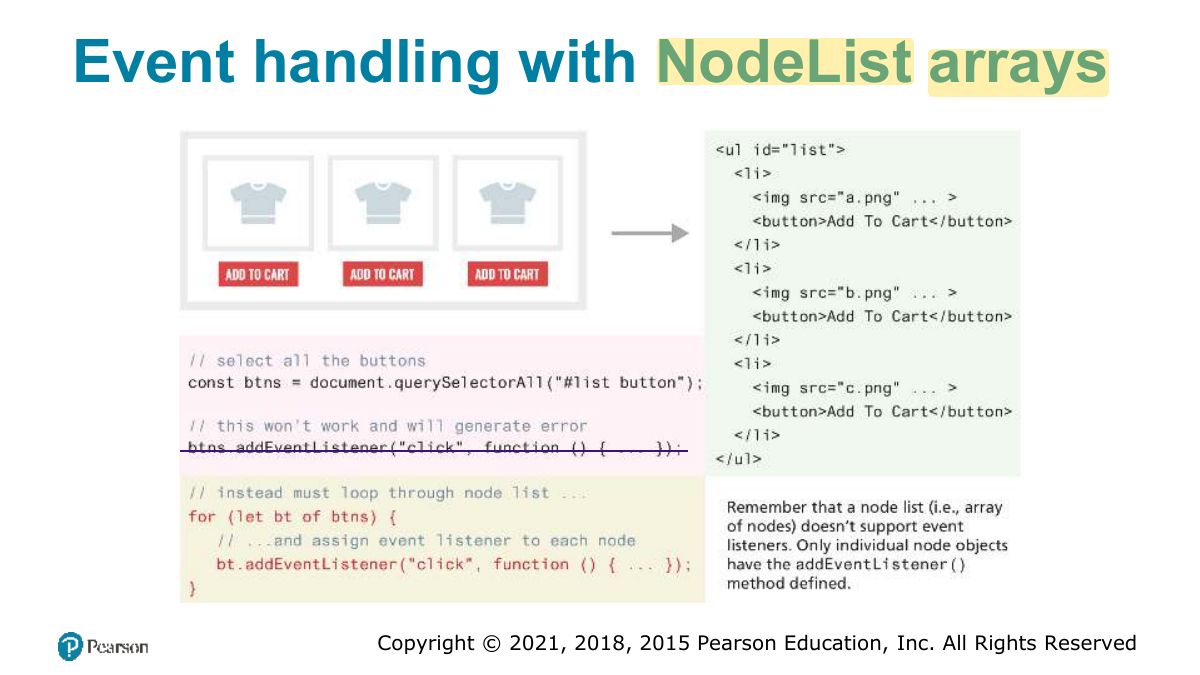
Event handling with NodeList arrays
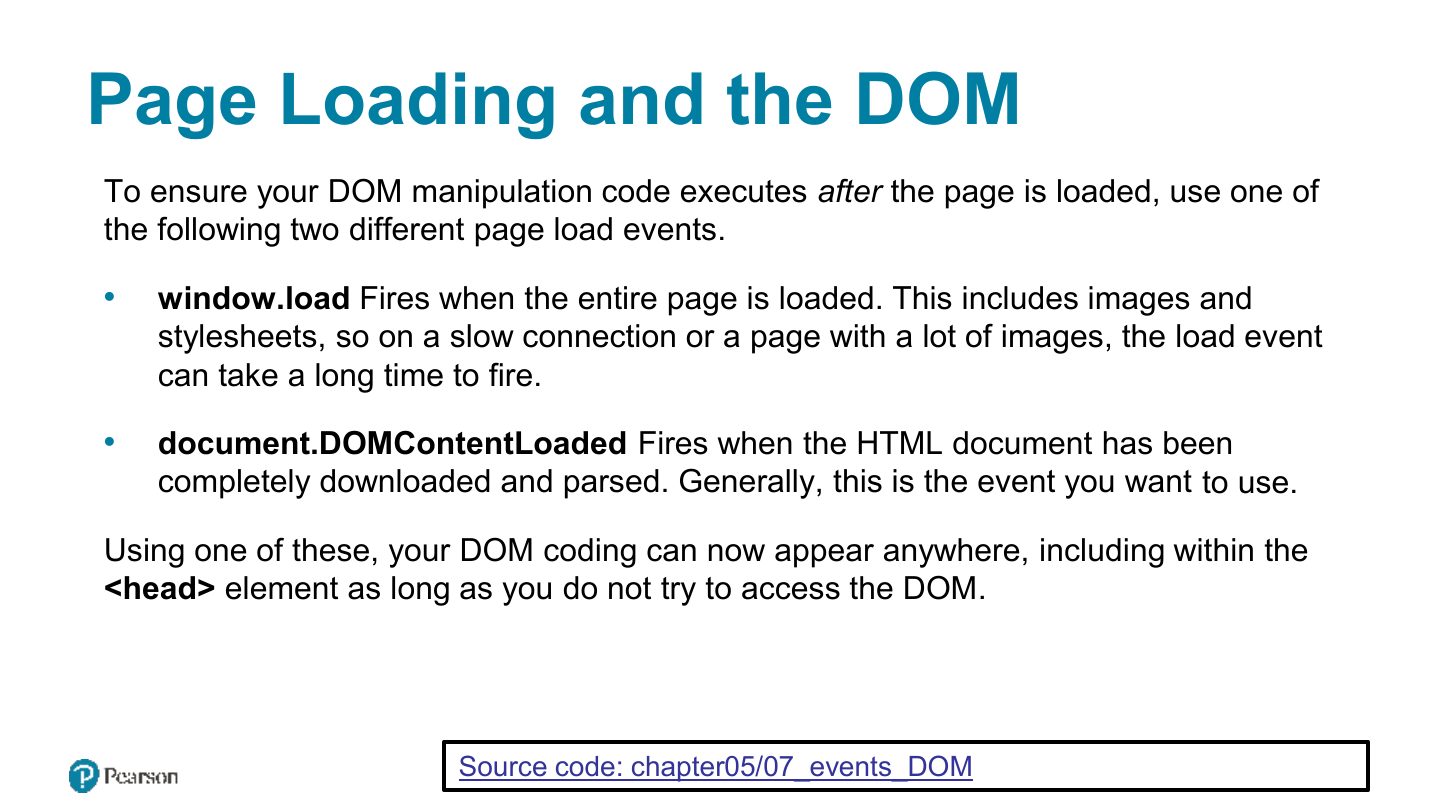
Page Loading and the DOM
Notes
Run DOM code after the page loads: DOMContentLoaded, or place the script at the end / use defer.
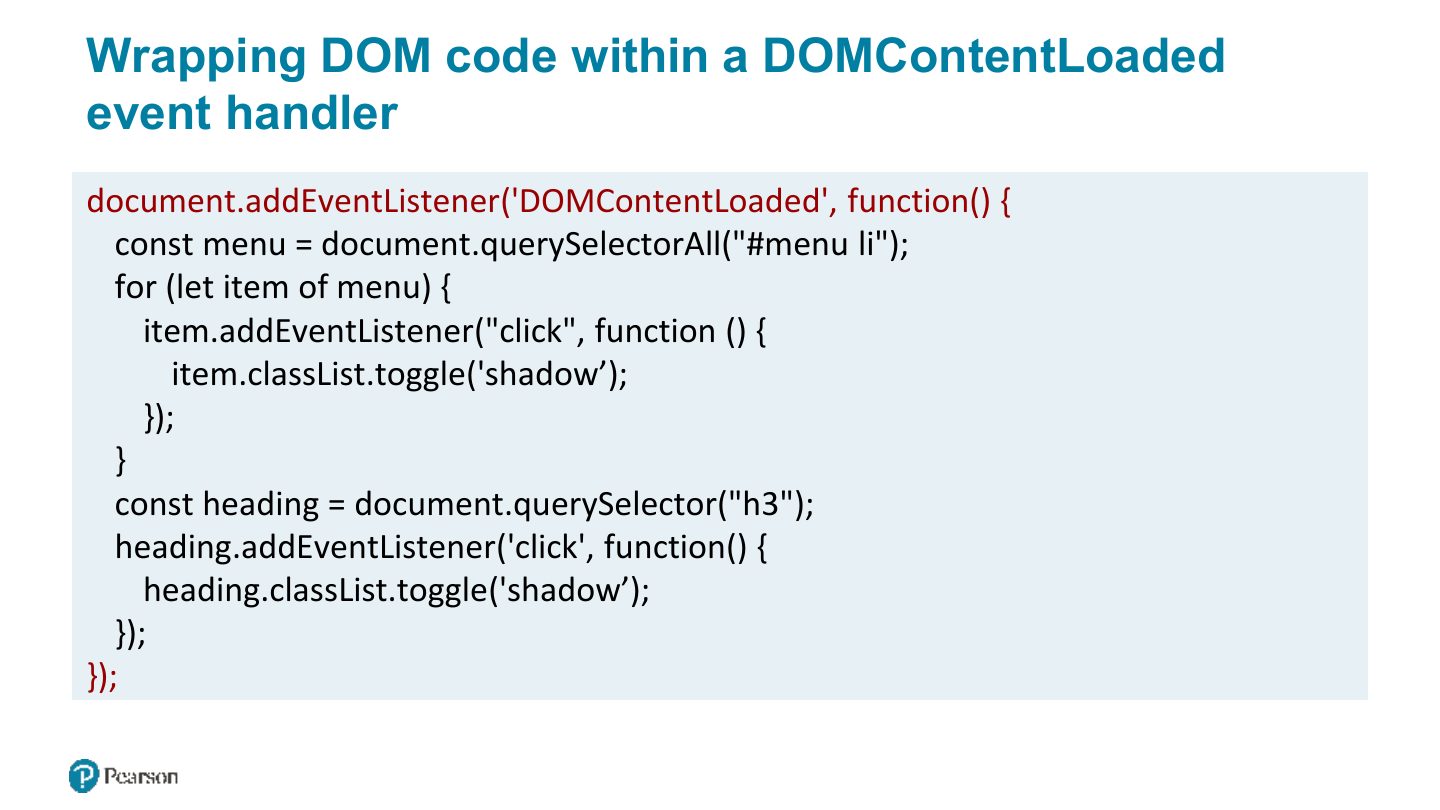
Wrapping DOM code within a DOMContentLoaded event handler
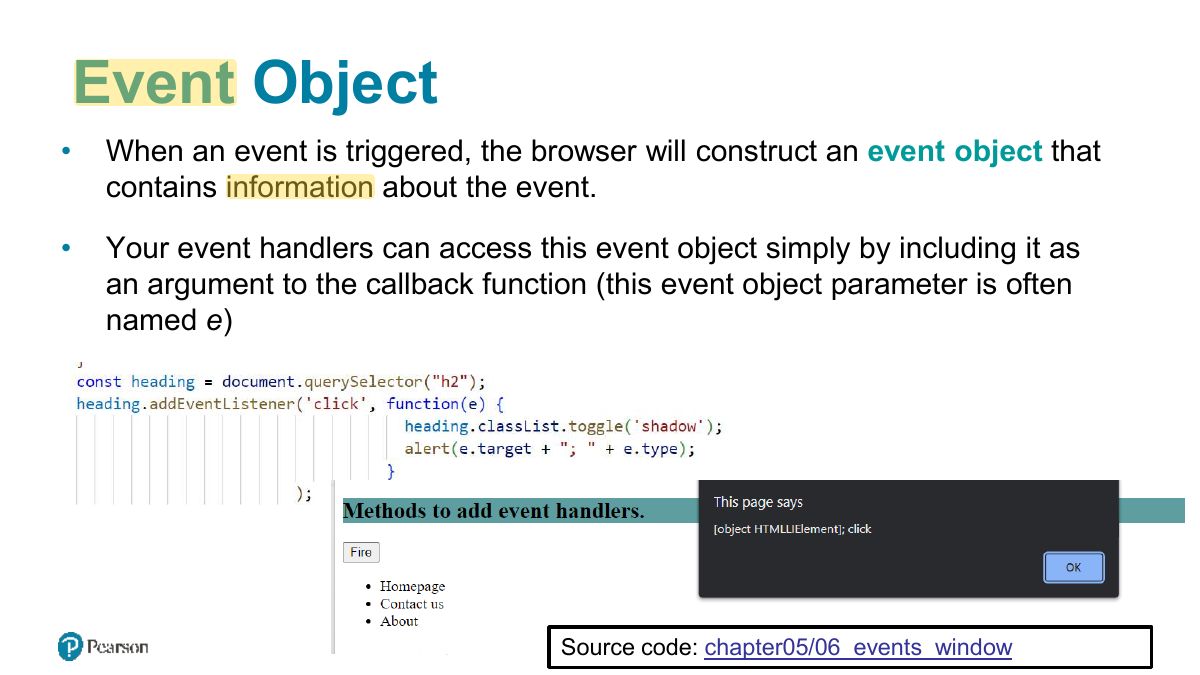
Event Object
Notes
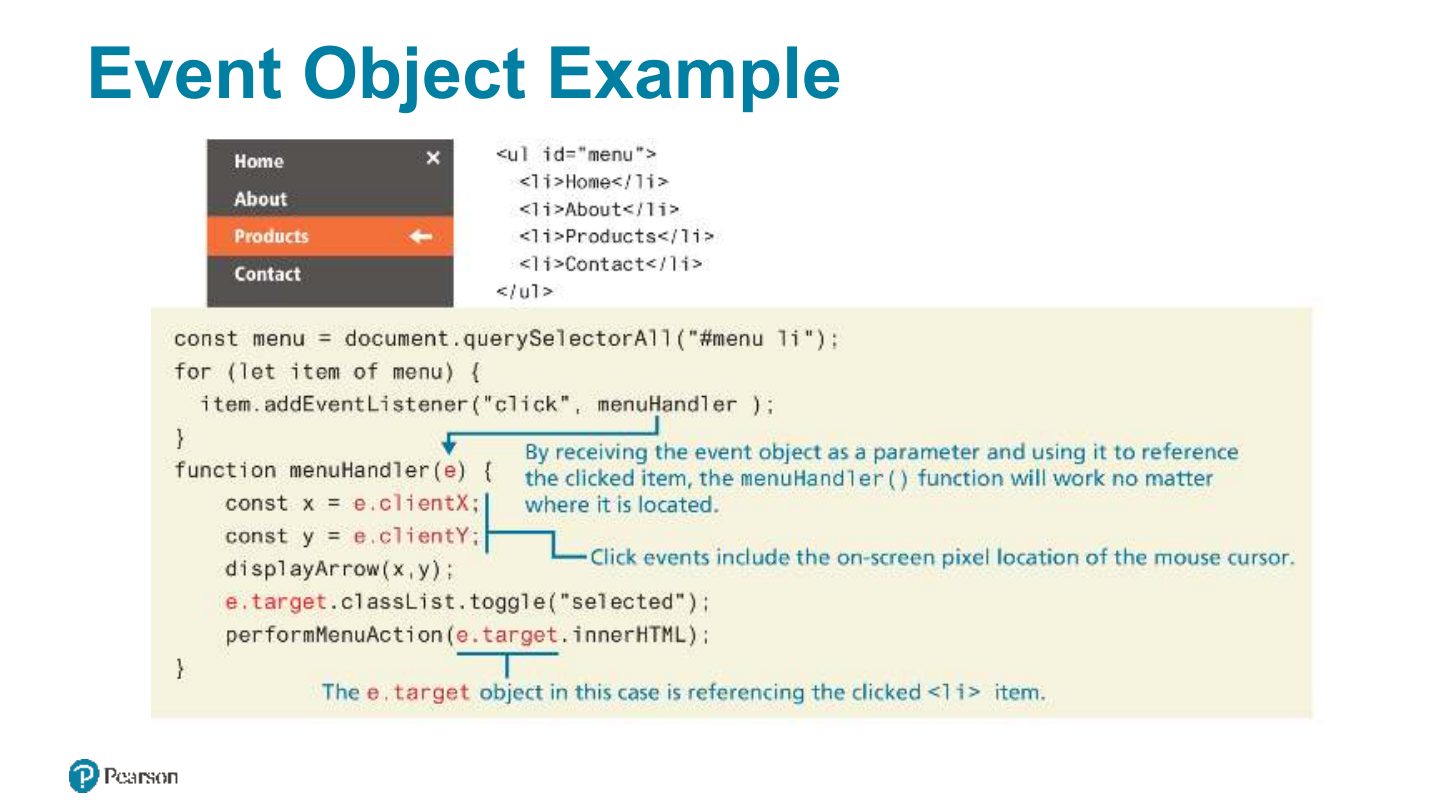
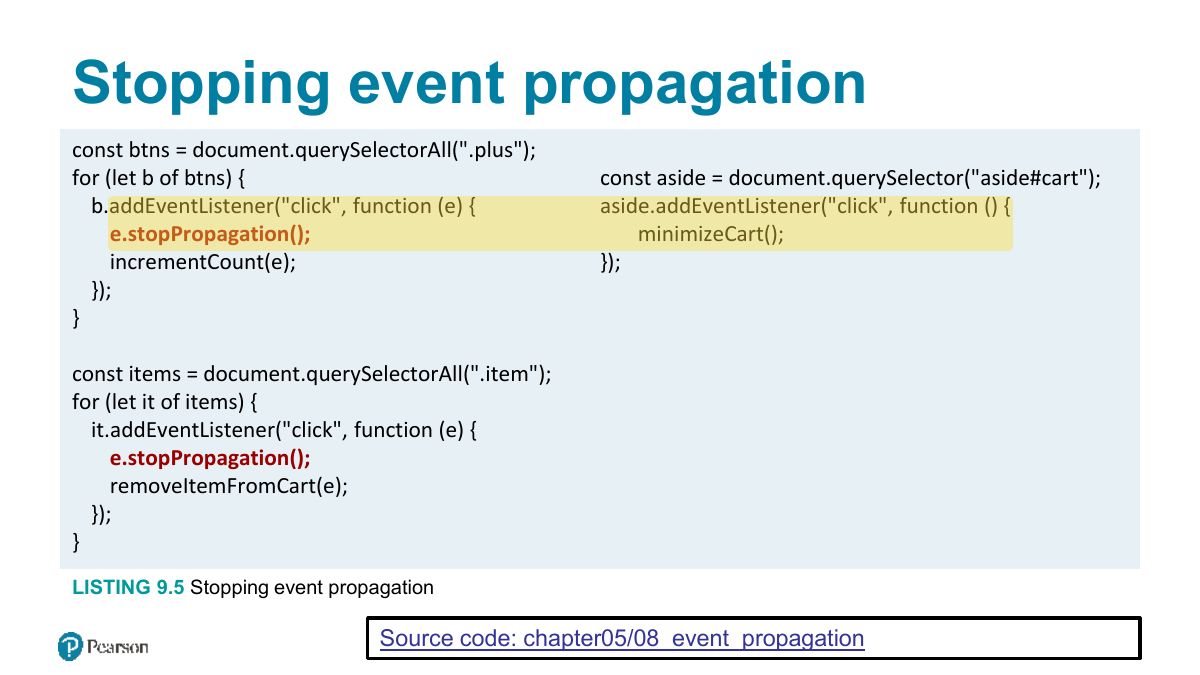
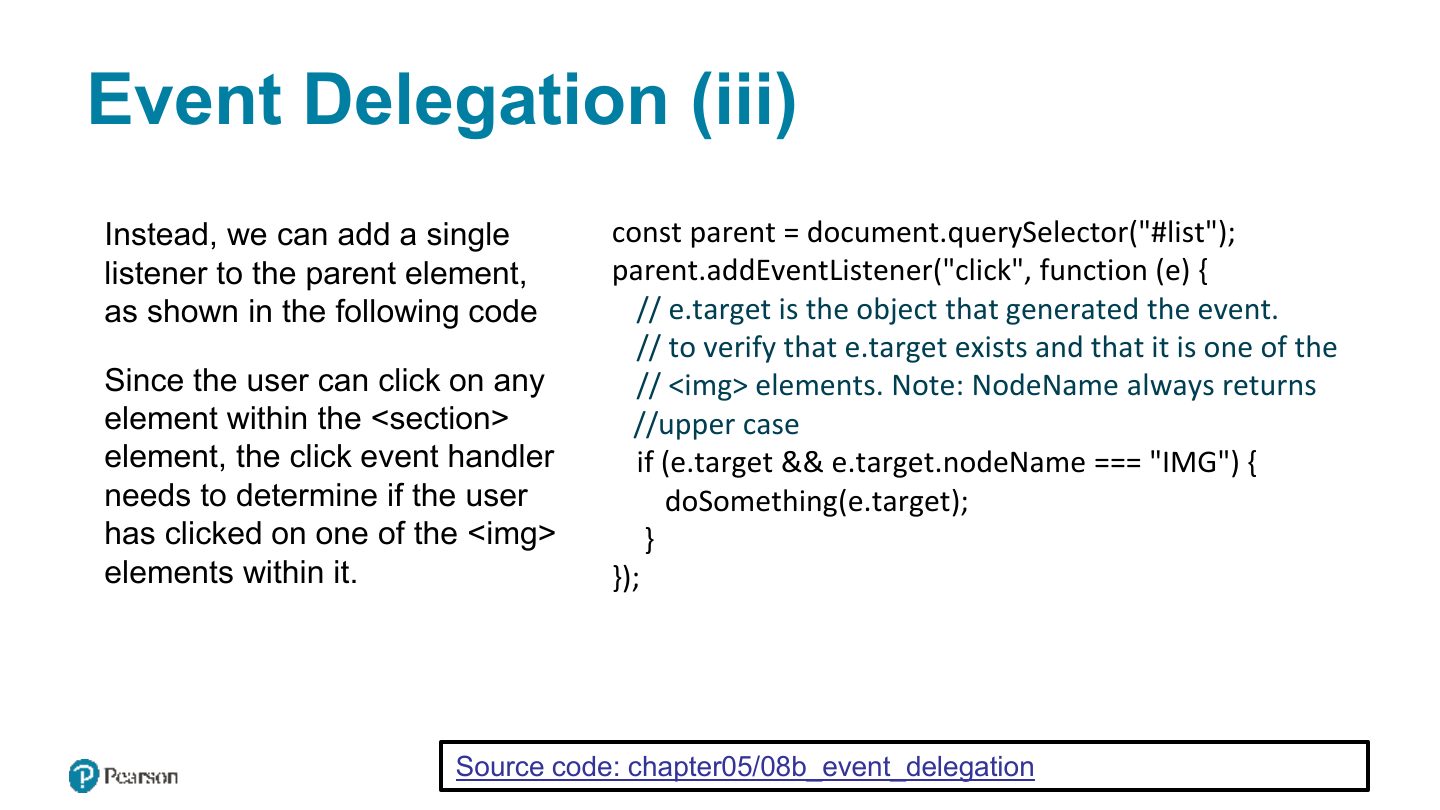
The event object: e.target (the element clicked), e.type, e.preventDefault(), e.stopPropagation().
Event Object Example
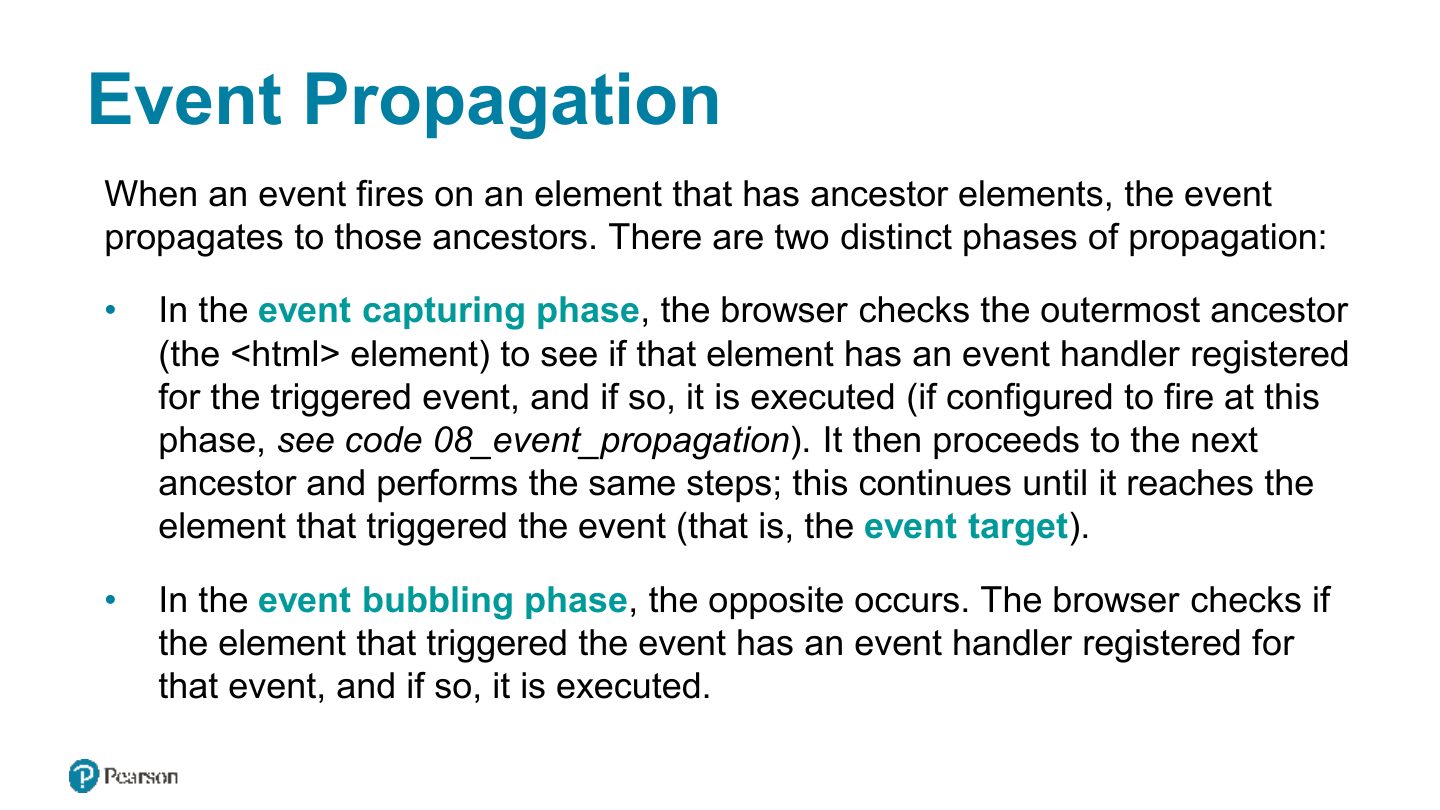
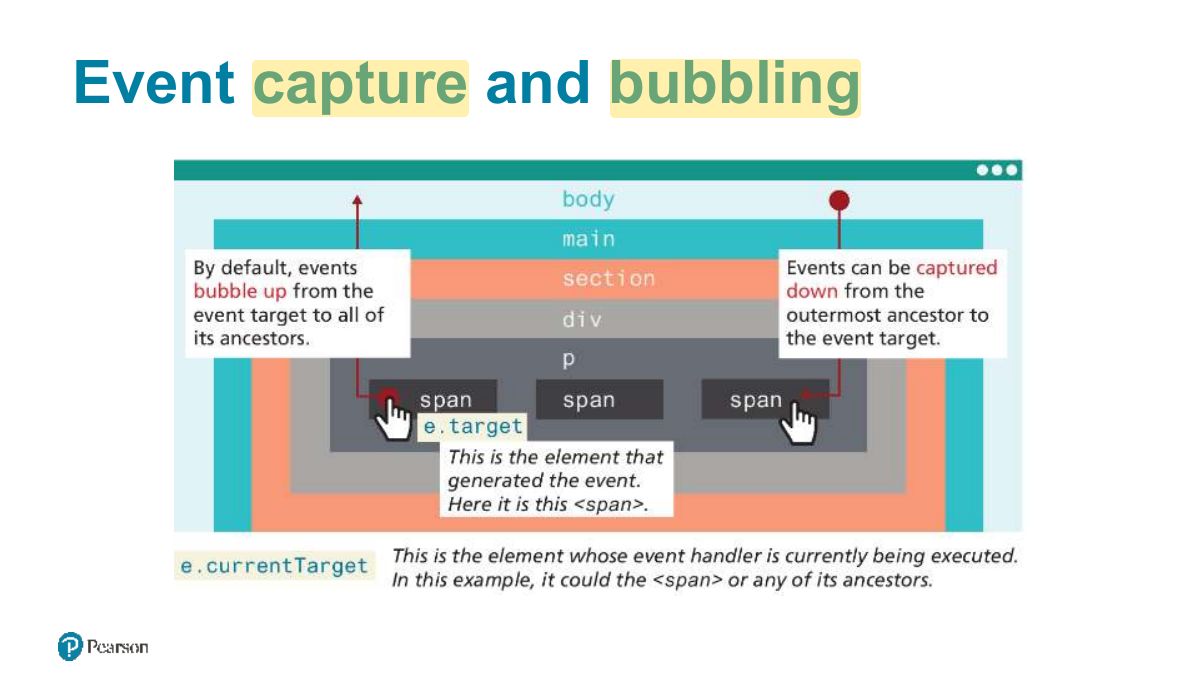
Event Propagation
Event capture and bubbling
Notes
Propagation: capture phase (down from the window) → target → bubbling phase (back up). Handlers run in the bubbling phase by default.
Exam angle
By default, addEventListener handlers run during the:
Problems with event propagation
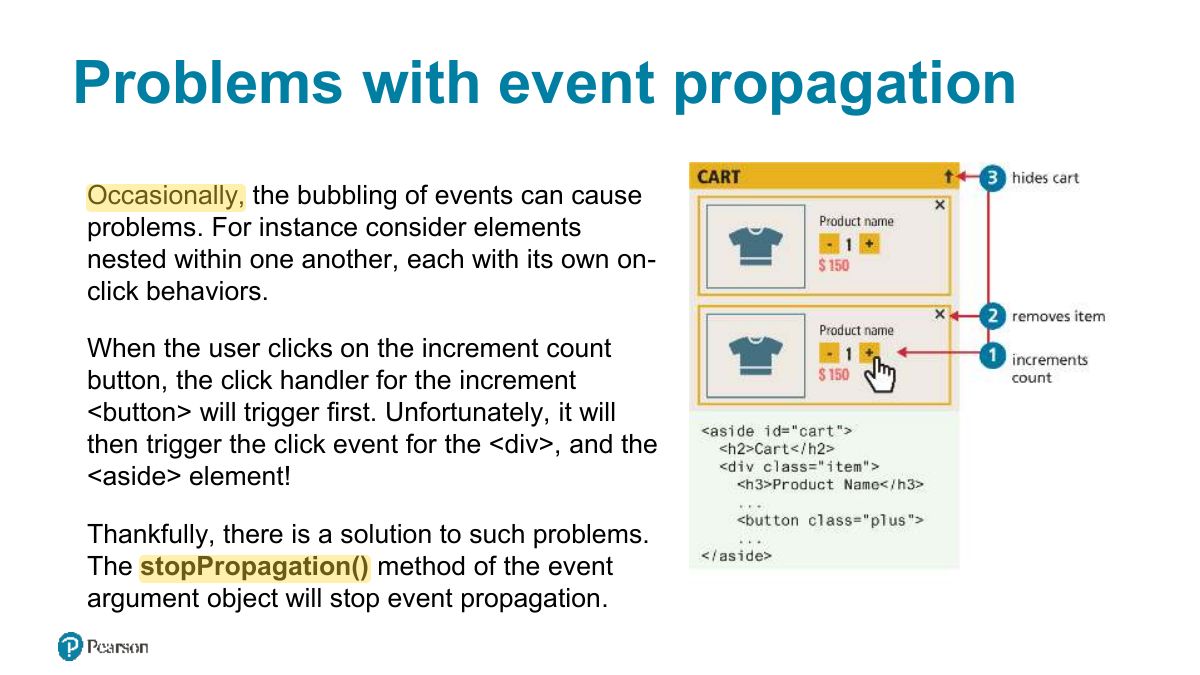
Stopping event propagation
g1
Notes
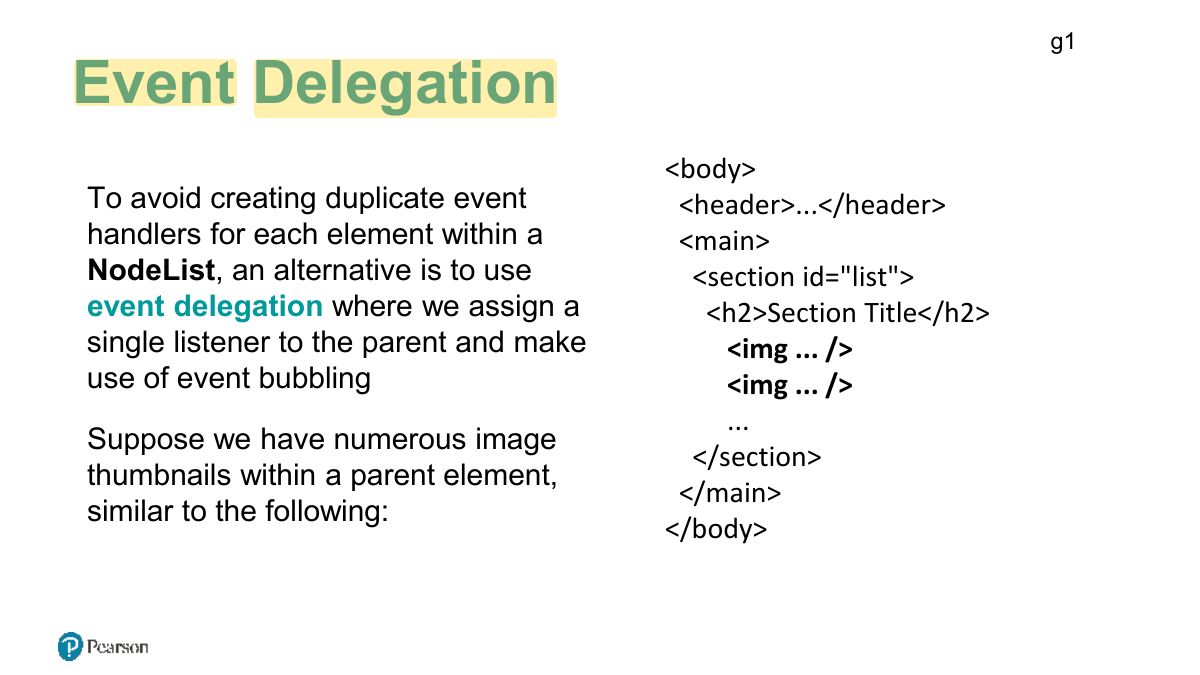
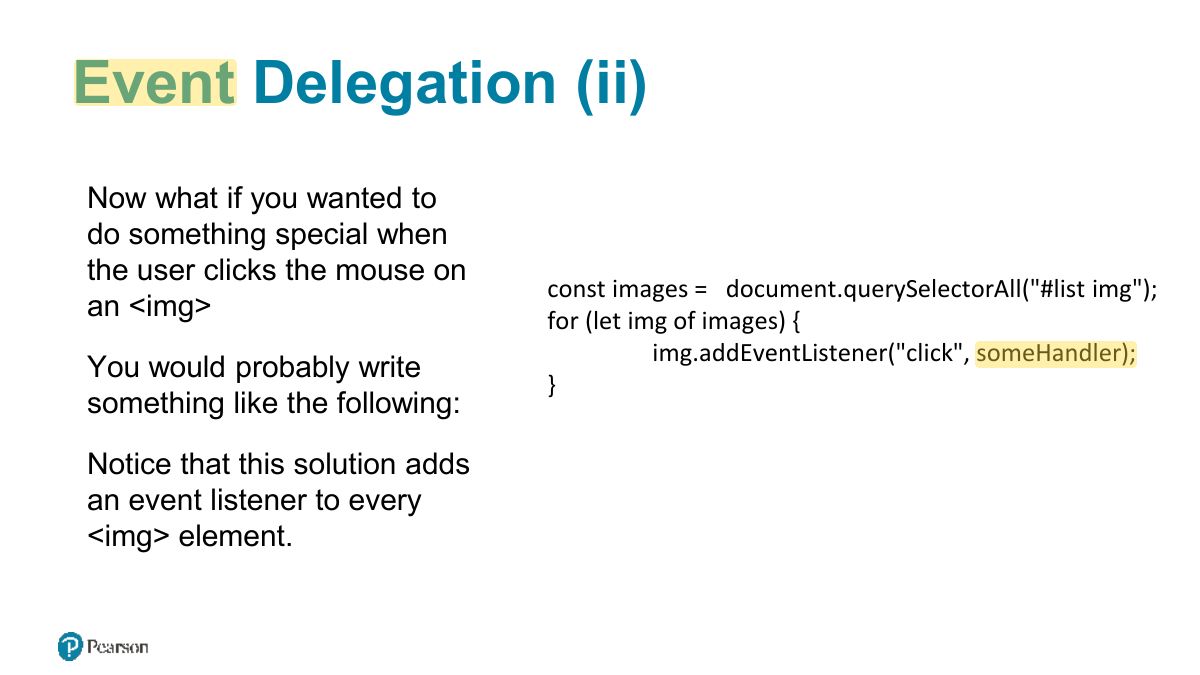
Event delegation: one listener on a parent handles events from many children (using e.target), including children added later.
Exam angle
Attaching one listener to a <ul> to handle clicks on all its <li> items is:
Event Delegation (ii)
Event Delegation (iii)
Event Types
Notes
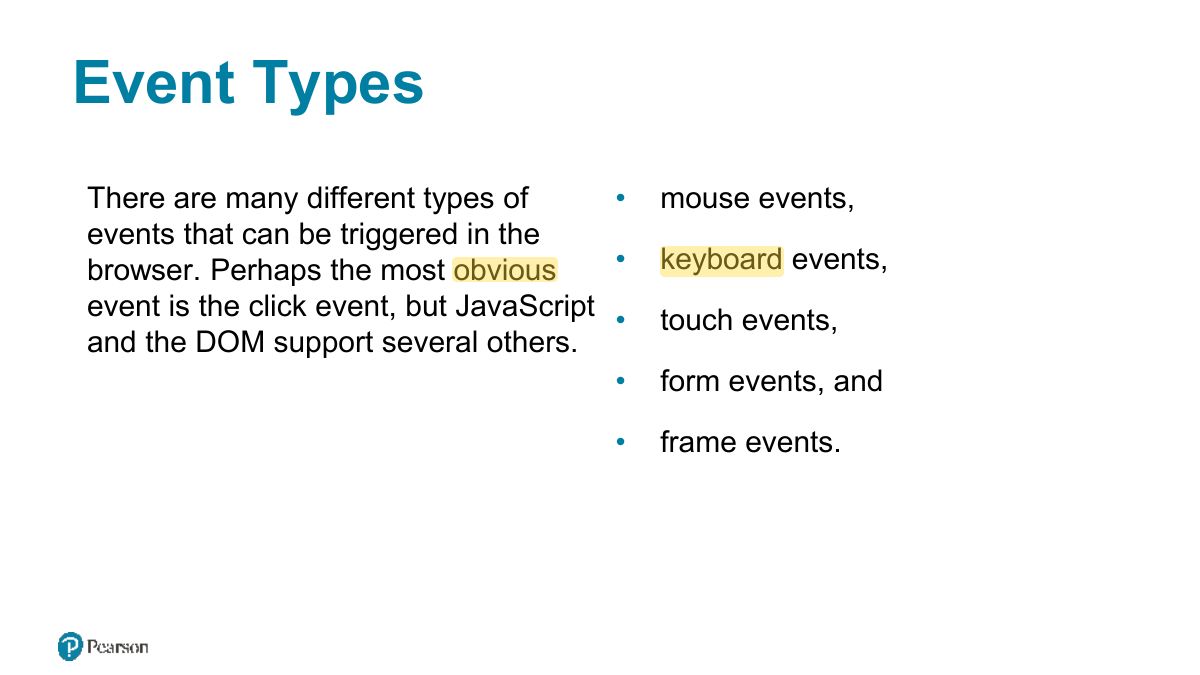
Types: mouse (click, mouseover), keyboard (keydown, keyup), form (submit, change, input, focus, blur), page (load, DOMContentLoaded).
Mouse Events
Keyboard Events
Form Events
Handling the submit event
Notes
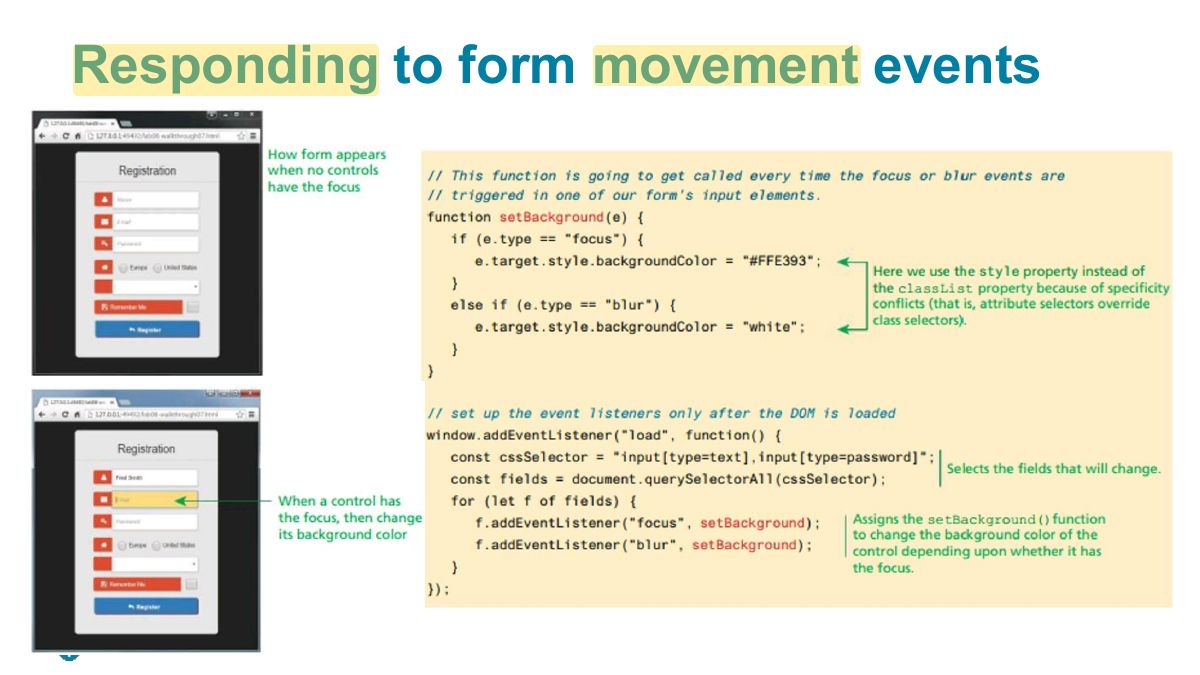
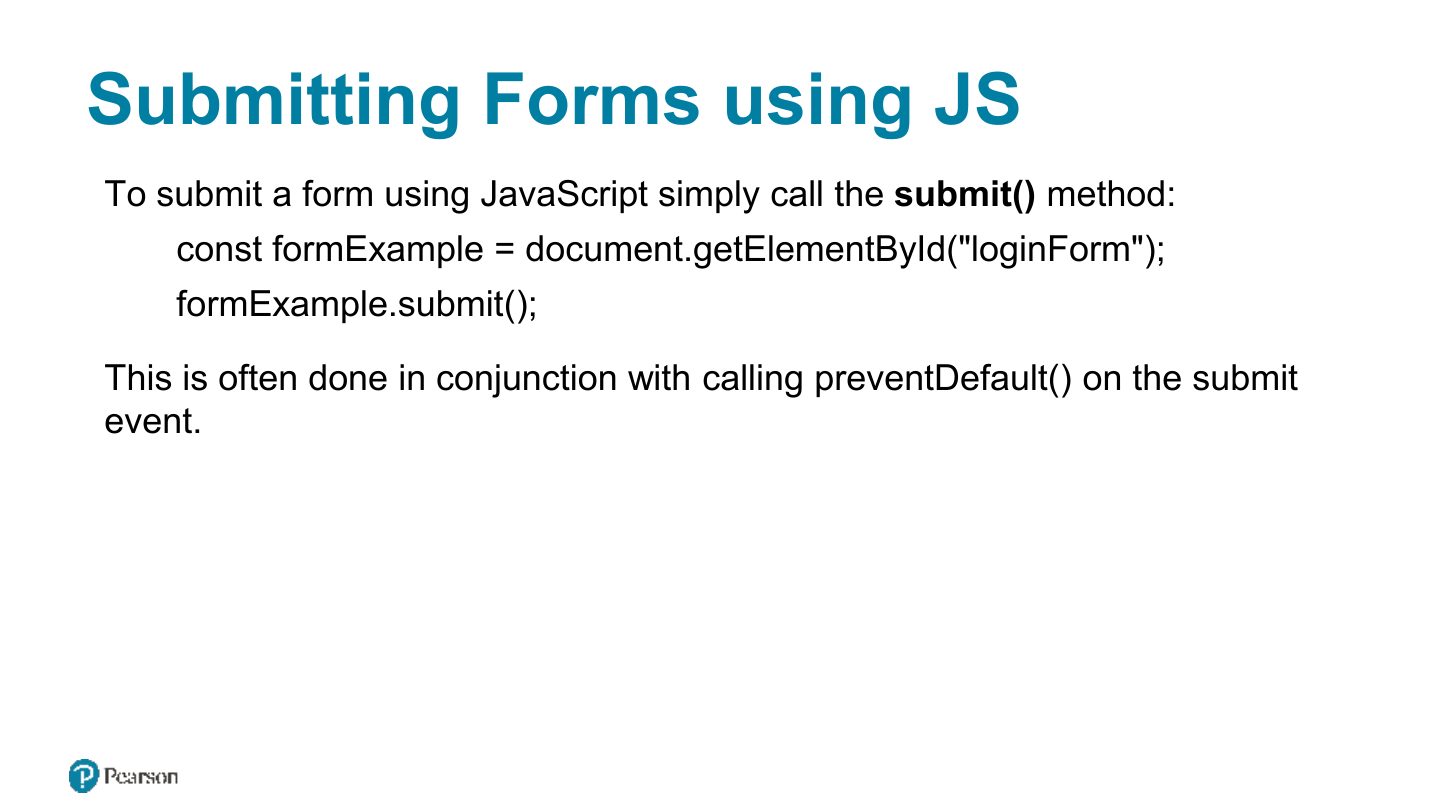
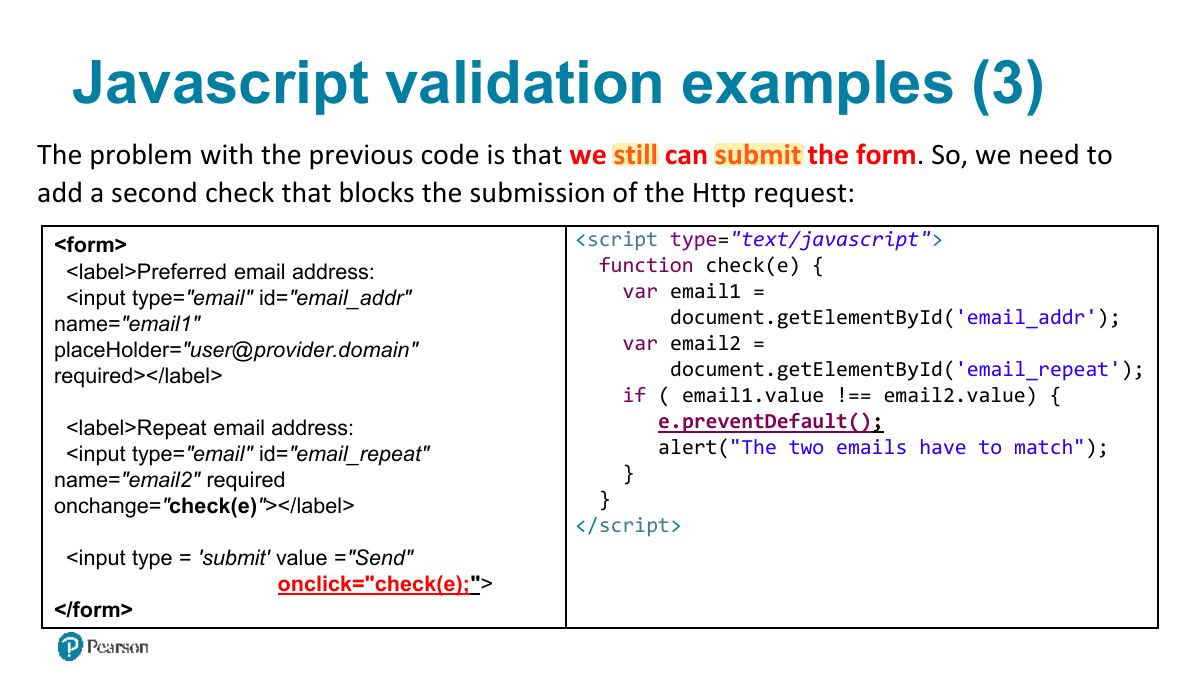
Handle the form’s submit event; call e.preventDefault() to stop sending invalid data.
Forms in JavaScript
Responding to form movement events
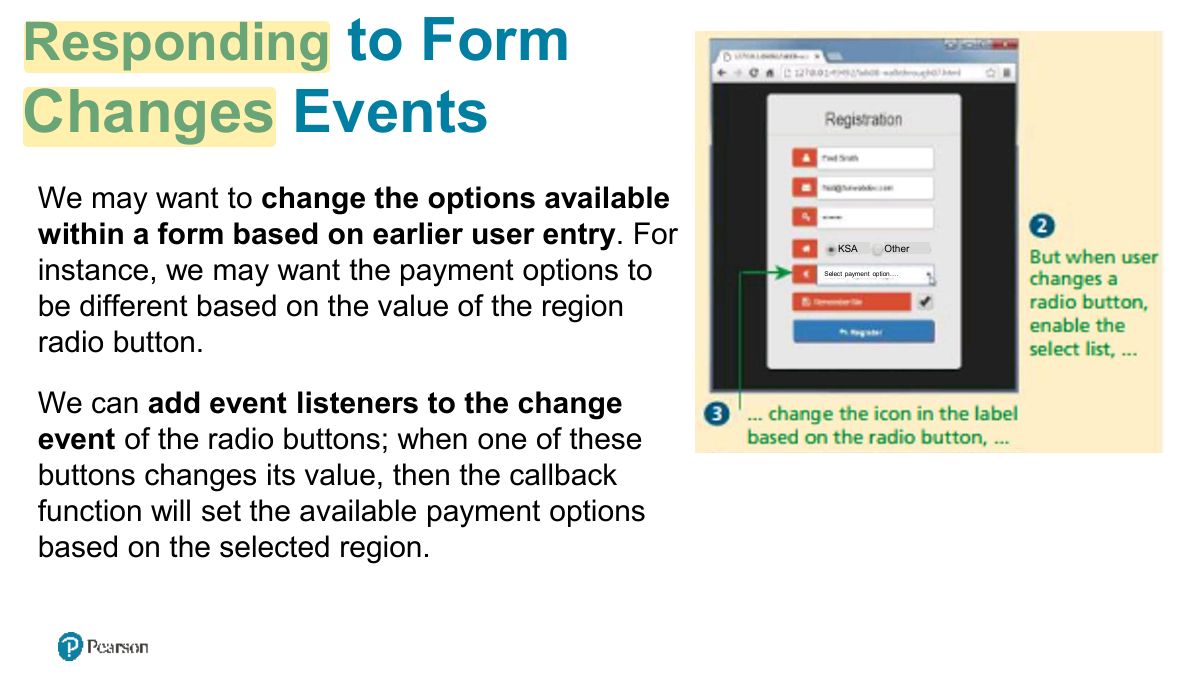
to Form
Validating a Submitted Form
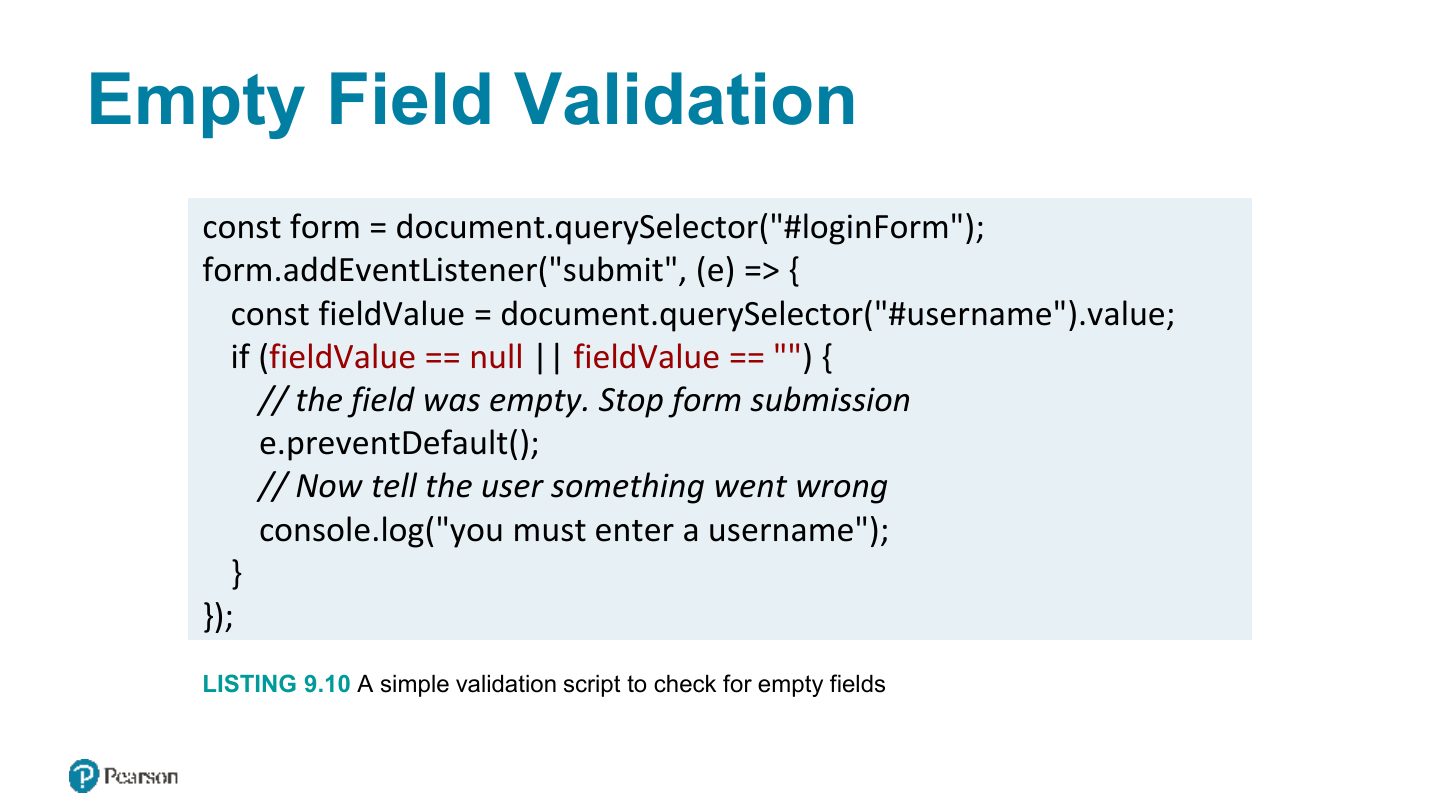
Empty Field Validation
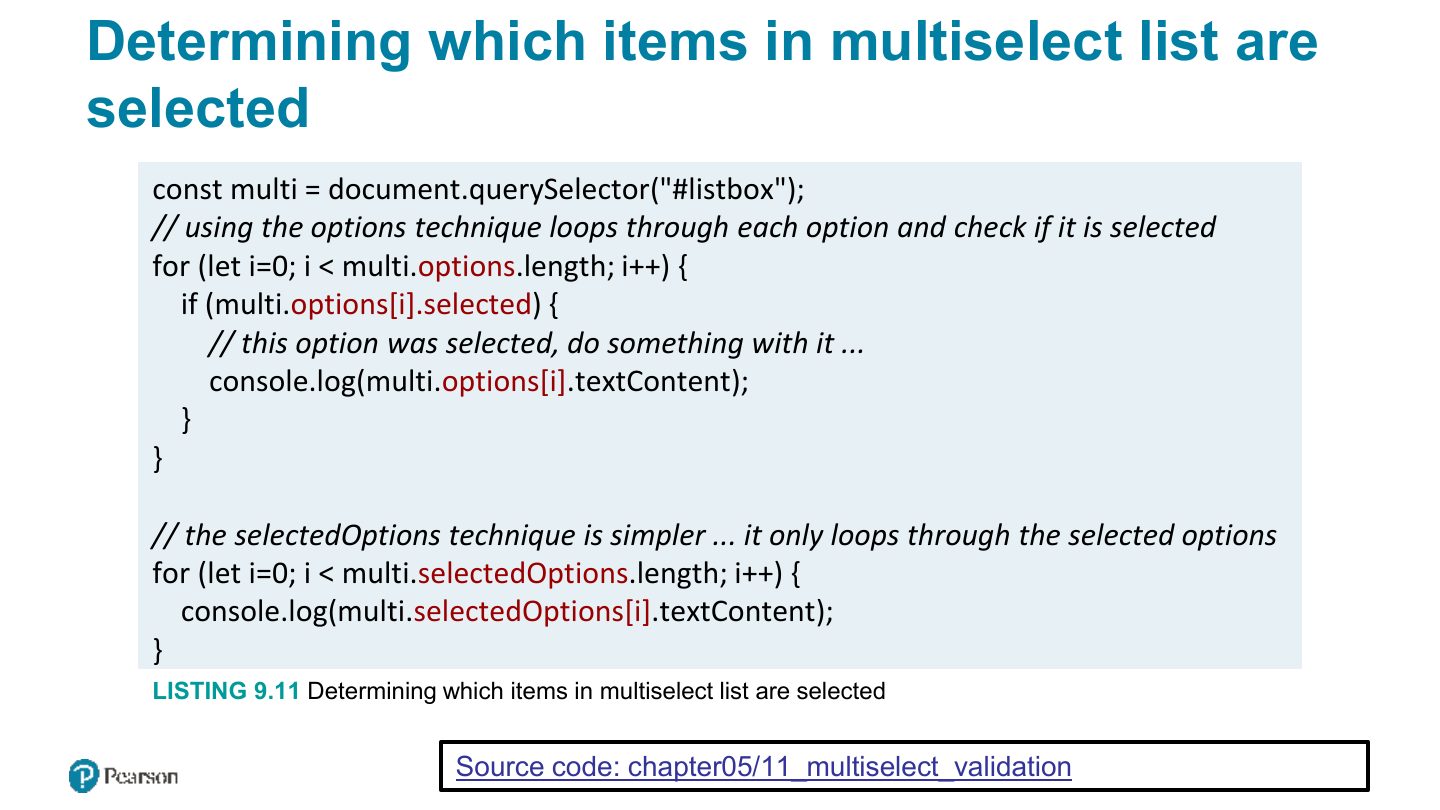
Determining which items in multiselect list are selected
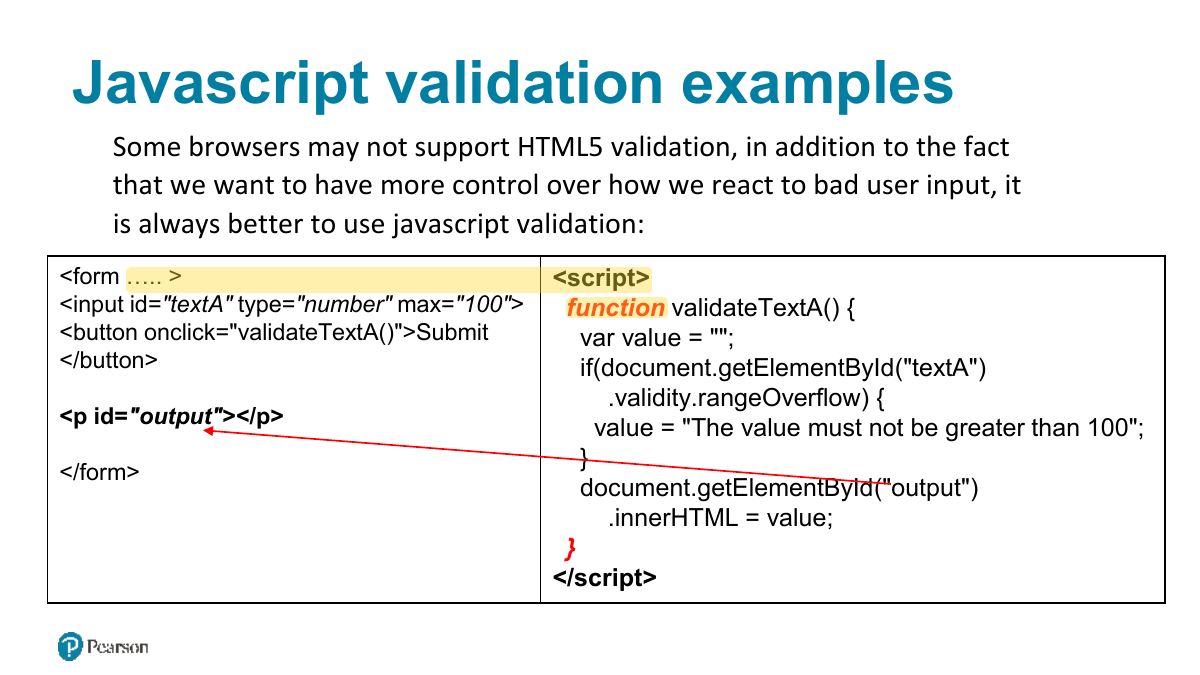
Javascript validation examples
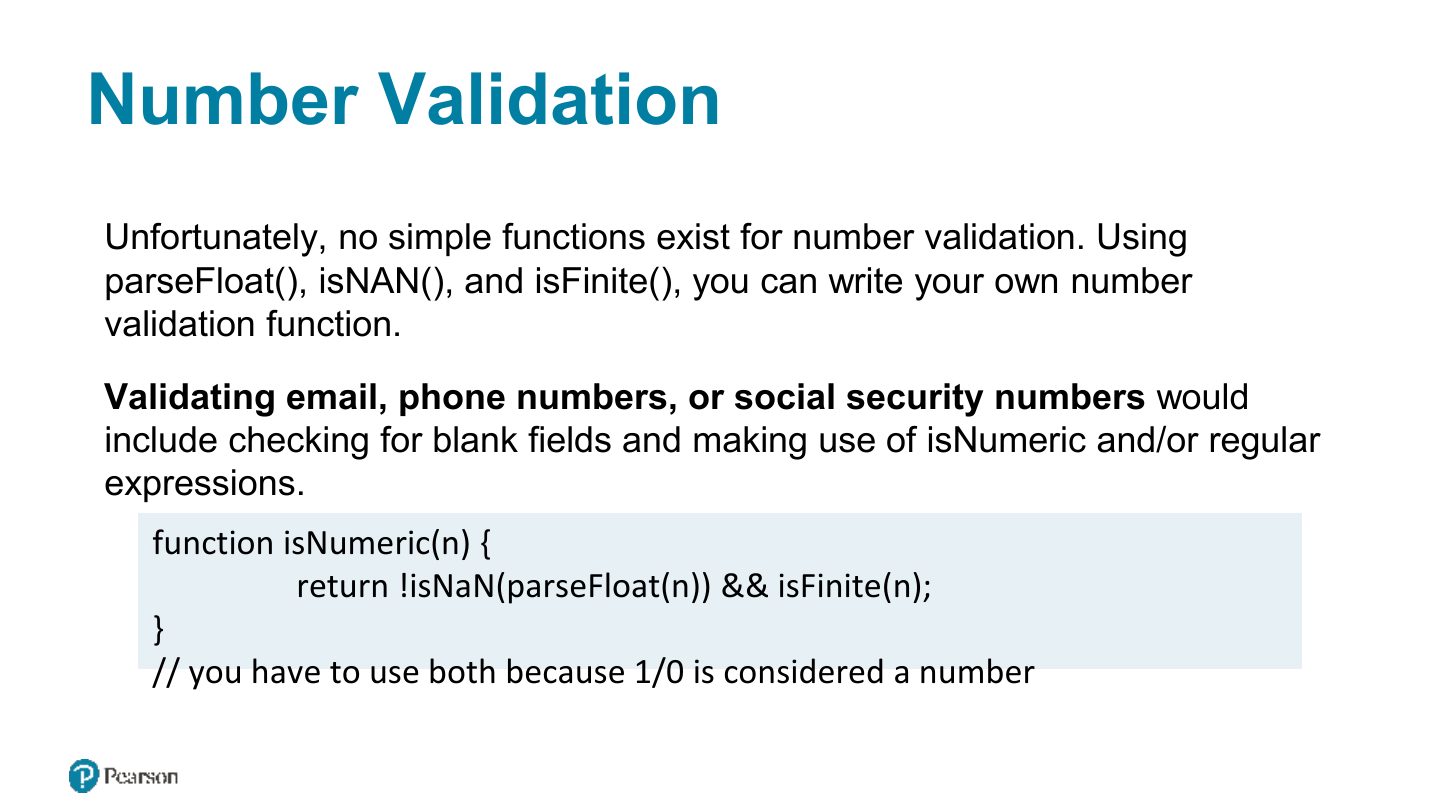
Number Validation
Submitting Forms using JS
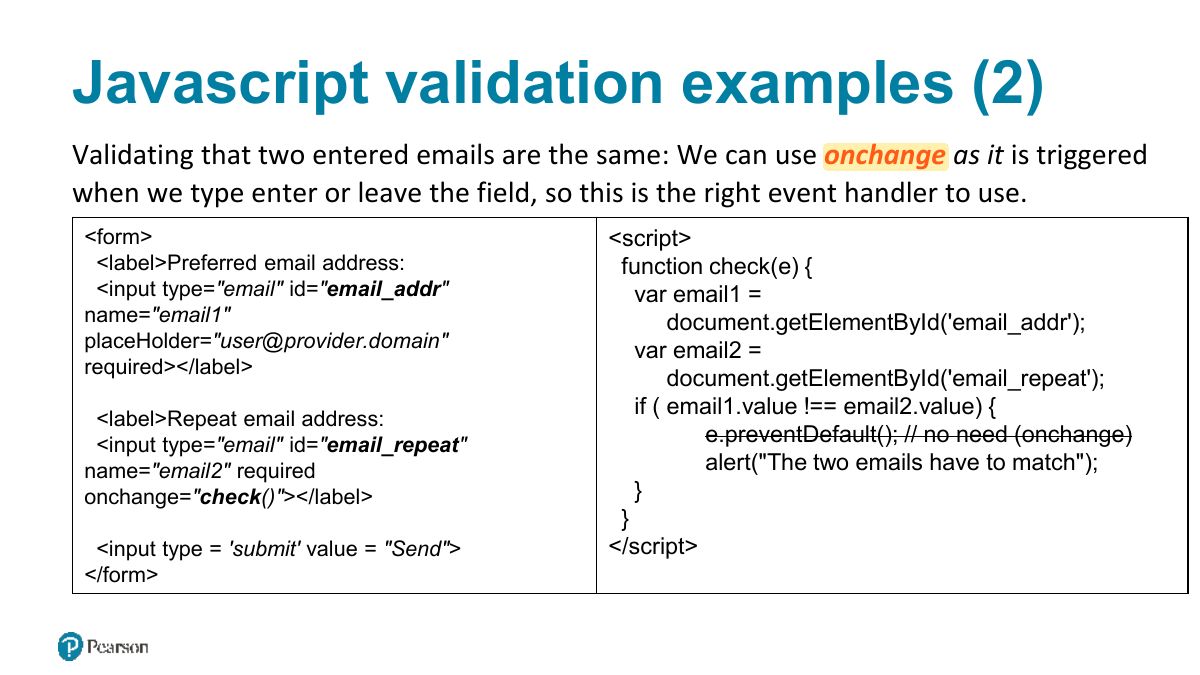
Javascript validation examples (2)
Javascript validation examples (3)
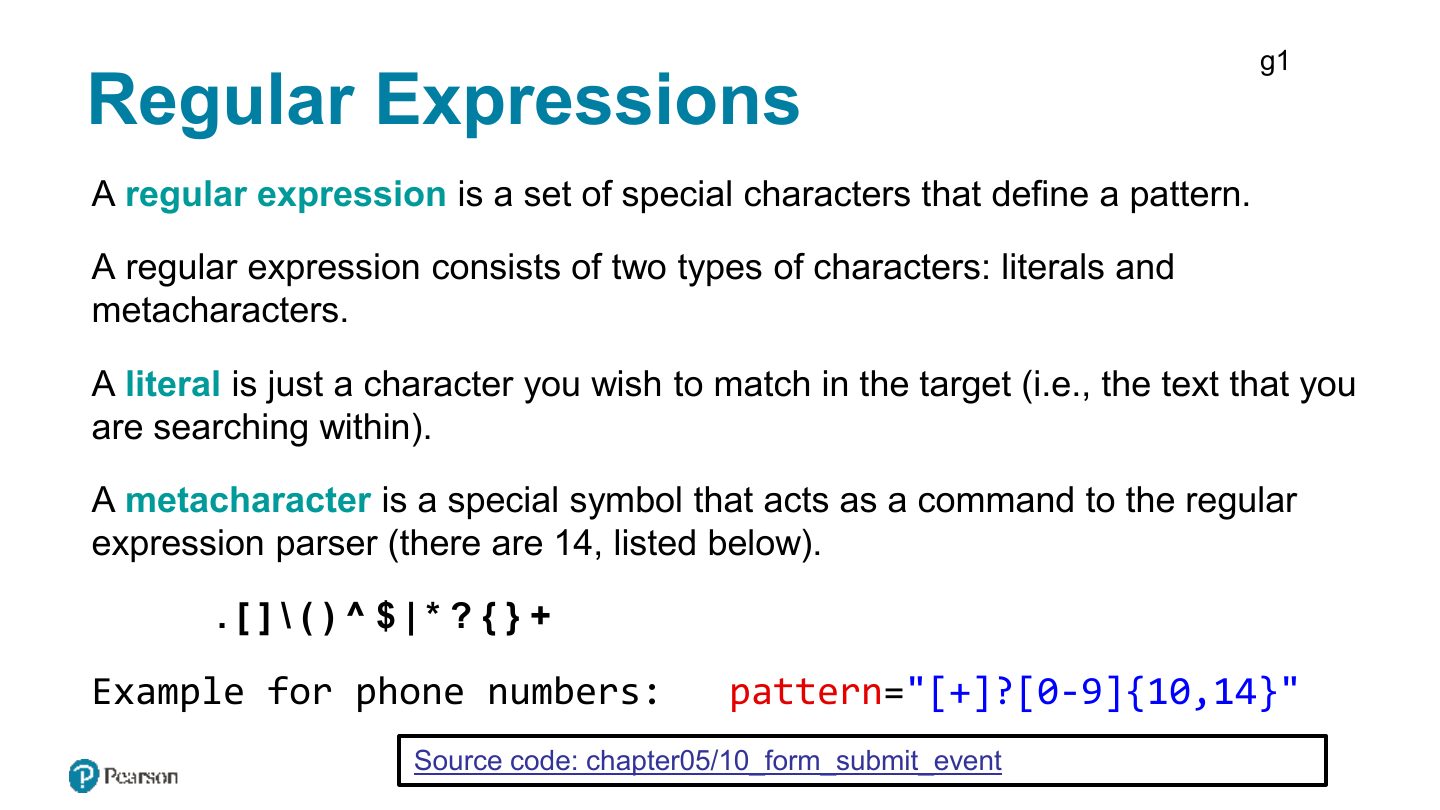
g1
Regular Expression Syntax (ii)
Notes
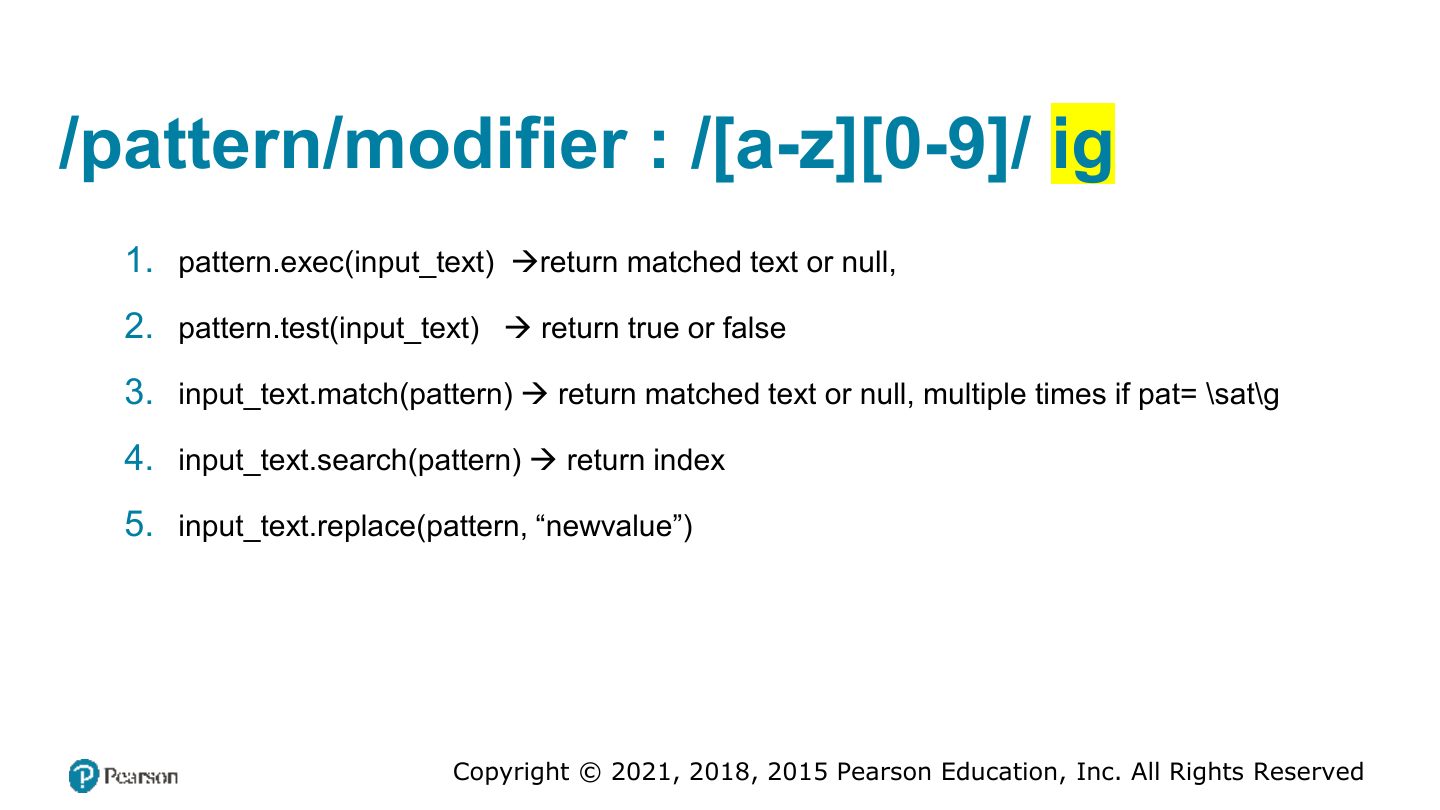
Regular expressions: /pattern/flags; ^ start, $ end, [a-z], \d digit, + one or more, * zero or more, {n} exactly n. regex.test(str).
Exam angle
/^\d{4}$/ matches:
Matches any string such that: Matches any string such that:
/pattern/modifier : /[a-z][0-9]/ ig