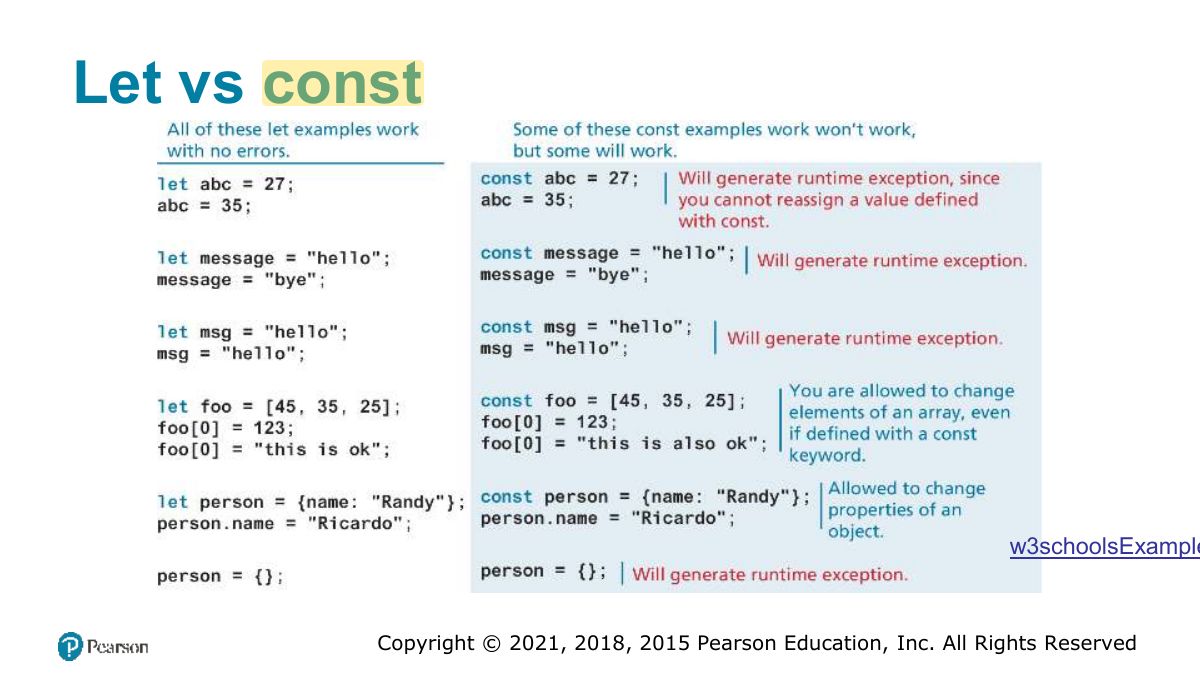
const x = {a: 1}; x.a = 2; results in:
JavaScript
What JavaScript is and where it goes, variables and data types (primitive vs. reference, let vs. const), conditionals, truthy and falsy, loops, try…catch, arrays and destructuring, objects and JSON, functions (expressions, default and rest parameters, hoisting, callbacks, arrow syntax), scope, and array functions (forEach, find, filter, map, reduce, sort).
How to read this page
Every original slide is shown unchanged. Yellow marks on a slide point to a numbered note: hover or tap a mark to jump to its note, and hover a note to see its marks. Questions tagged Past exam appeared on a real paper; Prediction questions are likely angles, not confirmed. Pick an answer to each question: a wrong pick tells you why it is wrong, so you can try again.
All 64 slides
- 1 Fundamentals of Web Development
- 2 In this chapter you will learn . . .
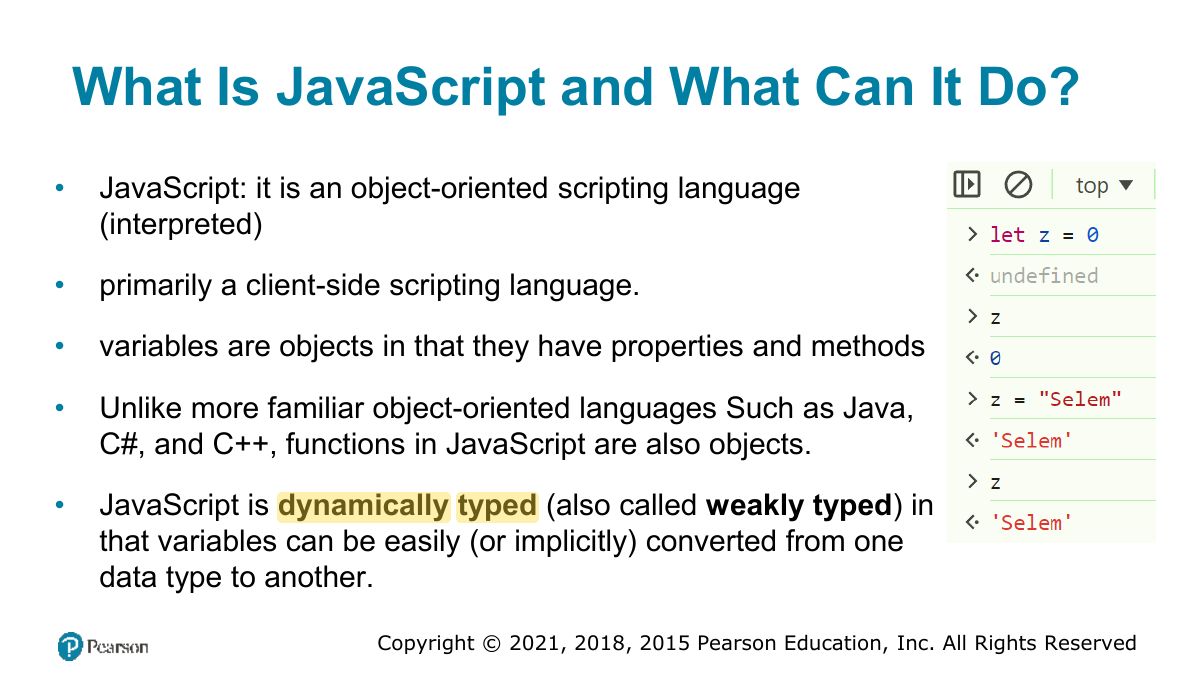
- 3 What Is JavaScript and What Can It Do?
- 4 Client-Side Scripting: Advantages
- 5 Client-Side Scripting: Disadvantages
- 6 JavaScript and Web 2.0
- 7 Where Does JavaScript Go?
- 8 Adding JavaScript to a page
- 9 Adding JavaScript to a page
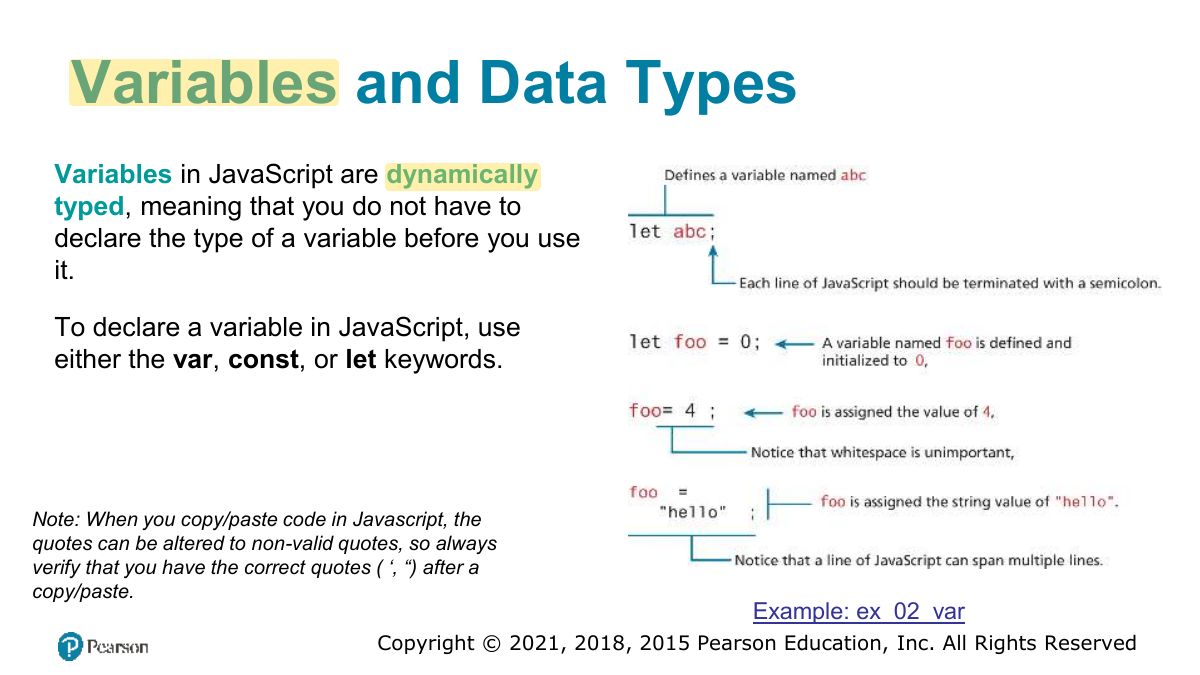
- 10 Variables and Data Types
- 11 JavaScript Output
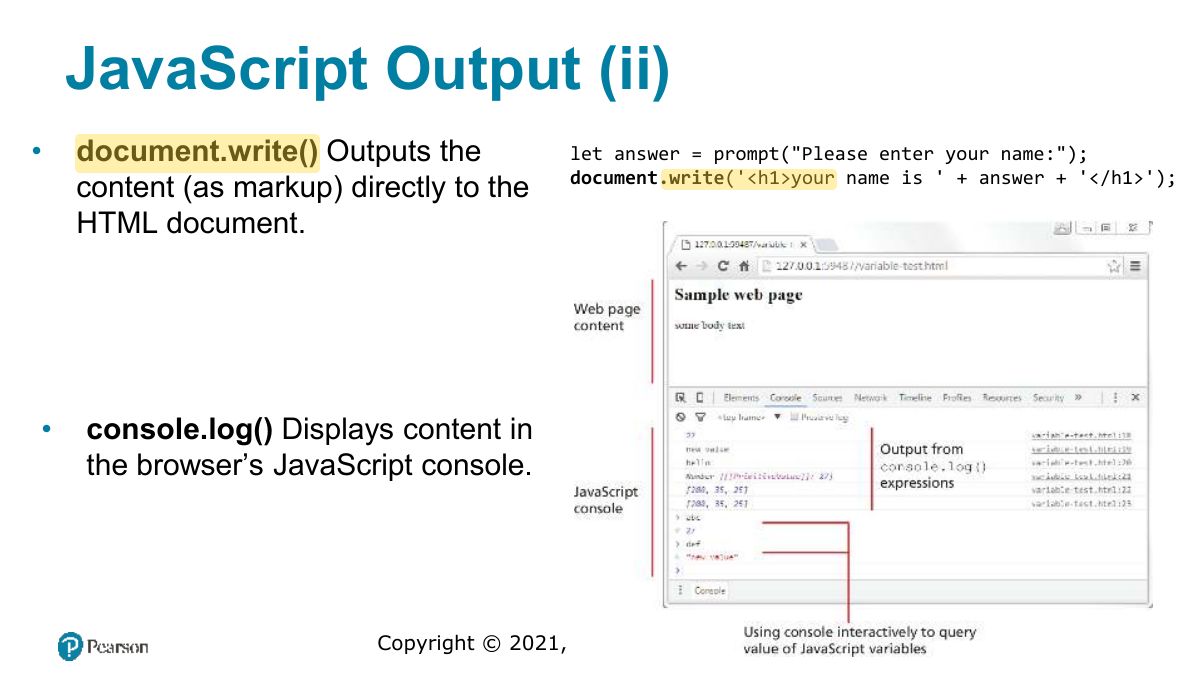
- 12 JavaScript Output (ii)
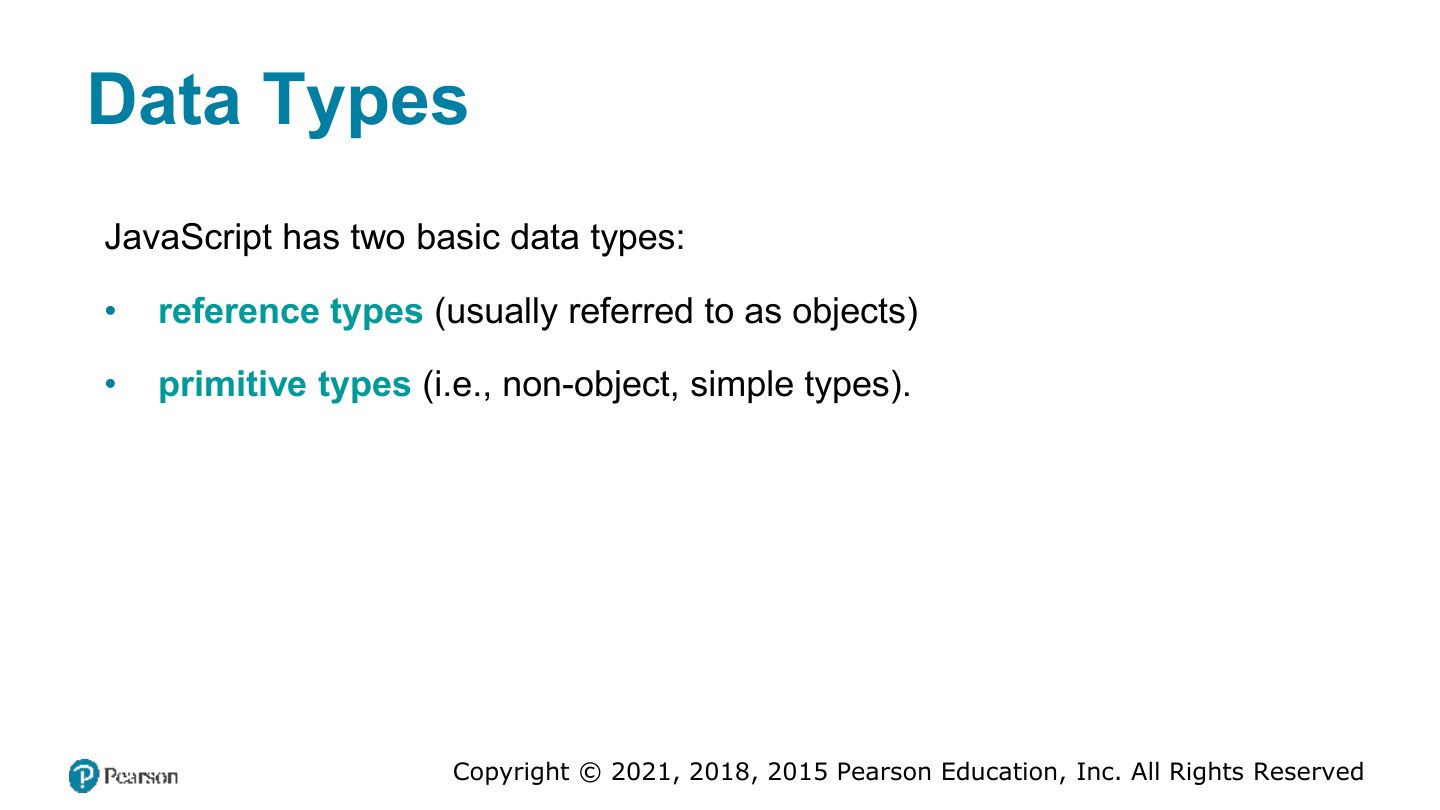
- 13 Data Types
- 14 Primitive Types
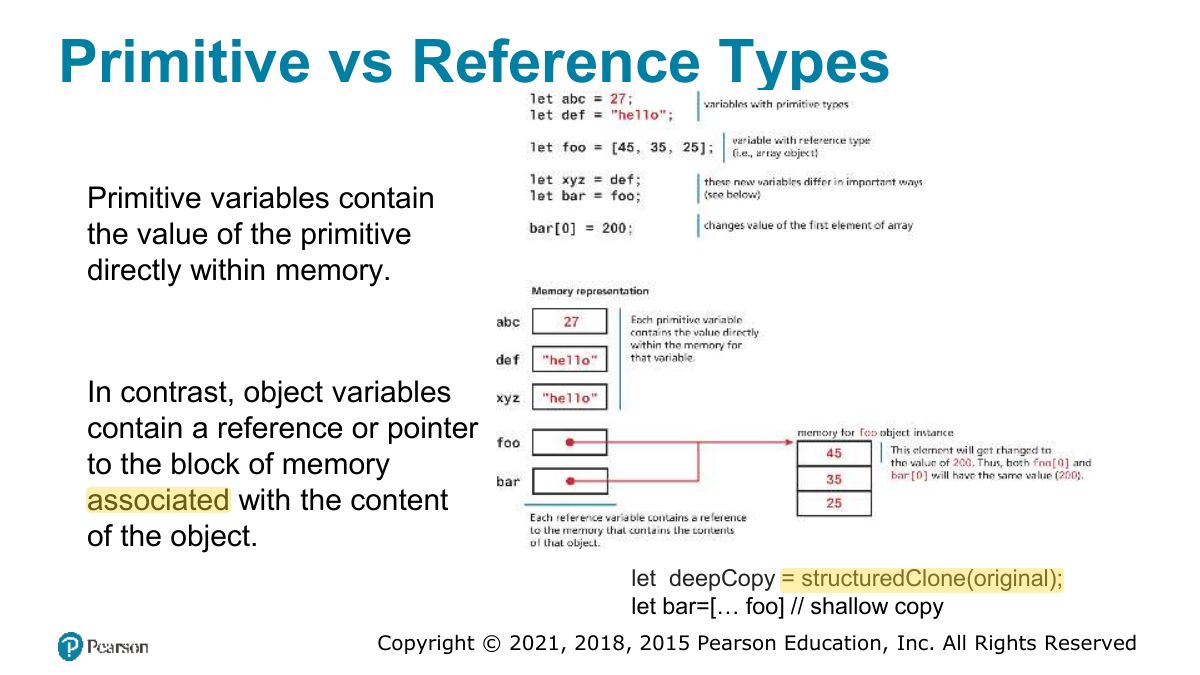
- 15 Primitive vs Reference Types
- 16 Let vs const
- 17 Built-In Objects
- 18 Concatenation
- 19 Conditionals
- 20 Switch statement
- 21 Truthy and Falsy
- 22 While and do . . . while Loops
- 23 For Loops
- 24 Try...catch
- 25 Arrays
- 26 Array example
- 27 Iterating an array using for . . . of
- 28 Array Destructuring
- 29 who will answer?
- 30 Objects
- 31 Object Creation Using Object Literal Notation
- 32 Object Creation Using Object Constructor
- 33 Objects containing other content
- 34 Exercise: (object creation)
- 35 Object Destructuring
- 36 You have to use the name
- 37 JSON
- 38 JSON object
- 39 Functions
- 40 Function expressions
- 41 Default Parameters
- 42 Rest Parameters
- 43 Home Task [ungraded]
- 44 Hoisting in JavaScript
- 45 Callback Functions
- 46 Exercise: map any given function to
- 47 Home Task [ungraded]
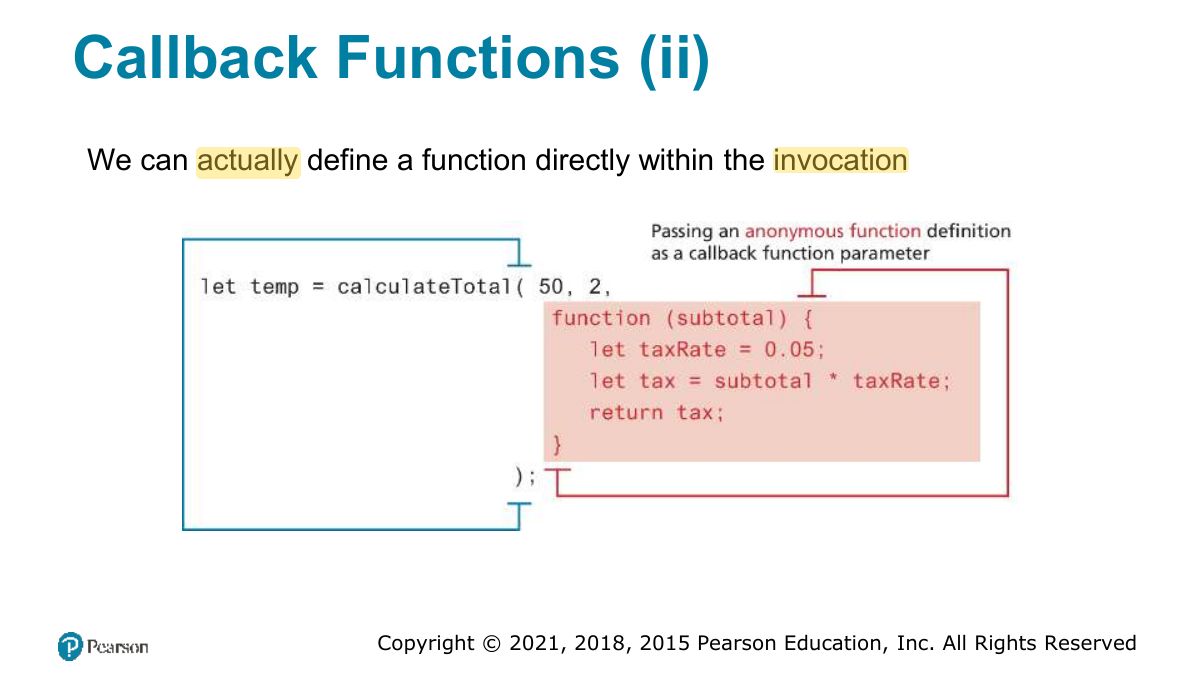
- 48 Callback Functions (ii)
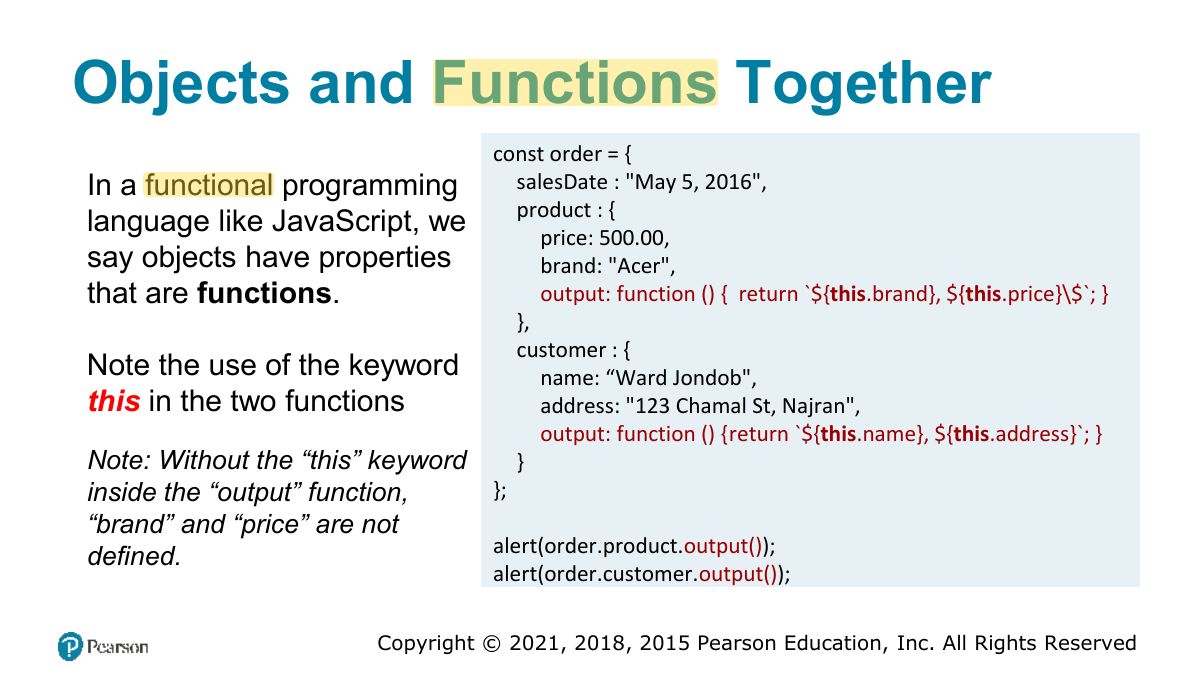
- 49 Objects and Functions Together
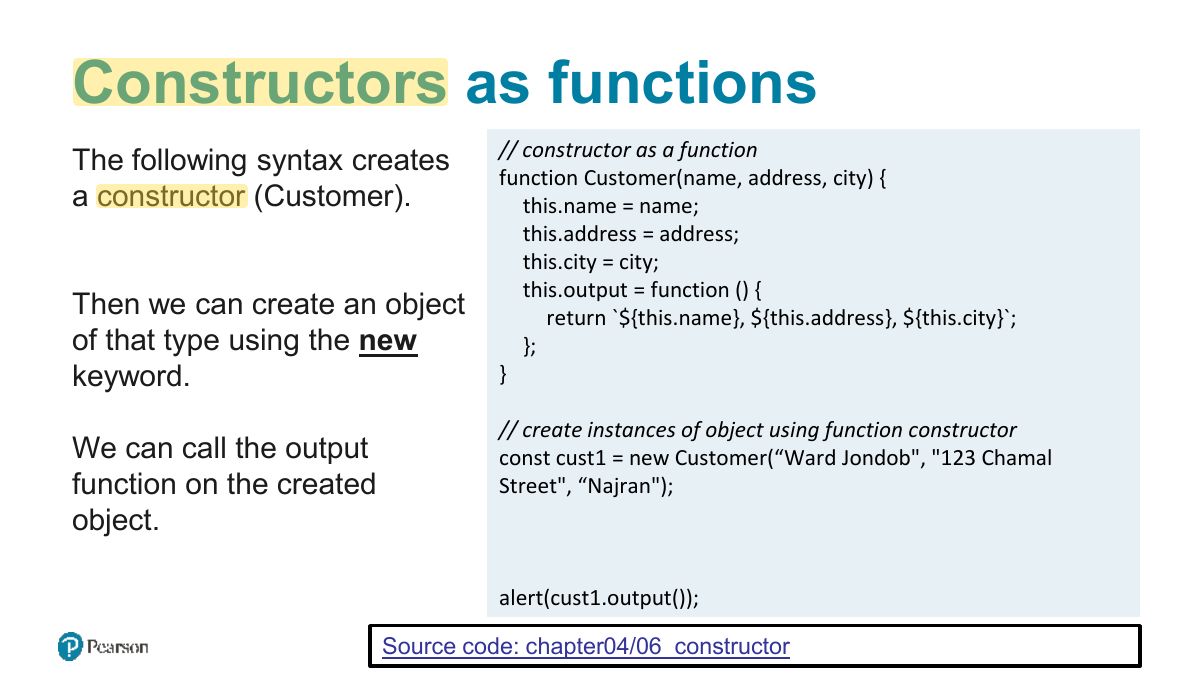
- 50 Constructors as functions
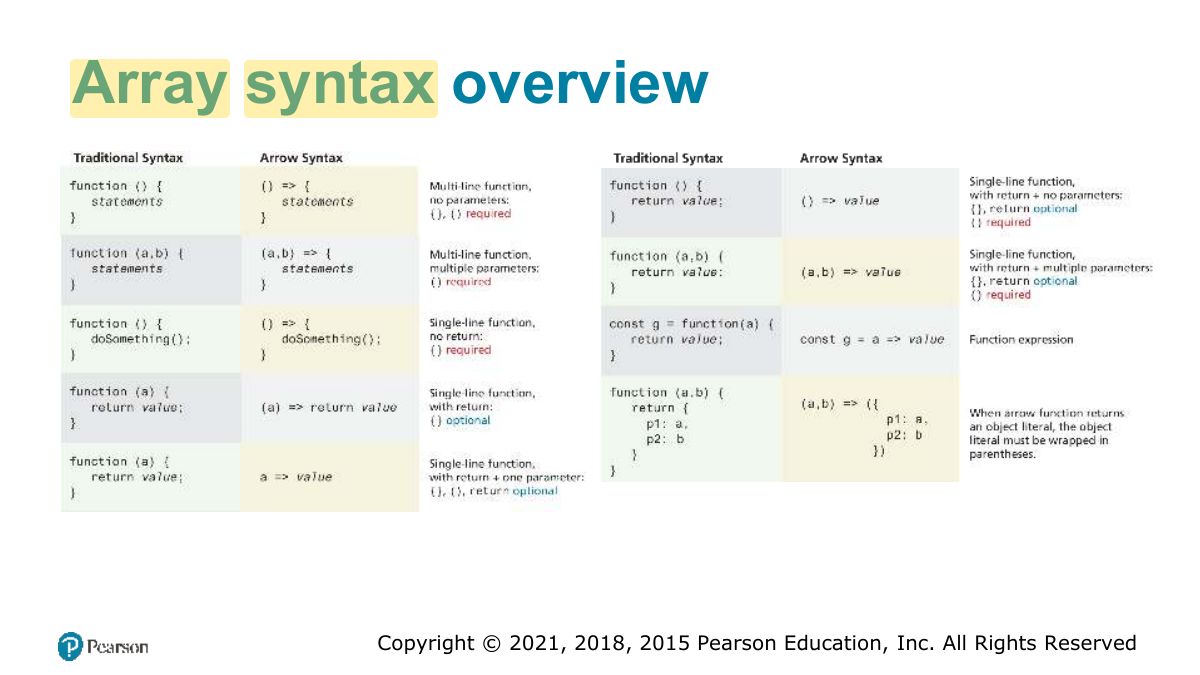
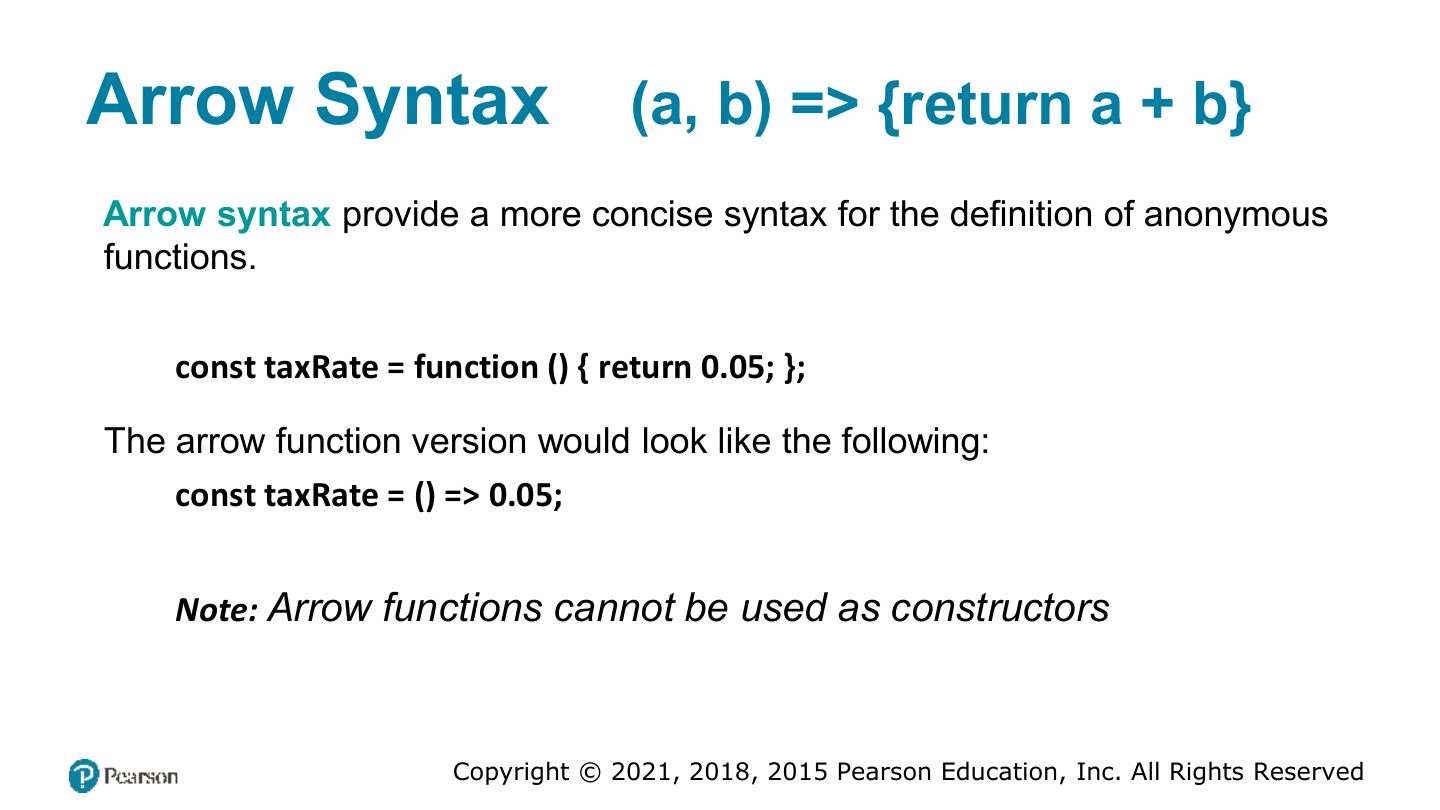
- 51 Arrow Syntax
- 52 Scope in JavaScript
- 53 Block scope
- 54 Function/Local Scope
- 55 Fundamentals of Web Development
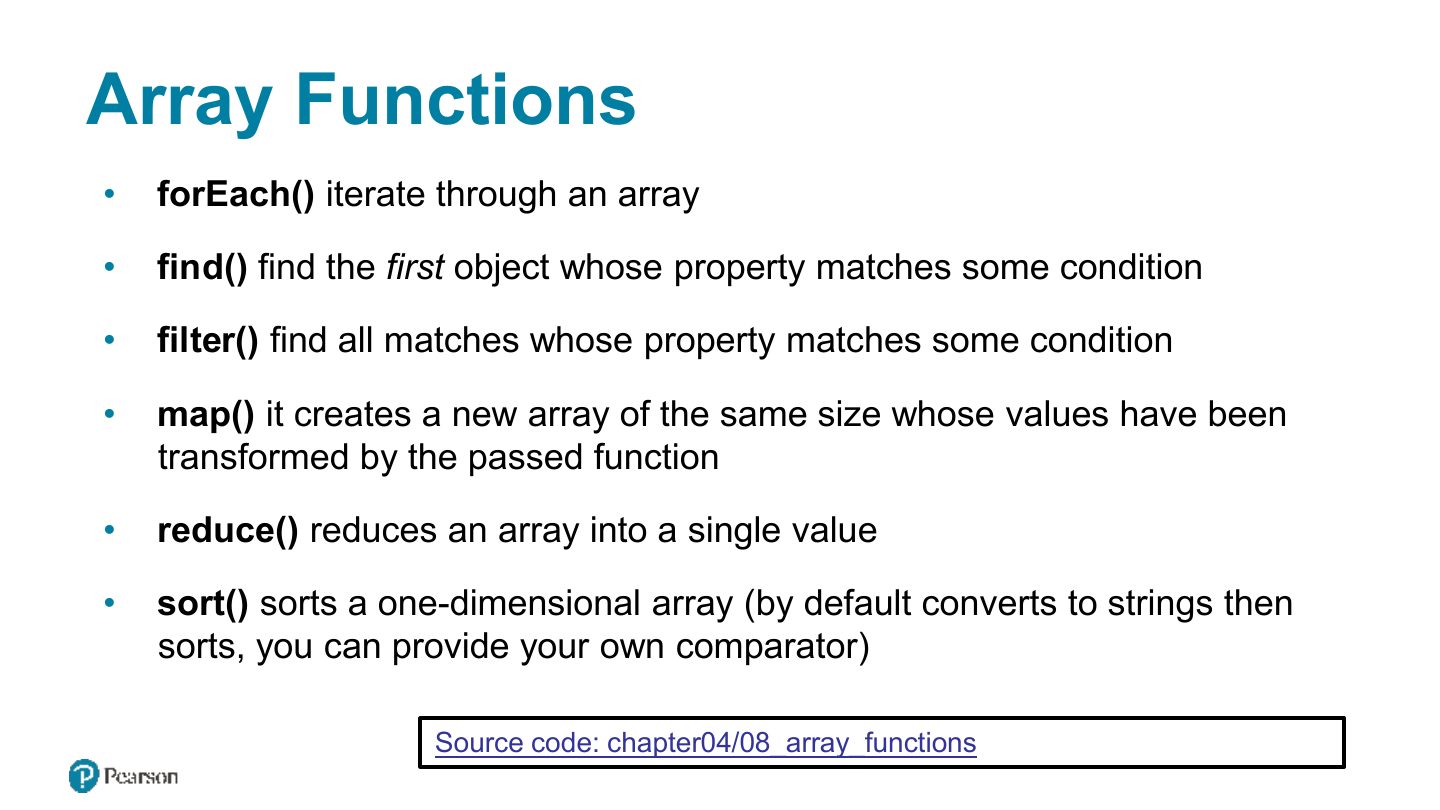
- 56 Array Functions
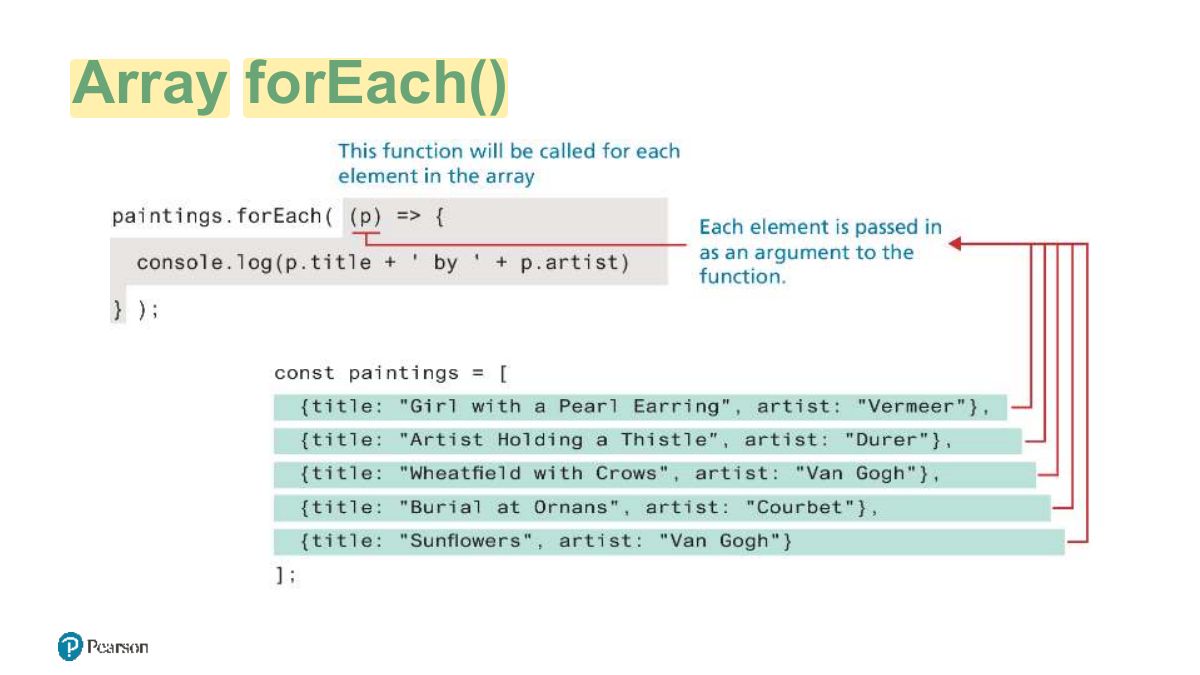
- 57 Array forEach
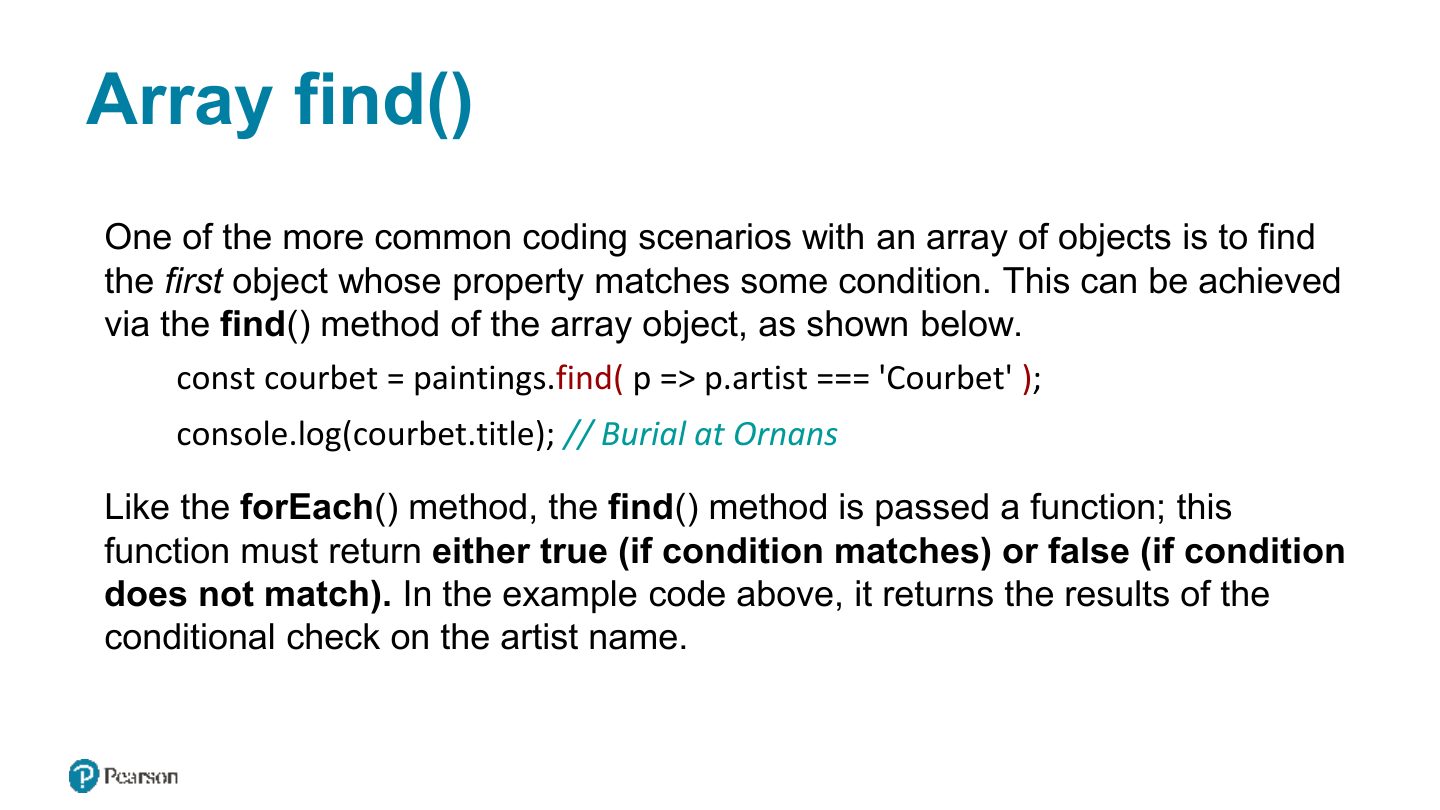
- 58 Array find
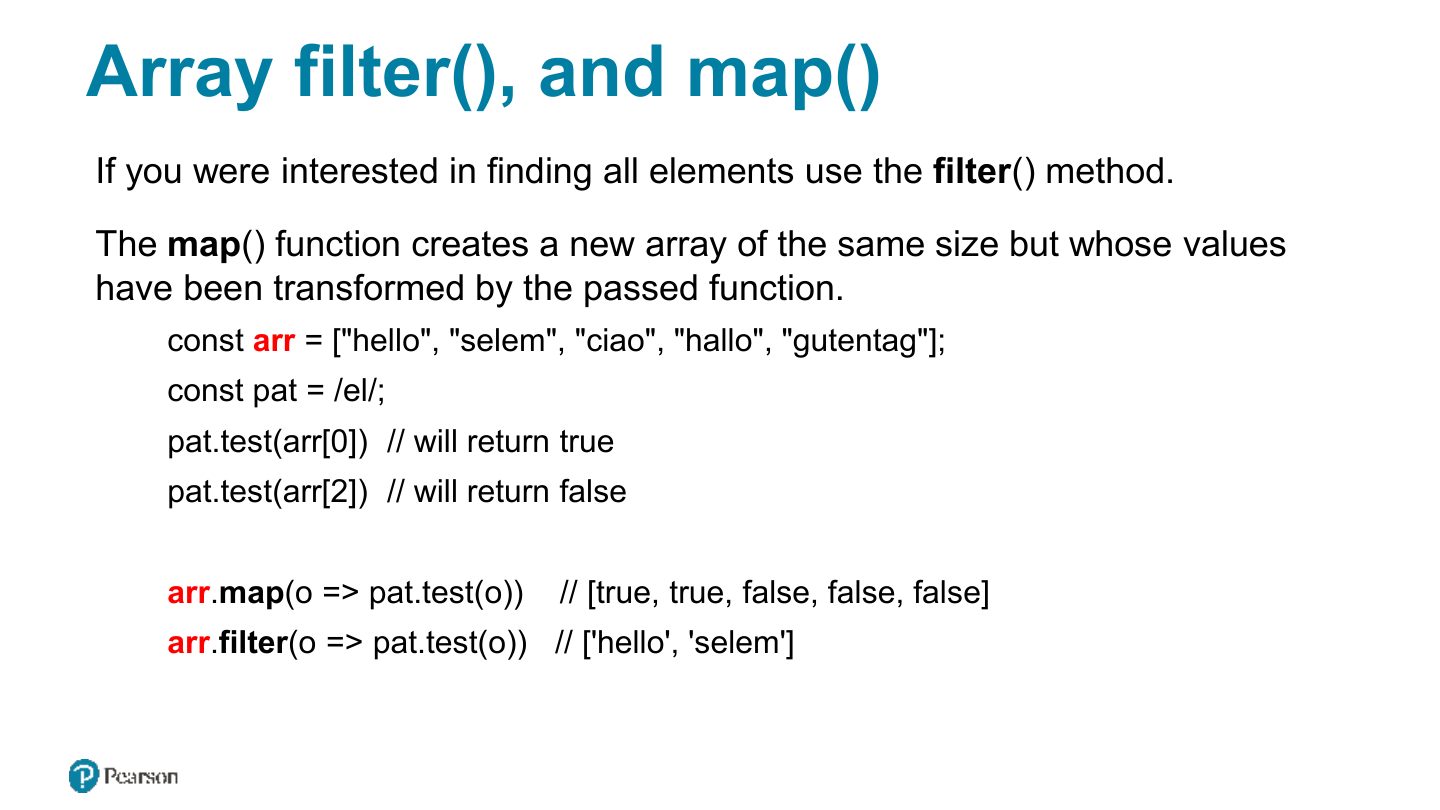
- 59 Array filter, and map
- 60 Reduce
- 61 Sort
- 62 Examples
- 63 Home Task [ungraded]
- 64 Array syntax overview
Fundamentals of Web Development
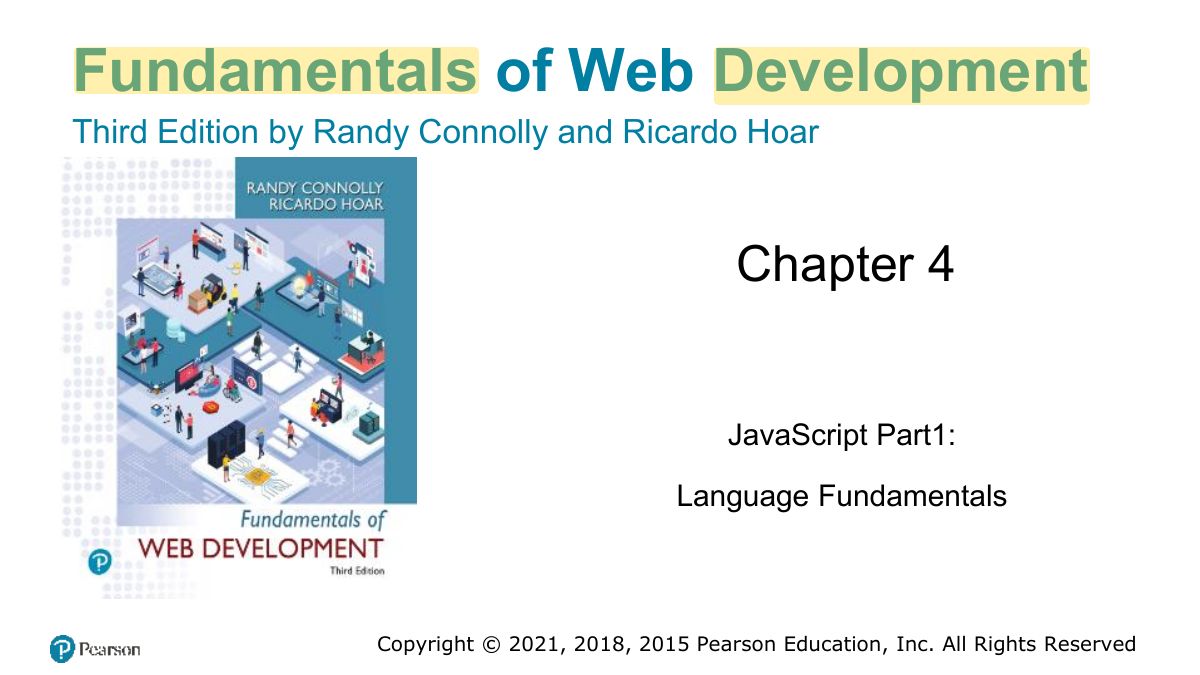
In this chapter you will learn . . .
What Is JavaScript and What Can It Do?
Client-Side Scripting: Advantages
Notes
Client-side scripting: runs in the browser: responsive, less server load. Downsides: can be disabled, browser differences, code is visible.
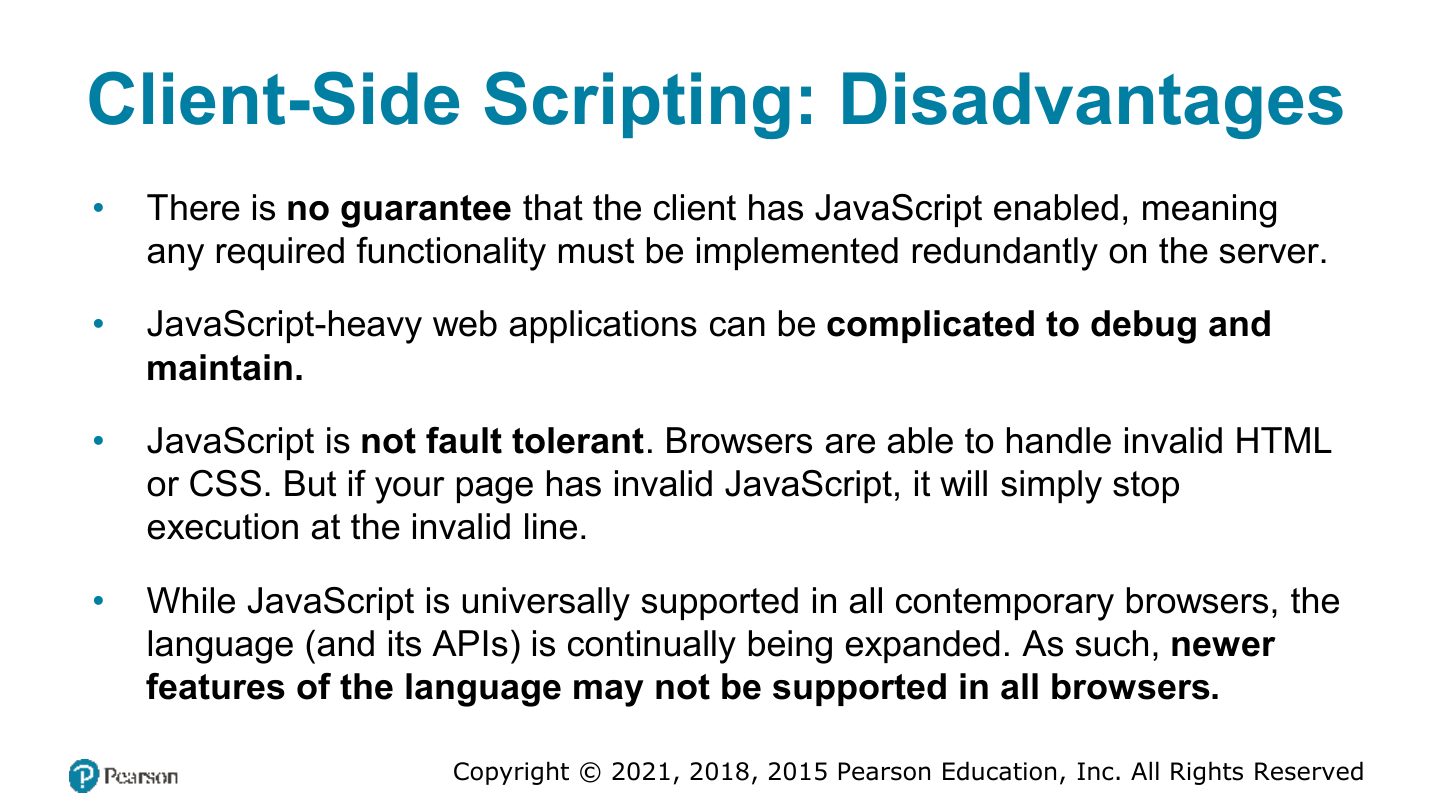
Client-Side Scripting: Disadvantages
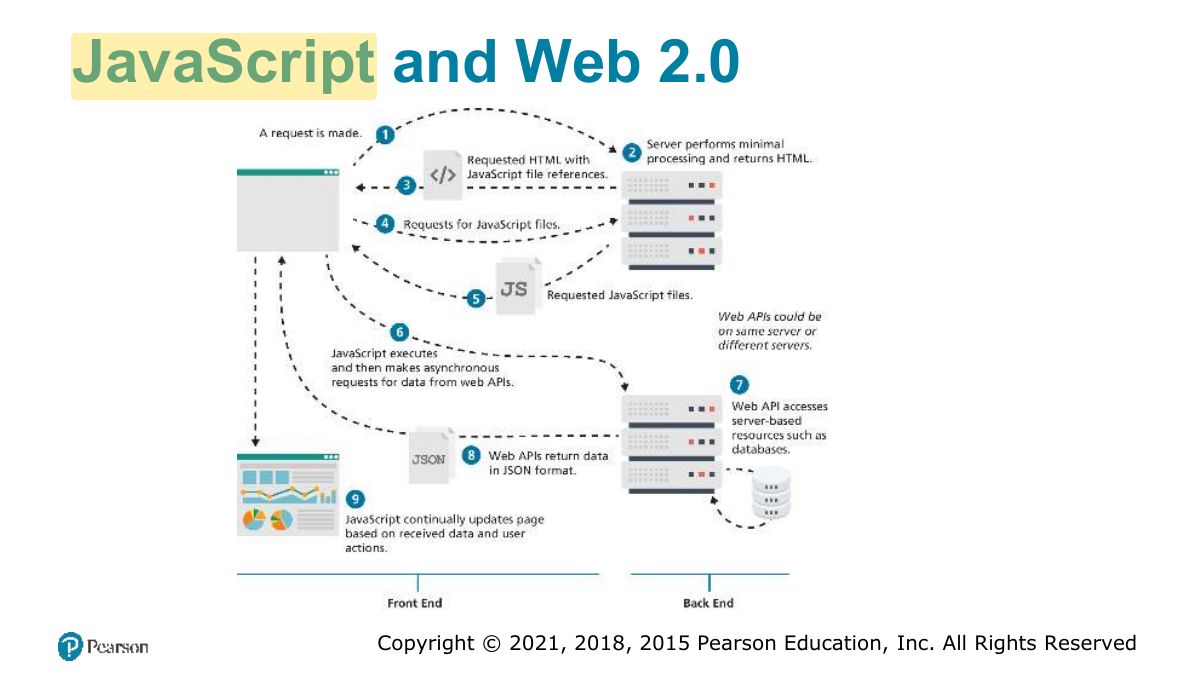
JavaScript and Web 2.0
Where Does JavaScript Go?
Adding JavaScript to a page
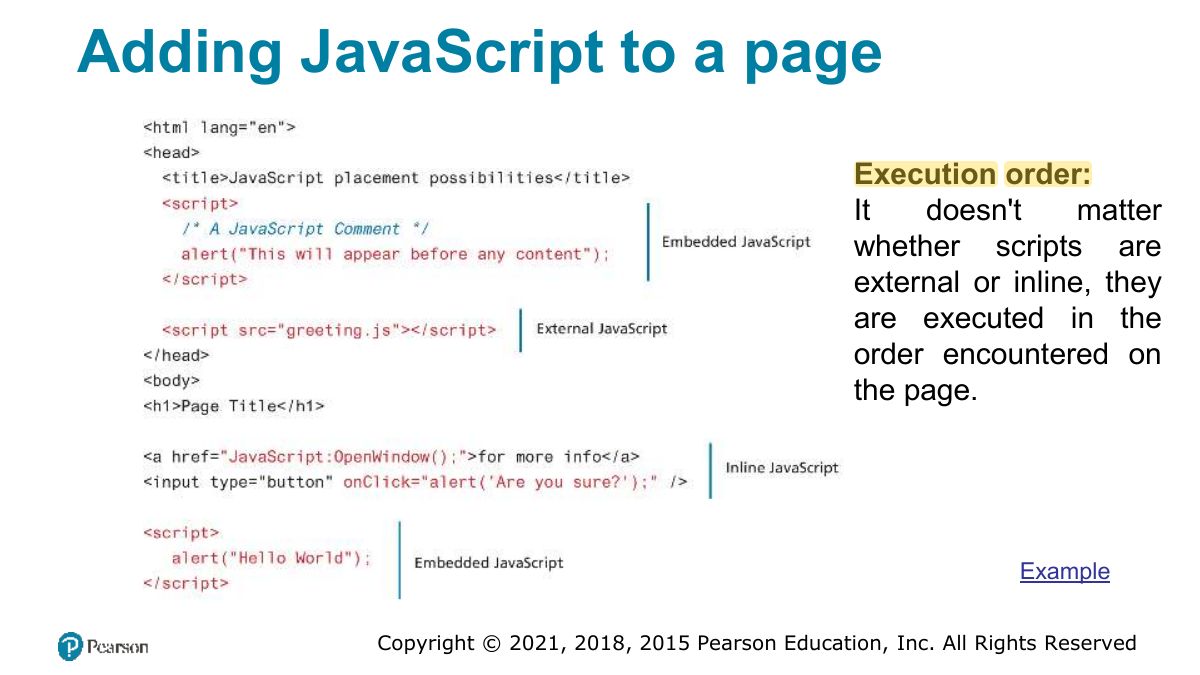
Notes
Add JS inline (attributes), embedded (<script>), or external (<script src>), usually at the end of body or with defer.
Adding JavaScript to a page
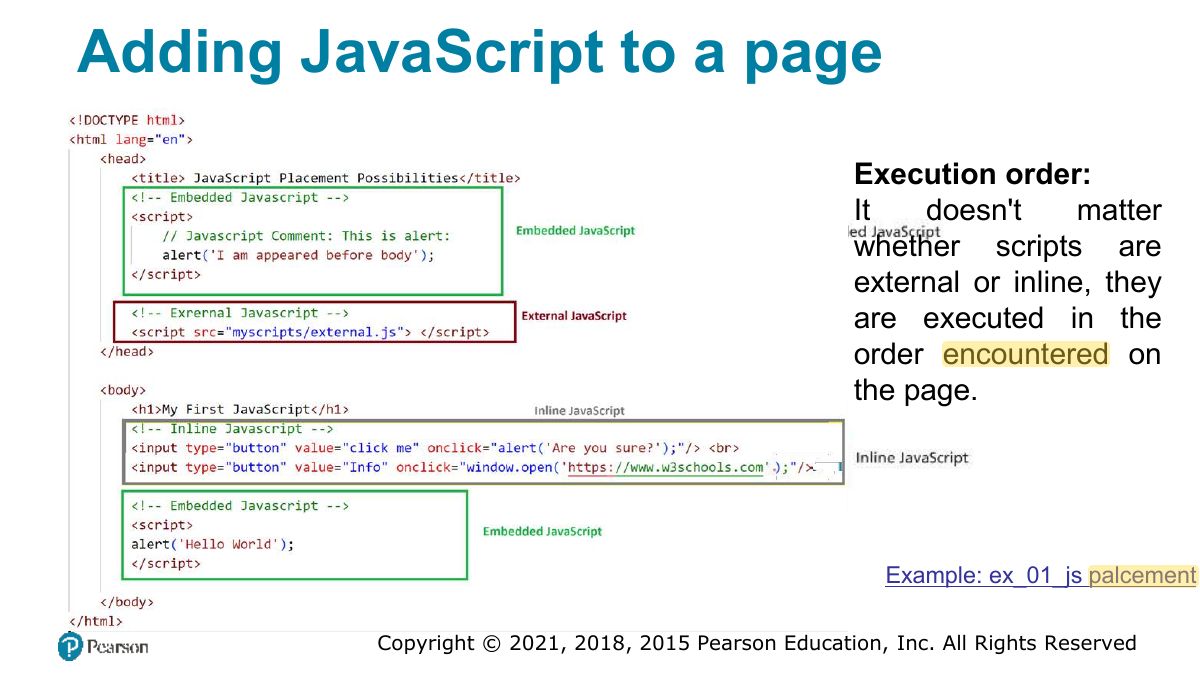
Variables and Data Types
JavaScript Output
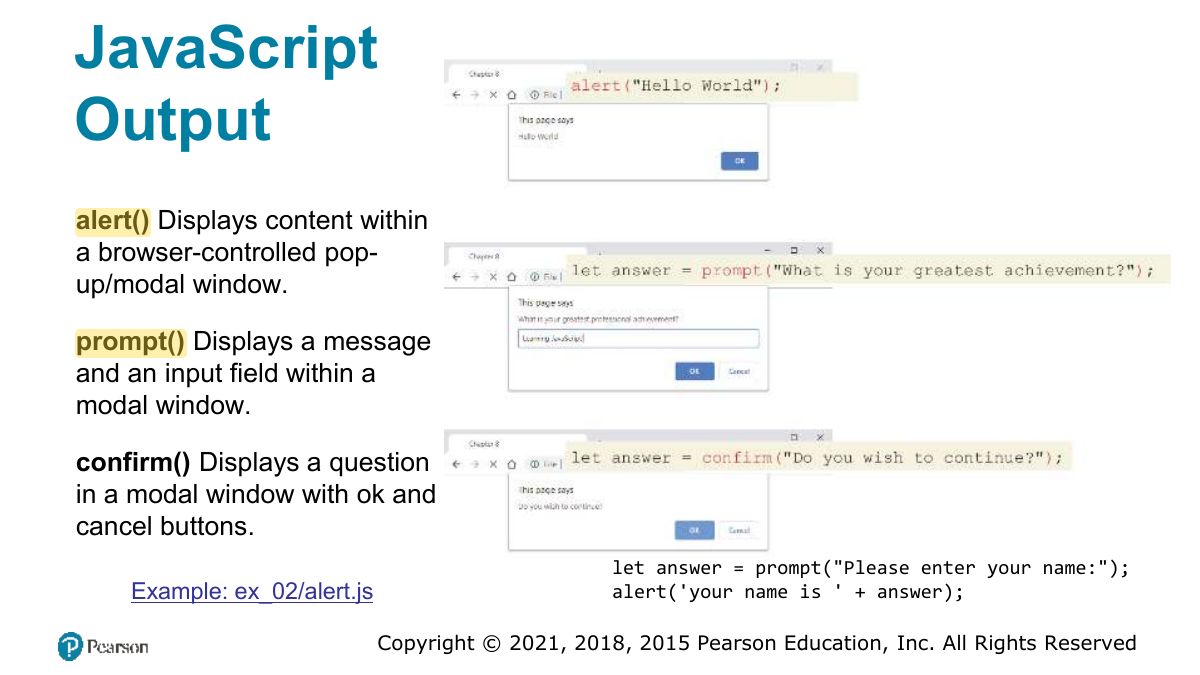
JavaScript Output (ii)
Data Types
Primitive Types
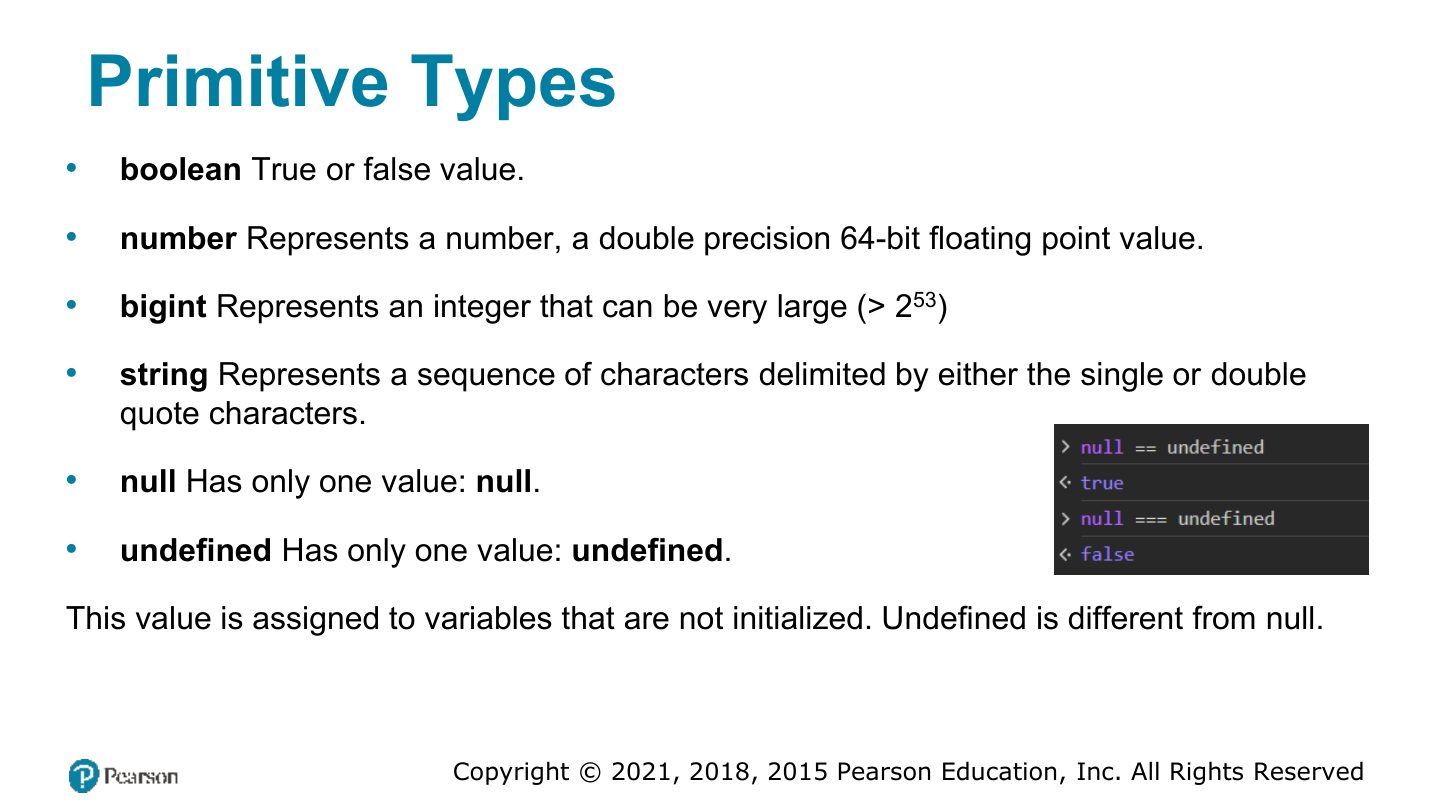
Notes
Primitives: number, string, boolean, null, undefined, symbol, bigint. Objects (arrays, functions) are reference types.
Primitive vs Reference Types
Let vs const
Notes
let: block-scoped, can be reassigned. const: block-scoped, can’t be reassigned (but a const object’s contents CAN change). Avoid var.
Trap const arr = [1]; arr.push(2) is fine: the binding is constant, not the array.
Exam angle
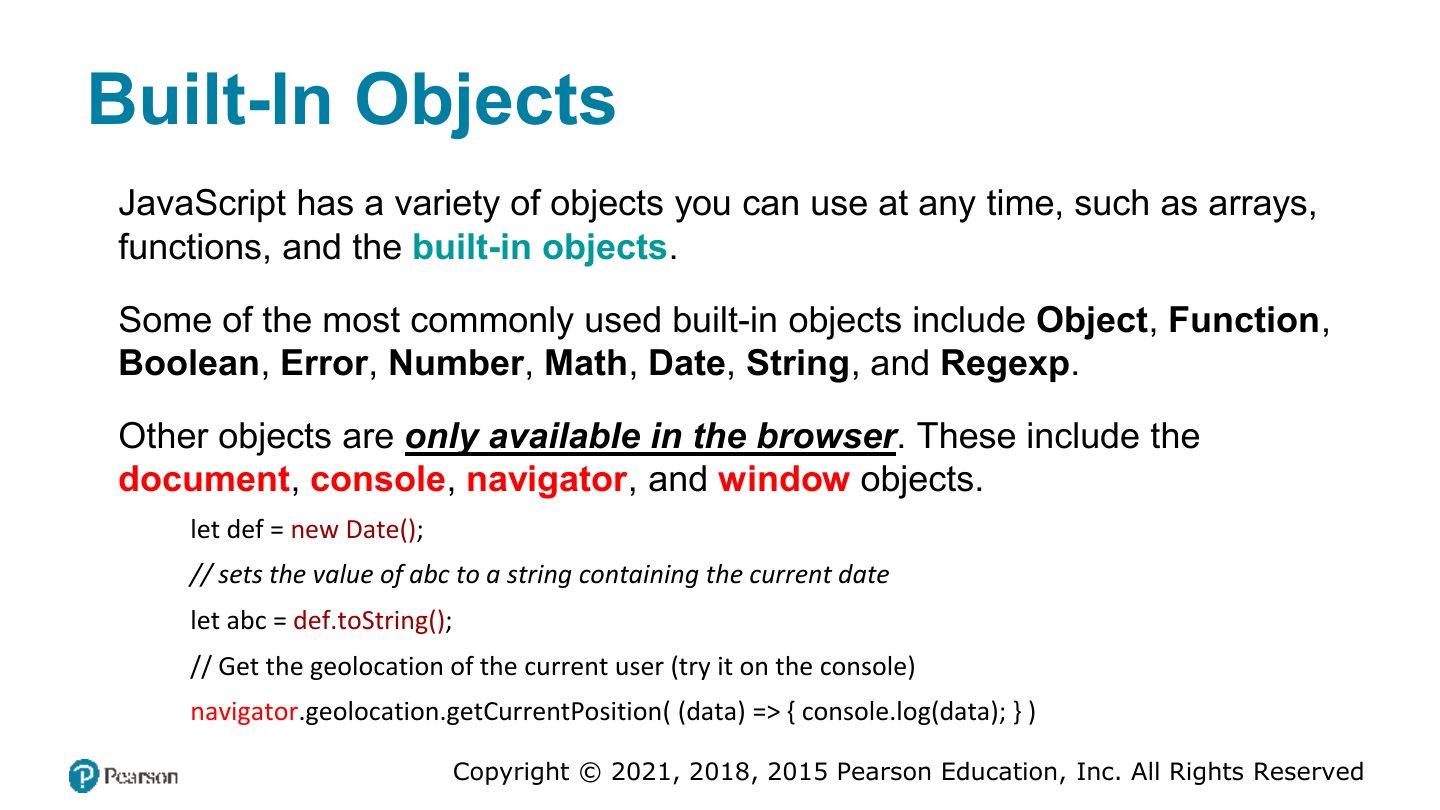
Built-In Objects
Concatenation
Conditionals
Notes
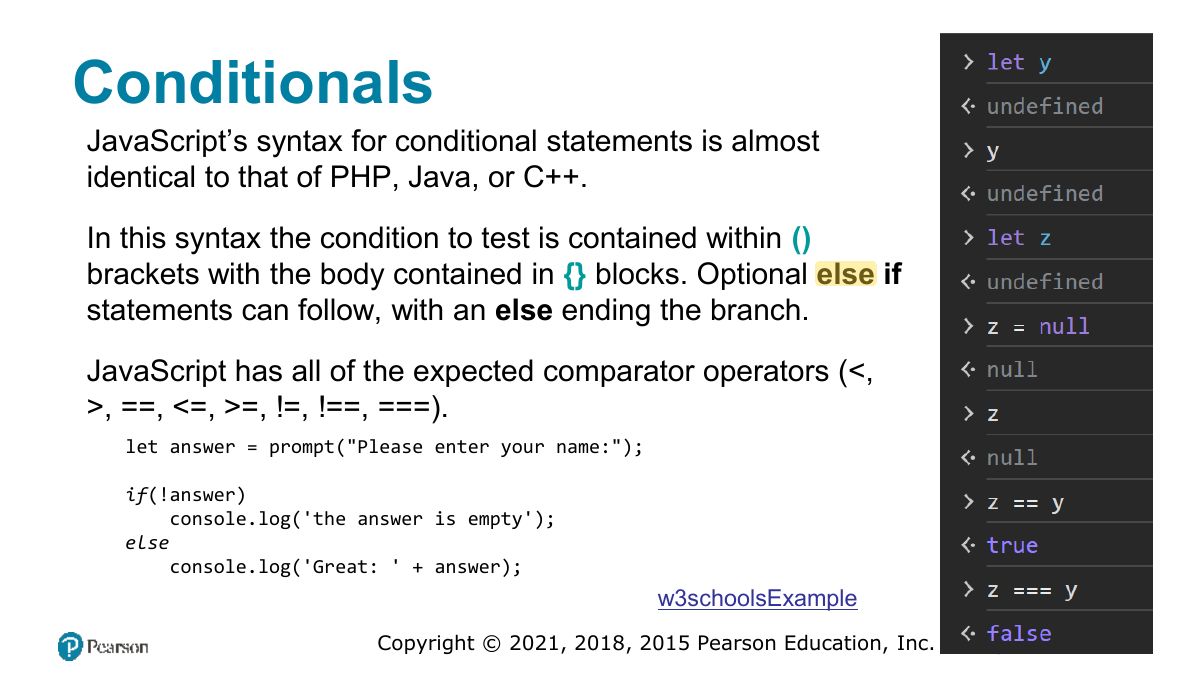
converts types before comparing; = compares value AND type. "5" 5 is true, "5" = 5 is false.
Exam angle
"5" === 5 evaluates to:
Switch statement
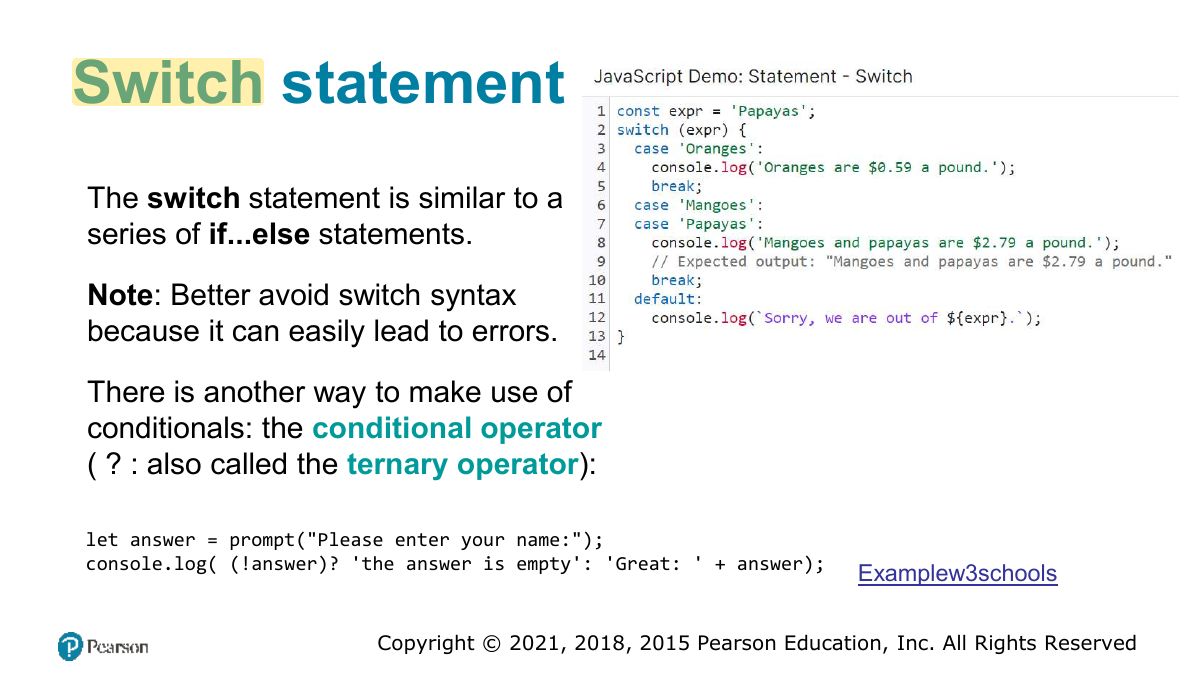
Truthy and Falsy
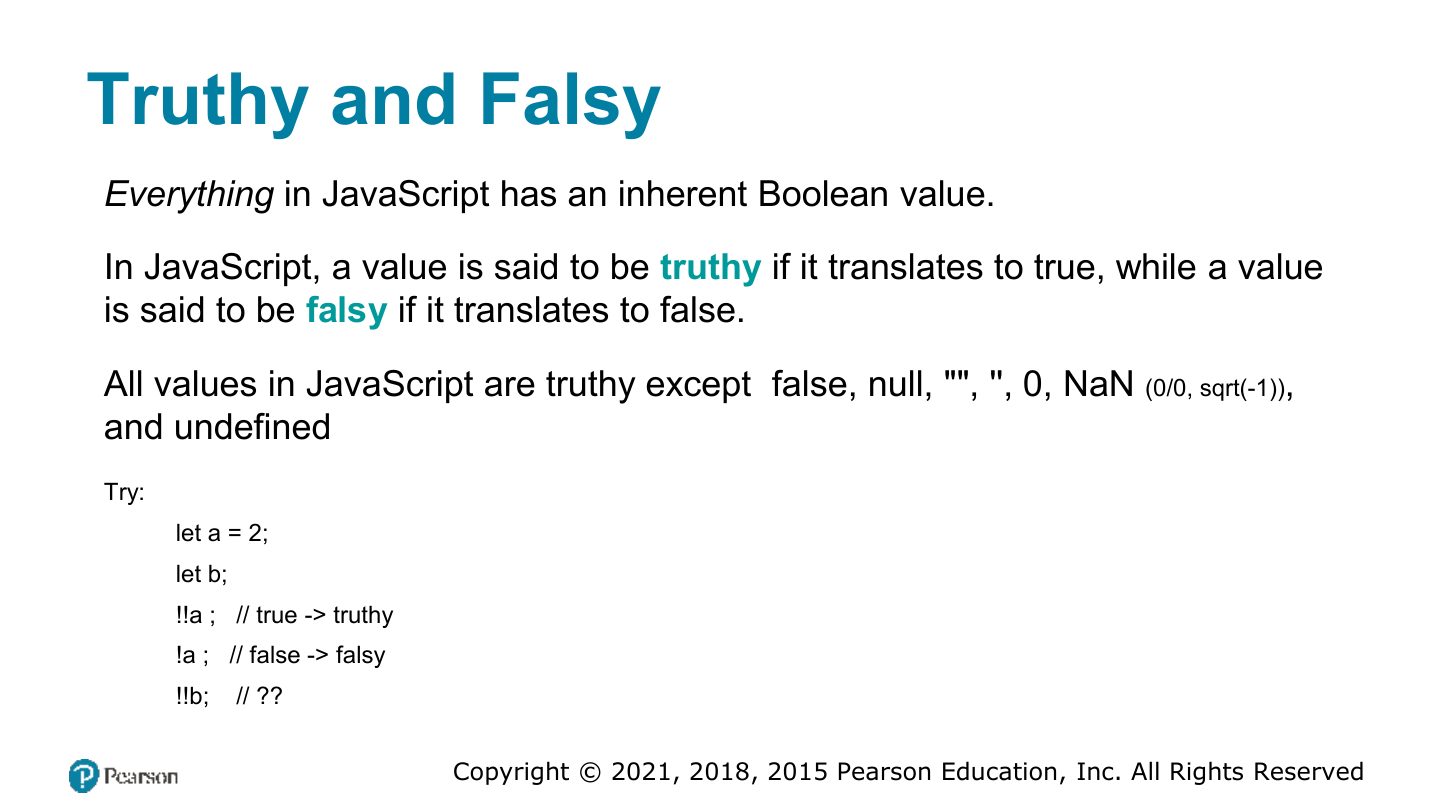
Exam angle
Which value is falsy?
While and do . . . while Loops
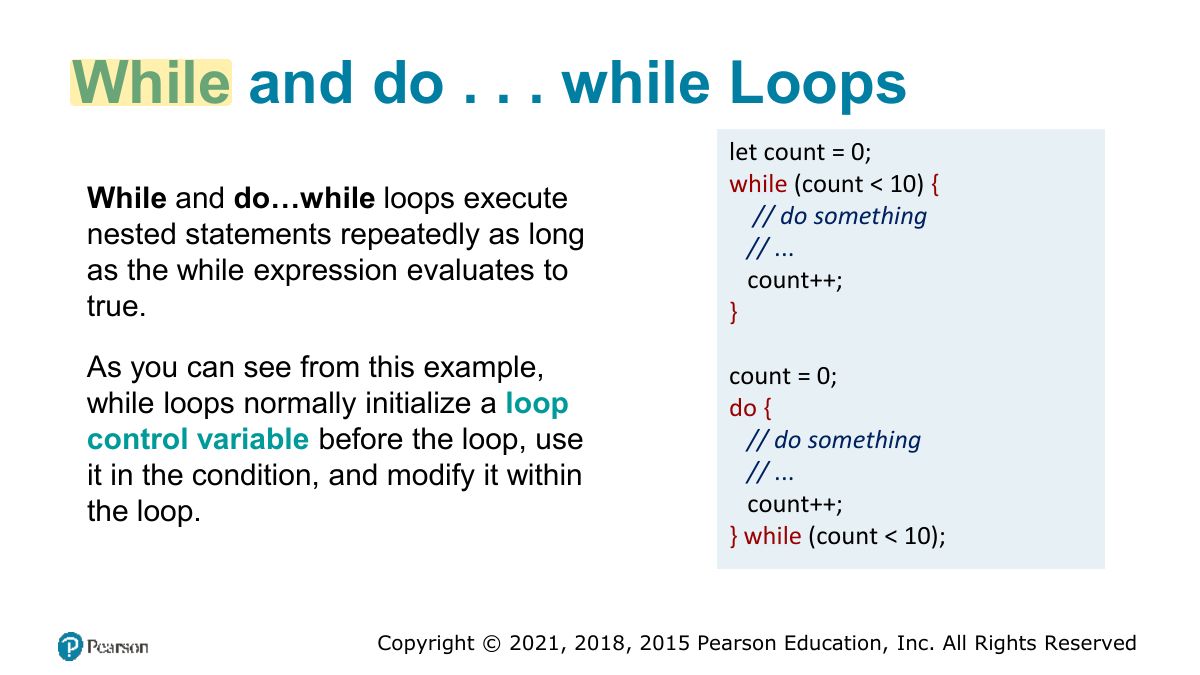
For Loops
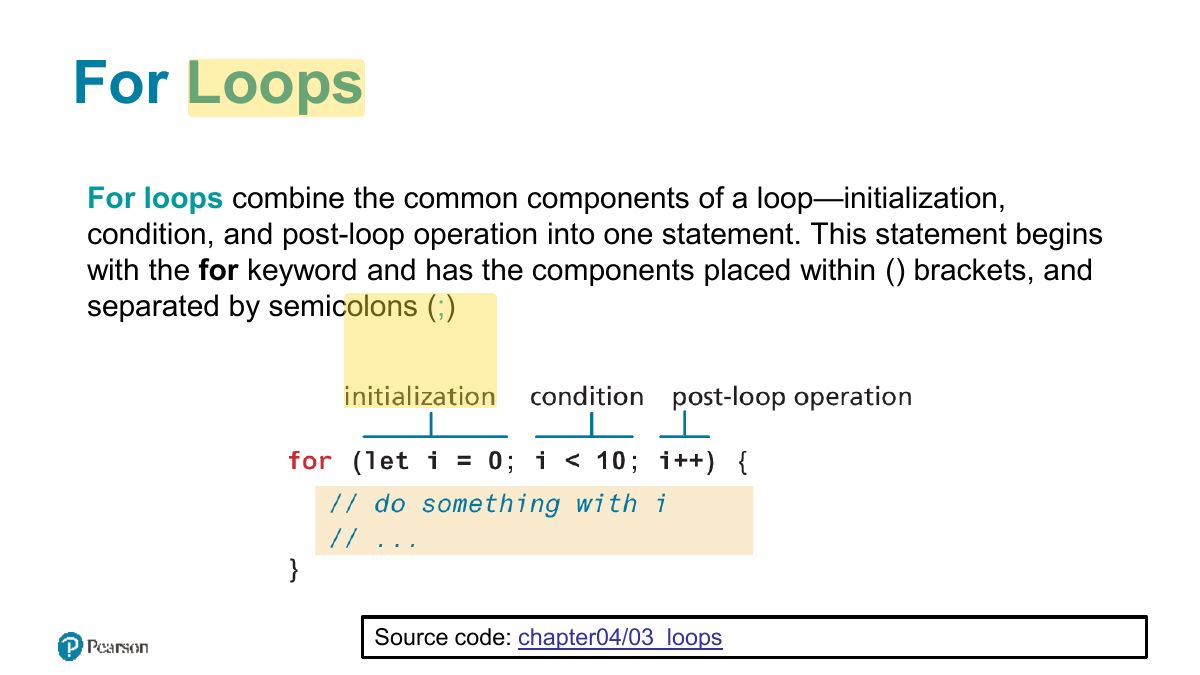
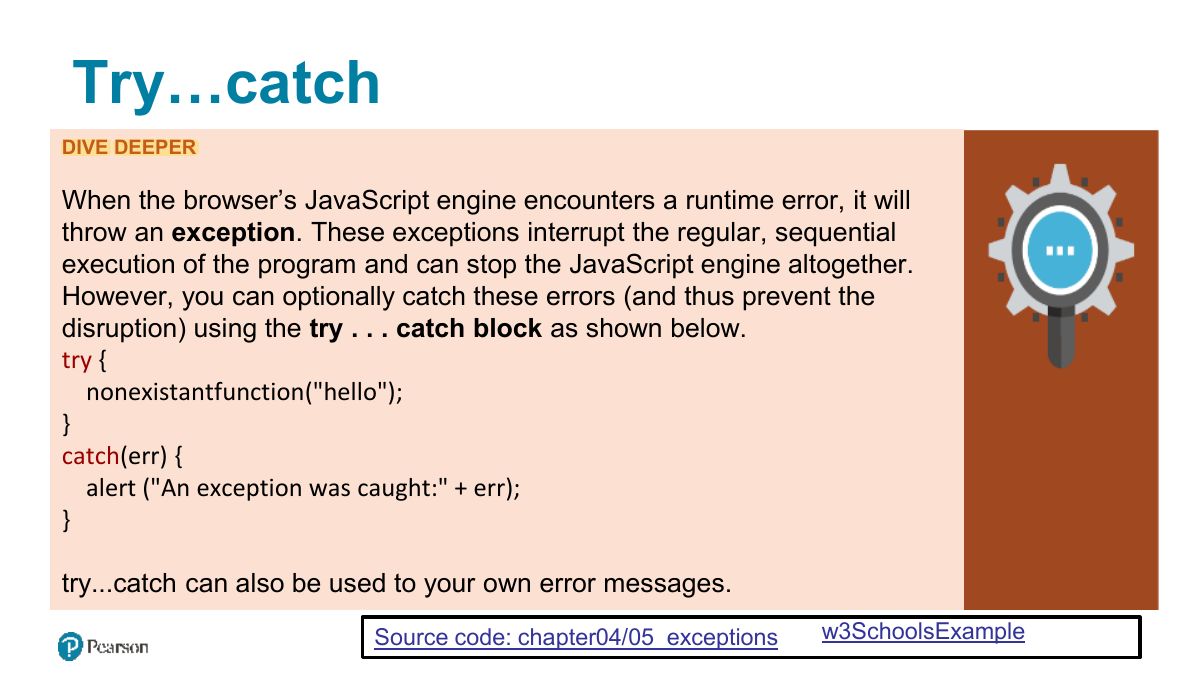
Try...catch
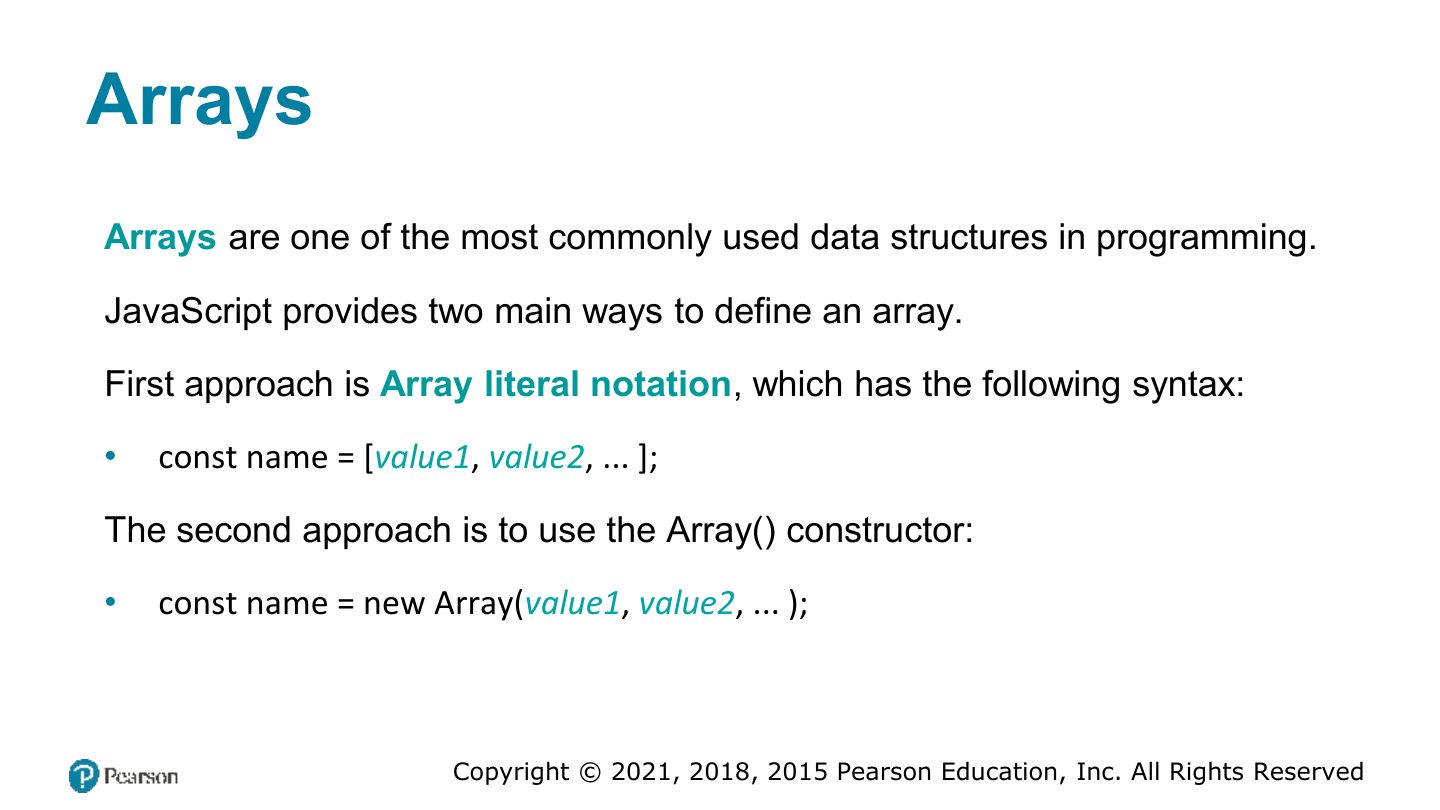
Arrays
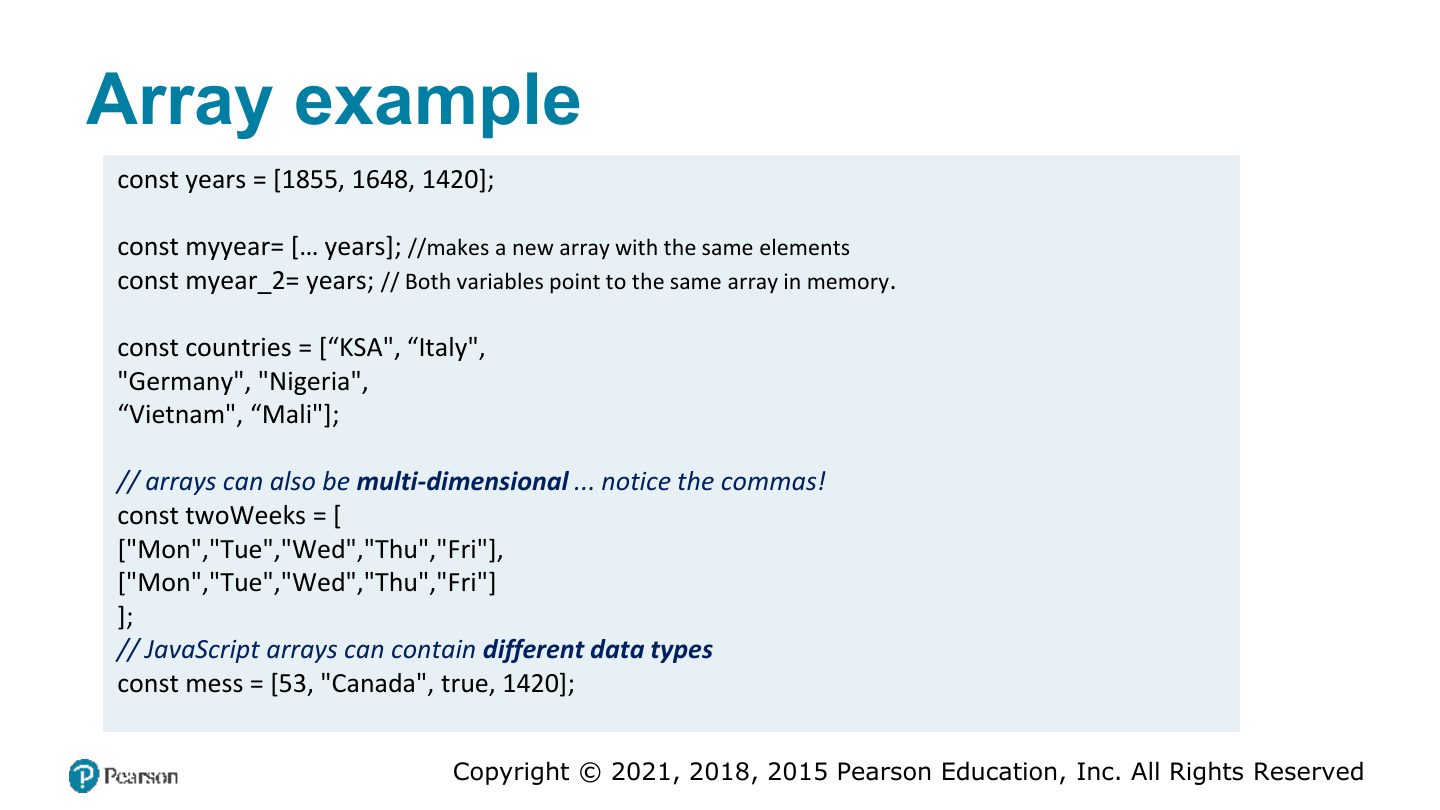
Array example
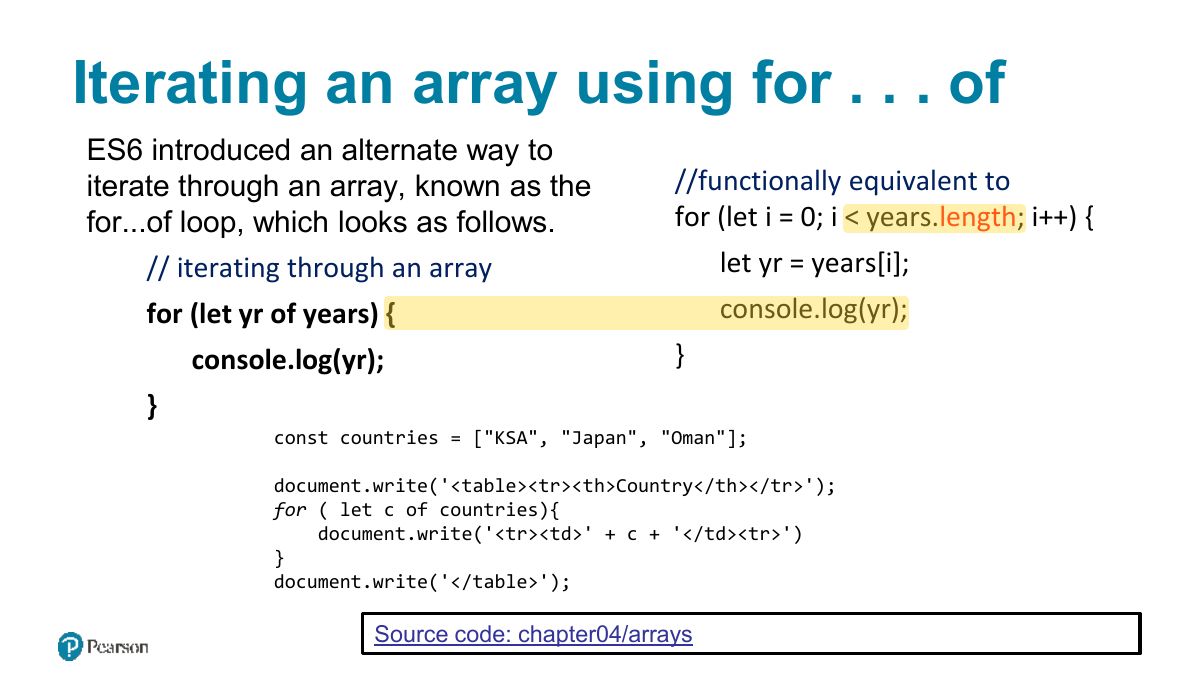
Iterating an array using for . . . of
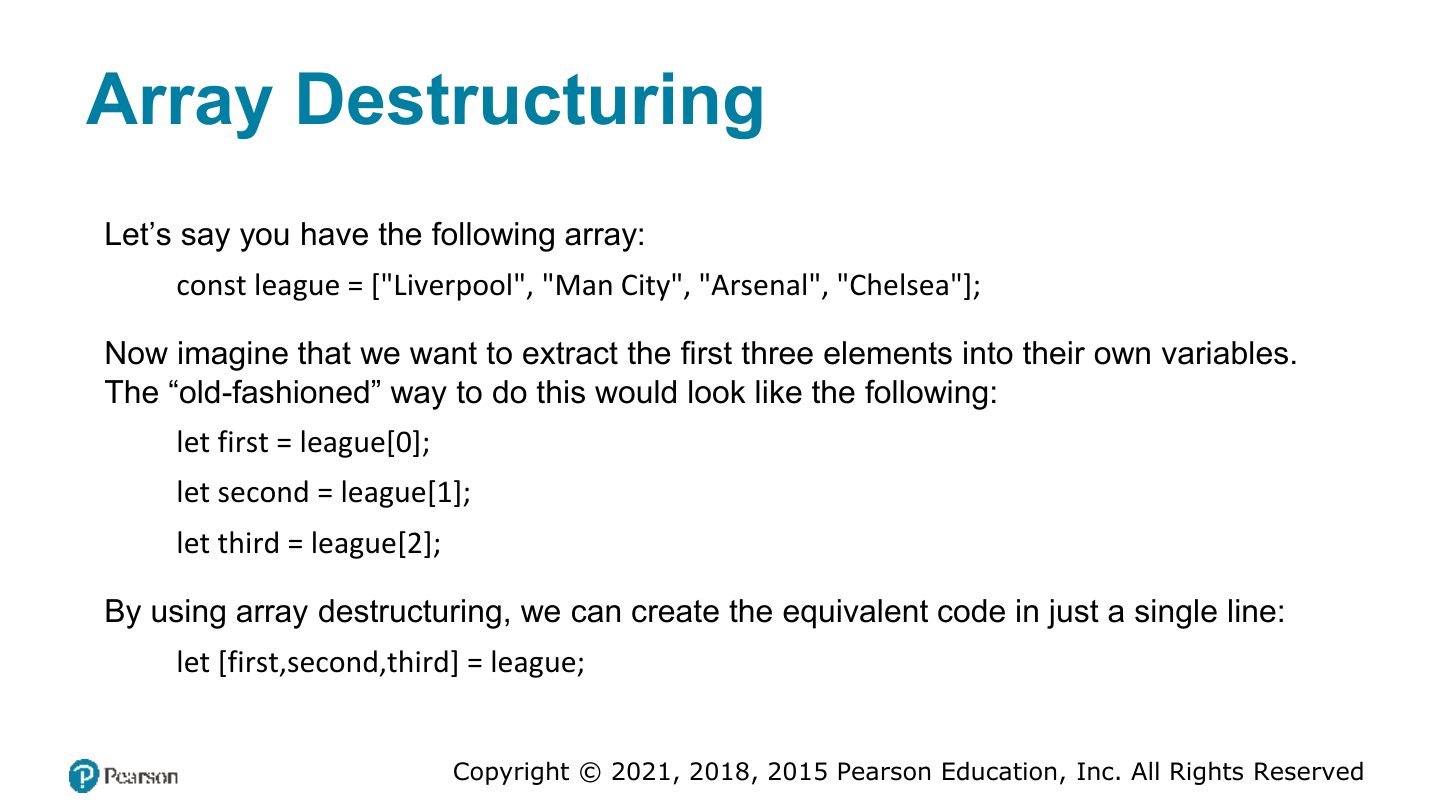
Array Destructuring
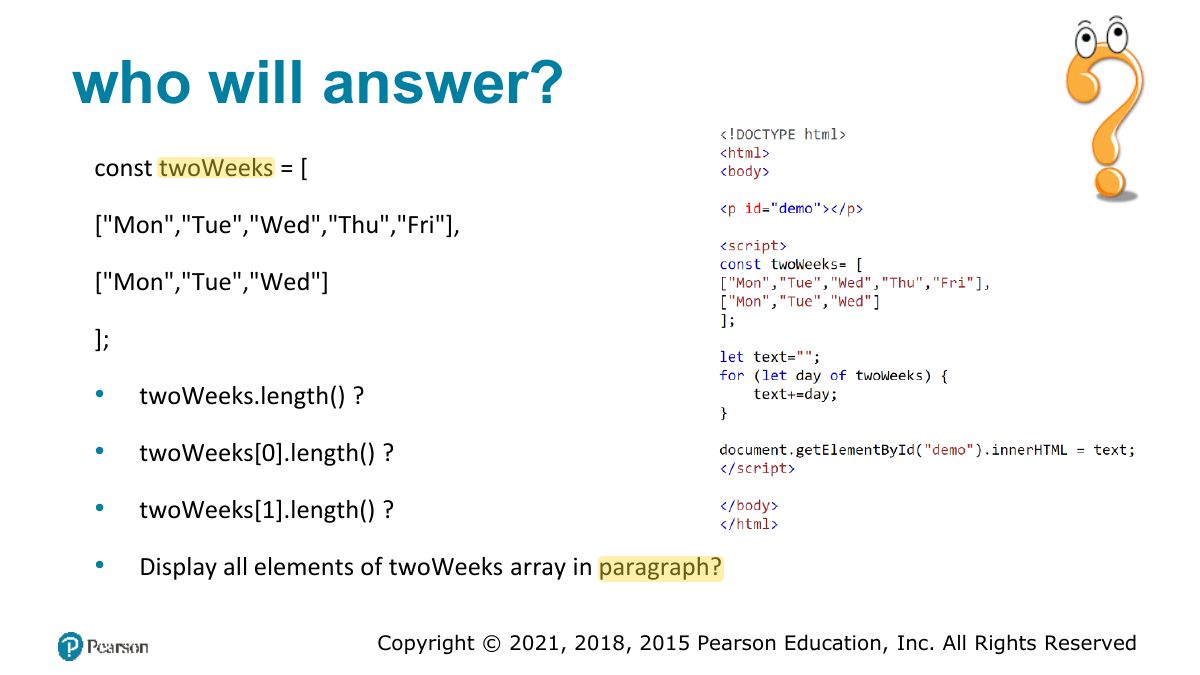
who will answer?
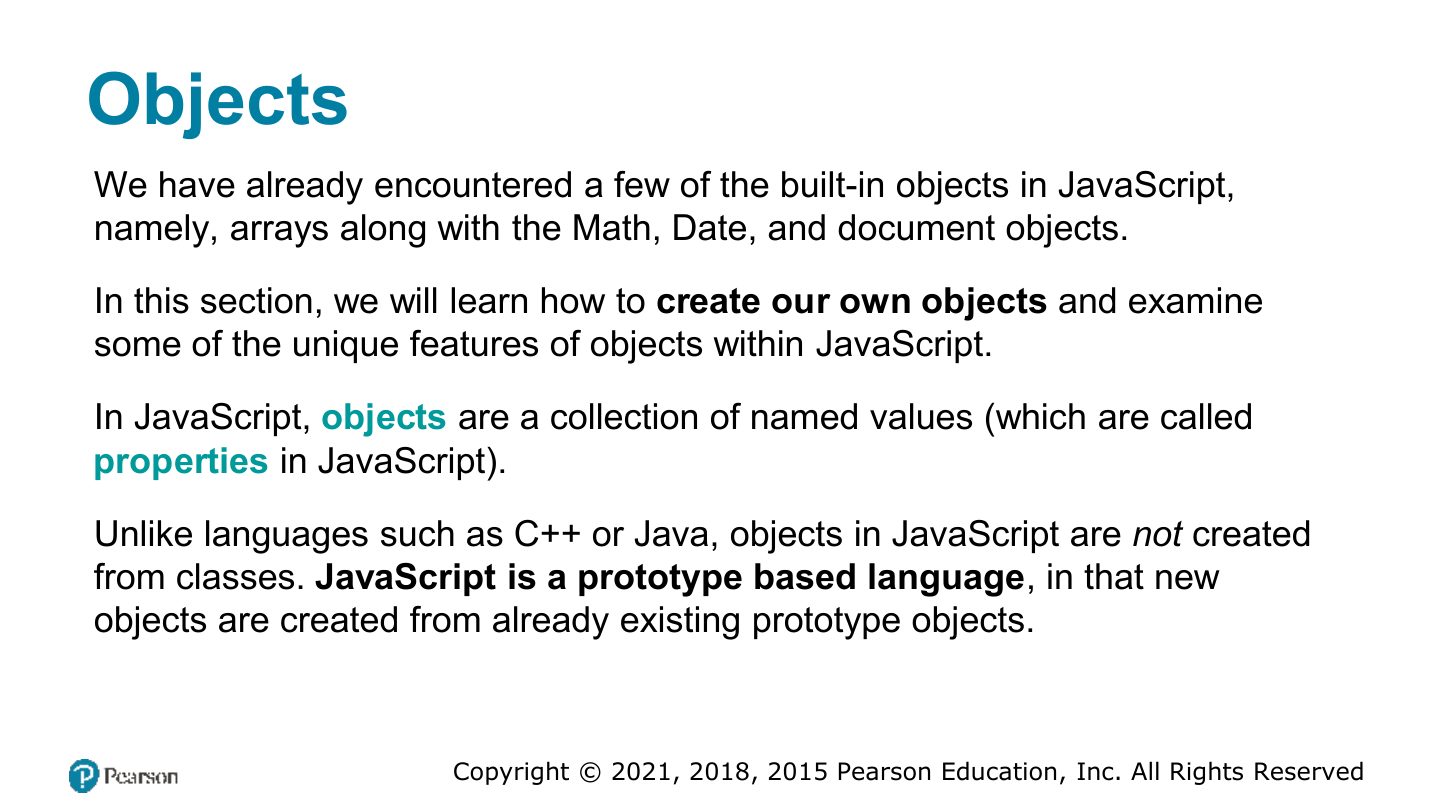
Objects
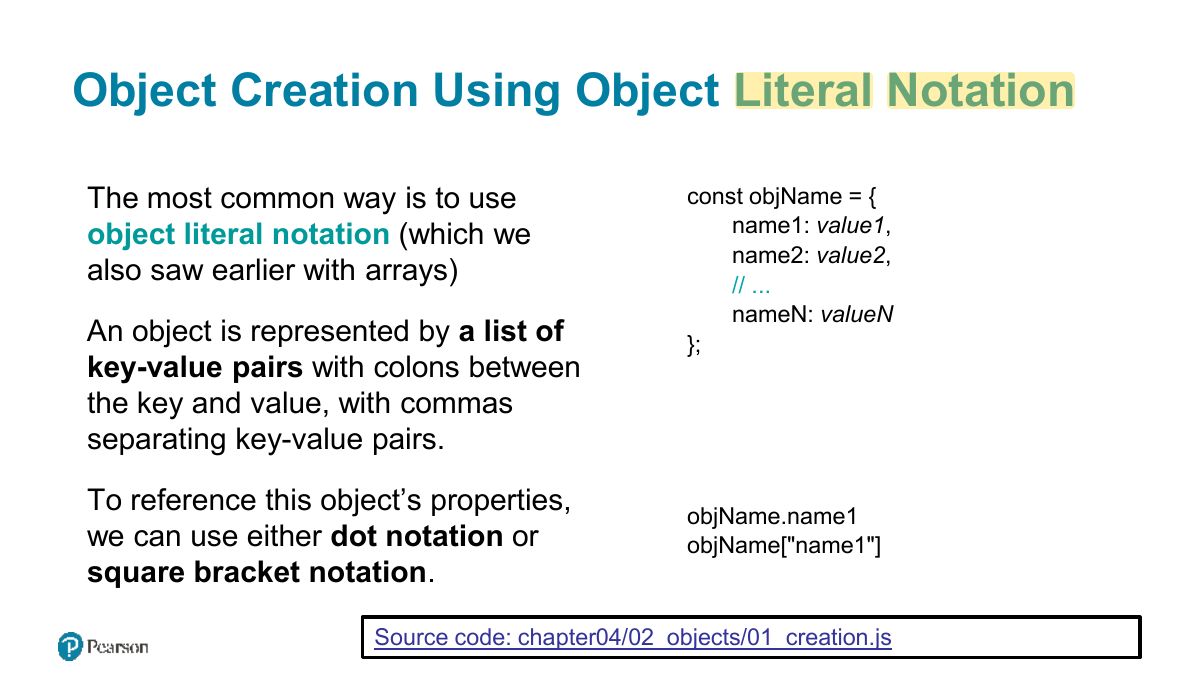
Object Creation Using Object Literal Notation
Notes
Object literal: const p = {name: "Ali", age: 20}; access with p.name or p["name"].
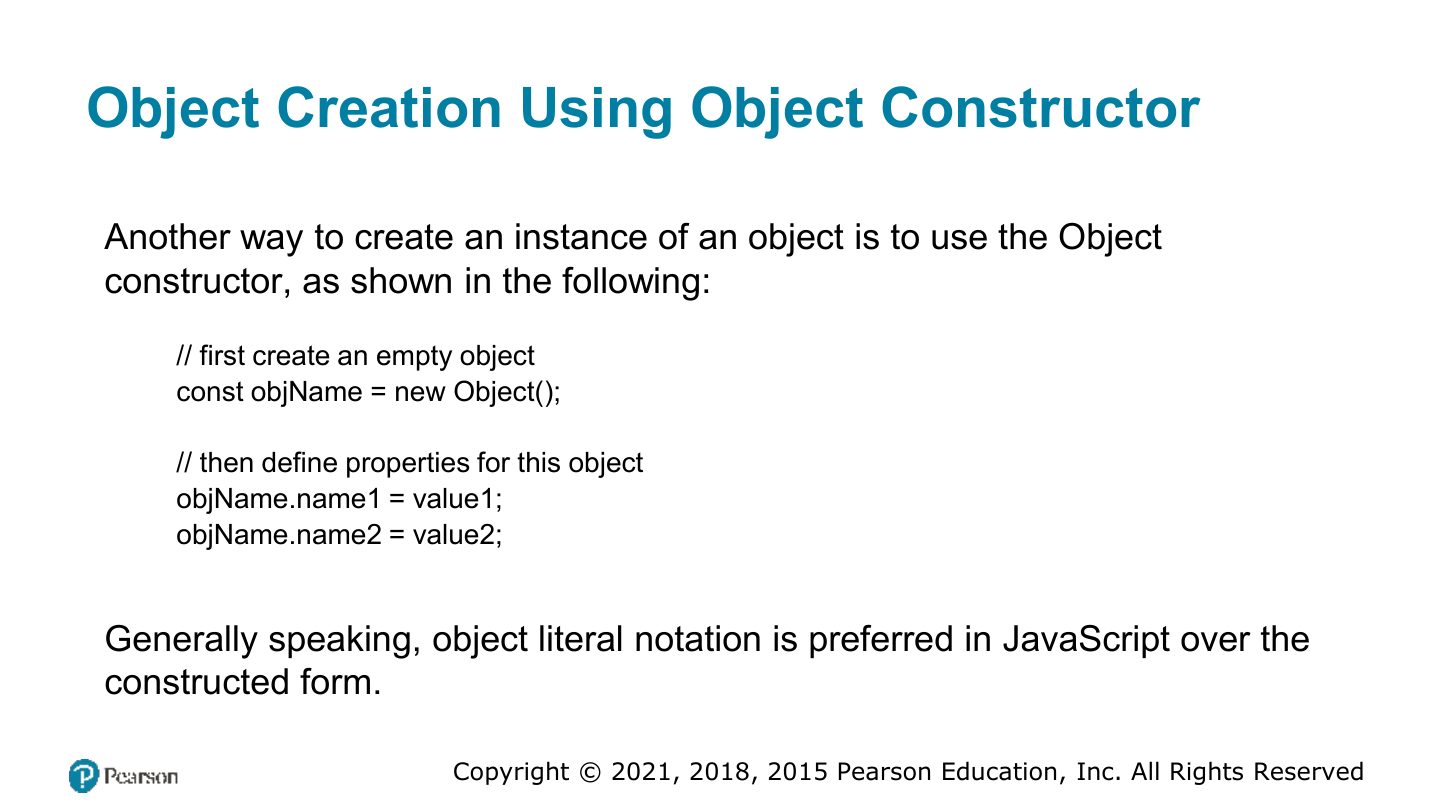
Object Creation Using Object Constructor
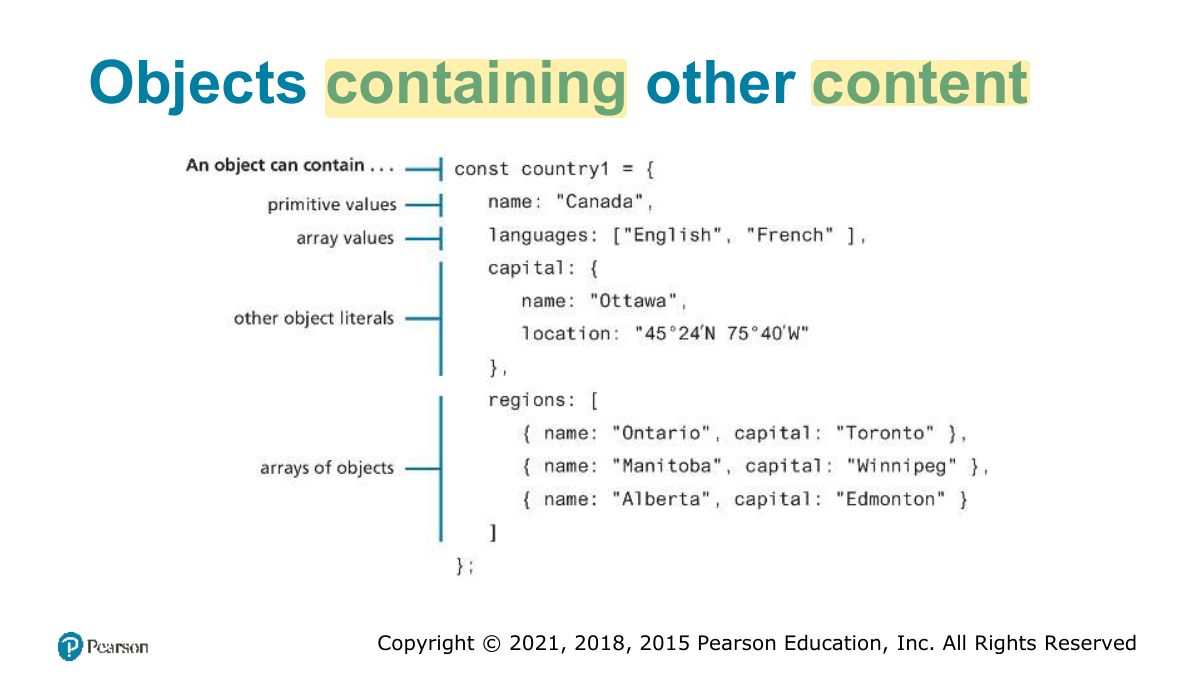
Objects containing other content
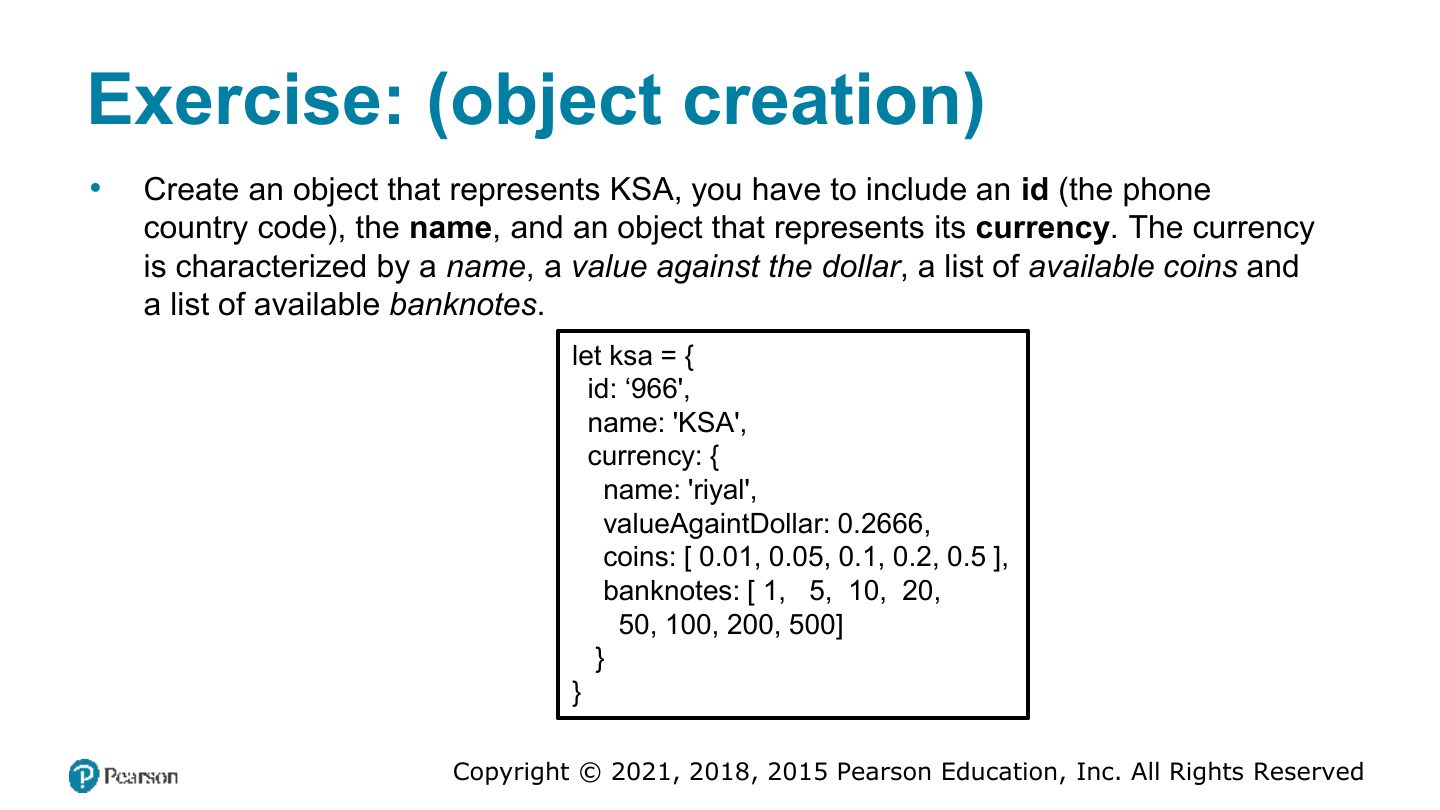
Exercise: (object creation)
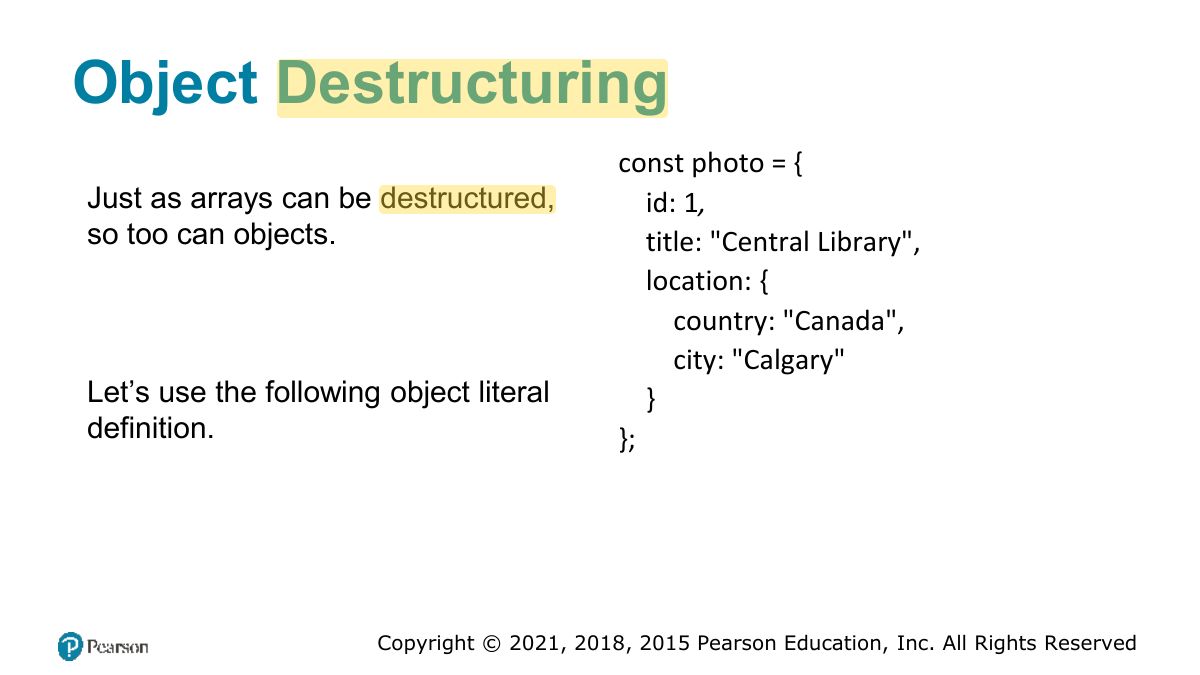
Object Destructuring
Notes
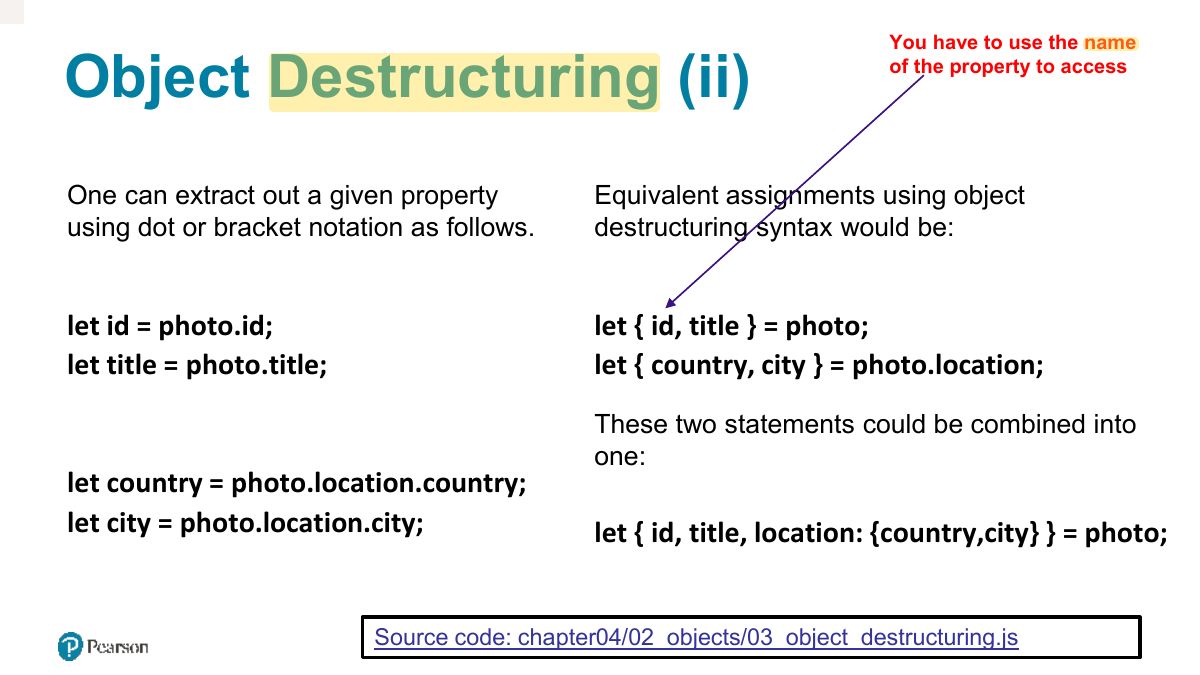
Object destructuring uses the property NAMES: const {name, age} = p;
You have to use the name
JSON
Notes
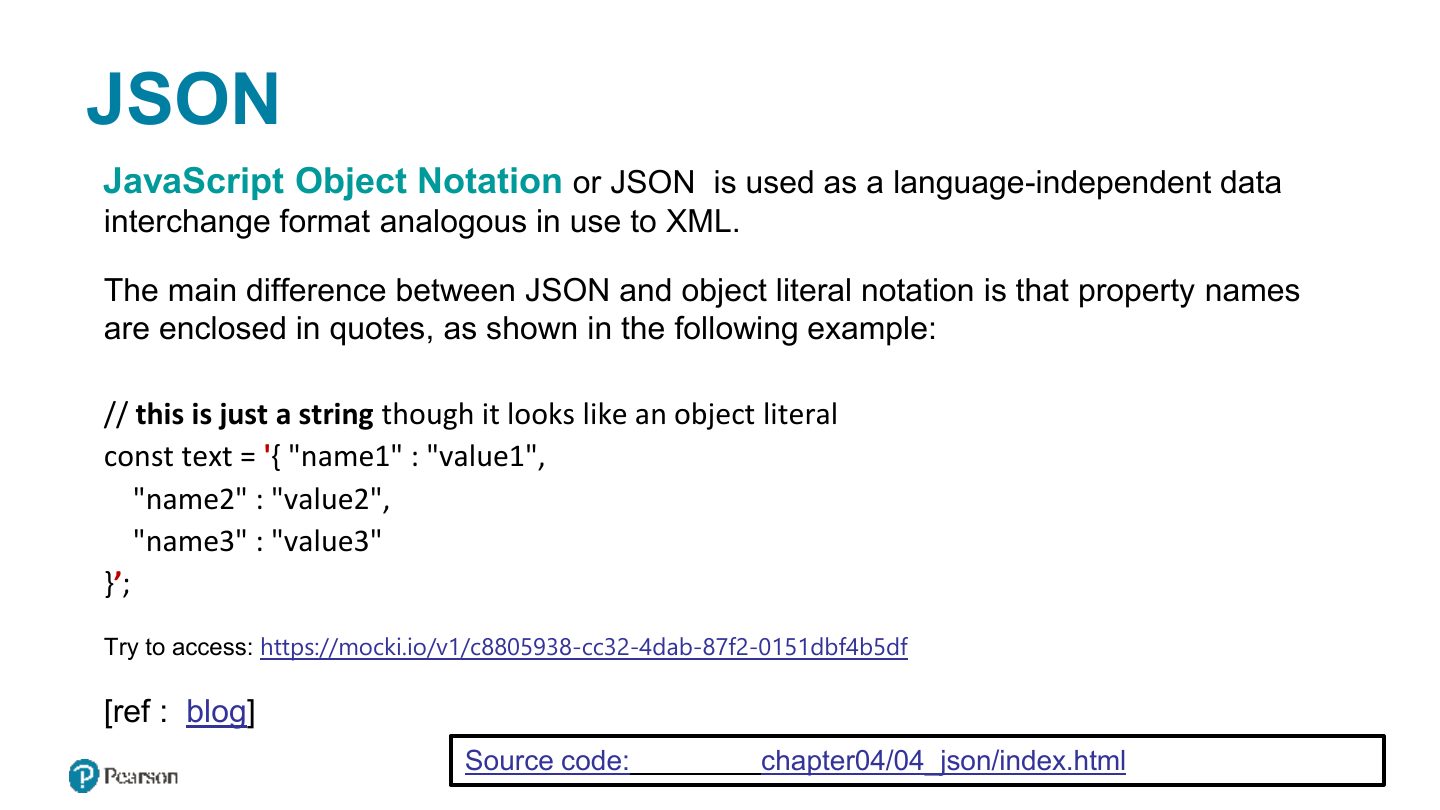
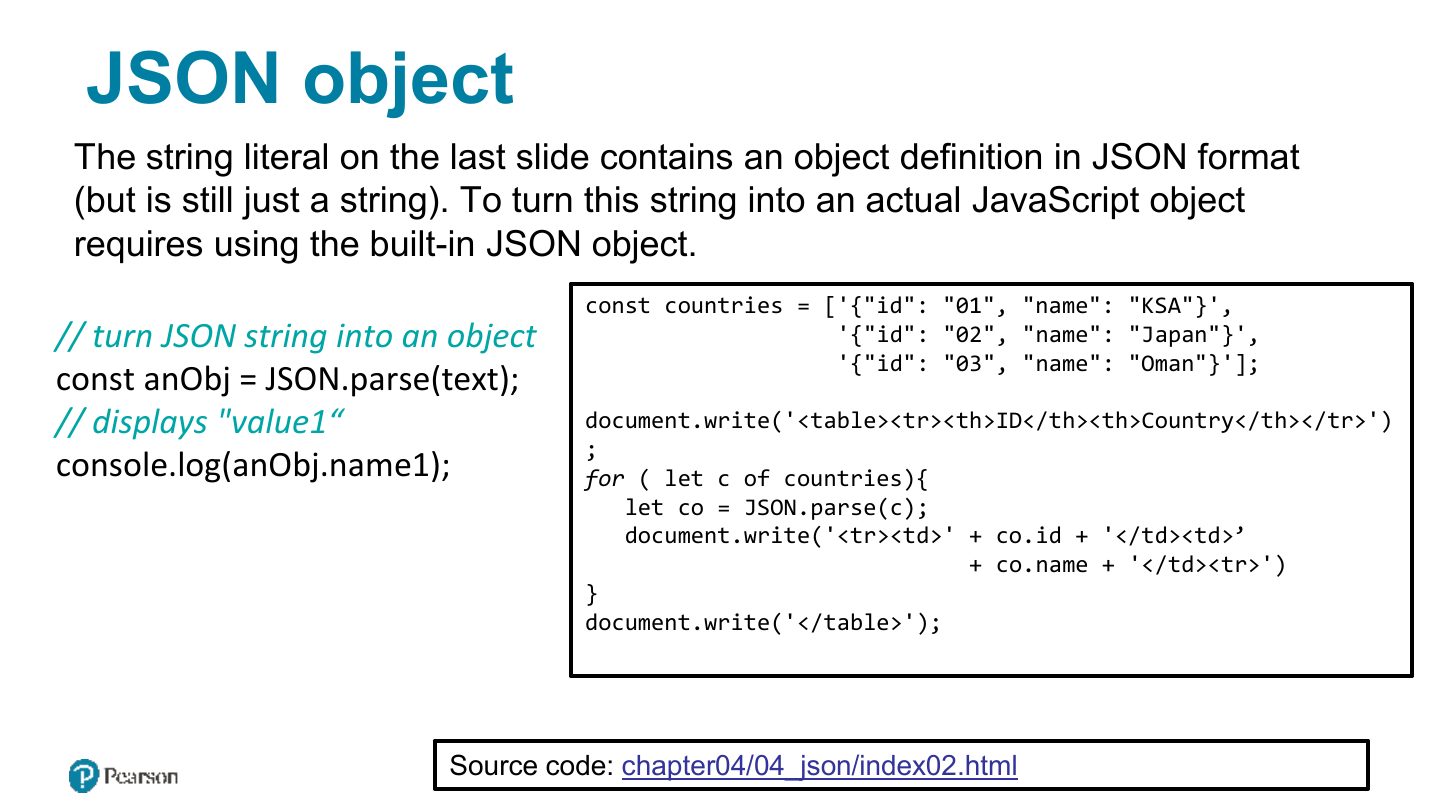
JSON: text format for data. JSON.stringify(obj) → string; JSON.parse(str) → object. Keys must be double-quoted.
Exam angle
Which converts a JSON string into a JavaScript object?
JSON object
Functions
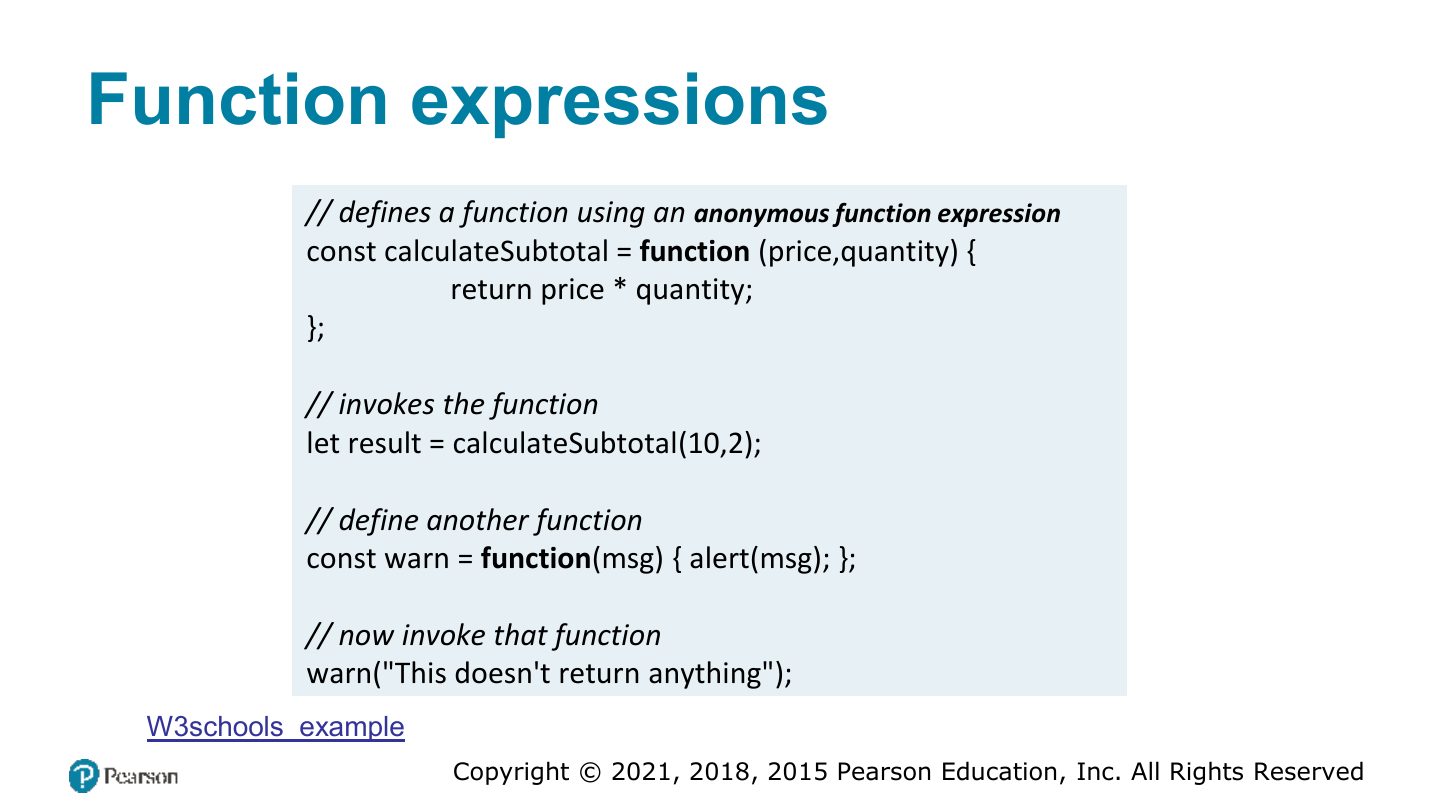
Function expressions
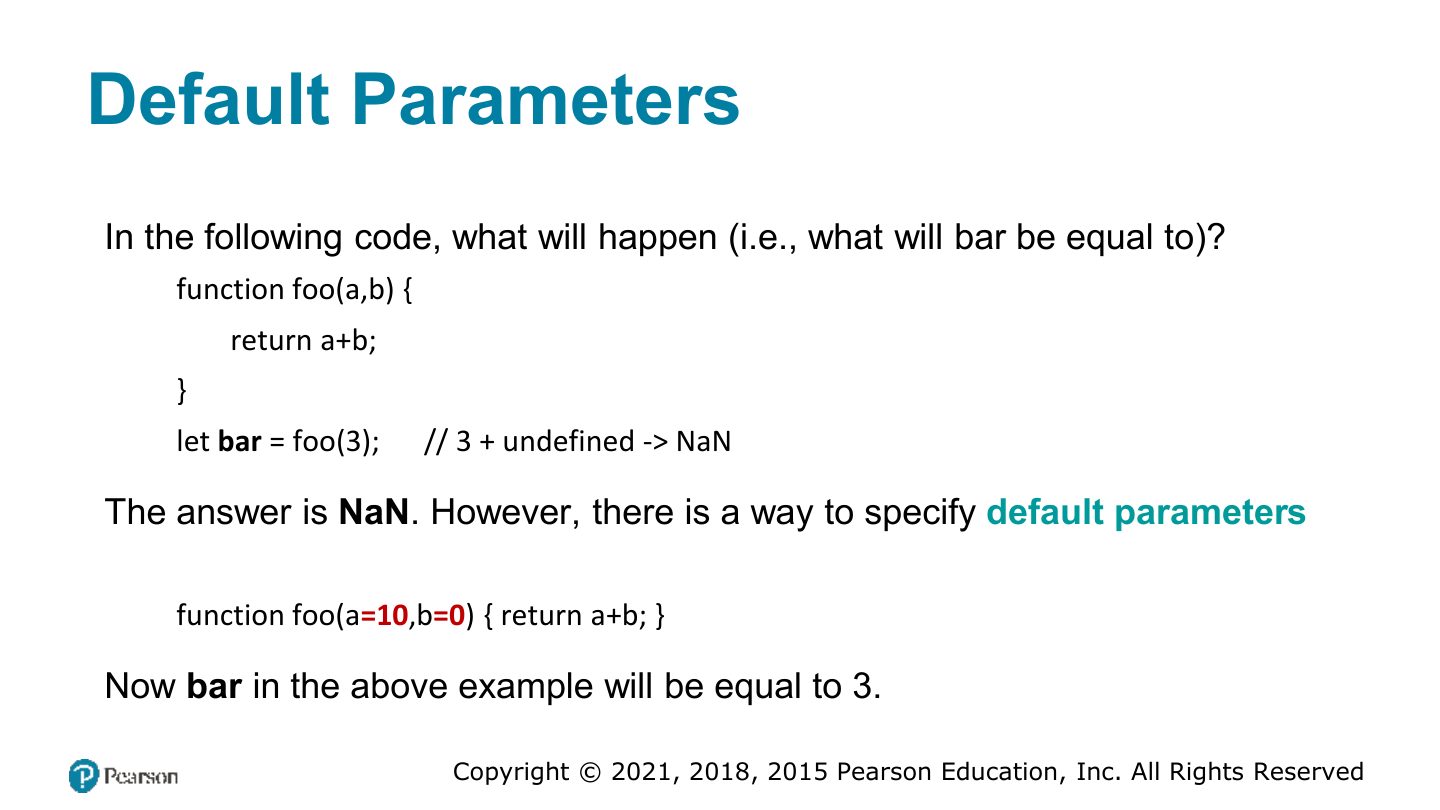
Default Parameters
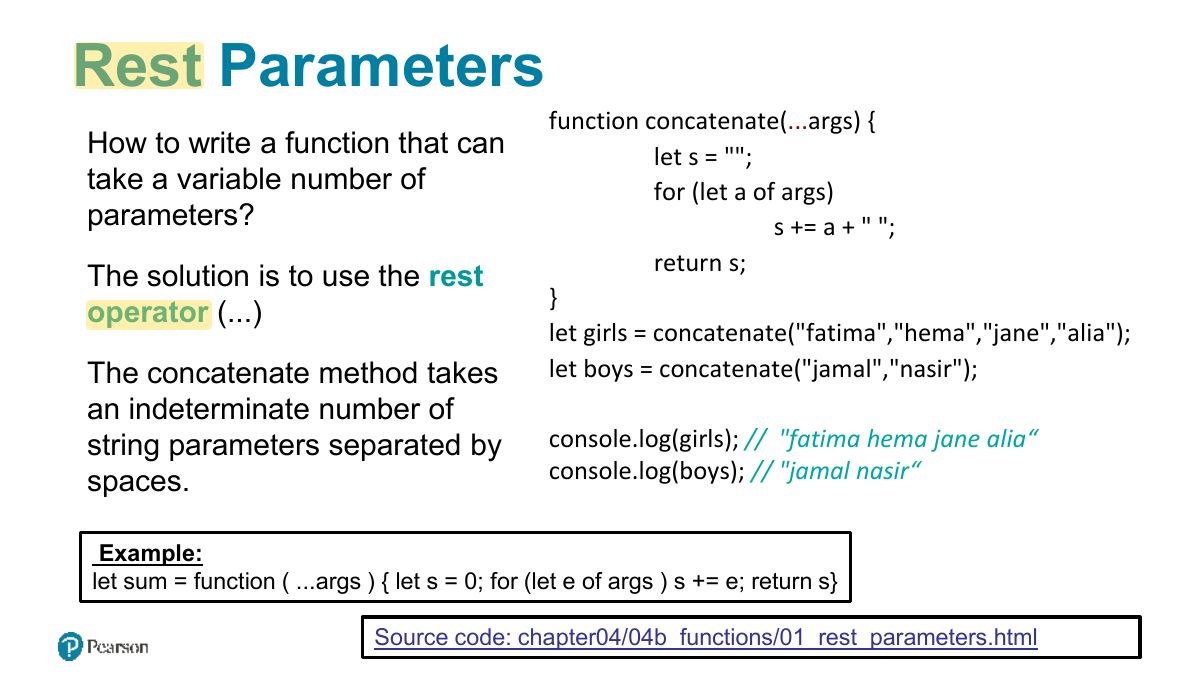
Rest Parameters
Notes
Rest parameters: function sum(...nums) collects remaining arguments into an array.
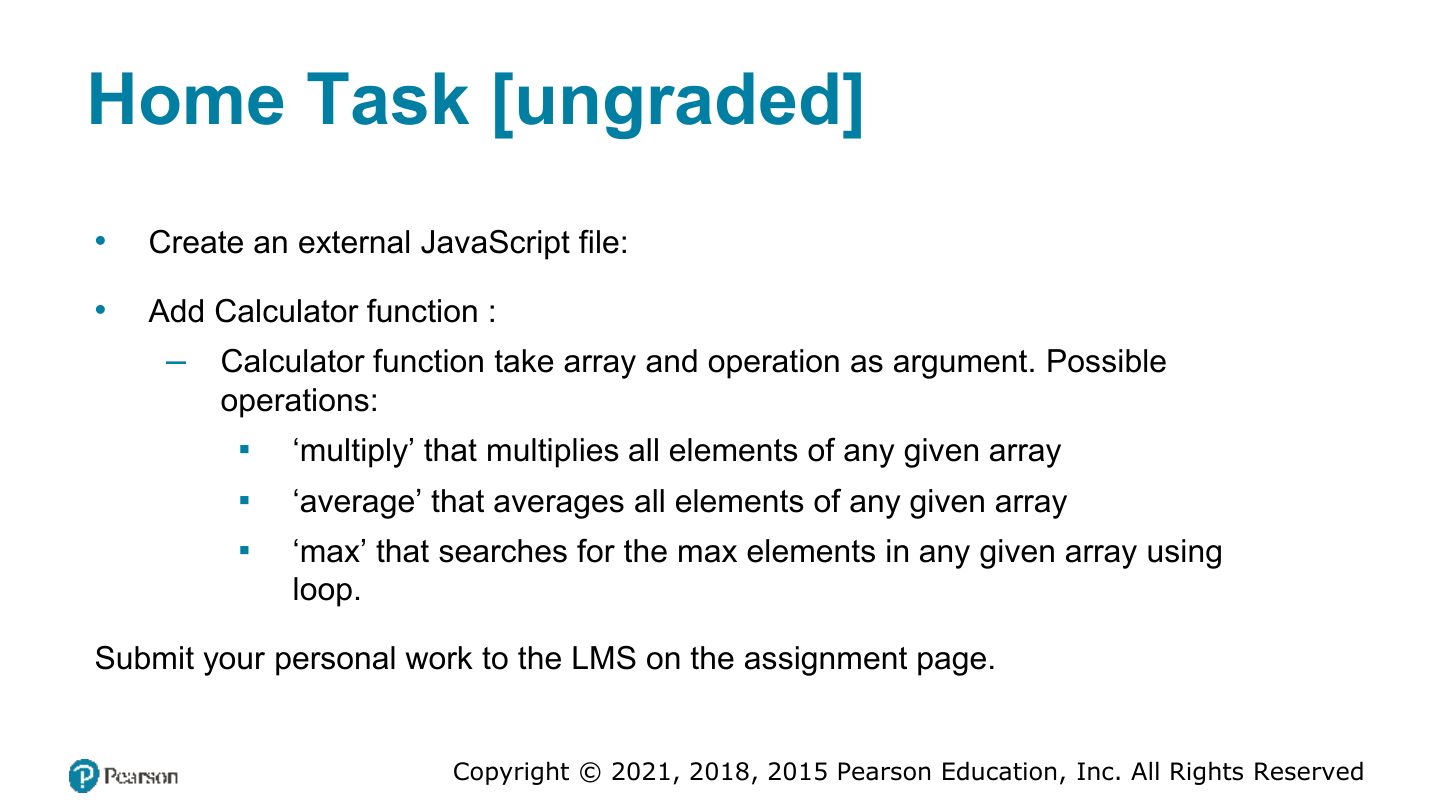
Home Task [ungraded]
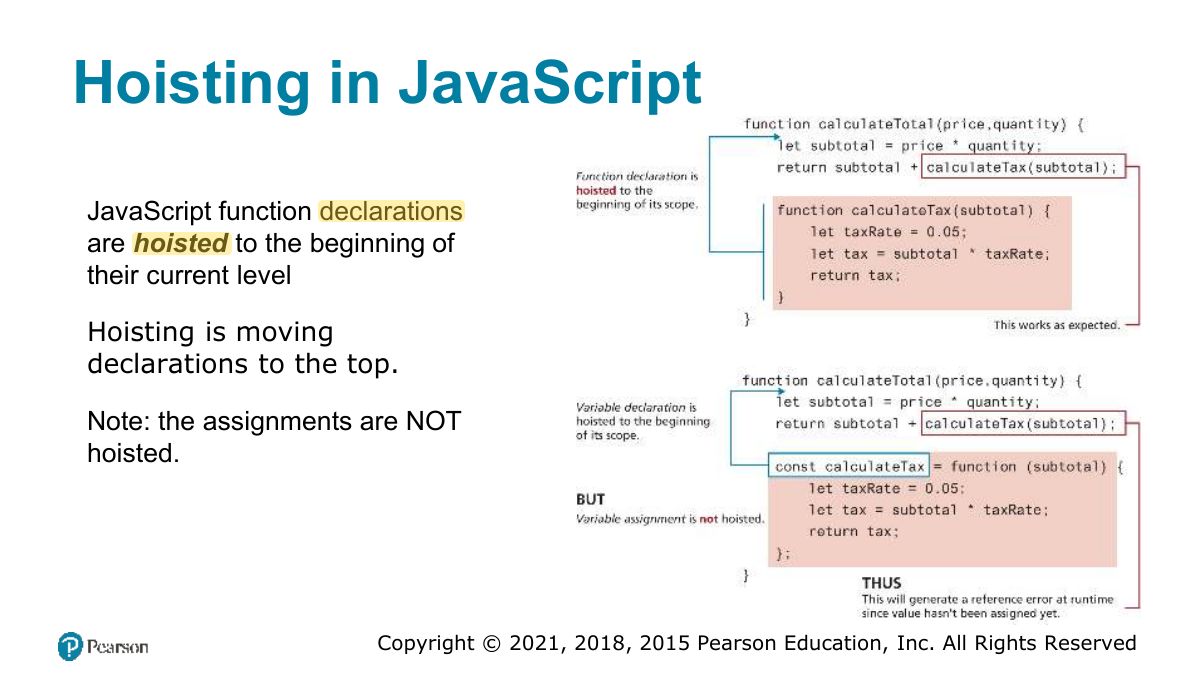
Hoisting in JavaScript
Notes
Hoisting: function declarations are moved to the top (callable before definition); function expressions and let/const are not usable before their line.
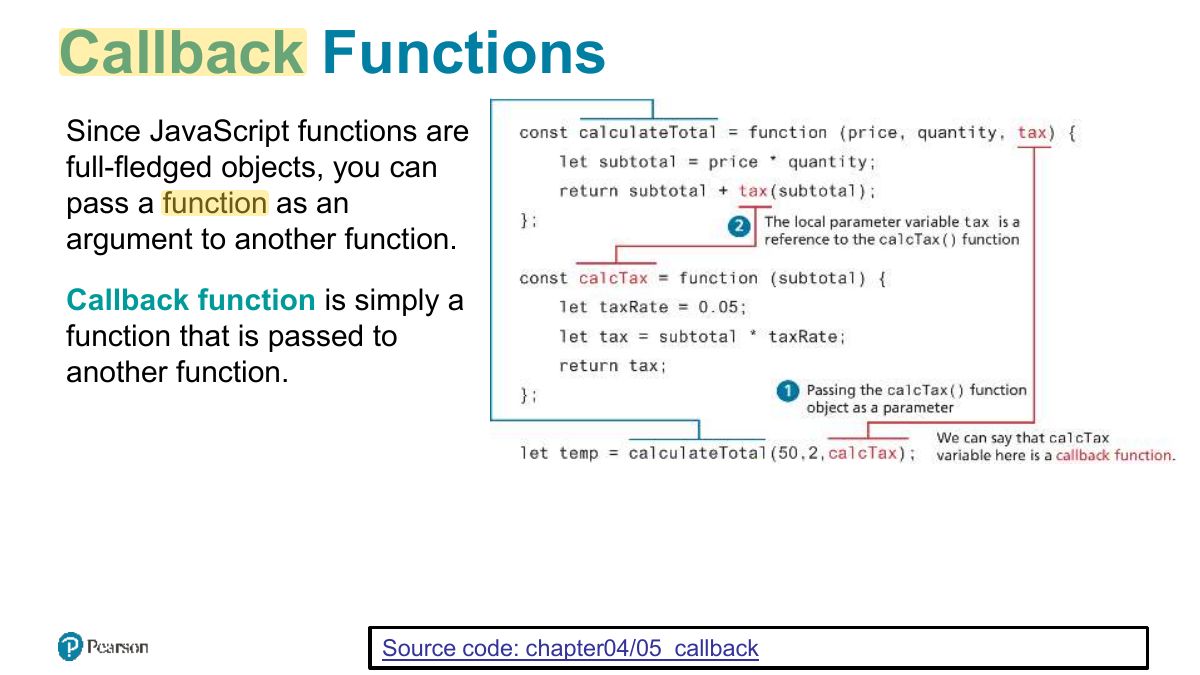
Callback Functions
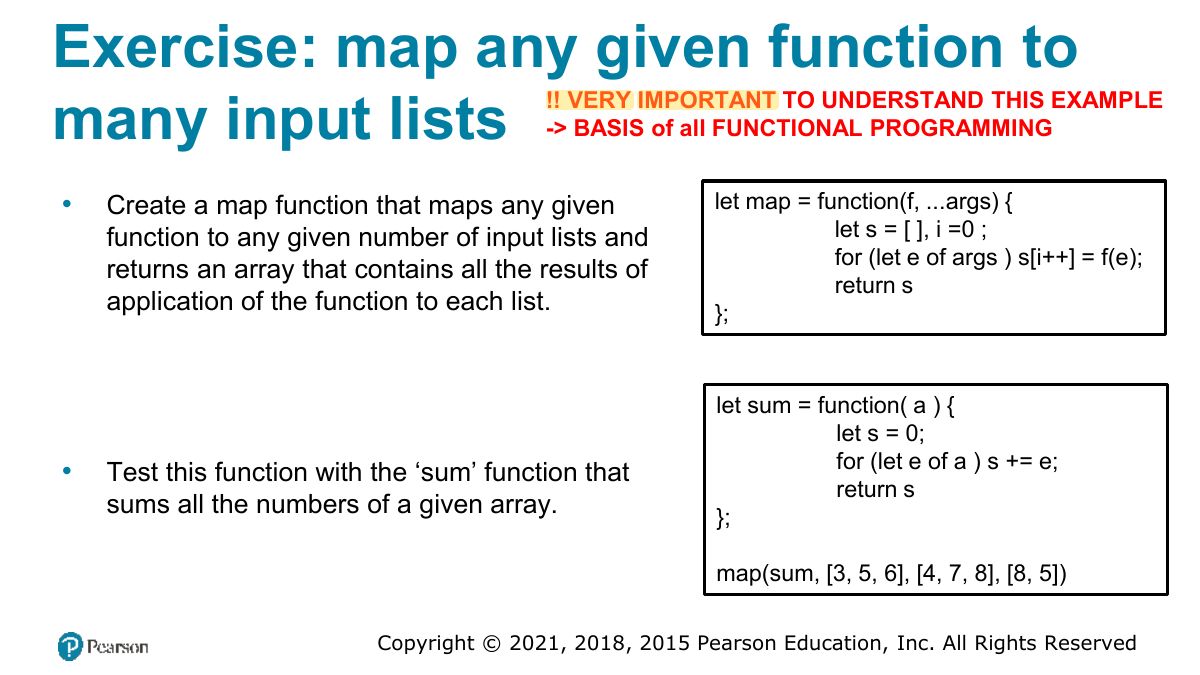
Exercise: map any given function to
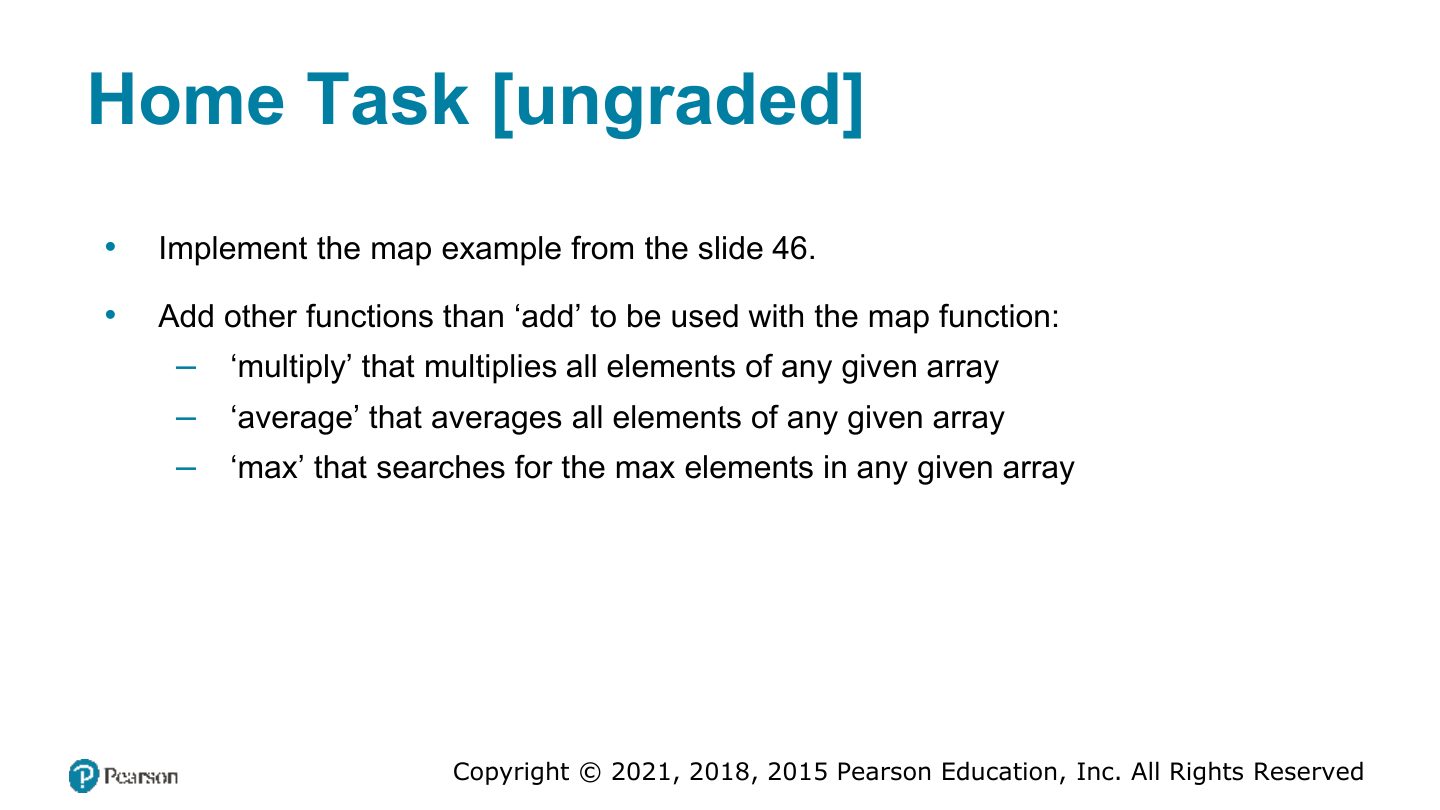
Home Task [ungraded]
Callback Functions (ii)
Objects and Functions Together
Constructors as functions
Arrow Syntax
Notes
Arrow functions: (a, b) => a + b. Shorter; they don’t have their own this.
Scope in JavaScript
Notes
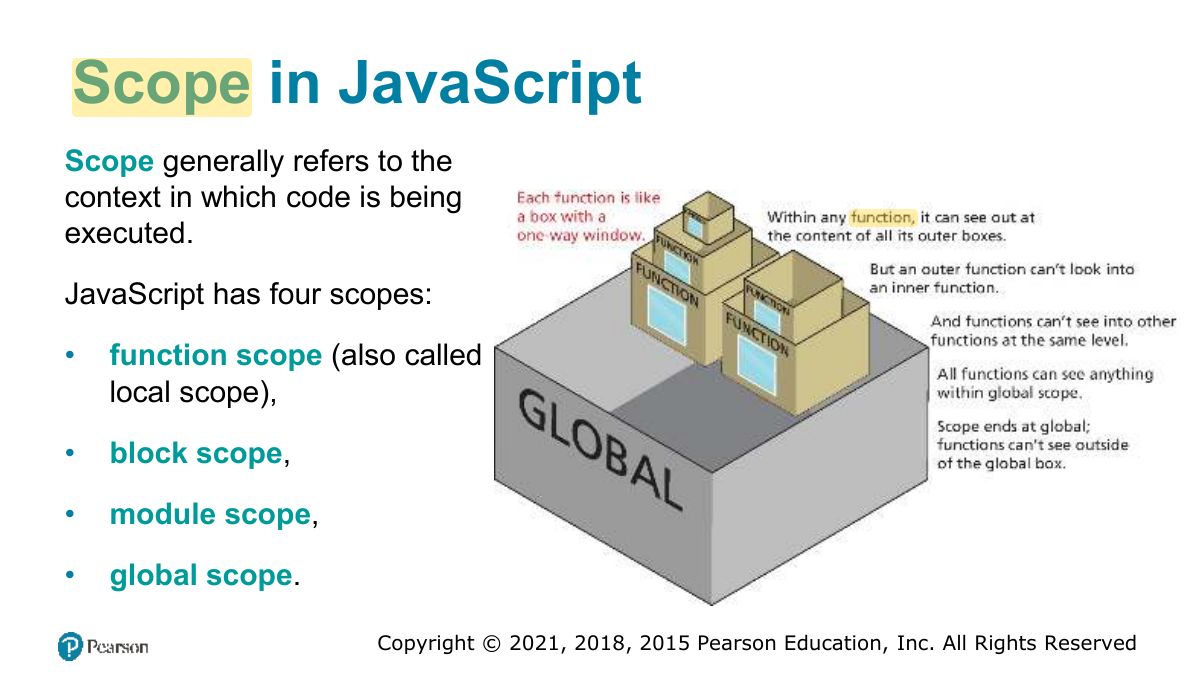
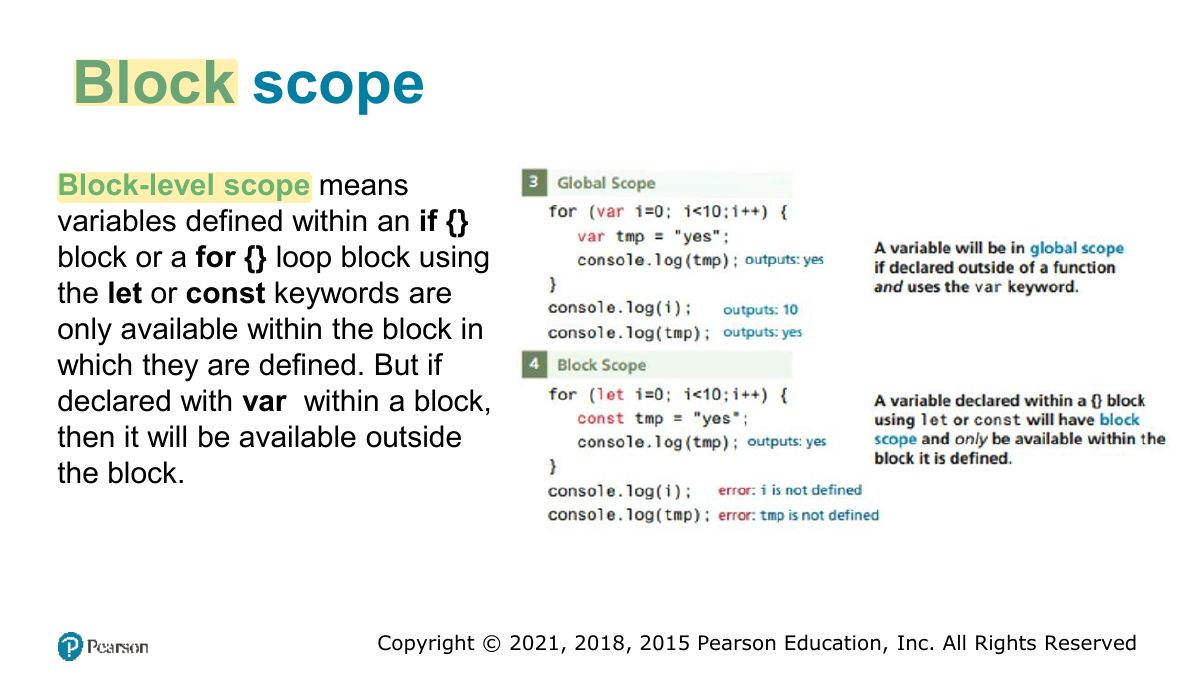
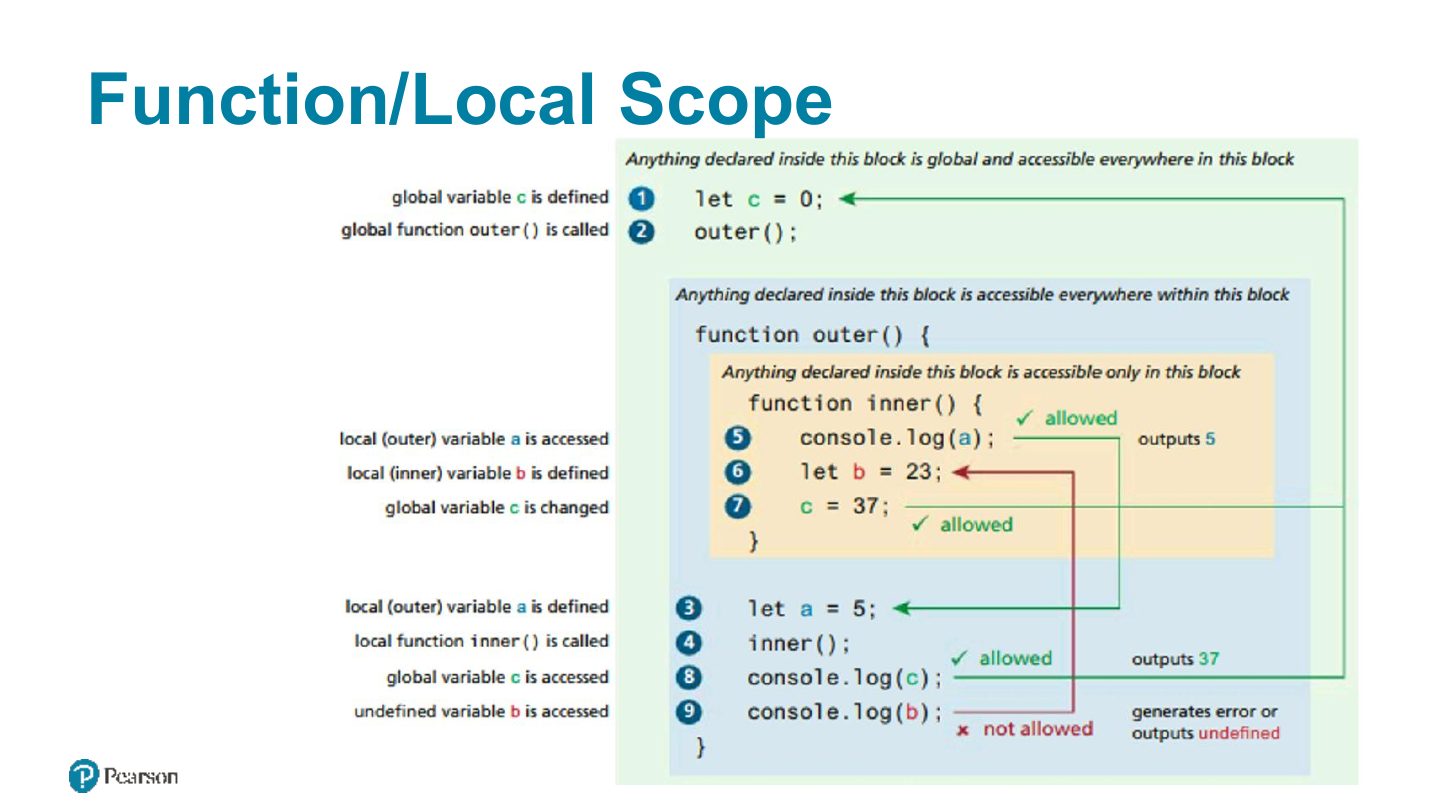
Scope: global, function (local), block (let/const inside { }).
Block scope
Function/Local Scope
Fundamentals of Web Development
Array Functions
Array forEach
Array find
Array filter, and map
Notes
filter returns the elements that pass a test; map returns a new array of transformed elements; find returns the FIRST match.
Exam angle
[1, 2, 3, 4].filter(n => n % 2 === 0) returns:
[1, 2, 3].map(n => n * 2) returns:
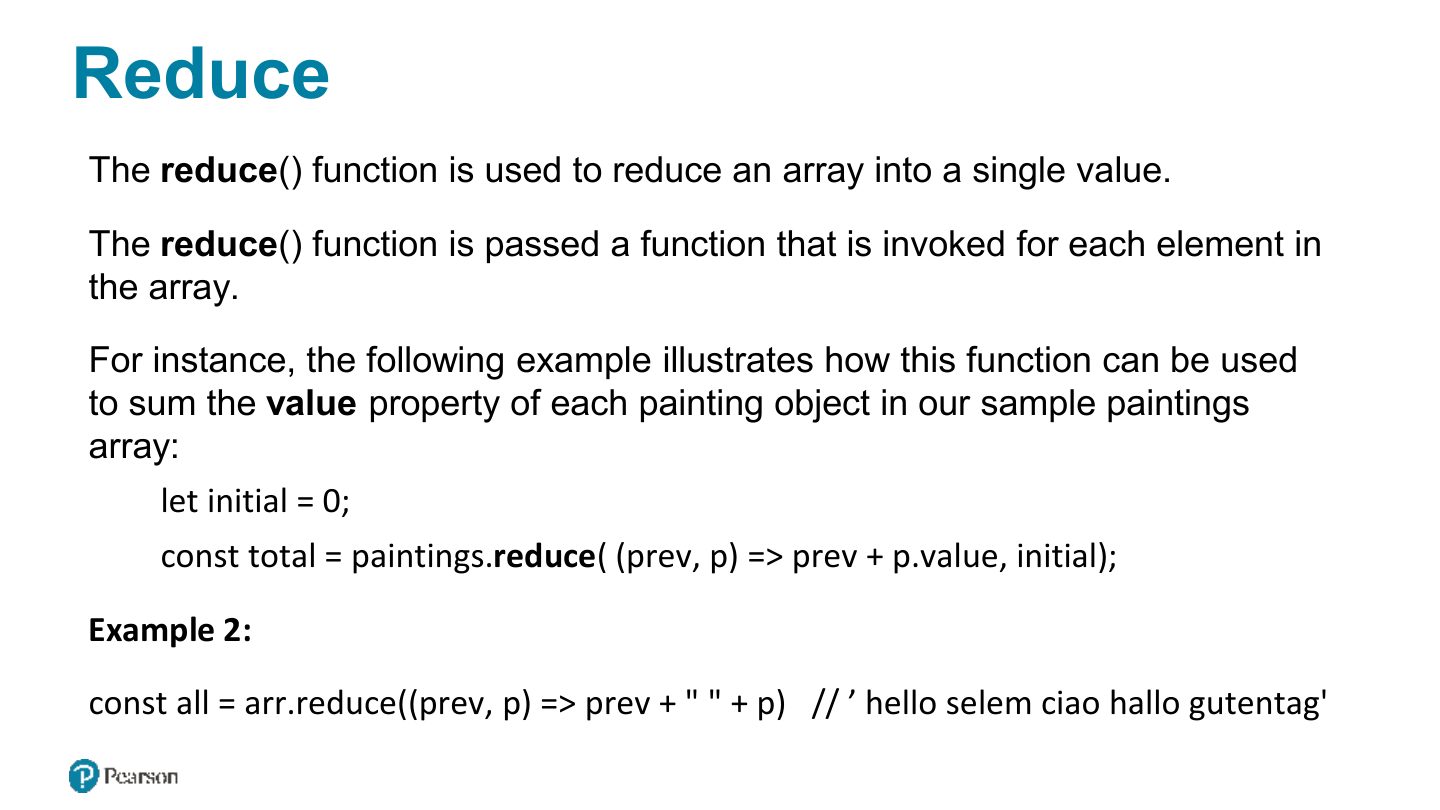
Reduce
Notes
reduce combines all elements into one value: [1, 2, 3].reduce((acc, n) => acc + n, 0) → 6.
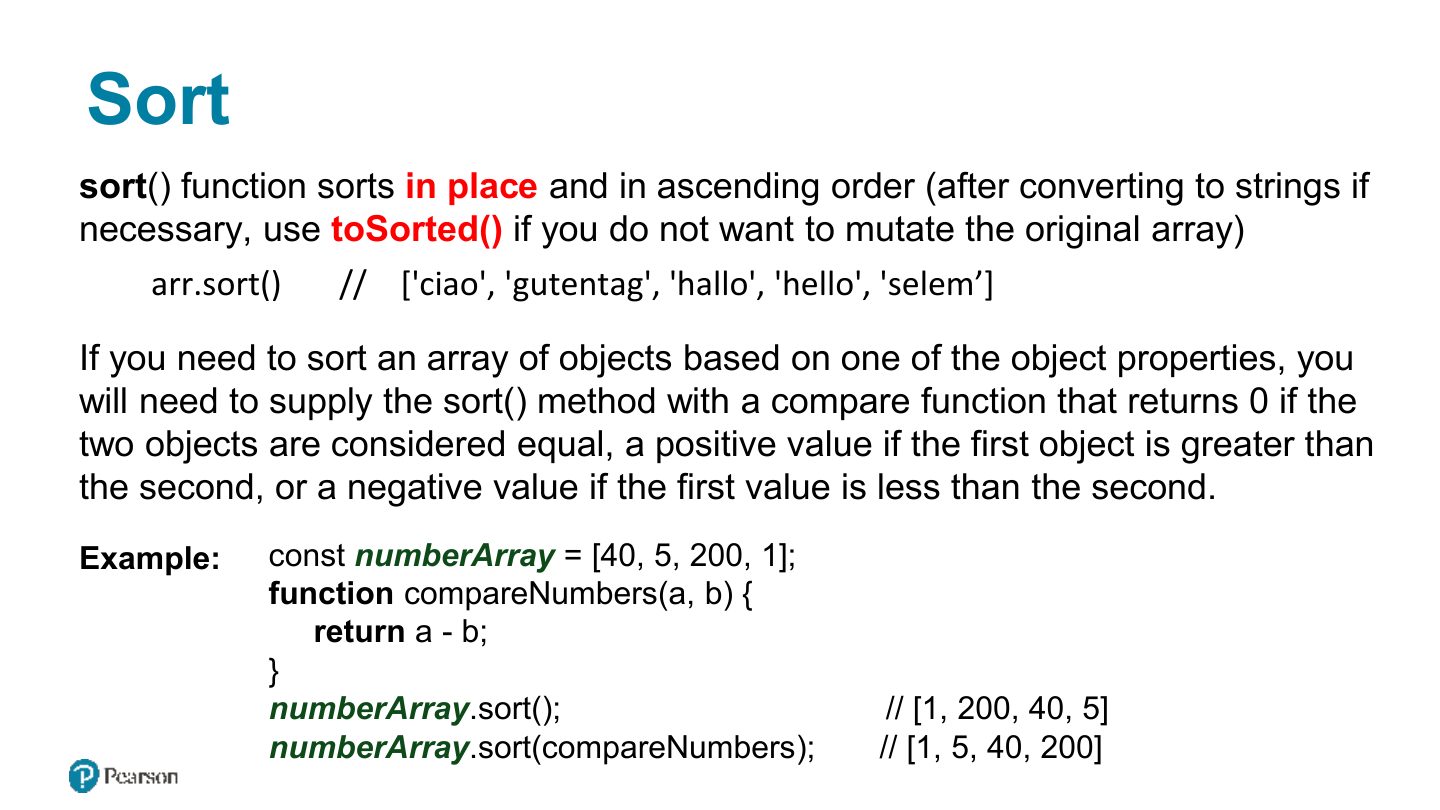
Sort
Notes
Trap Default sort is lexicographic.
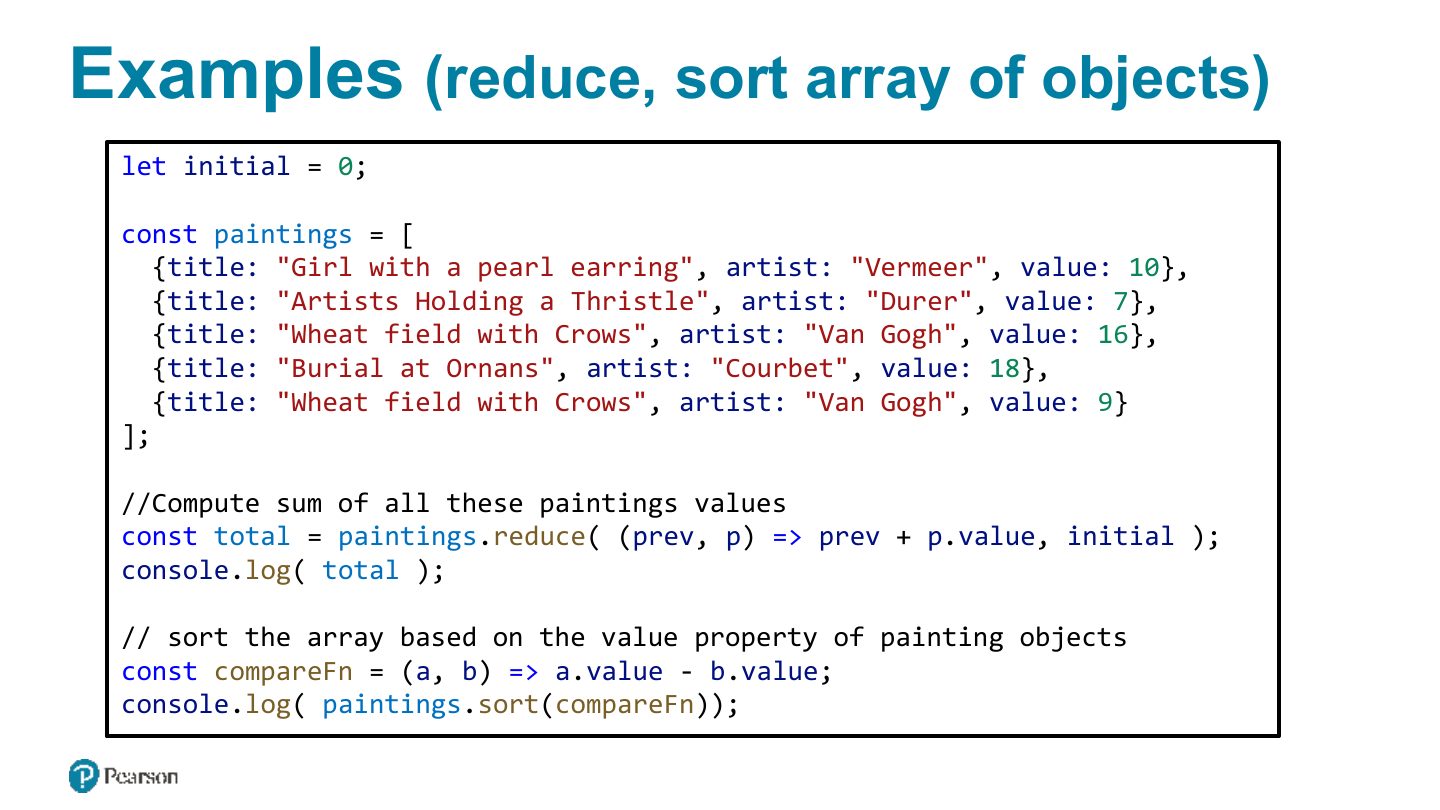
Examples
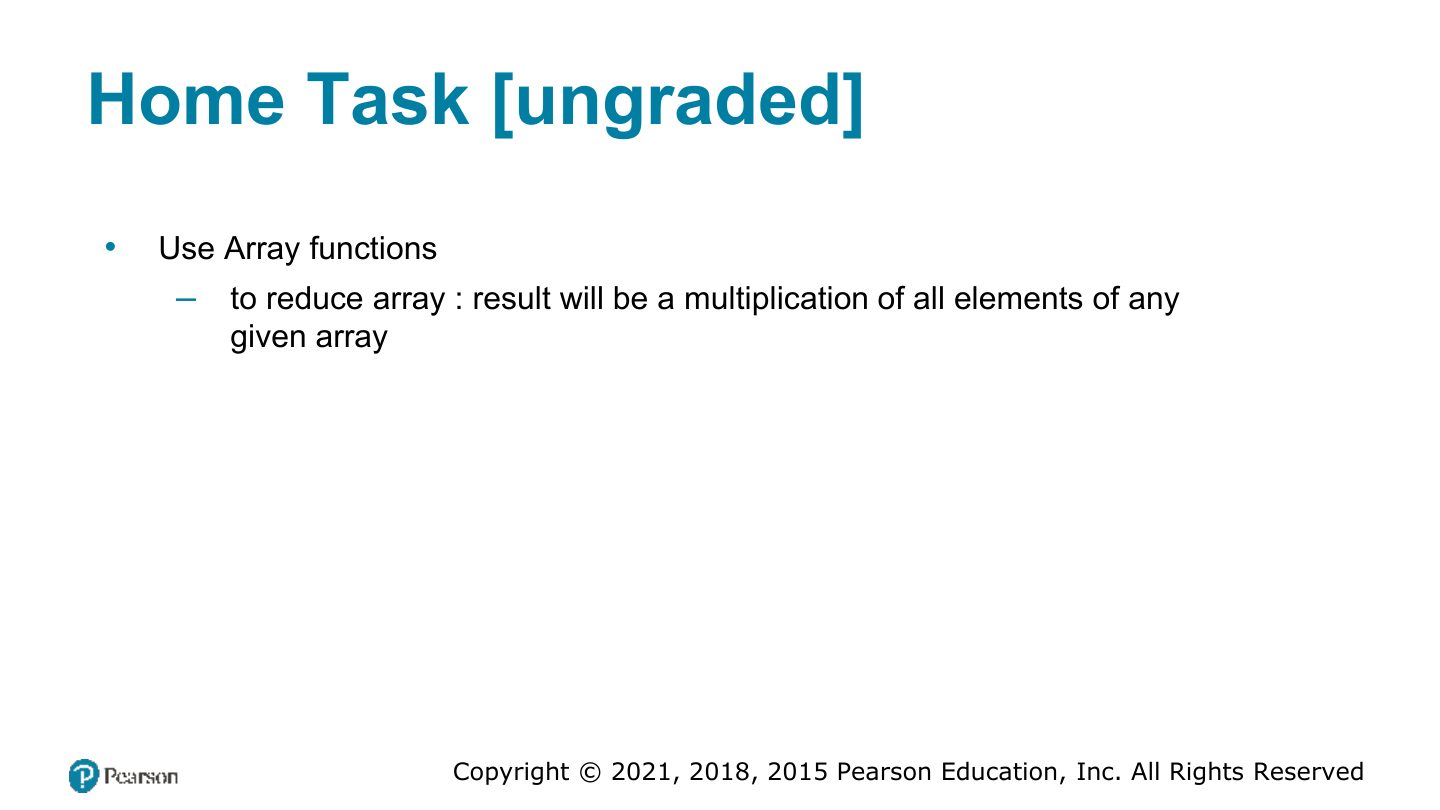
Home Task [ungraded]
Array syntax overview