An encrypted laptop hard drive protects data:
Data Security
Business-critical data and data at rest vs. in transit vs. in use, disk, file and removable-media encryption, backup strategy and media, RAID levels, SAN and NAS, backup types (full, incremental, differential), retention, recovery, and data loss prevention.
How to read this page
Every original slide is shown unchanged. Yellow marks on a slide point to a numbered note: hover or tap a mark to jump to its note, and hover a note to see its marks. Questions tagged Past exam appeared on a real paper; Prediction questions are likely angles, not confirmed. Pick an answer to each question: a wrong pick tells you why it is wrong, so you can try again.
All 50 slides
- 1 Slide 1
- 2 Module Objectives
- 3 Module Flow
- 4 What is Business Critical Data?
- 5 Need for Data Security
- 6 Data Security
- 7 Example: “Data at Rest” vs “Data in Use” vs “Data in Transit”
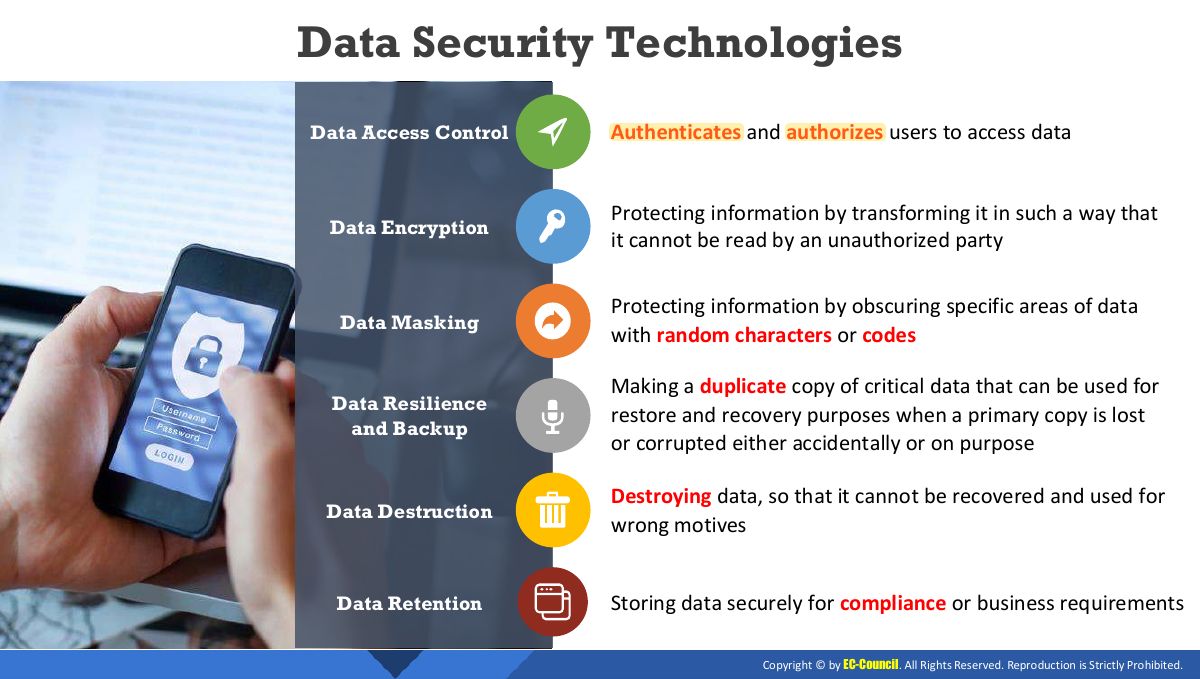
- 8 Data Security Technologies
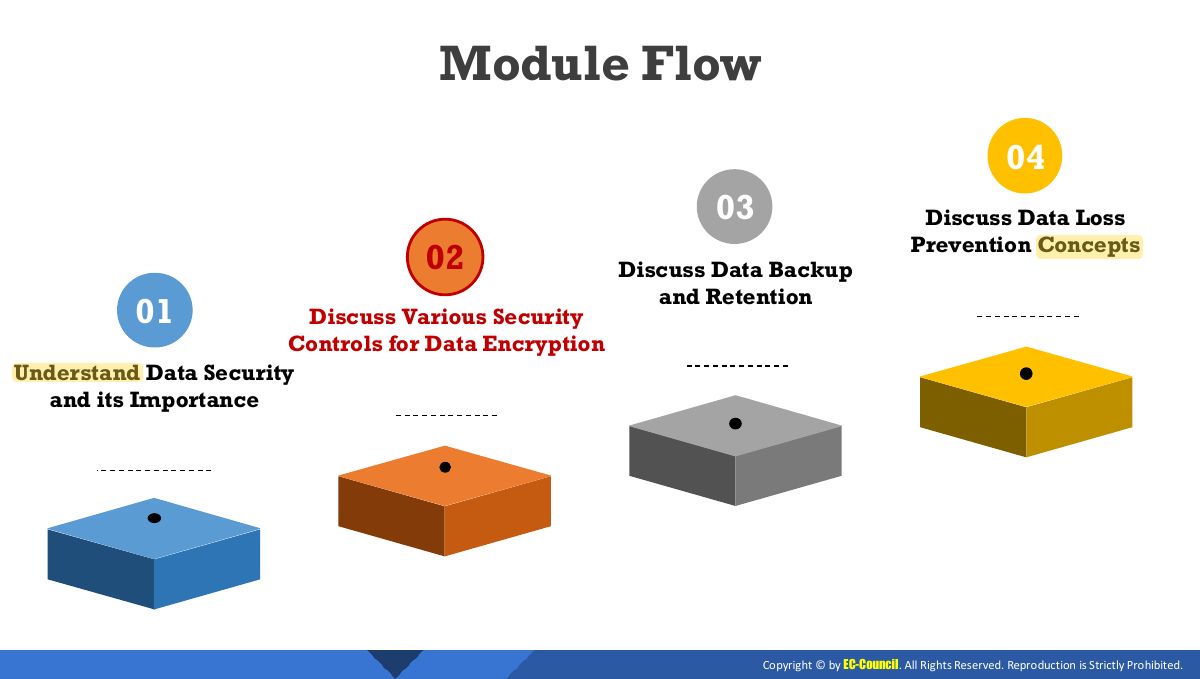
- 9 Module Flow
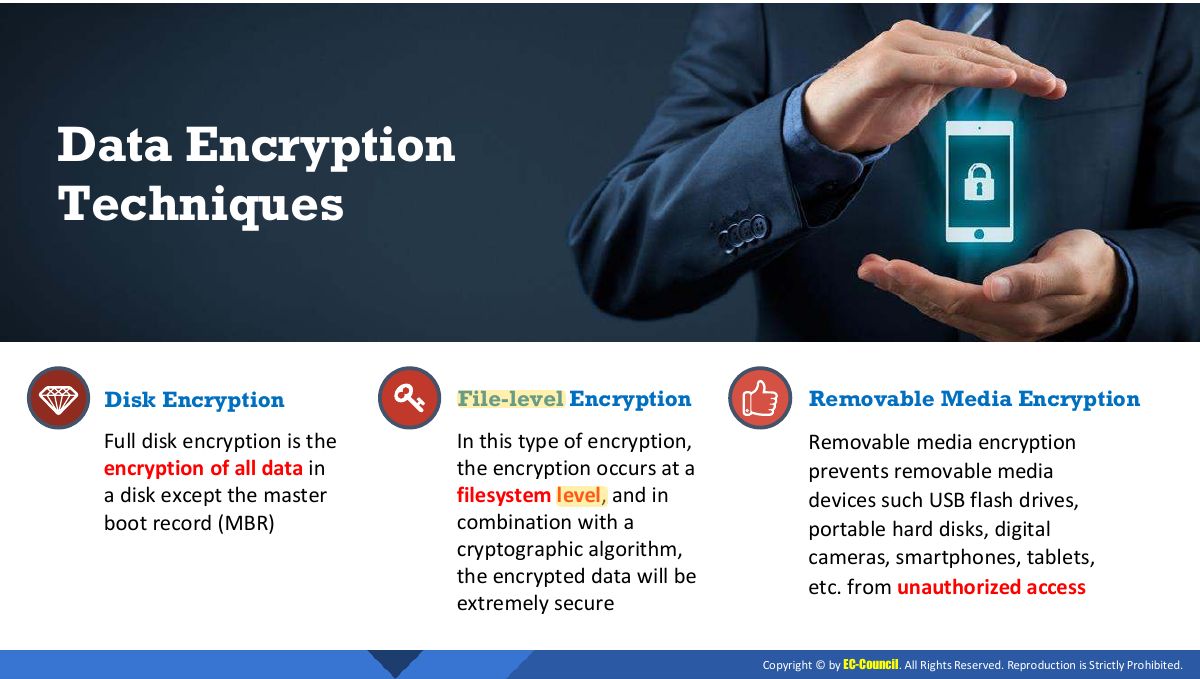
- 10 Techniques
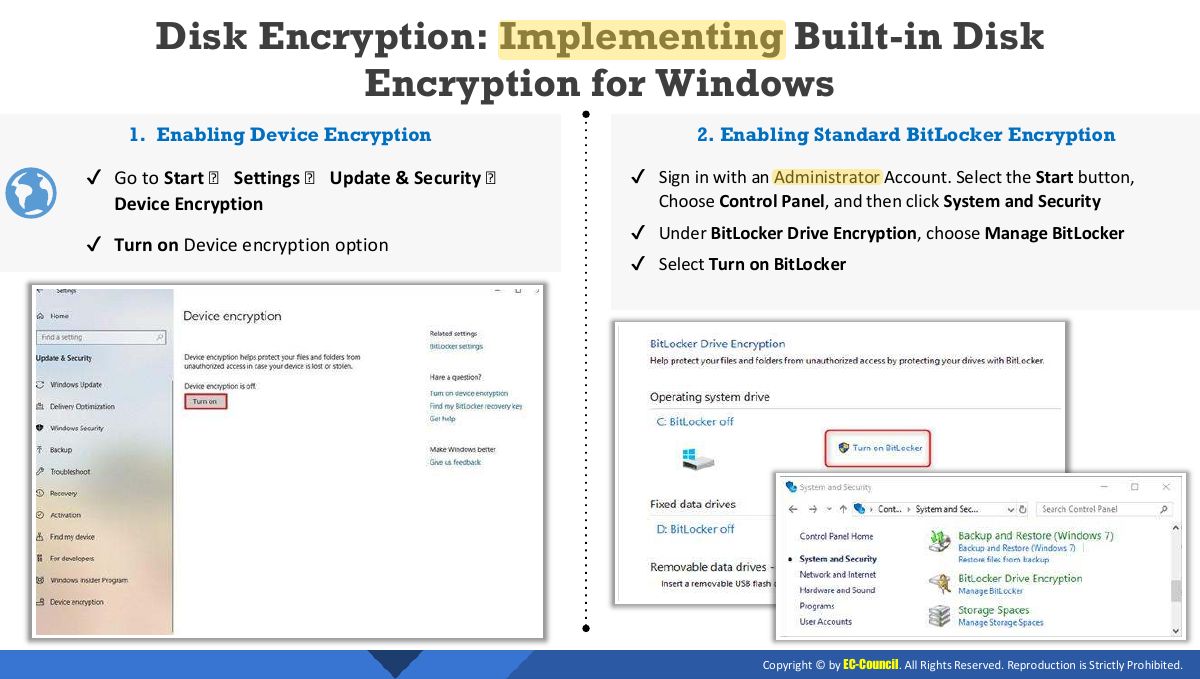
- 11 Disk Encryption: Implementing Built-in Disk Encryption for Windows
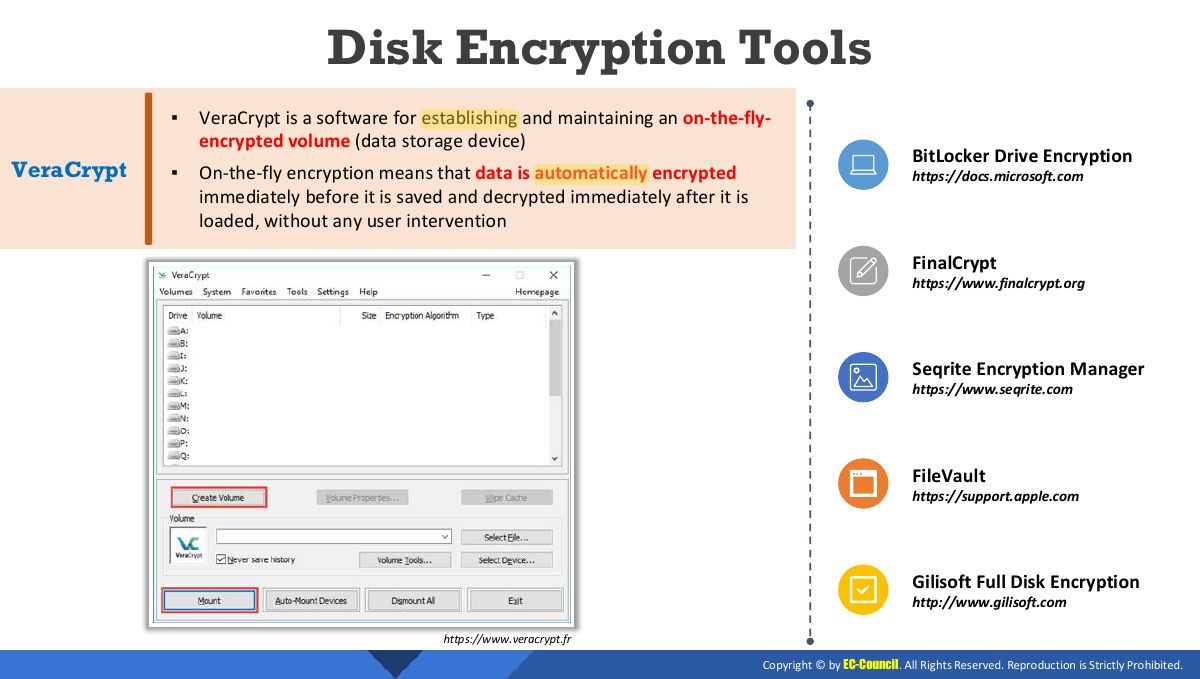
- 12 Disk Encryption Tools
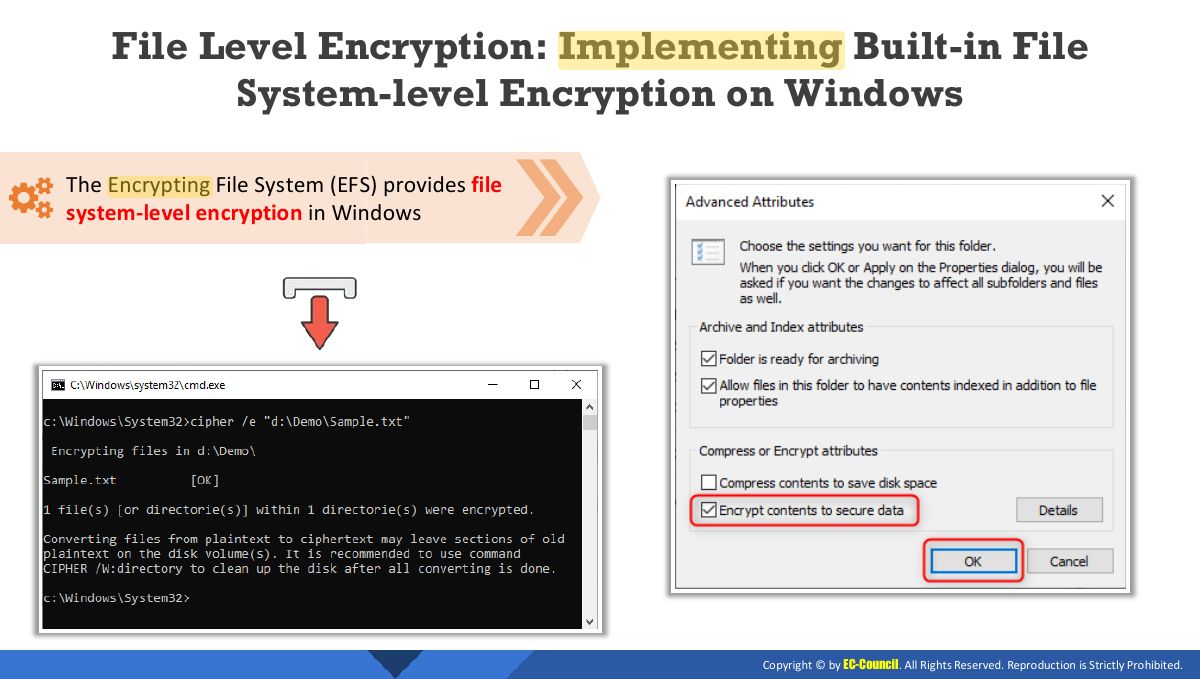
- 13 File Level Encryption: Implementing Built-in File System-level Encryption on Windows
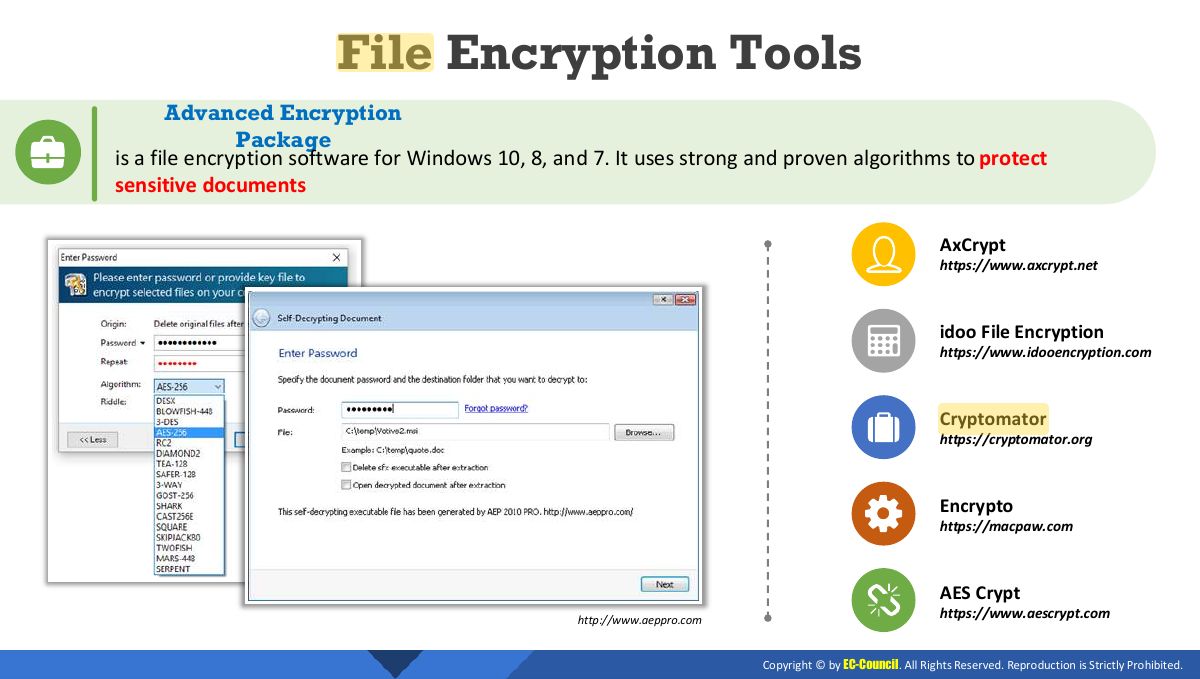
- 14 File Encryption Tools
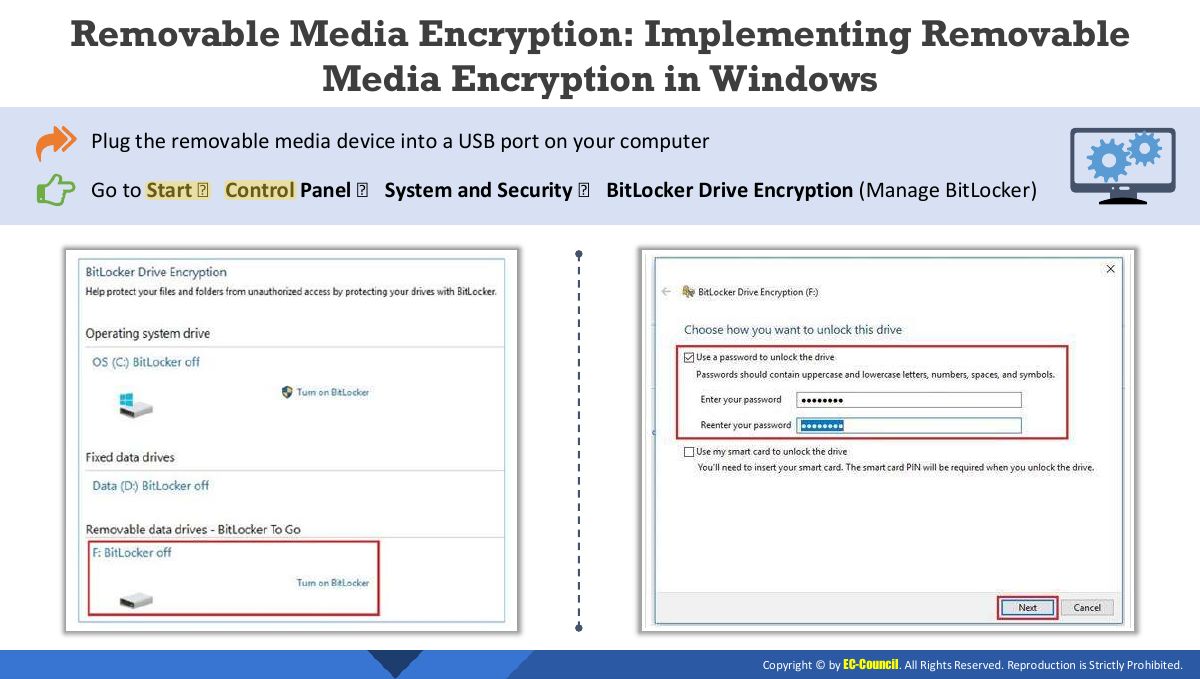
- 15 Removable Media Encryption: Implementing Removable Media Encryption in Windows
- 16 Removable Media Encryption Tools
- 17 Module Flow
- 18 Introduction to Data Backup
- 19 Data Backup Strategy/Plan
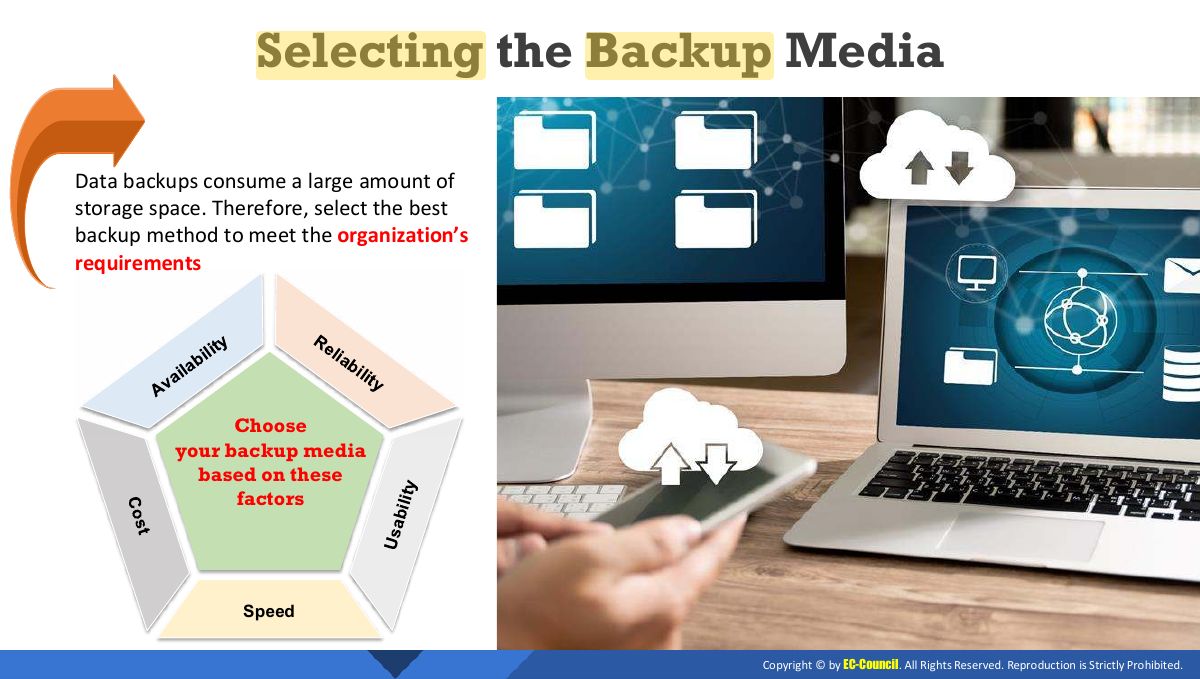
- 20 Selecting the Backup Media
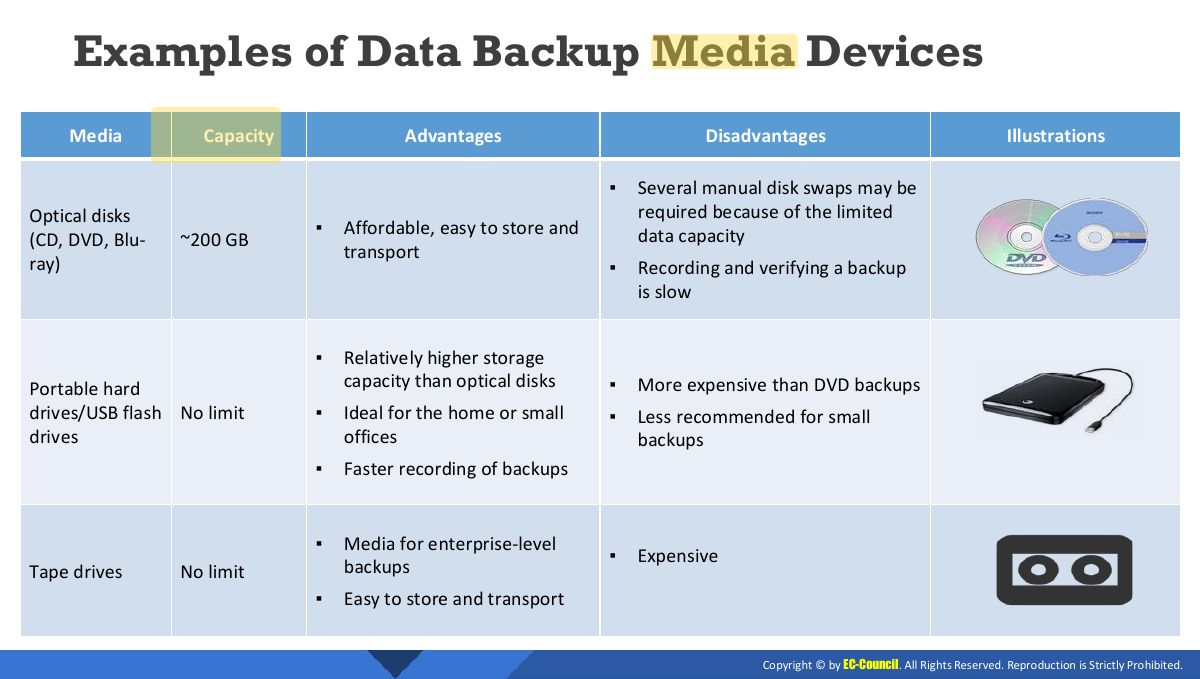
- 21 Examples of Data Backup Media Devices
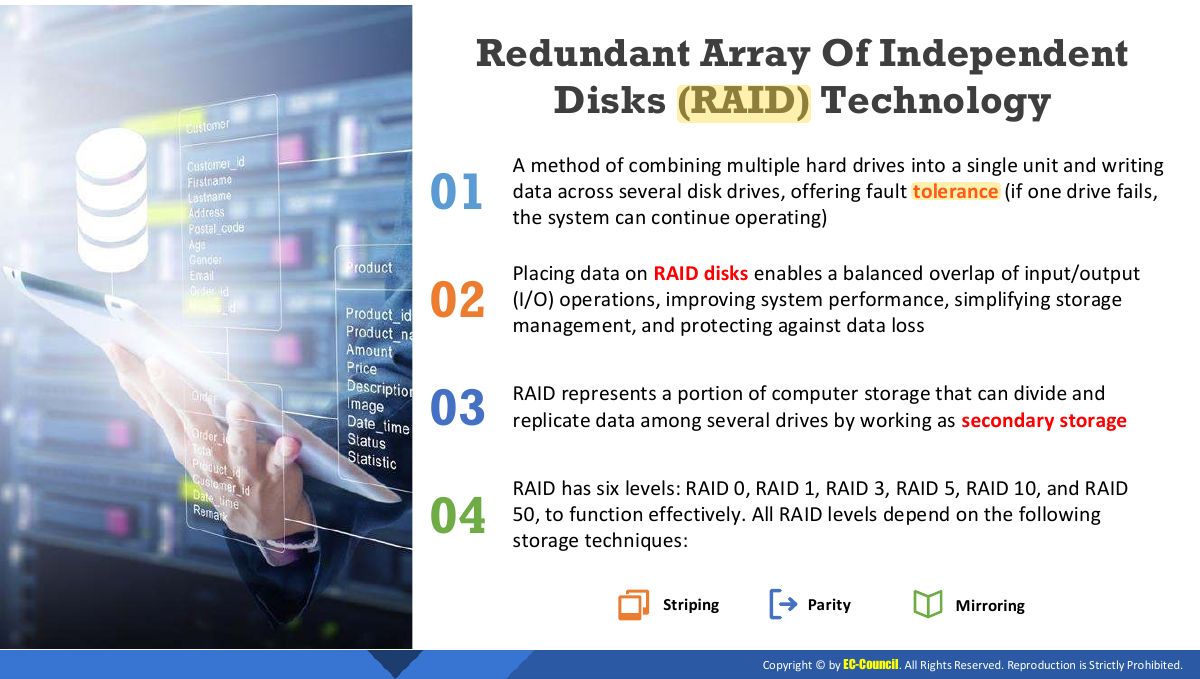
- 22 Redundant Array Of Independent Disks (RAID) Technology
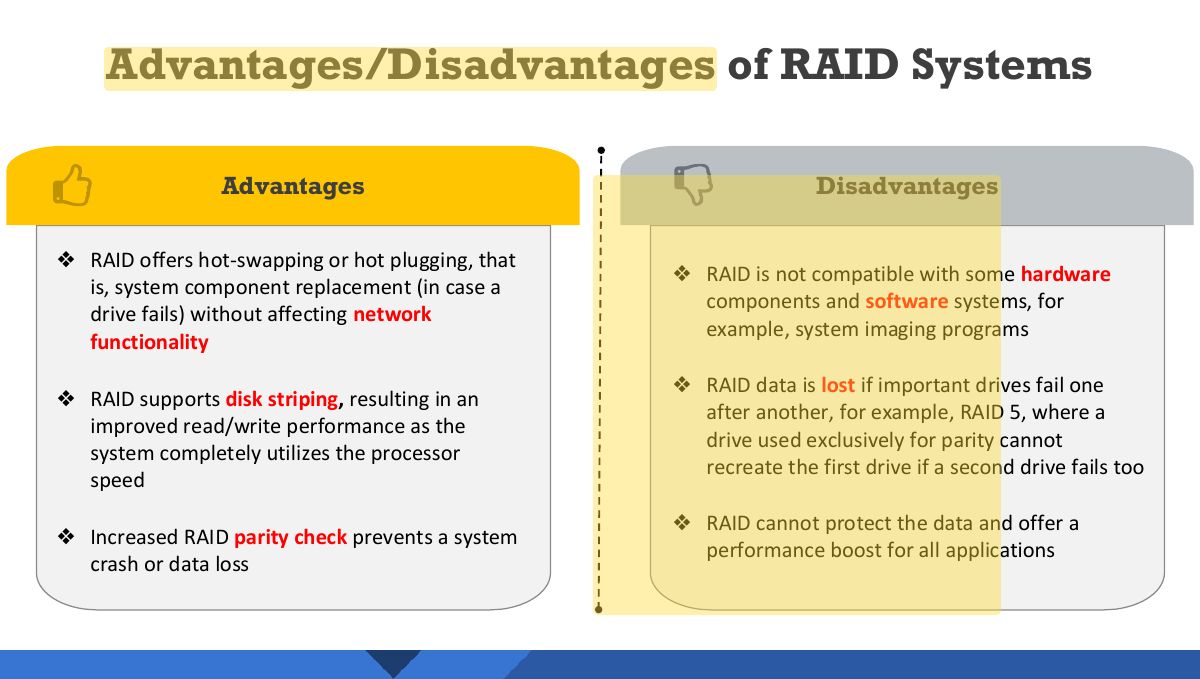
- 23 Advantages/Disadvantages of RAID Systems
- 24 RAID Storage Architecture
- 25 RAID Storage Architecture (Cont’d)
- 26 (Cont’d)
- 27 RAID Level 0: Disk Striping
- 28 RAID Level 1: Disk Mirroring
- 29 RAID Level 3: Disk Striping with Parity
- 30 RAID Level 5: Block Interleaved Distributed Parity
- 31 RAID Level 10: Blocks Striped and Mirrored
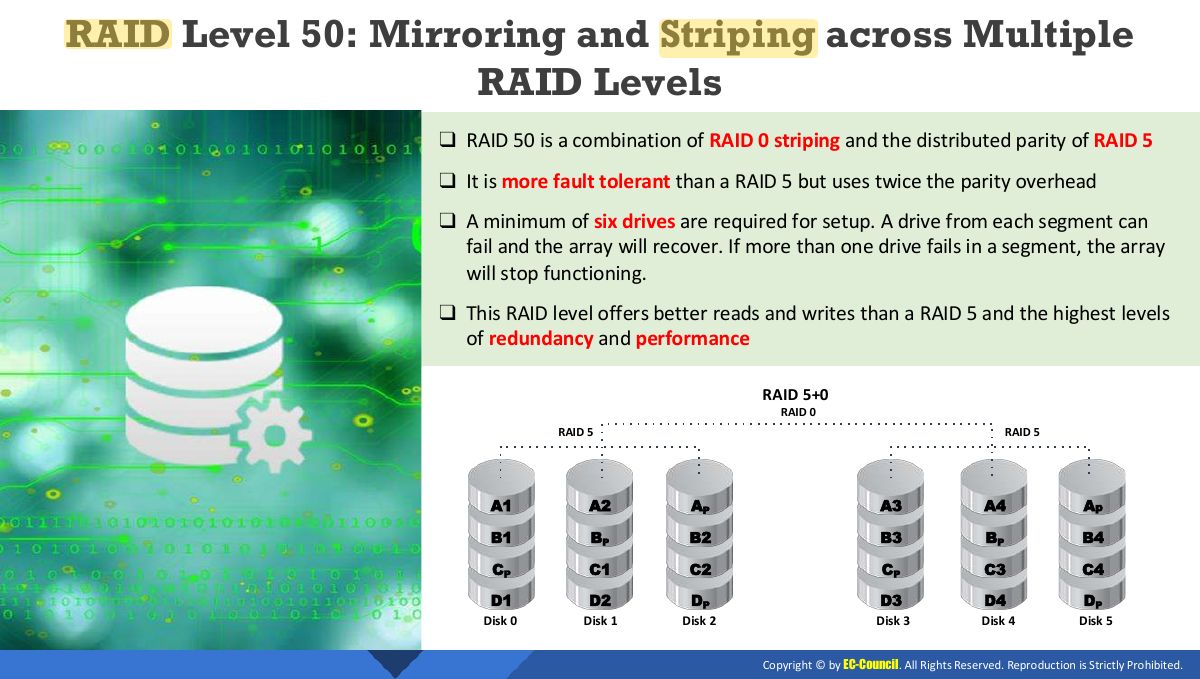
- 32 RAID Level 50: Mirroring and Striping across Multiple RAID Levels
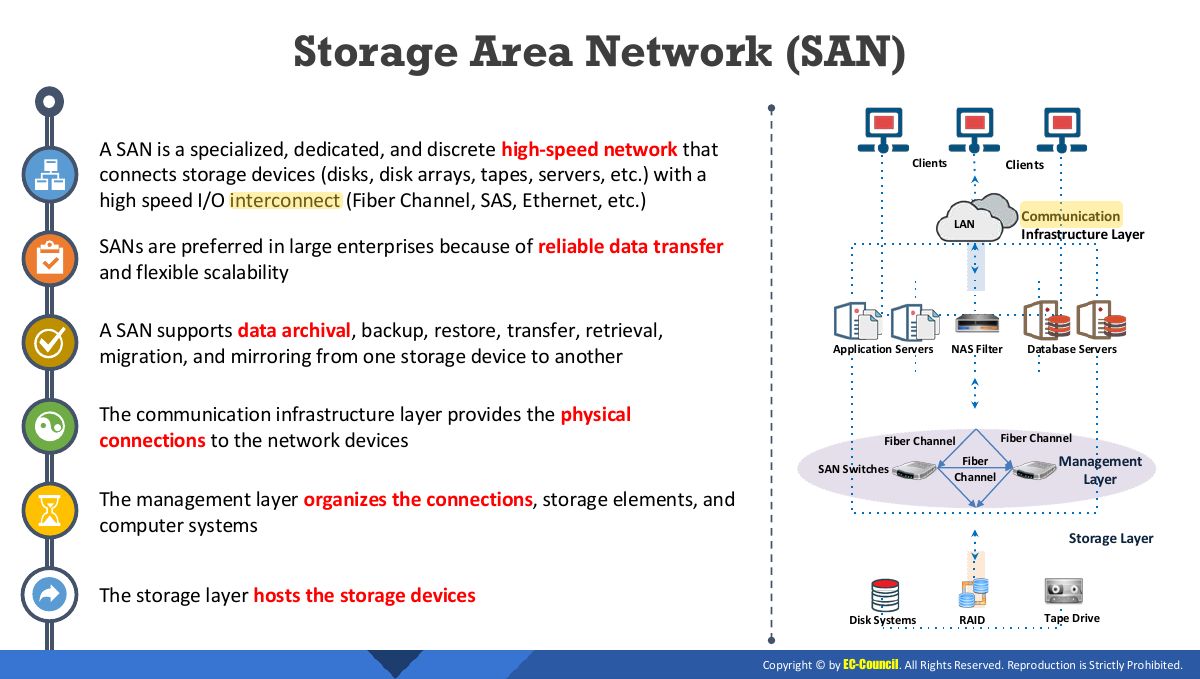
- 33 Storage Area Network (SAN)
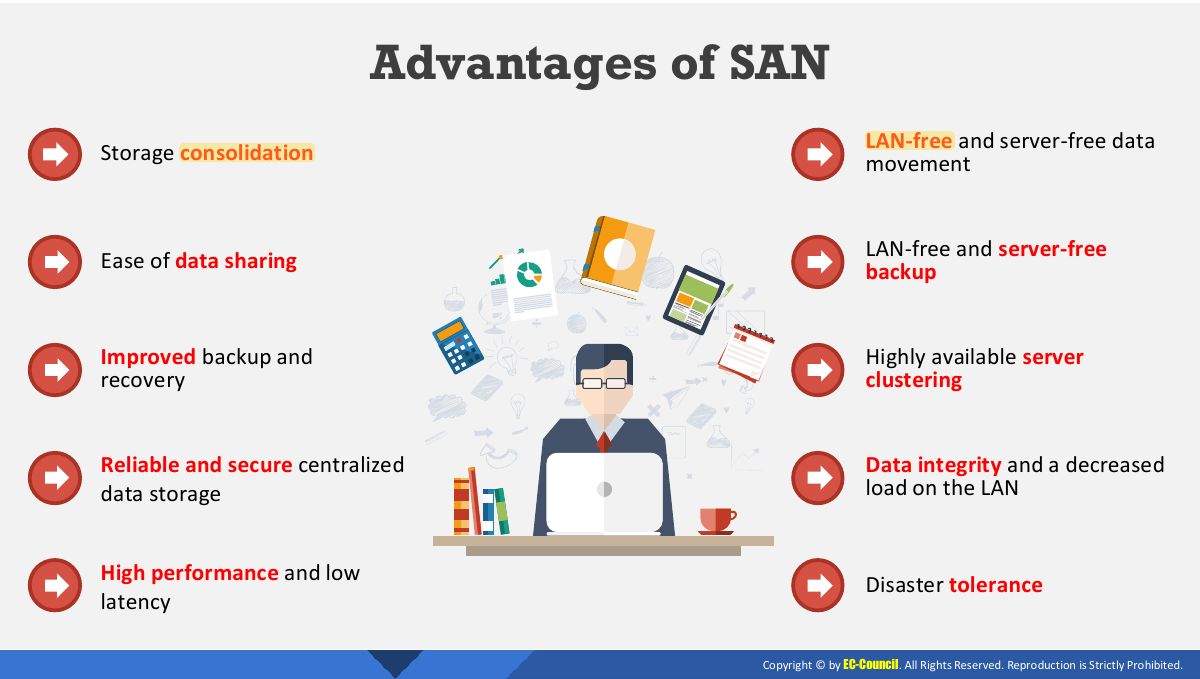
- 34 Advantages of SAN
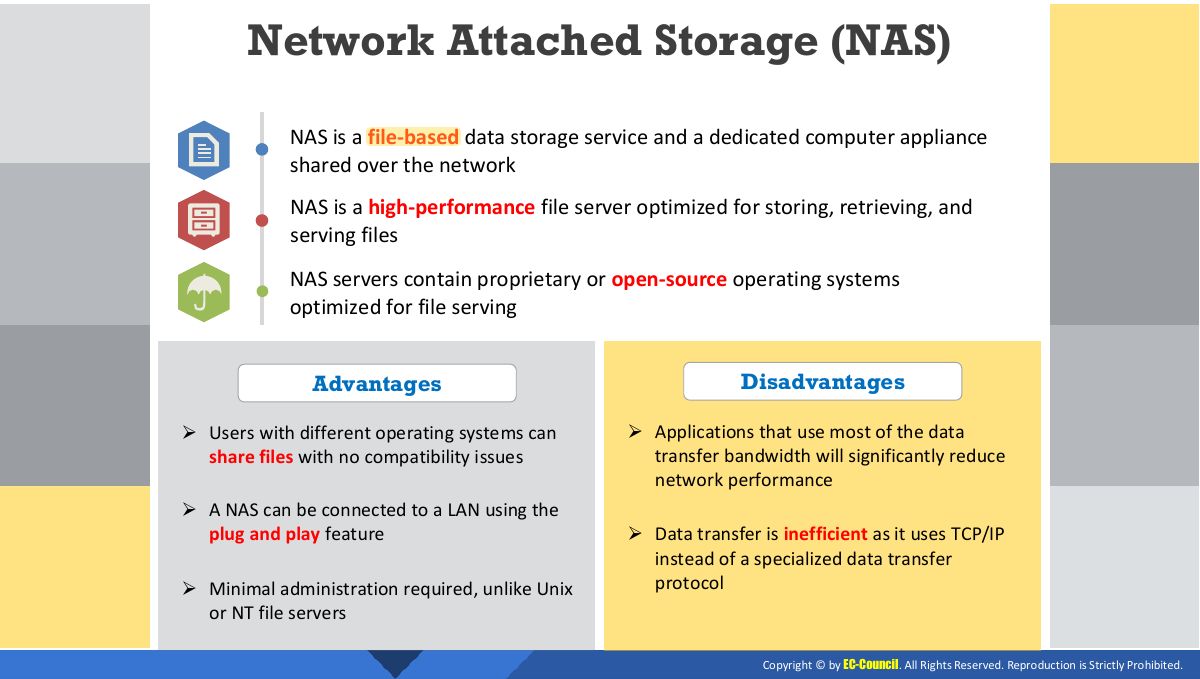
- 35 Network Attached Storage (NAS)
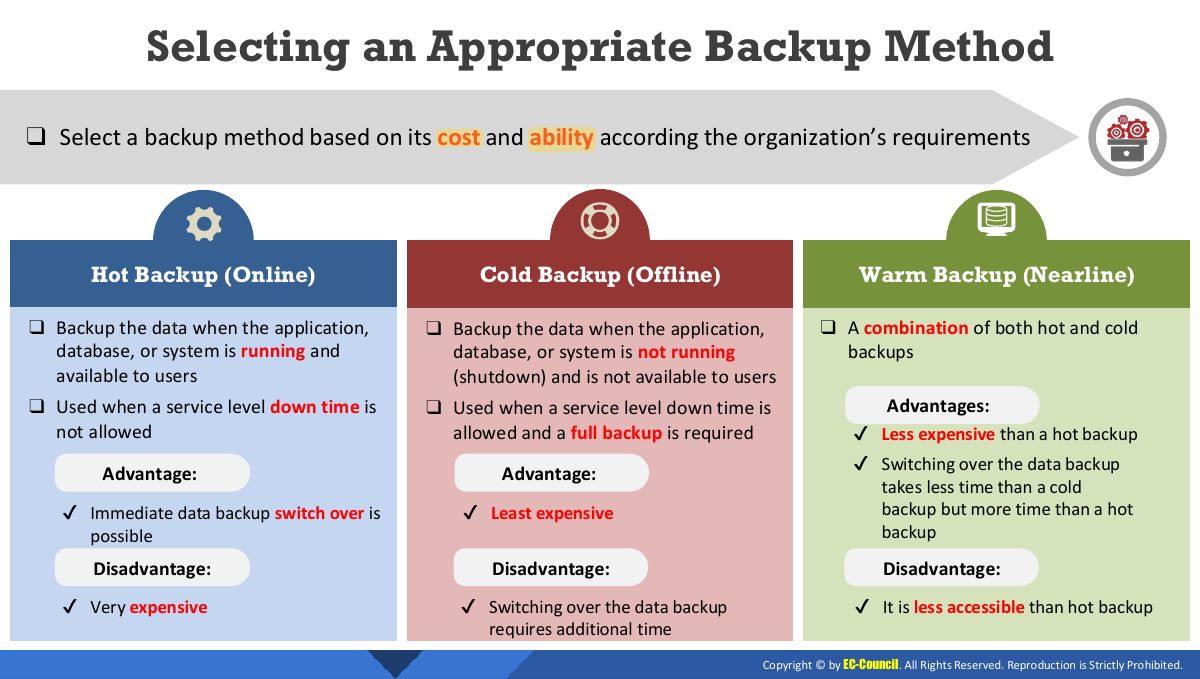
- 36 Selecting an Appropriate Backup Method
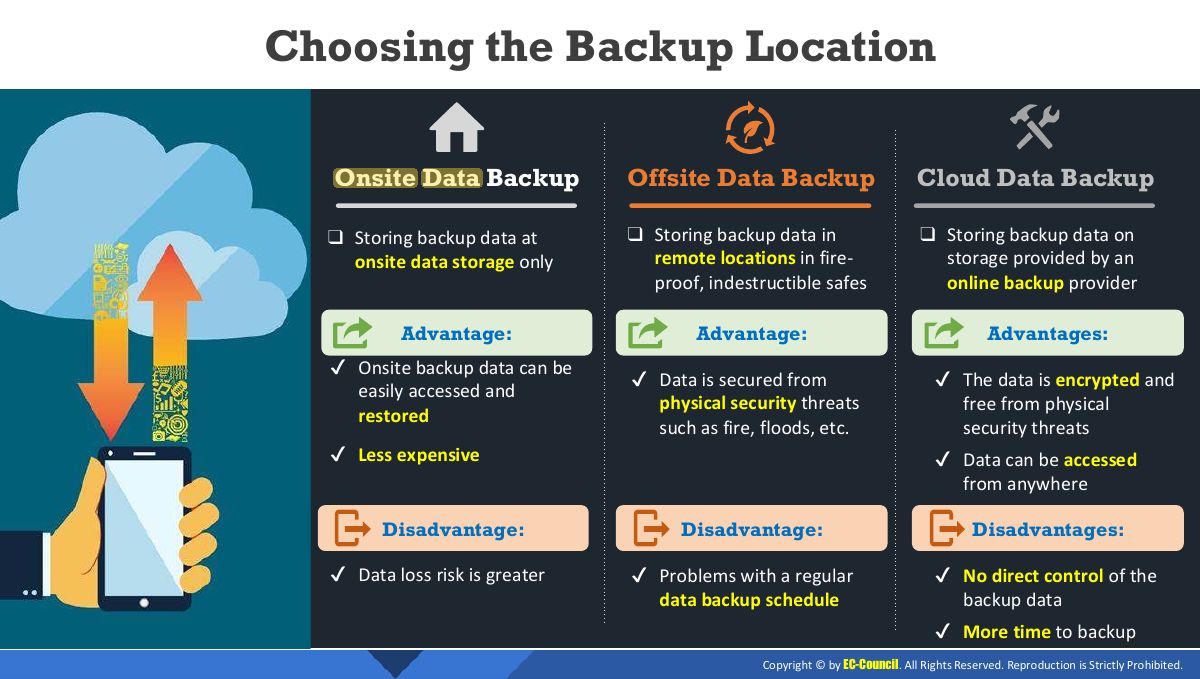
- 37 Choosing the Backup Location
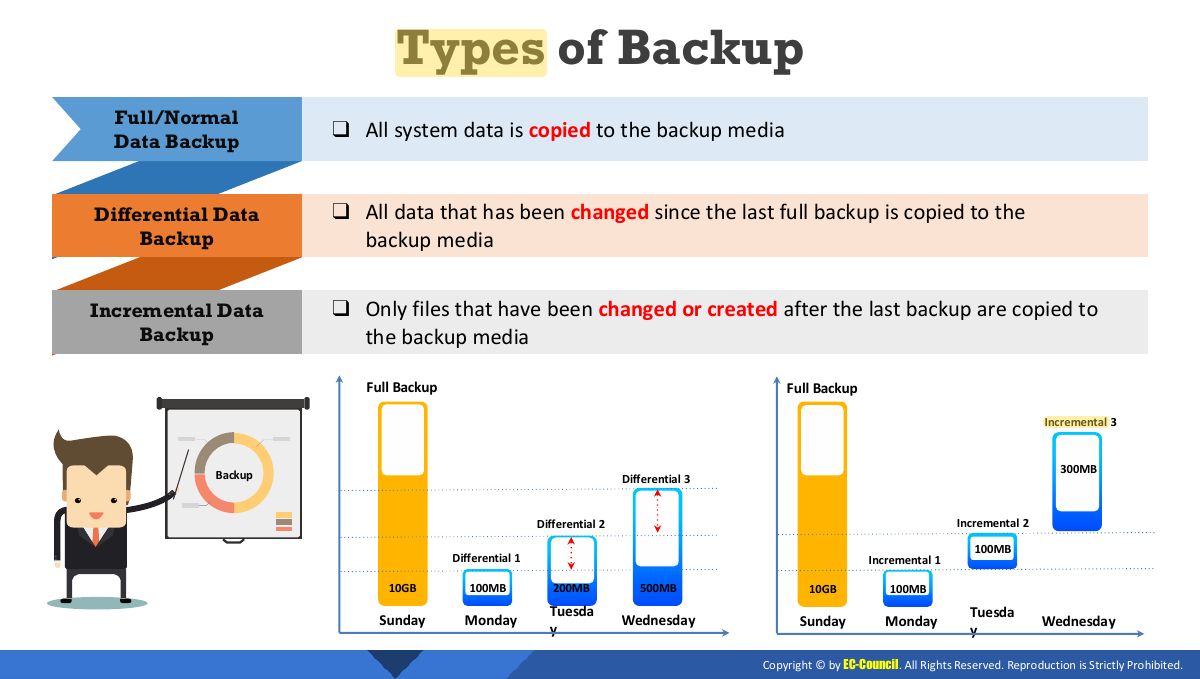
- 38 Types of Backup
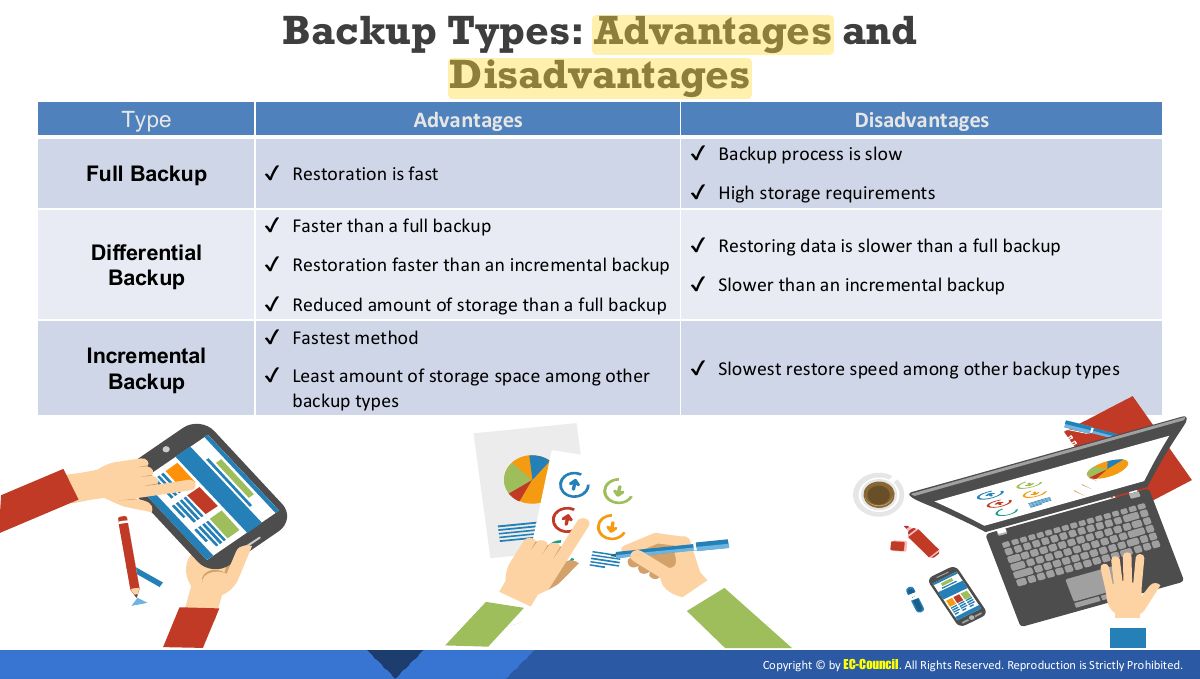
- 39 Backup Types: Advantages and Disadvantages
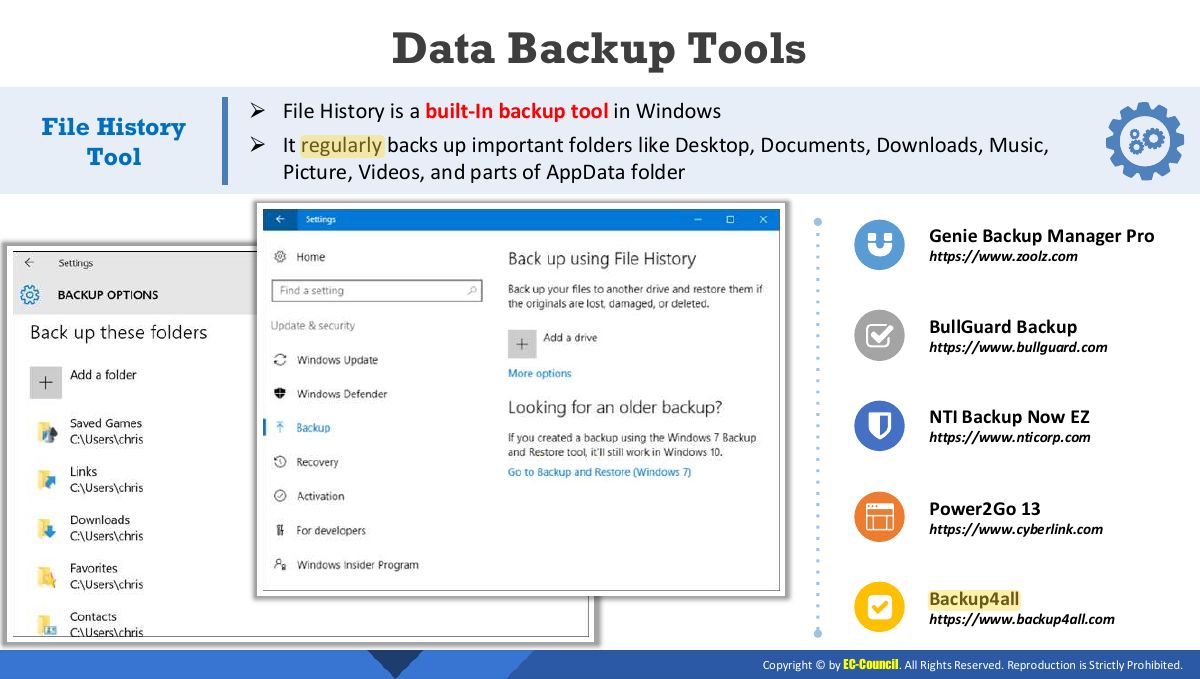
- 40 Data Backup Tools
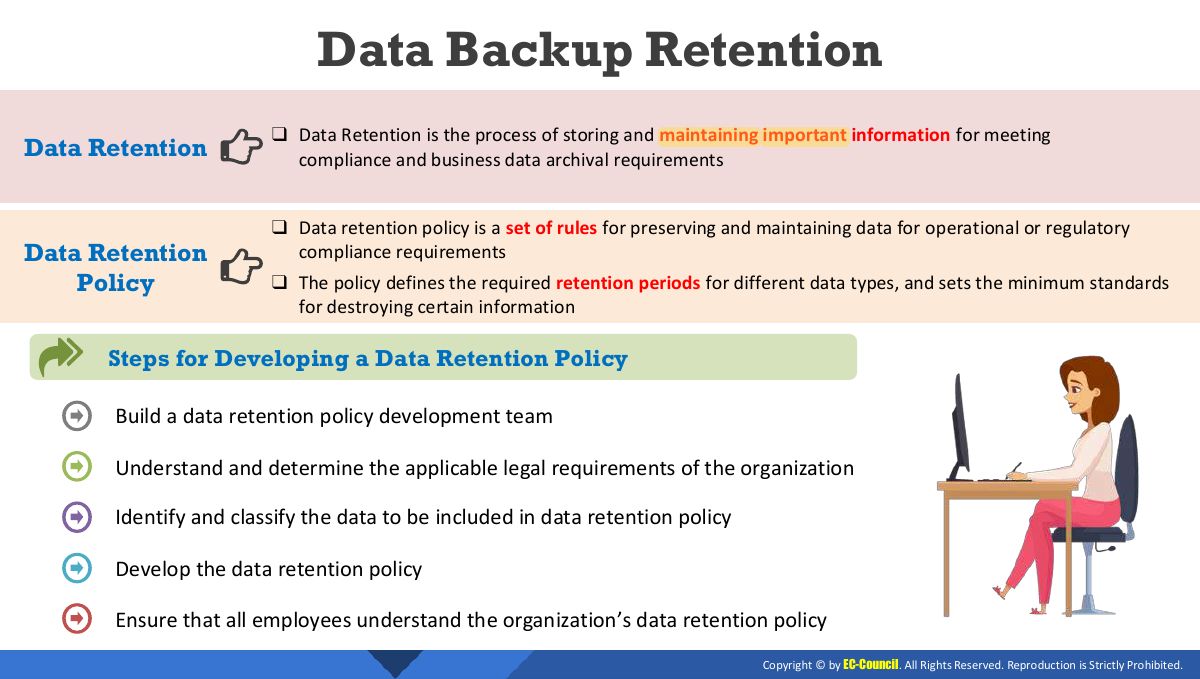
- 41 Data Backup Retention
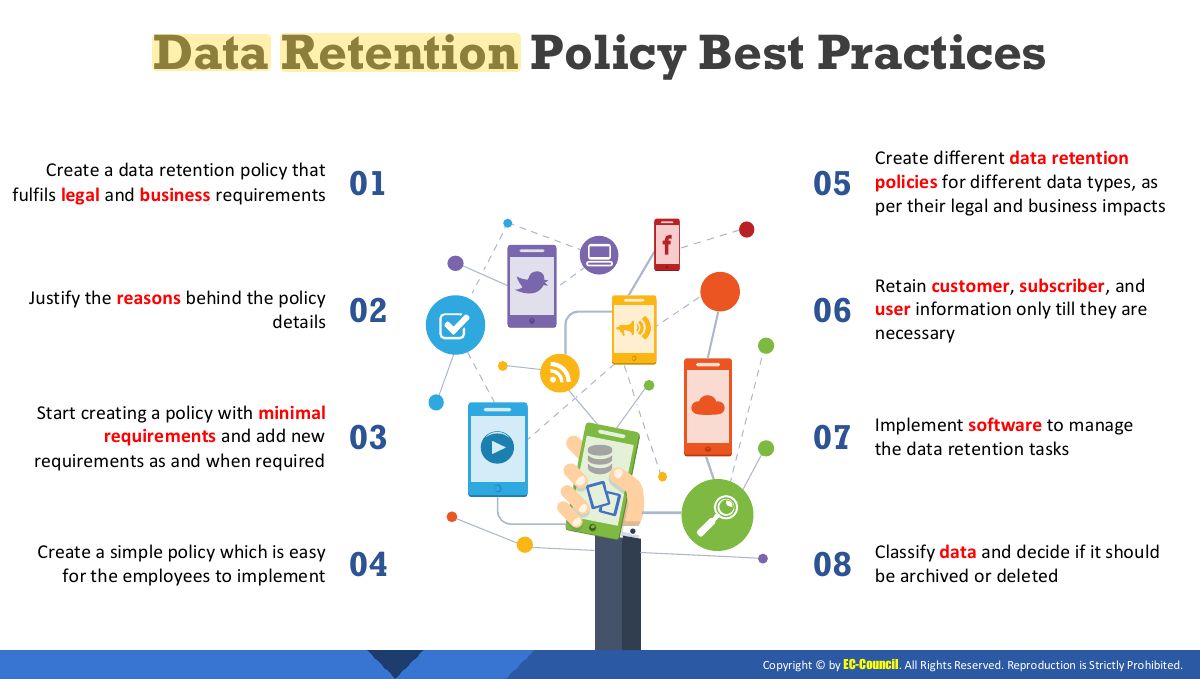
- 42 Data Retention Policy Best Practices
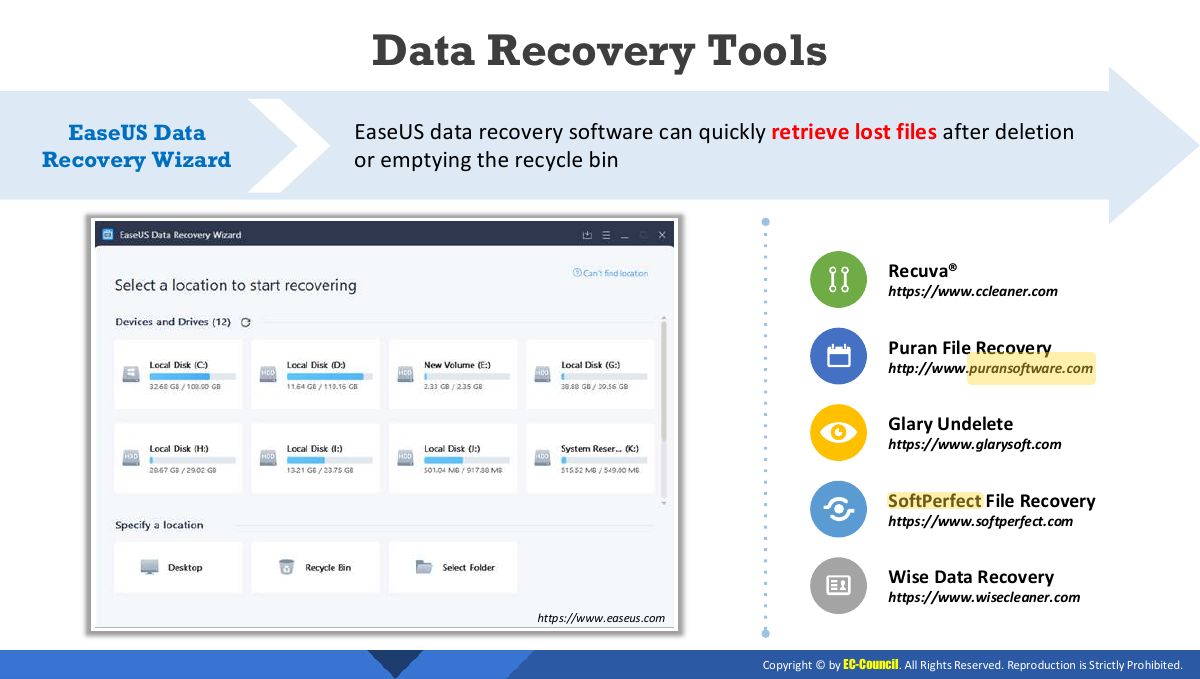
- 43 Data Recovery Tools
- 44 Module Flow
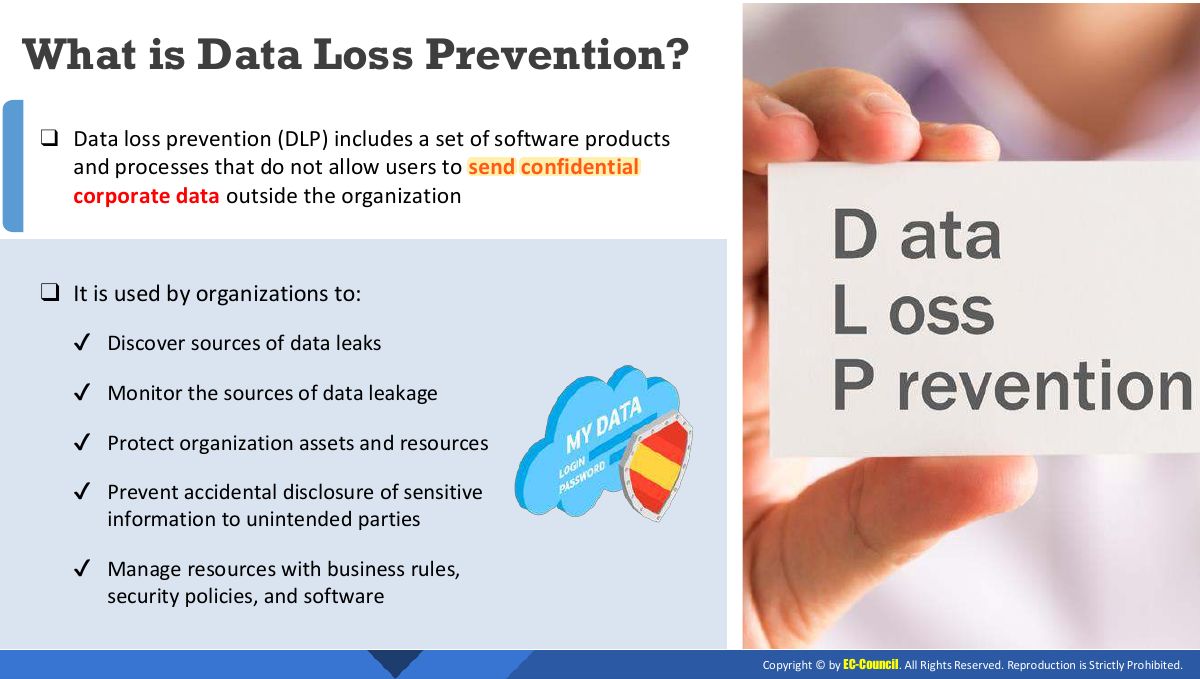
- 45 What is Data Loss Prevention?
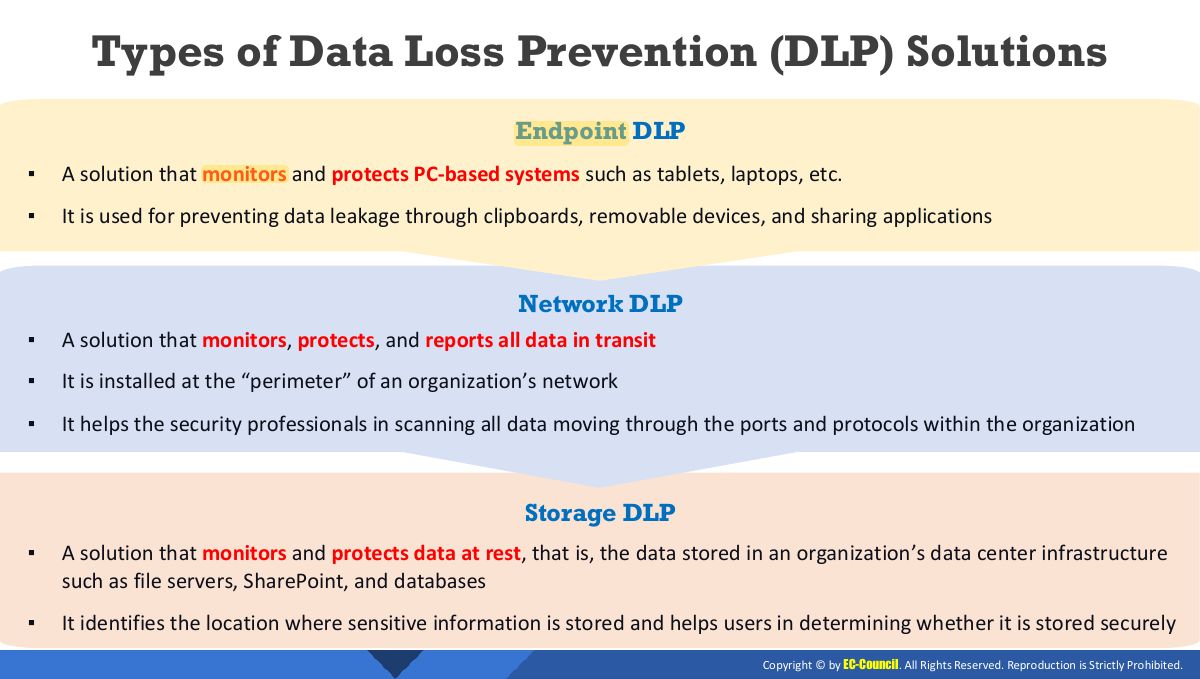
- 46 Types of Data Loss Prevention (DLP) Solutions
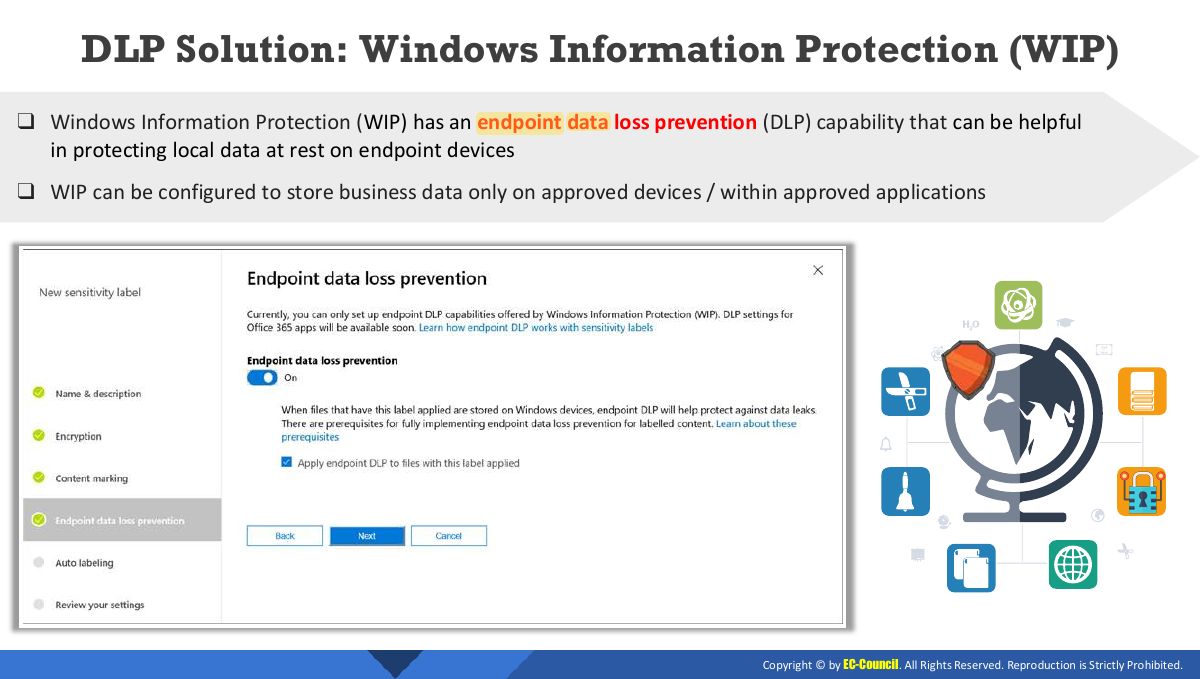
- 47 DLP Solution: Windows Information Protection (WIP)
- 48 DLP Solutions
- 49 Best Practices for a Successful DLP Implementation
- 50 Module Summary
Slide 1
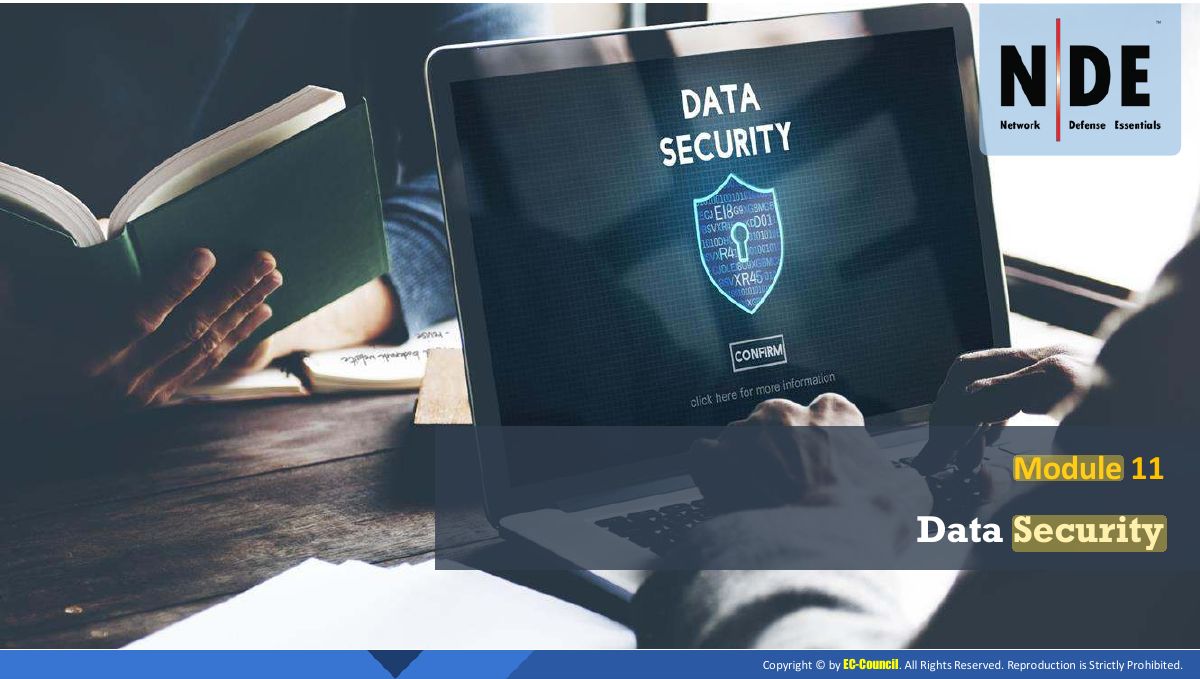
Module Objectives
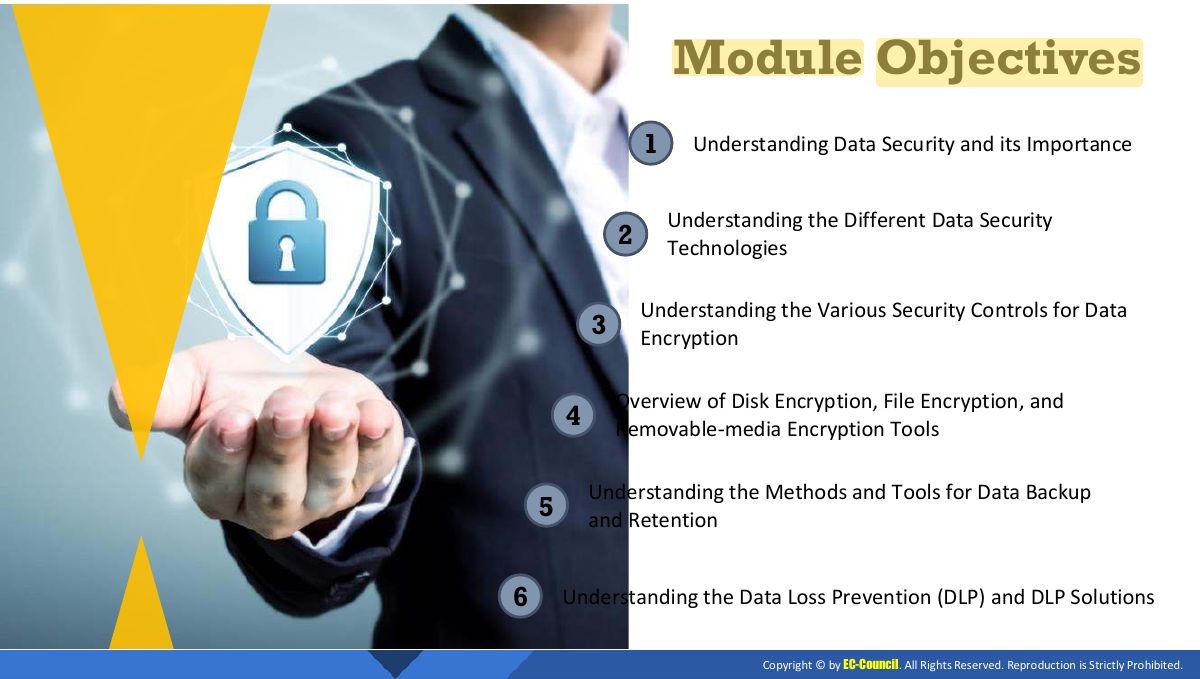
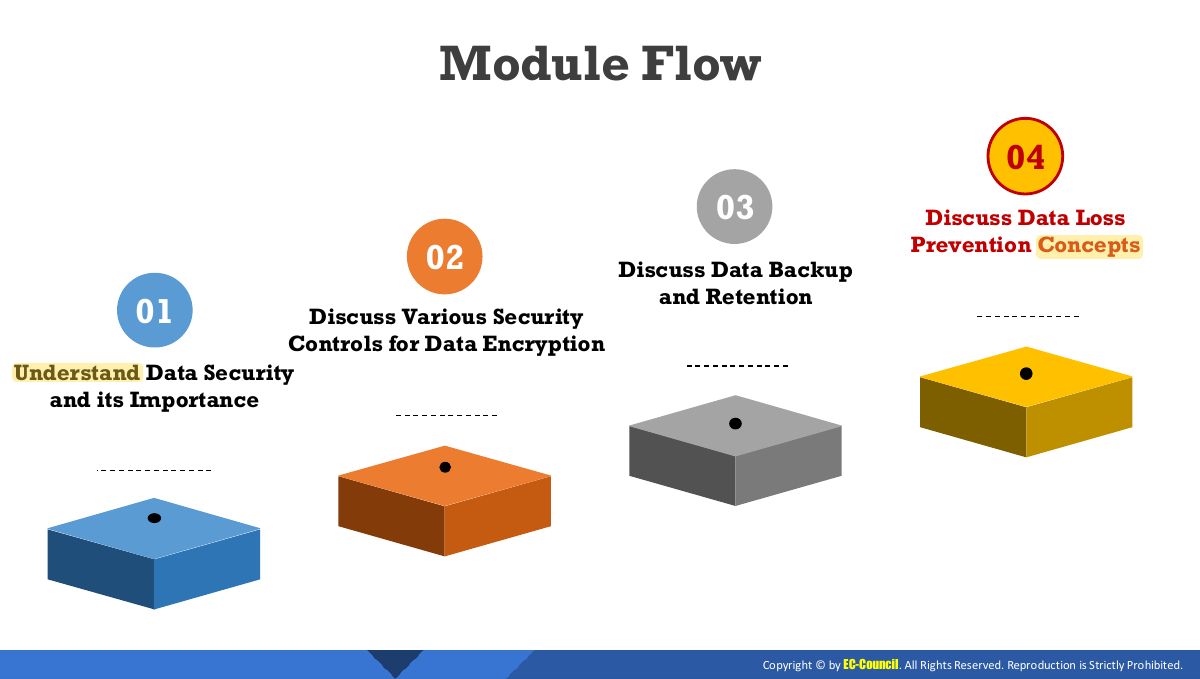
Module Flow
What is Business Critical Data?
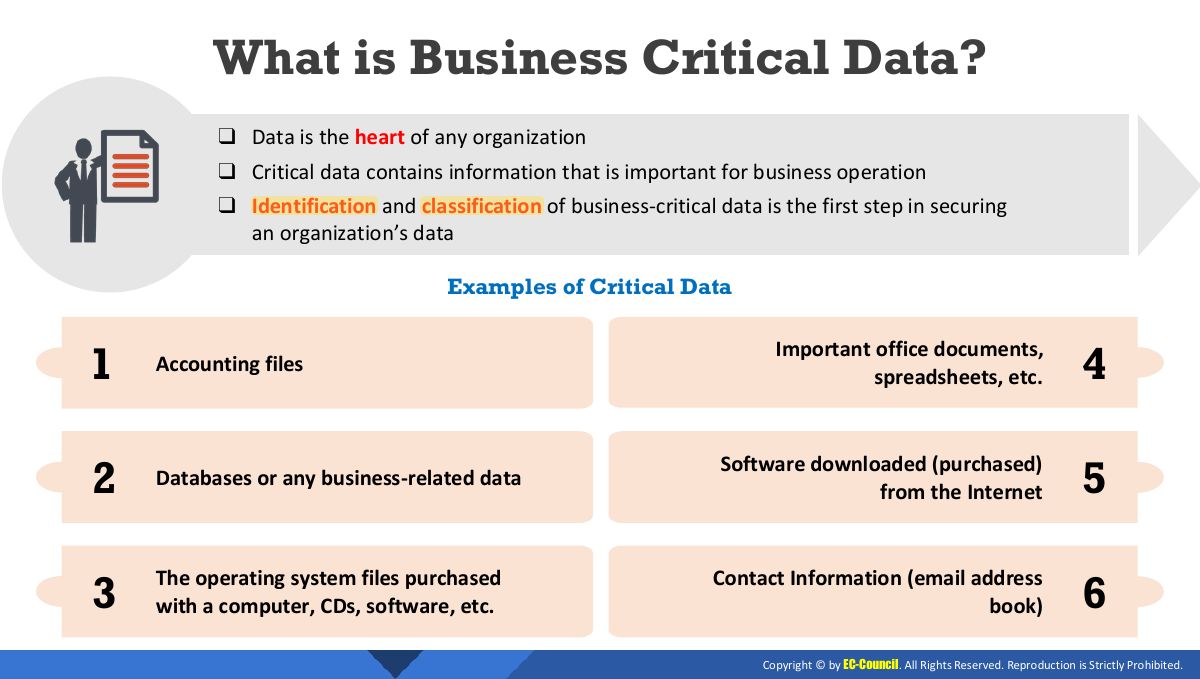
Need for Data Security
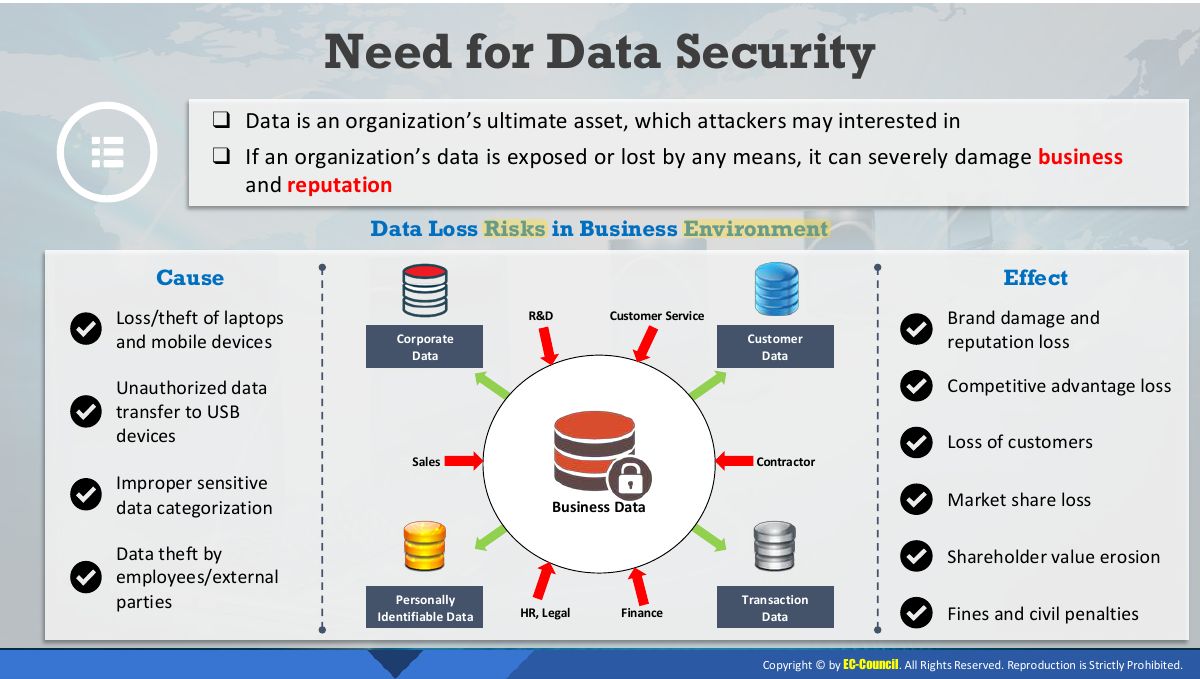
Data Security
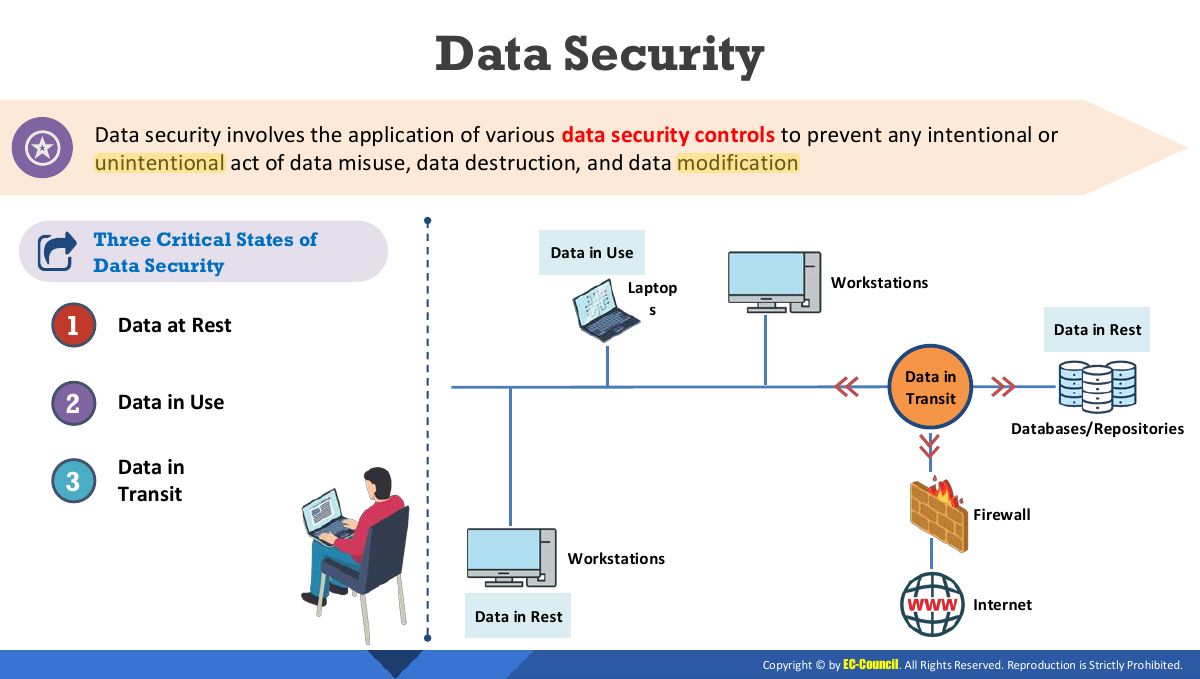
Example: “Data at Rest” vs “Data in Use” vs “Data in Transit”
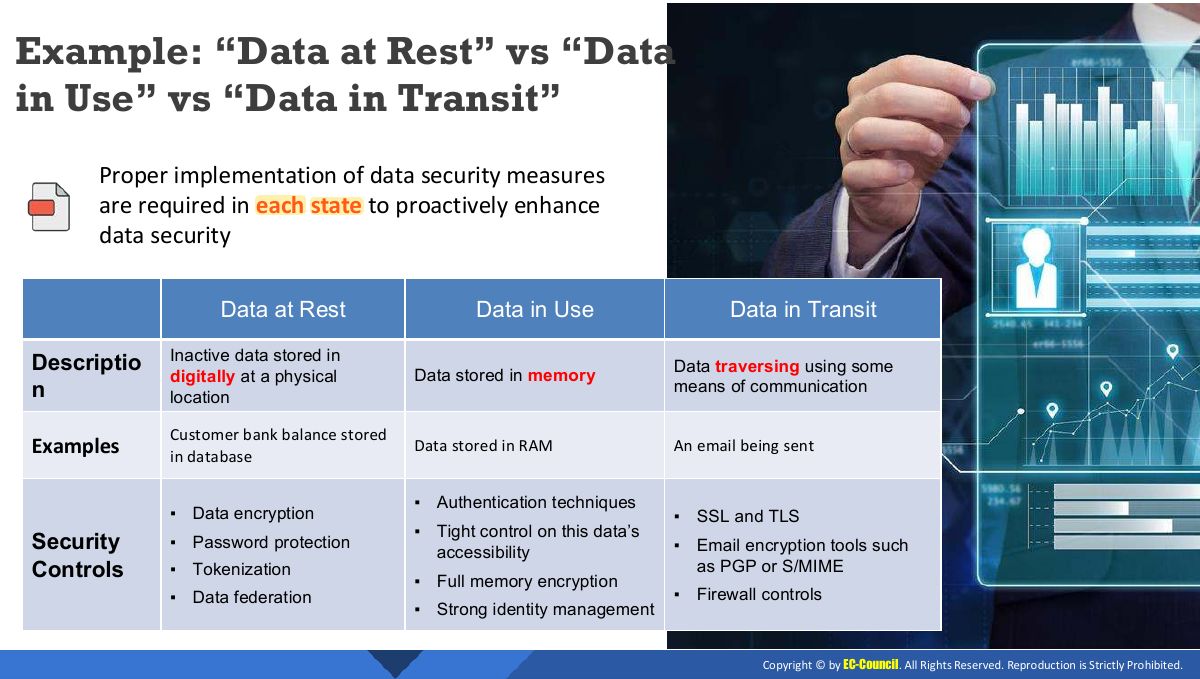
Notes
Data at rest (stored), in transit (moving over a network), in use (being processed): each needs its own protection.
Exam angle
Data Security Technologies
Module Flow
Techniques
Disk Encryption: Implementing Built-in Disk Encryption for Windows
Notes
Full-disk encryption (e.g. BitLocker) protects everything on a lost or stolen device.
Disk Encryption Tools
File Level Encryption: Implementing Built-in File System-level Encryption on Windows
File Encryption Tools
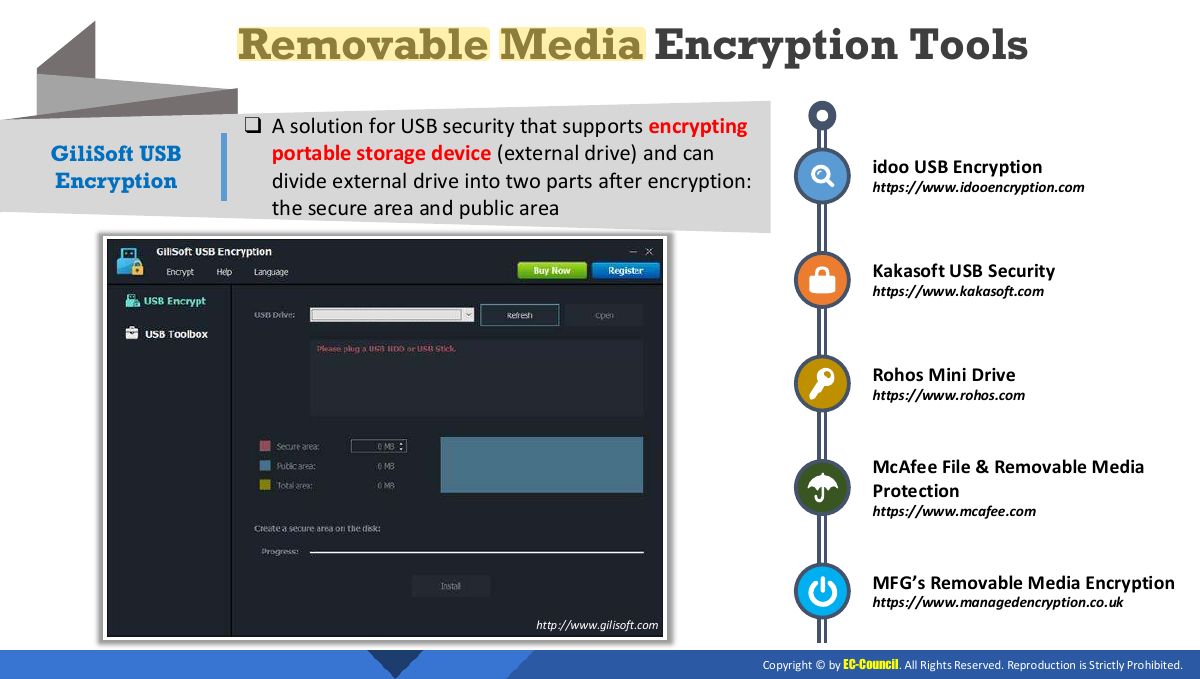
Removable Media Encryption: Implementing Removable Media Encryption in Windows
Removable Media Encryption Tools
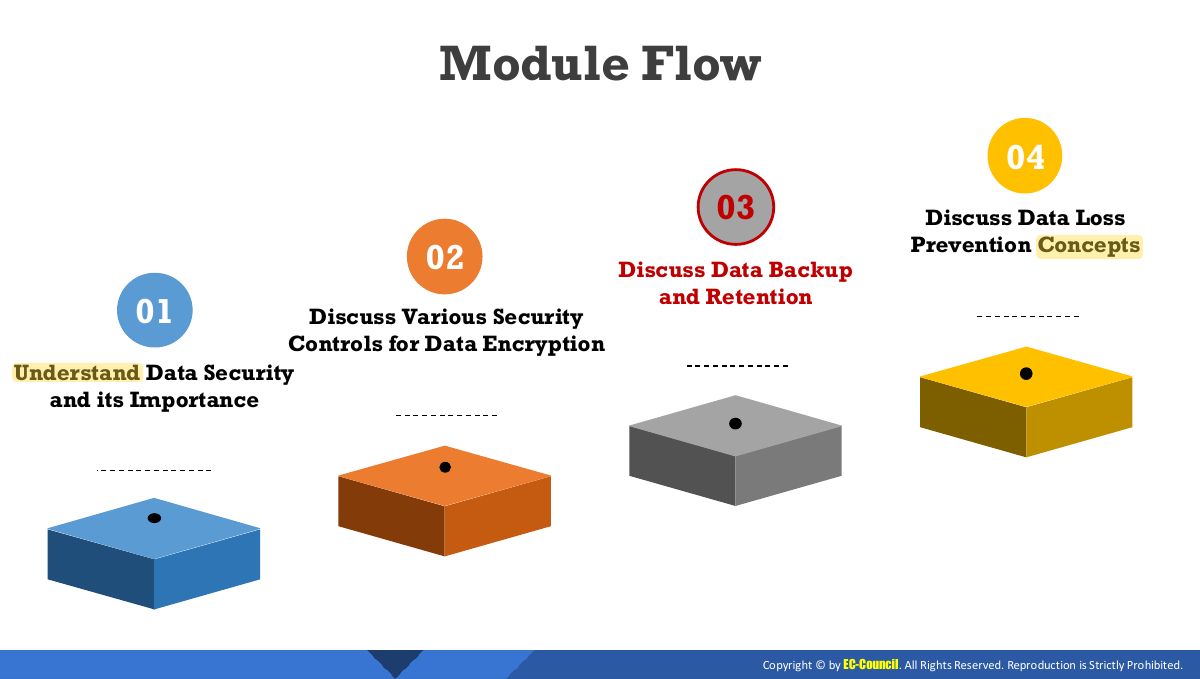
Module Flow
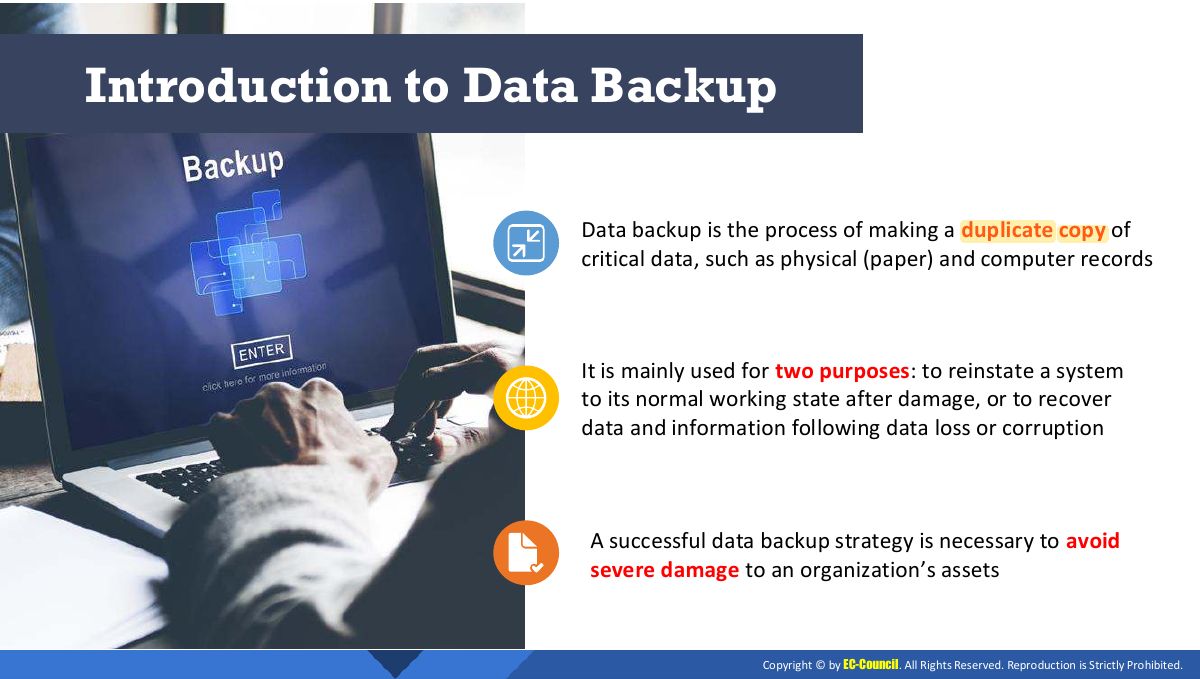
Introduction to Data Backup
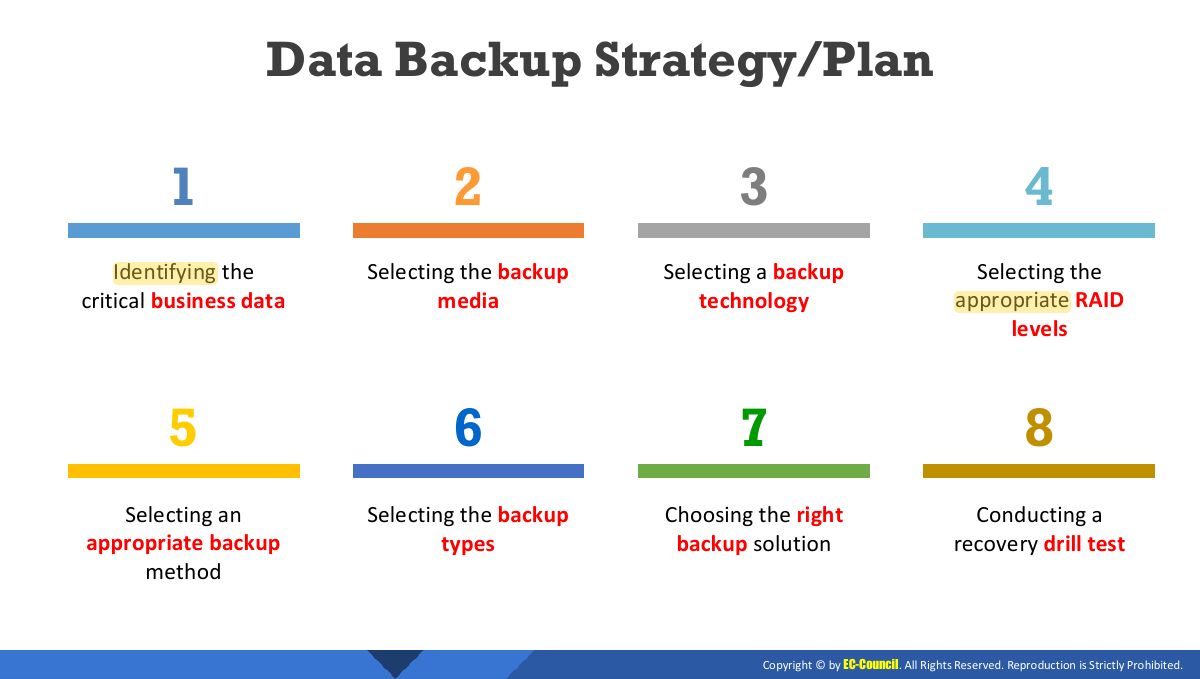
Data Backup Strategy/Plan
Notes
Backup strategy: what, how often, which media, where (offsite/cloud), how long, test restores. 3-2-1 rule: 3 copies, 2 media, 1 offsite.
Selecting the Backup Media
Examples of Data Backup Media Devices
Redundant Array Of Independent Disks (RAID) Technology
Notes
Trap RAID protects against disk failure, not deletion or ransomware: it is not a backup.
Advantages/Disadvantages of RAID Systems
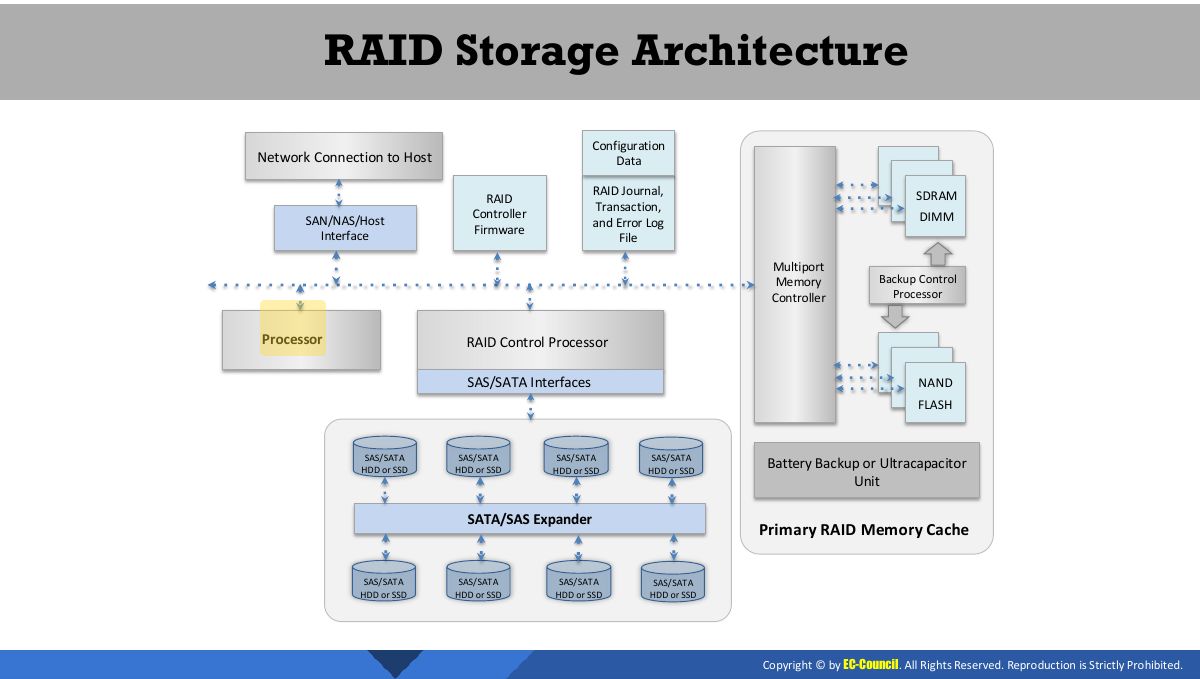
RAID Storage Architecture
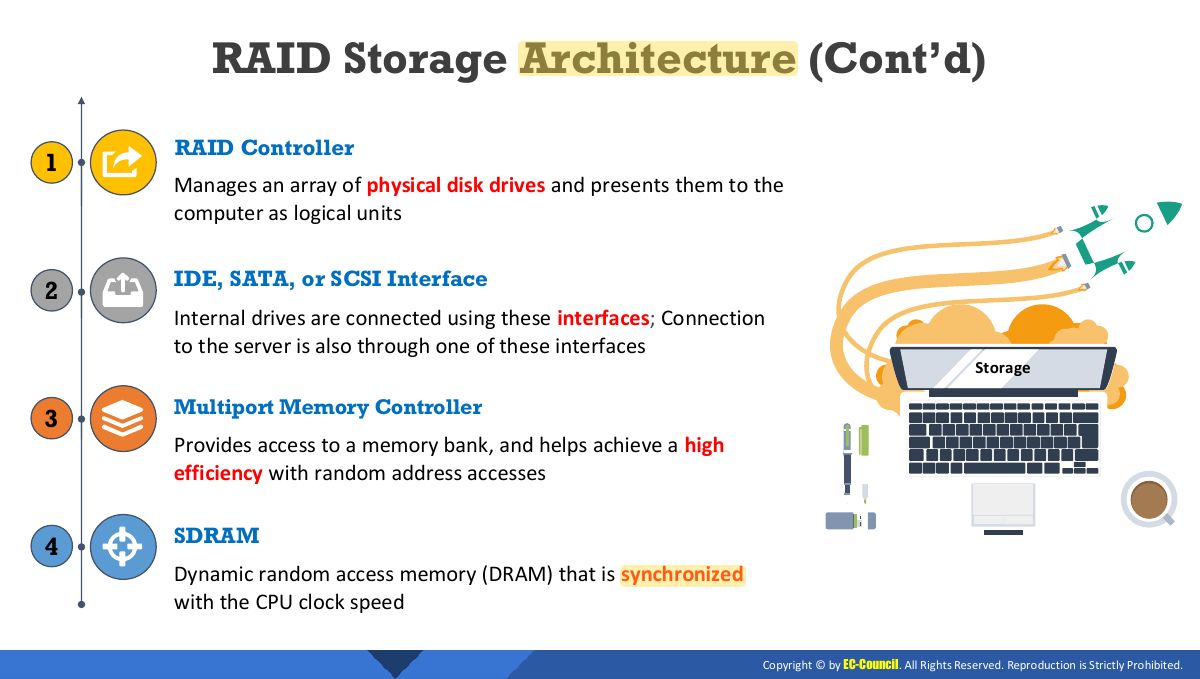
RAID Storage Architecture (Cont’d)
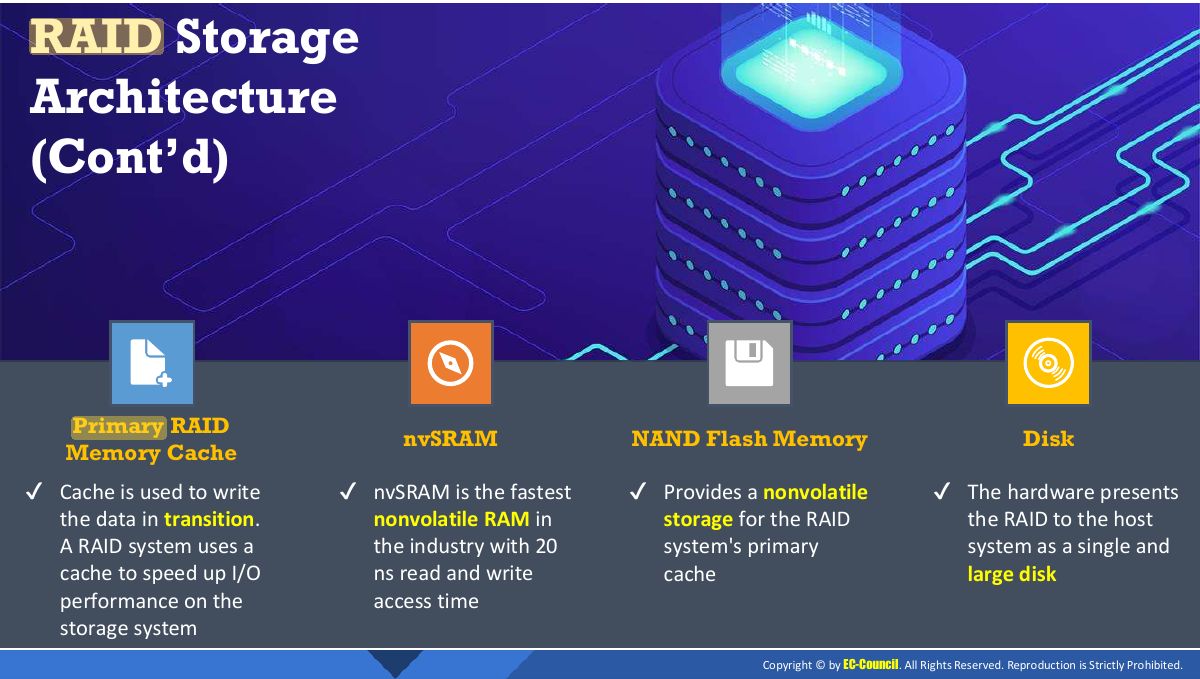
(Cont’d)
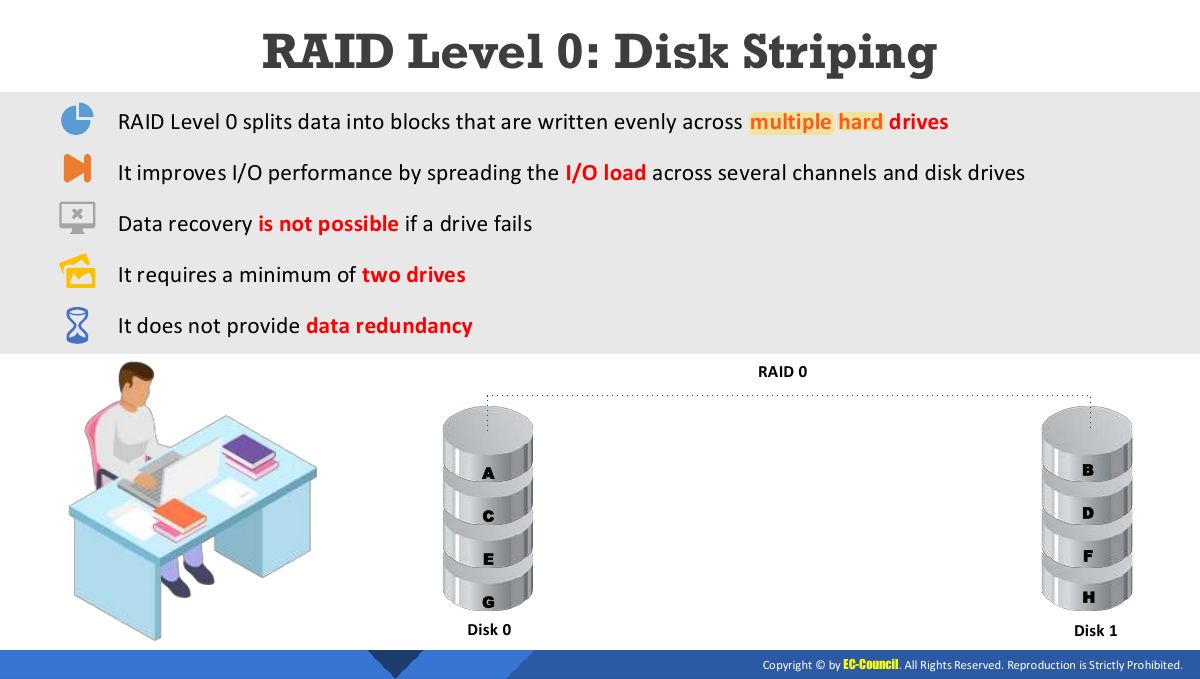
RAID Level 0: Disk Striping
Notes
RAID 0: striping, no redundancy (fast, any disk failure loses all).
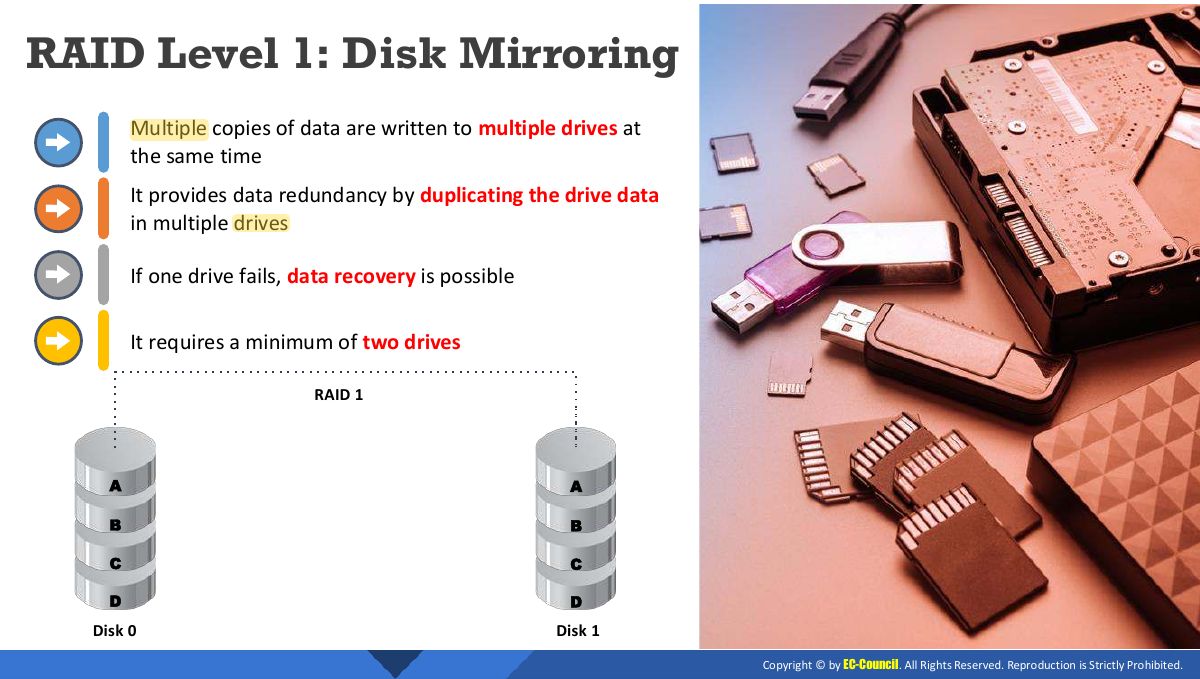
RAID Level 1: Disk Mirroring
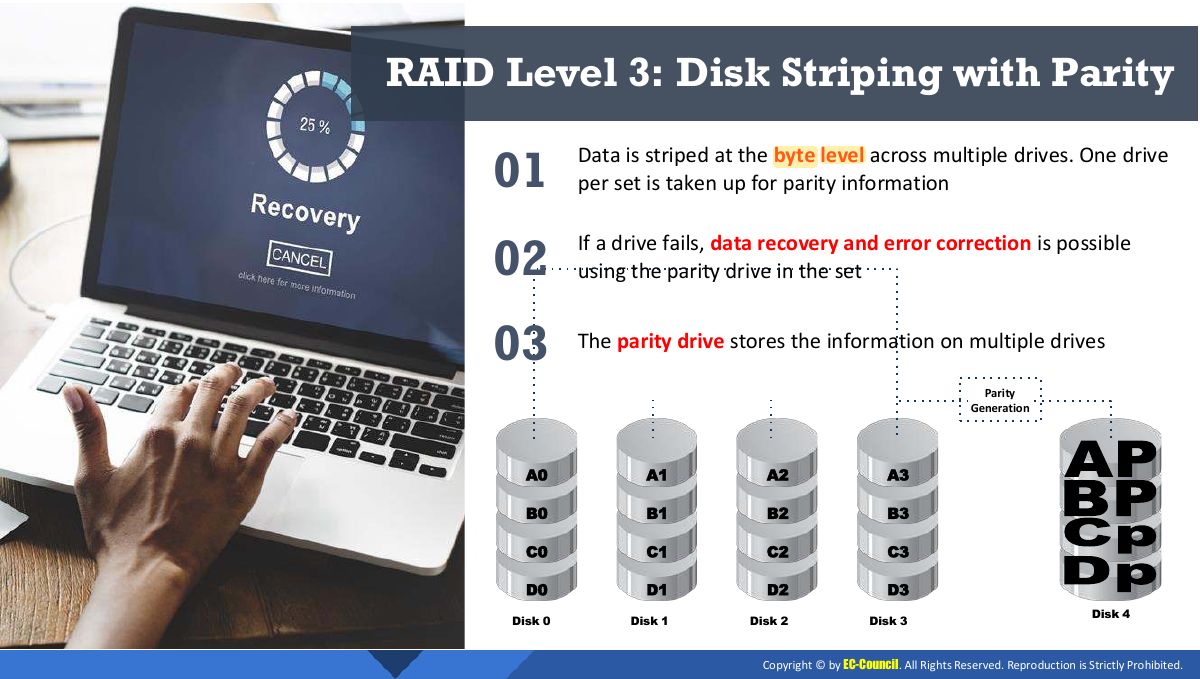
RAID Level 3: Disk Striping with Parity
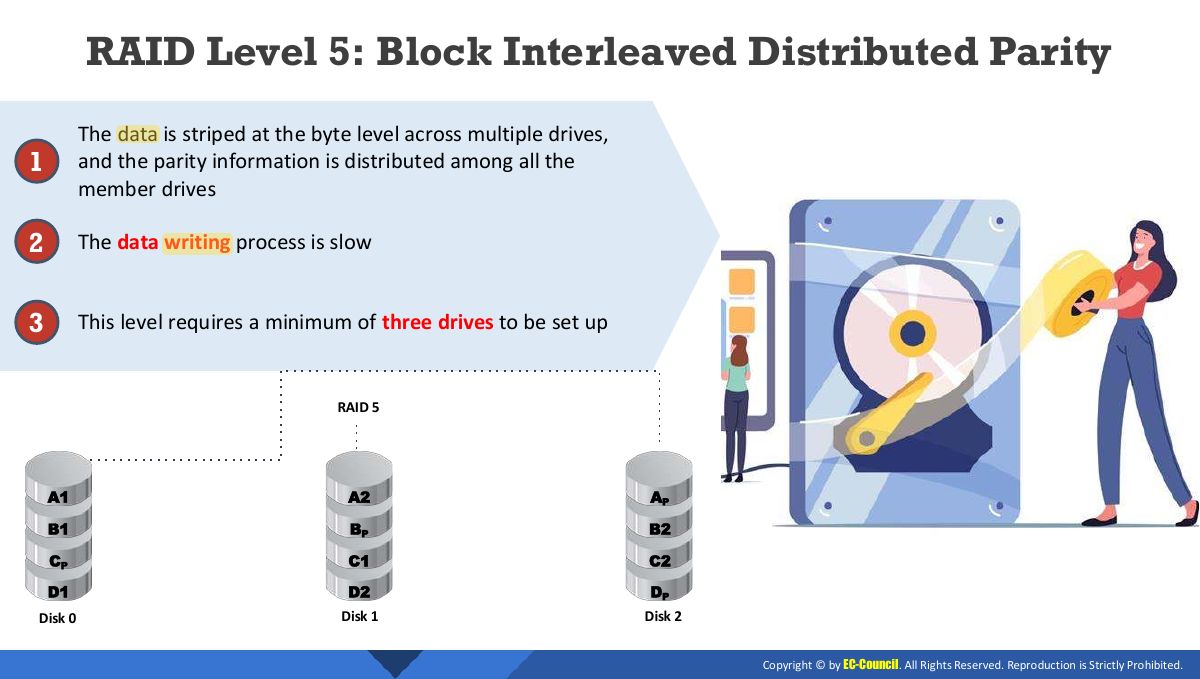
RAID Level 5: Block Interleaved Distributed Parity
Notes
RAID 5: block striping with distributed parity; survives one disk failure; needs ≥ 3 disks.
Exam angle
Which RAID level offers striping with distributed parity and survives one disk failure?
RAID 0 provides:
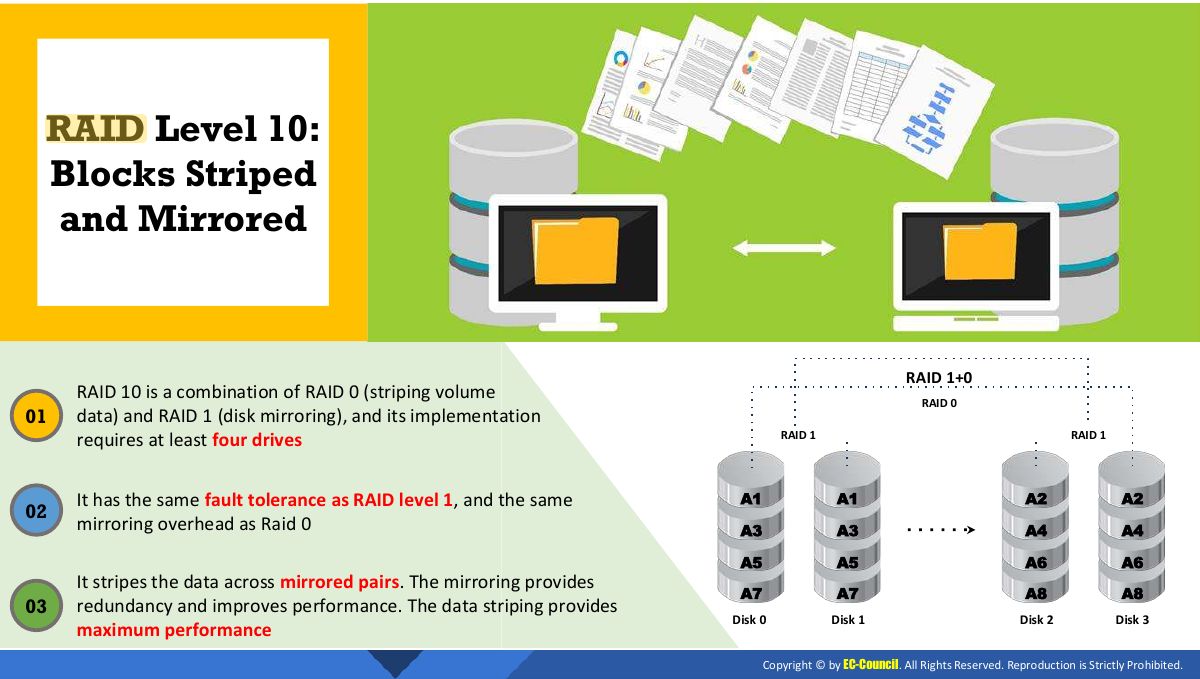
RAID Level 10: Blocks Striped and Mirrored
RAID Level 50: Mirroring and Striping across Multiple RAID Levels
Storage Area Network (SAN)
Notes
SAN: dedicated block-level storage network. NAS: file-level storage on the LAN.
Advantages of SAN
Network Attached Storage (NAS)
Selecting an Appropriate Backup Method
Choosing the Backup Location
Types of Backup
Notes
Full: everything (slow backup, fast restore). Incremental: changes since the LAST backup (fast backup, slow restore: full + every incremental). Differential: changes since the last FULL (restore = full + latest differential).
Exam angle
Restoring from full + differential backups needs:
Which backup type is fastest to perform each day?
Backup Types: Advantages and Disadvantages
Data Backup Tools
Data Backup Retention
Data Retention Policy Best Practices
Data Recovery Tools
Module Flow
What is Data Loss Prevention?
Notes
DLP: tools and policies that detect and block sensitive data leaving the organization (network, endpoint, storage).
Exam angle
Software that blocks an employee from emailing a file of credit-card numbers outside is:
Types of Data Loss Prevention (DLP) Solutions
DLP Solution: Windows Information Protection (WIP)
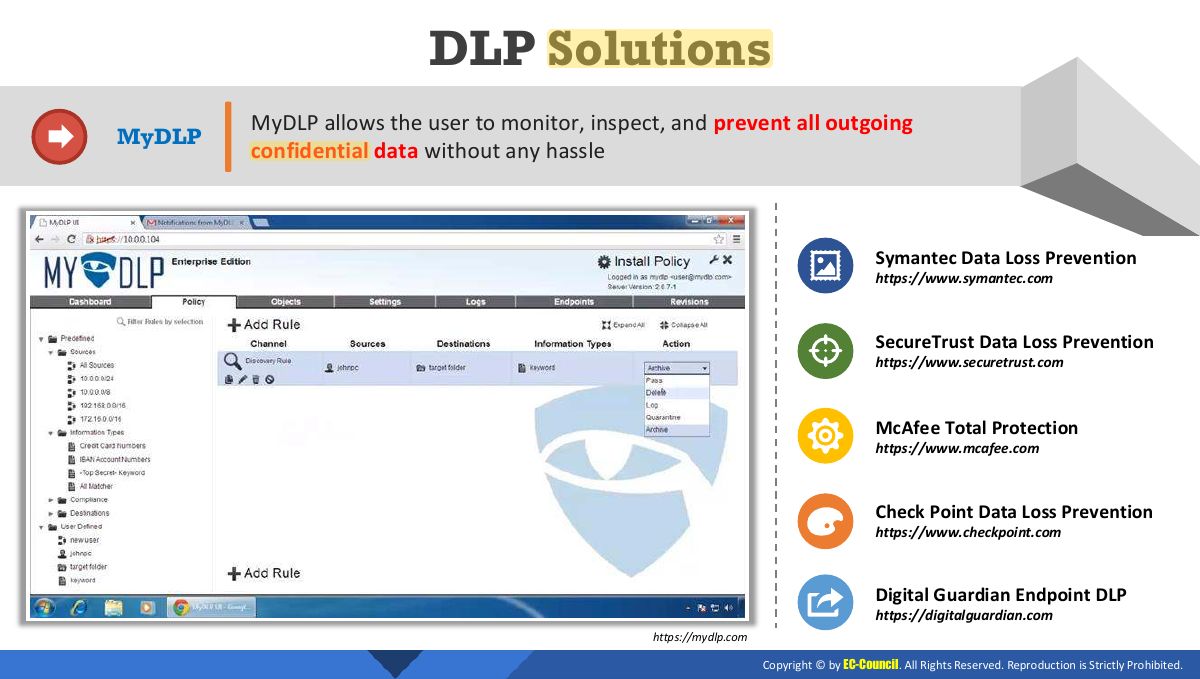
DLP Solutions
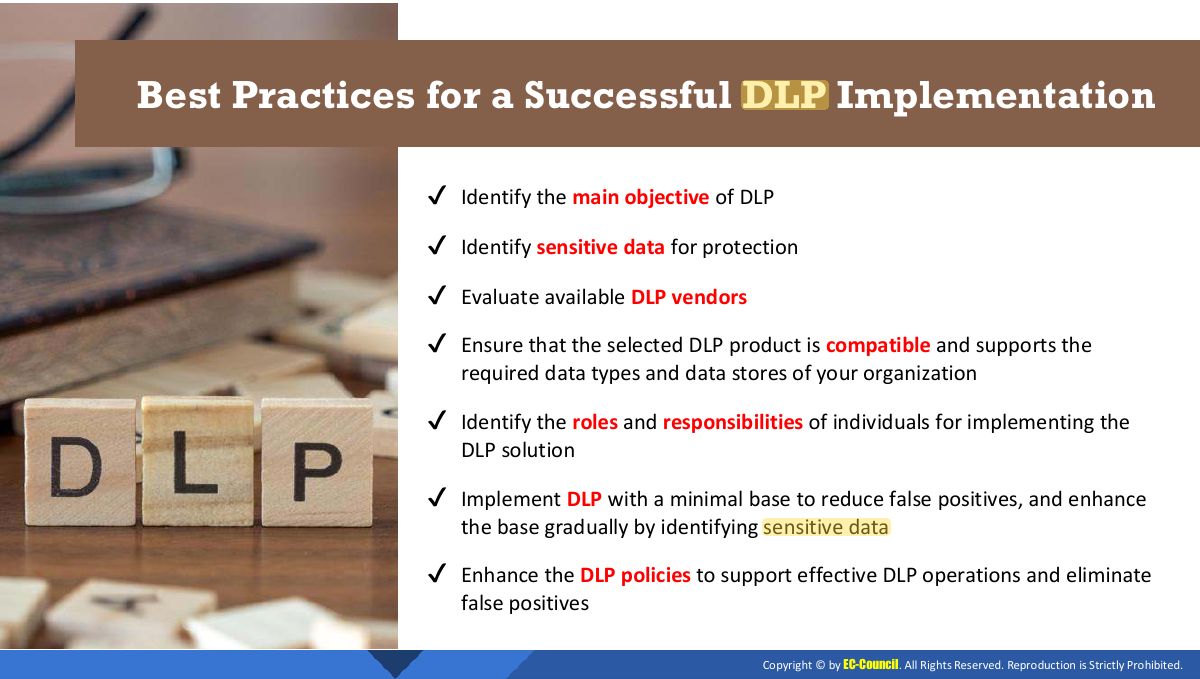
Best Practices for a Successful DLP Implementation
Module Summary