Which scan completes the full three-way handshake?
Scanning
Port, network and vulnerability scanning, TCP flags and the three-way handshake, ICMP and ping sweeps, full-connect, stealth (half-open), inverse-flag, Xmas, ACK, idle and UDP scans, countermeasures, banner grabbing and OS fingerprinting, and Nmap and other scanners.
How to read this page
Every original slide is shown unchanged. Yellow marks on a slide point to a numbered note: hover or tap a mark to jump to its note, and hover a note to see its marks. Questions tagged Past exam appeared on a real paper; Prediction questions are likely angles, not confirmed. Pick an answer to each question: a wrong pick tells you why it is wrong, so you can try again.
All 43 slides
- 1 Chapter 3
- 2 Learning Objective
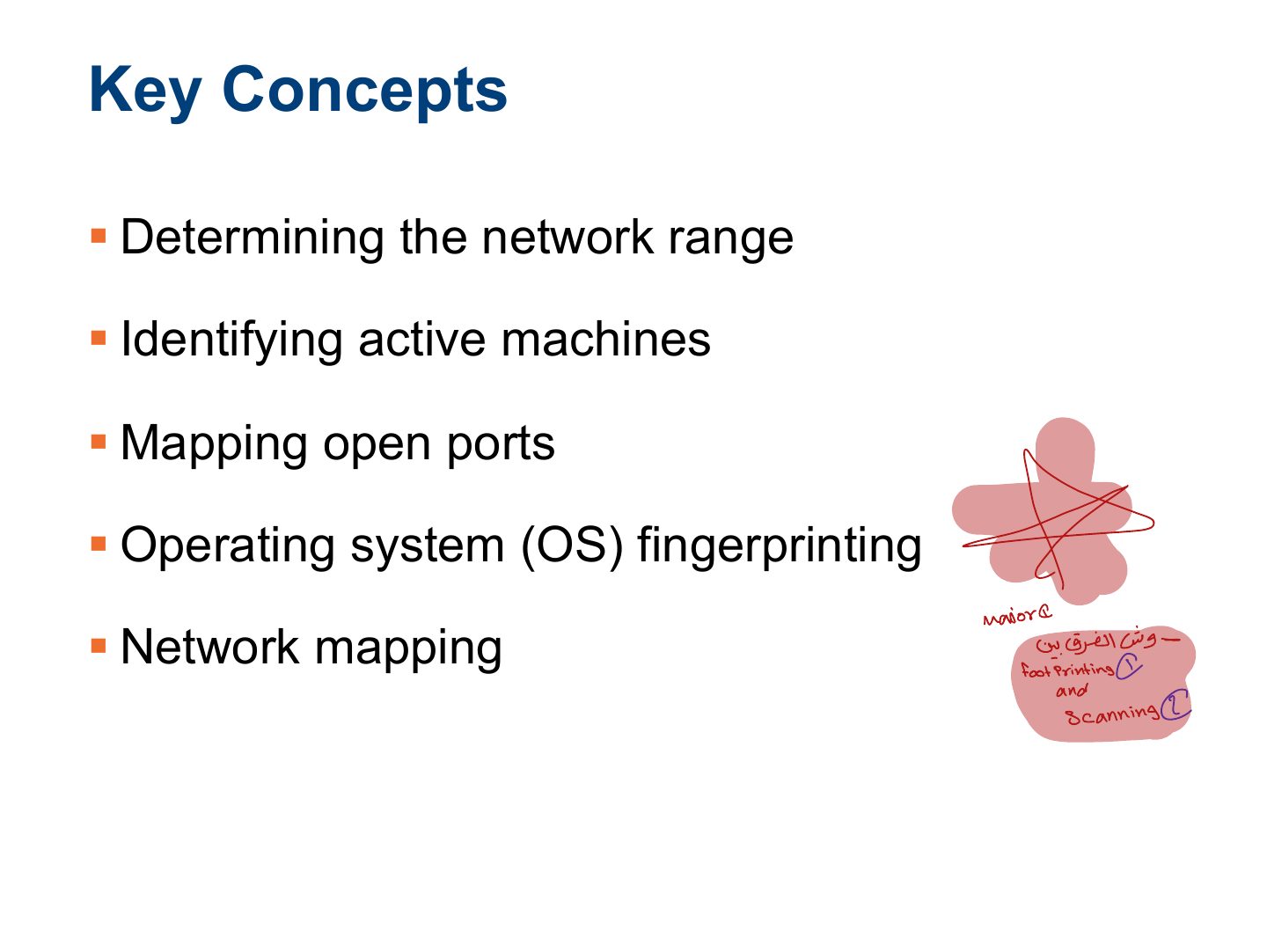
- 3 Key Concepts
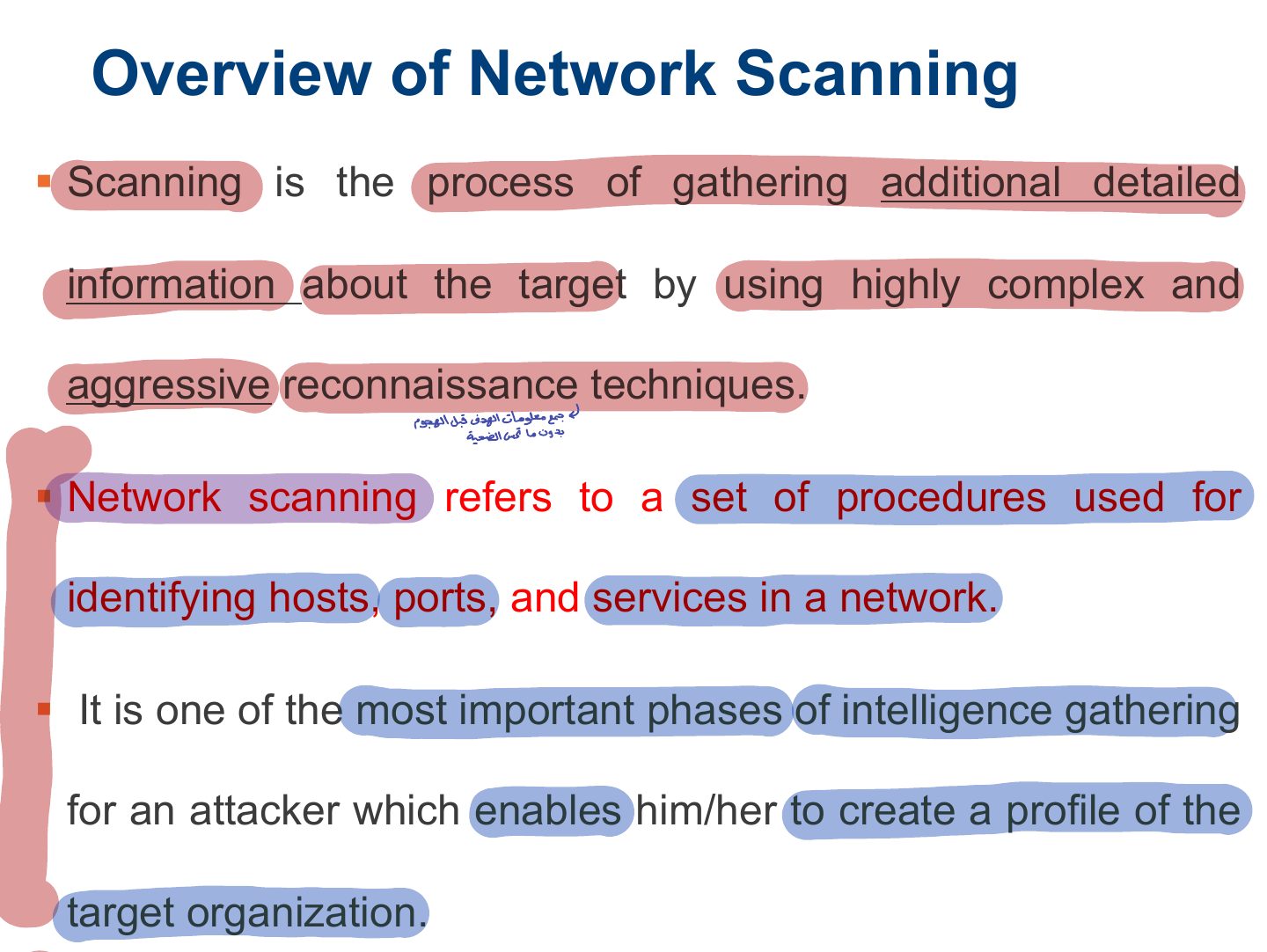
- 4 Overview of Network Scanning
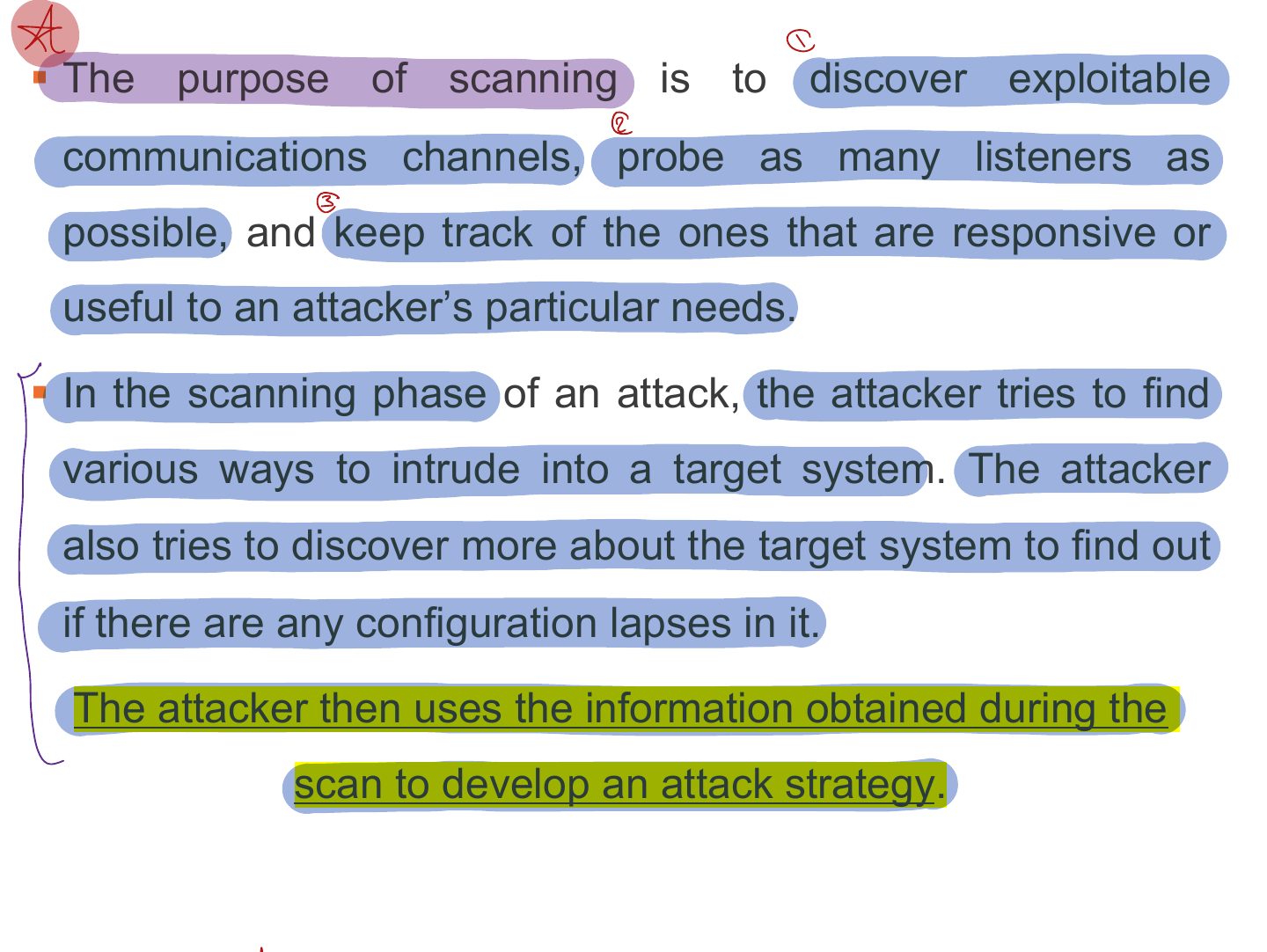
- 5 § The purpose of scanning is to discover exploitable
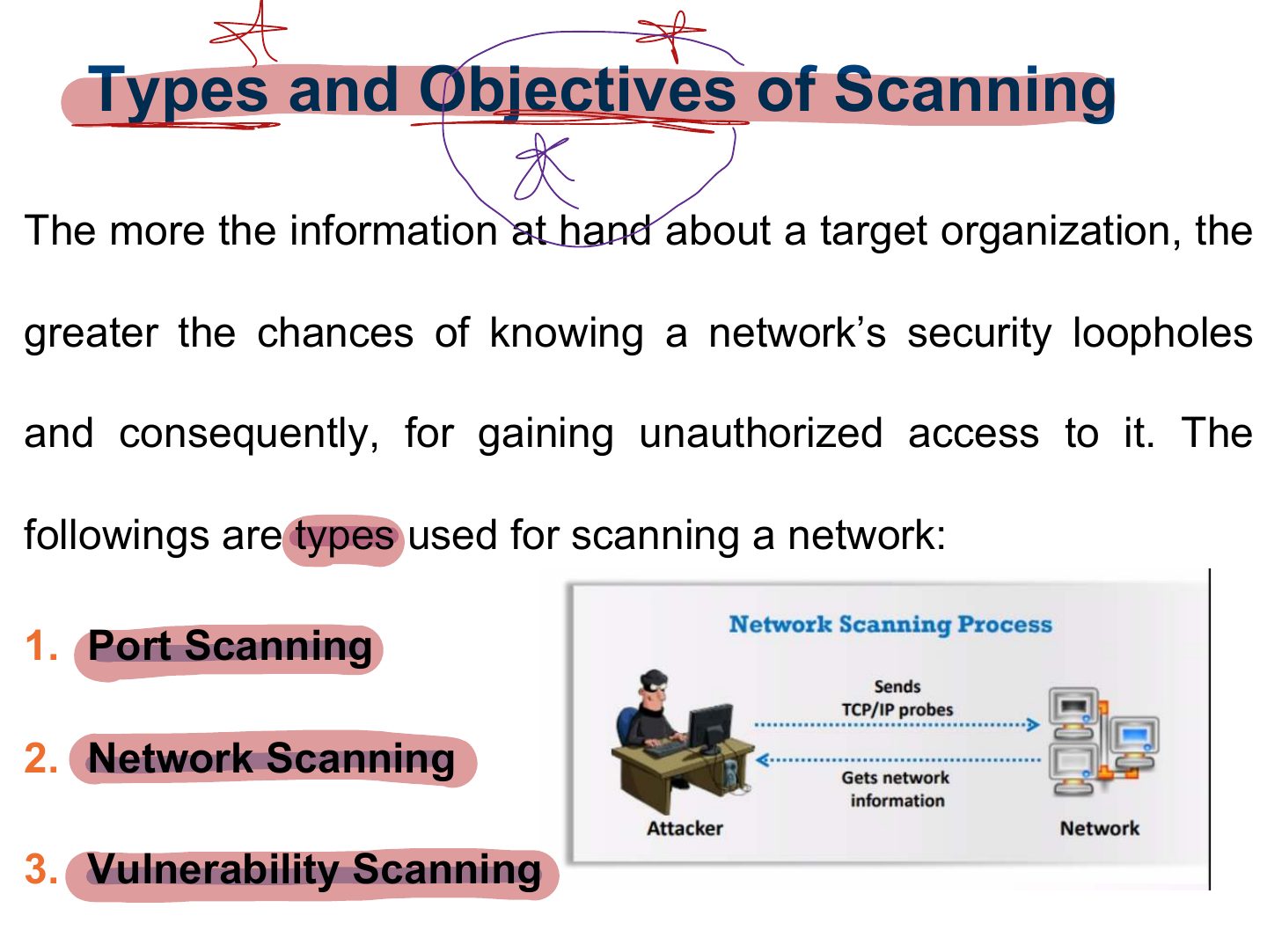
- 6 Types and Objectives of Scanning
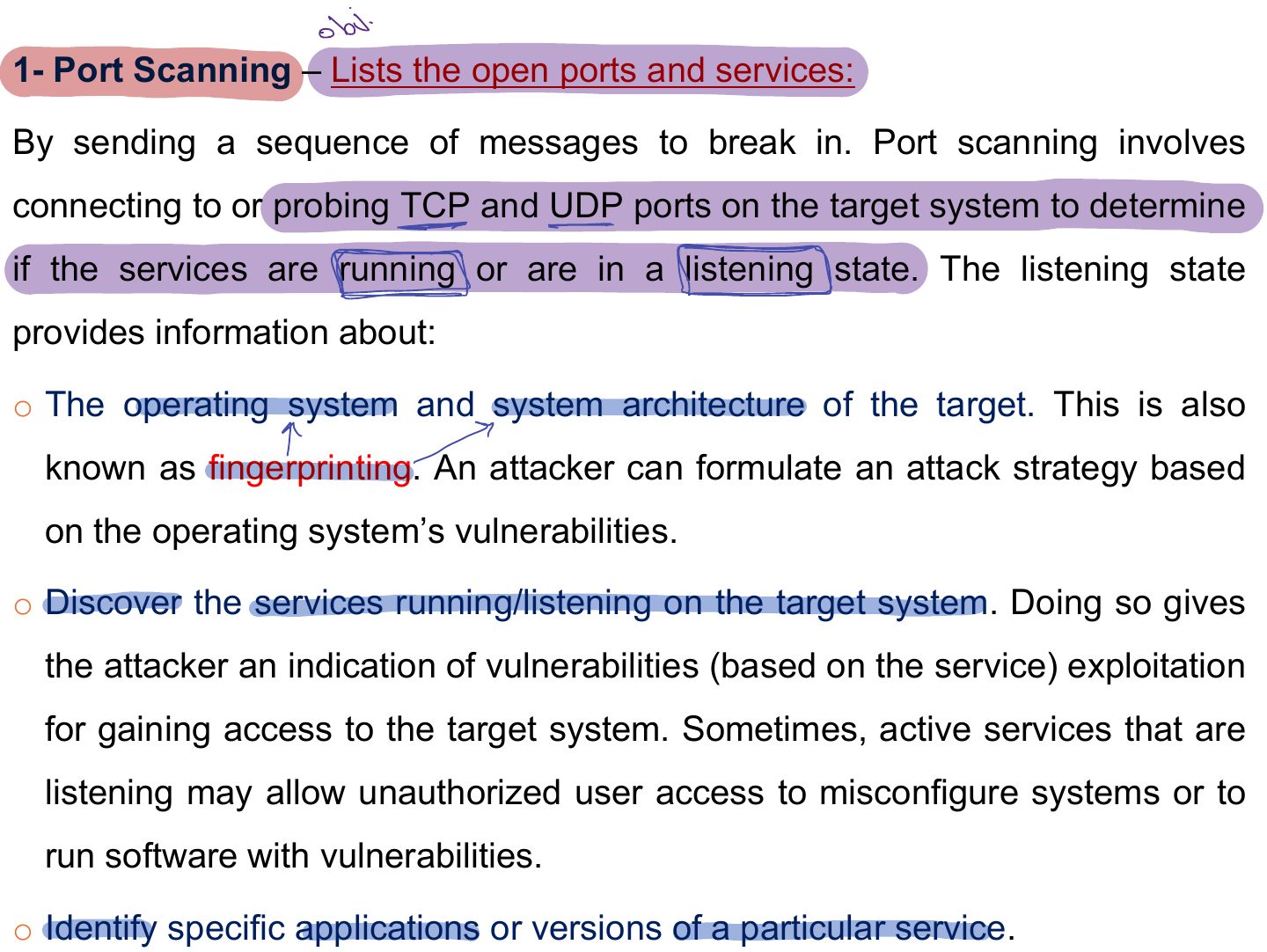
- 7 1- Port Scanning – Lists the open ports and services:
- 8 2- Network Scanning (Lists IP addresses): Discover the network’s
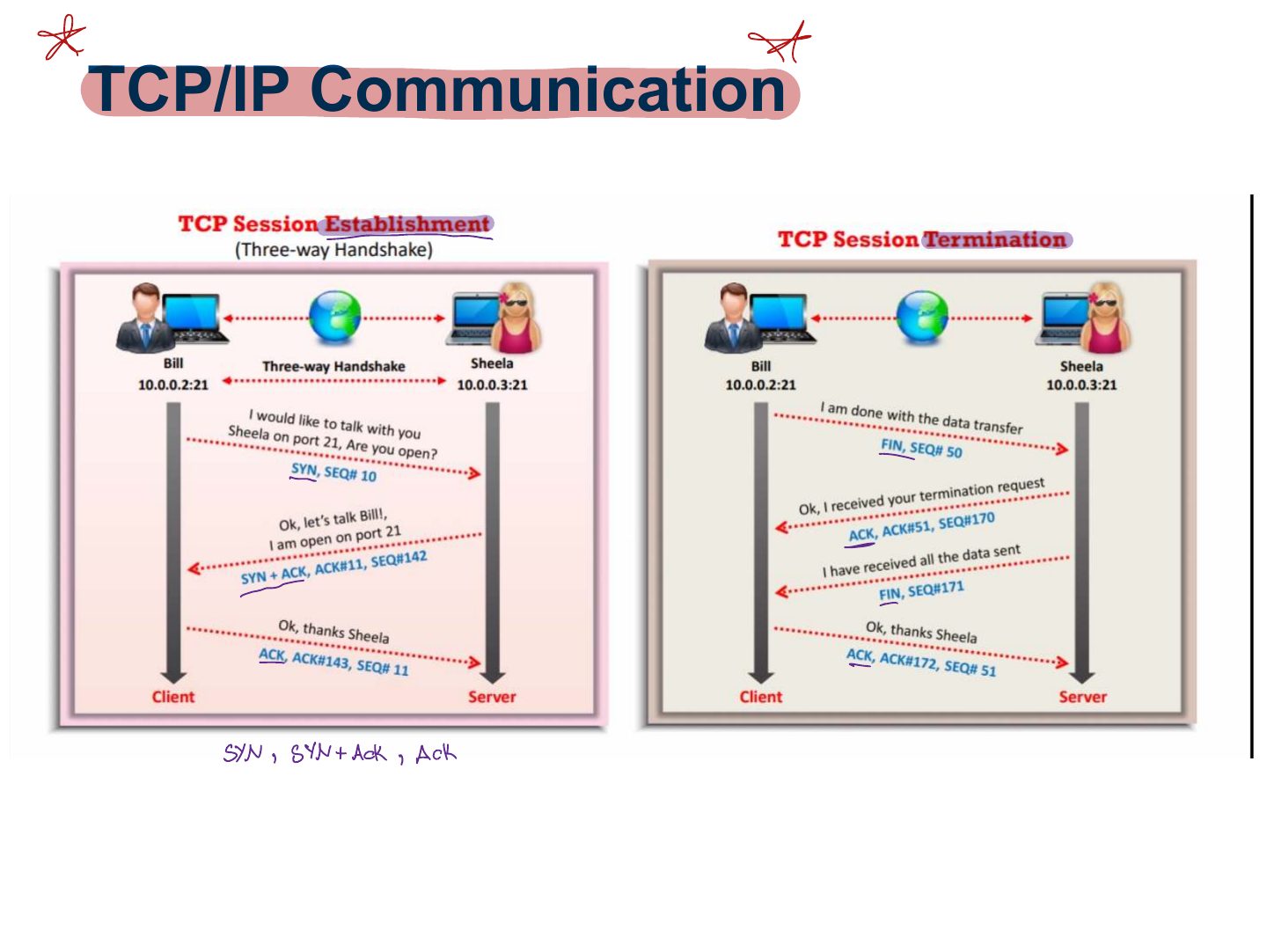
- 9 TCP Communication Flags
- 10 TCP Communication Flags
- 11 Slide 11
- 12 TCP/IP Communication
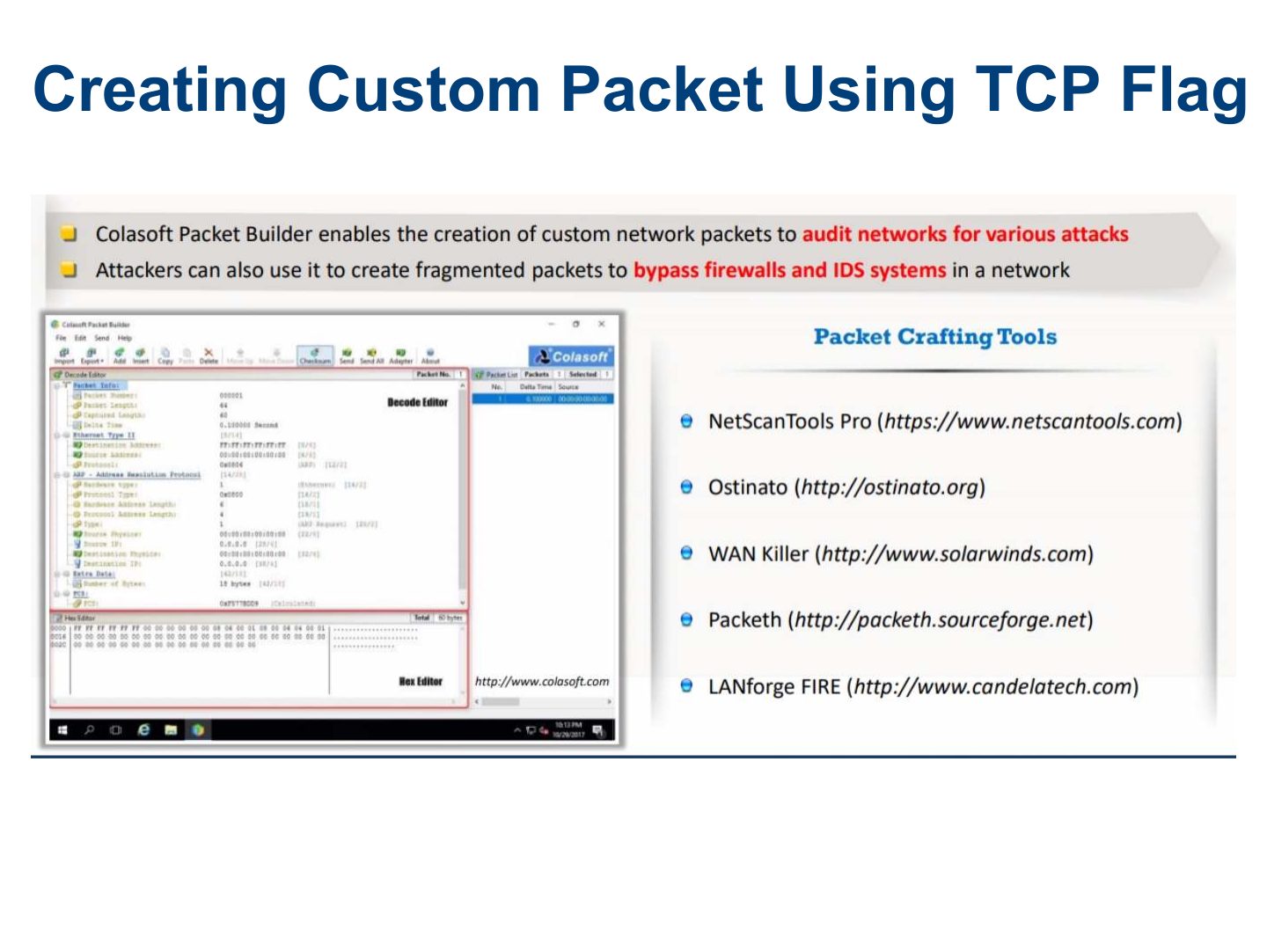
- 13 Creating Custom Packet Using TCP Flag
- 14 Scanning Techniques
- 15 Port Scanning: Common Port Numbers
- 16 Scanning Techniques
- 17 ICMP Scanning - Checking for Live Systems
- 18 Ping Sweep-Checking for Live Systems
- 19 Ping Sweep Tools
- 20 TCP Connect / Full Open Scan
- 21 Stealth Scan (Half-open Scan)
- 22 Inverse TCP Flag Scanning
- 23 Xmas Scan
- 24 ACK Flag Probe Scanning
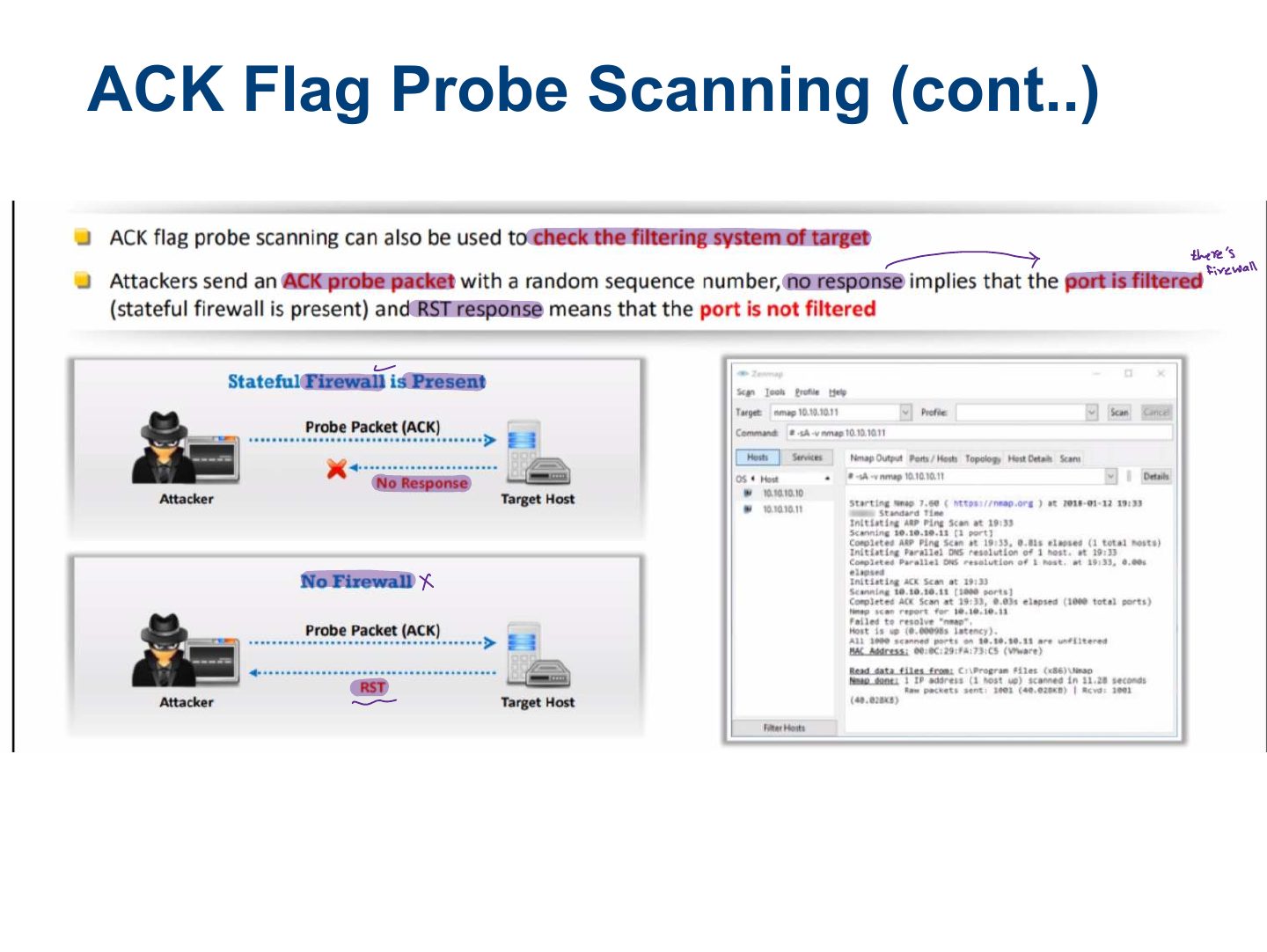
- 25 ACK Flag Probe Scanning (cont..)
- 26 IDLE/IPID Header Sca
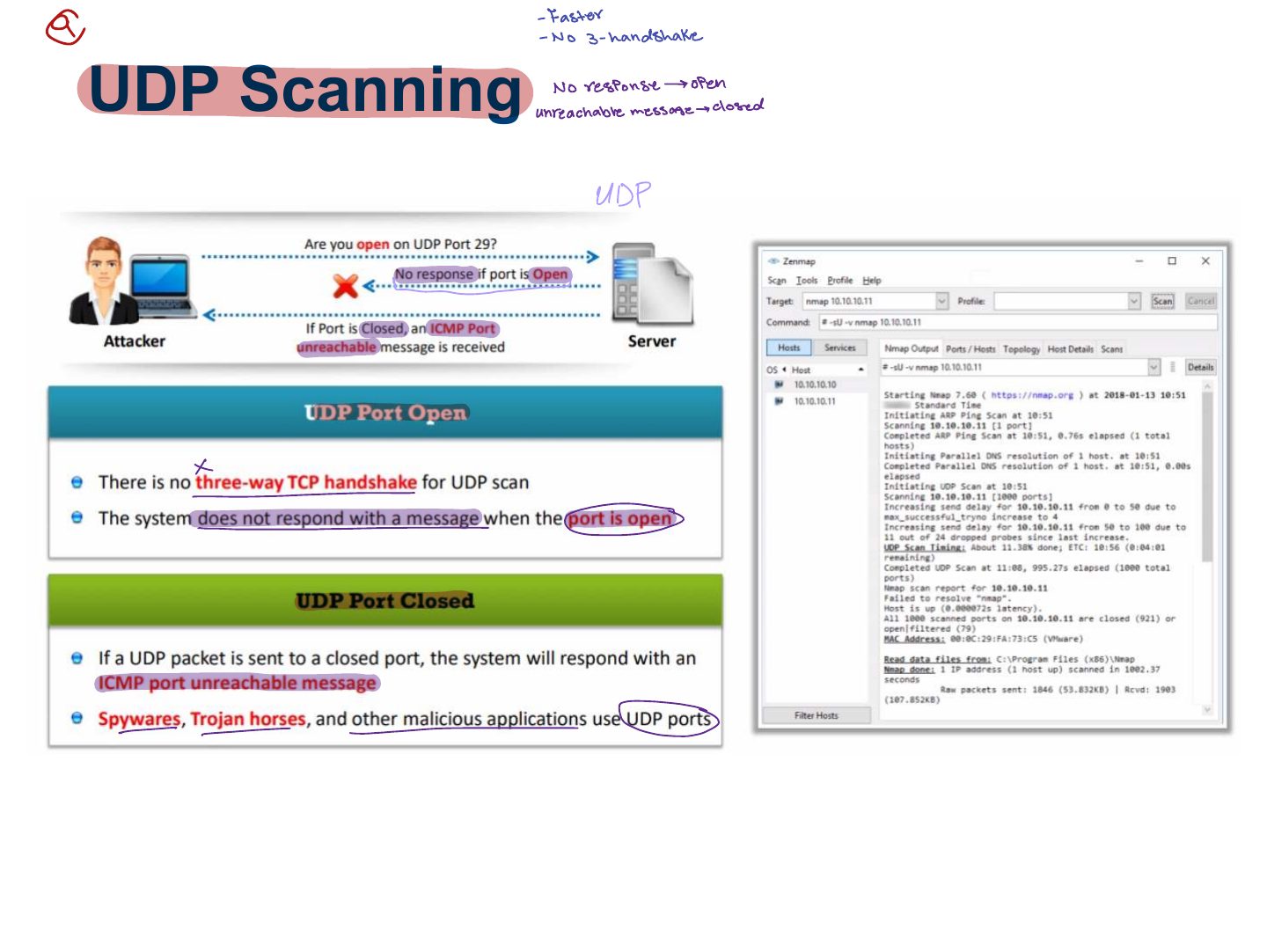
- 27 UDP Scanning
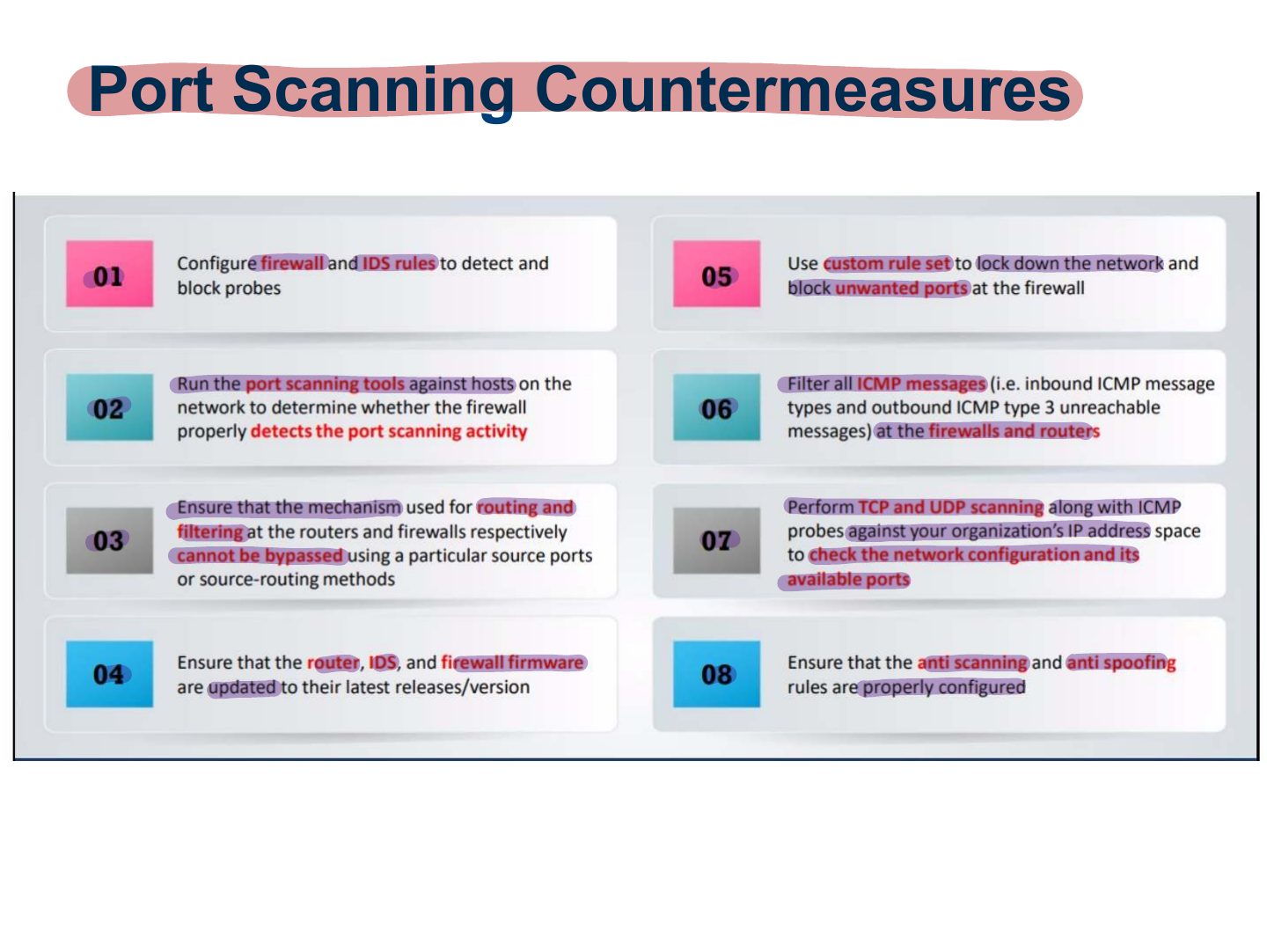
- 28 Port Scanning Countermeasures
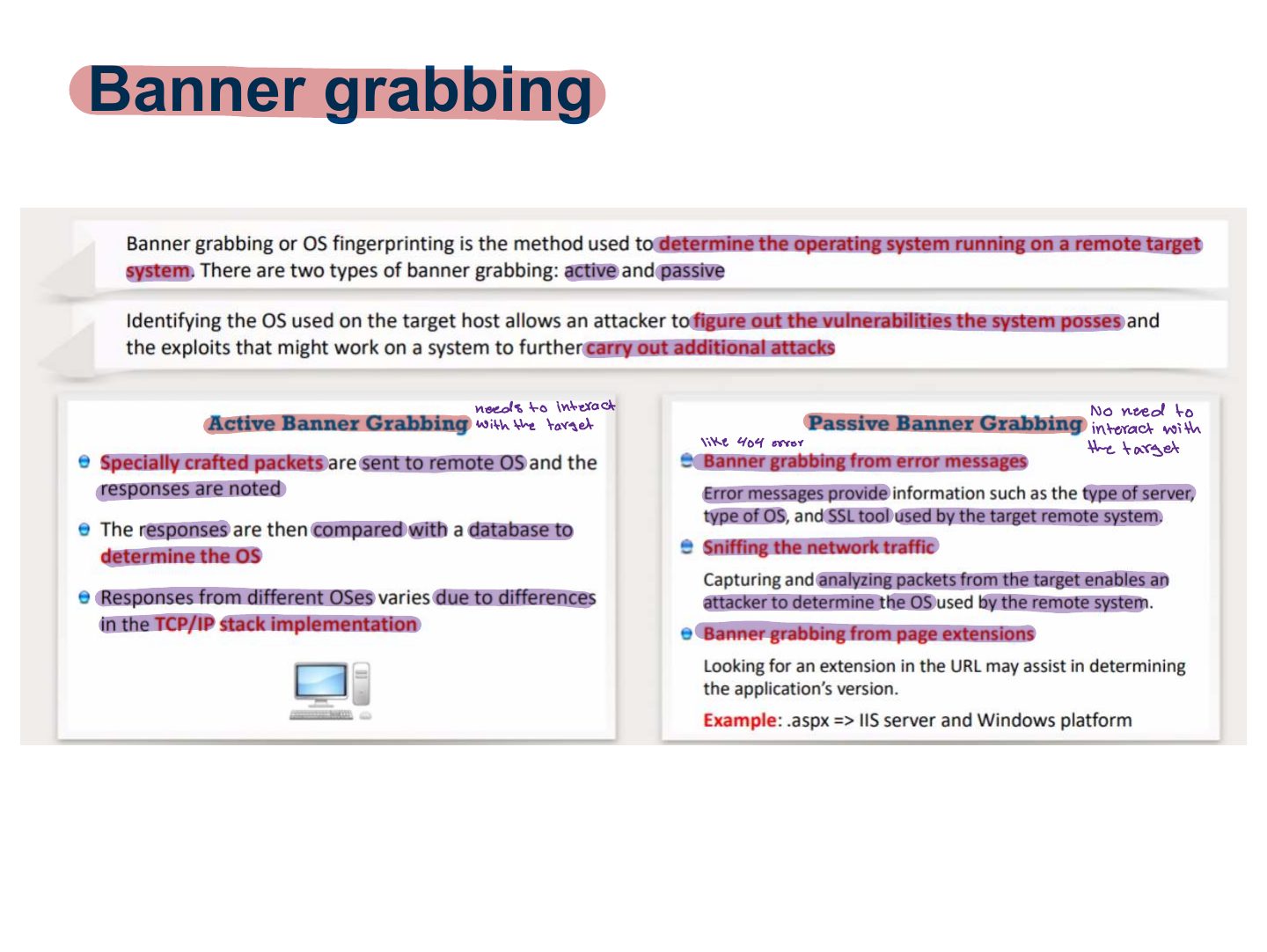
- 29 Banner grabbing
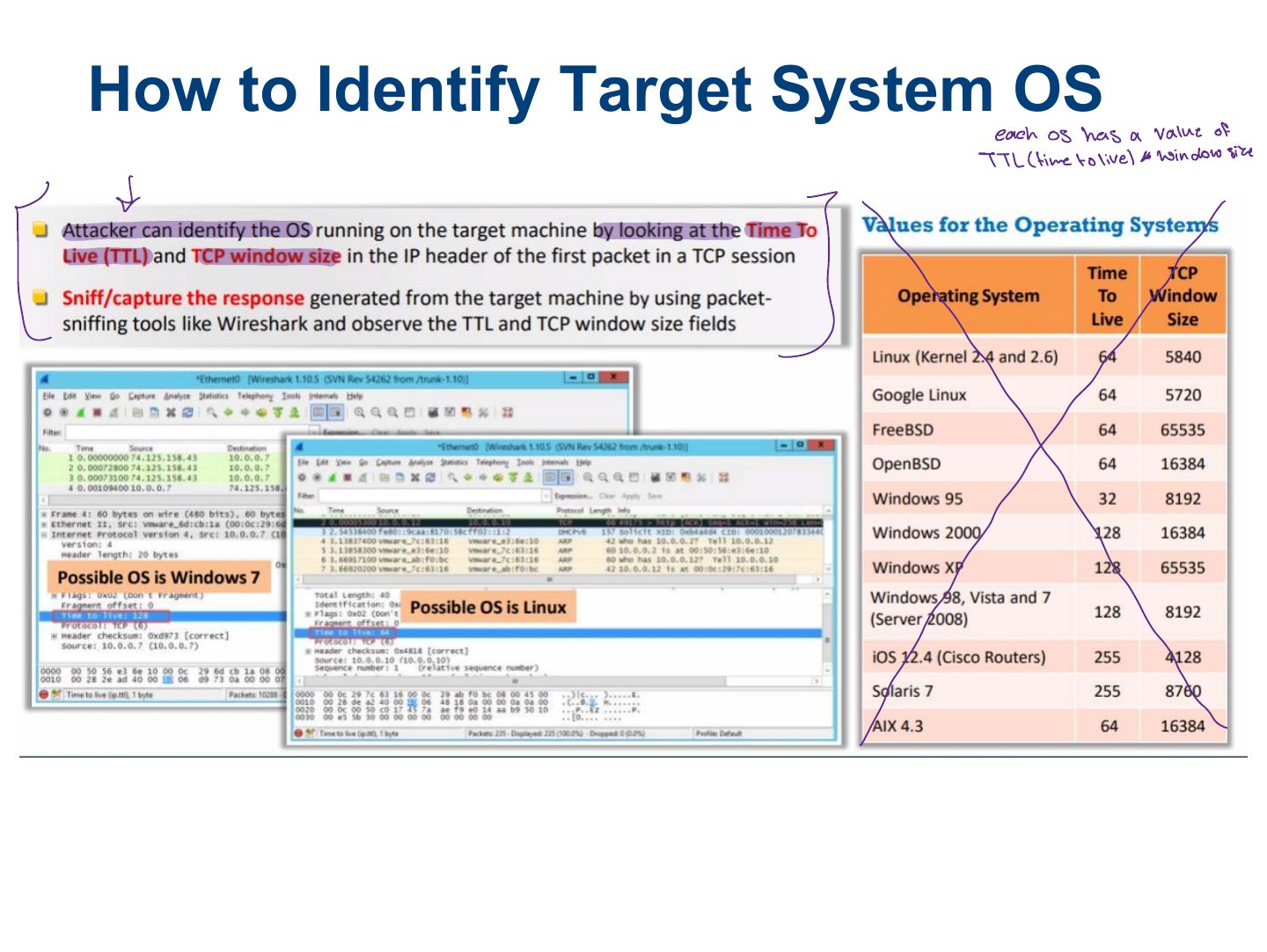
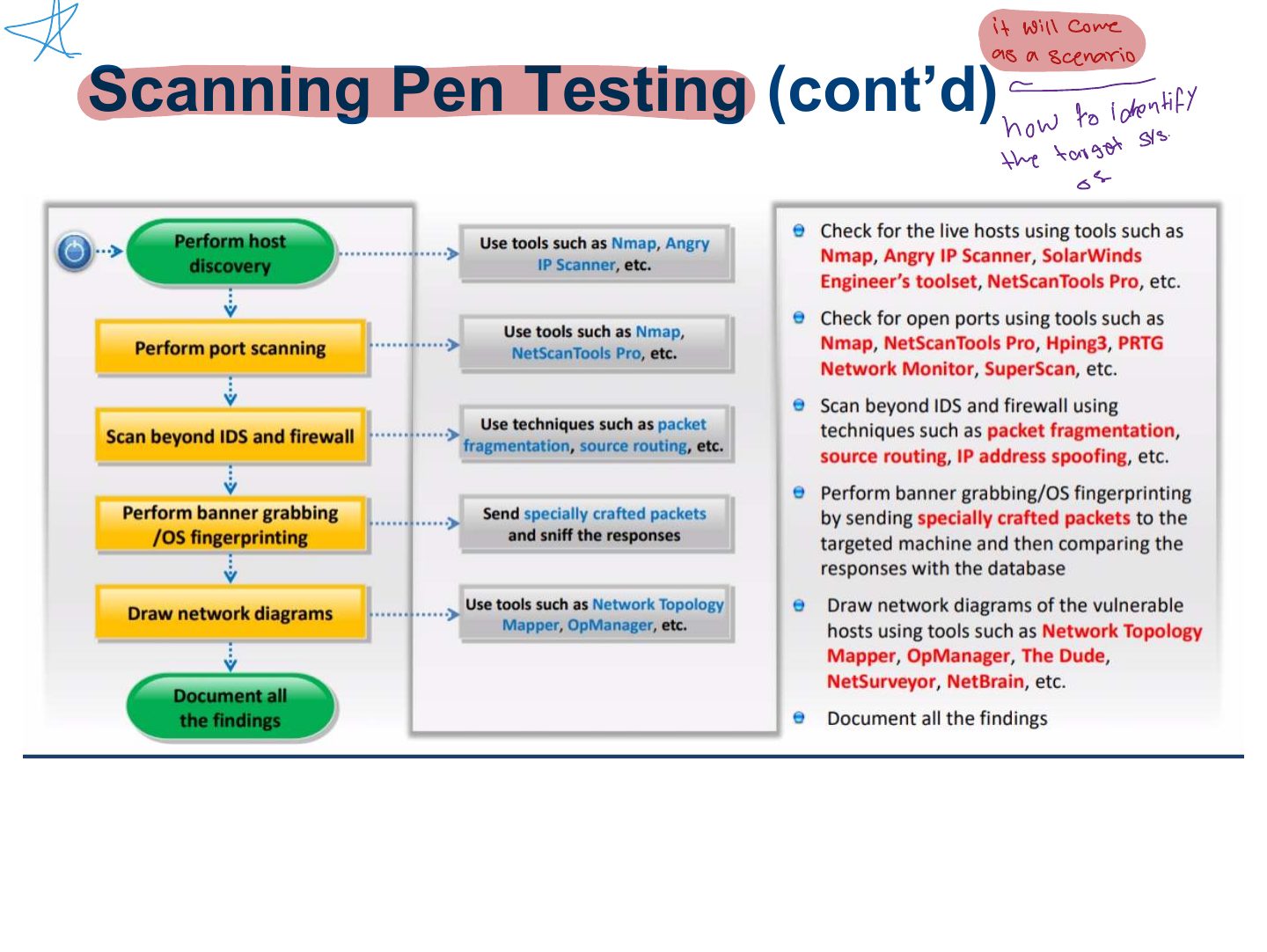
- 30 How to Identify Target System OS
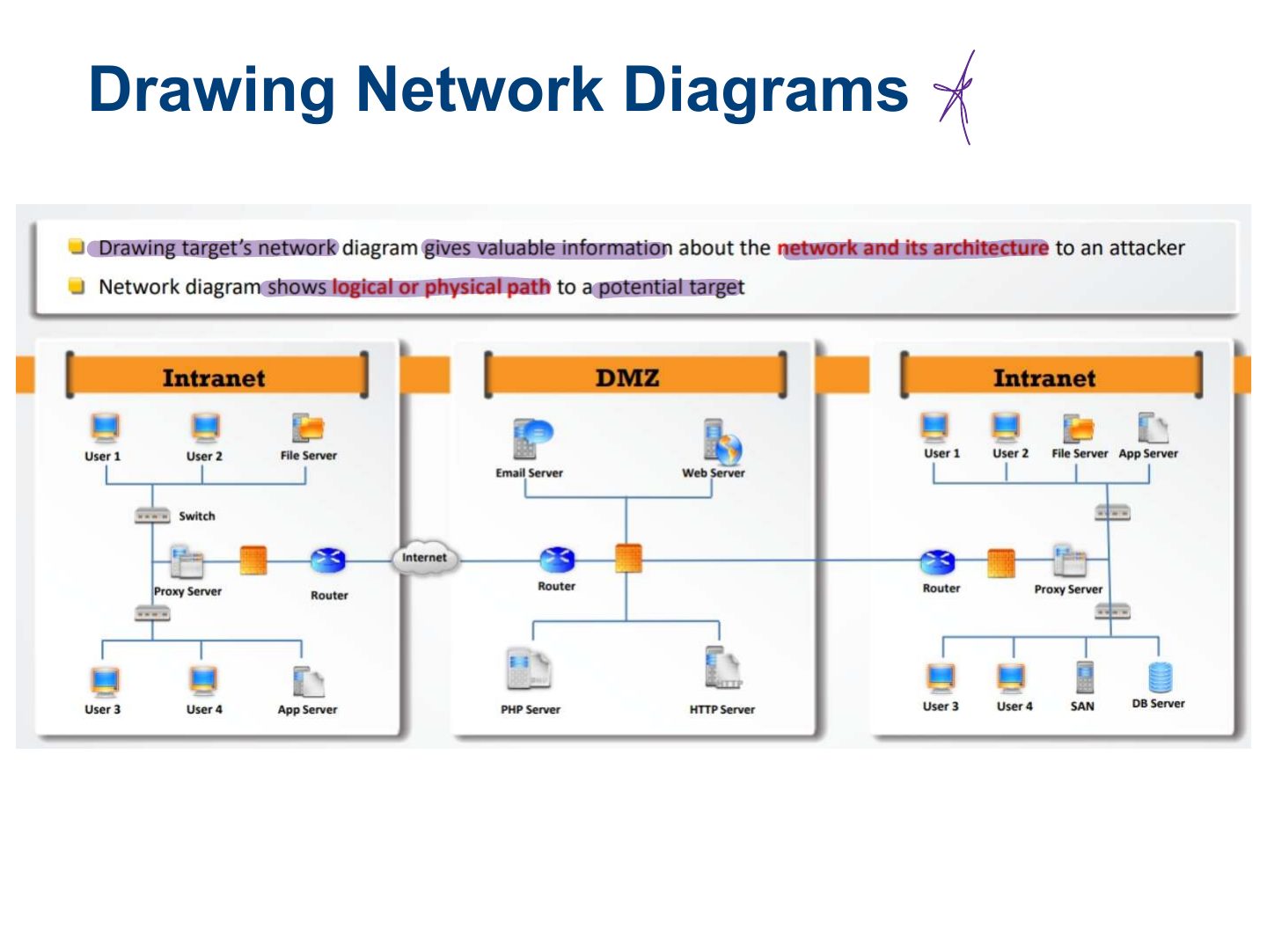
- 31 Drawing Network Diagrams
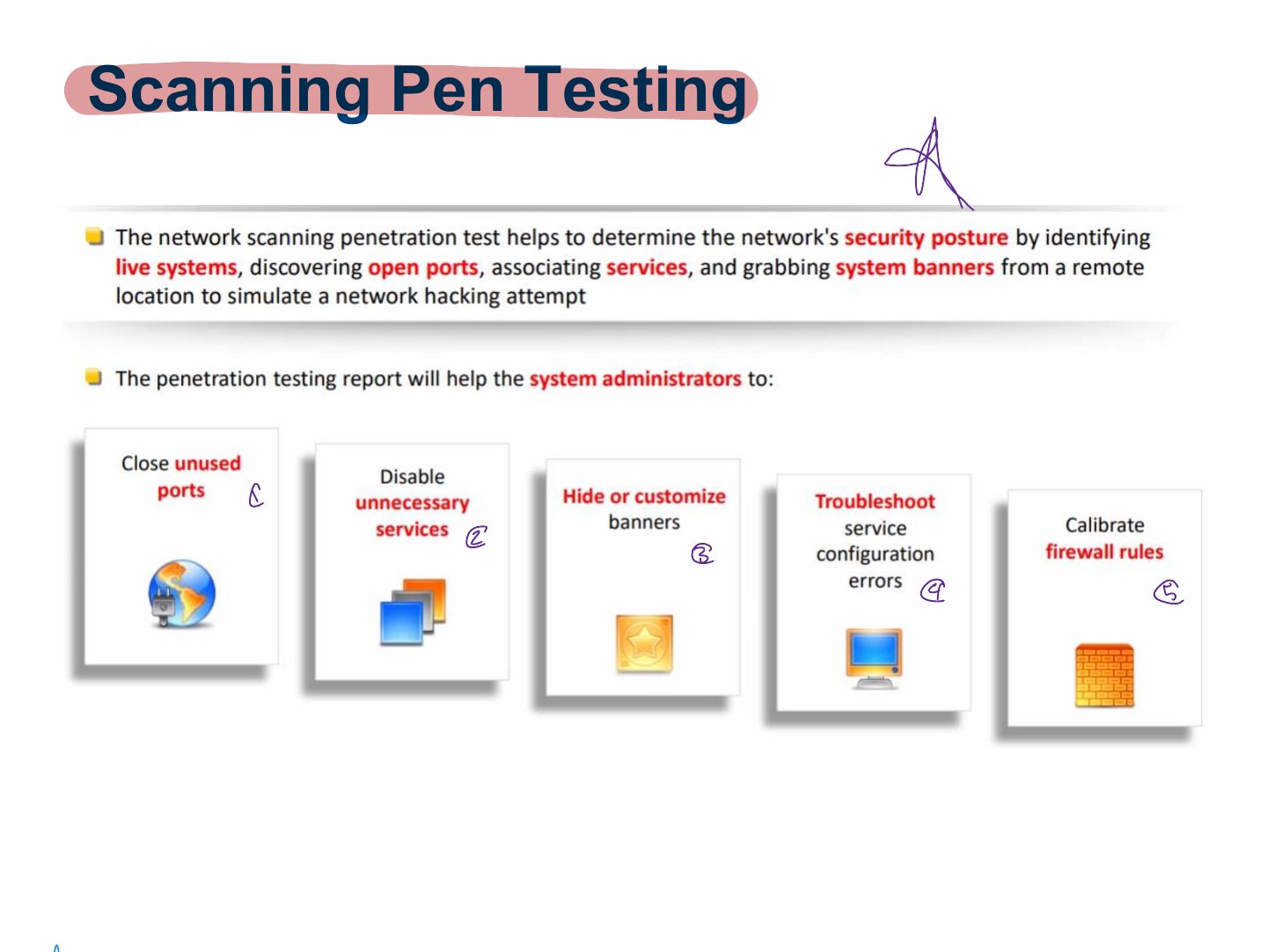
- 32 Scanning Pen Testing
- 33 Scanning Pen Testing (cont’d)
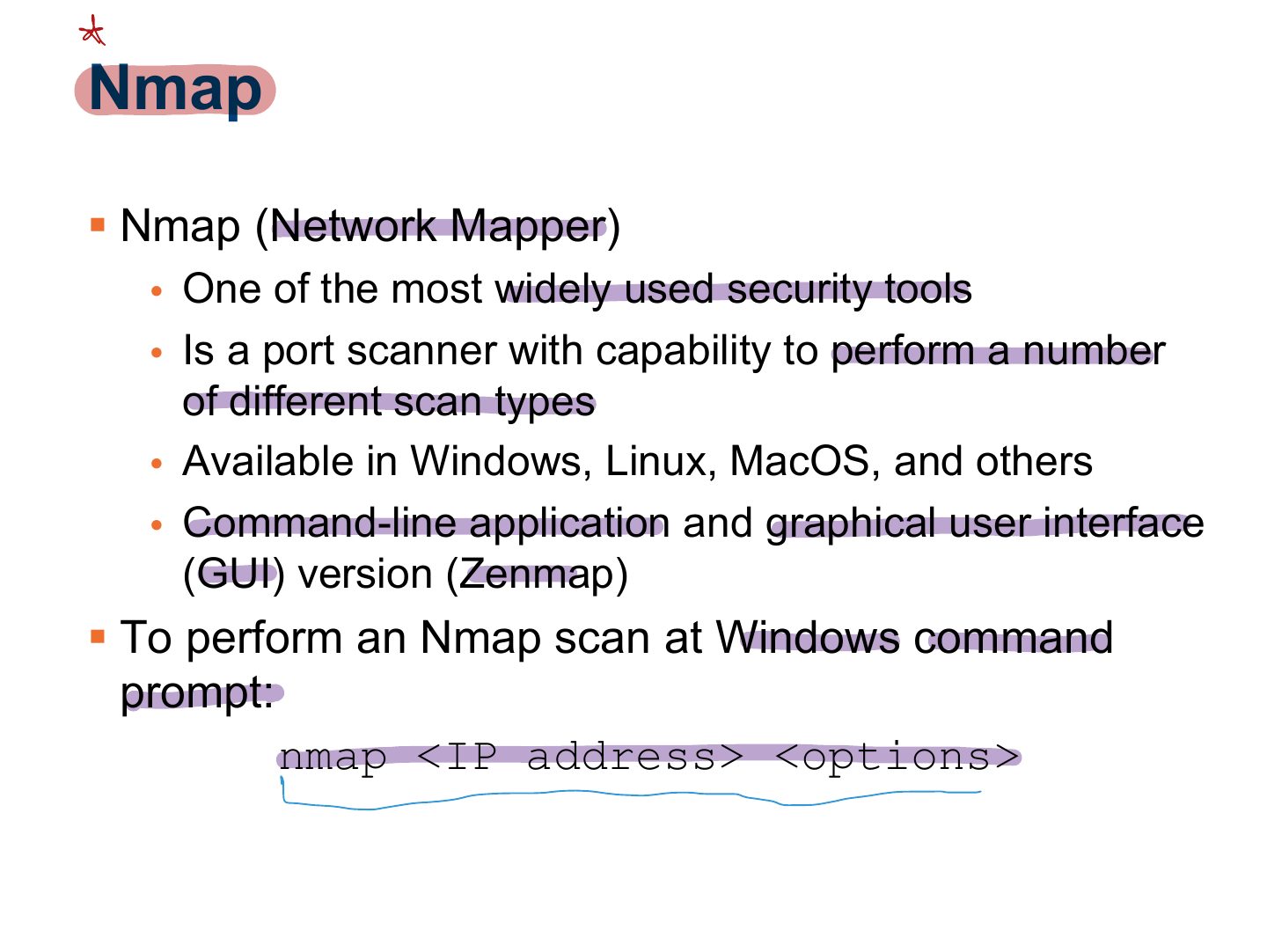
- 34 Nmap
- 35 Slide 35
- 36 Nmap (Cont.)
- 37 Using Nmap
- 38 SuperScan
- 39 Scanrand
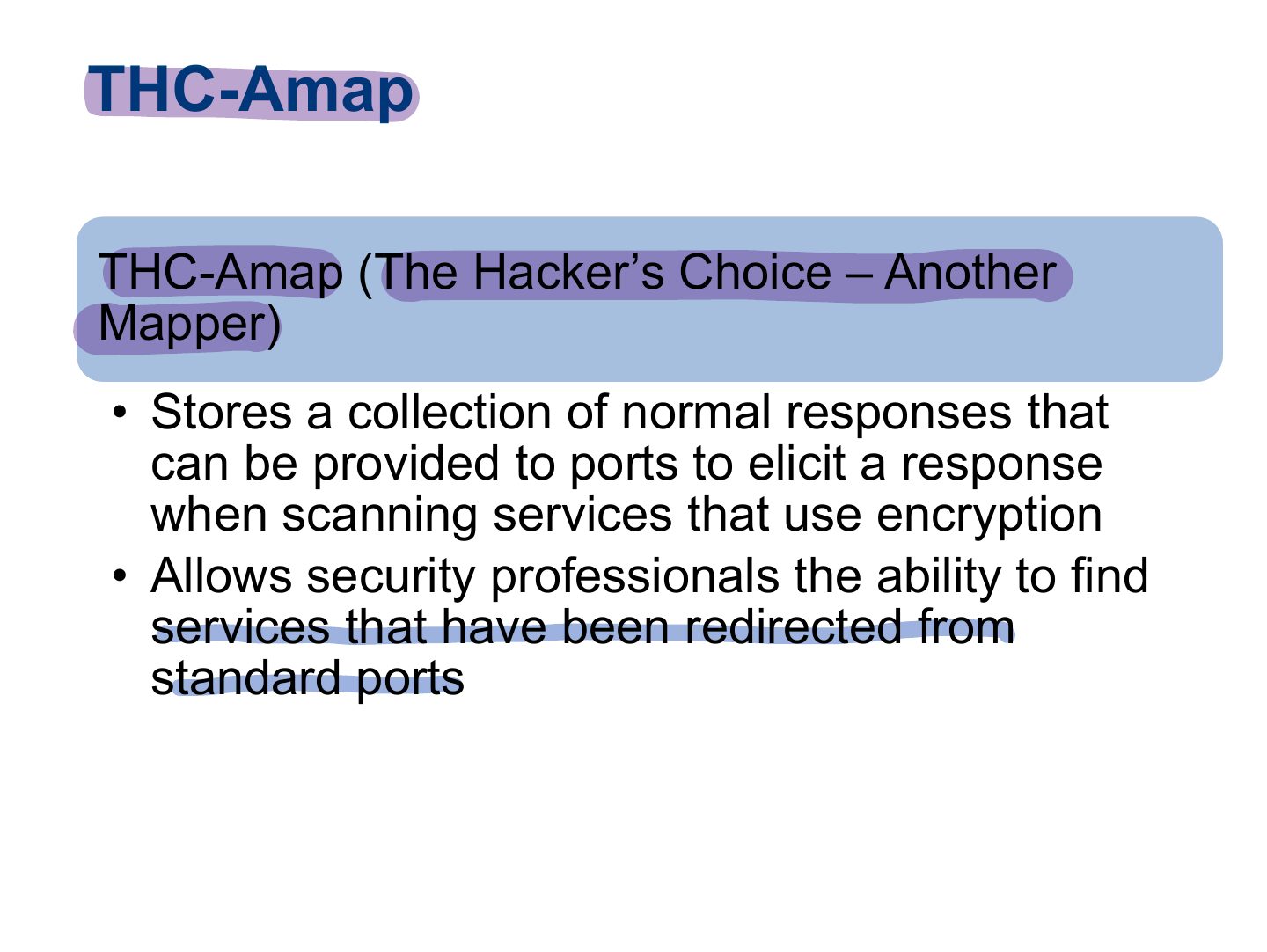
- 40 THC-Amap
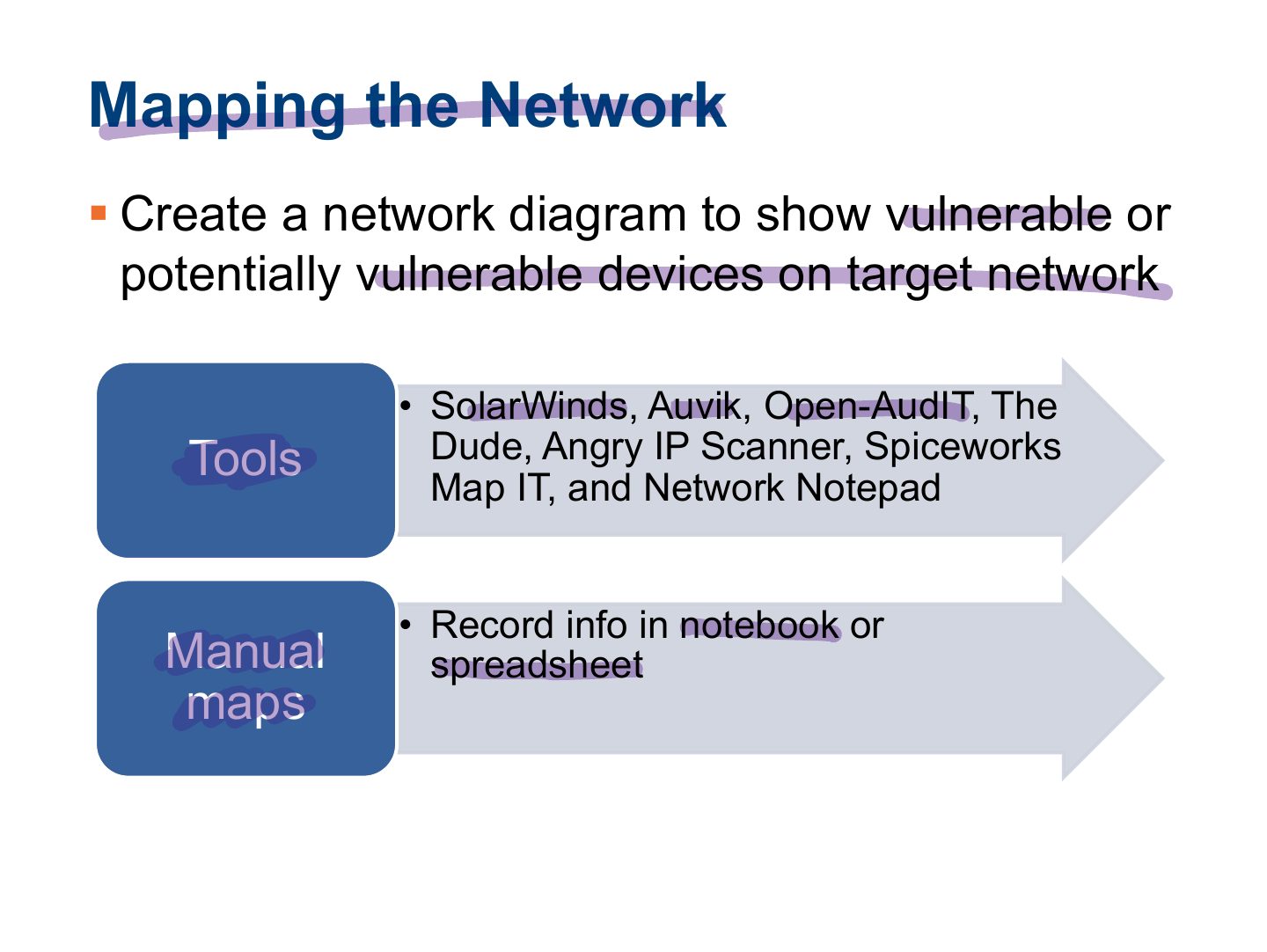
- 41 Mapping the Network
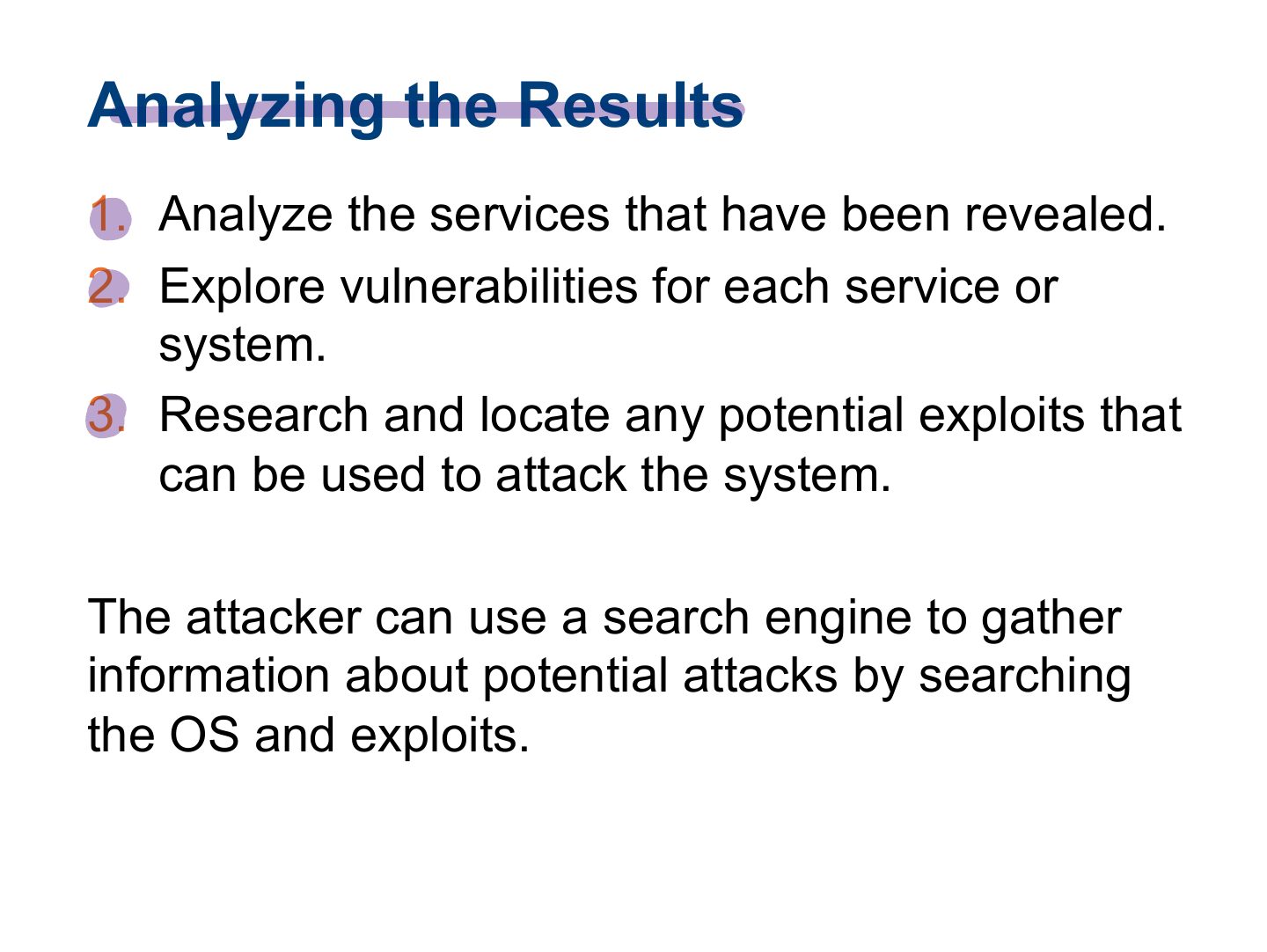
- 42 Analyzing the Results
- 43 Summary
Chapter 3
Learning Objective
Key Concepts
Overview of Network Scanning
§ The purpose of scanning is to discover exploitable
Types and Objectives of Scanning
Notes
Types: port scanning (open ports/services), network scanning (live IPs), vulnerability scanning (known weaknesses).
1- Port Scanning – Lists the open ports and services:
2- Network Scanning (Lists IP addresses): Discover the network’s
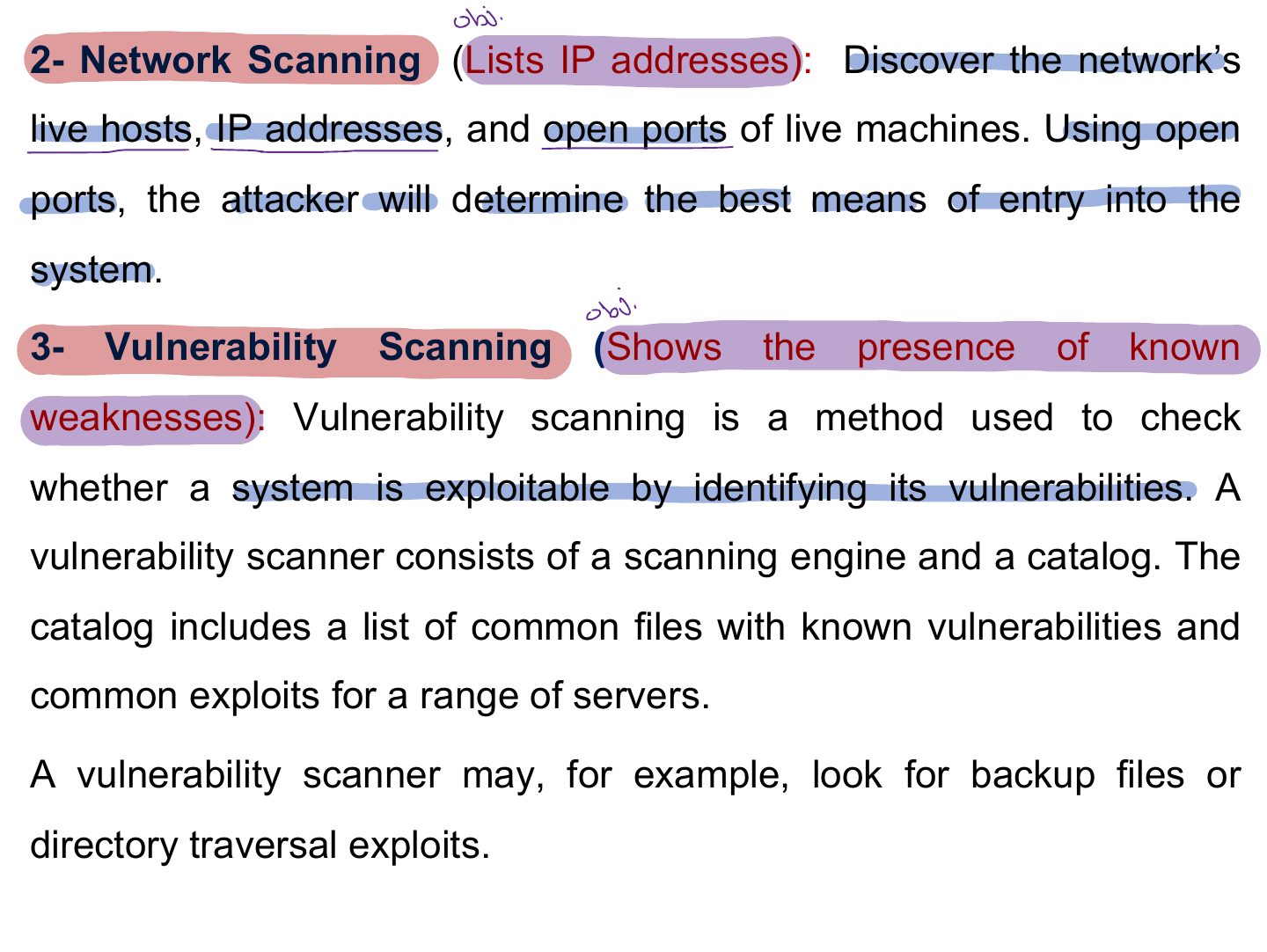
TCP Communication Flags
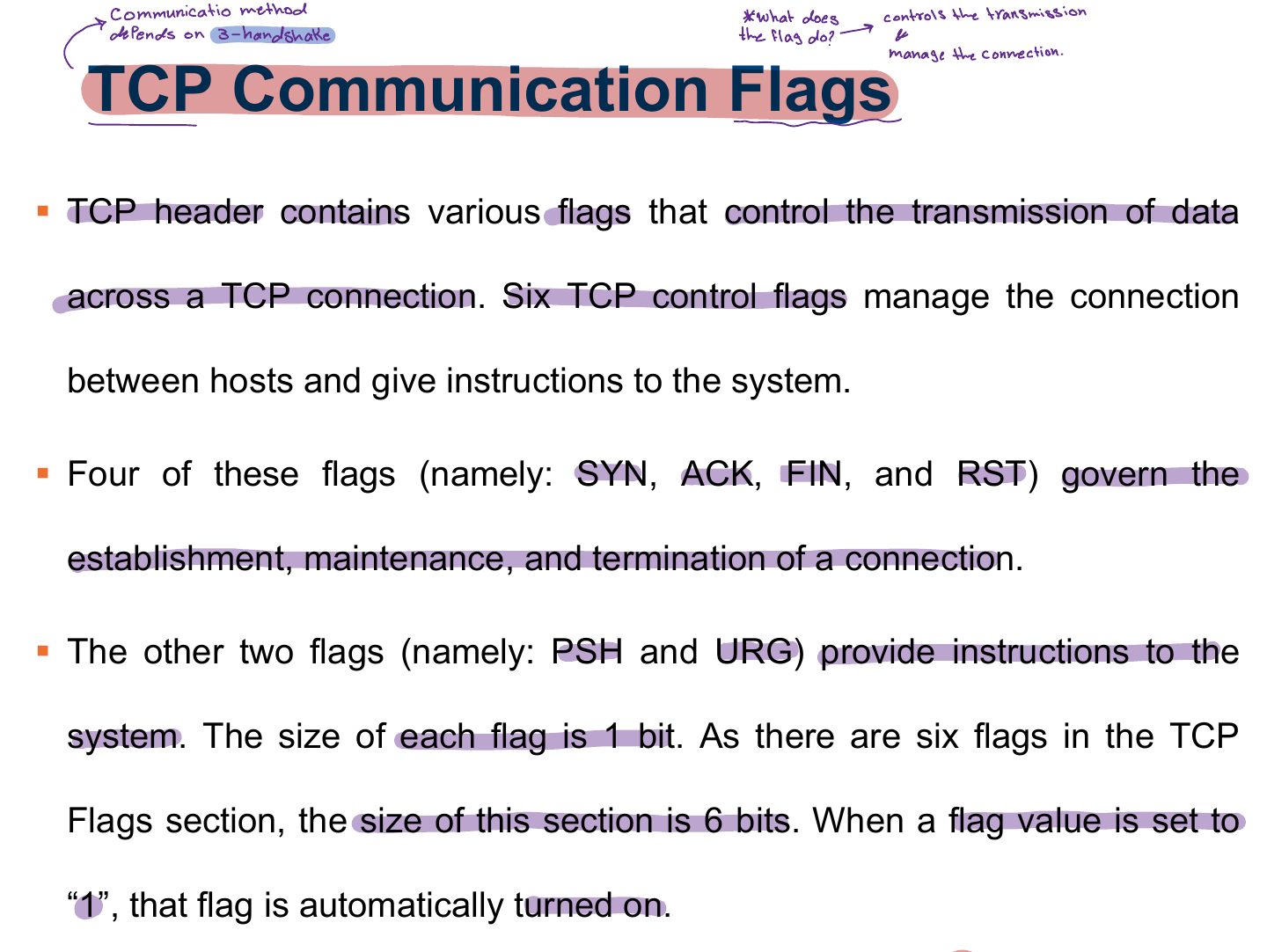
Notes
TCP flags: SYN (start), ACK (acknowledge), FIN (finish), RST (reset), PSH (push), URG (urgent).
TCP Communication Flags
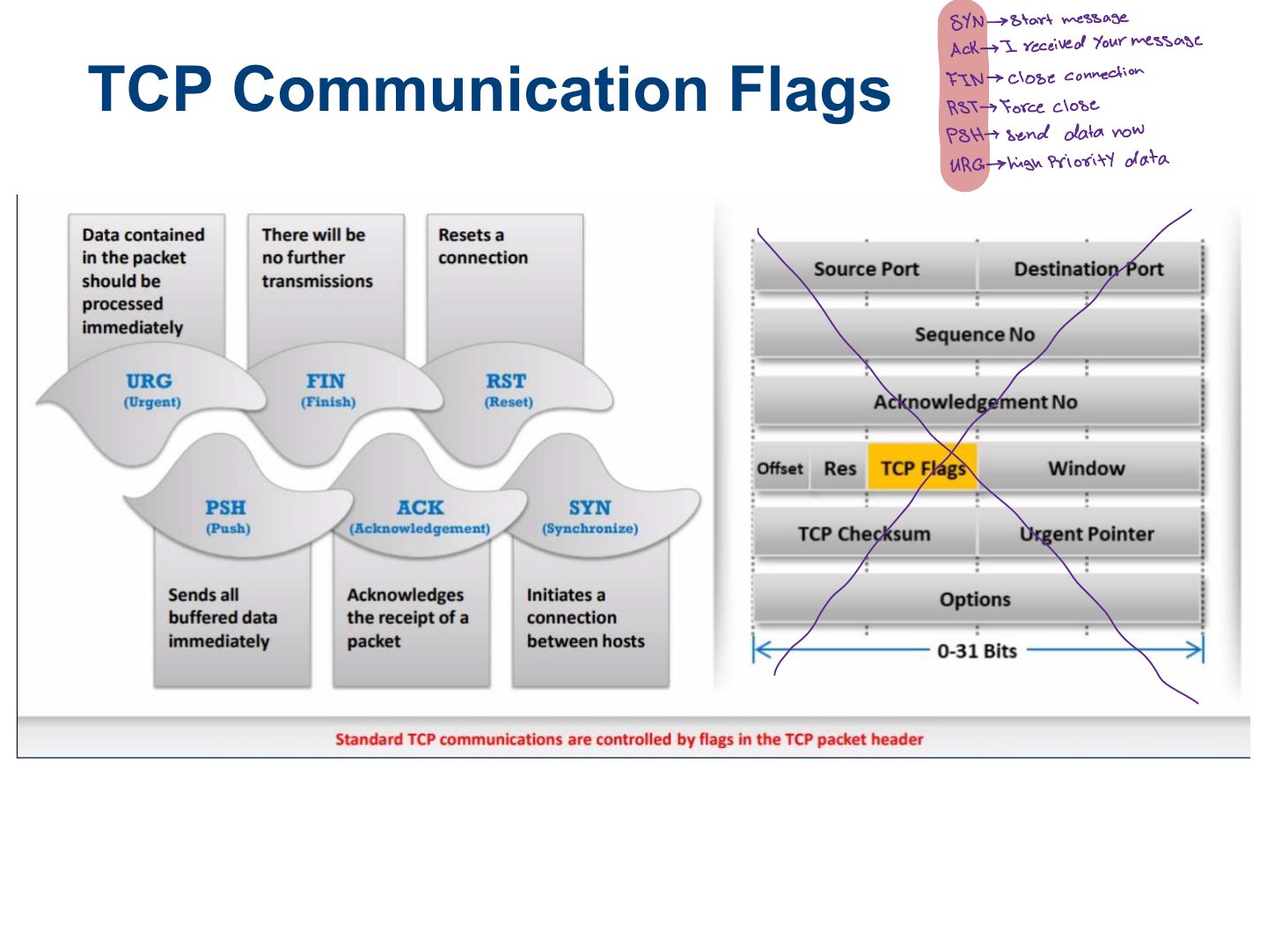
Slide 11
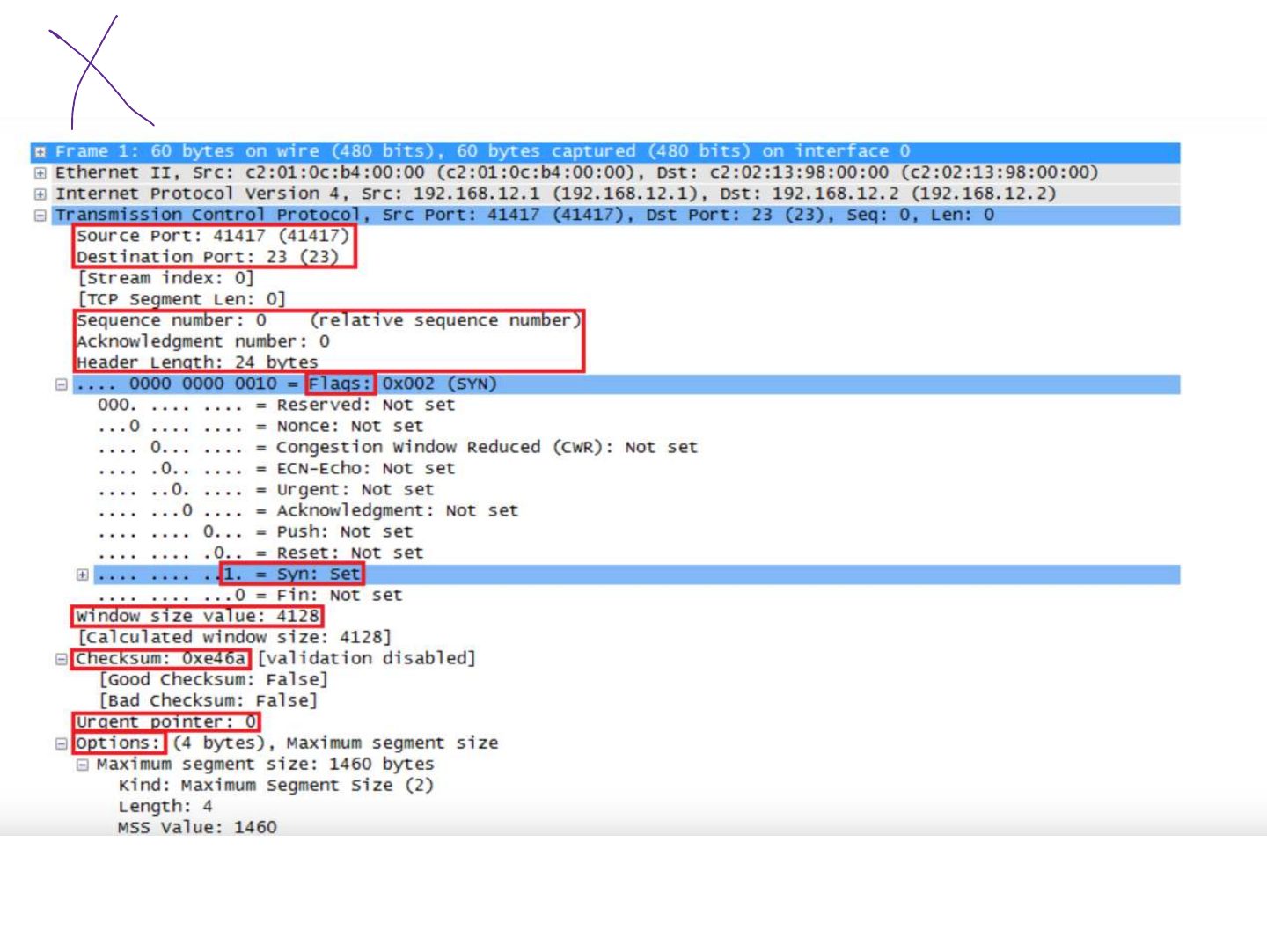
TCP/IP Communication
Creating Custom Packet Using TCP Flag
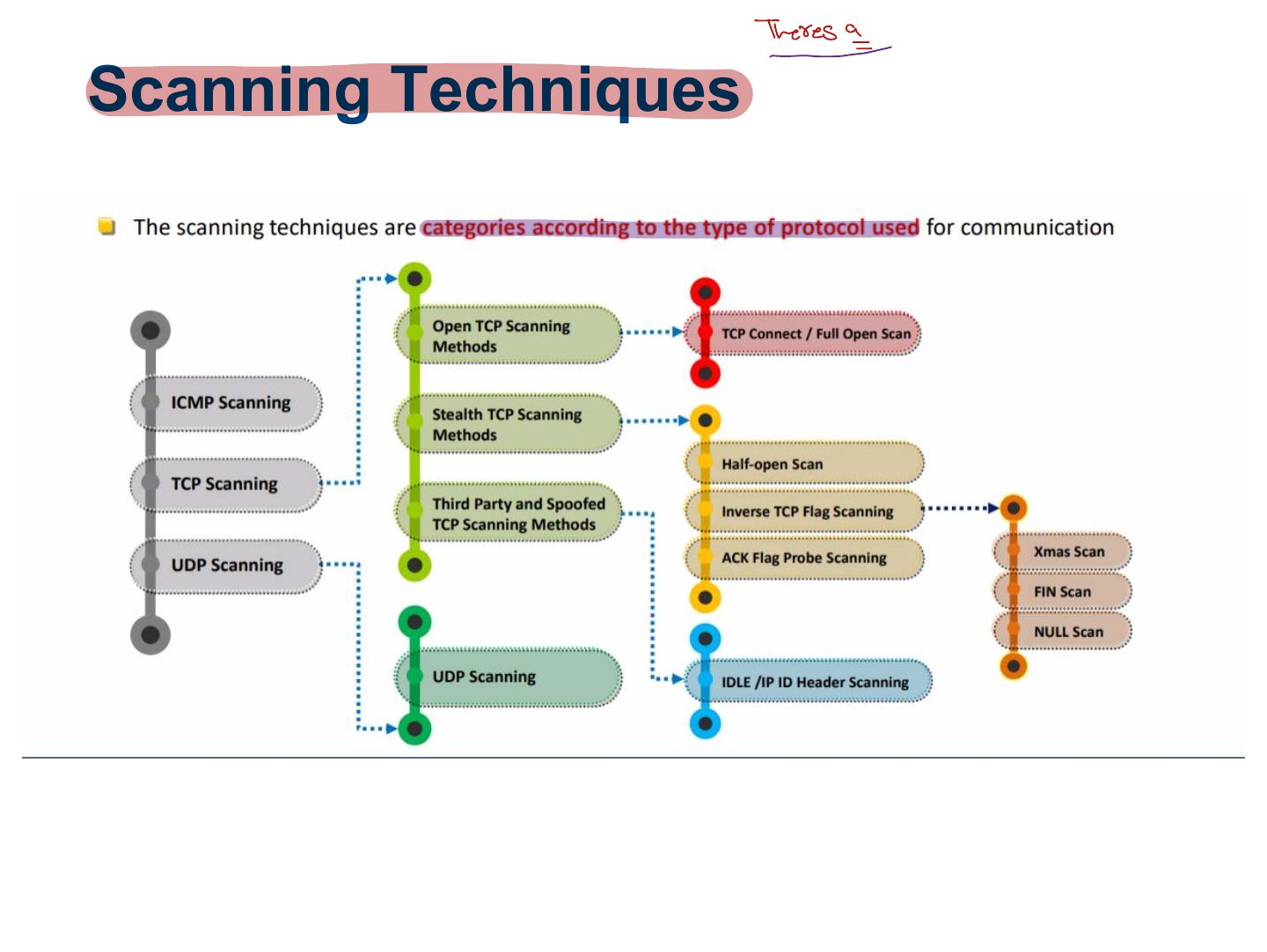
Scanning Techniques
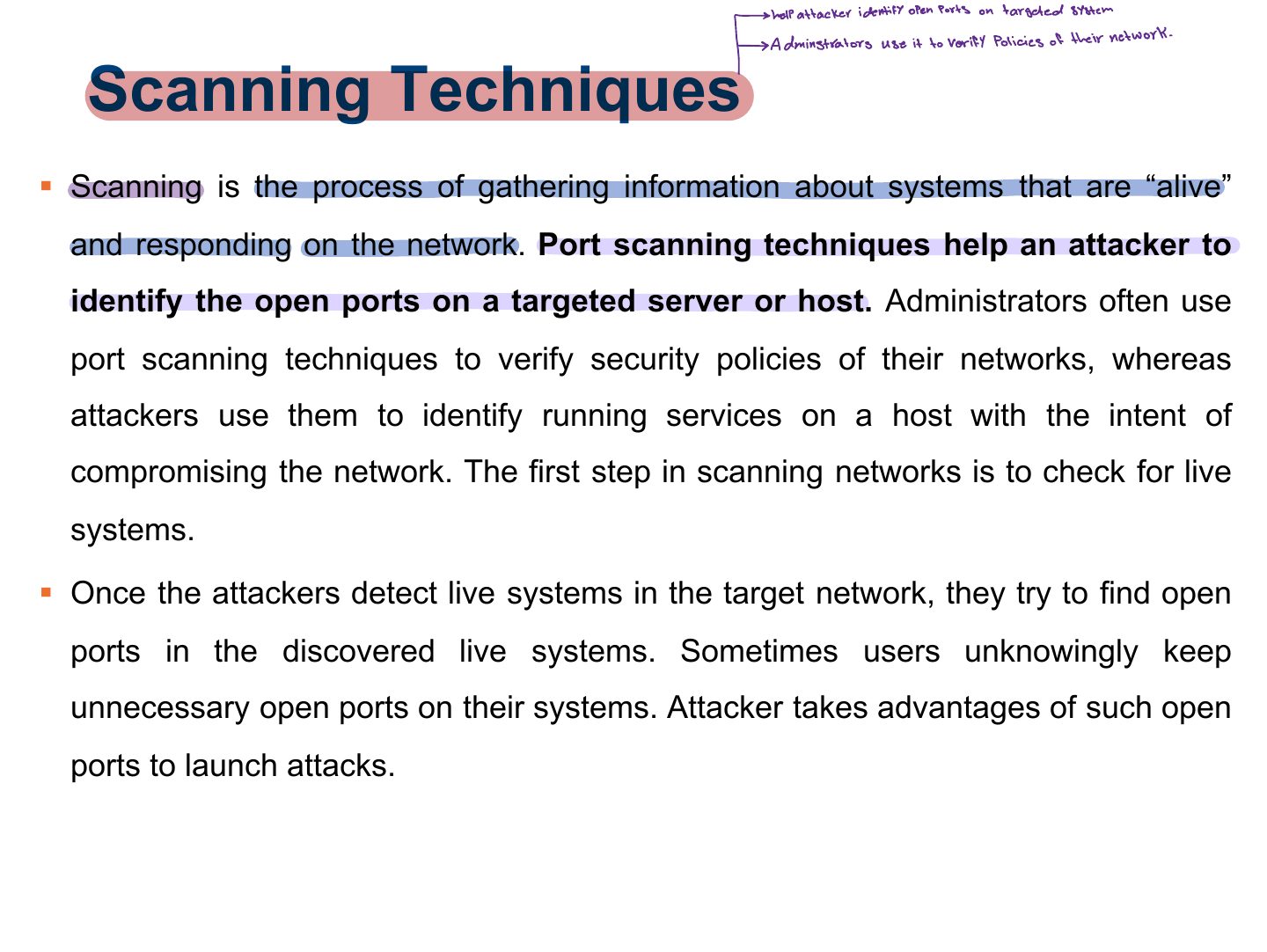
Port Scanning: Common Port Numbers
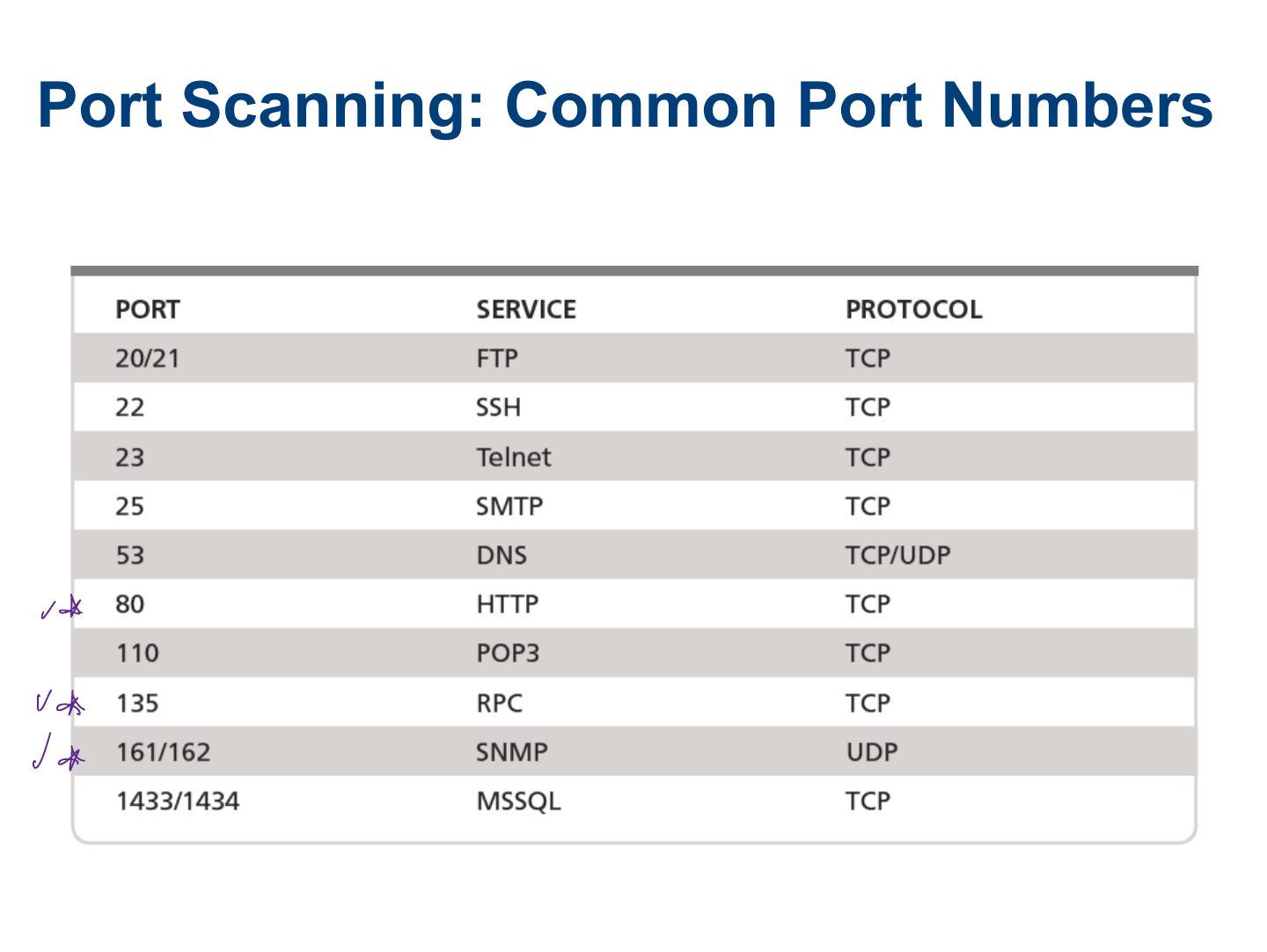
Scanning Techniques
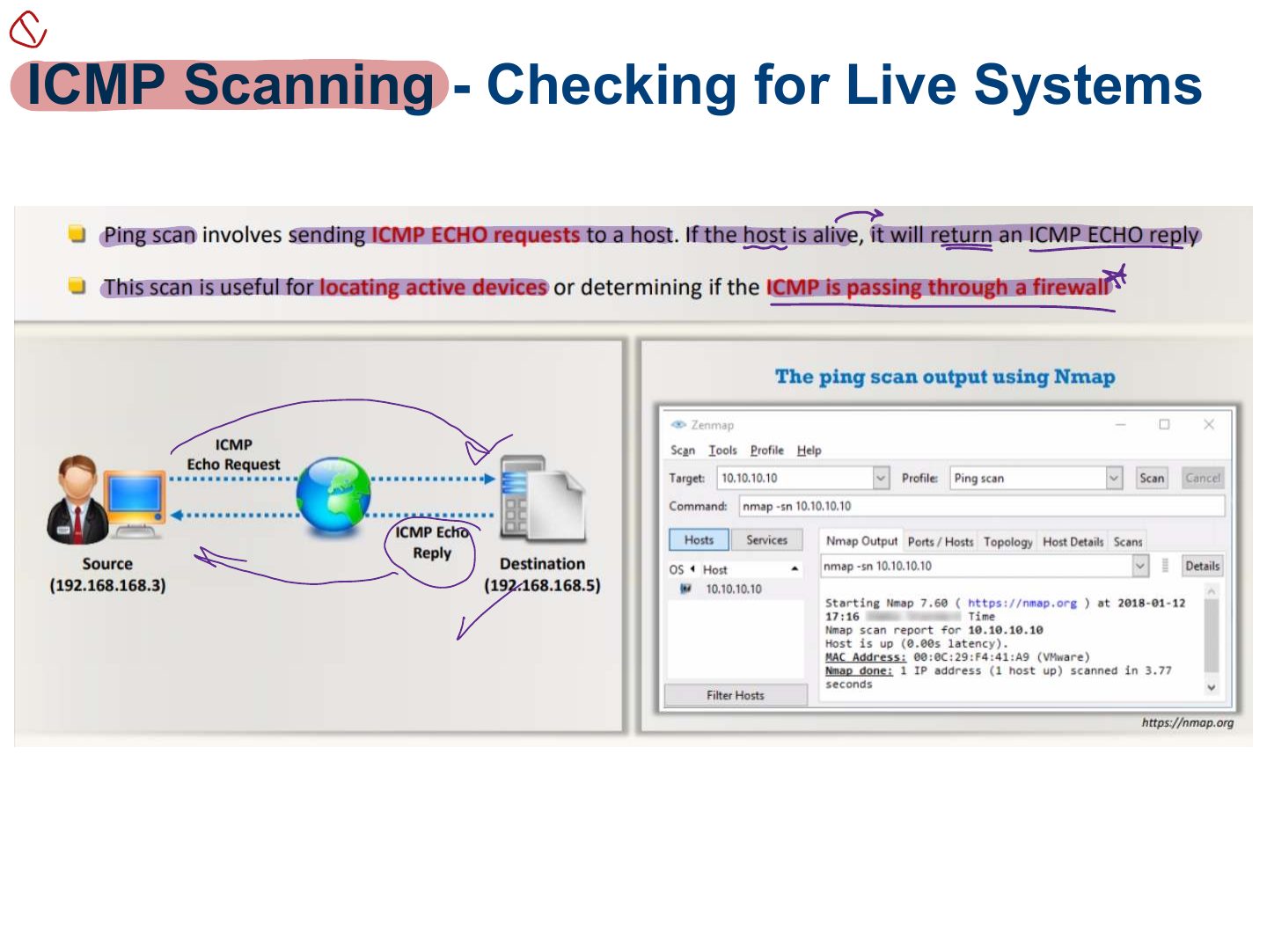
ICMP Scanning - Checking for Live Systems
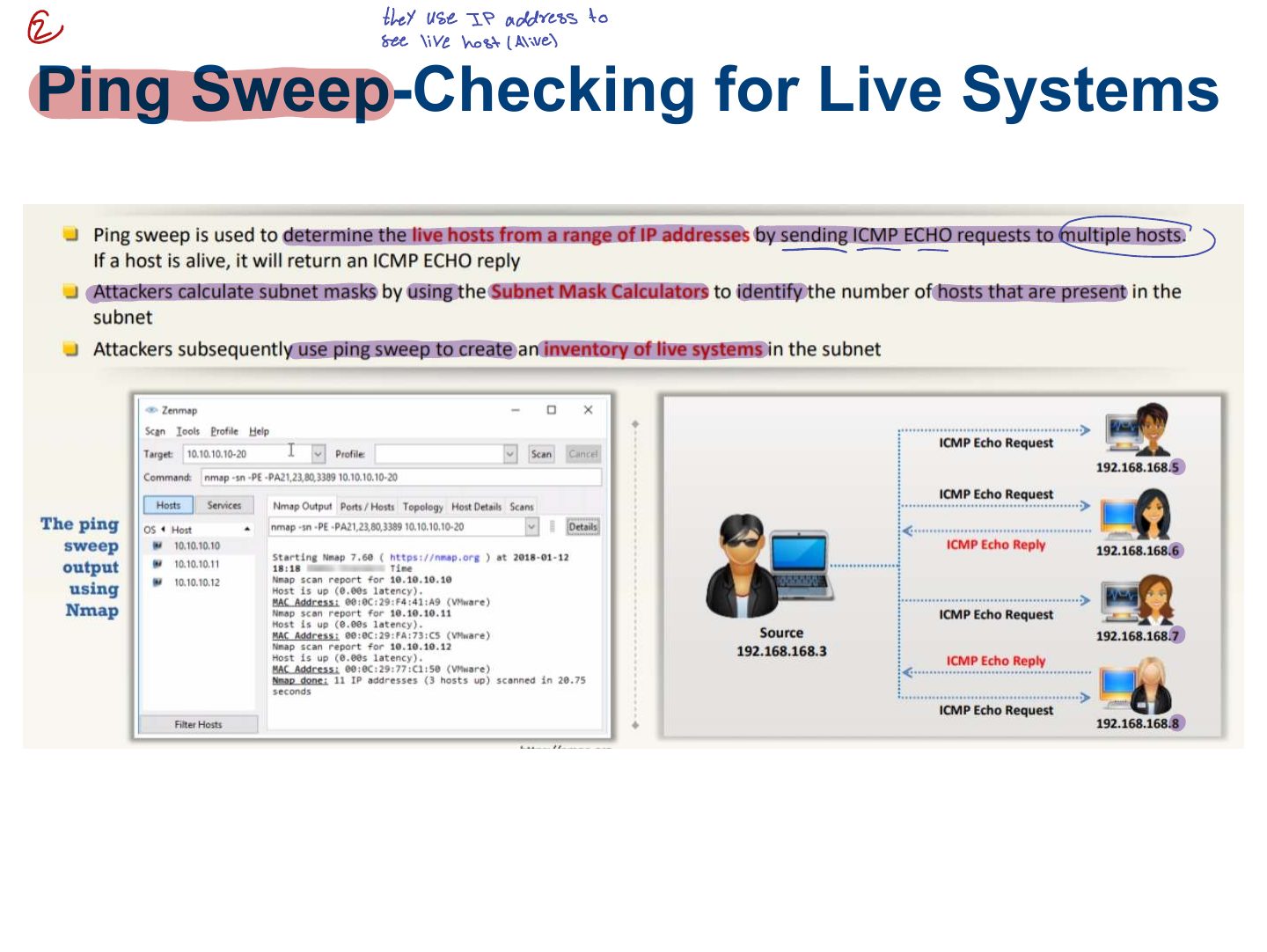
Ping Sweep-Checking for Live Systems
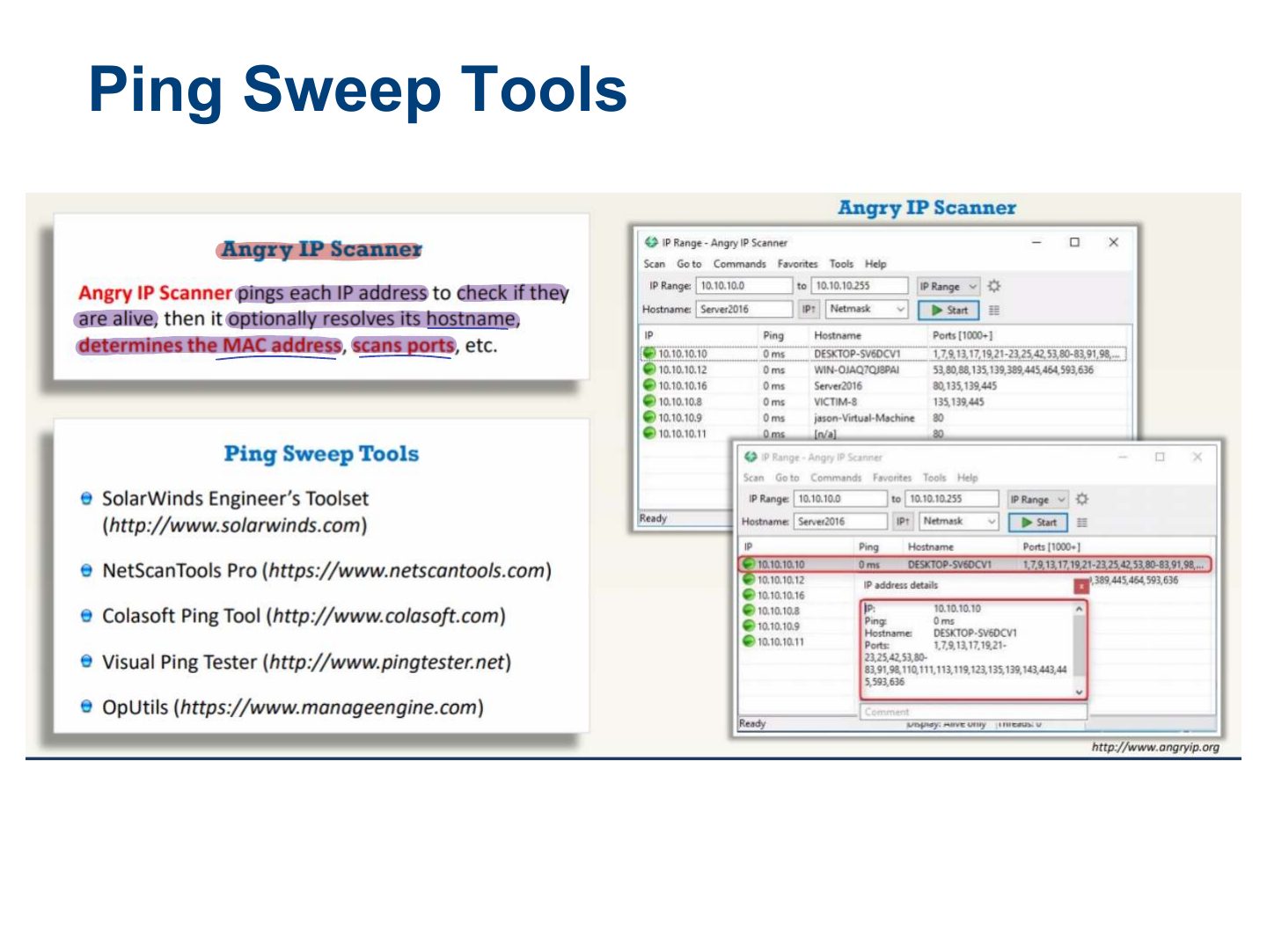
Ping Sweep Tools
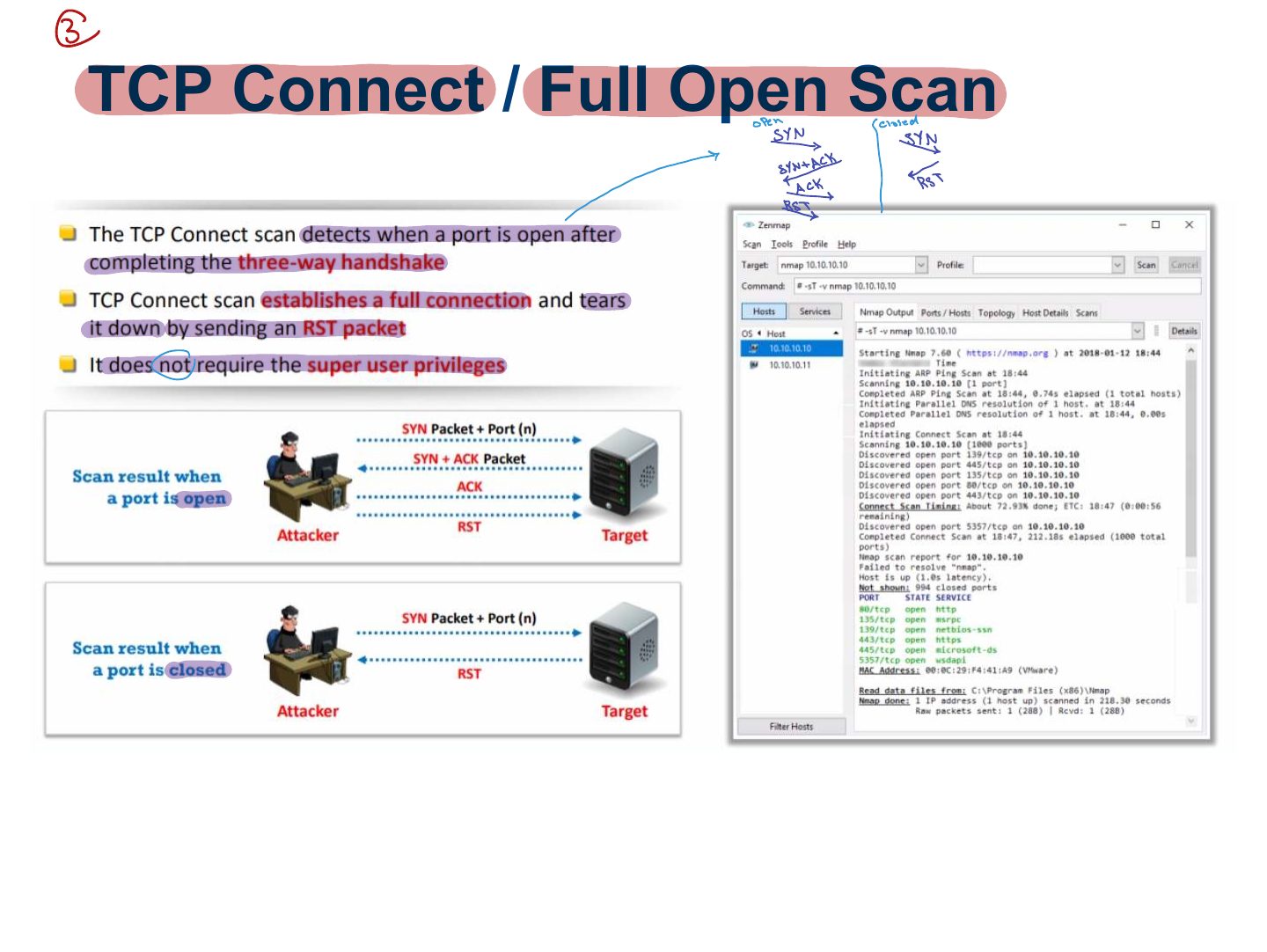
TCP Connect / Full Open Scan
Notes
TCP connect (full open) scan: completes the handshake. Reliable but logged.
Exam angle
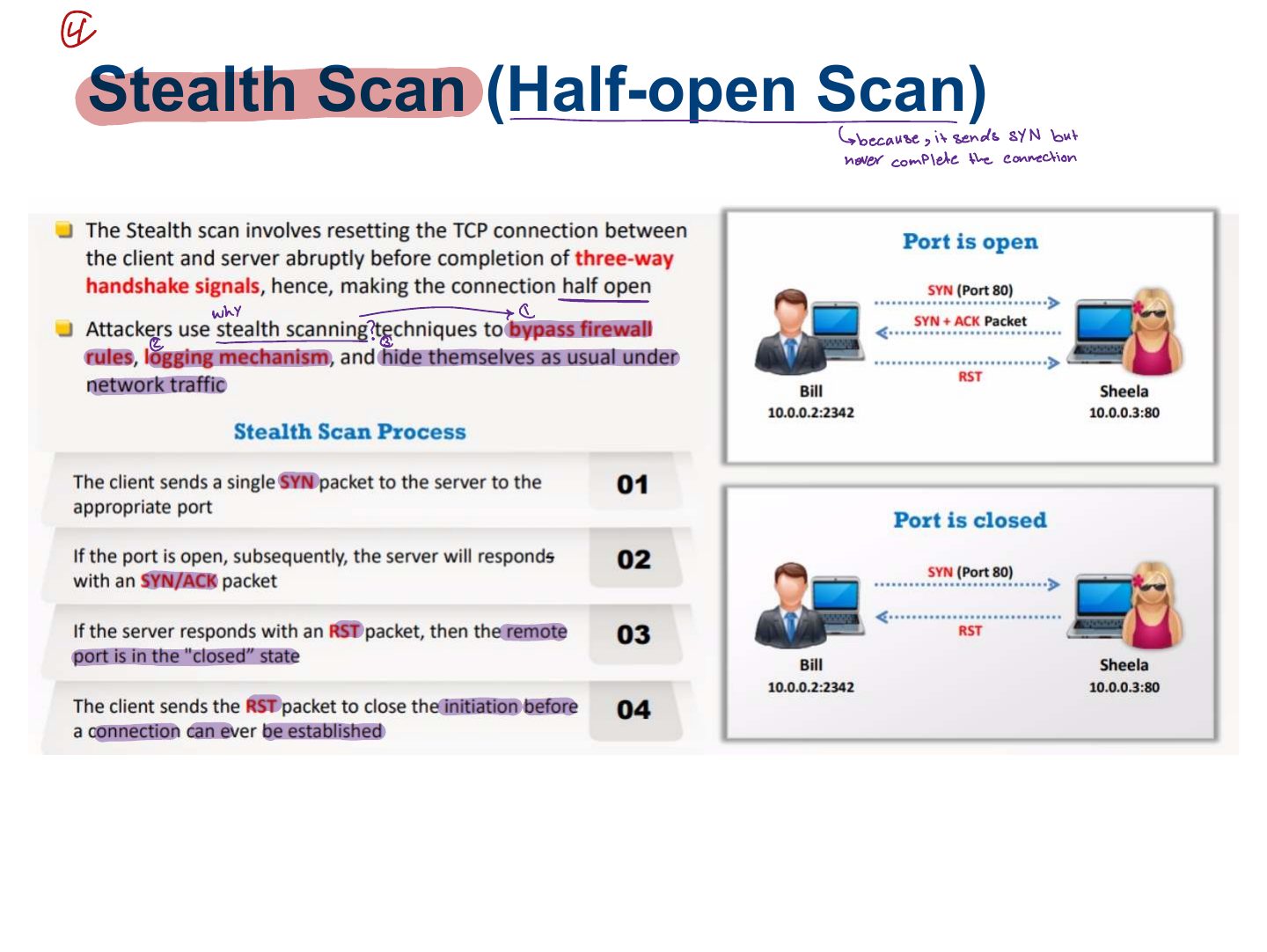
Stealth Scan (Half-open Scan)
Notes
Stealth / half-open (SYN) scan: SYN → SYN/ACK means open → send RST instead of ACK. Less likely to be logged. nmap -sS.
Exam angle
In a SYN scan, an open port replies with:
Nmap option for a SYN (stealth) scan:
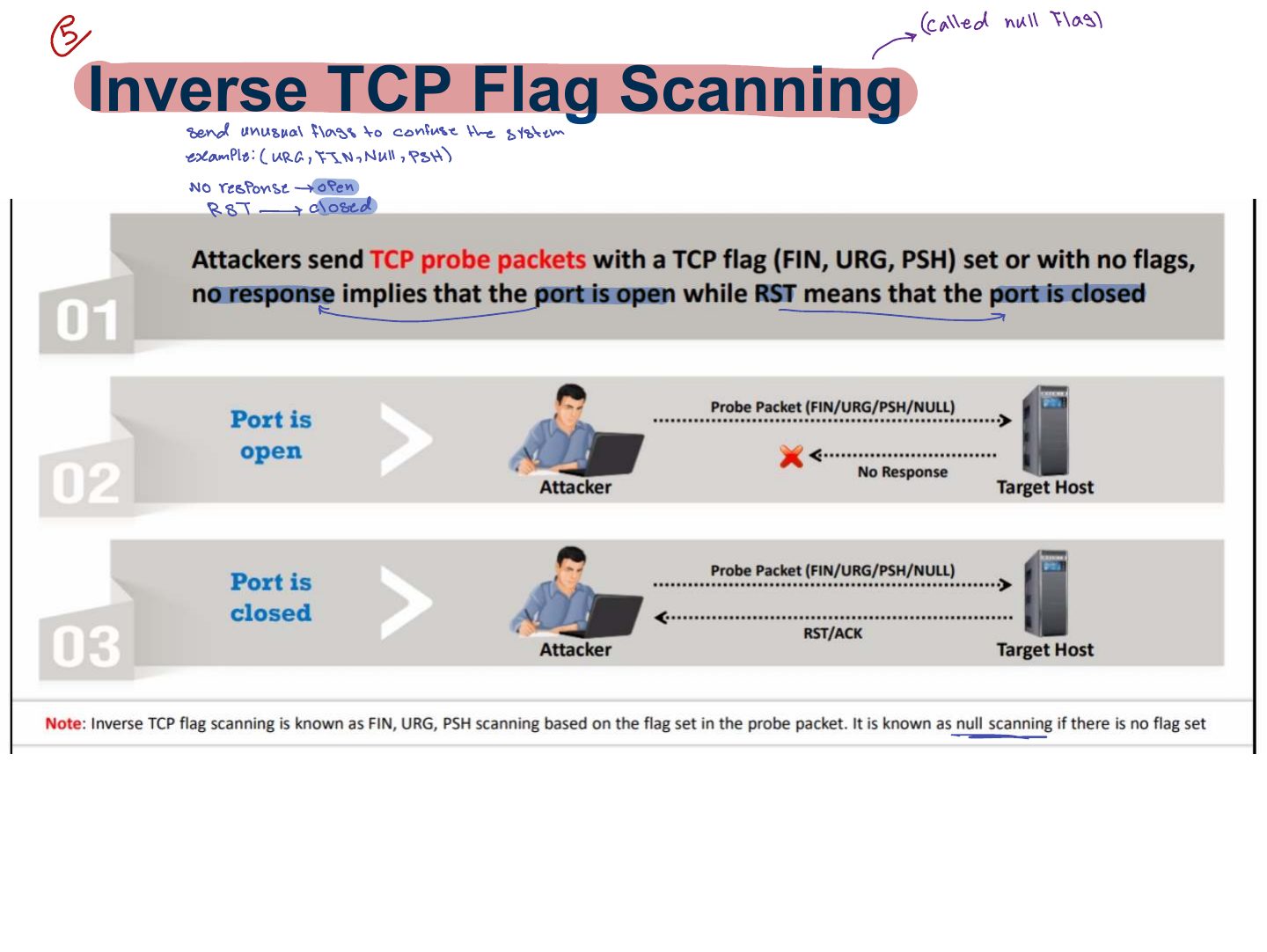
Inverse TCP Flag Scanning
Notes
Inverse TCP flag scans (FIN, NULL, URG/PSH): no response = open (or filtered); RST = closed. Do not work against Windows.
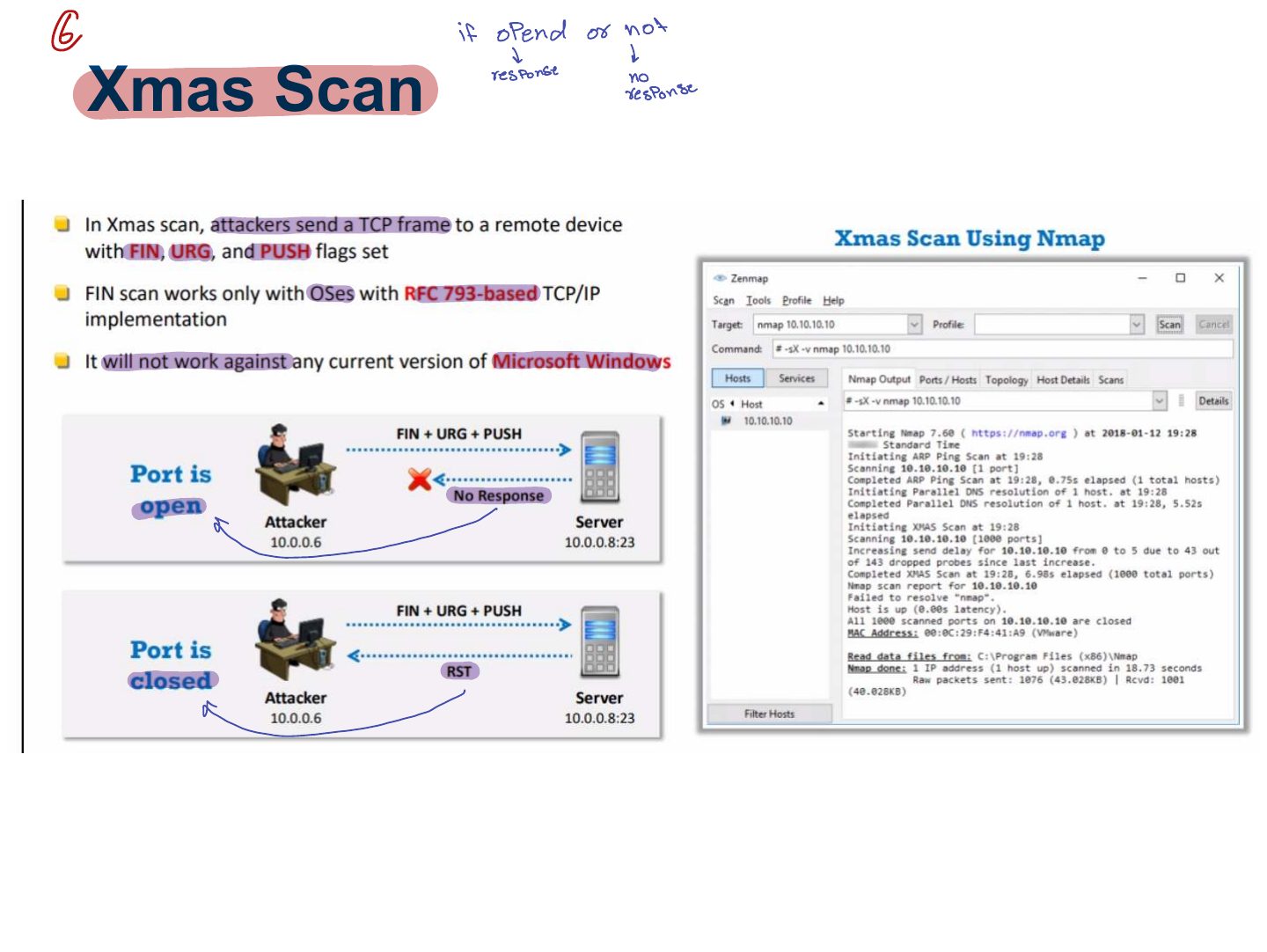
Xmas Scan
Notes
Xmas scan: FIN + URG + PSH set ("lit up like a Christmas tree"). No reply → open; RST → closed.
Trap In SYN scans a reply means OPEN; in Xmas/FIN/NULL scans NO reply means open.
Exam angle
An Xmas scan sets which flags?
ACK Flag Probe Scanning
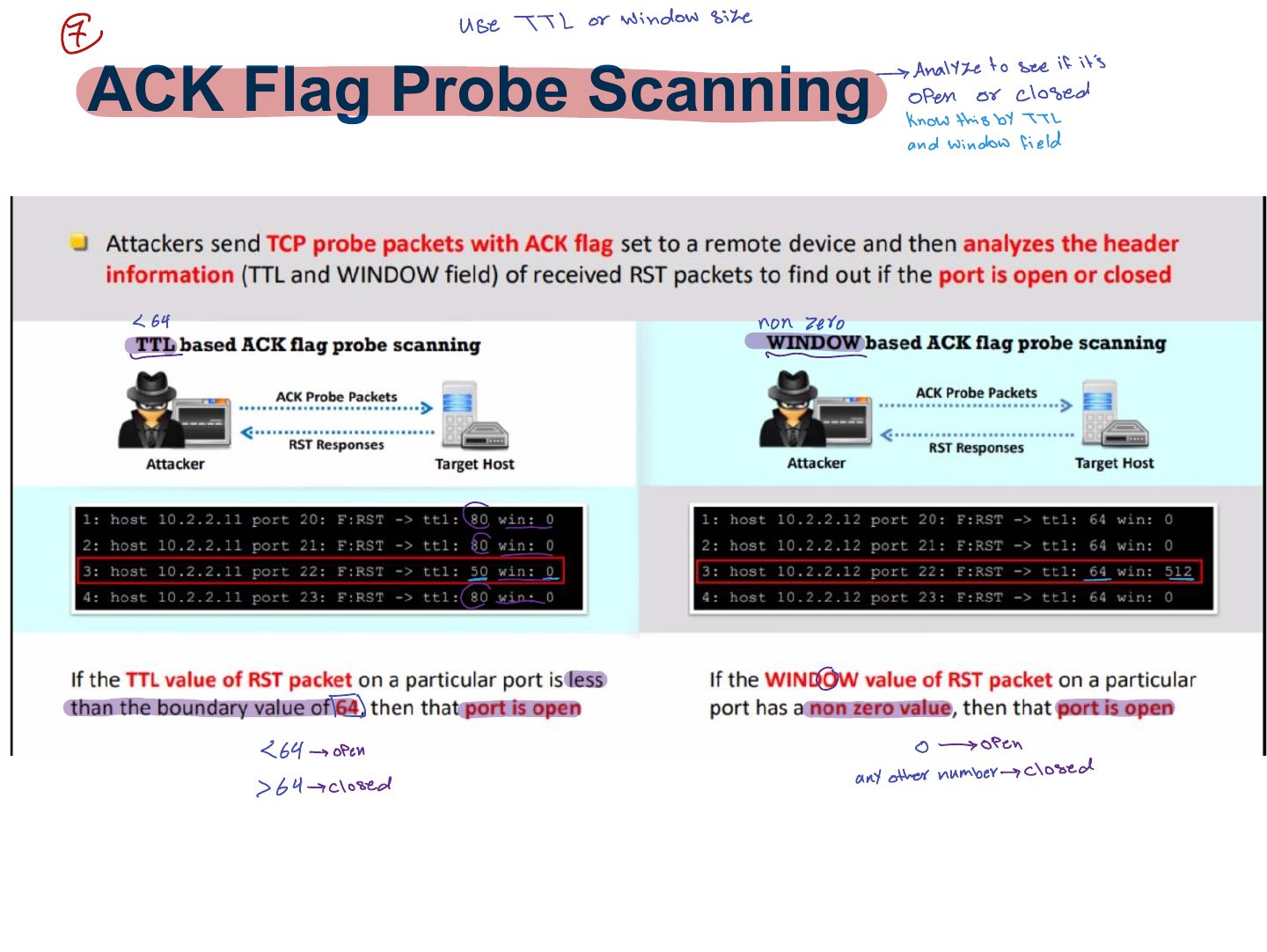
Notes
ACK scan: maps firewall rules (filtered vs. unfiltered), not open ports.
ACK Flag Probe Scanning (cont..)
IDLE/IPID Header Sca
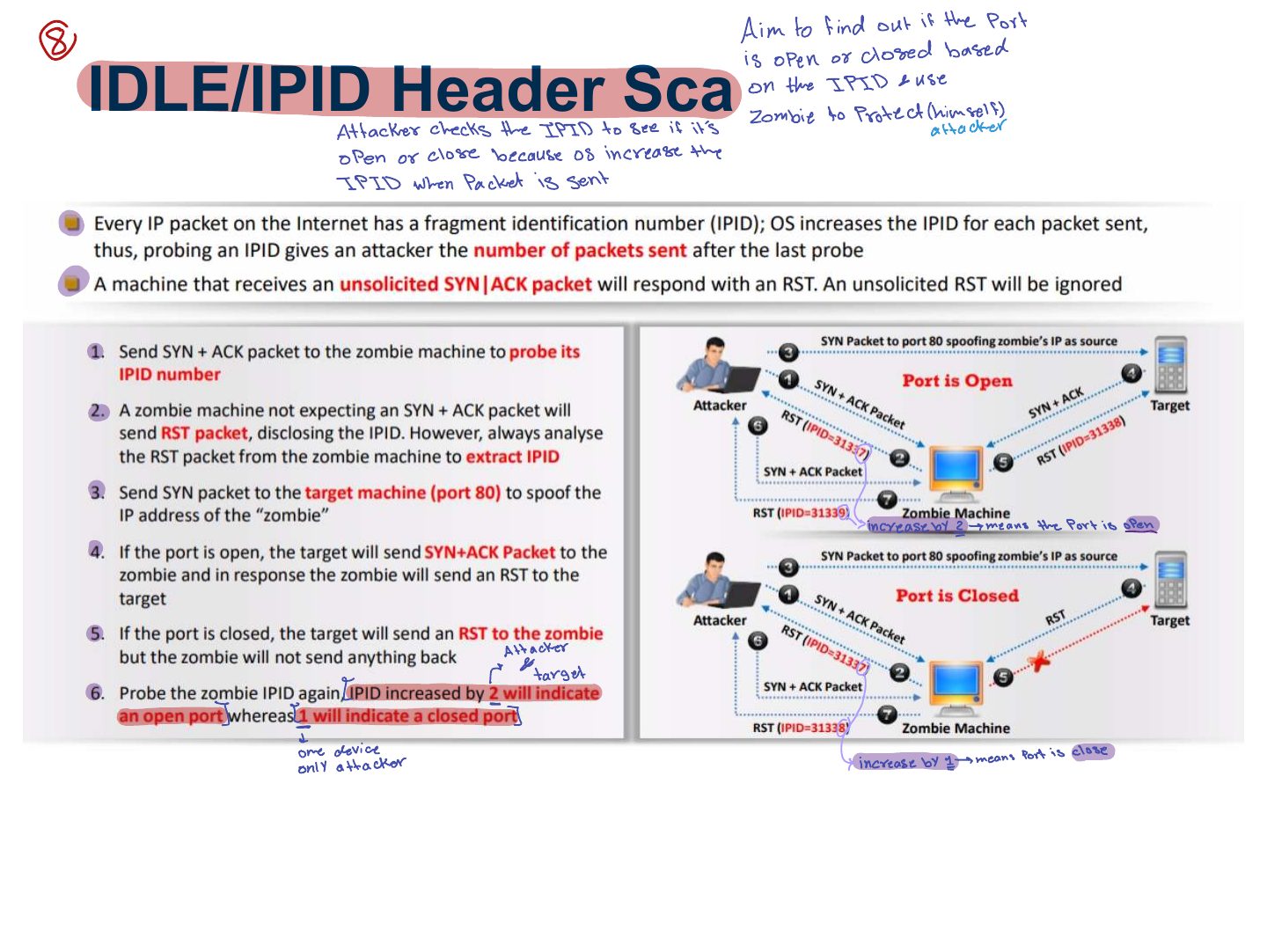
Notes
Idle (zombie) scan: uses a third host’s predictable IP ID to scan without revealing your address.
Exam angle
The scan that hides the attacker’s IP by using a zombie host’s IP ID is the:
UDP Scanning
Port Scanning Countermeasures
Banner grabbing
Notes
Banner grabbing (telnet, netcat) reveals service names and versions; OS fingerprinting identifies the OS (active with Nmap -O, passive by sniffing).
Exam angle
Connecting with netcat to read a server’s version string is:
How to Identify Target System OS
Drawing Network Diagrams
Scanning Pen Testing
Scanning Pen Testing (cont’d)
Nmap
Notes
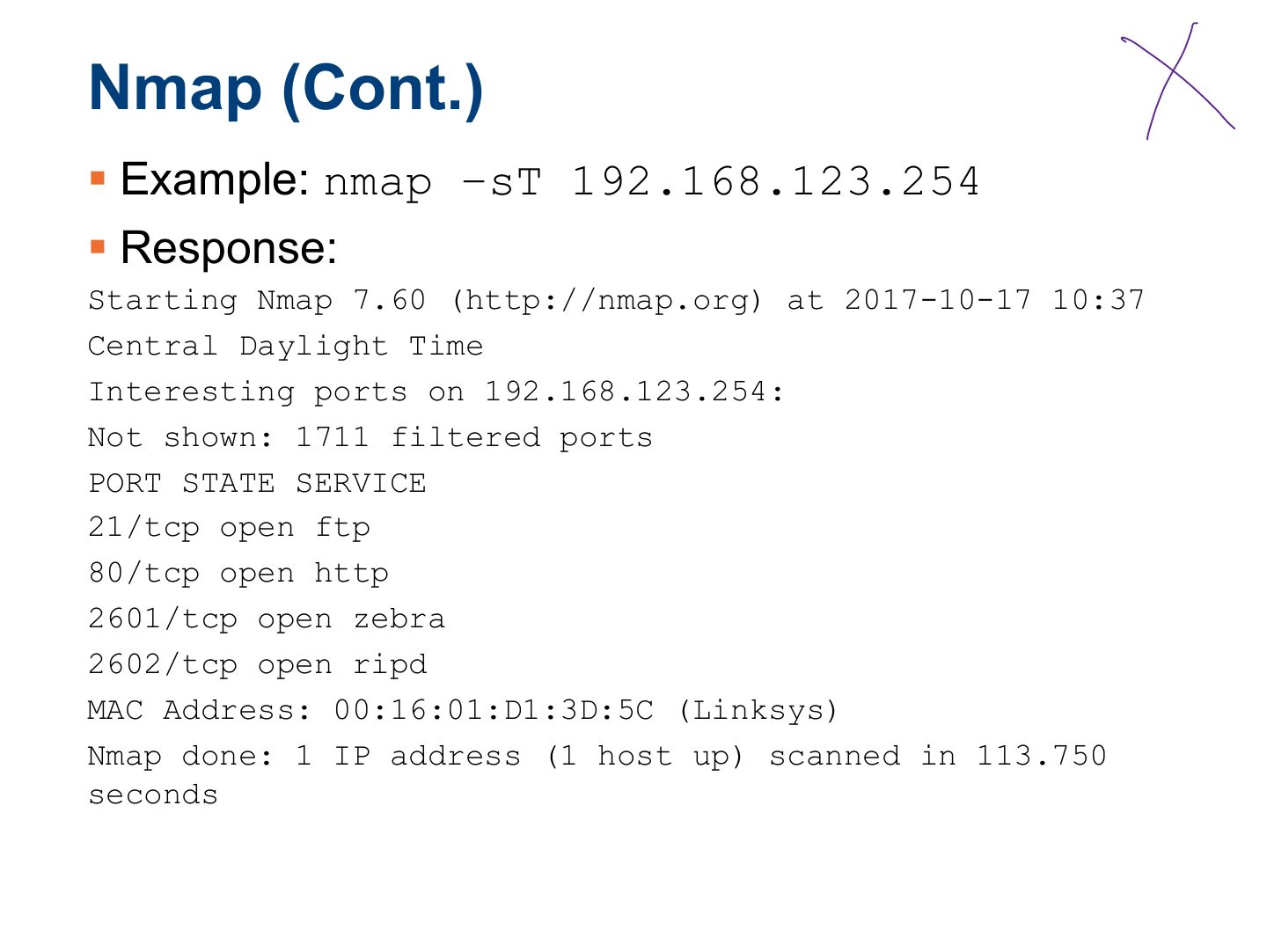
Nmap: -sT connect, -sS SYN, -sU UDP, -sX Xmas, -sN NULL, -sF FIN, -sA ACK, -O OS detection, -sV version, -p ports, -Pn skip ping.
Slide 35
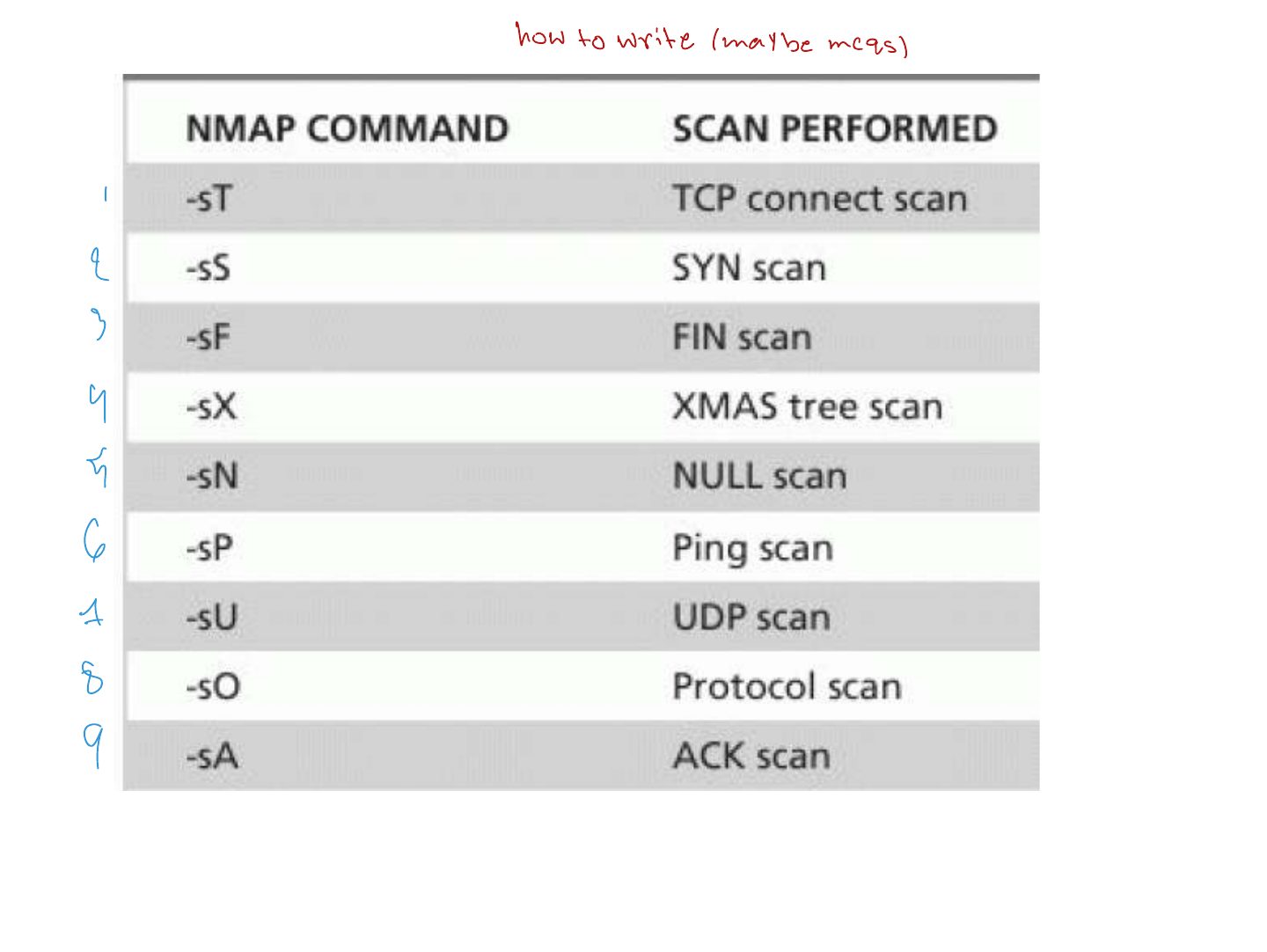
Nmap (Cont.)
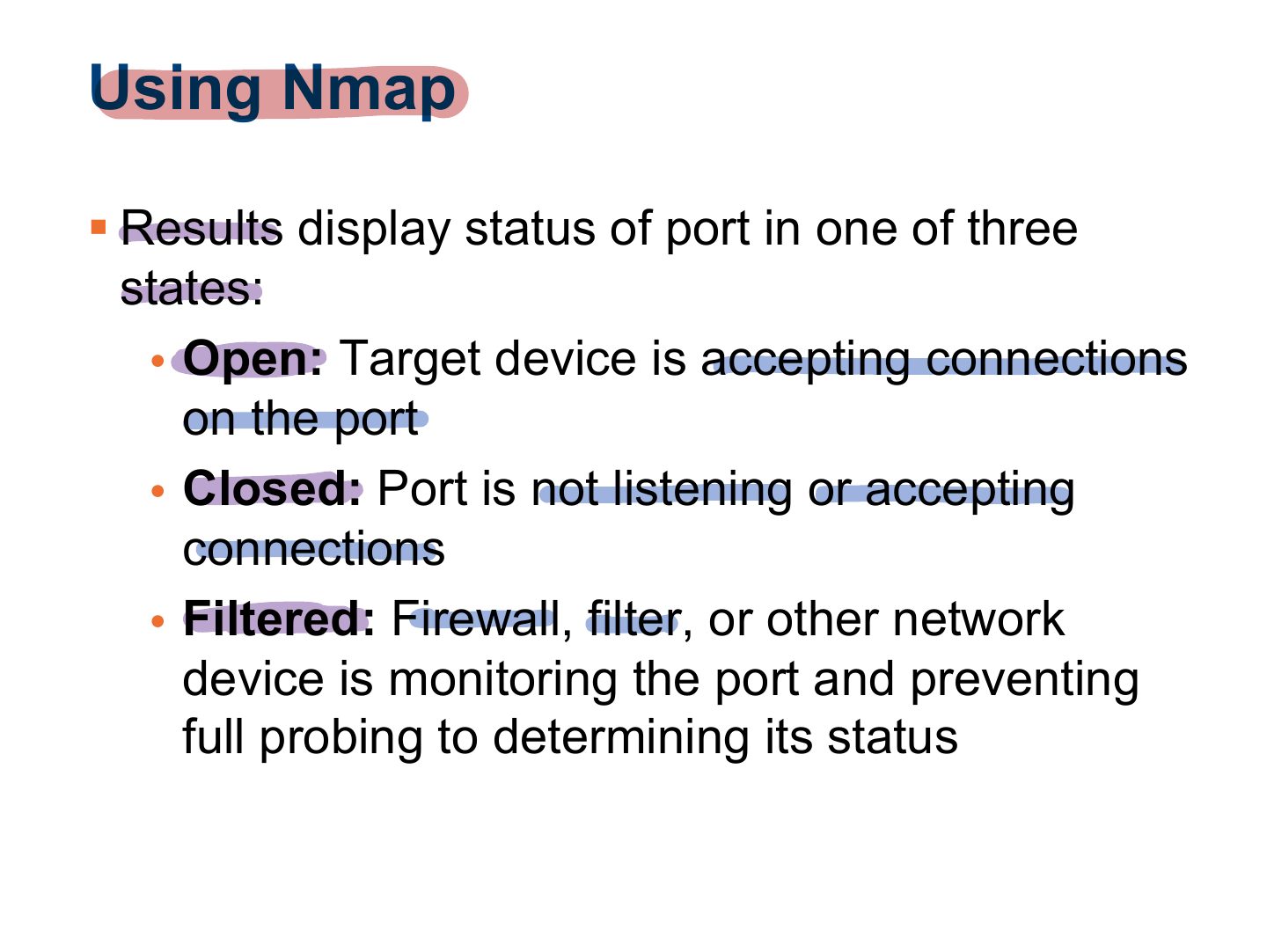
Using Nmap
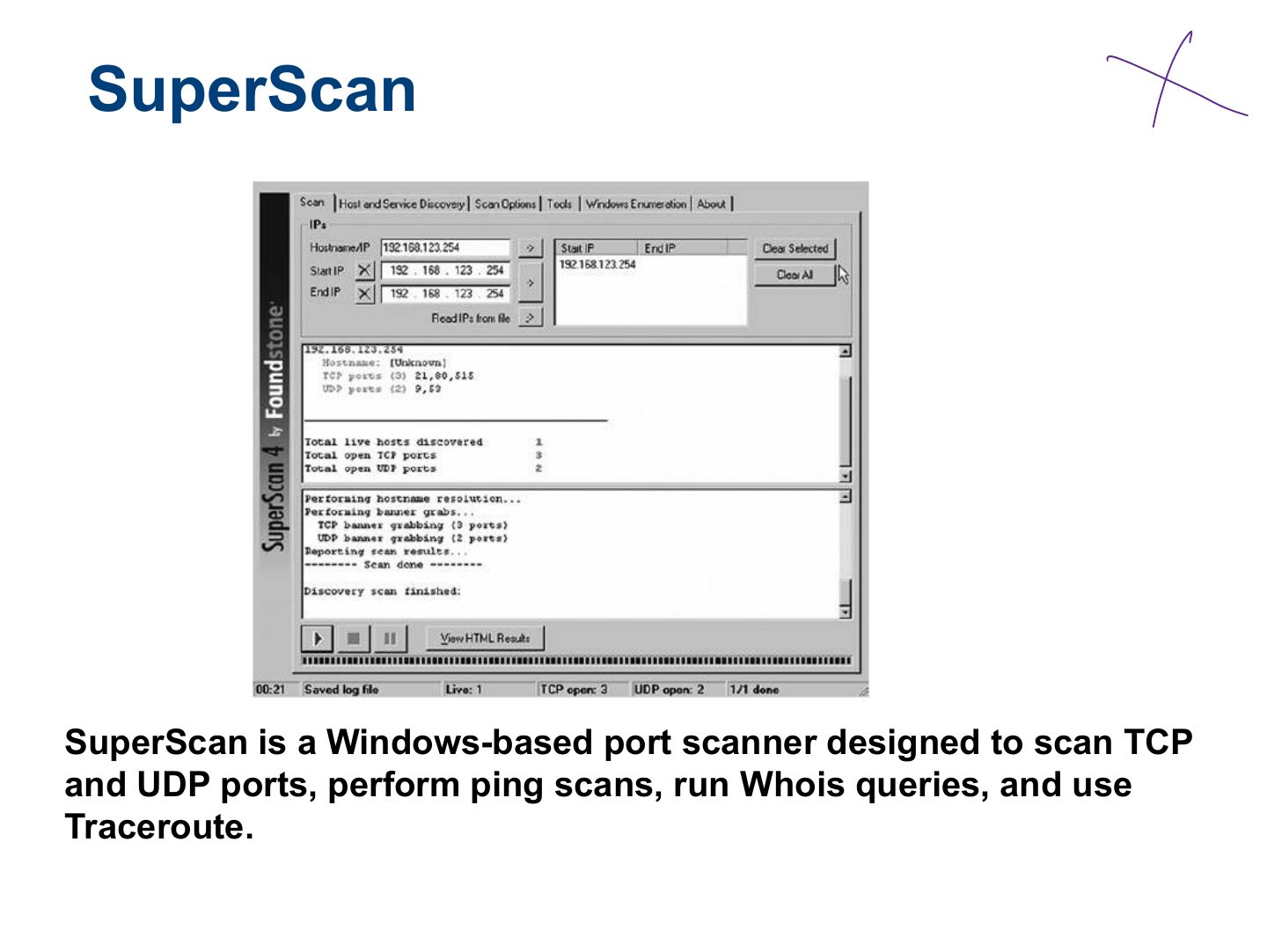
SuperScan
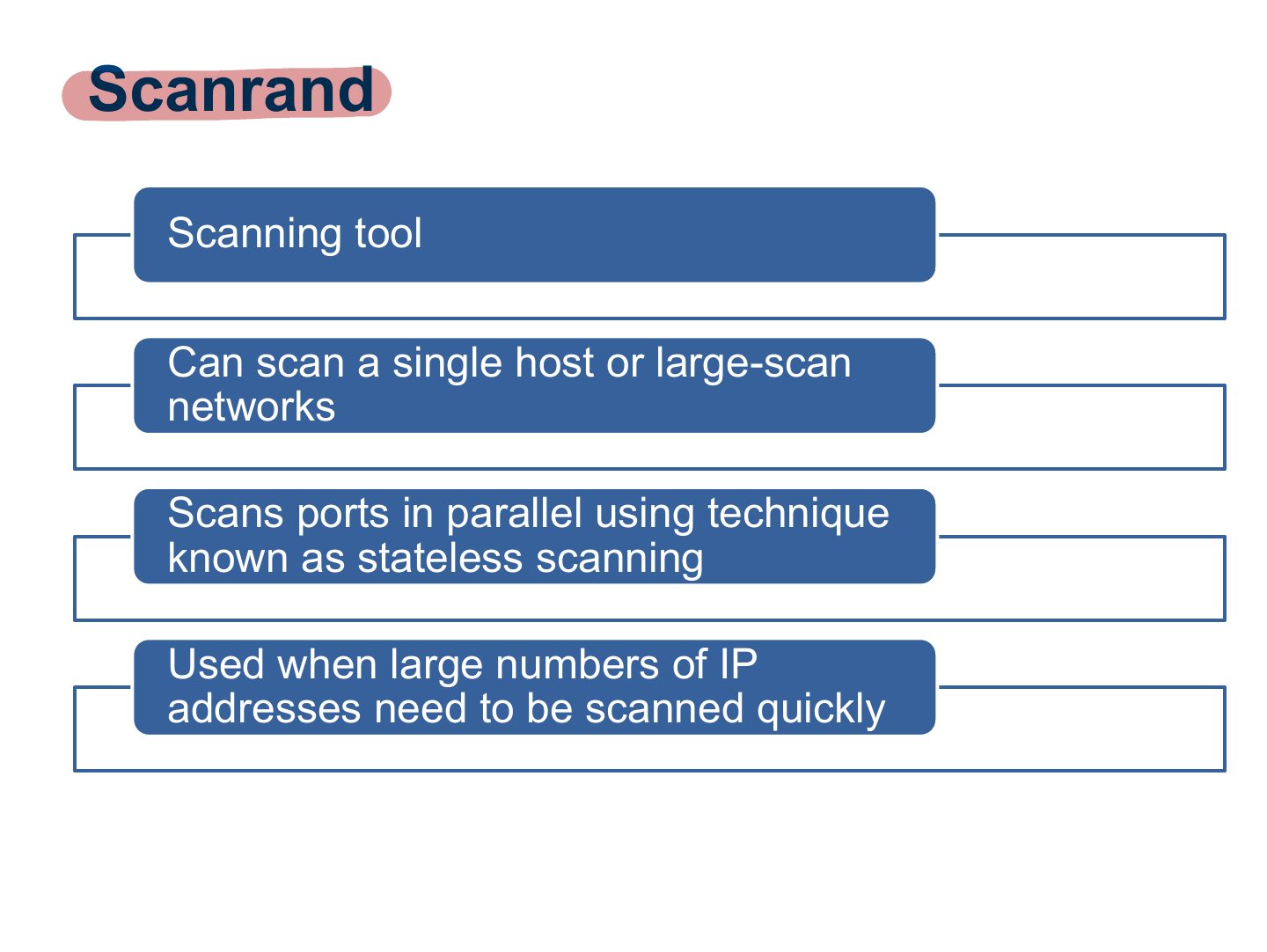
Scanrand
THC-Amap
Mapping the Network
Analyzing the Results
Summary