CS101 · Chapter 12 · Annotated SlidesException Handling and Text I/O
Original
Overview

Exception Handling and Text I/O

The File class, writing text with PrintWriter, try-with-resources that closes files automatically, and reading text with Scanner.

How to read this page

Every original slide is shown unchanged. Yellow marks on a slide point to a numbered note: hover or tap a mark to jump to its note, and hover a note to see its marks. Questions tagged Past exam appeared on a real paper; Prediction questions are likely angles, not confirmed. Pick an answer to each question: a wrong pick tells you why it is wrong, so you can try again.
All 15 slides
  1. 1 Exception Handling and Text I/O
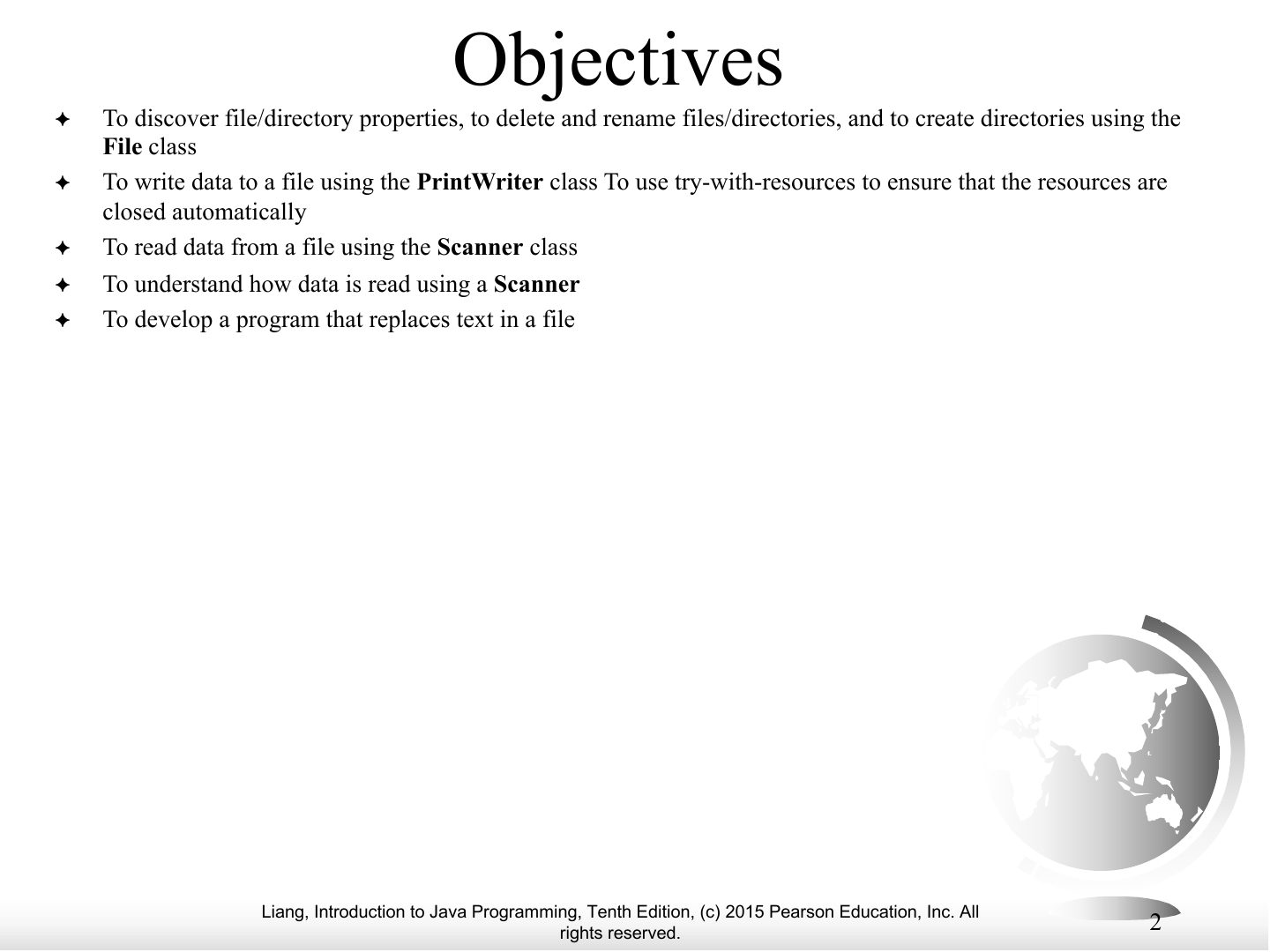
  2. 2 Objectives
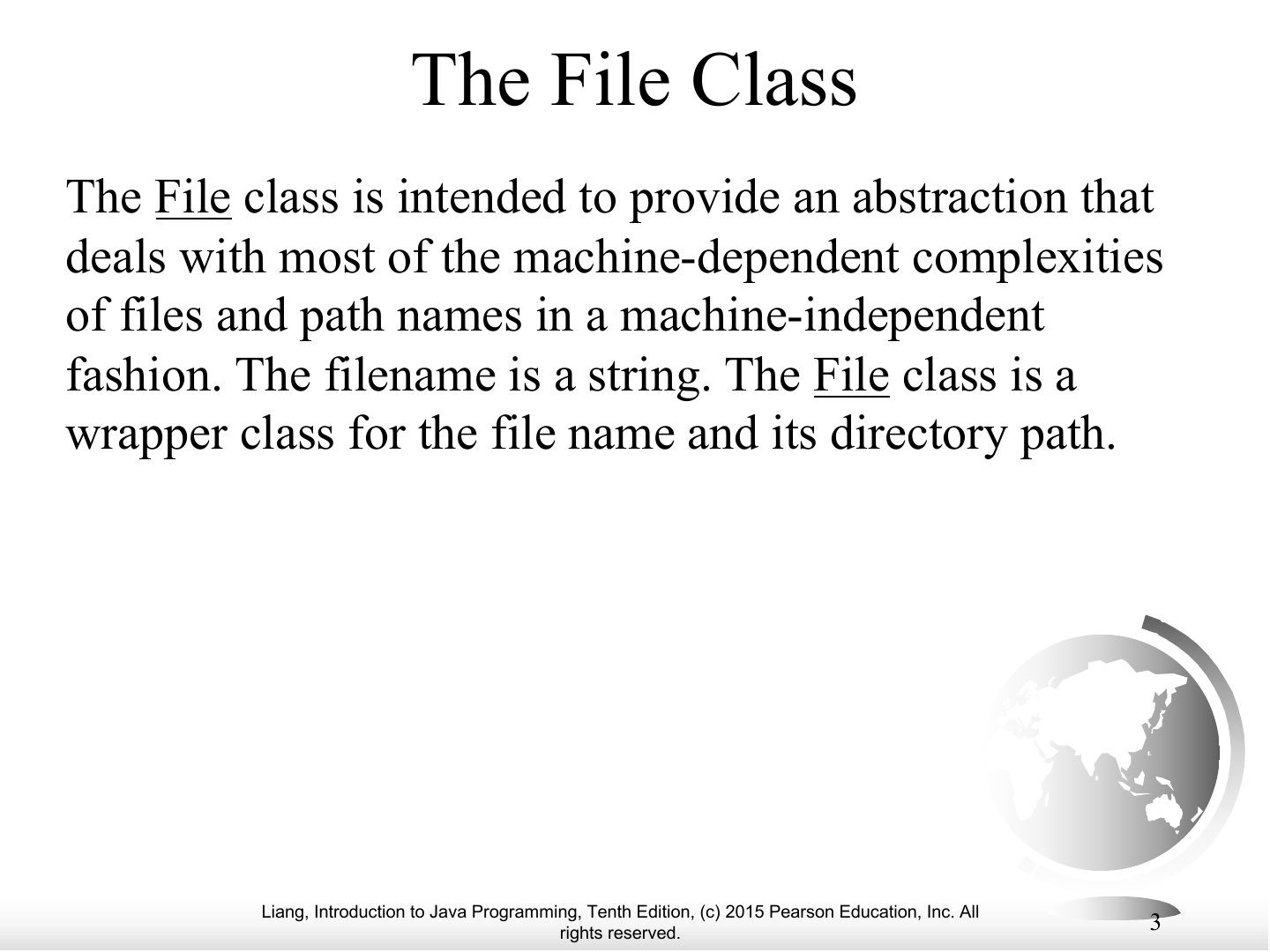
  3. 3 The File Class
  4. 4 Obtaining file properties and manipulating file
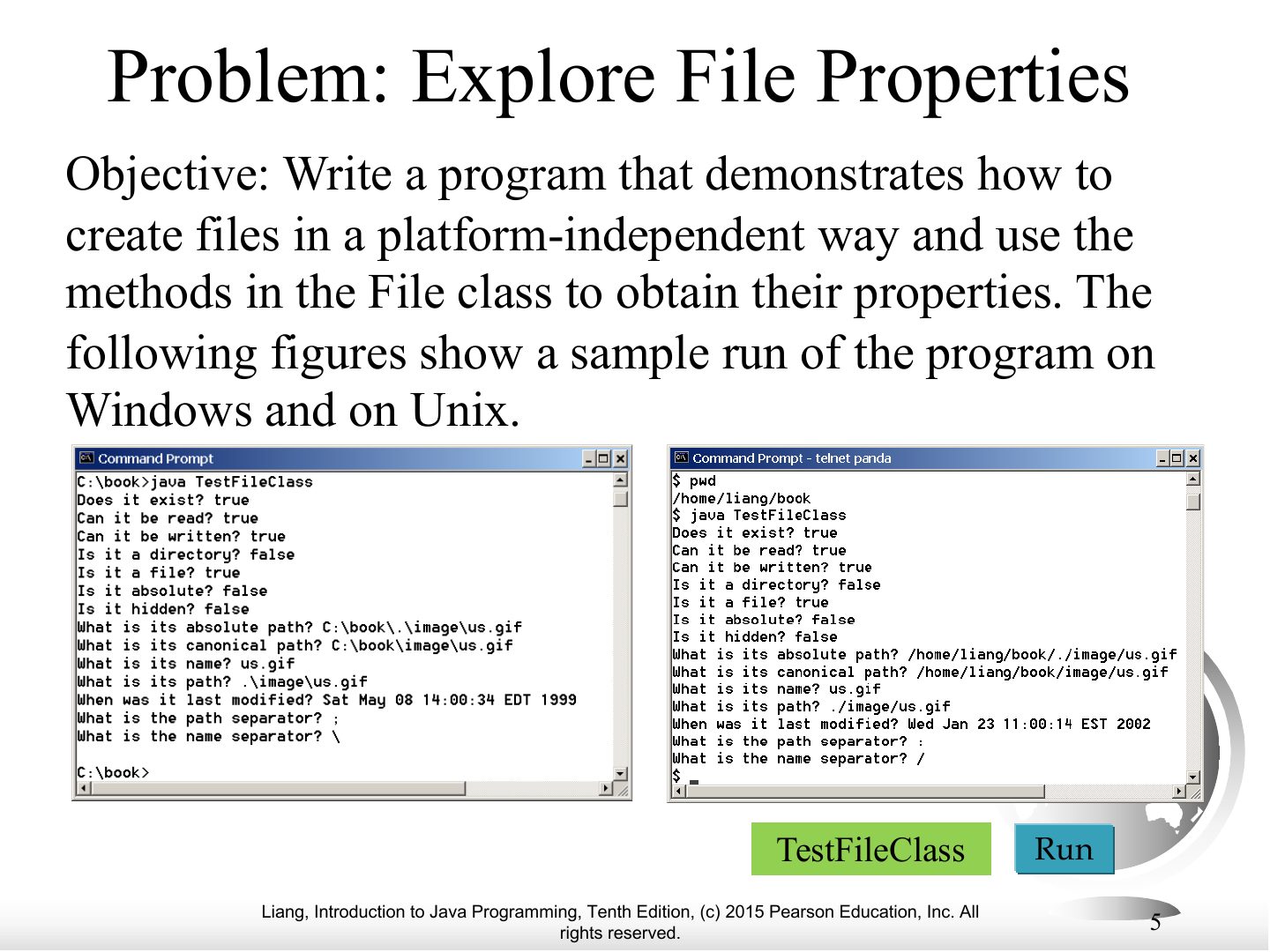
  5. 5 Problem: Explore File Properties
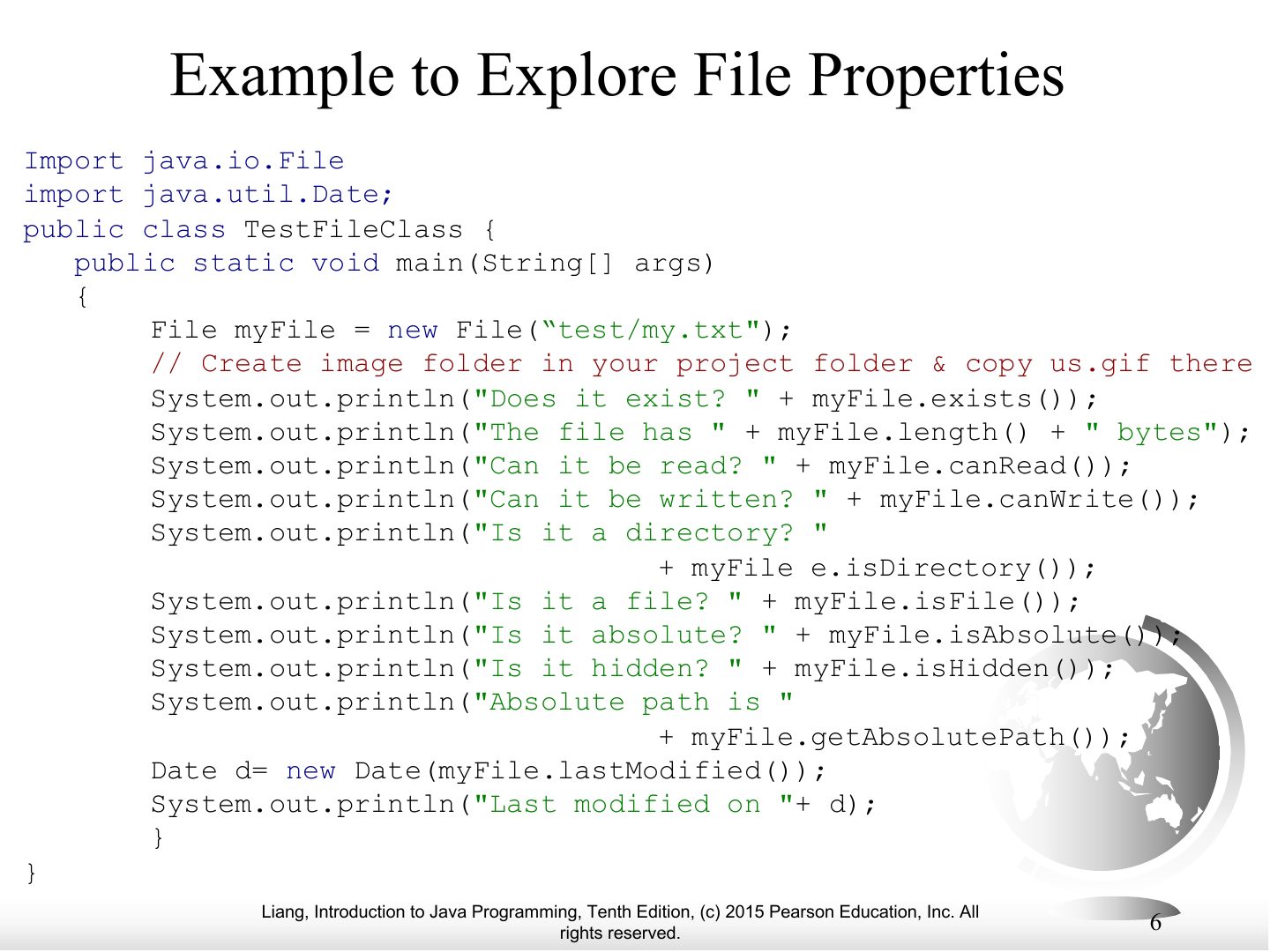
  6. 6 Example to Explore File Properties
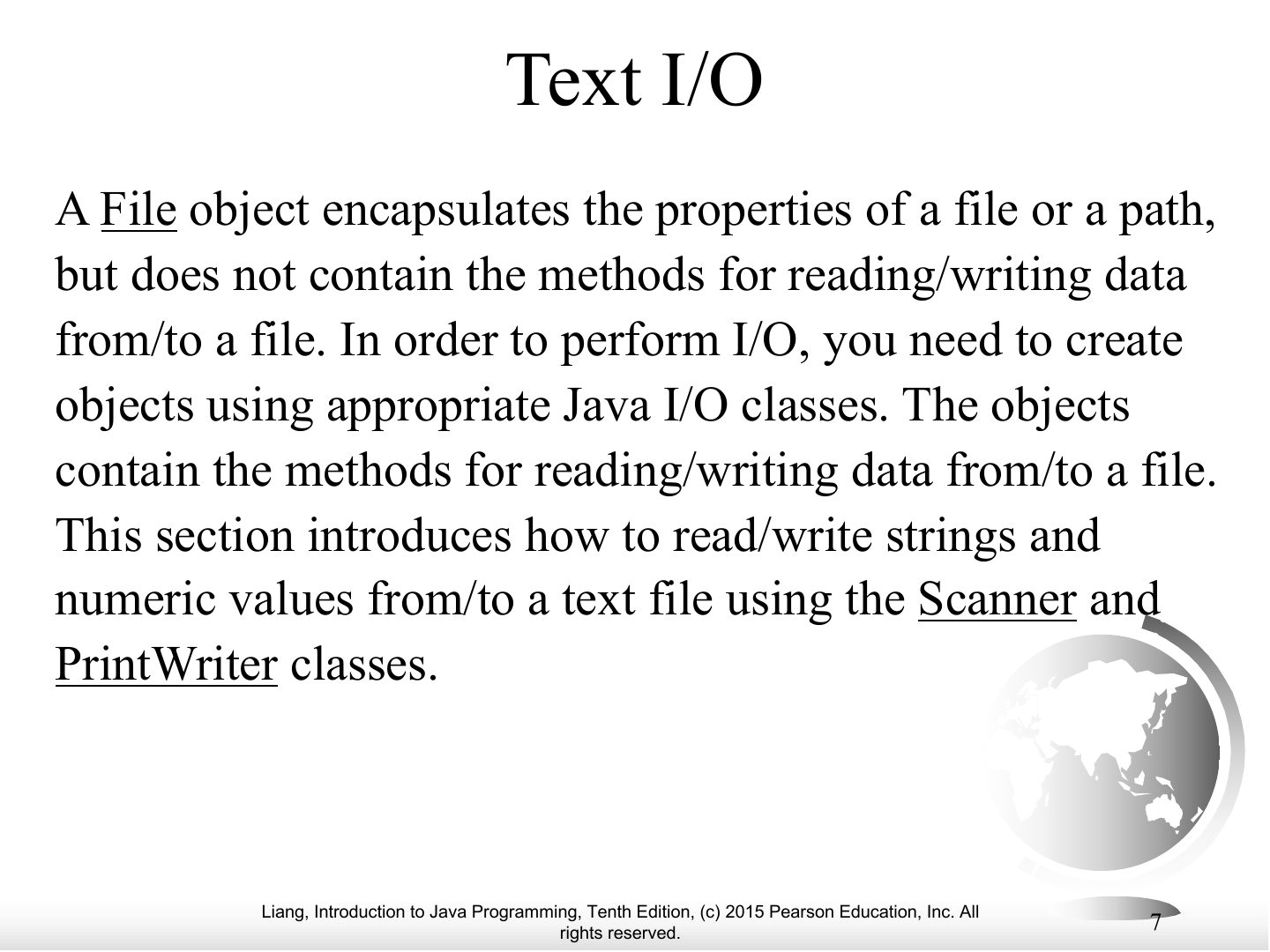
  7. 7 Text I/O
  8. 8 Writing Data Using PrintWriter
  9. 9 Example Writing Data Using PrintWriter
  10. 10 Try-with-resources
  11. 11 Example Writing Data Using PrintWriter with try automatically closes the file
  12. 12 Reading Data Using Scanner
  13. 13 Example Reading Data from file Using Scanner and display on Output Screen
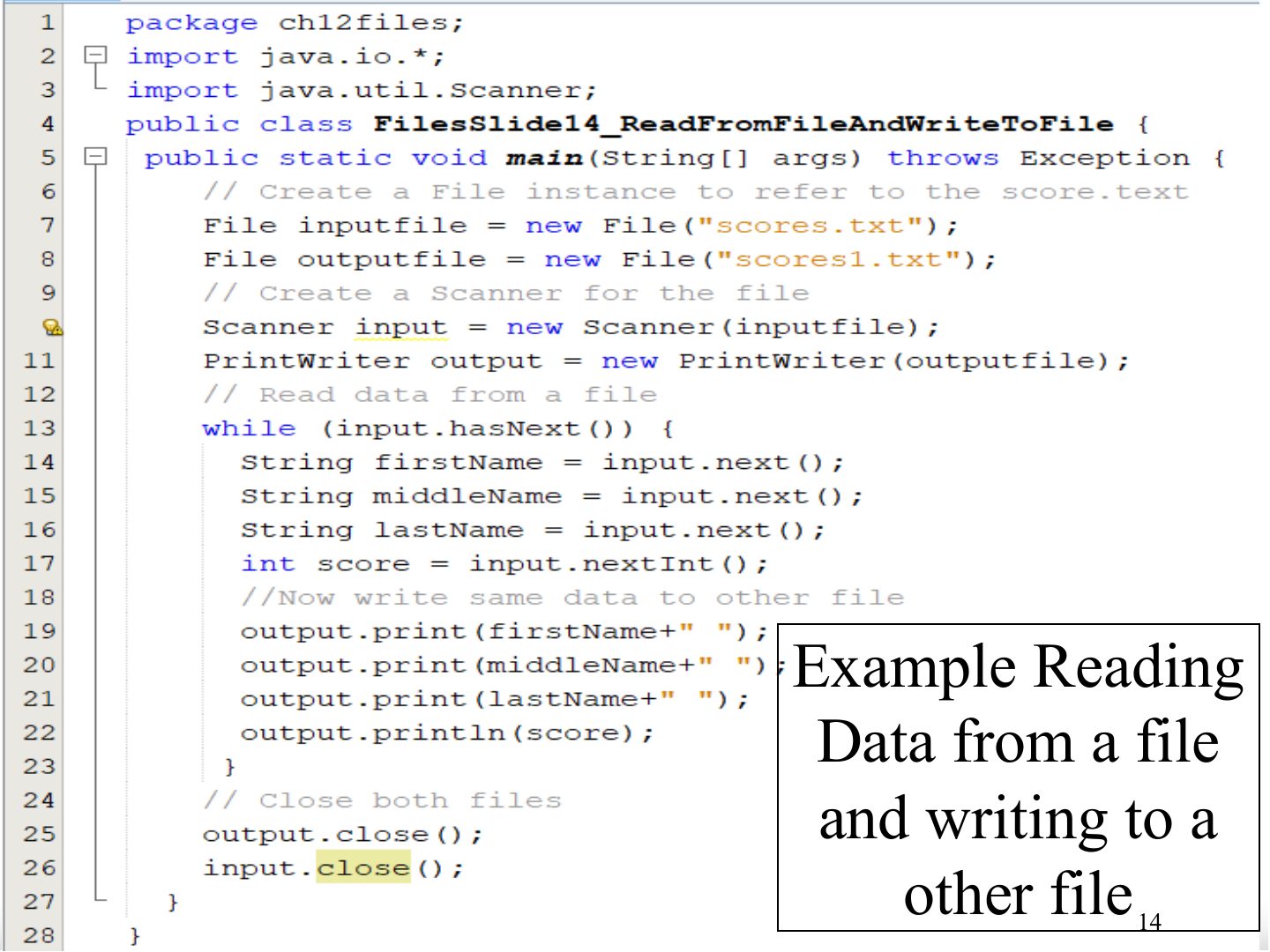
  14. 14 Slide 14
  15. 15 Slide 15
Slide 1 / 15

Exception Handling and Text I/O

Slide 1: Exception Handling and Text I/O
Slide 2 / 15

Objectives

Slide 2: Objectives
Slide 3 / 15

The File Class

Slide 3: The File Class

Notes

  1. File represents a file or directory path; it does NOT read or write contents.

Exam angle

PredictionQ1

The File class is used to read the contents of a file.
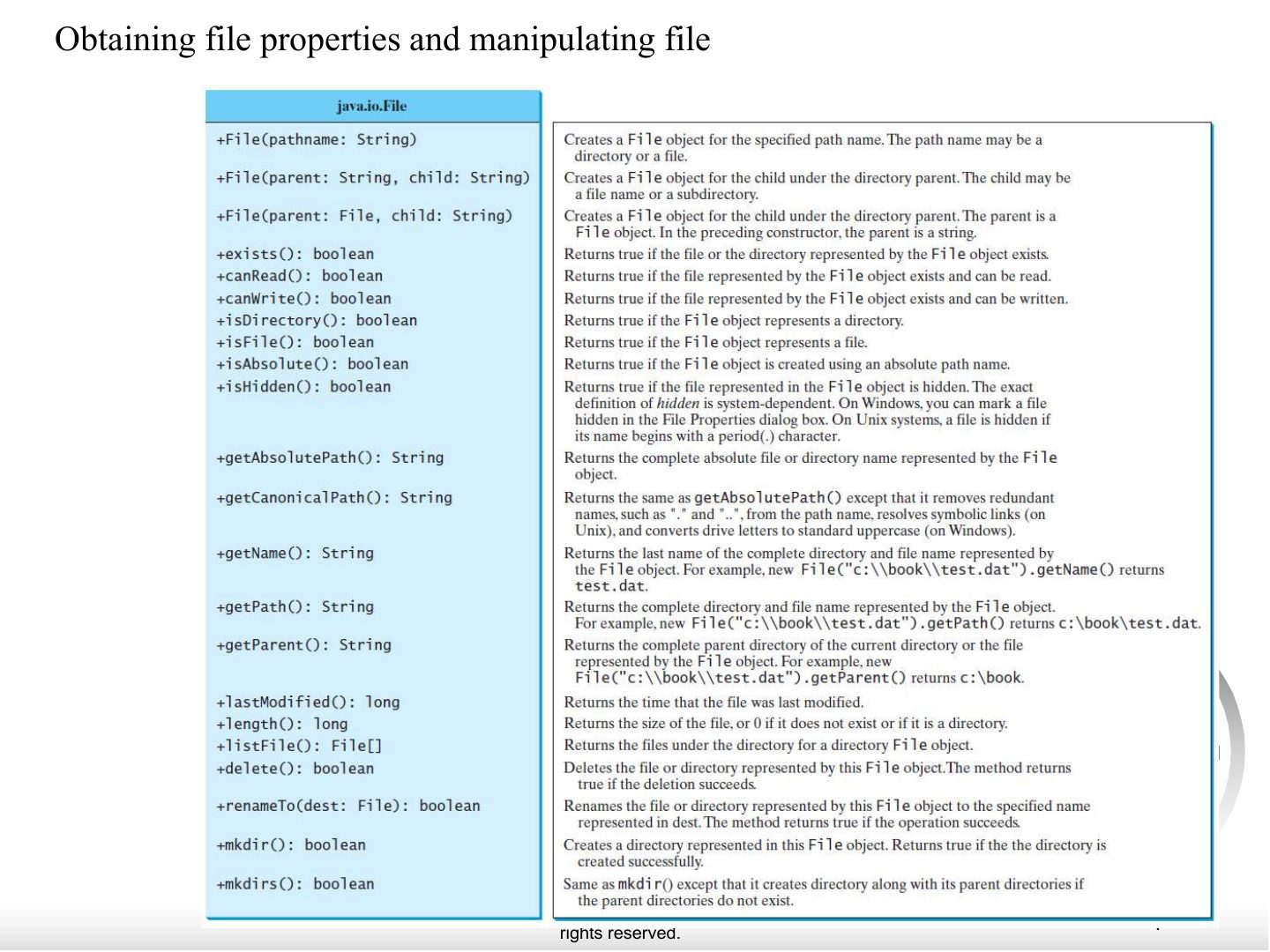
Slide 4 / 15

Obtaining file properties and manipulating file

Slide 4: Obtaining file properties and manipulating file
Slide 5 / 15

Problem: Explore File Properties

Slide 5: Problem: Explore File Properties
Slide 6 / 15

Example to Explore File Properties

Slide 6: Example to Explore File Properties

Notes

  1. Example code.

Slide 7 / 15

Text I/O

Slide 7: Text I/O
Slide 8 / 15

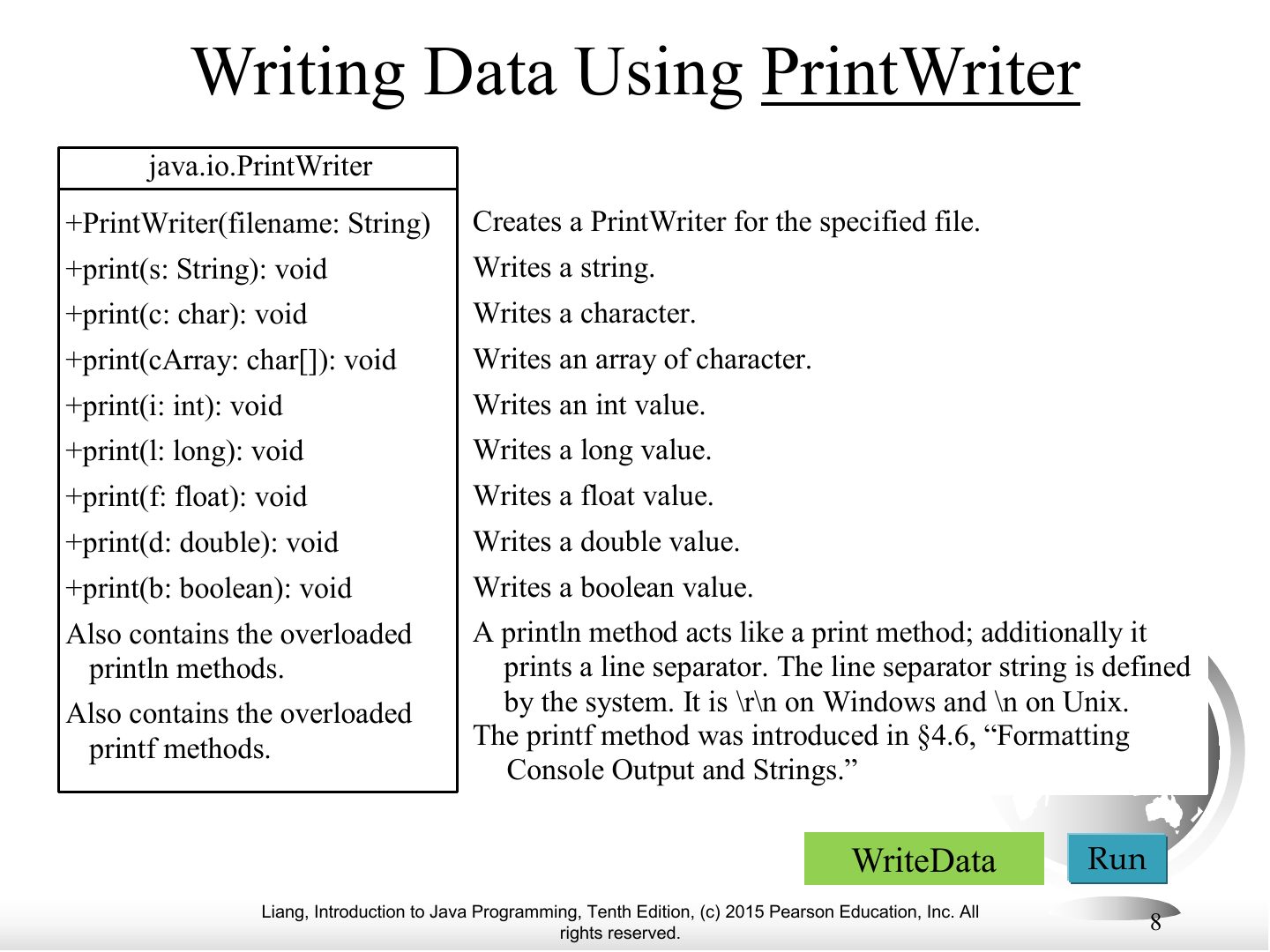
Writing Data Using PrintWriter

Slide 8: Writing Data Using PrintWriter

Notes

  1. PrintWriter output = new PrintWriter(file); print/println/printf; close() at the end.

Exam angle

PredictionQ1

Which class writes text data to a file?
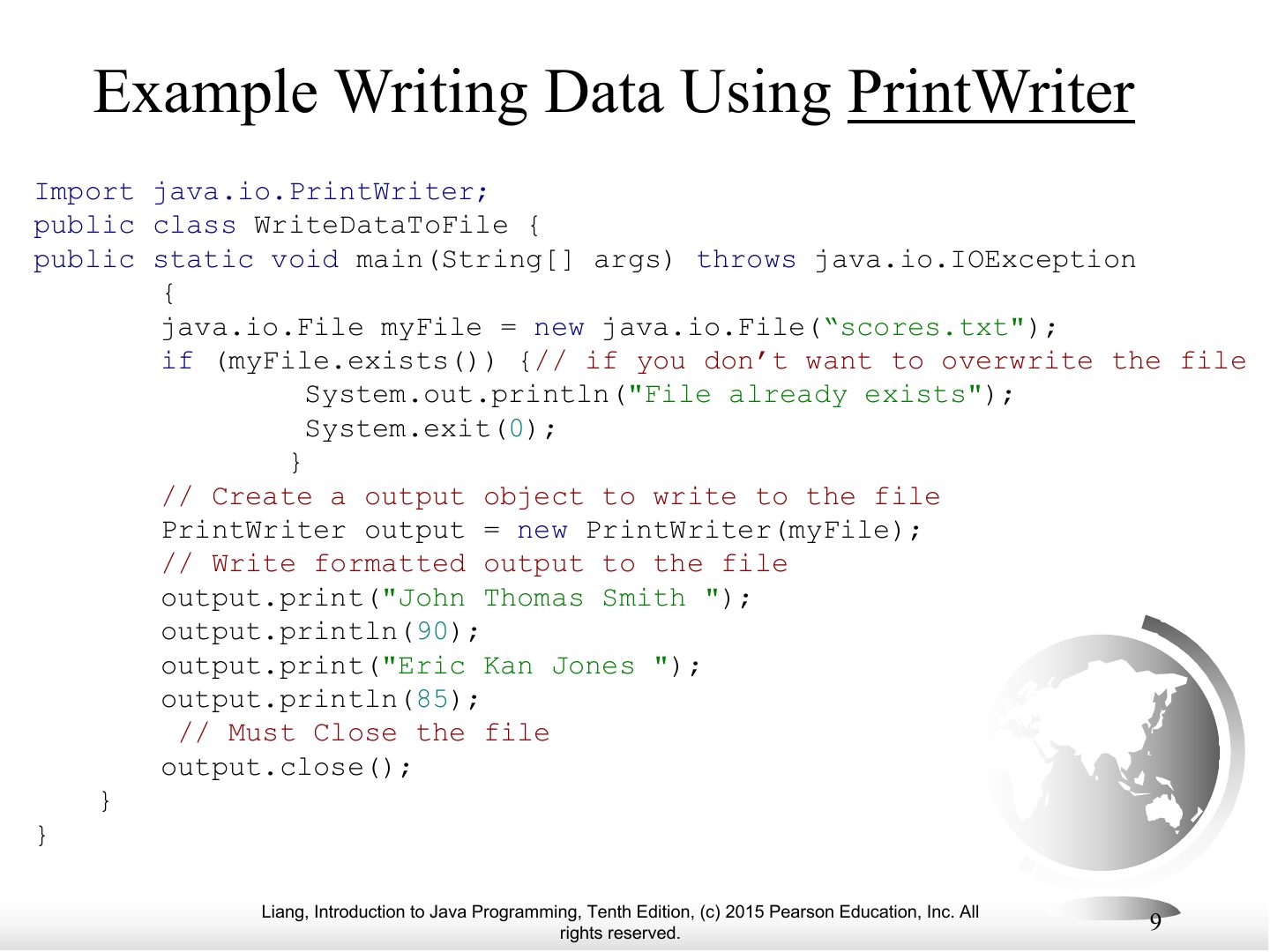
Slide 9 / 15

Example Writing Data Using PrintWriter

Slide 9: Example Writing Data Using PrintWriter
Slide 10 / 15

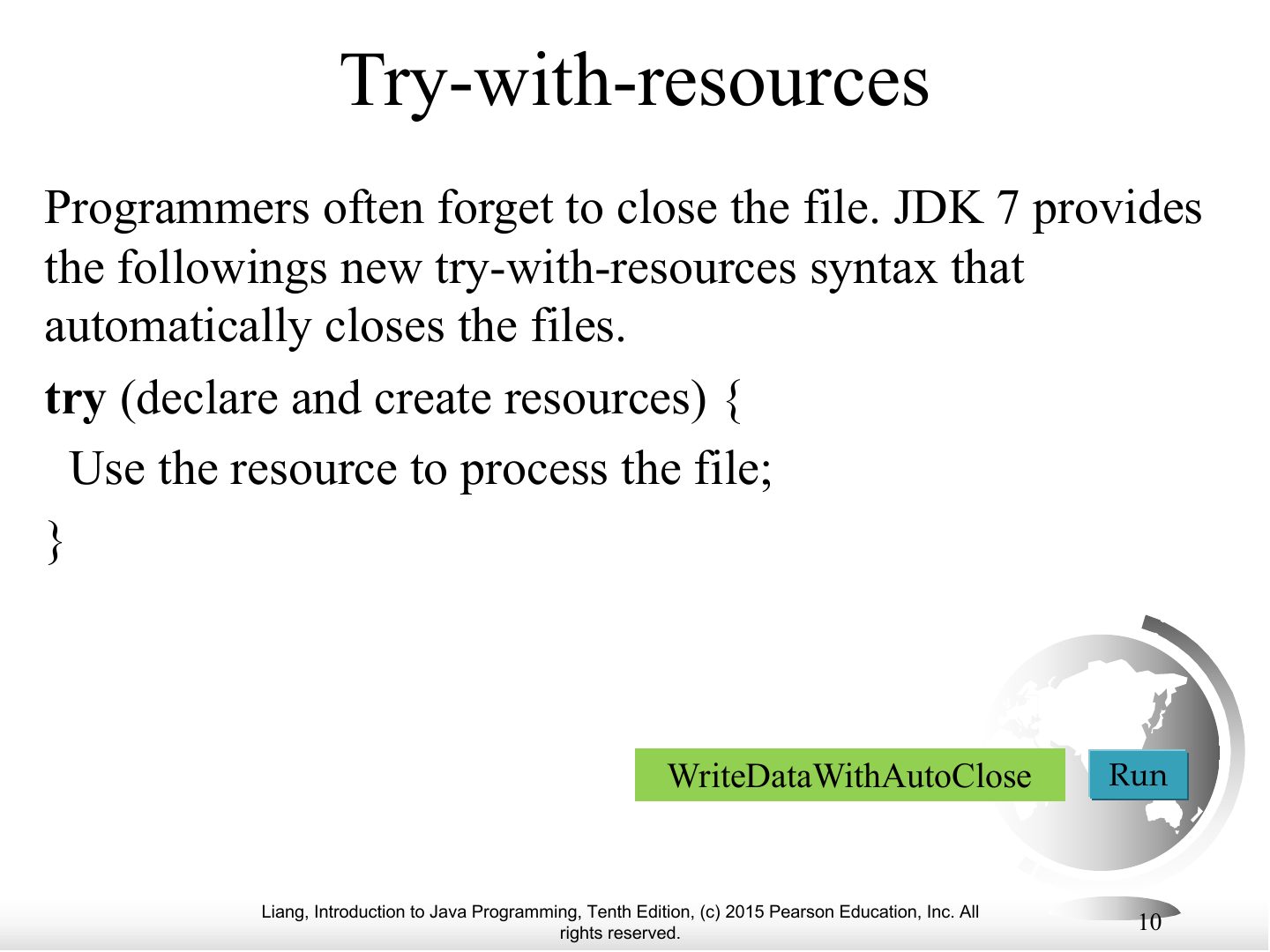
Try-with-resources

Slide 10: Try-with-resources

Exam angle

PredictionQ1

try-with-resources is used to:

Slide 11 / 15

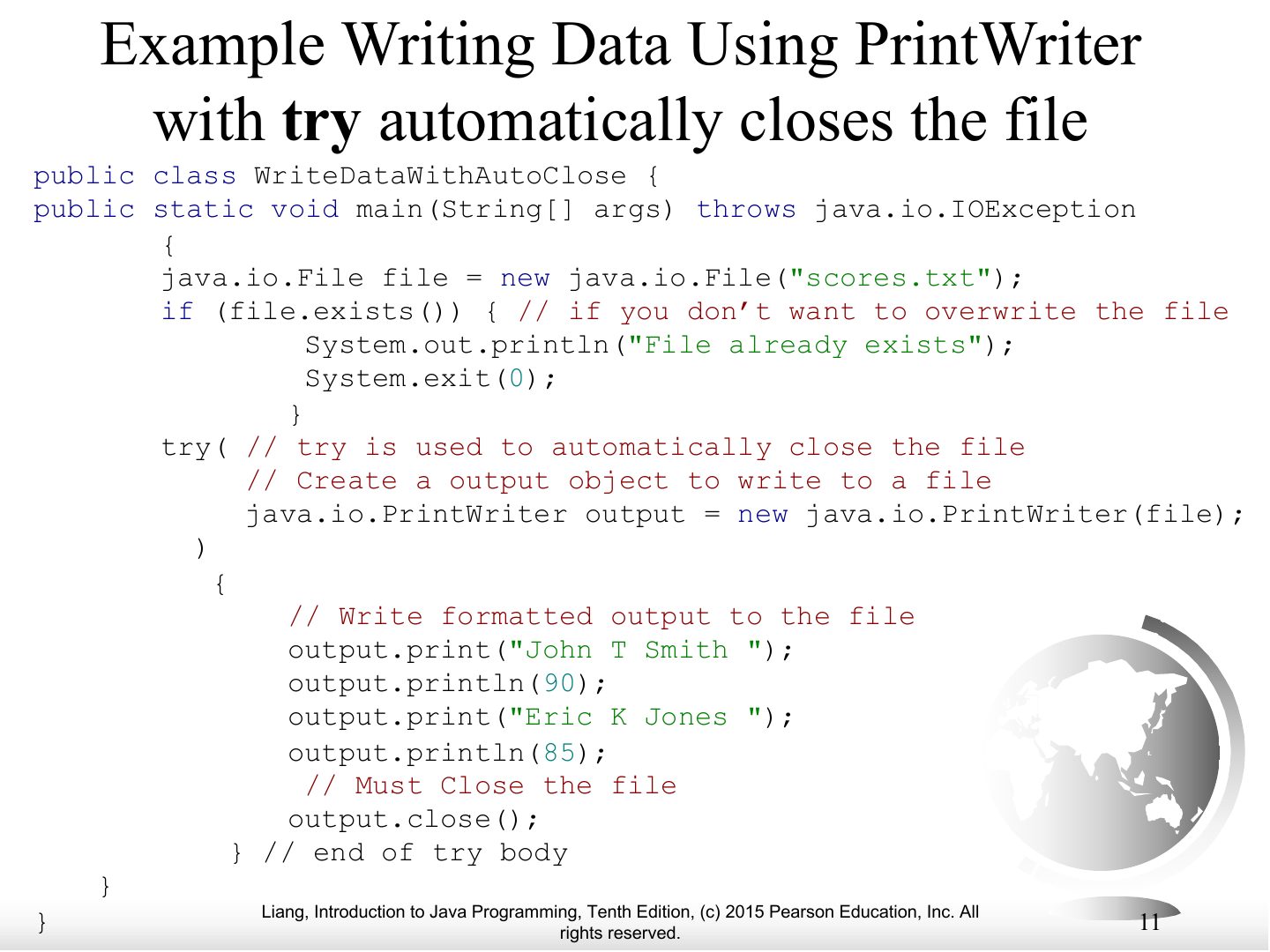
Example Writing Data Using PrintWriter with try automatically closes the file

Slide 11: Example Writing Data Using PrintWriter with try automatically closes the file
Slide 12 / 15

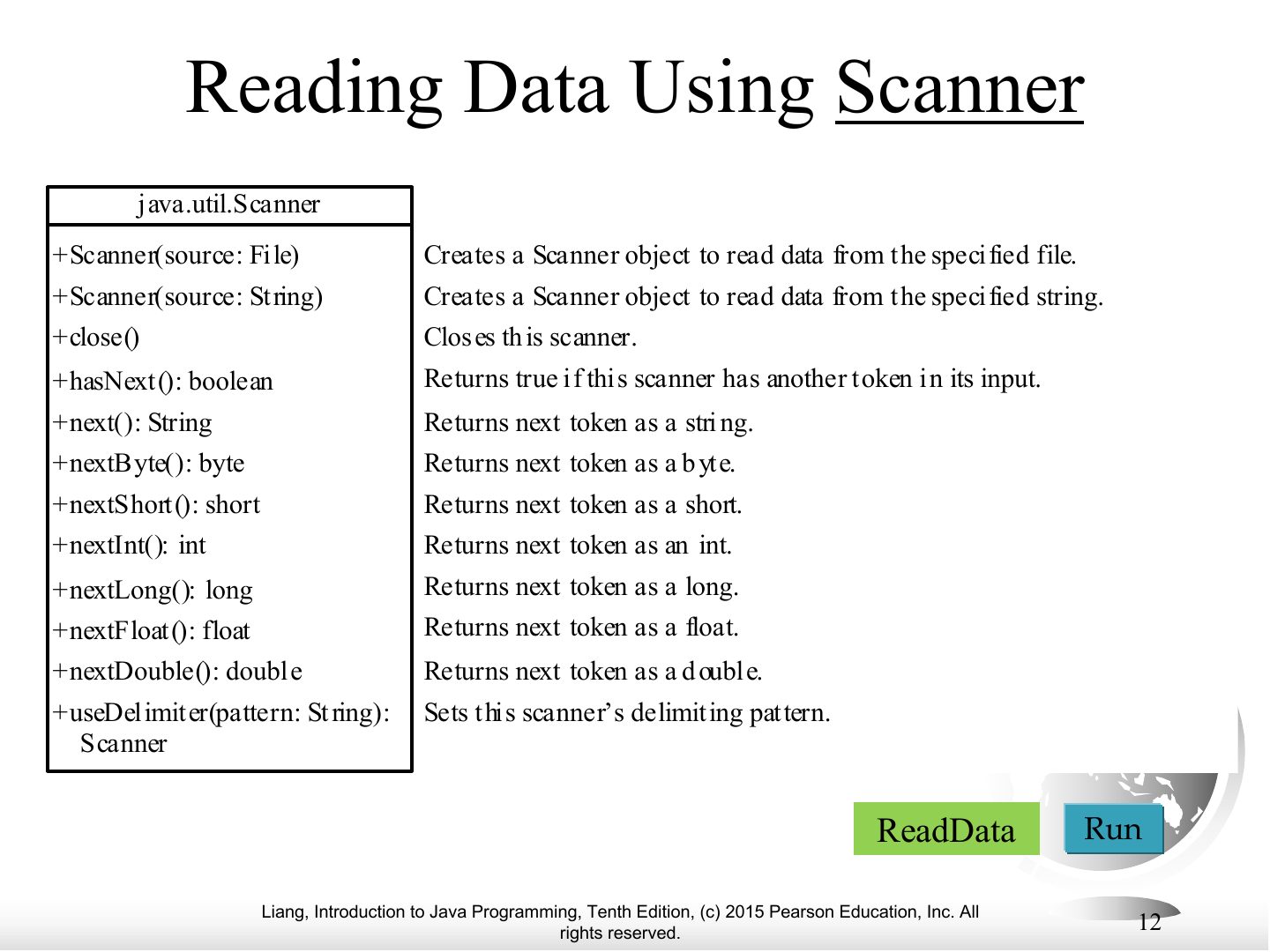
Reading Data Using Scanner

Slide 12: Reading Data Using Scanner

Notes

  1. Scanner input = new Scanner(new File("scores.txt")); while (input.hasNext()) …

  2. Trap new Scanner("scores.txt") reads the STRING, not the file. Wrap it in new File(...).
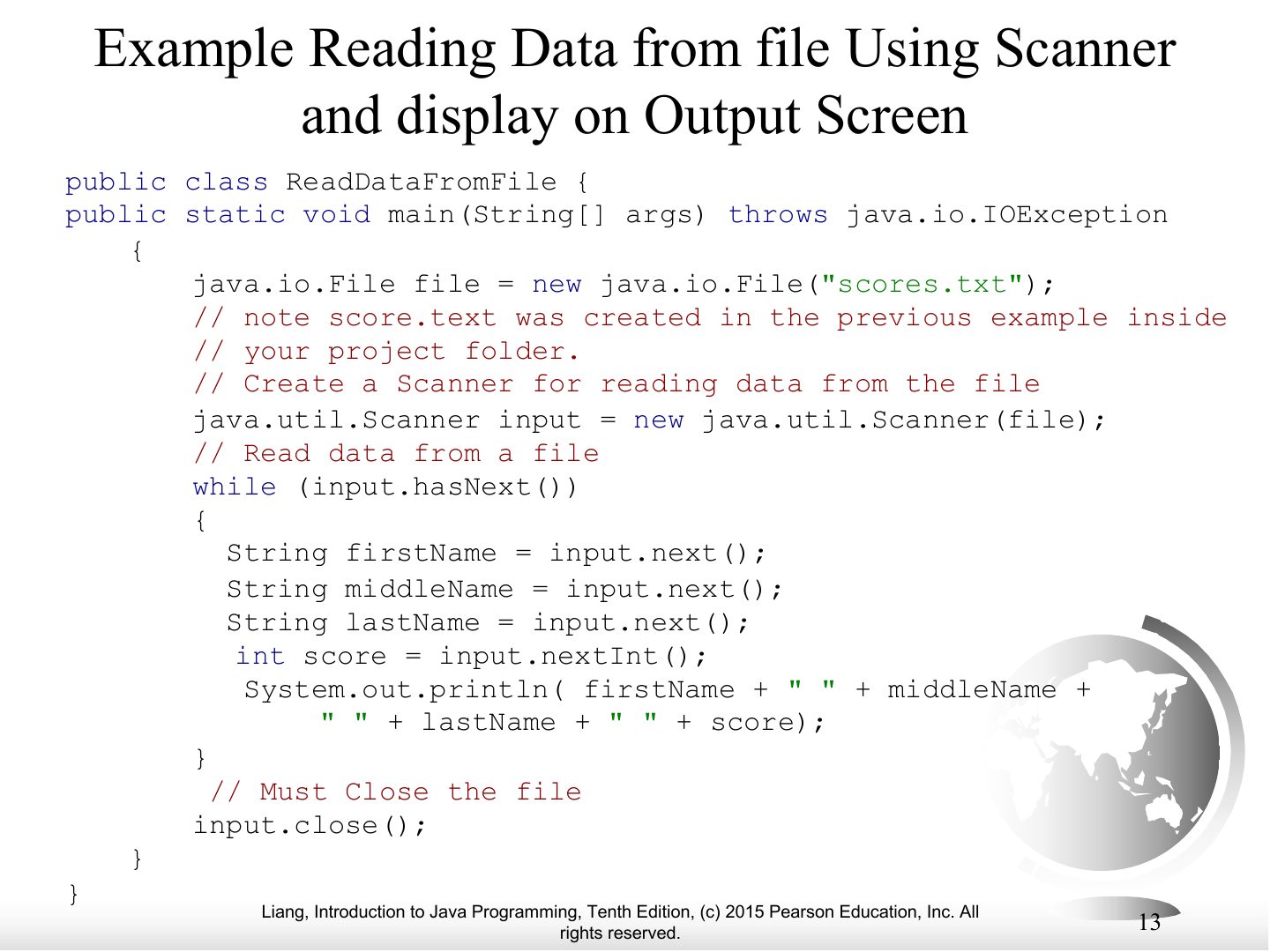
Slide 13 / 15

Example Reading Data from file Using Scanner and display on Output Screen

Slide 13: Example Reading Data from file Using Scanner and display on Output Screen
Slide 14 / 15

Slide 14

Slide 14: Slide 14

Notes

  1. Example code.

Slide 15 / 15

Slide 15

Slide 15: Slide 15

Notes

  1. Example output.