Which is a valid Java identifier?
Elementary Programming
Variables, identifiers, constants, the numeric types and operators (integer division and %), literals and scientific notation, evaluation order, type conversion and casting, augmented assignment, ++/--, reading input with Scanner, and the common errors (overflow, round-off, unintended integer division).
How to read this page
Every original slide is shown unchanged. Yellow marks on a slide point to a numbered note: hover or tap a mark to jump to its note, and hover a note to see its marks. Questions tagged Past exam appeared on a real paper; Prediction questions are likely angles, not confirmed. Pick an answer to each question: a wrong pick tells you why it is wrong, so you can try again.
All 53 slides
- 1 Elementary Programming
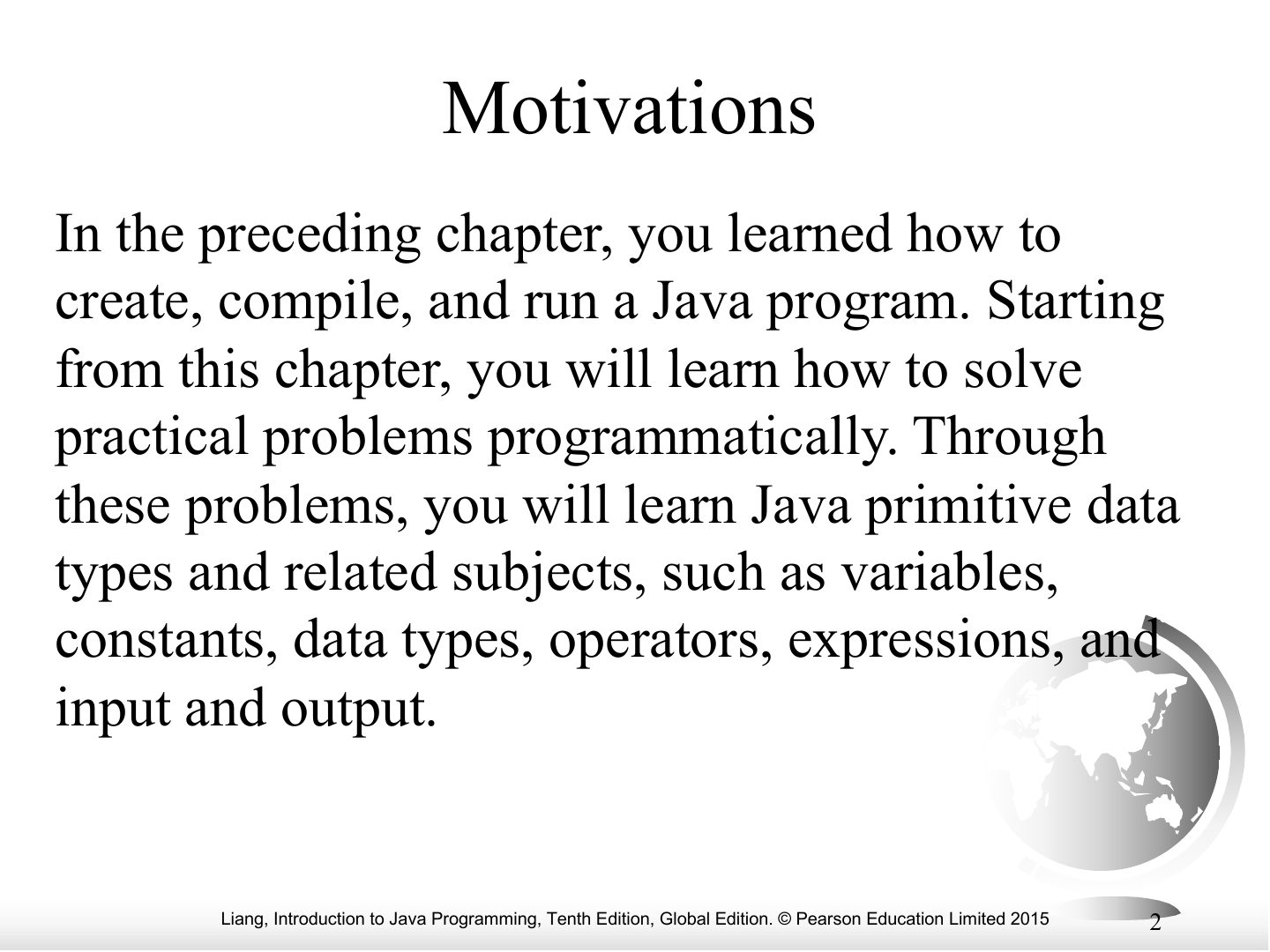
- 2 Motivations
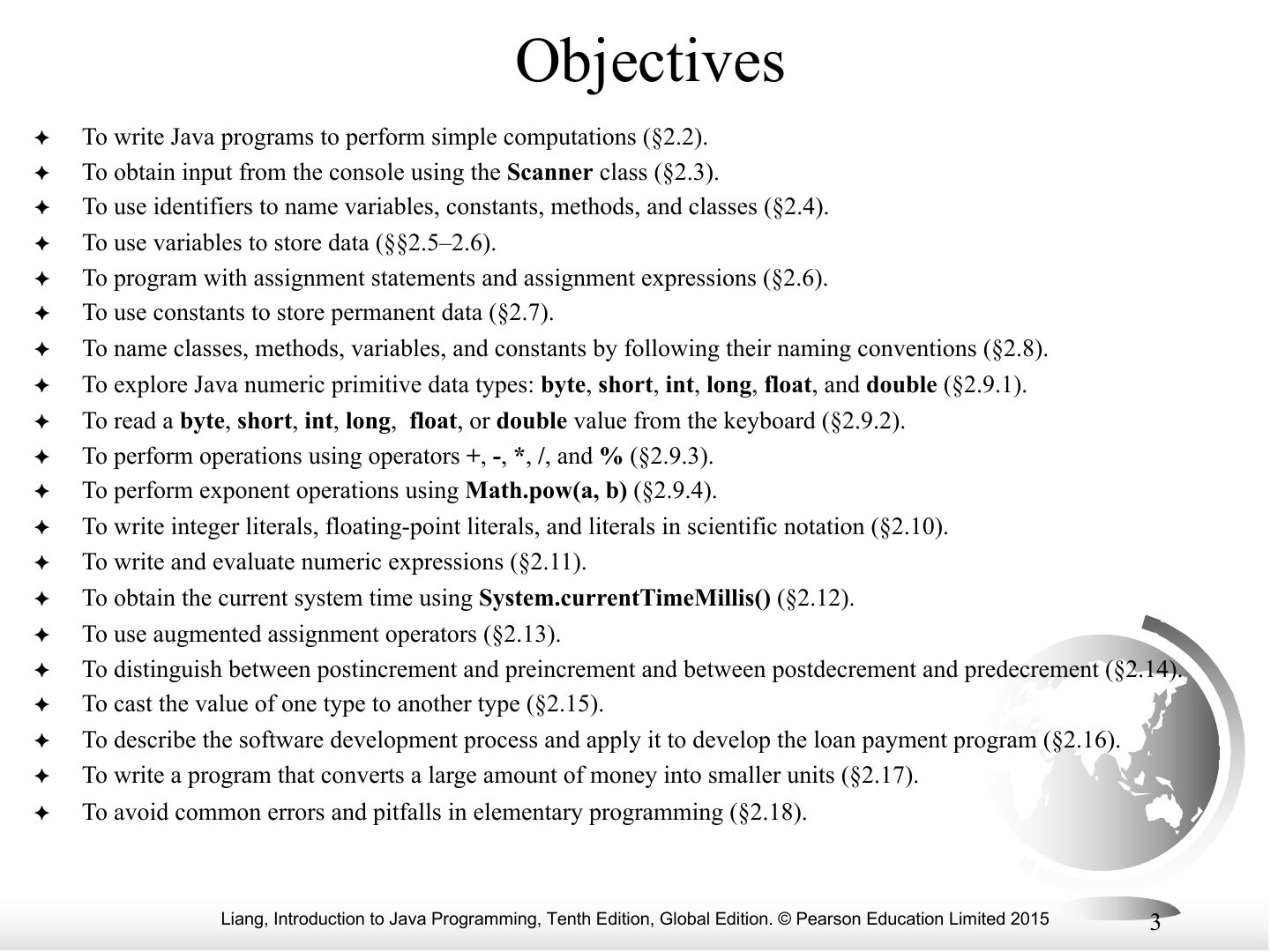
- 3 Objectives
- 4 Introducing Programming with an Example
- 5 animation
- 6 animation
- 7 animation
- 8 animation
- 9 animation
- 10 Identifiers
- 11 Variables
- 12 Declaring Variables
- 13 Assignment Statements
- 14 Declaring and Initializing in One Step
- 15 Named Constants
- 16 Naming Conventions
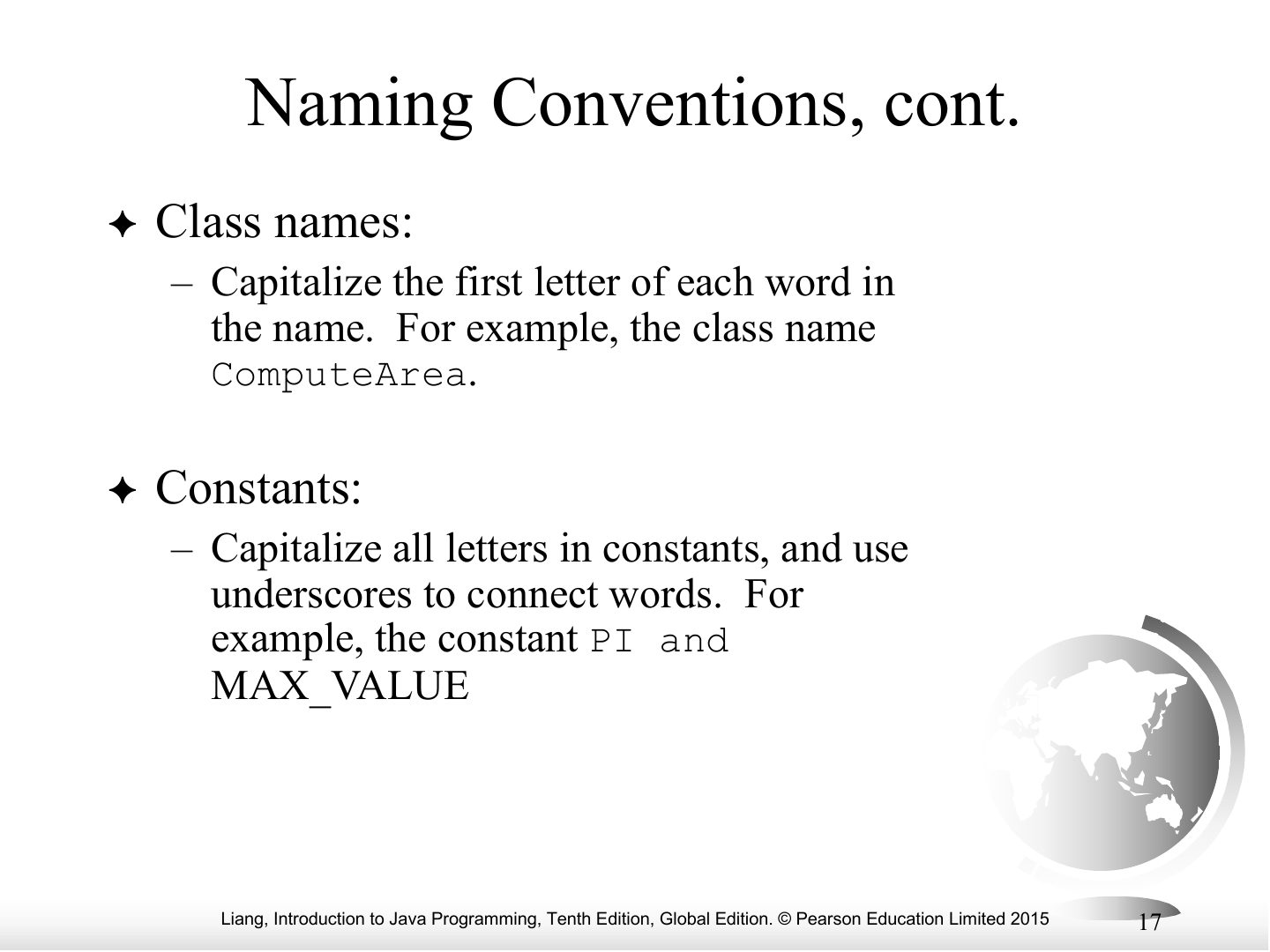
- 17 Naming Conventions, cont.
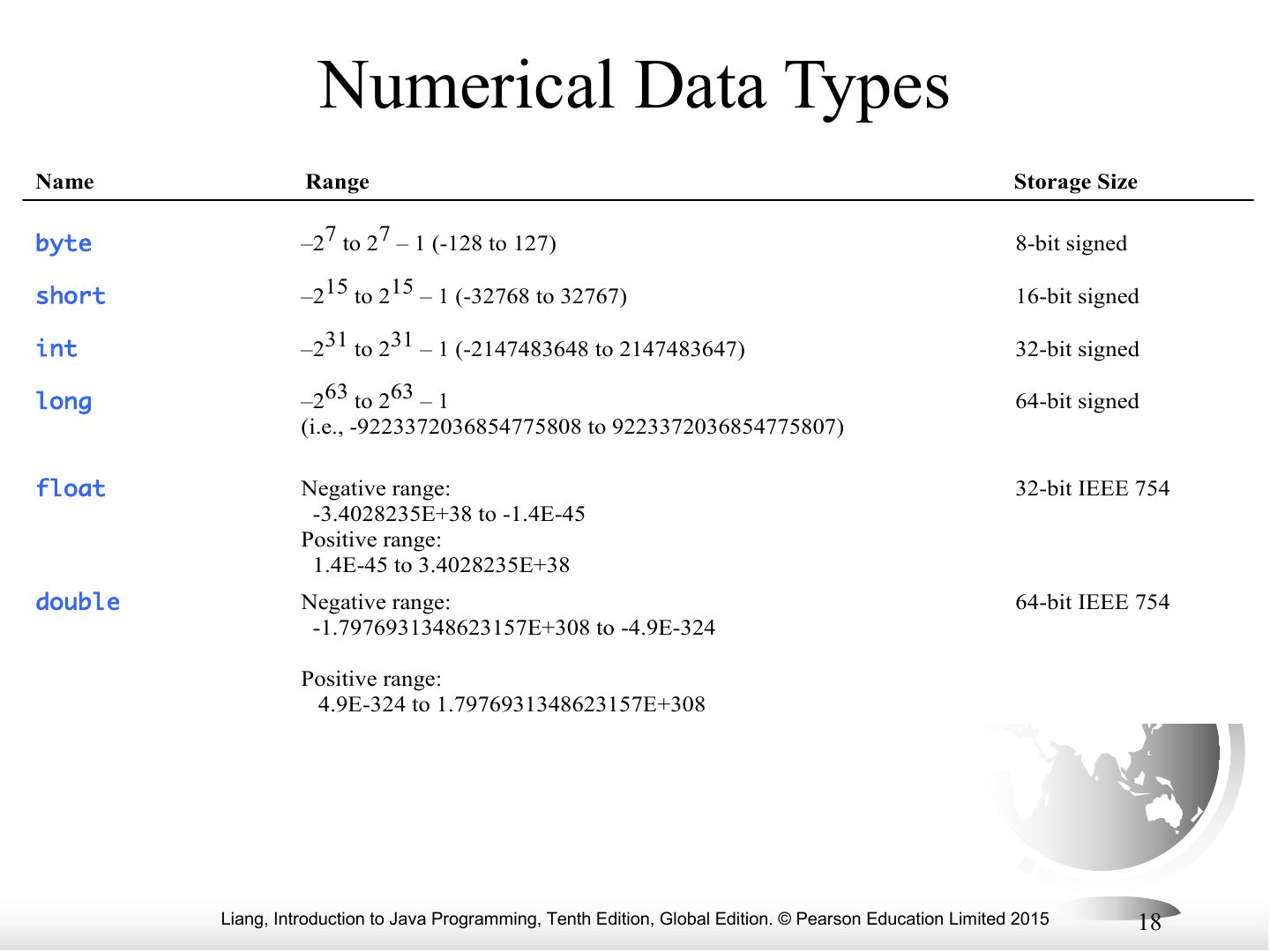
- 18 Numerical Data Types
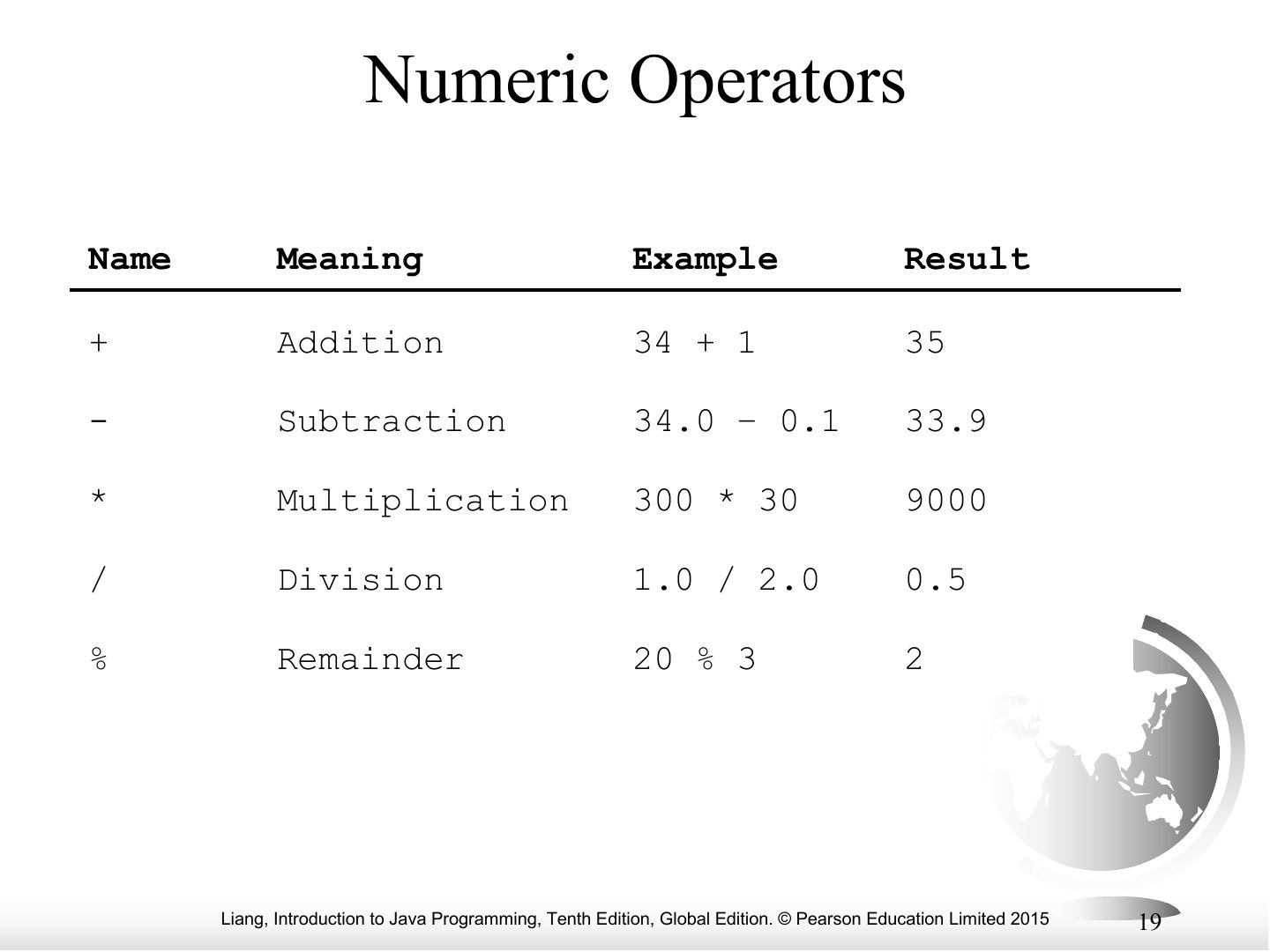
- 19 Numeric Operators
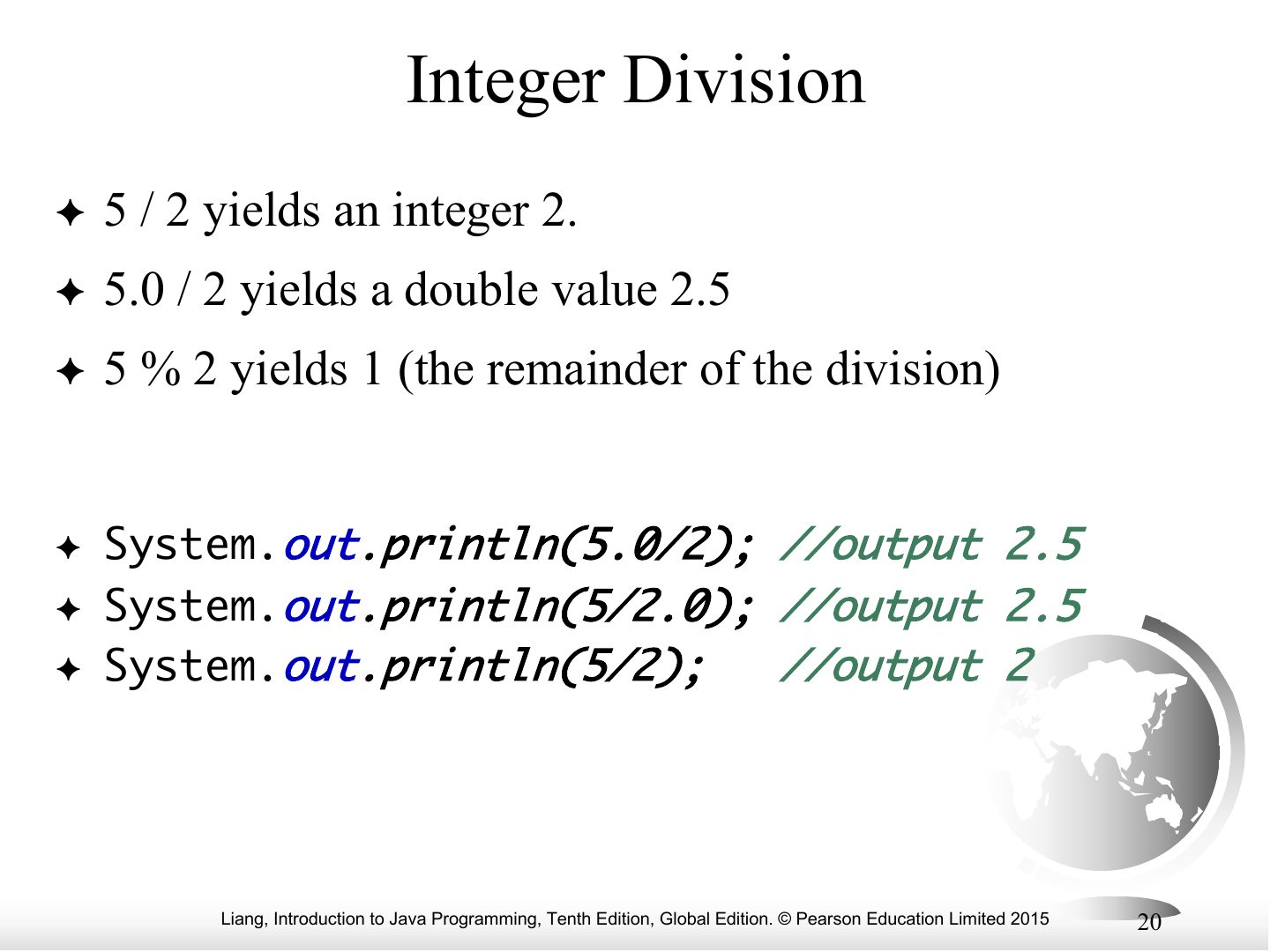
- 20 Integer Division
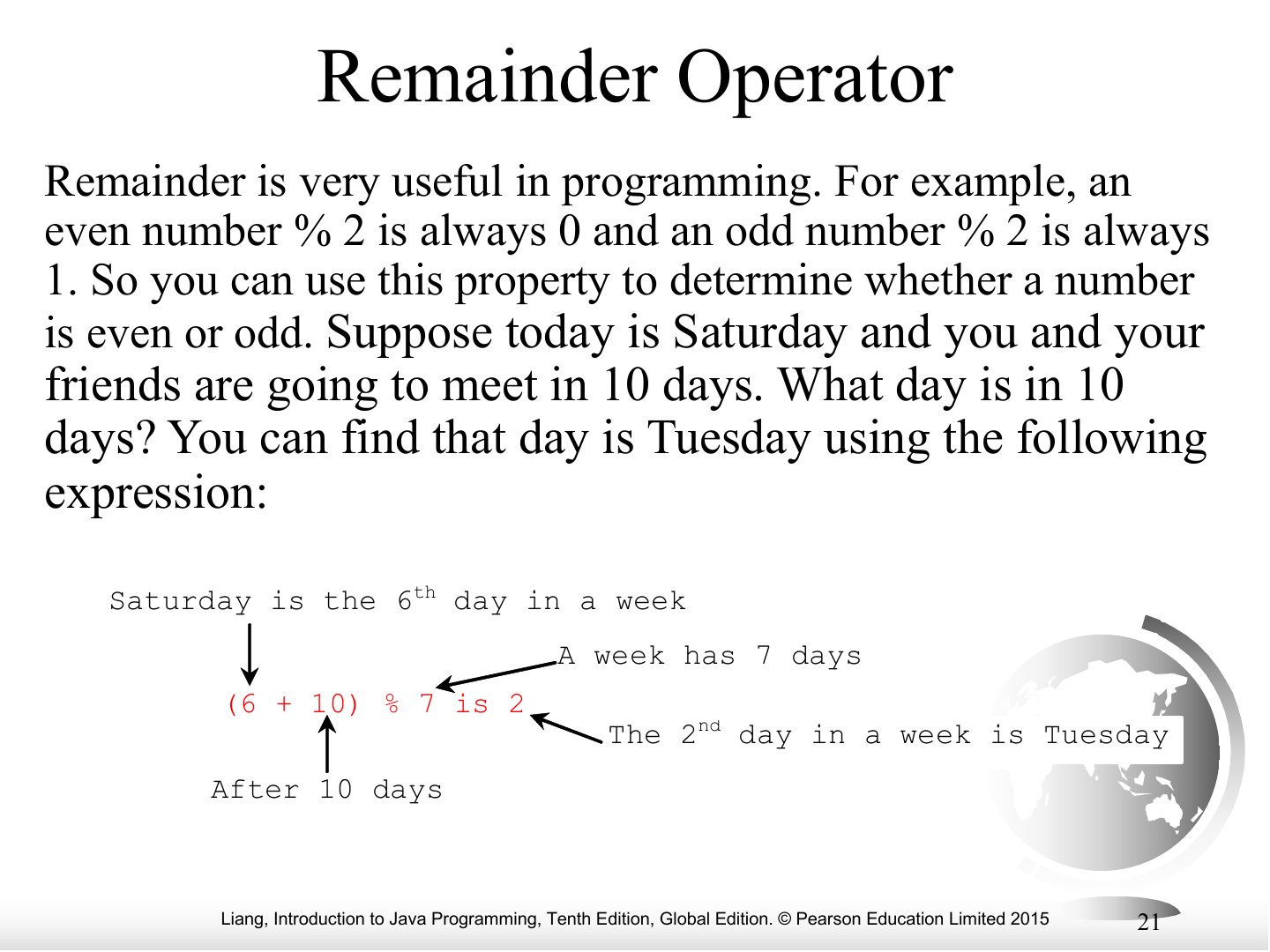
- 21 Remainder Operator
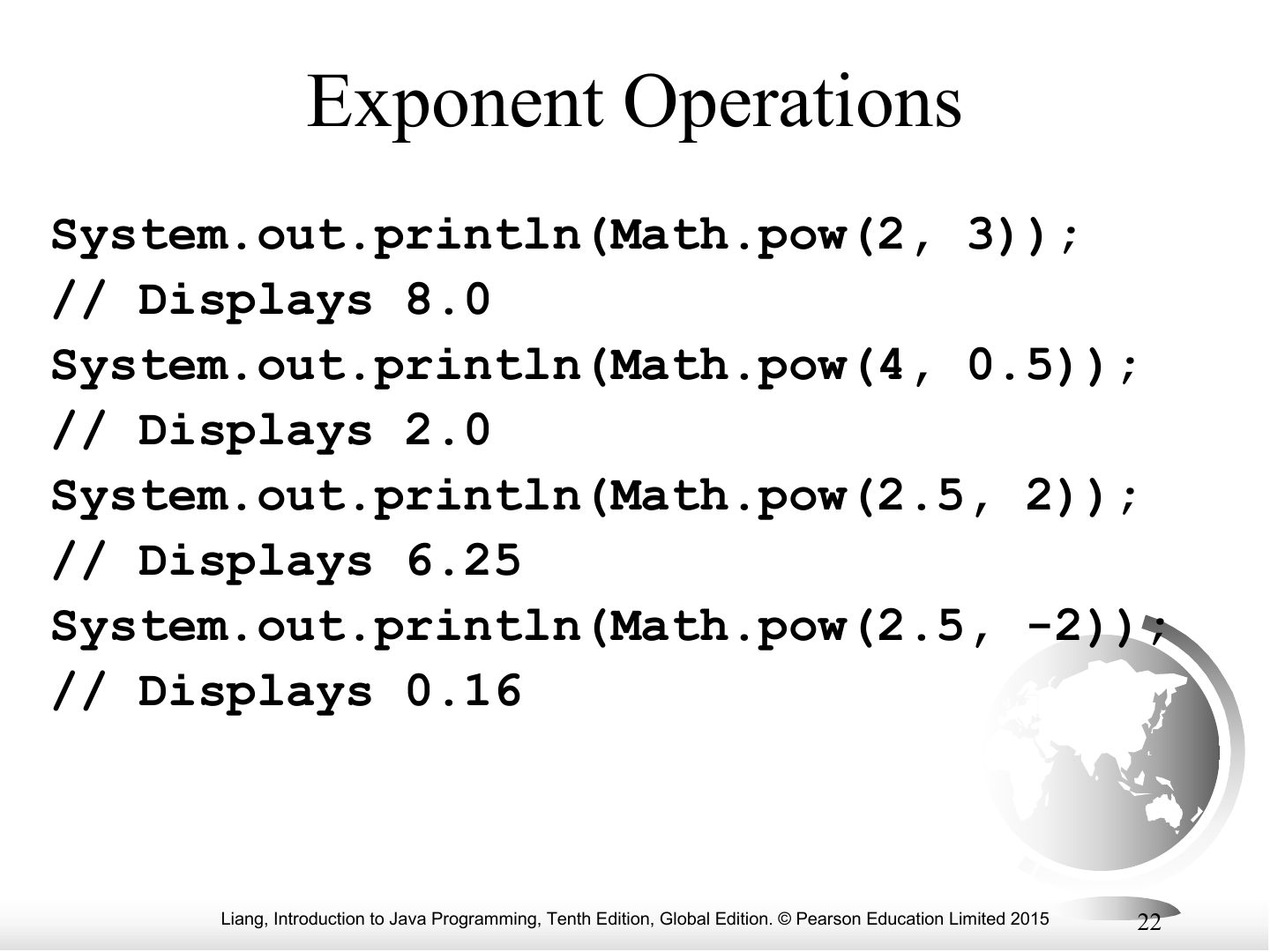
- 22 Exponent Operations
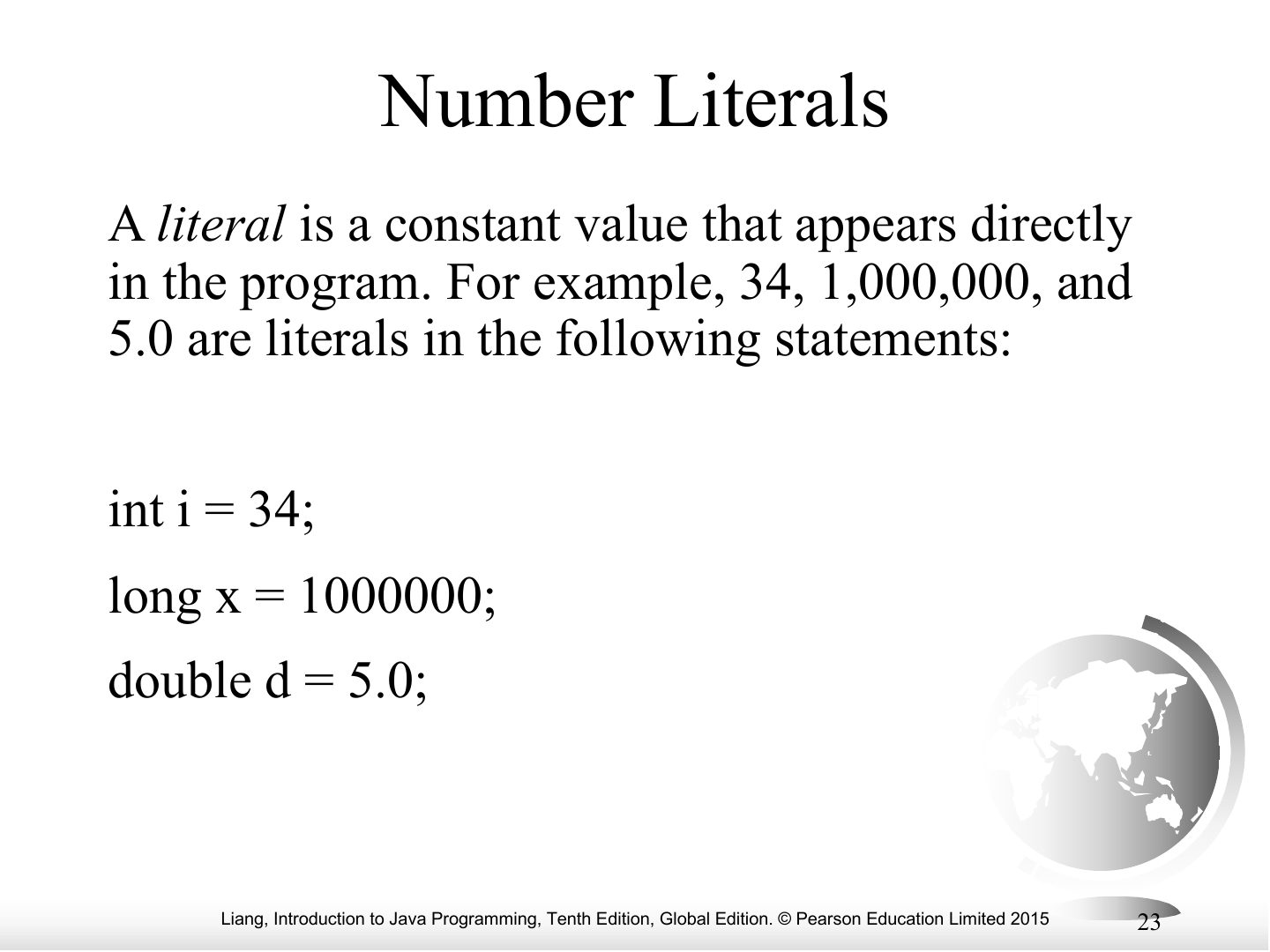
- 23 Number Literals
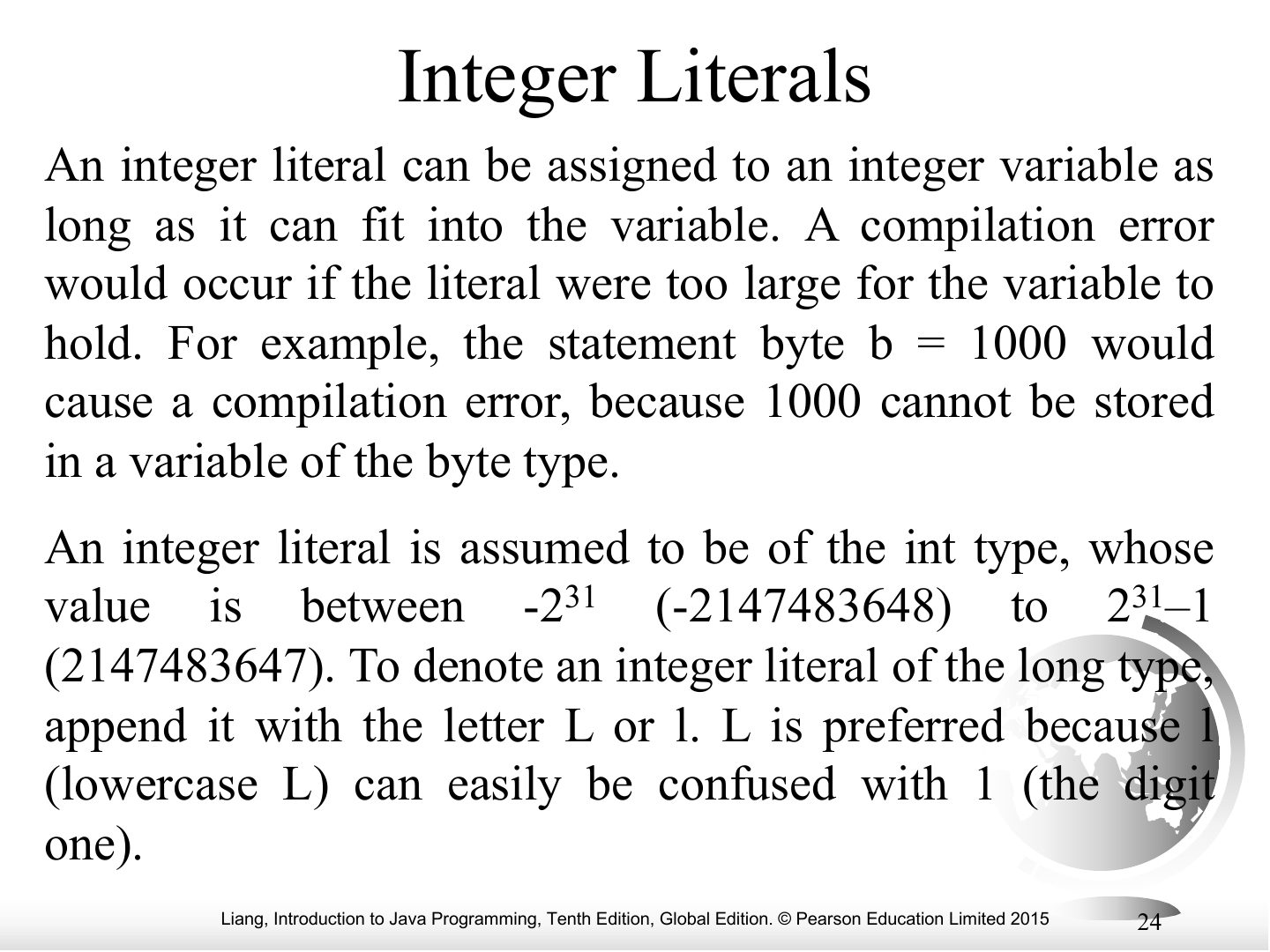
- 24 Integer Literals
- 25 Floating-Point Literals
- 26 double vs. float
- 27 Scientific Notation
- 28 Arithmetic Expressions
- 29 How to Evaluate an Expression
- 30 Numeric Type Conversion
- 31 Conversion Rules
- 32 Type Casting
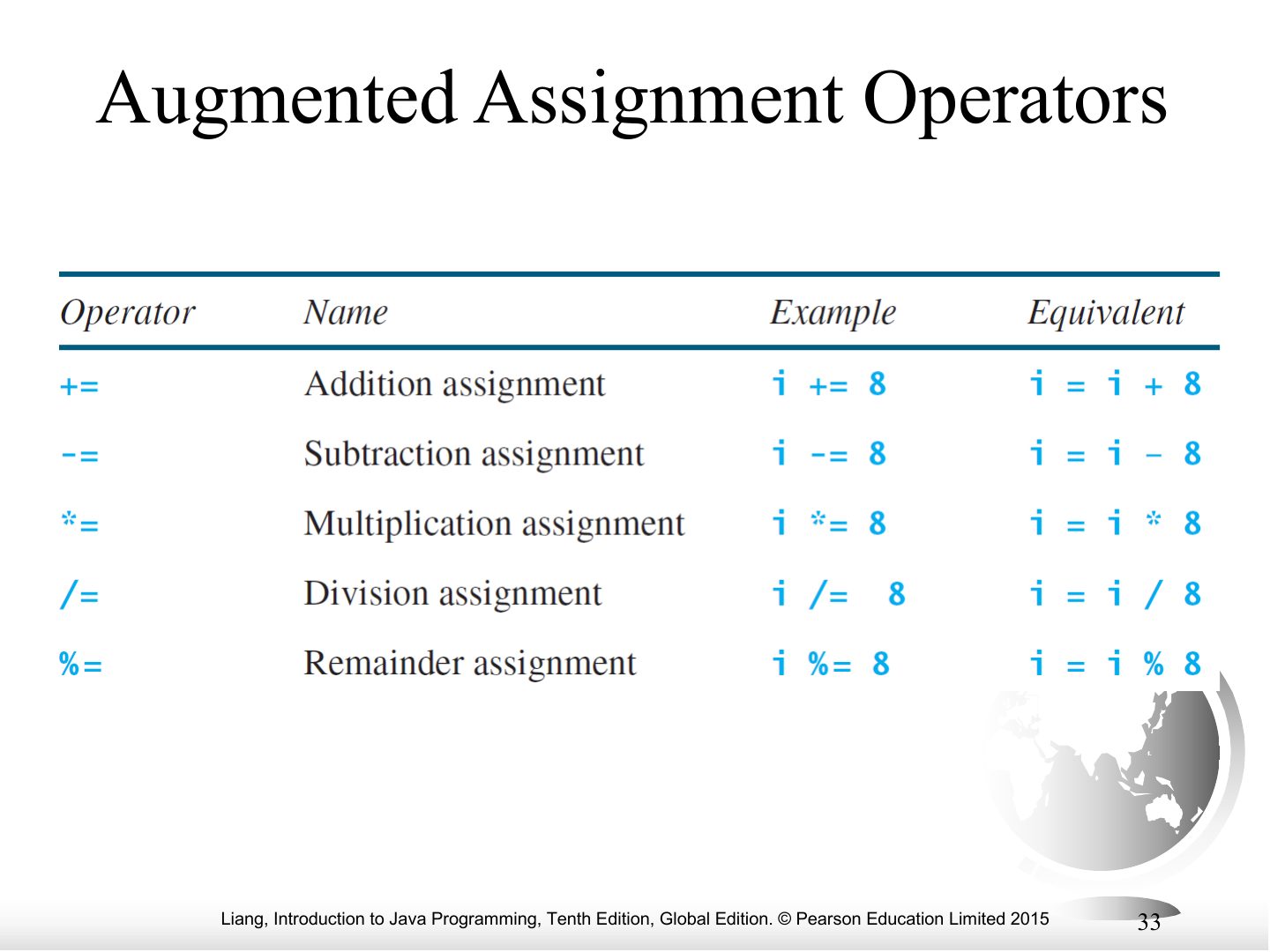
- 33 Augmented Assignment Operators
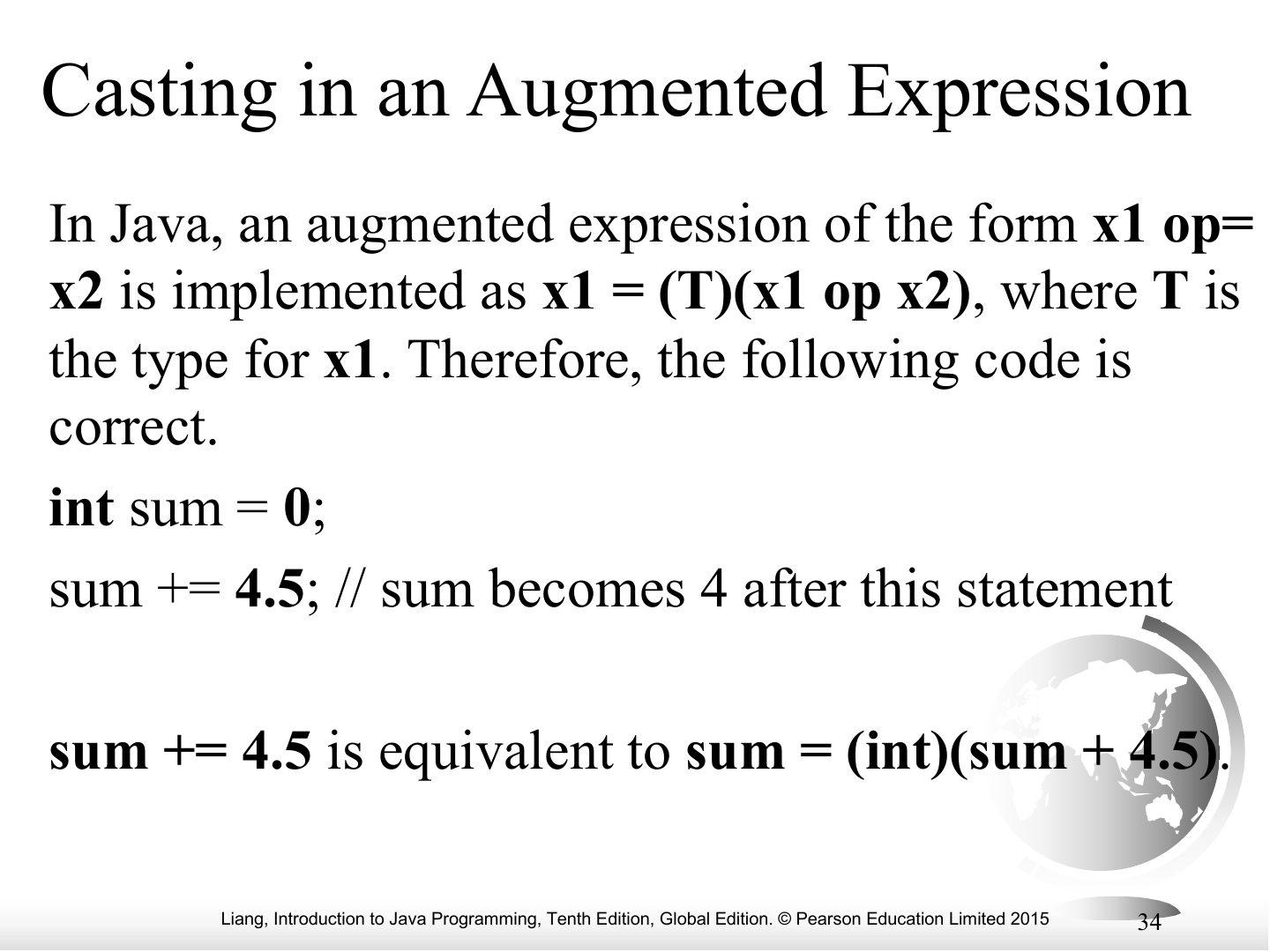
- 34 Casting in an Augmented Expression
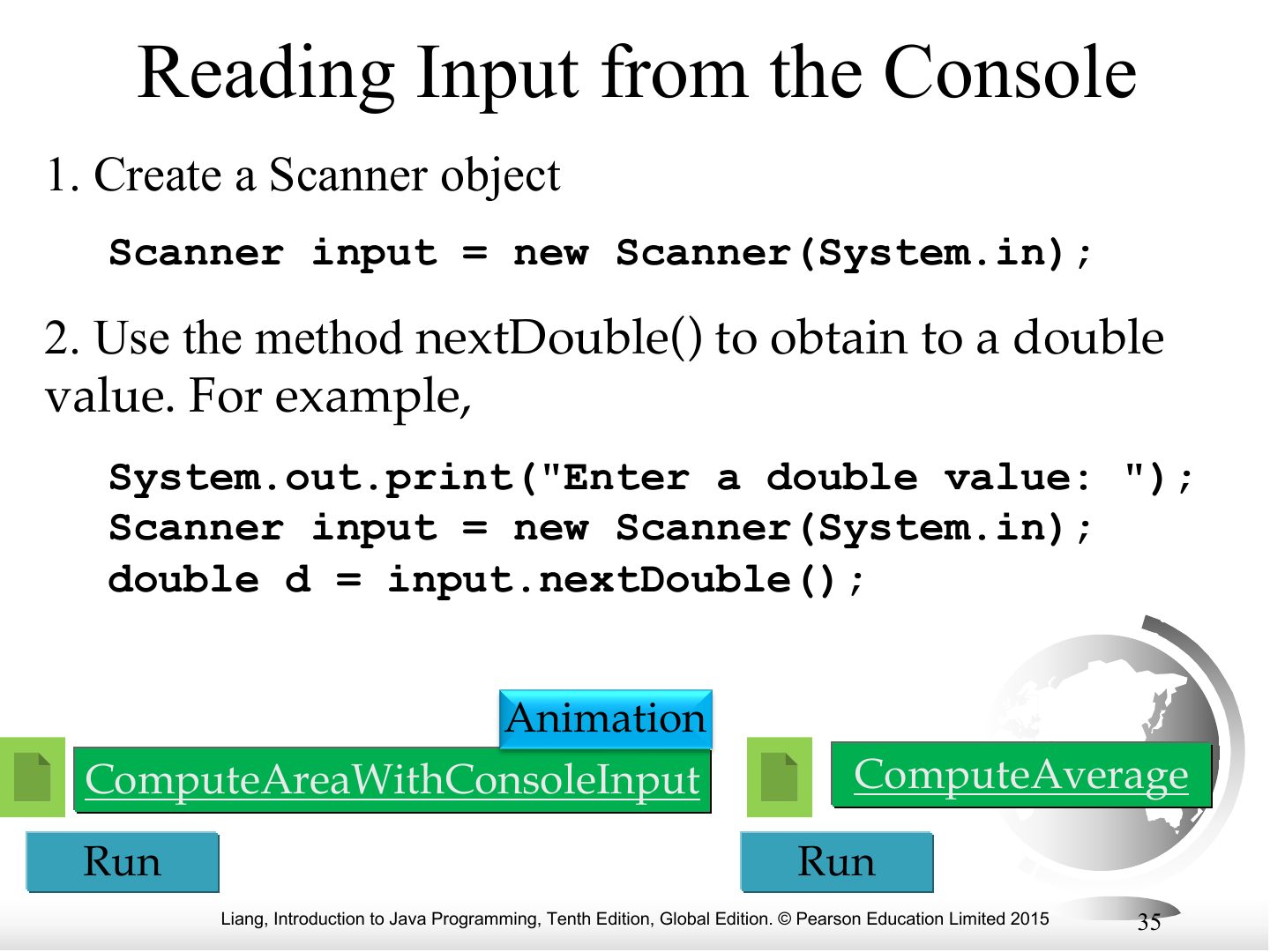
- 35 Reading Input from the Console
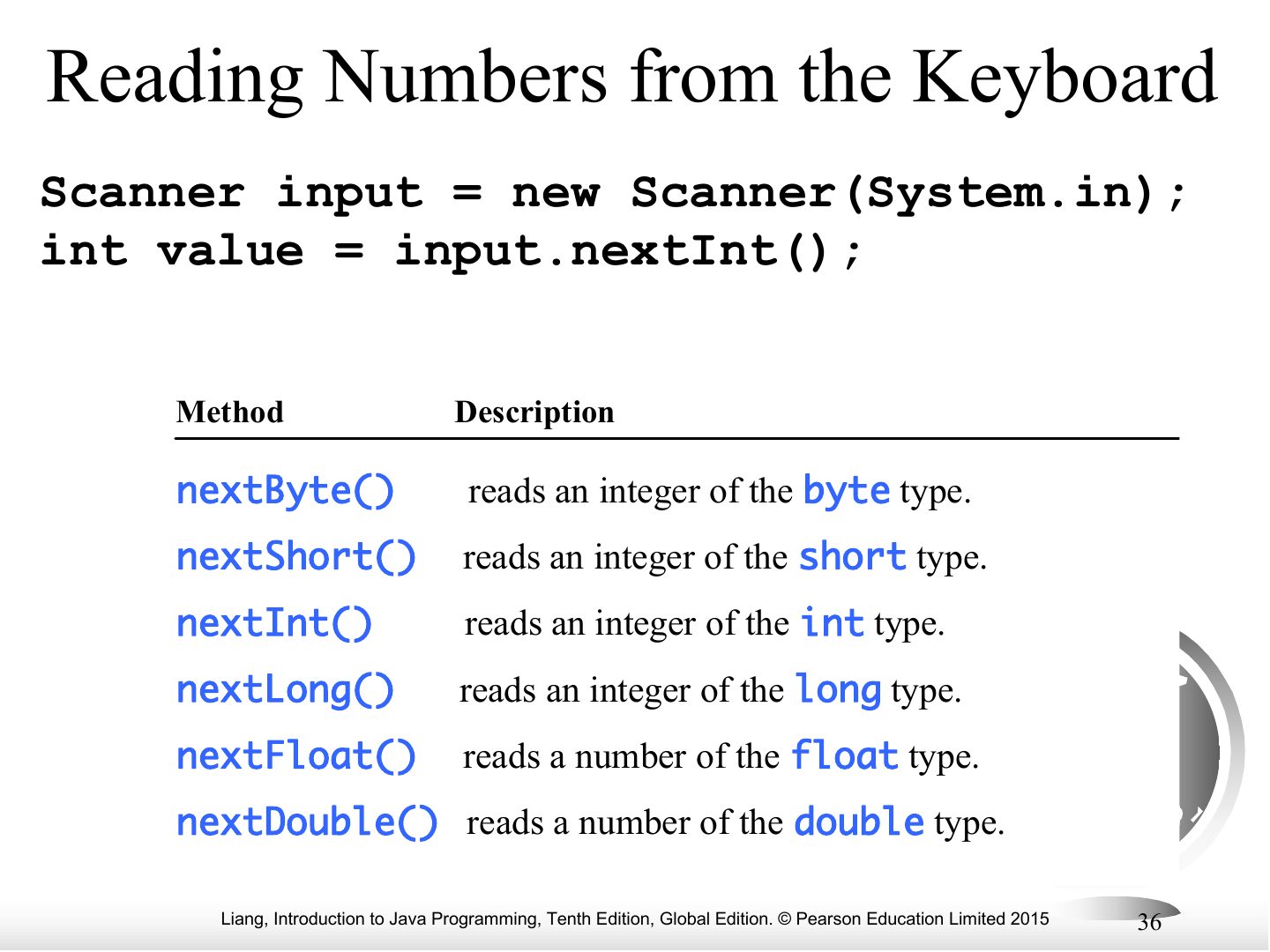
- 36 Reading Numbers from the Keyboard
- 37 ComputeAreaWithConsoleInput
- 38 Write a program that takes three numbers
- 39 Compute Average
- 40 Problem: Converting Temperatures
- 41 Increment and Decrement Operators
- 42 Increment and Decrement Operators, cont.
- 43 Increment and Decrement Operators, cont.
- 44 Assignment Expressions and Assignment Statements
- 45 What is the output of the following code:
- 46 What is the output of the following code:
- 47 Problem: Keeping Two Digits After Decimal Points
- 48 Common Errors and Pitfalls
- 49 Common Error 1: Undeclared/Uninitialized Variables and Unused Variables
- 50 Common Error 2: Integer Overflow
- 51 Common Error 3: Round-off Errors
- 52 Common Error 4: Unintended Integer Division
- 53 Common Pitfall 1: Redundant Input Objects
Elementary Programming
Notes
Tip Numeric types: byte 8-bit · short 16 · int 32 · long 64 · float 32 · double 64. Default: whole literals are int, decimal literals are double.
Motivations
Notes
Goal: write programs that compute with input data (area of a circle, loan payments…).
Objectives
Introducing Programming with an Example
Notes
ComputeArea: radius → area = radius * radius * 3.14159.
animation
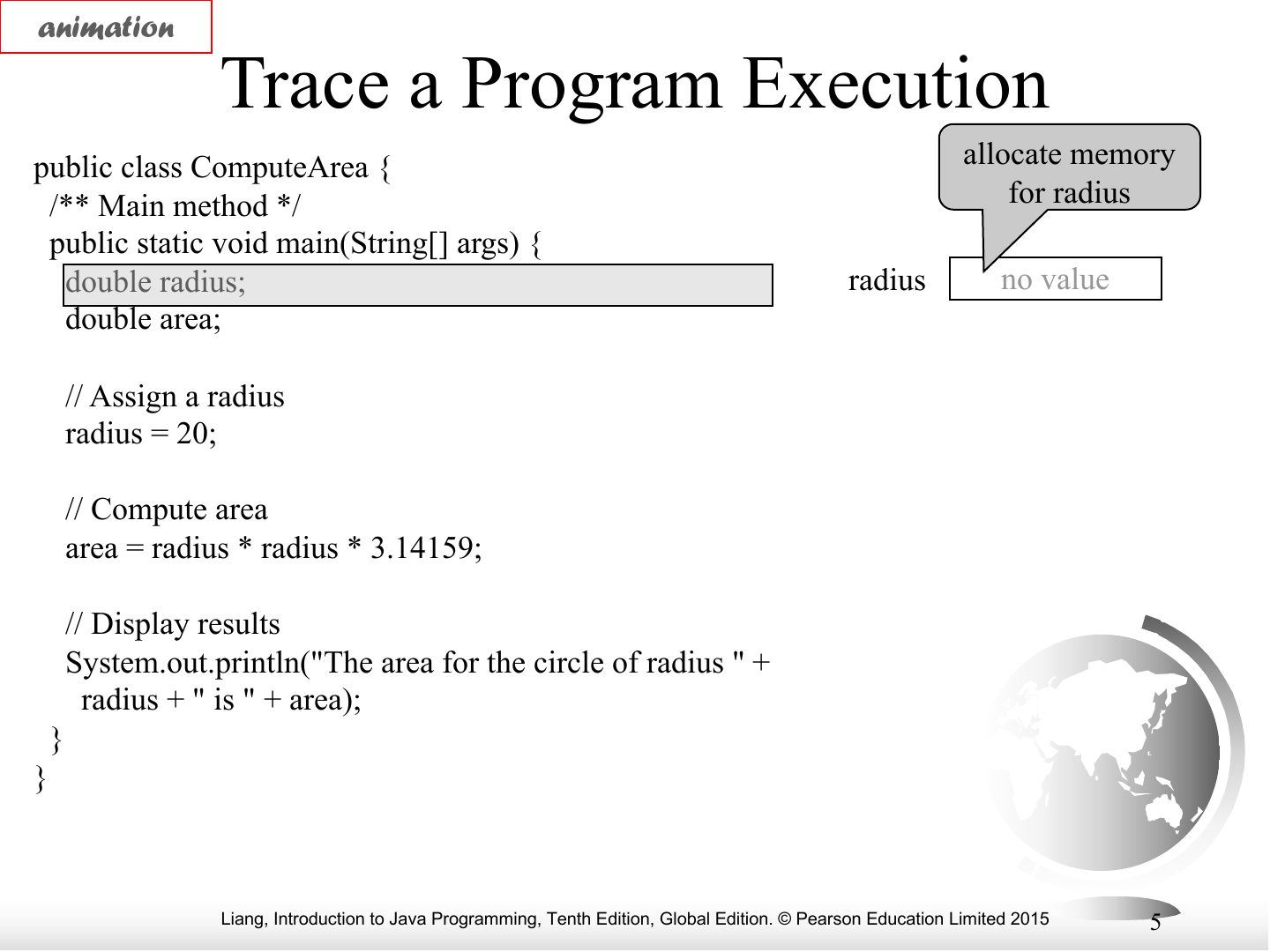
animation
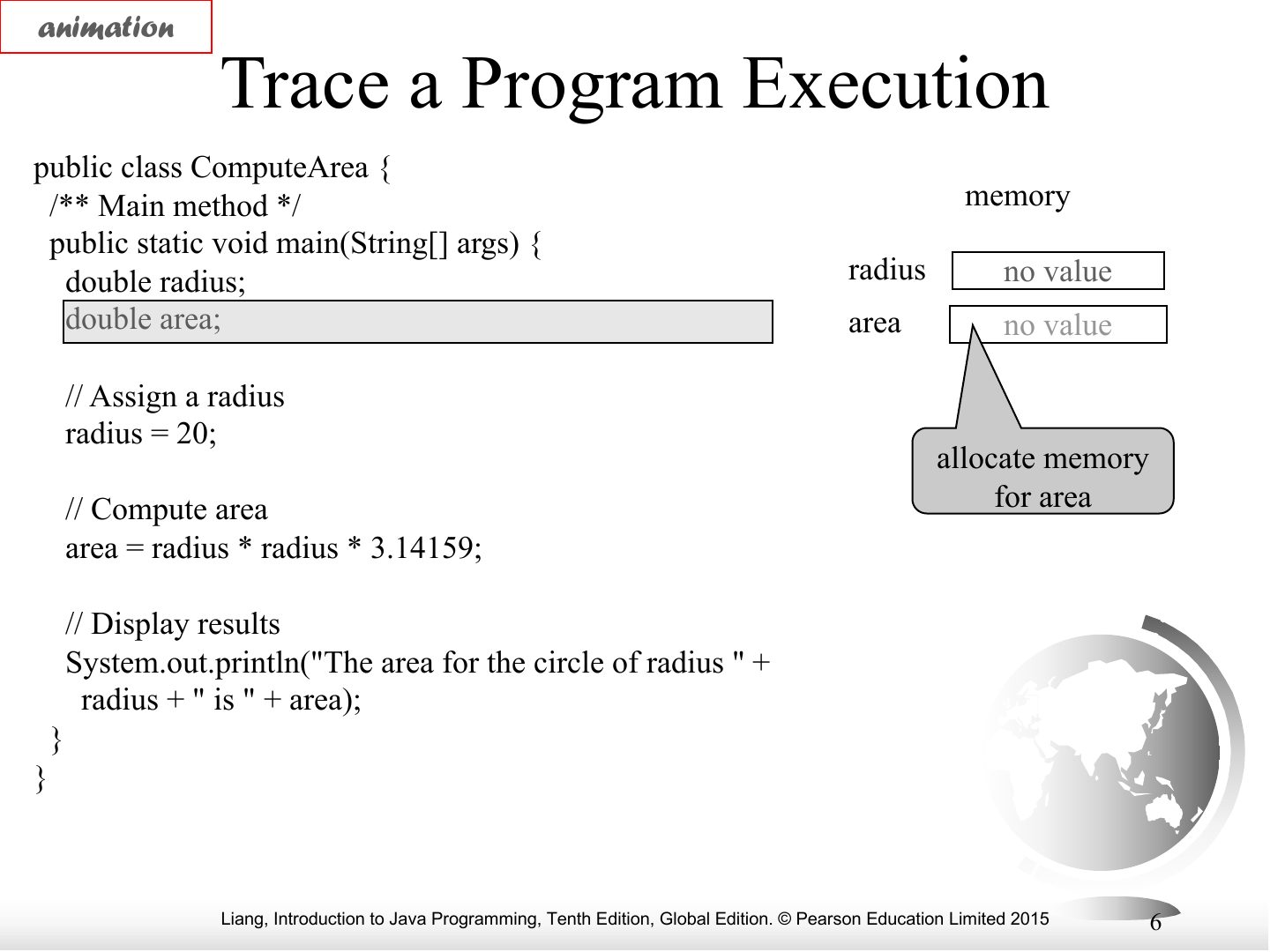
animation
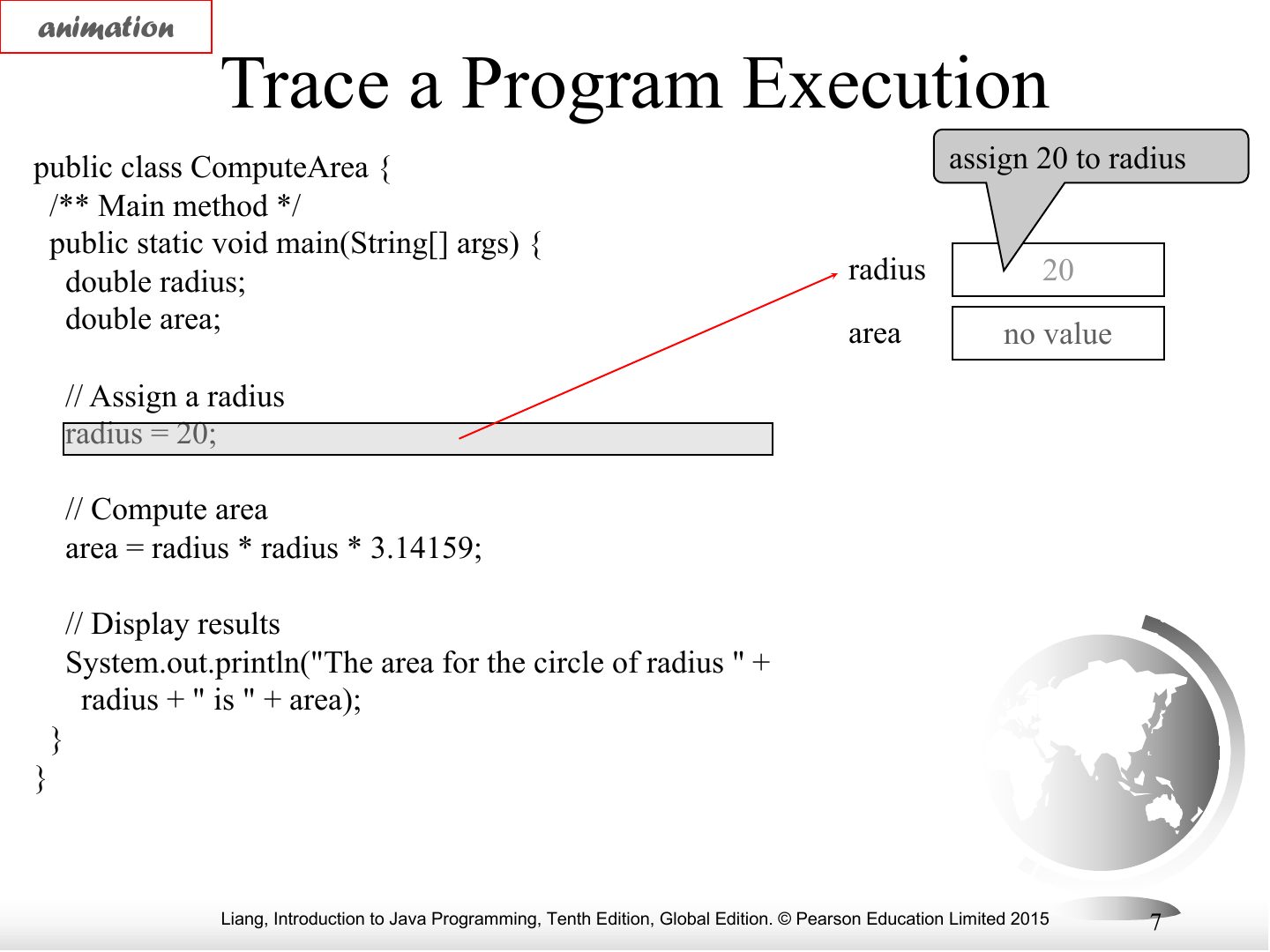
animation
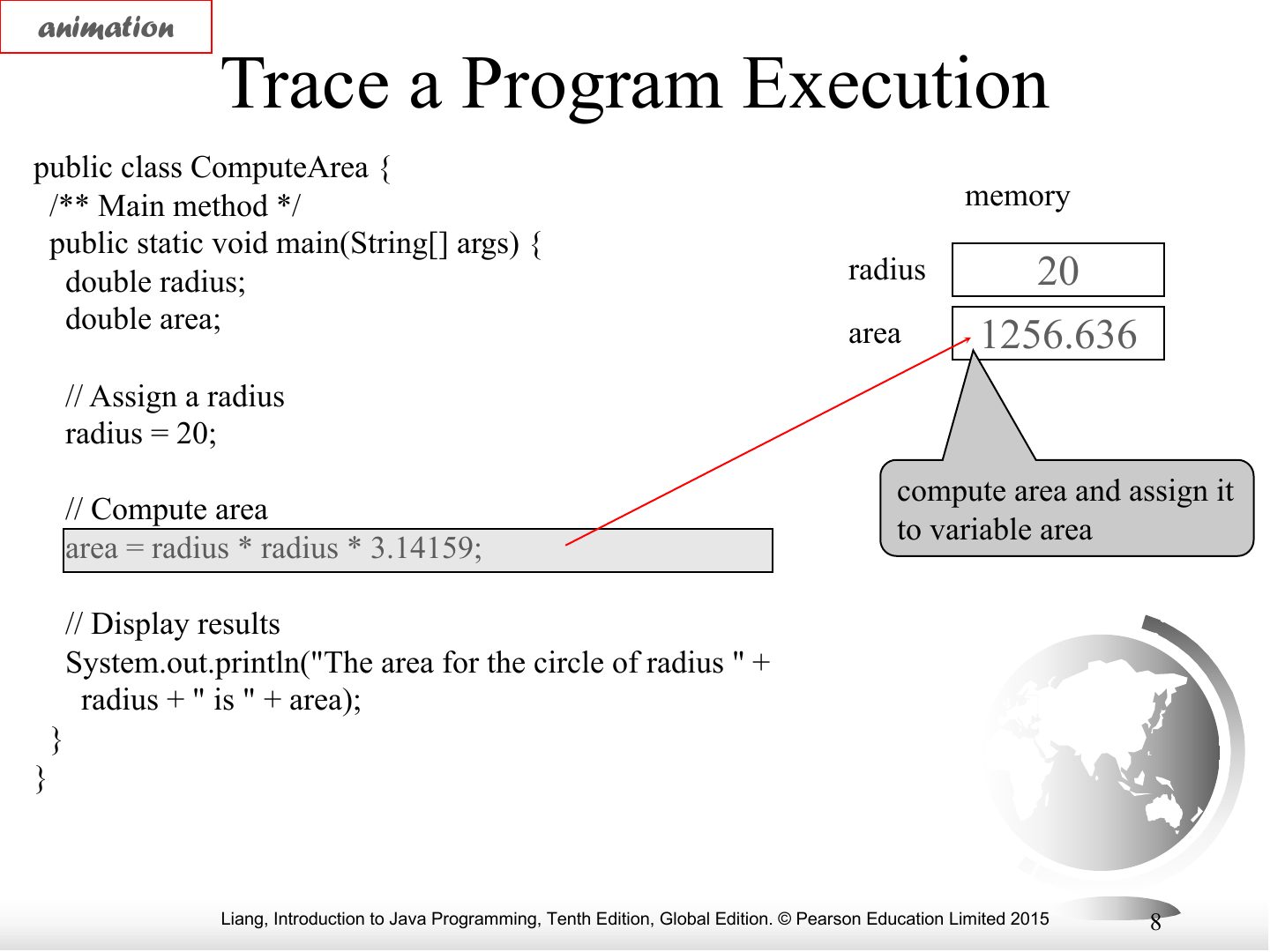
animation
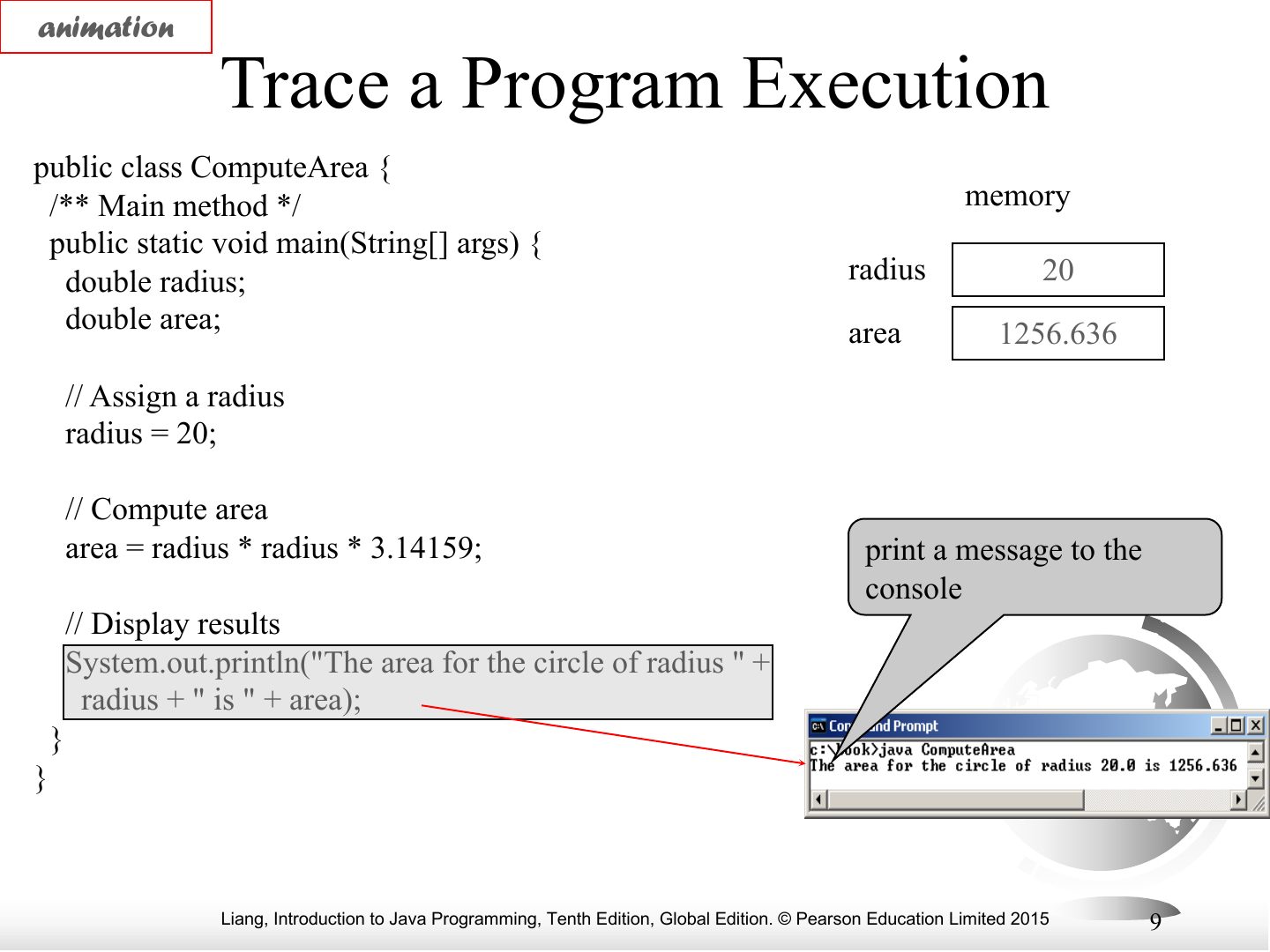
Notes
Trace: done.
Identifiers
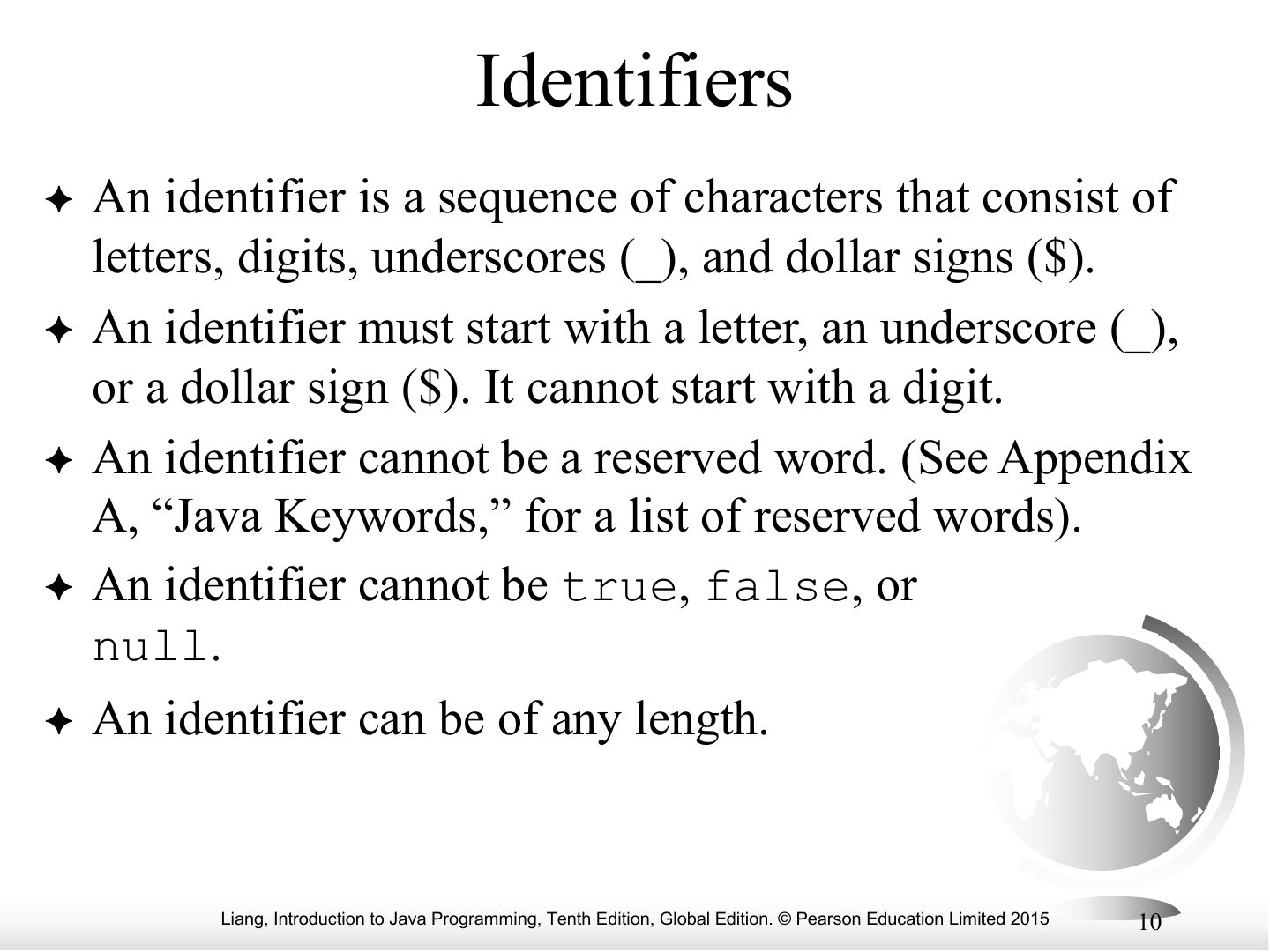
Exam angle
Java identifiers are case-sensitive.
Variables
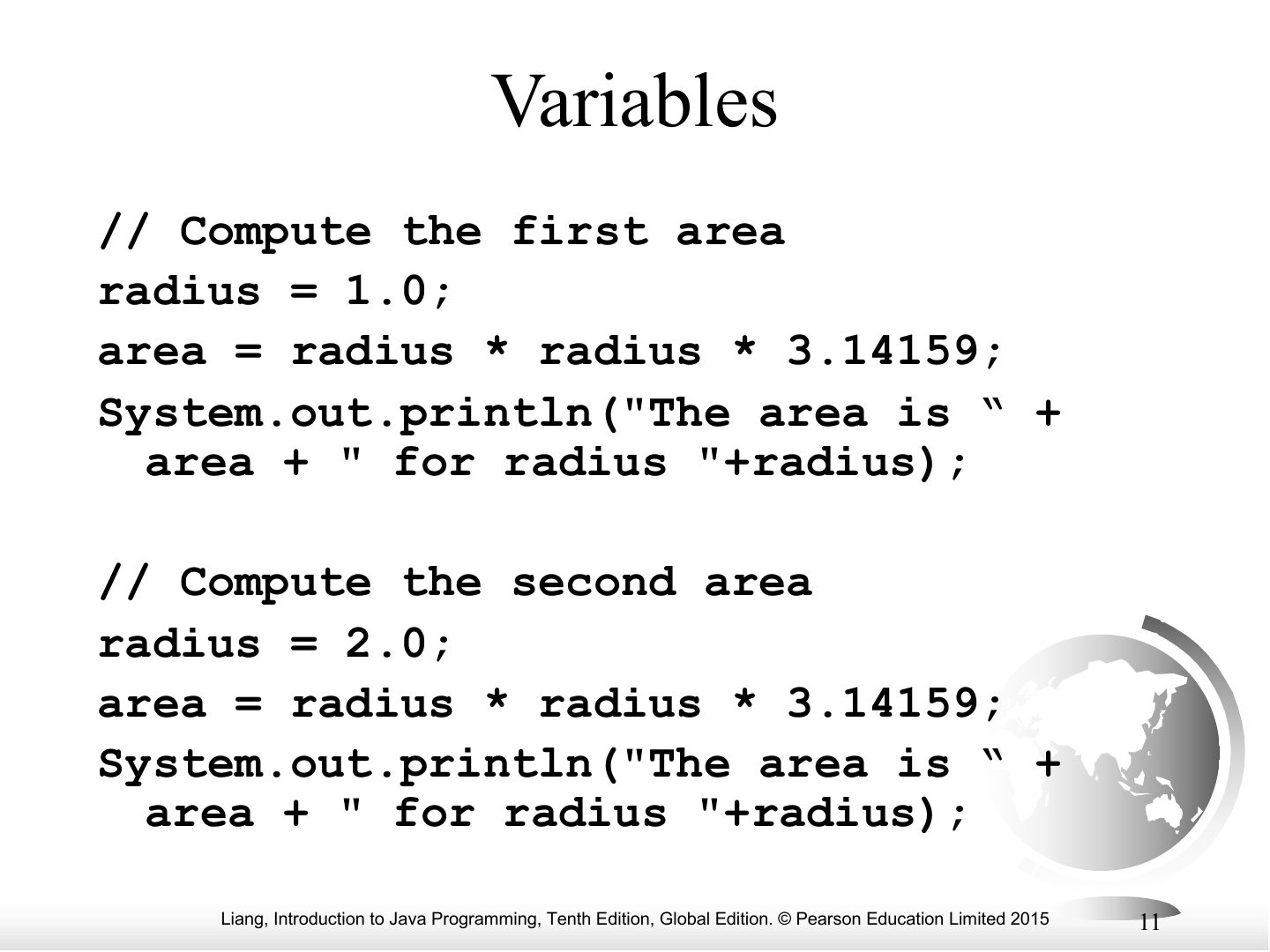
Notes
A variable stores a value of a declared type.
Declaring Variables
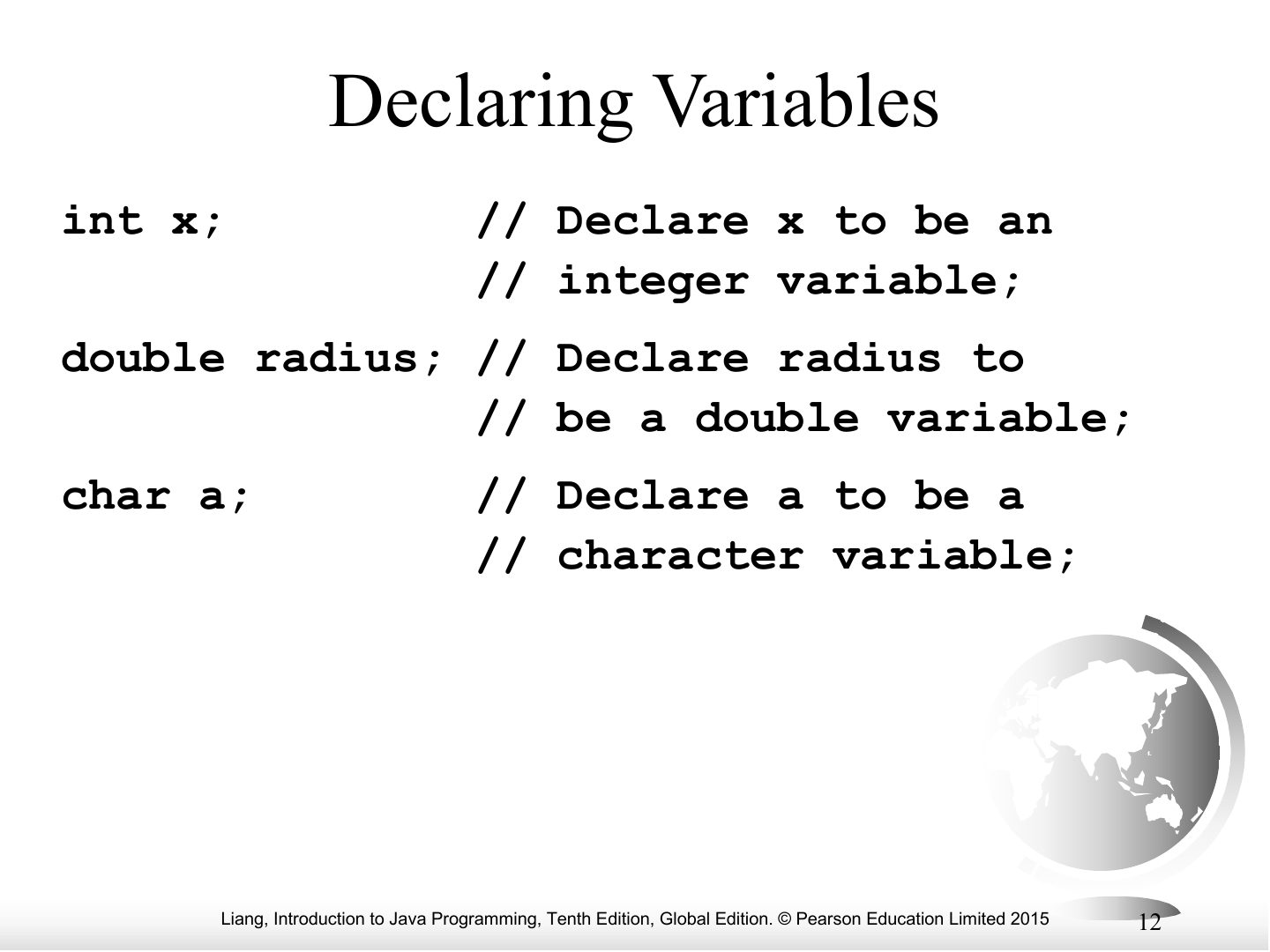
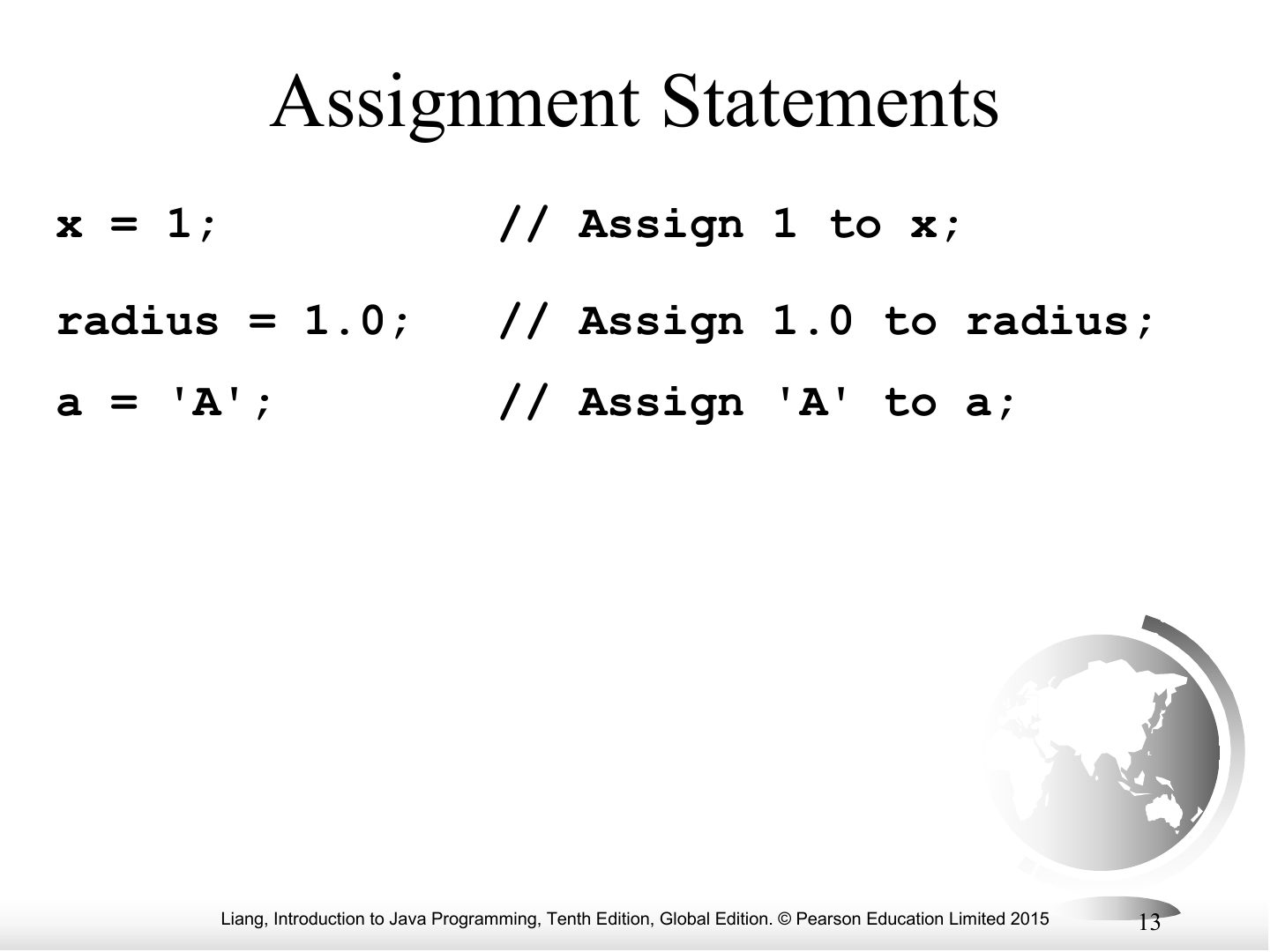
Assignment Statements
Notes
Assignment: variable = expression; (x = x + 1 is legal).
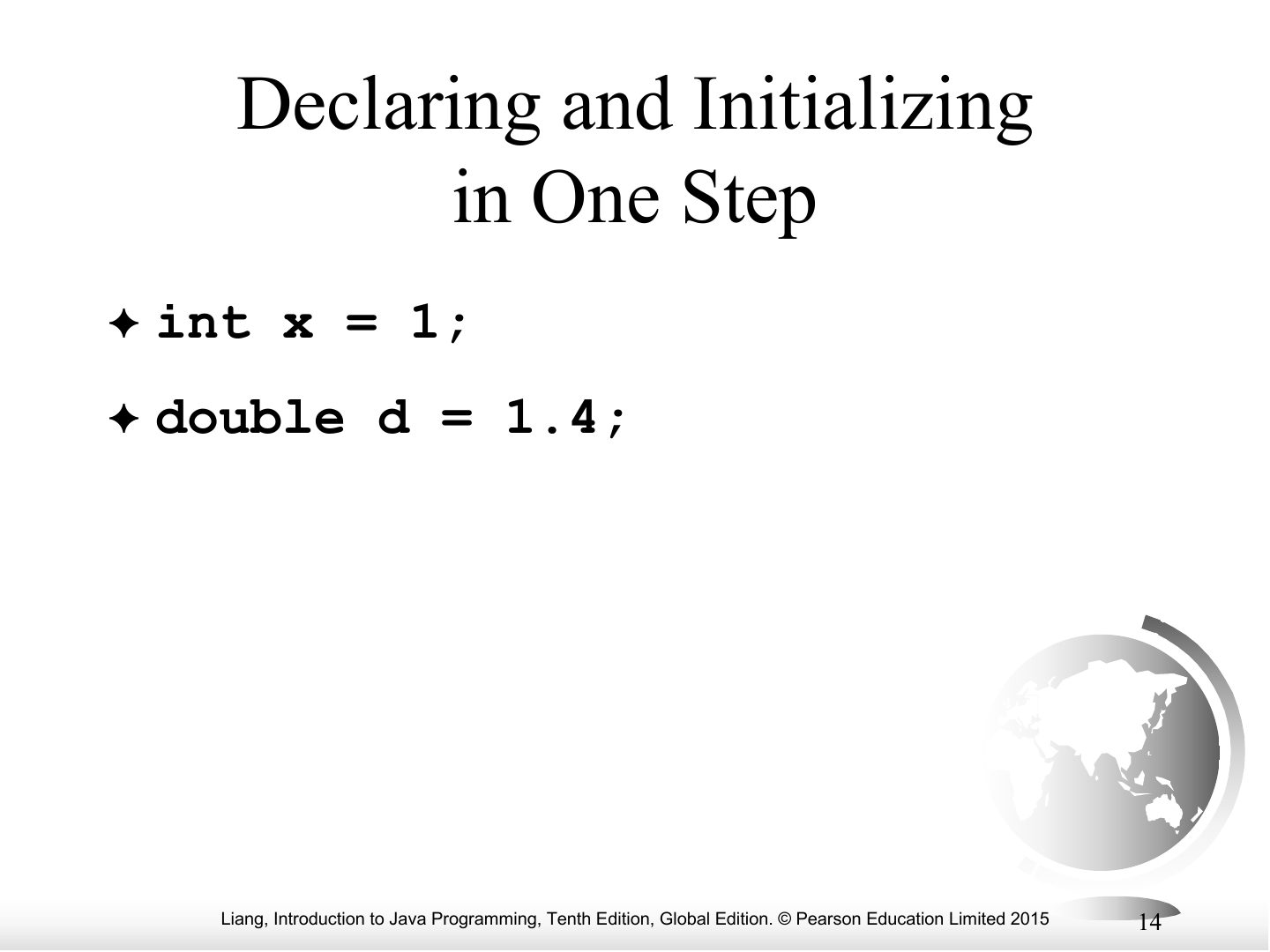
Declaring and Initializing in One Step
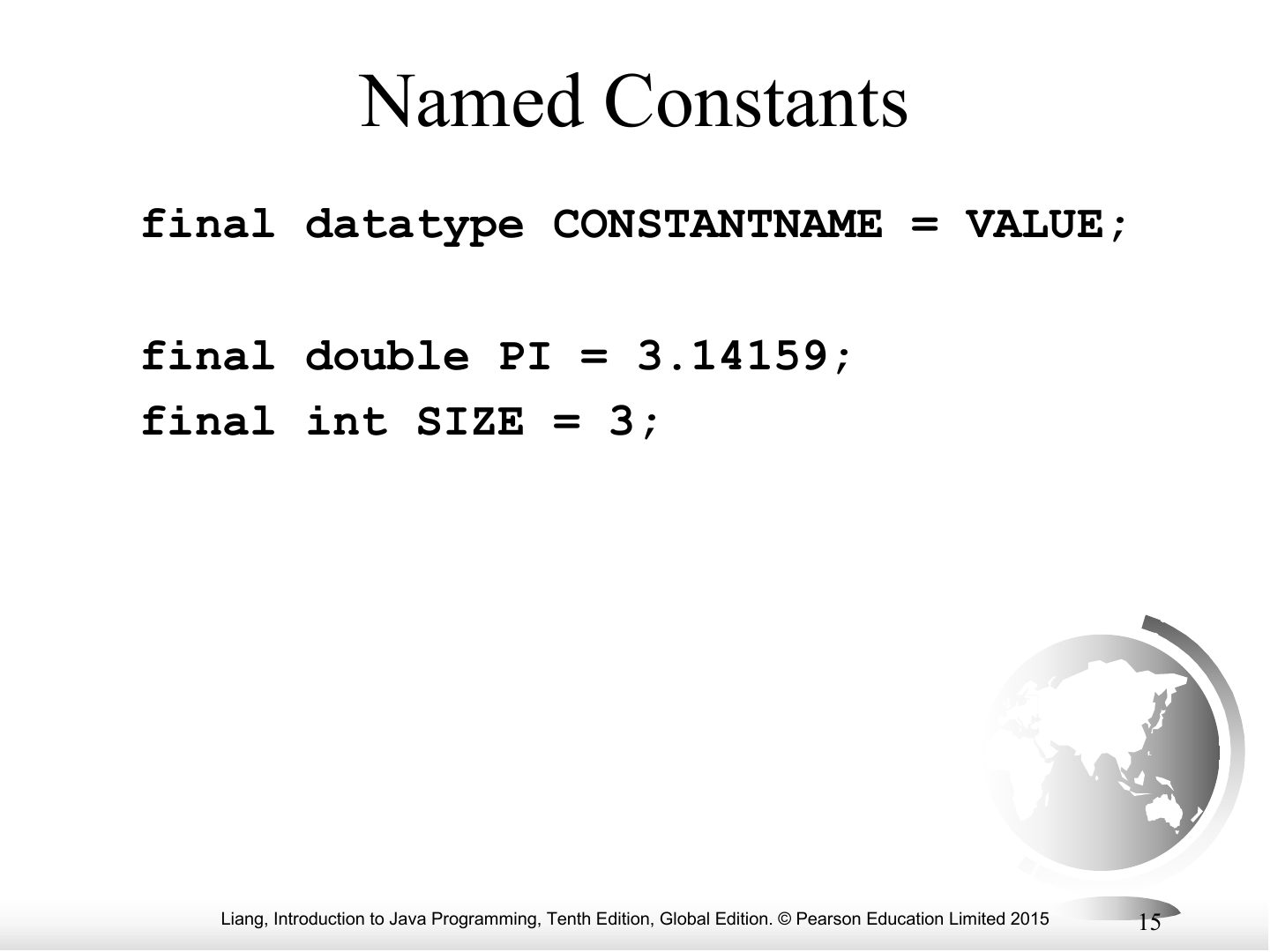
Named Constants
Exam angle
Which keyword declares a constant in Java?
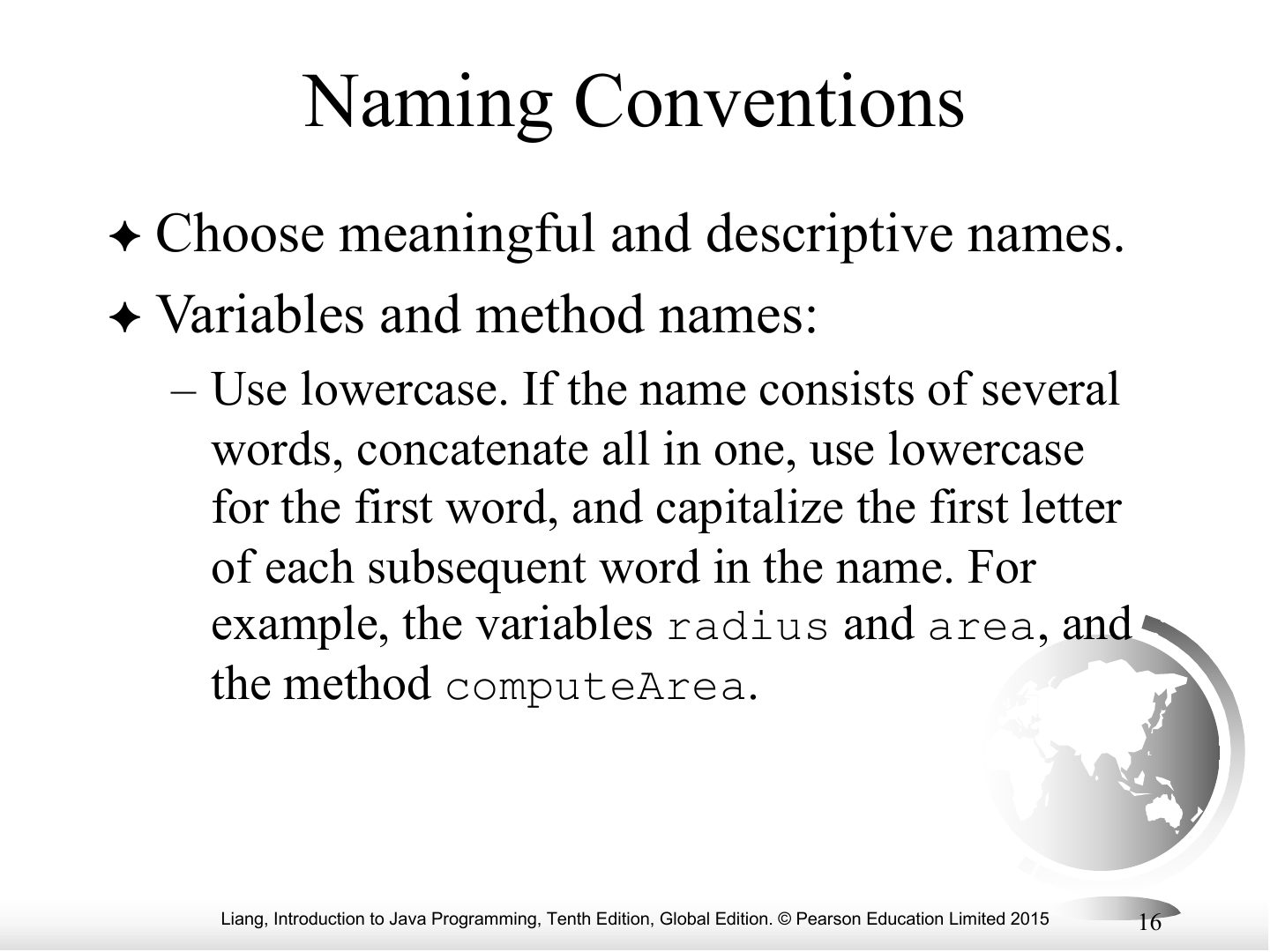
Naming Conventions
Naming Conventions, cont.
Numerical Data Types
Notes
The six numeric types and their ranges.
Tip Numeric types: byte 8-bit · short 16 · int 32 · long 64 · float 32 · double 64. Default: whole literals are int, decimal literals are double.
Exam angle
How many bits does an int use?
Numeric Operators
Notes
Operators: + - * / %.
Integer Division
Notes
Trap If both operands are int, / drops the fraction.
Exam angle
What is 7 / 2 in Java when both are int?
Remainder Operator
Exam angle
What is 20 % 6?
Today is Saturday. What day is it 10 days later? Use %.
Compare with the model answer
(6 + 10) % 7 = 2 → Tuesday (with Sunday = 0).
Exponent Operations
Notes
Math.pow(a, b) computes aᵇ (returns double).
Number Literals
Integer Literals
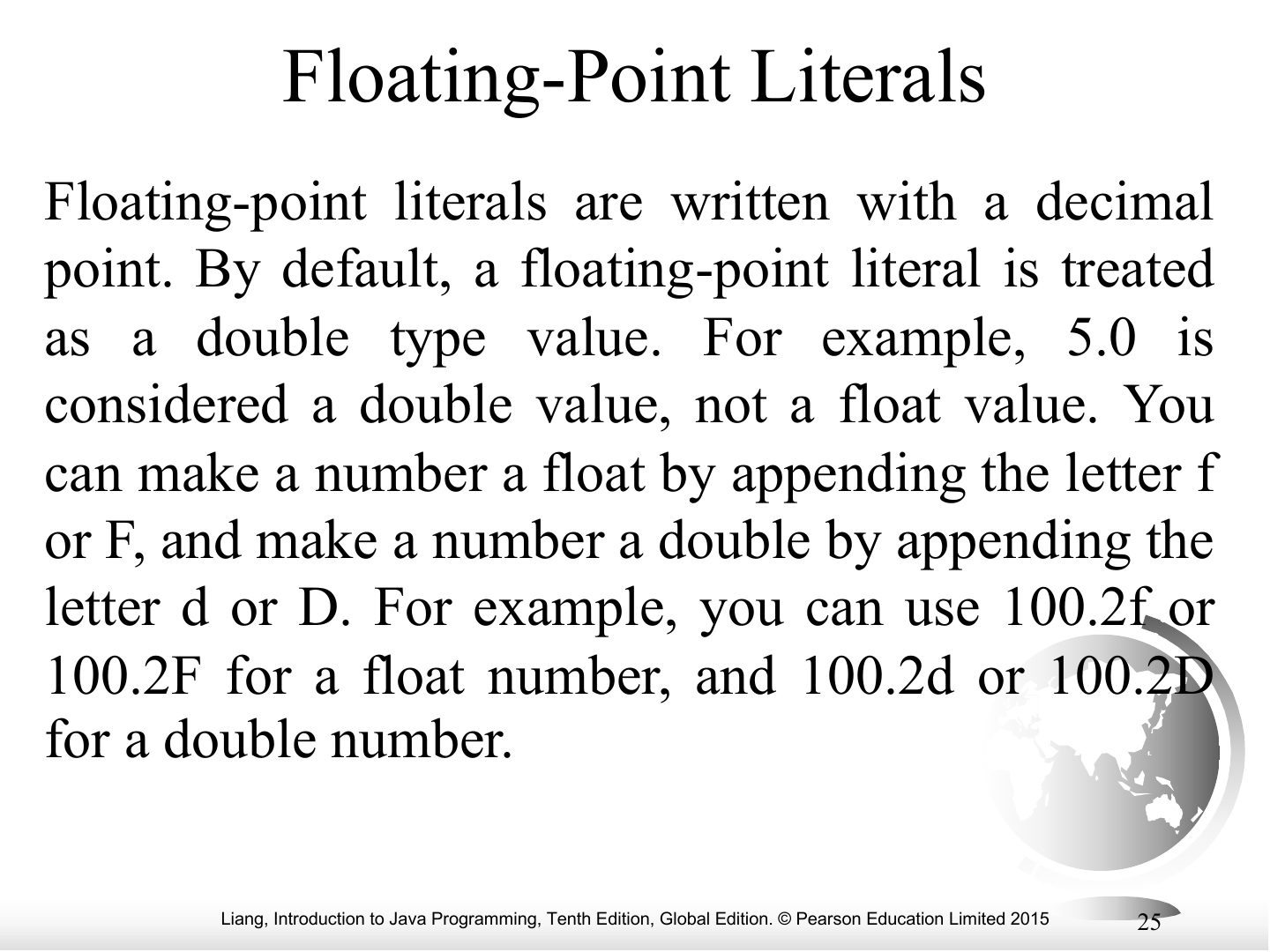
Floating-Point Literals
Exam angle
The literal 3.14 is of type float by default.
- Decimal literals are double.
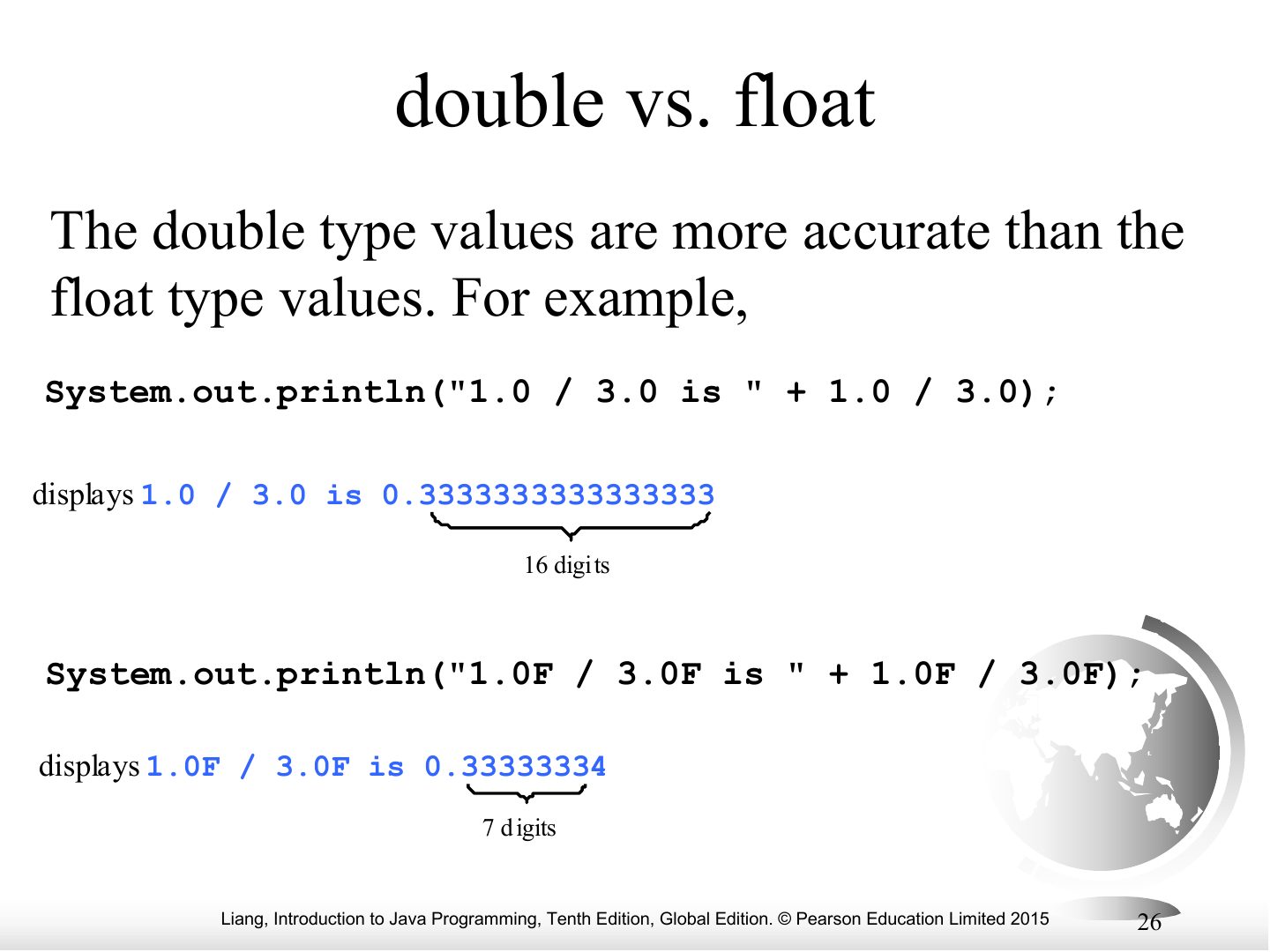
double vs. float
Notes
double is more precise (about 16 digits) than float (about 7).
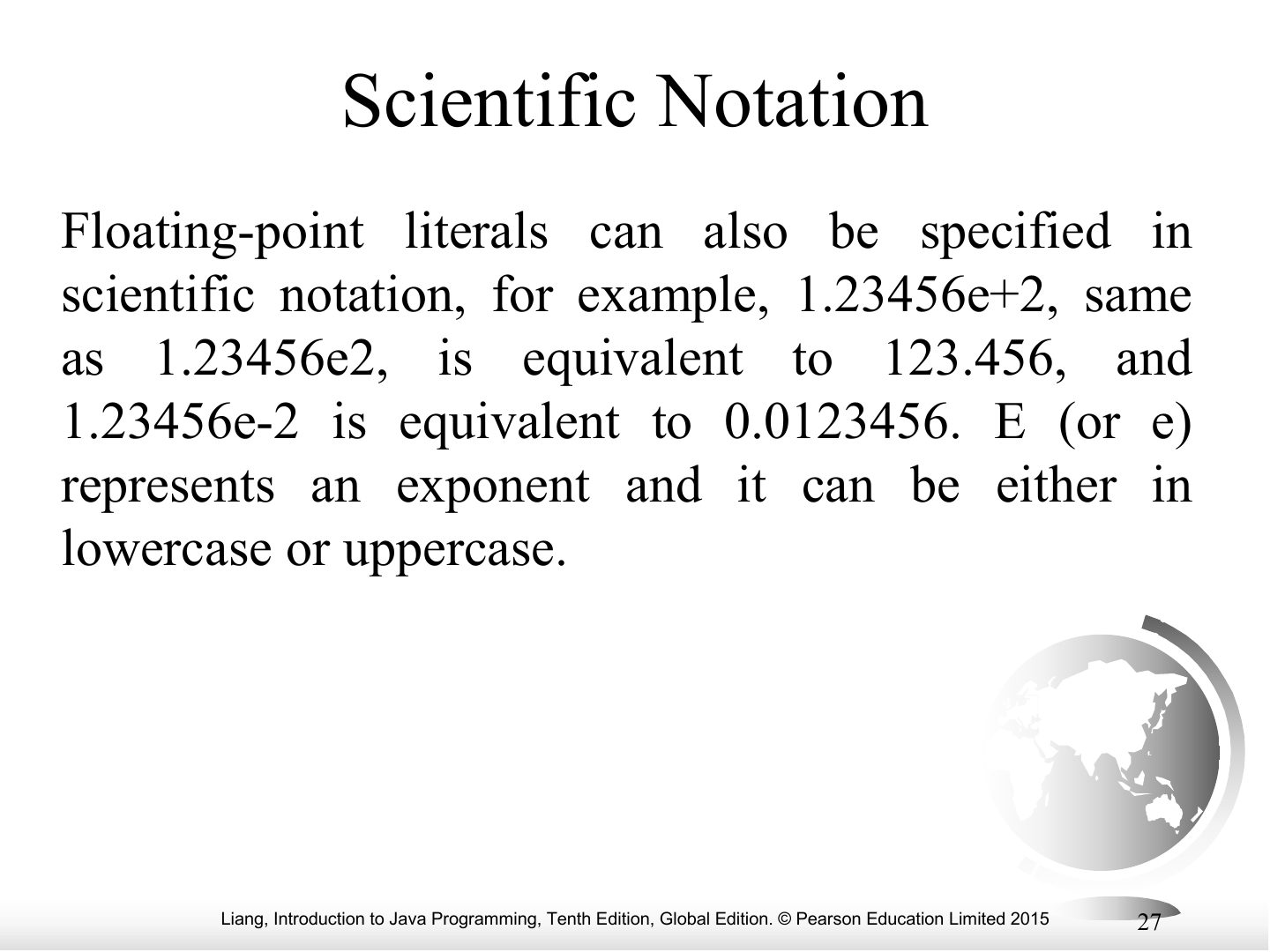
Scientific Notation
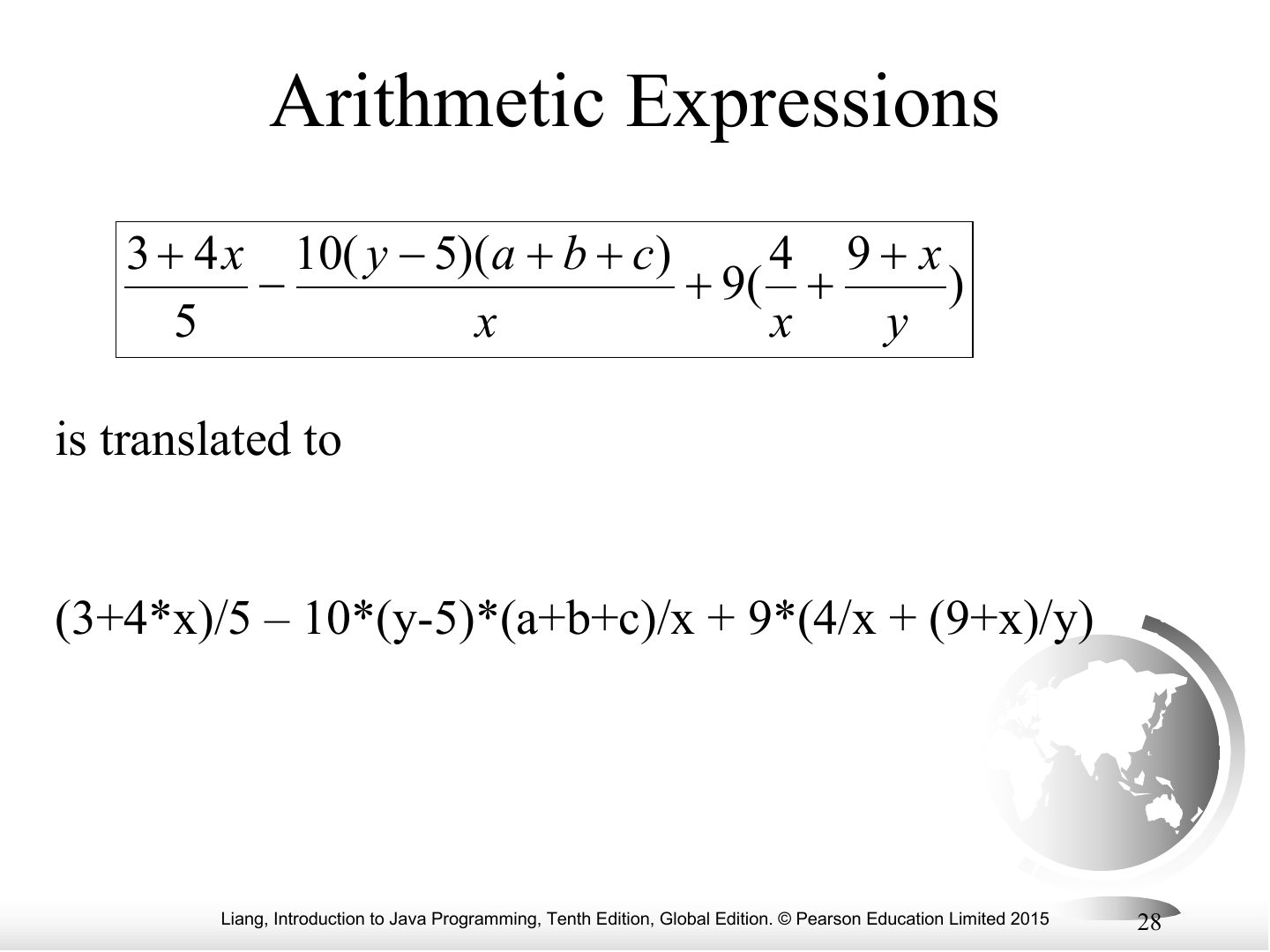
Arithmetic Expressions
Notes
Writing arithmetic expressions in Java: watch the parentheses.
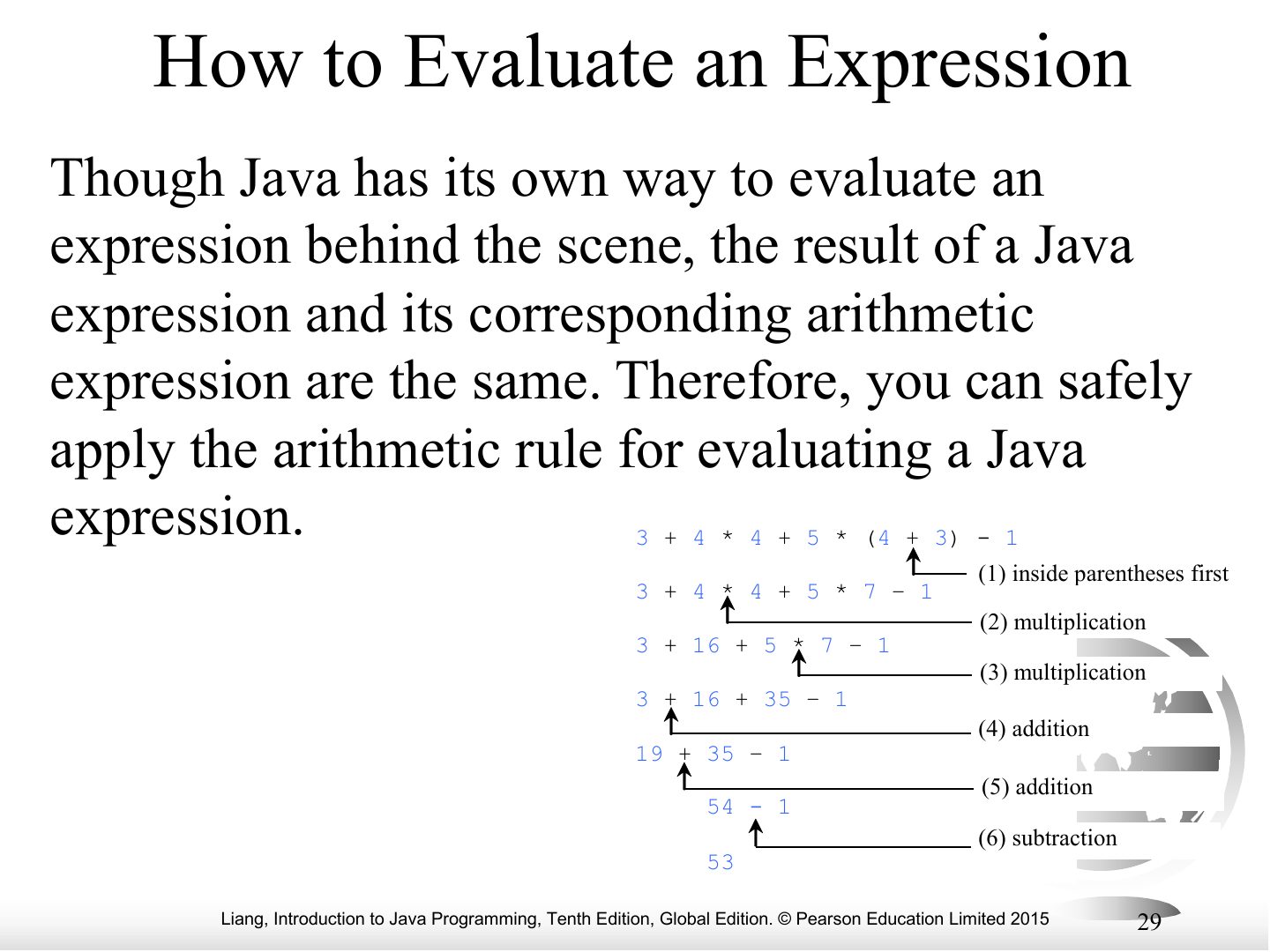
How to Evaluate an Expression
Notes
Evaluation: parentheses first, then * / %, then + −, left to right.
Exam angle
What is 3 + 4 * 4 + 5 * (4 + 3) - 1?
- 3 + 16 + 35 − 1.
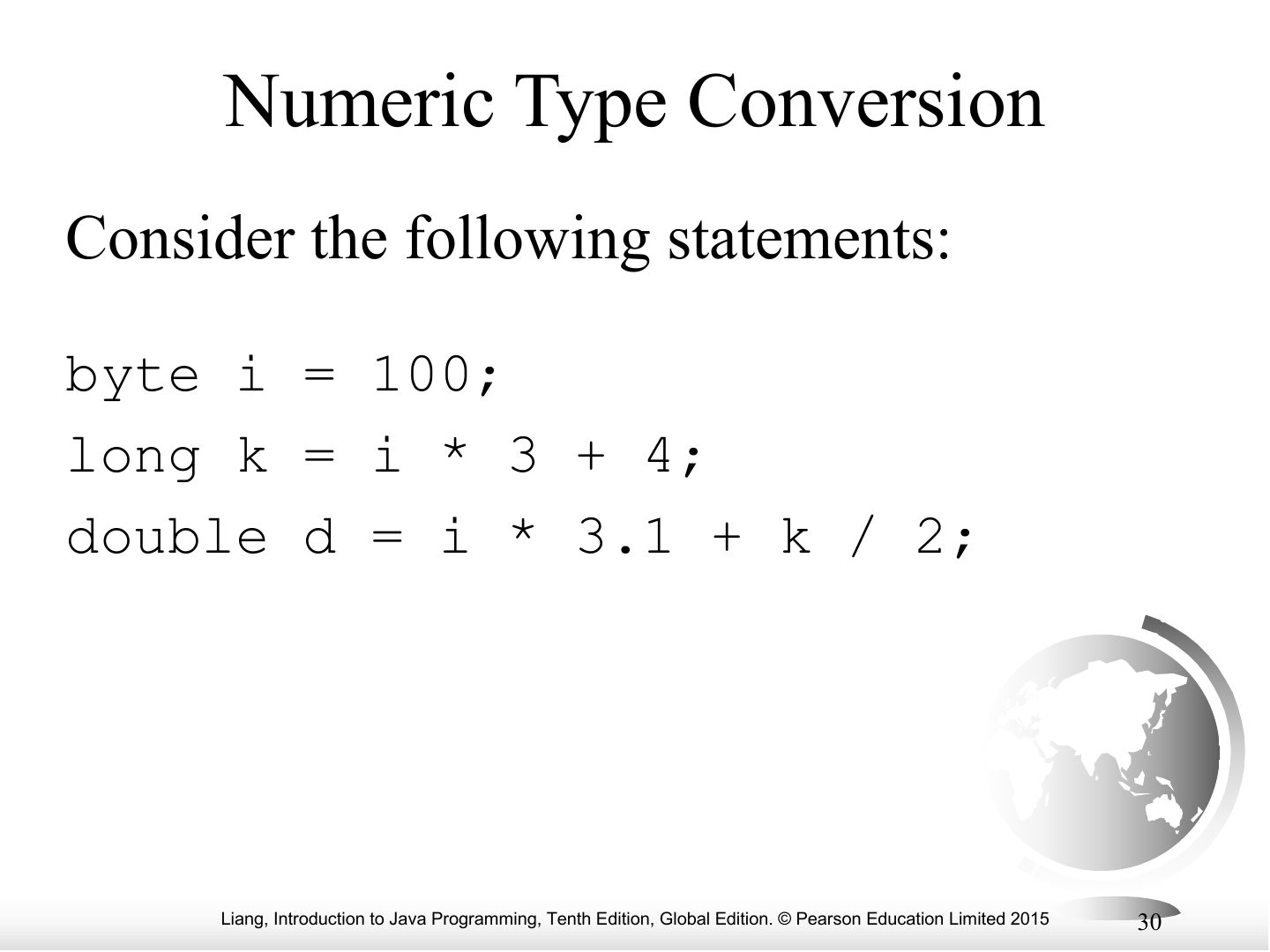
Numeric Type Conversion
Notes
Mixed types: the narrower operand is widened (int + double → double).
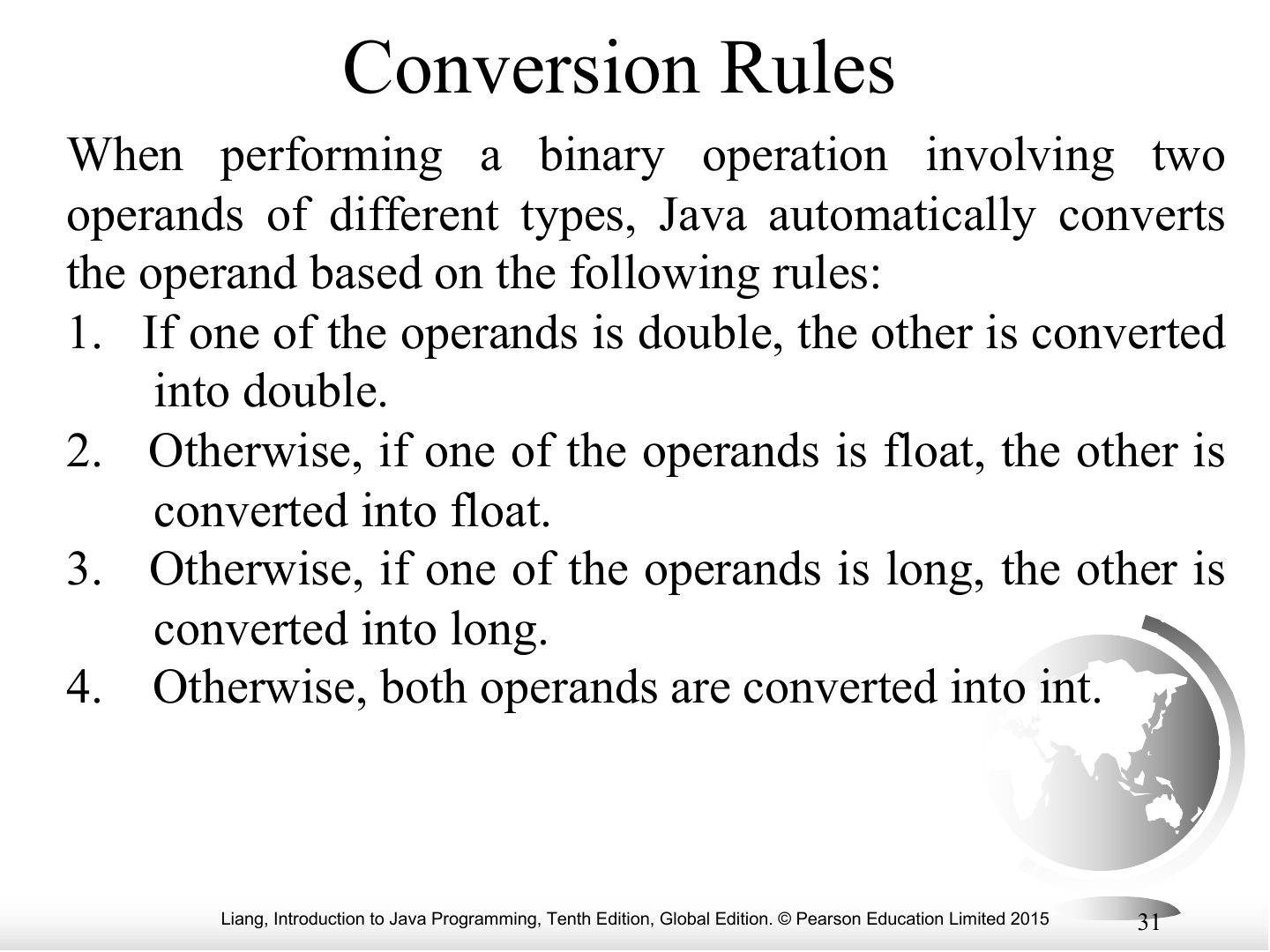
Conversion Rules
Notes
Widening rules: byte → short → int → long → float → double.
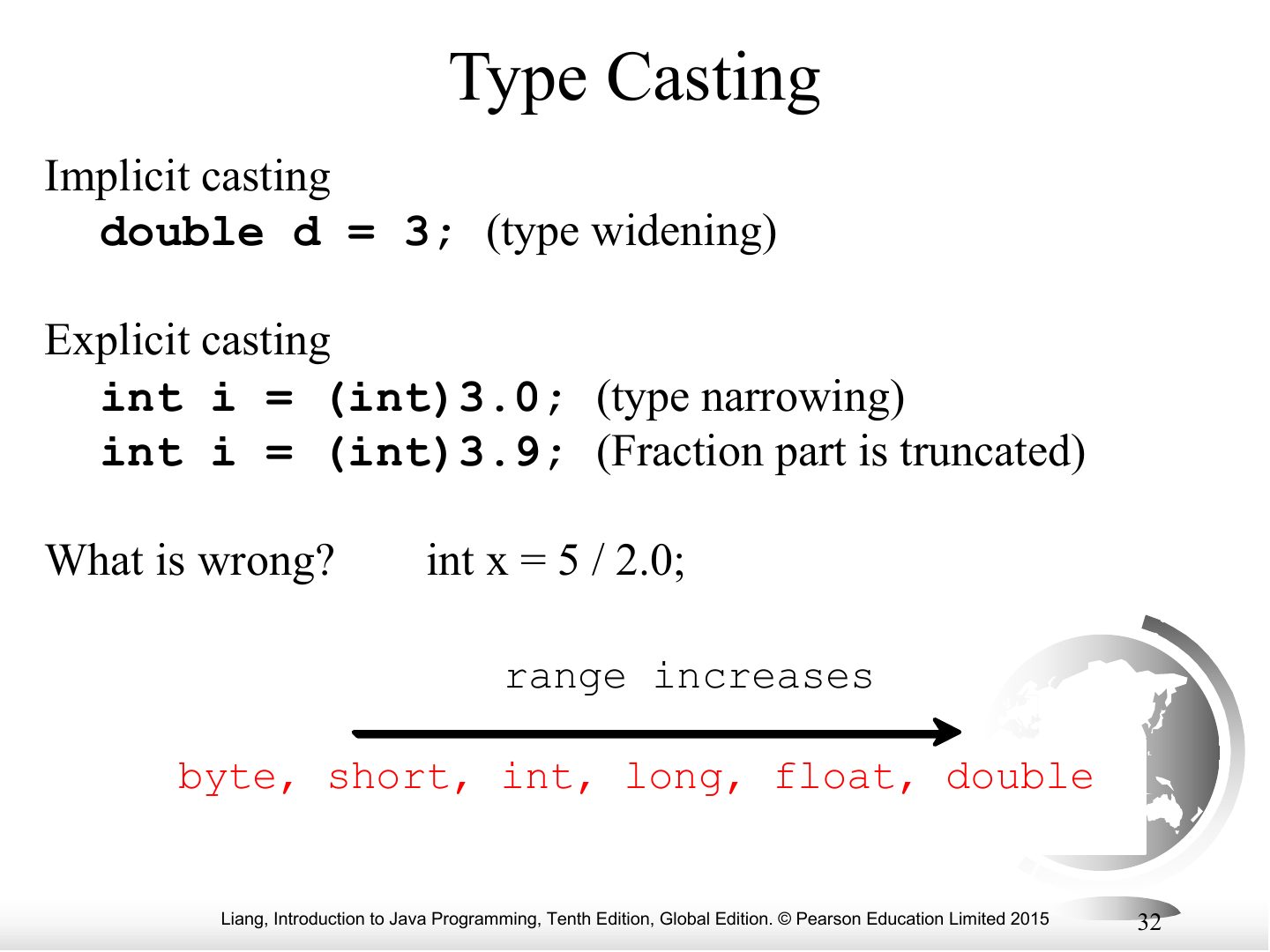
Type Casting
Exam angle
What is (int) 7.9?
Augmented Assignment Operators
Casting in an Augmented Expression
Notes
x += 4.5 for an int x is legal: it means x = (int)(x + 4.5).
Exam angle
int sum = 0; sum += 4.5; compiles.
- Augmented assignment includes an implicit cast.
Reading Input from the Console
Reading Numbers from the Keyboard
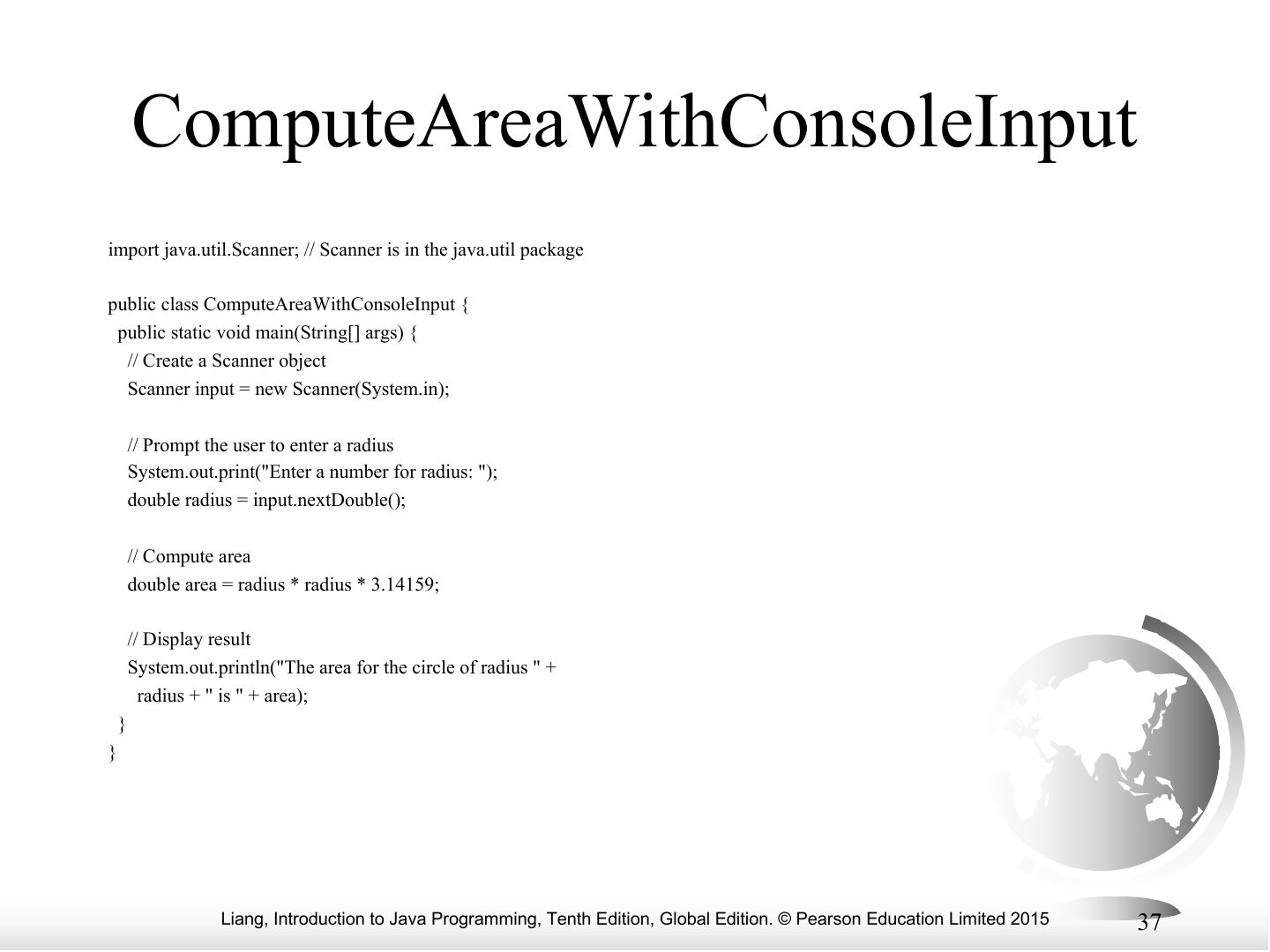
ComputeAreaWithConsoleInput
Notes
ComputeAreaWithConsoleInput example.
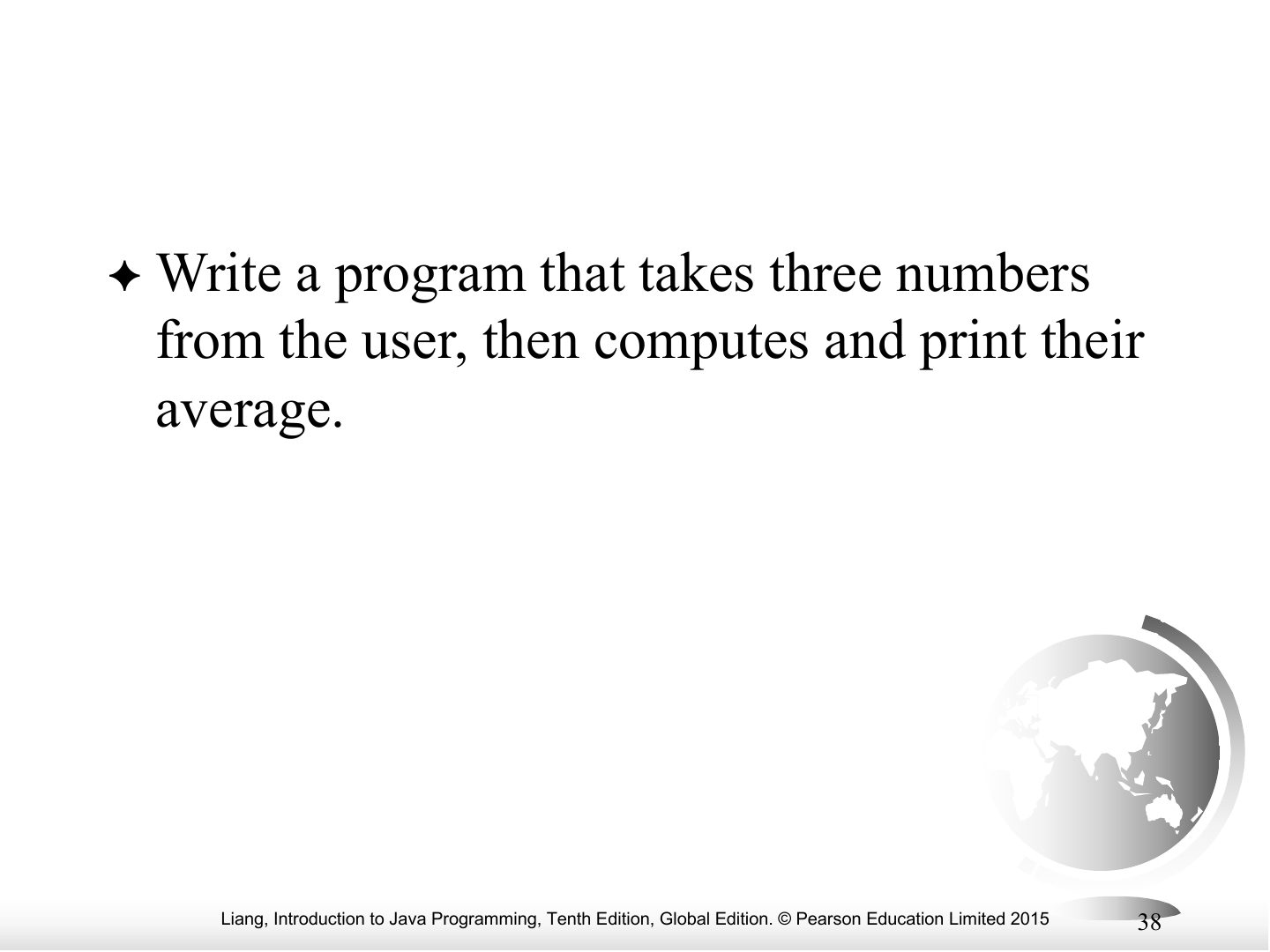
Write a program that takes three numbers
Notes
Example output.
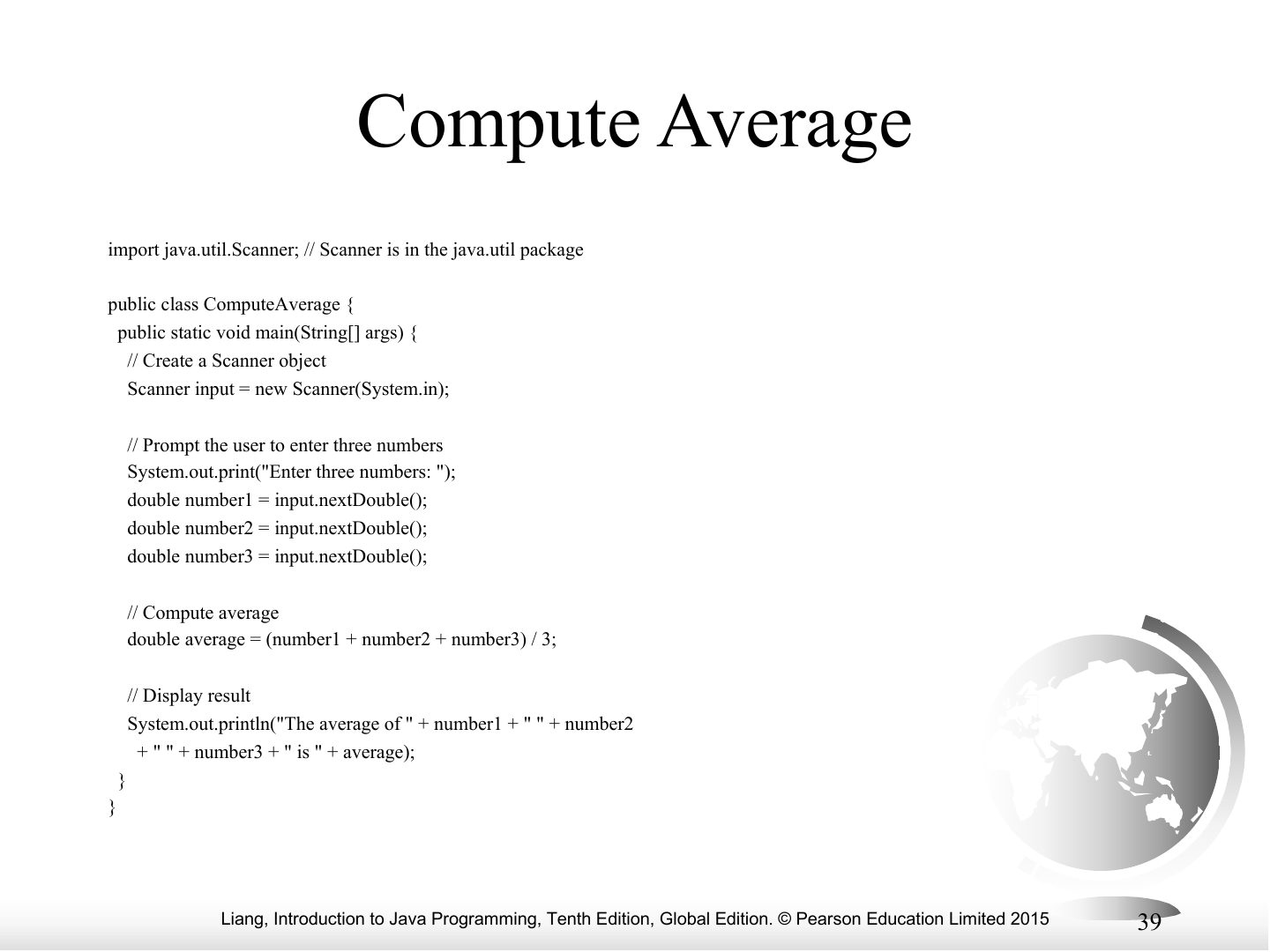
Compute Average
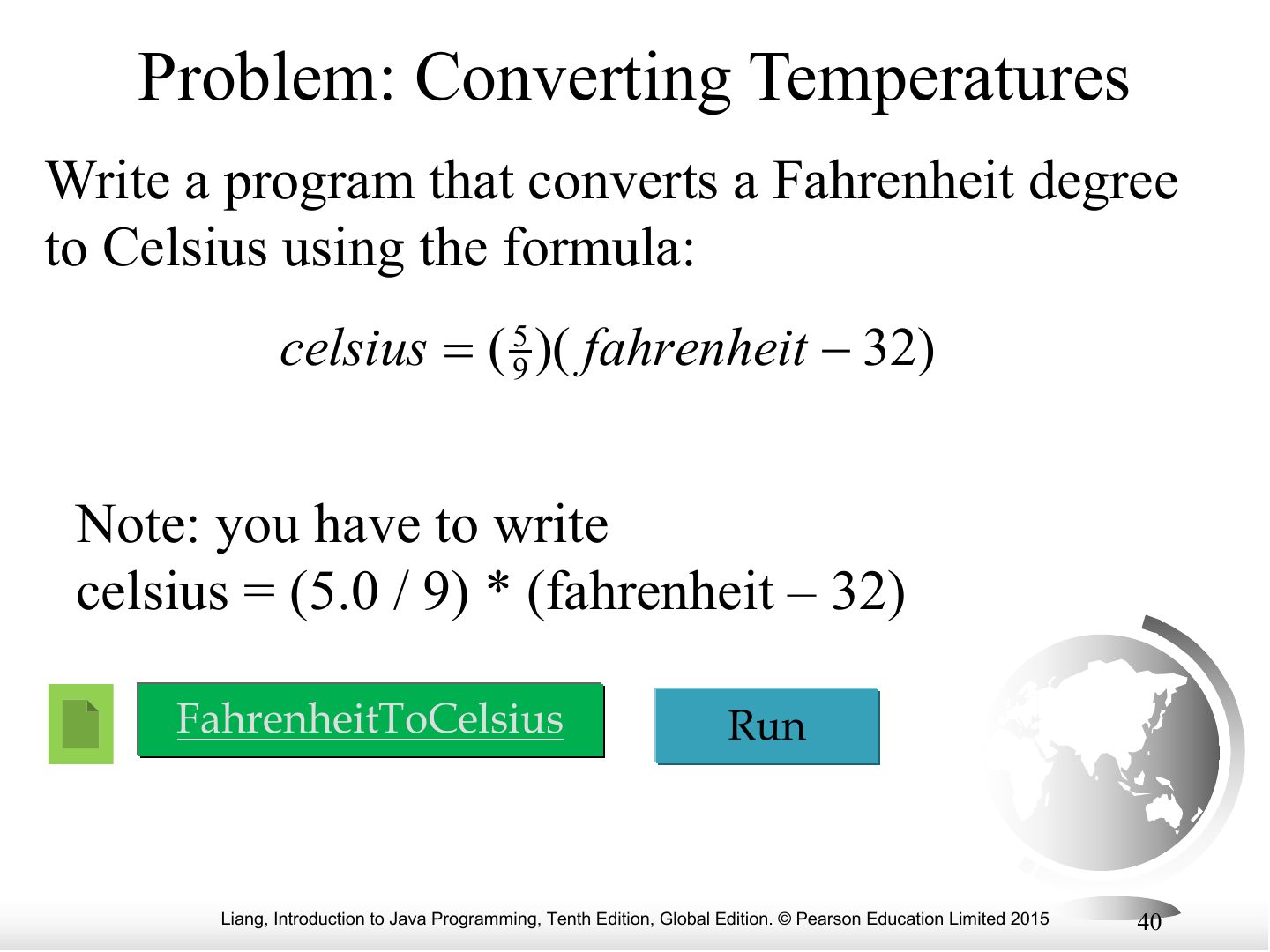
Problem: Converting Temperatures
Notes
Fahrenheit to Celsius: celsius = (5.0 / 9) * (fahrenheit − 32). Using 5 / 9 gives 0 (integer division).
Exam angle
Why does (5 / 9) * (f − 32) always give 0 in Java?
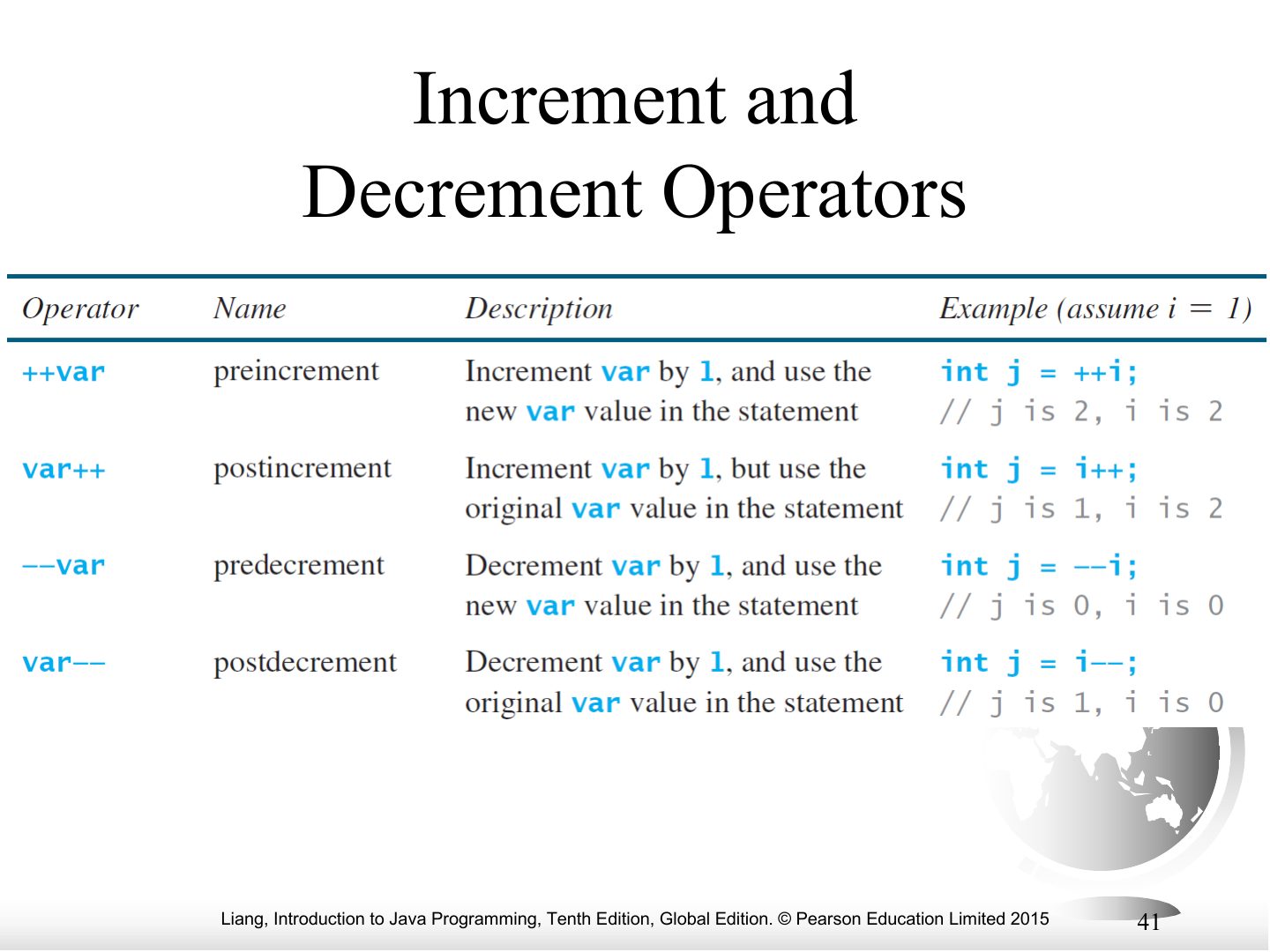
Increment and Decrement Operators
Notes
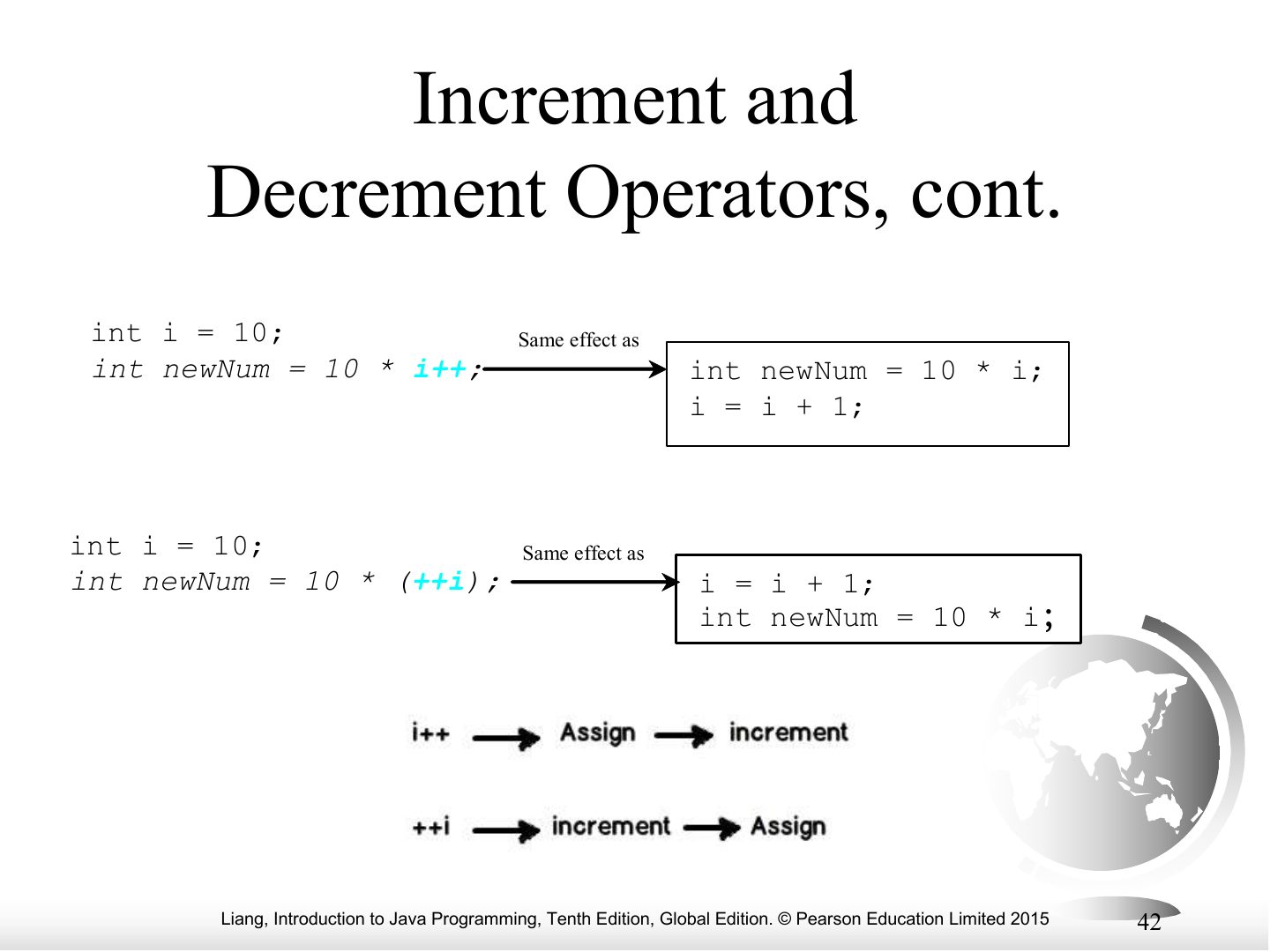
++ and --: prefix (++i) changes then uses; postfix (i++) uses then changes.
Increment and Decrement Operators, cont.
Notes
Examples of prefix and postfix.
Exam angle
int i = 10; int j = i++ + 5; What are i and j?
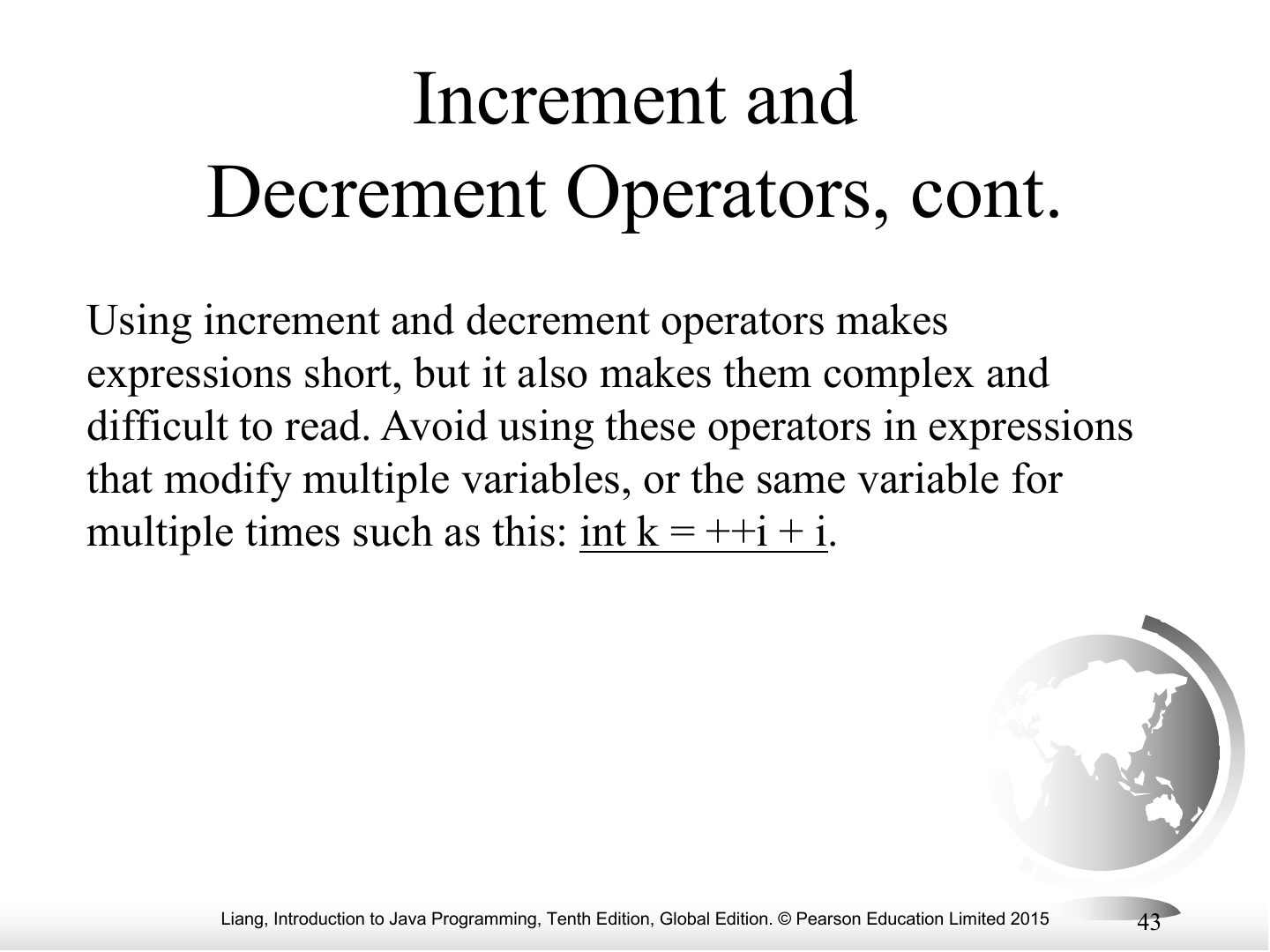
Increment and Decrement Operators, cont.
Notes
Avoid using ++/-- more than once in one expression.
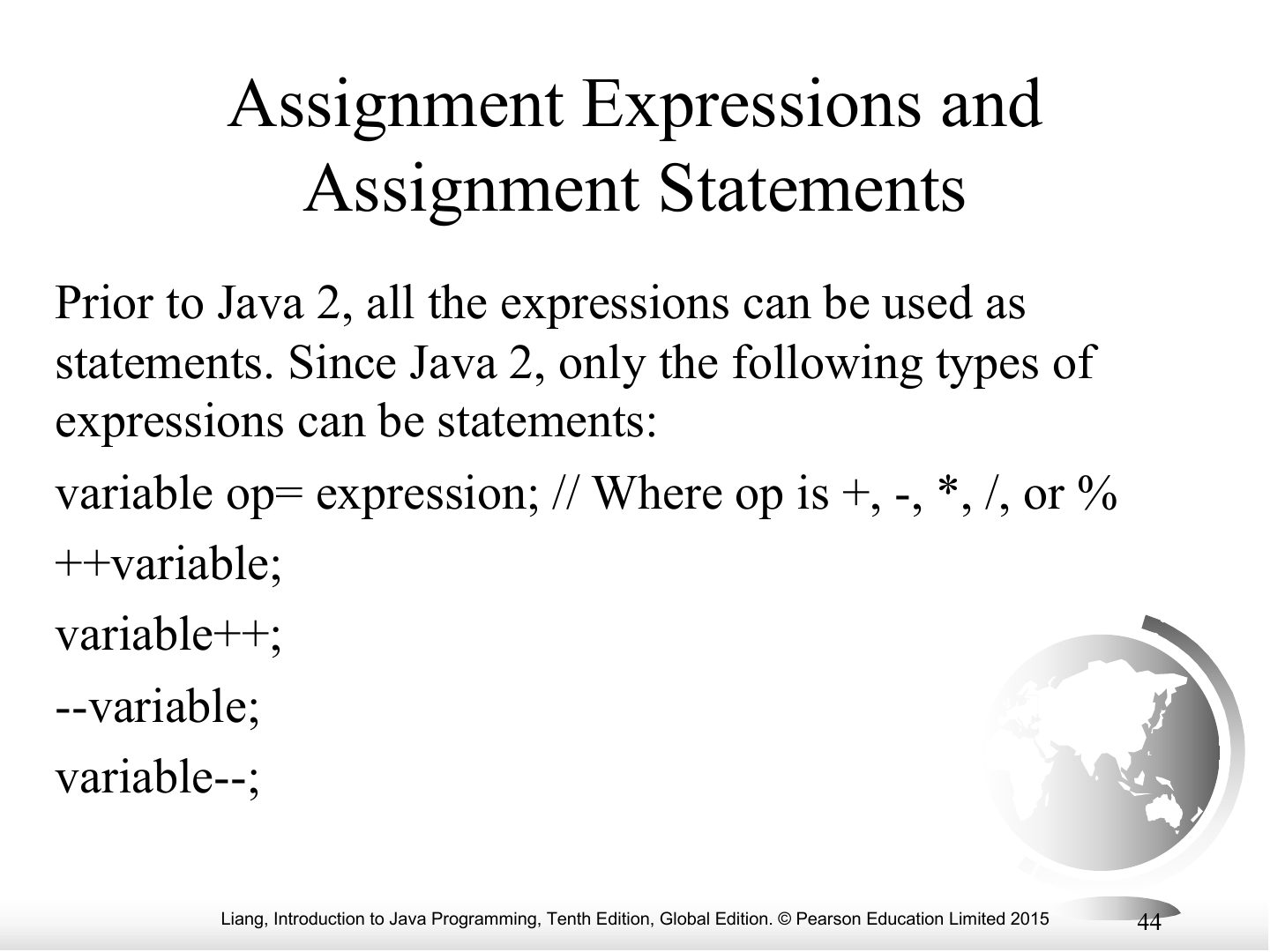
Assignment Expressions and Assignment Statements
What is the output of the following code:
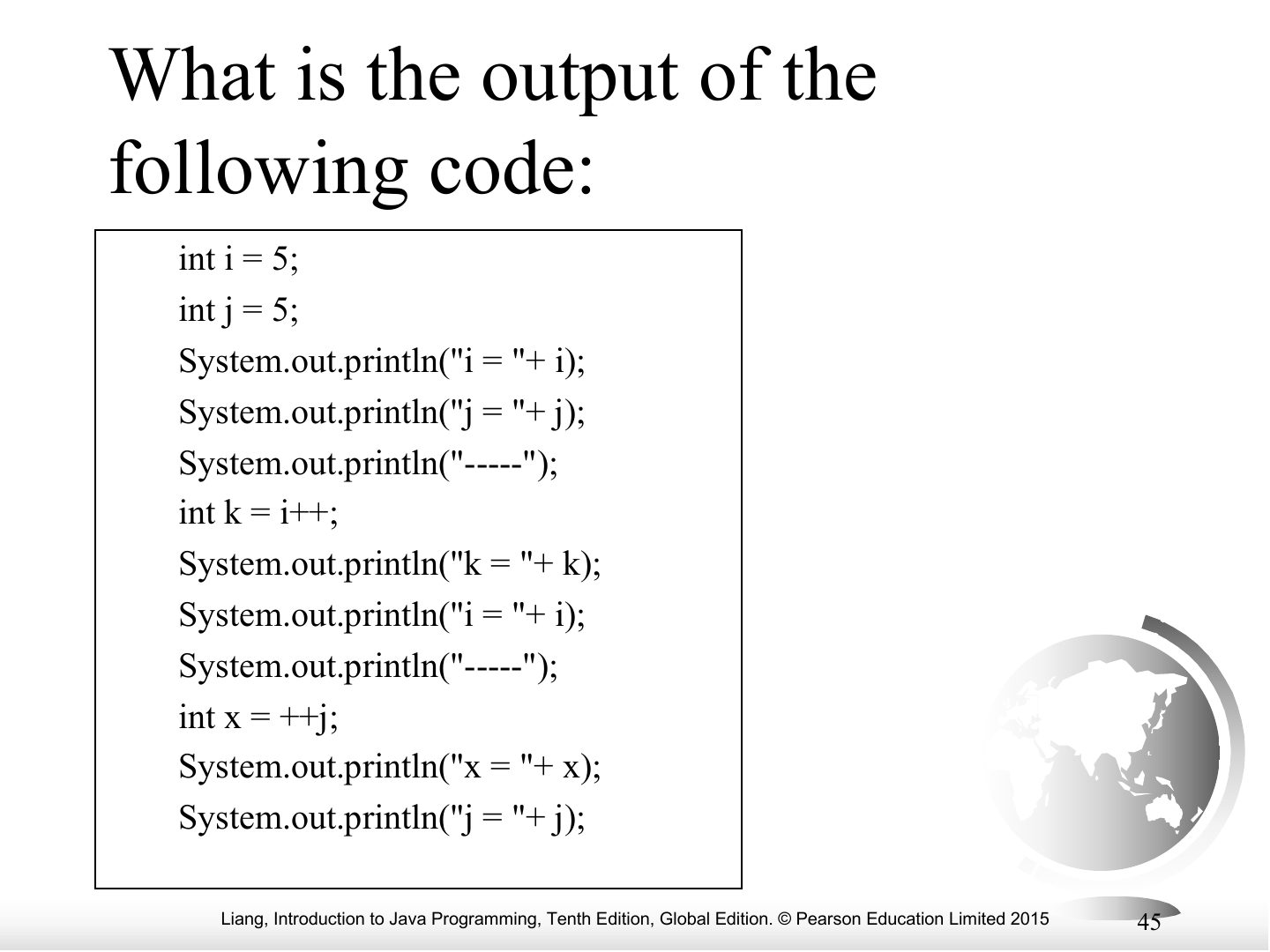
Notes
Practice: predict the output.
What is the output of the following code:
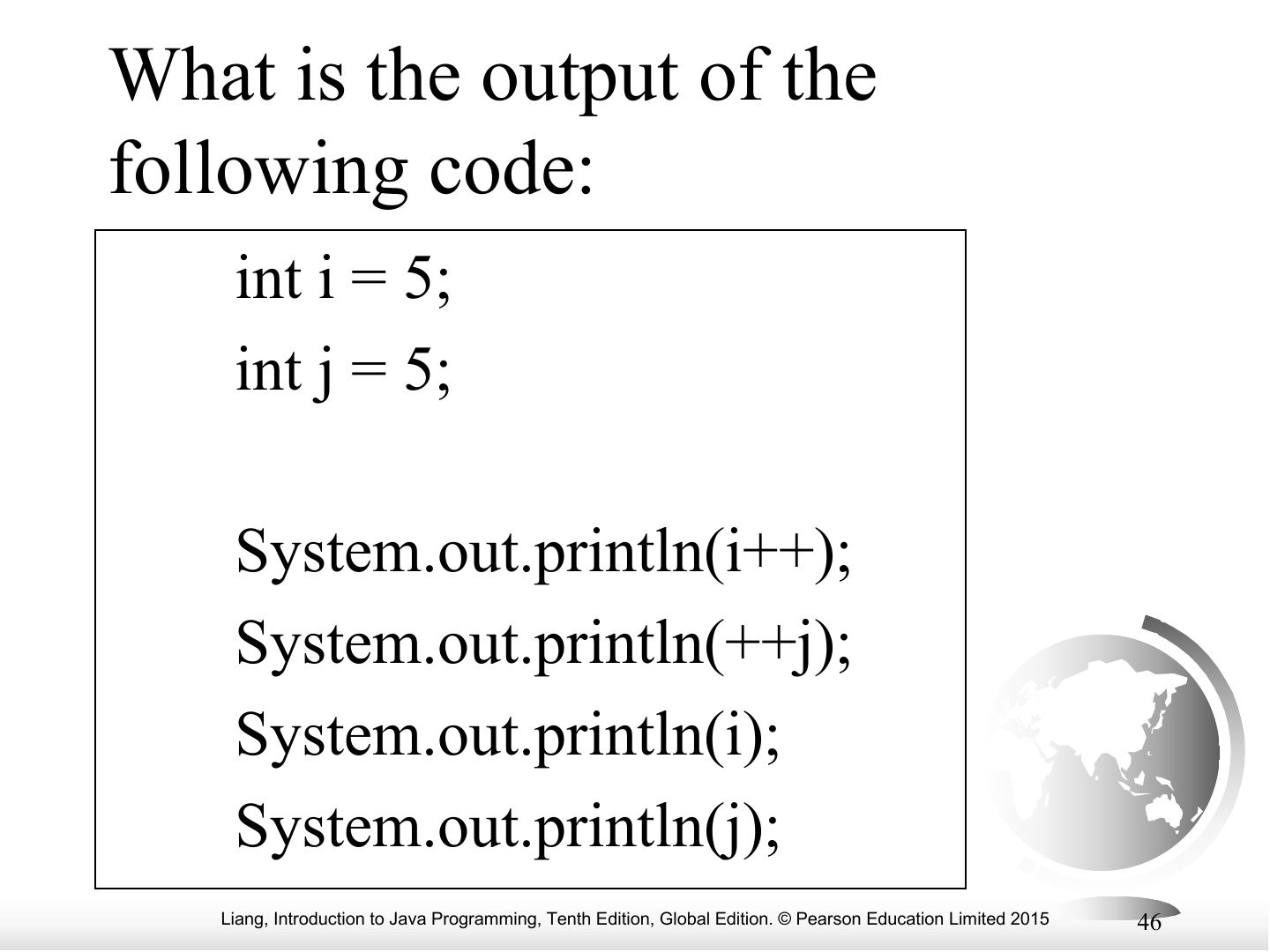
Notes
Practice: predict the output.
Problem: Keeping Two Digits After Decimal Points
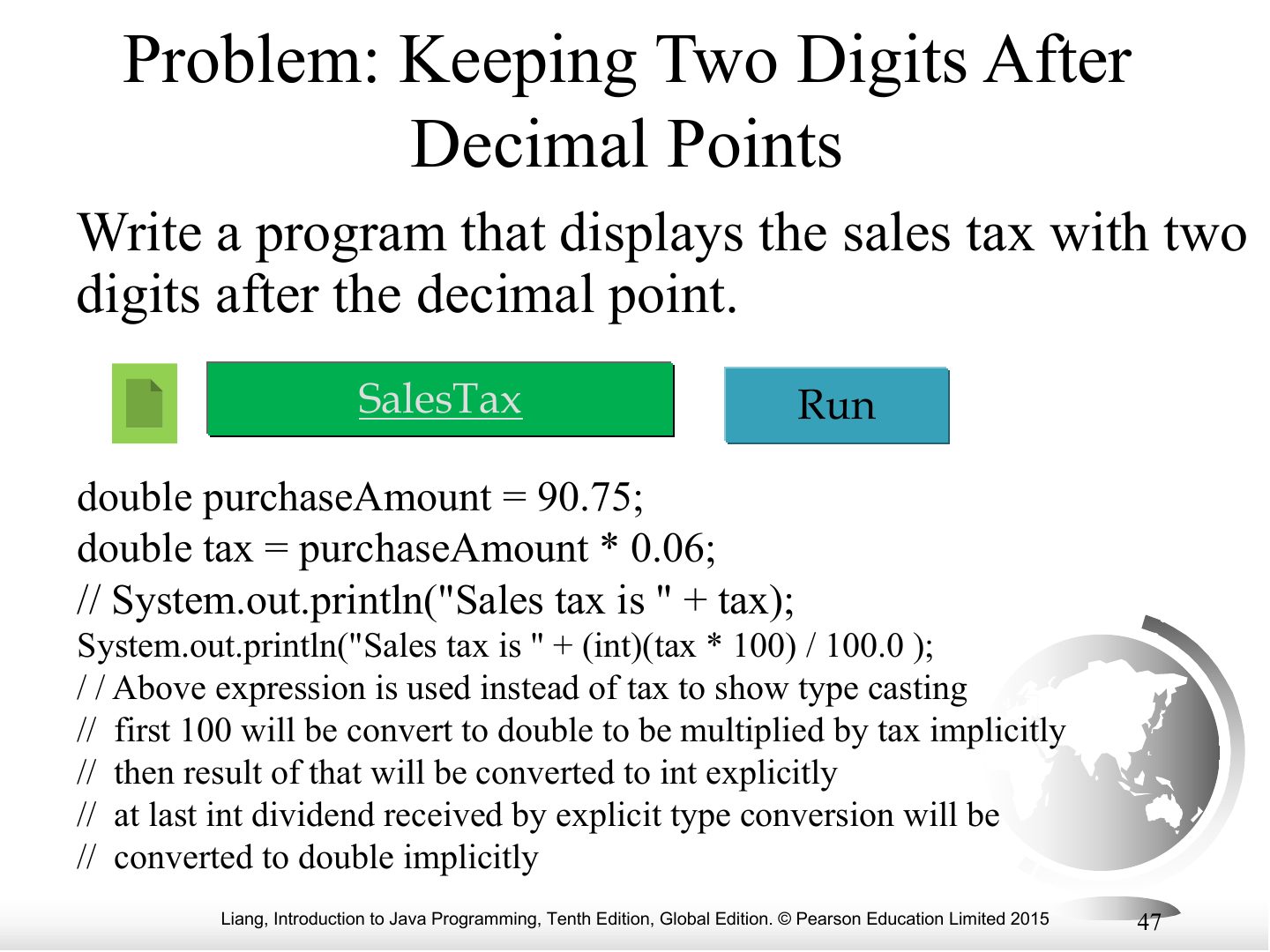
Common Errors and Pitfalls
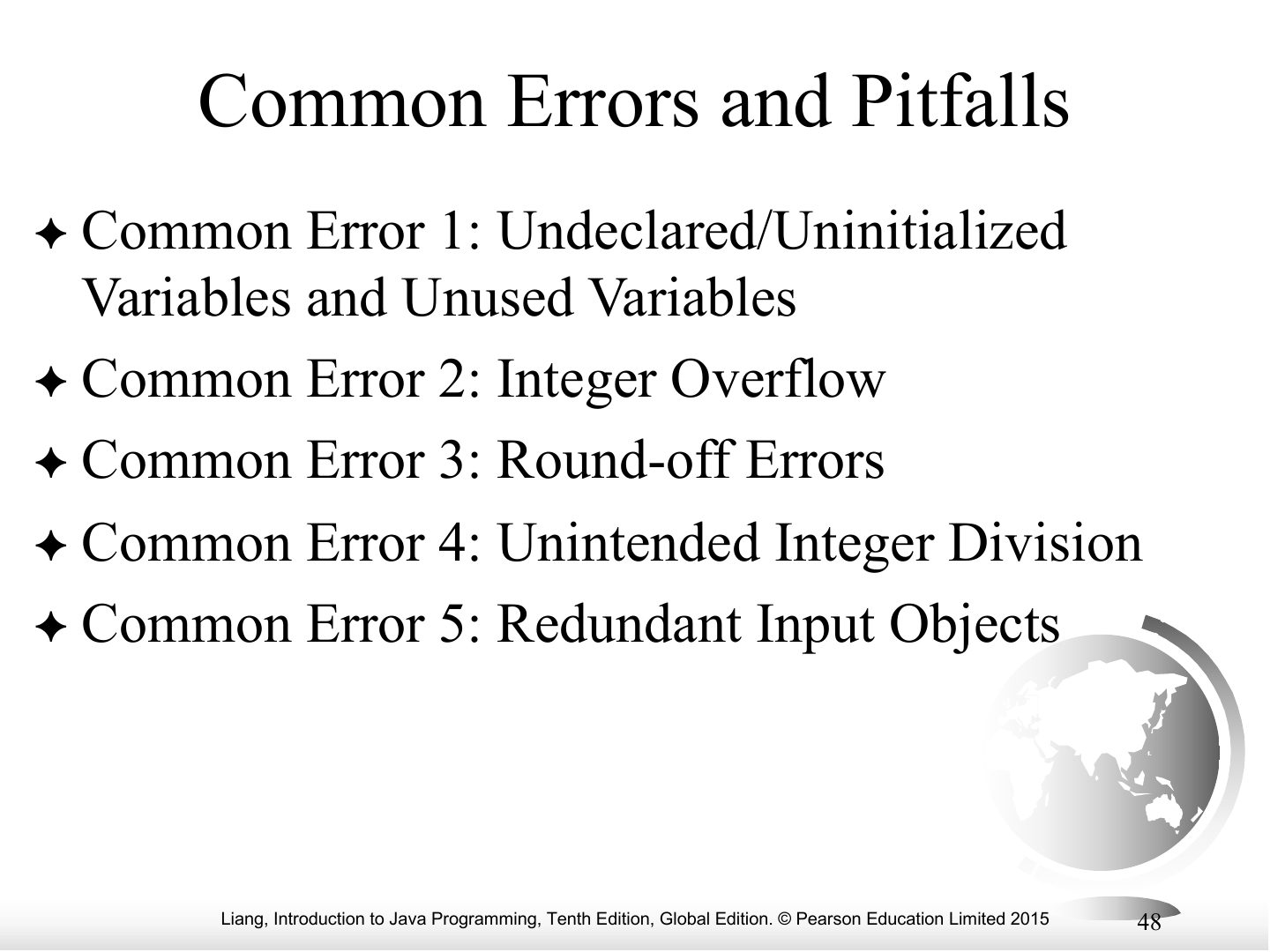
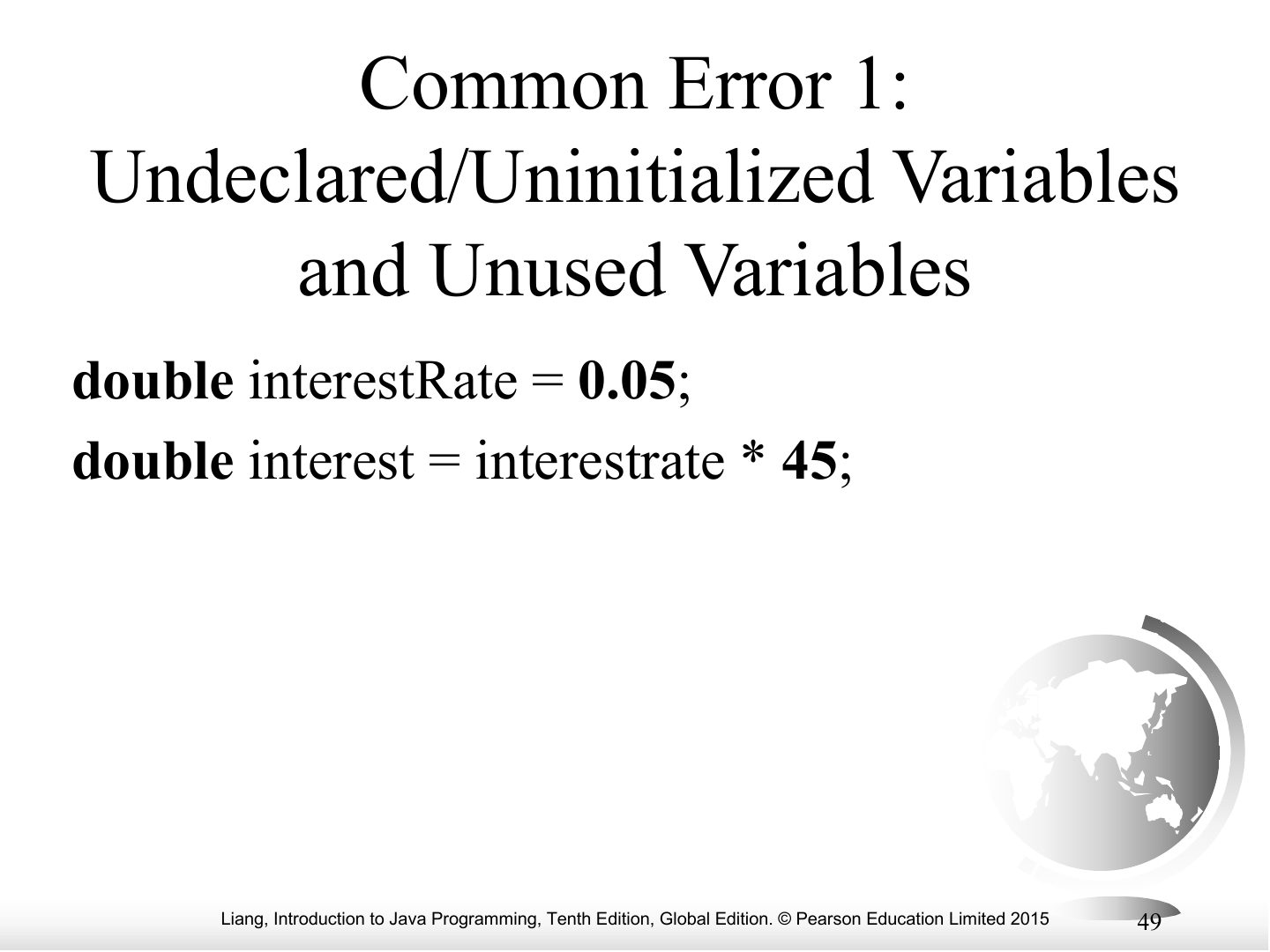
Common Error 1: Undeclared/Uninitialized Variables and Unused Variables
Notes
Error 1: using a variable before declaring or initializing it.
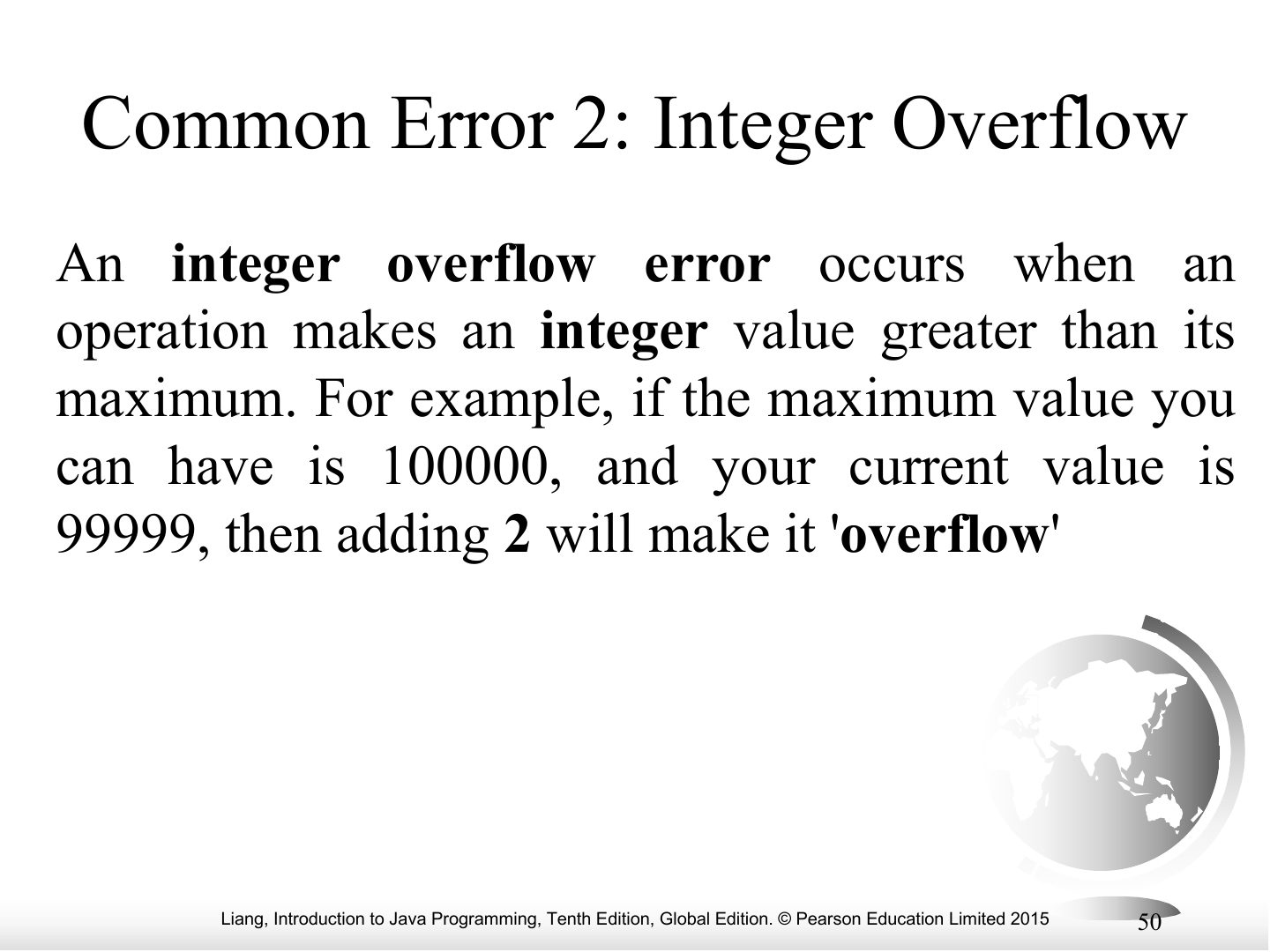
Common Error 2: Integer Overflow
Notes
Error 2: integer overflow: a value too big for the type wraps around (int max 2147483647).
Exam angle
Adding 1 to Integer.MAX_VALUE causes a runtime error in Java.
- It silently overflows to the minimum value.
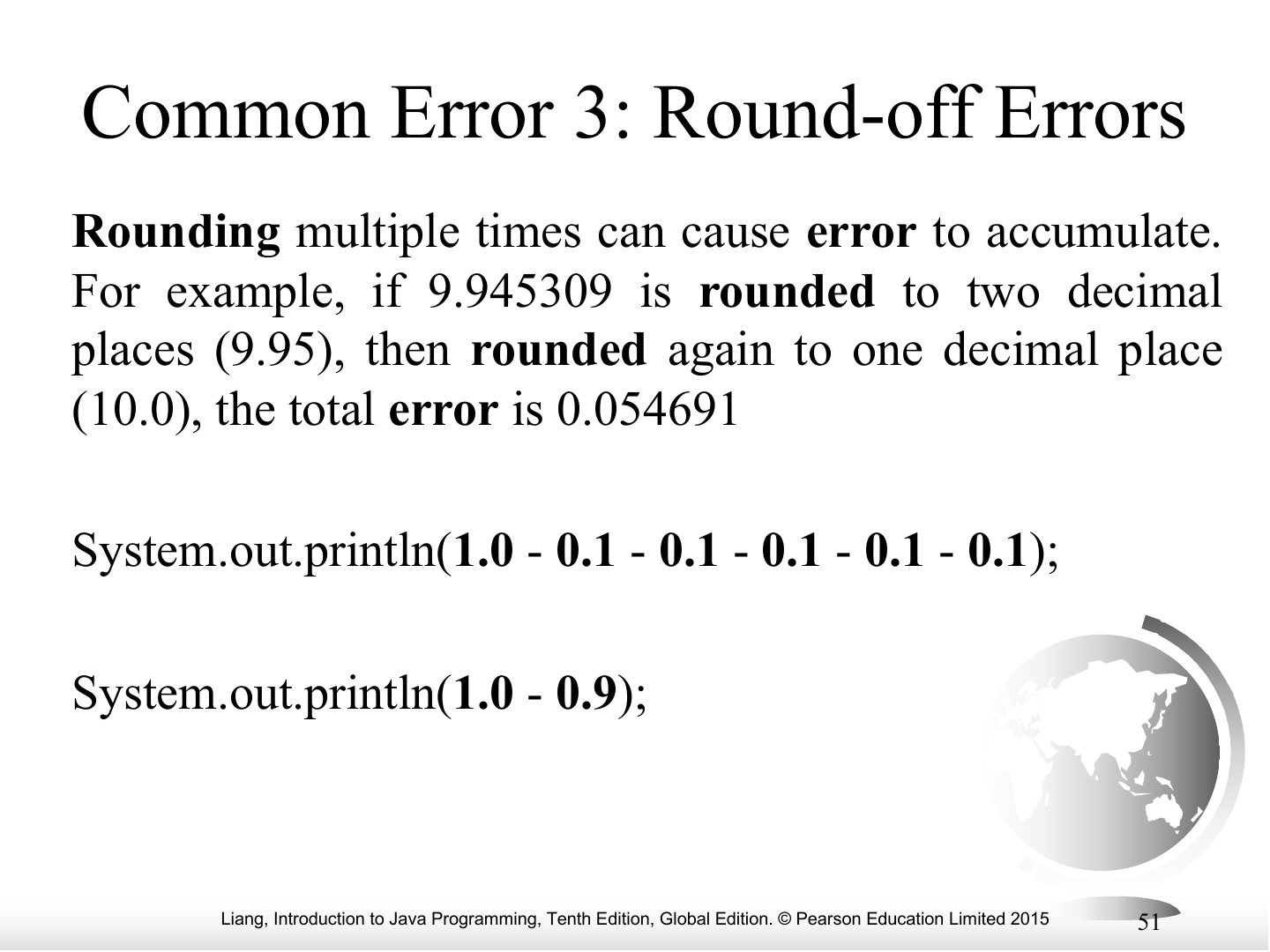
Common Error 3: Round-off Errors
Notes
Error 3: round-off errors: floating-point numbers are approximations (1.0 − 0.9 ≠ 0.1 exactly).
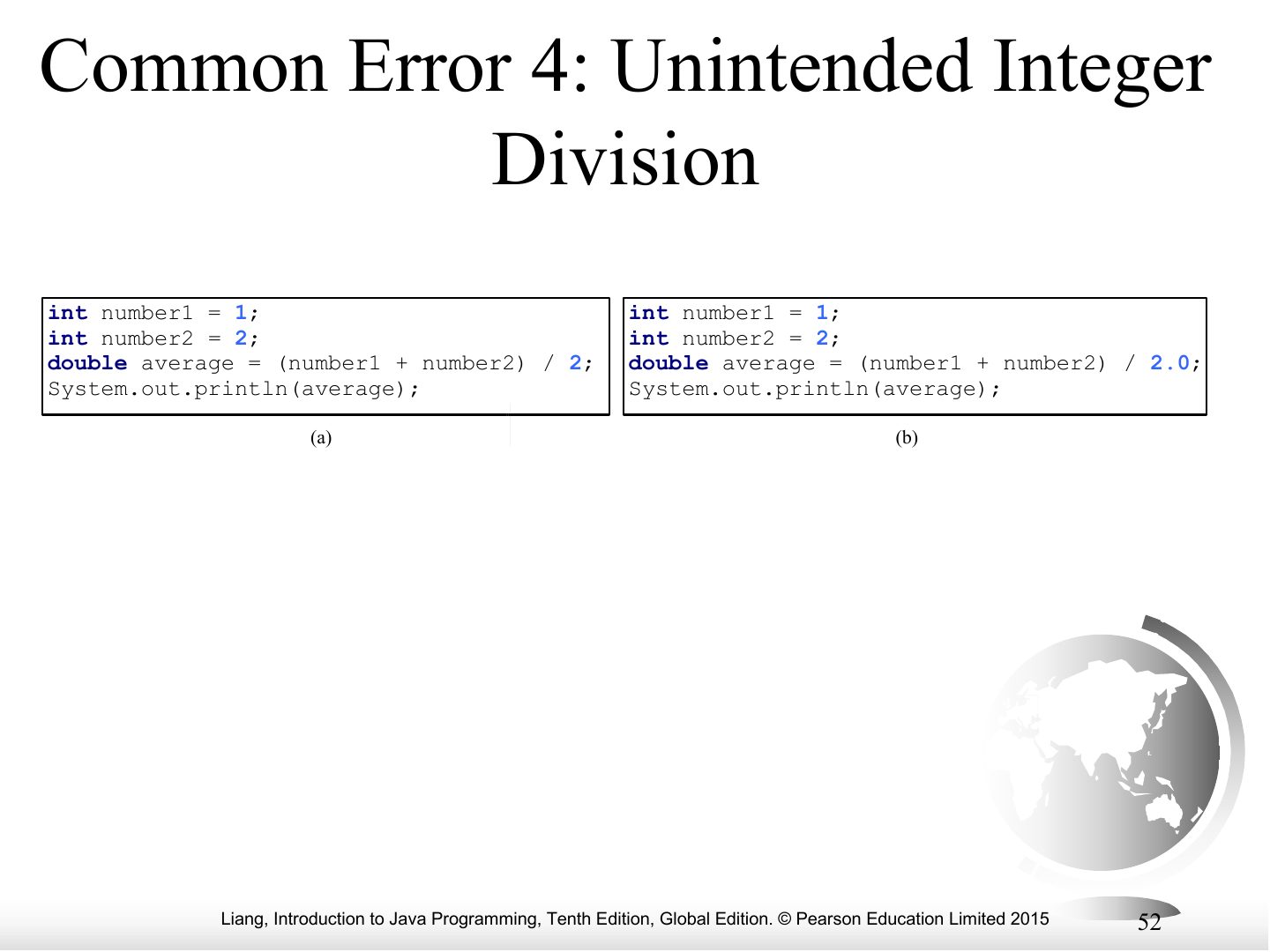
Common Error 4: Unintended Integer Division
Common Pitfall 1: Redundant Input Objects
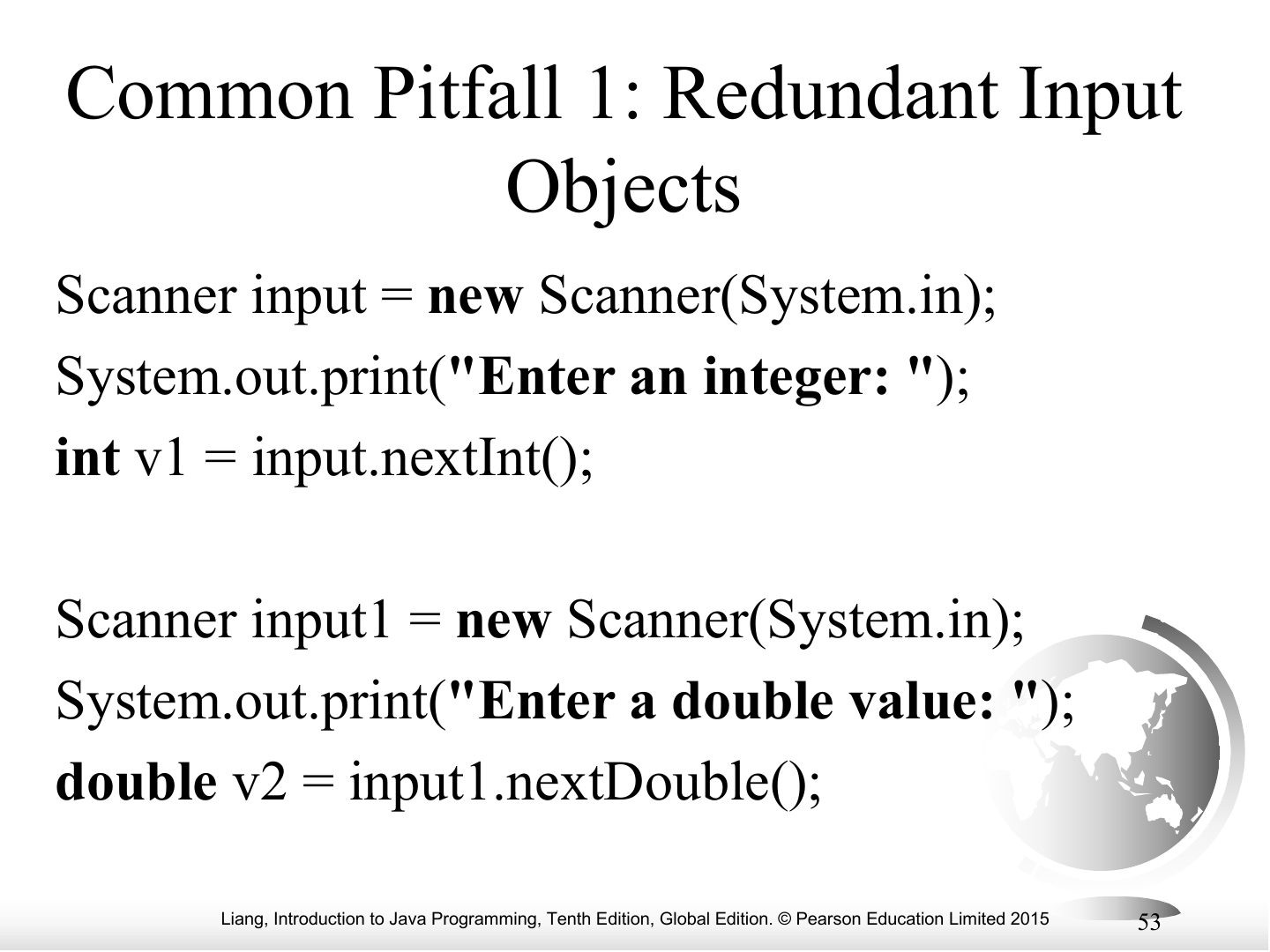
Notes
Pitfall: create ONE Scanner and reuse it.